ONLYOFFICE connector 1.2.1 for Pipedrive released: enable AI-powered automatic form-filling for your deals
Summary
The release of the ONLYOFFICE connector 1.2.1 for Pipedrive introduces the AI Autofill Plugin, enabling AI-powered automatic form-filling for deals. This feature allows users to easily fill out PDF forms by automatically recognizing fields and pulling data from Pipedrive, streamlining the document workflow and enhancing productivity.
- The AI Autofill Plugin simplifies PDF form completion.
- Users need to configure their AI assistant first.
- The integration app is free to download.
- Detailed installation guides are available in the Help Center.
- Various AI models can be connected for form-filling.
Good news for Pipedrive users looking to bring more automation to their sales workflows! The ONLYOFFICE connector 1.2.1 for Pipedrive is already available, introducing the brand-new AI Autofill Plugin within the integration. This plugin allows you to use your favourite AI assistant to automatically fill out fields in PDF forms, using data from your deals. Read this blog post to discover all the details.

What is the AI Autofill Plugin?
With version 1.2.1, the ONLYOFFICE and Pipedrive integration offers a new tool, the AI Autofill Plugin, enabling AI-powered automatic form-filling. Using this feature, you just open a PDF form with fillable fields, whether it be a receipt, invoice, sales order or contract, launch the plugin, and that’s it. AI will automatically recognize all the fillable fields in your form, pull the required data from the corresponding Pipedrive deal and suggest a suitable value for each field. All you have to do is click the Apply button. Fewer clicks and more productivity when working with fillable PDF forms — this is what the new plugin is designed for.
Note: The AI Autofill Plugin is based on ONLYOFFICE AI Tools and is not configured by default. To get started with automatic form-filling in your Pipedrive deals, you need to configure your AI assistant first. Read this guide in our Help Center and find out how to add your AI provider to the ONLYOFFICE editors.
How to fill out a PDF form using AI
Once you have the ONLYOFFICE and Pipedrive integration set up and running, with an AI assistant configured correctly, the process of automatic form-filling is pretty simple and straightforward. Just follow these steps:
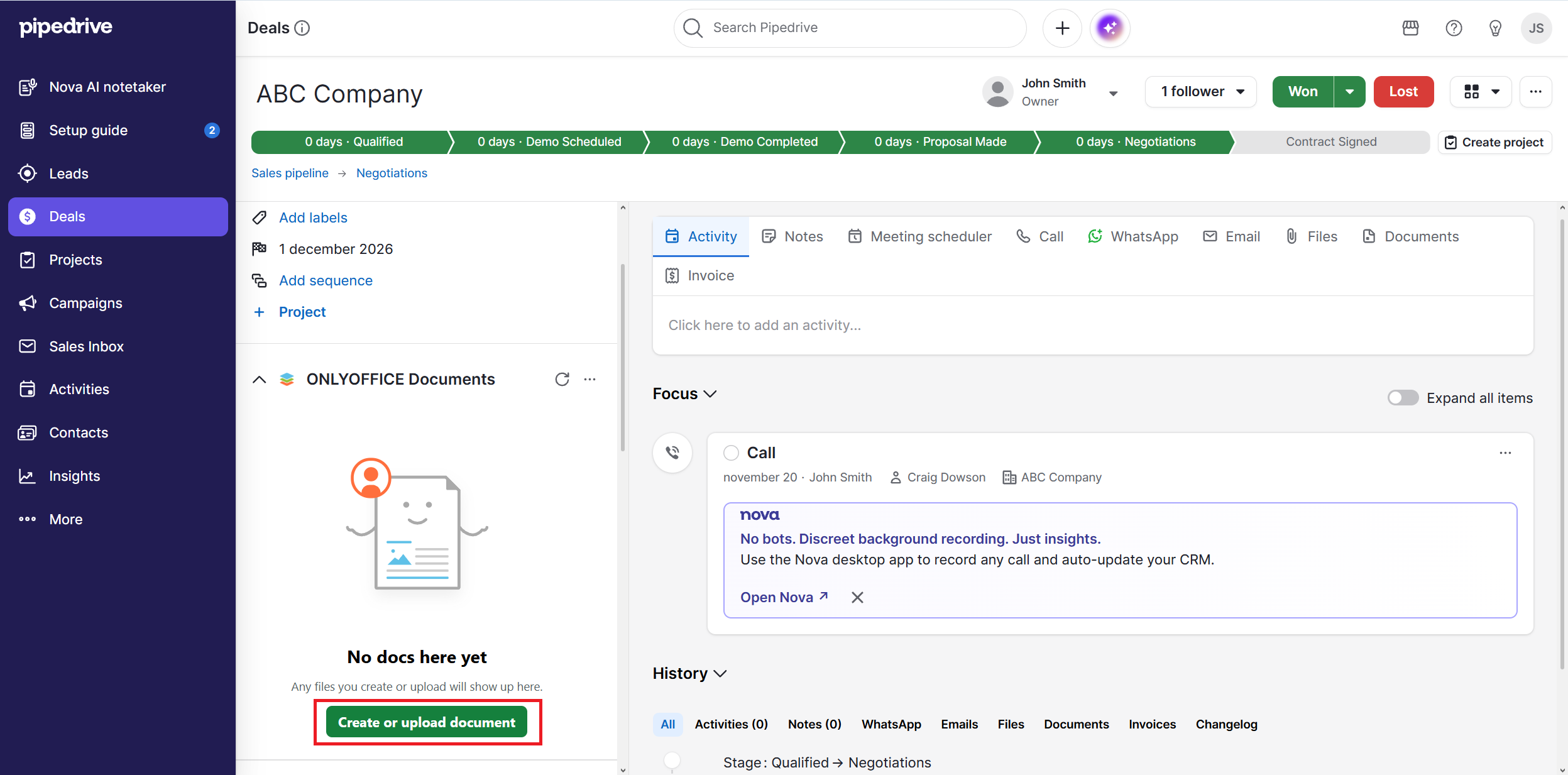
Step 1. Open your Pipedrive deal and upload a new PDF form by clicking the corresponding button. You can also create a new form from scratch, but you will need to add all fields manually before you can use the AI Autofill Plugin.
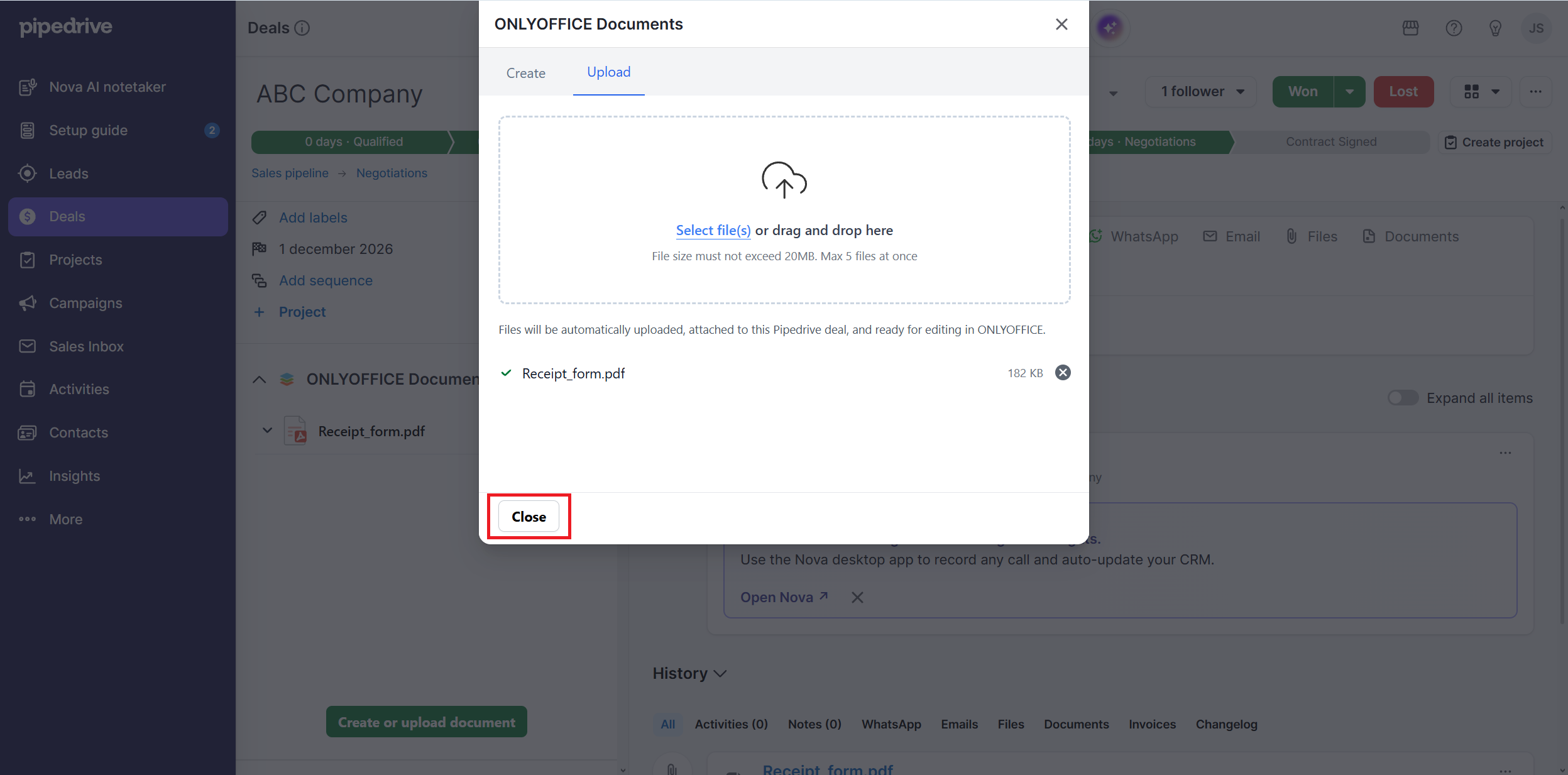
Step 2. Select the required form on your device or simply drag and drop it. Close the window.
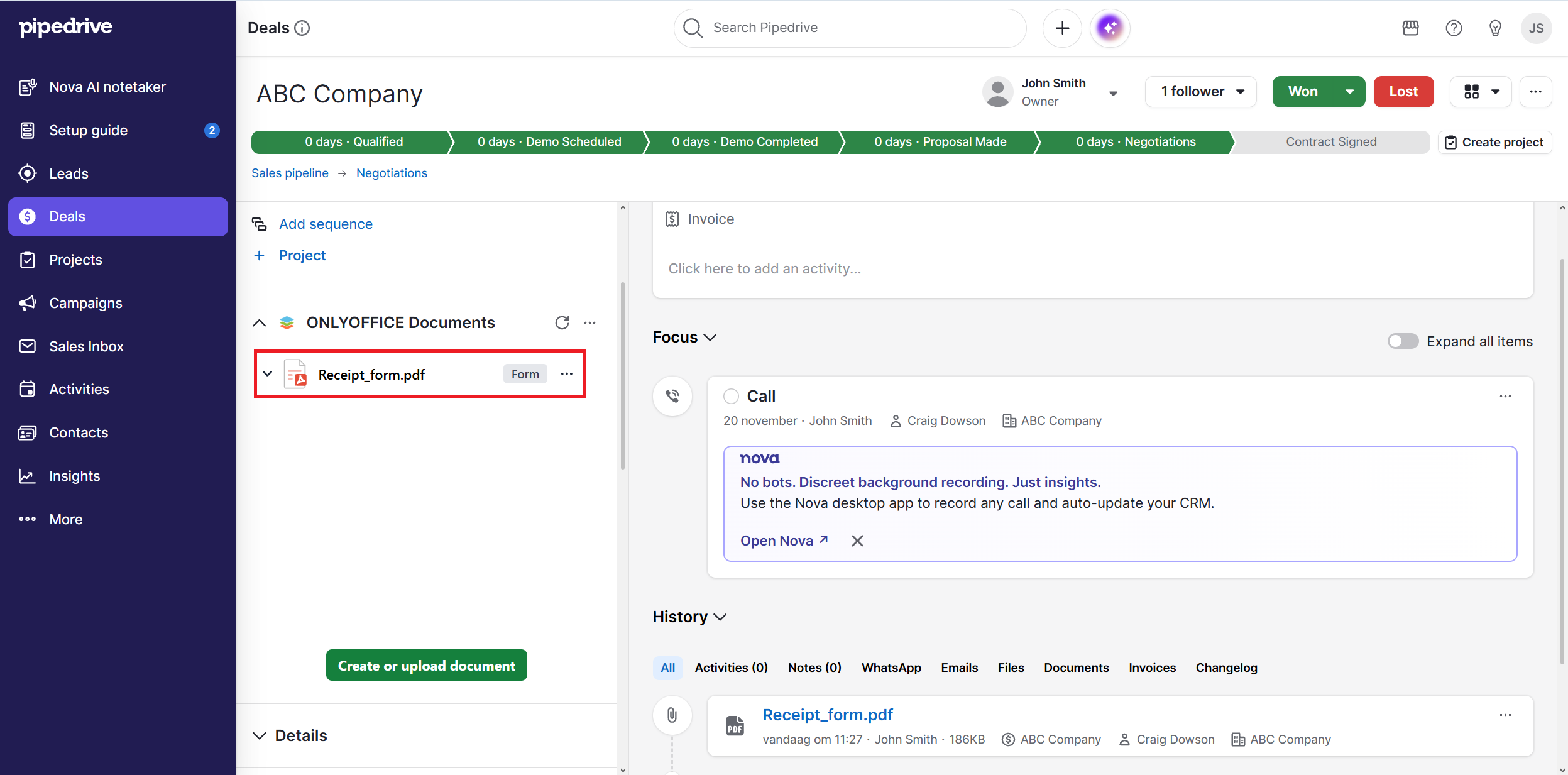
Step 3. Click the uploaded form to open it in the ONLYOFFICE editor.
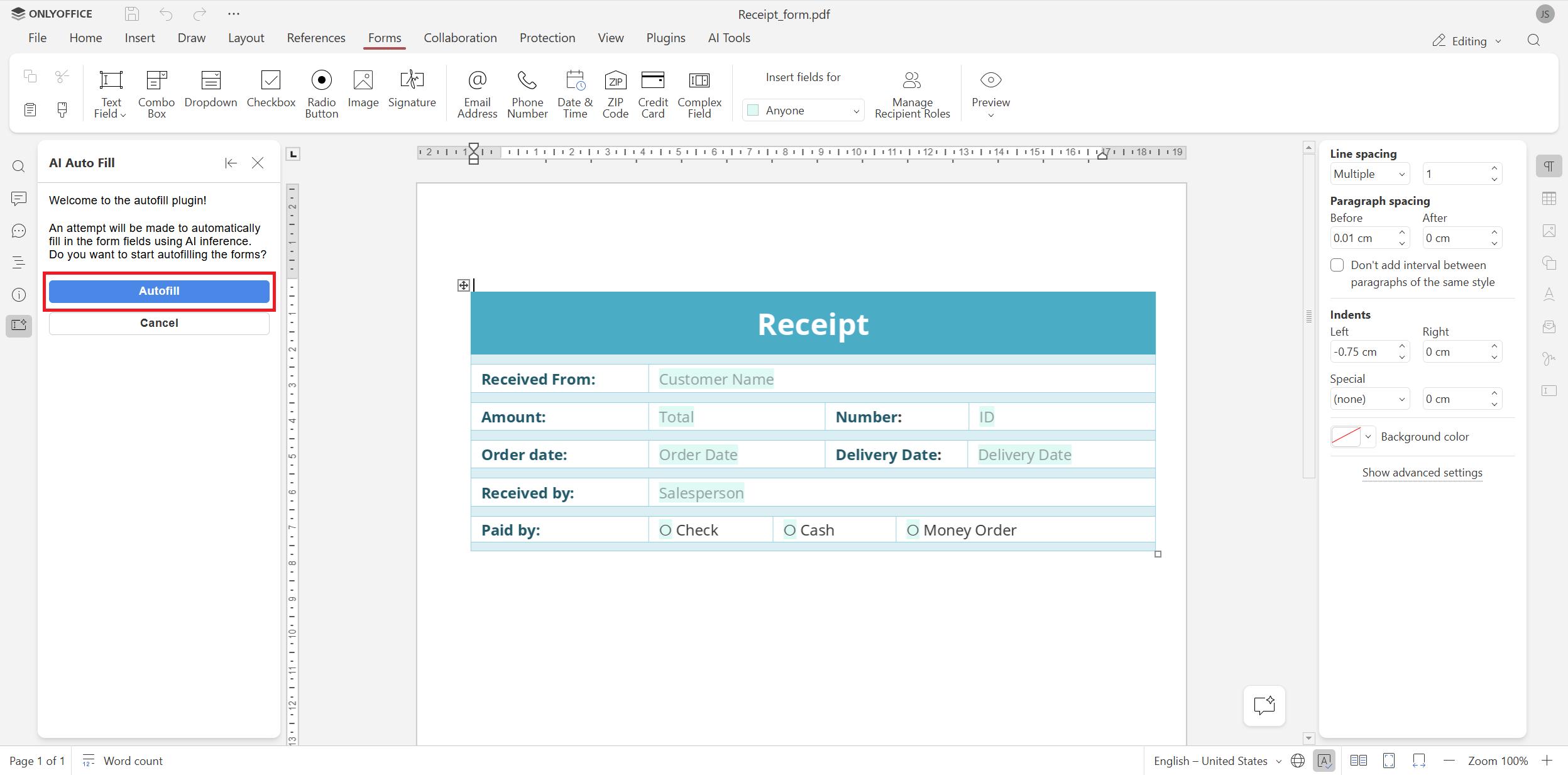
Step 4. Click the Autofill button to launch the plugin. It will analyze the form, identify all fillable fields and pull data from your Pipedrive deal.
Step 5. When the form-filling process is over, check if the completed fields contain correct information. Make edits if necessary.
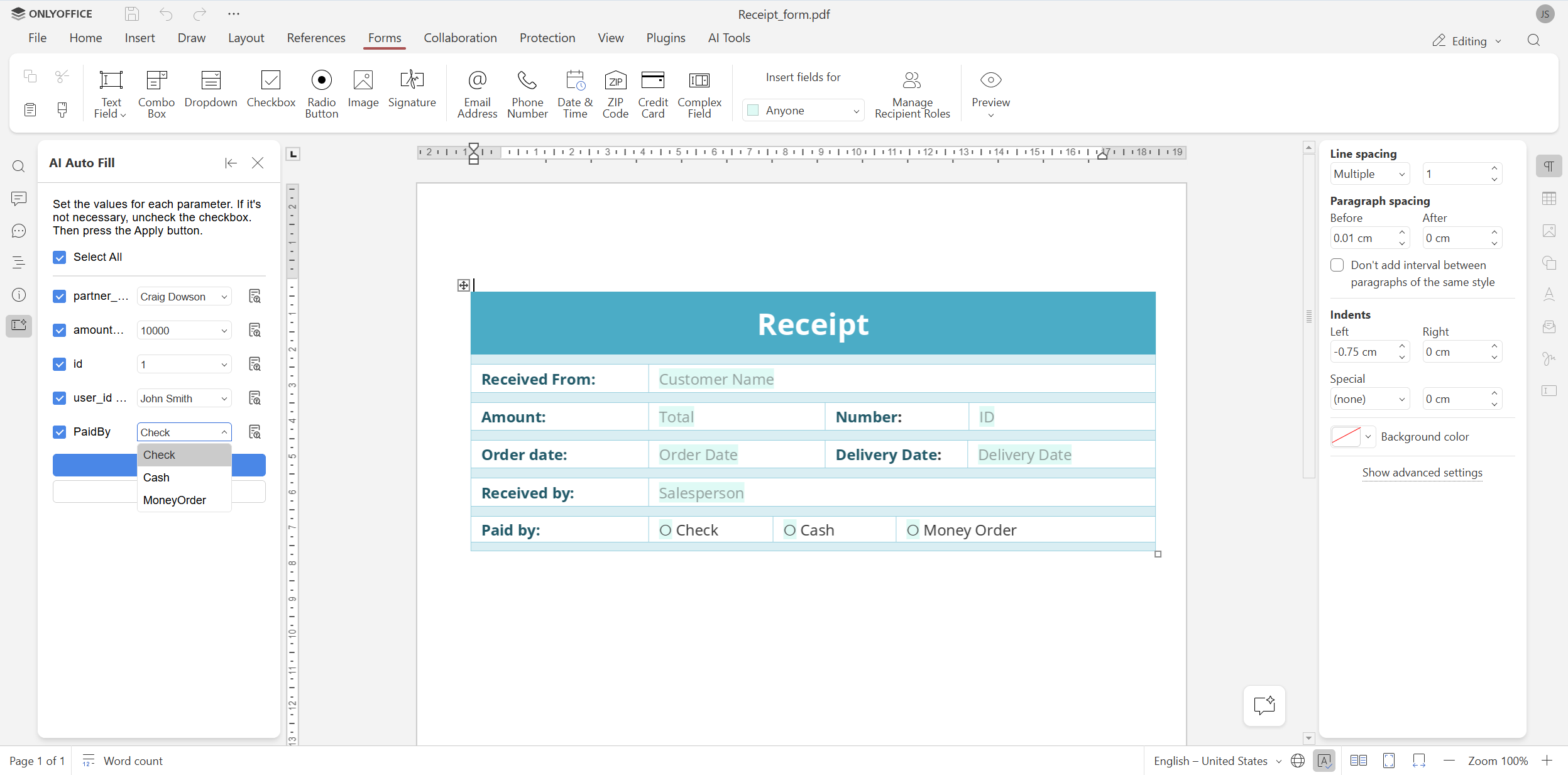
Step 6. If the fields are completed correctly, click the Apply button.
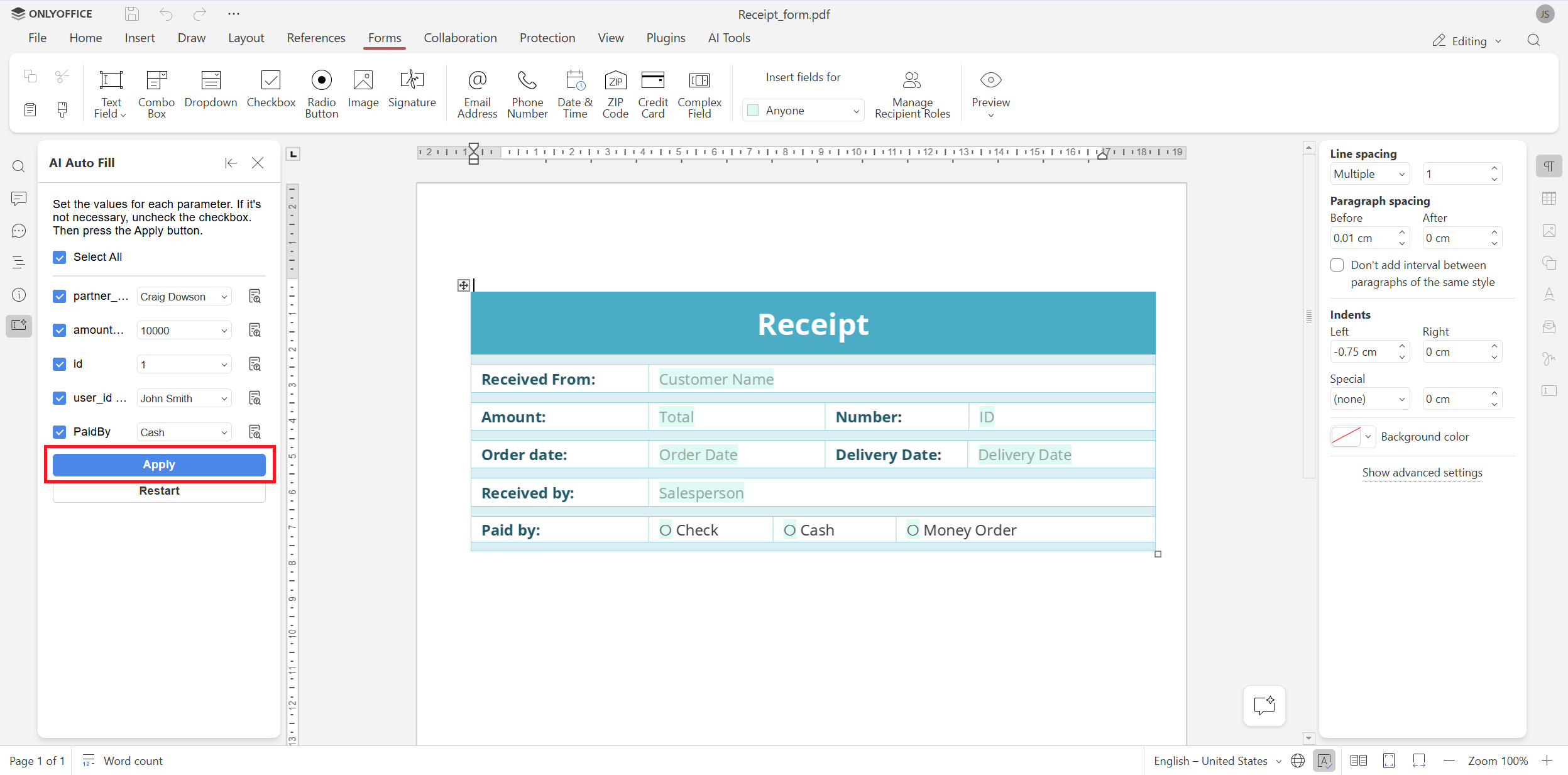
Step 7. You sill see a notification that the plugin is going to replace data in the original document. Click Confirm to proceed.
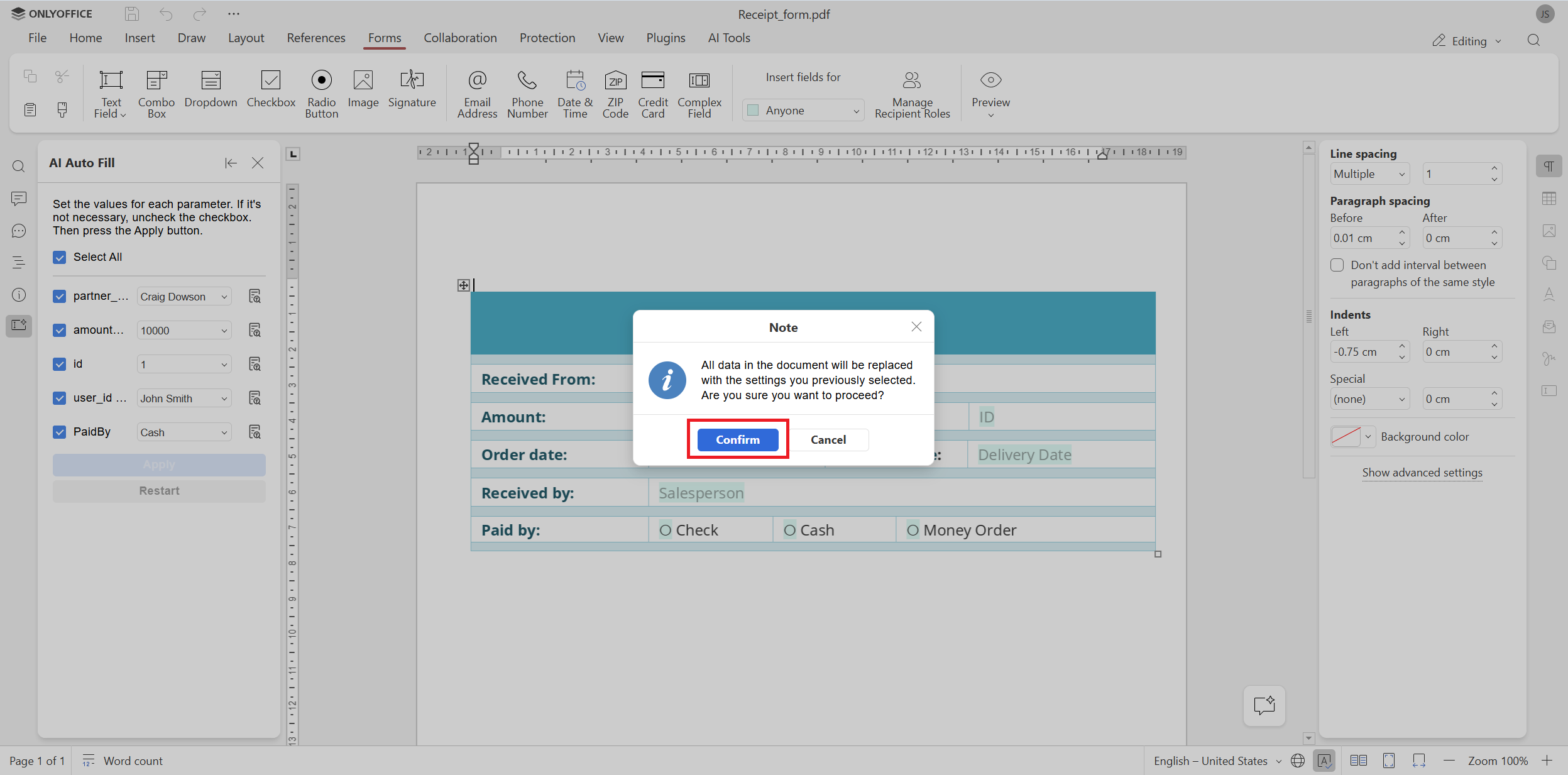
Step 8. Now your PDF form is completed. You can either click the Close tab button to continue editing your form or cancel the autofill process if something is wrong.
Get the ONLYOFFICE connector for Pipedrive
Want to automate your document workflows and get completed PDF forms for your Pipedrive deals in seconds without manual data input? Get the ONLYOFFICE app for free from the official marketplace and set up your integration now:
Frequently asked questions (FAQ)
Is the ONLYOFFICE integration app for Pipedrive free?
Yes, our integration app is absolutely free. You can get it from the Pipedrive marketplace or GitHub.
What do I need to do to get started with this integration?
You need to have an ONLYOFFICE Docs instance (cloud-based or self-hosted) and install the integration app from the Pipedrive marketplace.
Where do I find installation guides and configuration tutorials for this integration?
You can find detailed information about the ONLYOFFICE and Pipedrive integration in our Help Center.
How do I start automatic form-filling in Pipedrive?
Since automatic form-filling is powered by AI, you need to add and configure your AI assistant in the ONLYOFFICE editors. More information in available in our Help Center.
What AI models support automatic form-filling in ONLYOFFICE?
In ONLYOFFICE, you can add any AI model you trust — ChatGPT, Google Gemini, Anthropic, Mistral, DeepSeek, Groq and more. You can even connect local models running via Ollama, LM Studio or GPT4ALL.
Is it possible to disable automatic form-filling in my ONLYOFFICE and Pipedrive integration?
Yes, you can easily disable it in the ONLYOFFICE integration app settings.
Besides form-filling powered by AI, what else does the ONLYOFFICE integration app do?
The ONLYOFFICE app allows you to work on deal documents without leaving the platform. You can create, edit and collaborate on documents, spreadsheets, presentations and PDFs — all saved back to Pipedrive in real time.
Create your free ONLYOFFICE account
View, edit and collaborate on docs, sheets, slides, forms, and PDF files online.