All connectors update: October 2026
ONLYOFFICE continues to improve the way users create, edit, and collaborate on documents across cloud storage platforms, content management systems, and project management tools. With regular connector updates, we aim to make document workflows more convenient for end users, simplify administration, and maintain compatibility with evolving host platforms.
The October roundup brings updates for integrations: Nextcloud, ownCloud, Confluence, and Jira. The new releases focus on compatibility with recent platform versions, improvements to administrative settings, more convenient image insertion, and security enhancements.
Let’s take a closer look at what’s new.

Mattermost integration
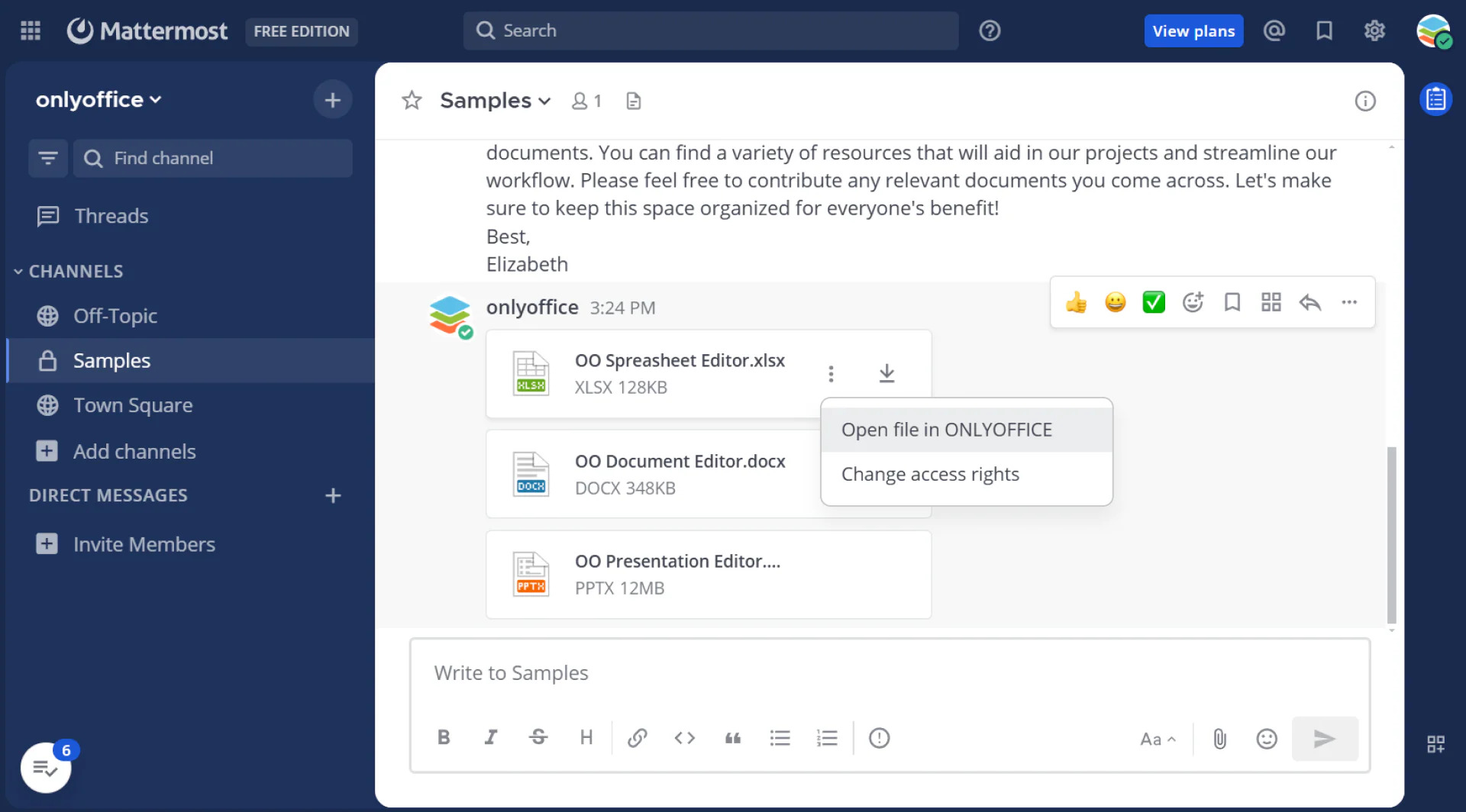
The ONLYOFFICE integration for Mattermost has been updated to version 2.4.1, with a particular focus on connection security and stricter handling of Document Server addresses. The news is:
Configurable private Document Server addresses
The update introduces the DESAllowPrivate setting, which allows administrators to configure whether private Document Server addresses are permitted.
By default, loopback and private-network Document Server addresses are now rejected. This restriction also applies to redirect hops, helping prevent a connection from reaching a prohibited address after an initial request.
Stricter URL validation
The integration now applies stricter sanitization to Document Server URLs. This strengthens the validation of addresses used for connections between Mattermost and ONLYOFFICE Docs.
Updated dependencies
The release includes updated dependencies, helping keep the integration aligned with its current technical requirements.
Improved outgoing request handling
Another fix ensures that outgoing requests no longer fall back to the default HTTP client. This helps maintain the intended request-handling behavior and avoids unintended changes in how external connections are made.
The latest fixes help make the integration more reliable in environments with proxy configurations and reduce potential issues when administrators update plugin settings:
- Proxy support: requests are now routed through the HTTP_PROXY, HTTPS_PROXY, and NO_PROXY environment variables.
- Configuration persistence: saving a partial configuration no longer causes existing plugin settings to be lost.
- More resilient activation: unknown formats in the settings are now ignored and logged instead of causing activation to fail.
These changes are particularly relevant to administrators managing self-hosted Mattermost and ONLYOFFICE Docs deployments, where connection rules and network boundaries are important parts of the security configuration.
ownCloud integration
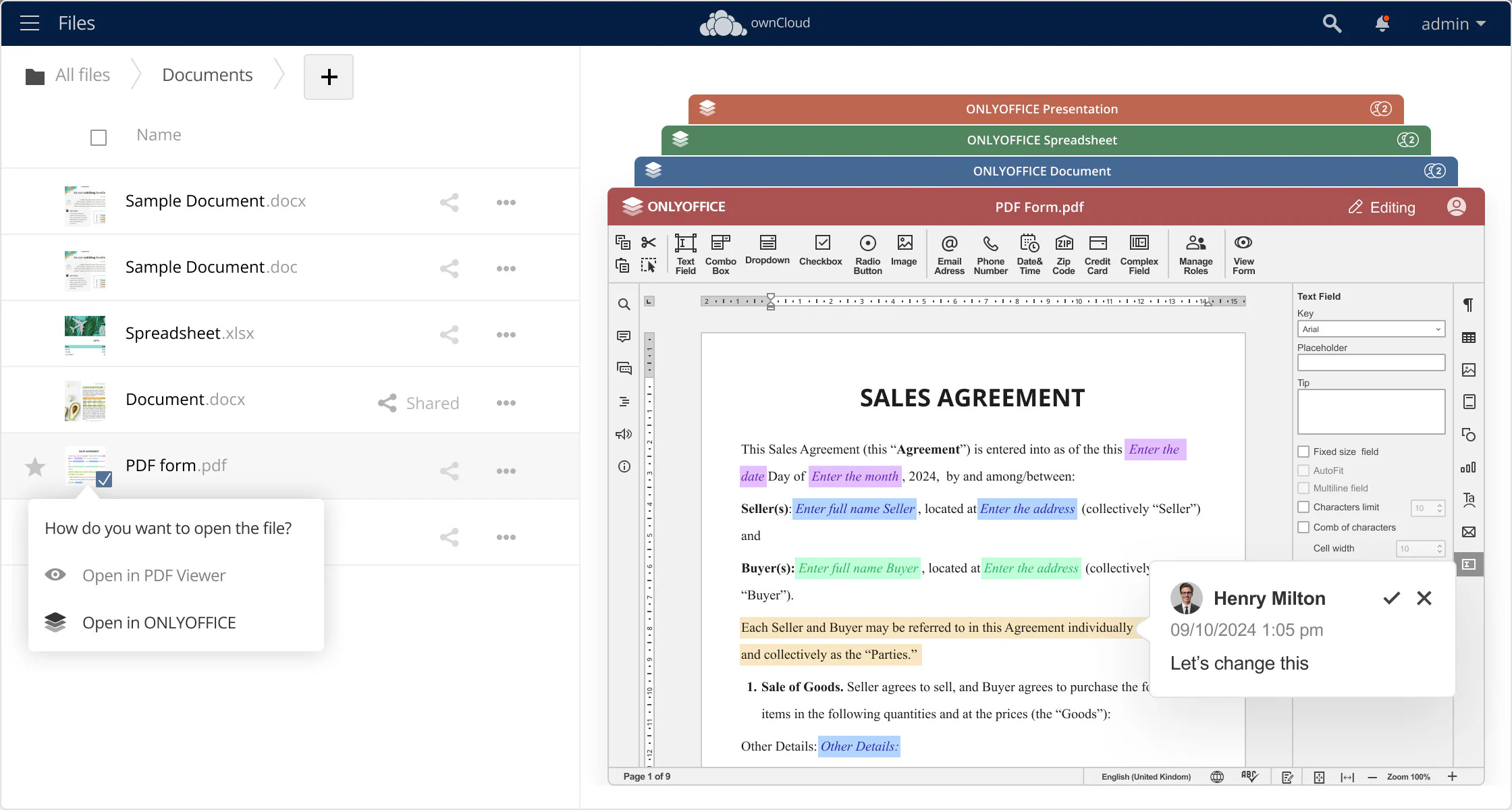
The ONLYOFFICE integration for ownCloud has been updated to version 10.0.0, adding compatibility with the new version and improving the administration interface. Here is what’s new:
Compatibility with ownCloud 11
The updated integration supports ownCloud 11, helping organizations use ONLYOFFICE document editing within their ownCloud environment as they adopt the newer platform version.
A dedicated section for administration settings
Administrative settings have been moved to a separate section. This change gives administrators a clearer place to configure the integration and separates management tasks from the regular user experience.
Insert multiple images into the editor
The update also introduces the ability to insert multiple images from cloud storage into the editor at once. This makes it easier to prepare documents containing several images and reduces the number of manual steps required during editing.
Security improvements
Version 10.0.0 includes security improvements to help maintain a safer integration environment.
For administrators, we recommend reviewing the updated configuration after installation and verifying that the integration works as expected with the deployed ownCloud and ONLYOFFICE Docs versions.
Nextcloud integration
The ONLYOFFICE app for Nextcloud has been updated to version 10.2.0, introducing updated compatibility with the platform and several improvements to everyday document workflows and administration. The new version brings:
Compatibility with Nextcloud 35
The updated integration supports Nextcloud 35, helping administrators maintain their document editing workflows when upgrading their Nextcloud environment.
Insert multiple images at once
Users can now insert multiple images from Nextcloud into the editor in a single operation. This is particularly useful when preparing image-rich documents, reports, presentations, and other materials that require several visual elements.
Instead of adding images one by one, users can select multiple files and bring them into the editing workflow together, reducing repetitive actions.
Redesigned administration settings
The administration interface has been redesigned, with settings organized into tabs. This structure makes the configuration easier to navigate and helps administrators locate the relevant options more efficiently.
Common and security settings now save automatically, simplifying routine configuration tasks.
Security improvements
The release includes security-related changes designed to strengthen the integration’s configuration and handling of sensitive information. These include encrypted storage of the document service secret key and changes to server address checks.
The update also requires an explicit configuration option when checking an ONLYOFFICE Docs address on a local network, providing administrators with more deliberate control over this behavior.
Together, these changes improve compatibility, streamline administration, and reinforce the security of the integration.
Confluence connector
The ONLYOFFICE connector for Confluence has been updated to version 7.5.0, and now supports Confluence Data Center 10.2.18, helping organizations running this platform version continue using ONLYOFFICE document editing within their Confluence workflows.
Keeping connectors aligned with supported host platform versions is important for organizations that regularly update their infrastructure.
Jira connector
The ONLYOFFICE connector for Jira, updated to version 5.2.0, supports Jira Data Center 11.3.10, extending compatibility for organizations using this version of Jira.
The connector helps teams work with documents, spreadsheets, presentations, and other supported files associated with Jira tasks.
Moodle plugin
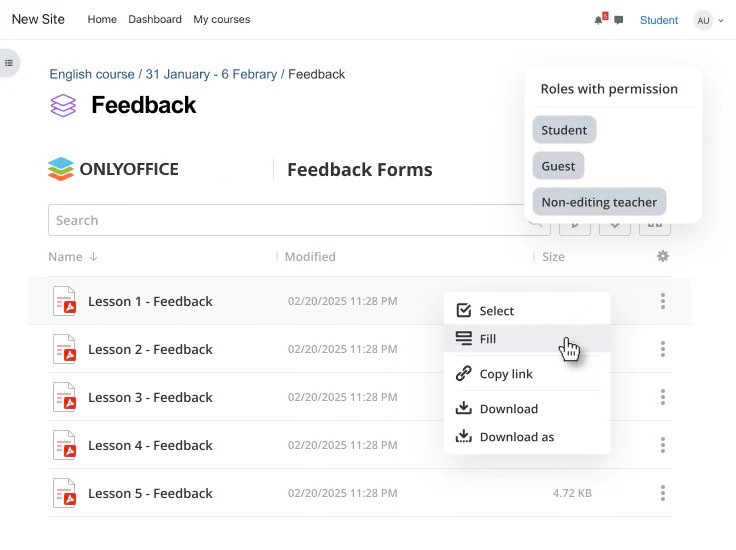
The ONLYOFFICE plugin for Moodle has been updated to version 6.2.0, introducing the following updates:
Support for Moodle 5.3
The updated plugin supports Moodle 5.3, helping educational institutions maintain their document editing workflows as they upgrade their learning platforms.
Improved full-screen editor opening
The plugin also improves the process of opening the editor in full-screen mode, making it more convenient for users who need a larger workspace for reading, writing, or editing documents.
These improvements help teachers and students focus on their work while keeping document editing integrated into the learning environment.
Moodle assignment submission plugin
The ONLYOFFICE plugin for Moodle assignment submissions has been updated to version 4.2.0 and lets you open the editor in fullscreen mode. The plugin brings:
Support for Moodle 5.3
The updated plugin supports Moodle 5.3, helping educational institutions maintain compatibility with their Moodle environments.
For institutions using Moodle for teaching and assessment, keeping both the main editor plugin and the assignment submission integration up to date can help maintain a consistent document workflow across different learning activities.
Beyond individual connectors: ONLYOFFICE Docs 10.0
The connector releases are part of a broader period of development across the ONLYOFFICE ecosystem.
Released in October, ONLYOFFICE Docs 10.0 introduces more than 50 new features, over 1,000 bug fixes, and fixes for 35 vulnerabilities. The release includes updates to the editors, AI capabilities, security, and developer tools.
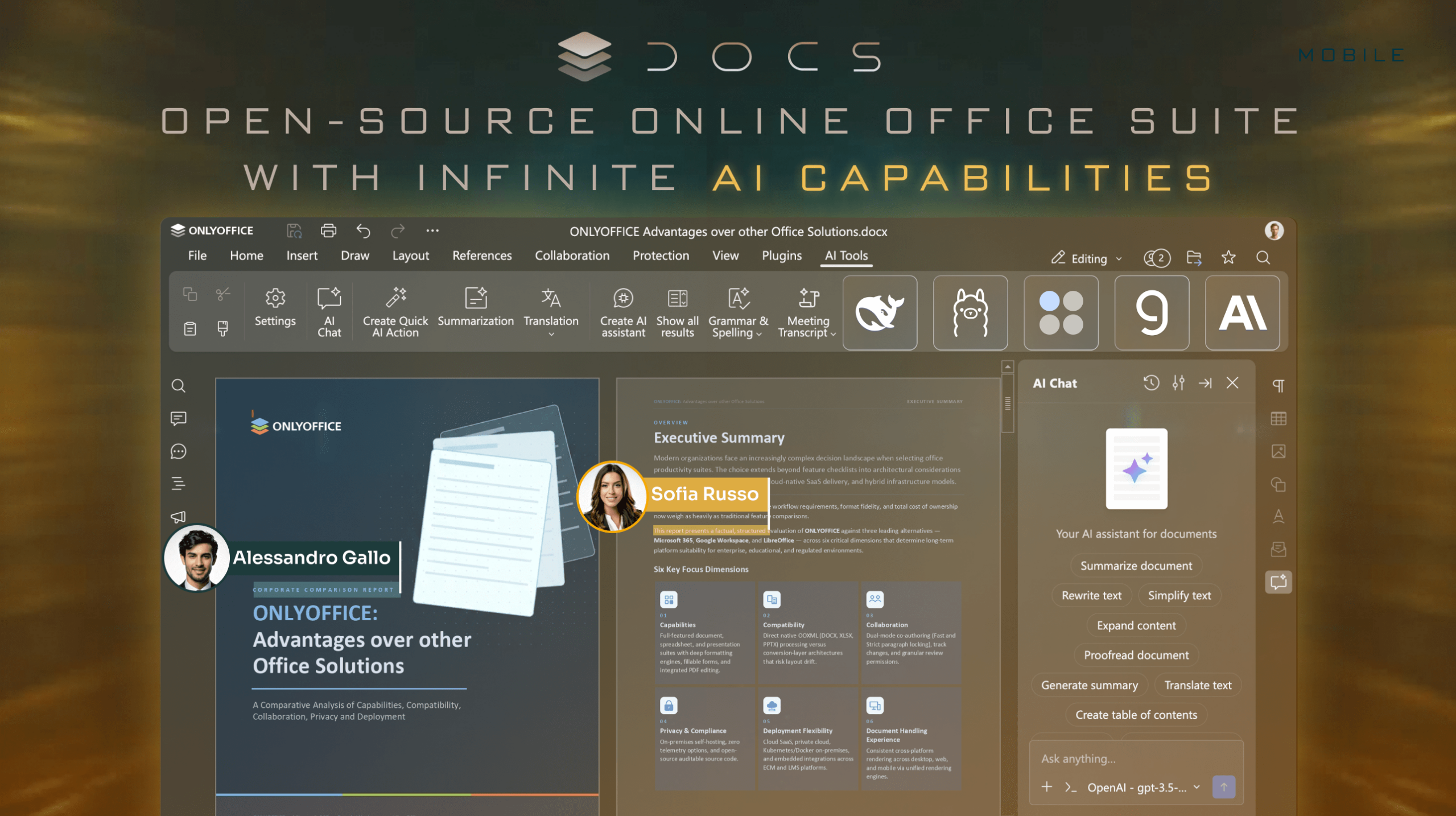
For organizations integrating ONLYOFFICE into other platforms, several developments are particularly relevant.
AI tools and flexible configuration
ONLYOFFICE Docs 10.0 expands AI capabilities across the editors, helping users work with document content through AI-powered assistance.
Organizations can configure AI integrations according to their requirements, including connecting different models and locally hosted solutions in supported deployments. This flexibility can be useful for teams with specific data-handling, privacy, or infrastructure requirements.
Administrators should review the relevant configuration options and decide which AI capabilities are appropriate for their environment.
More options for developers
The release also introduces improvements for developers, including new file-upload endpoints for conversion and Document Builder, expanded PDF support in Document Builder, and updates to the Plugins and Macros API.
These changes provide additional options for developers who build custom applications or extend existing integrations with document-processing capabilities.
Security remains a priority
Security-related changes in Docs 10.0 include JWT enabled by default, stricter token handling, file integrity checks, and more explicit WOPI host access requirements.
When upgrading an integrated deployment, administrators should review the relevant release notes and configuration requirements to ensure that existing connectors and custom integrations continue to work correctly.
ONLYOFFICE Docs Connect: managed cloud integration
Organizations that want to integrate document editing without maintaining their own editor infrastructure can also explore ONLYOFFICE Docs Connect.
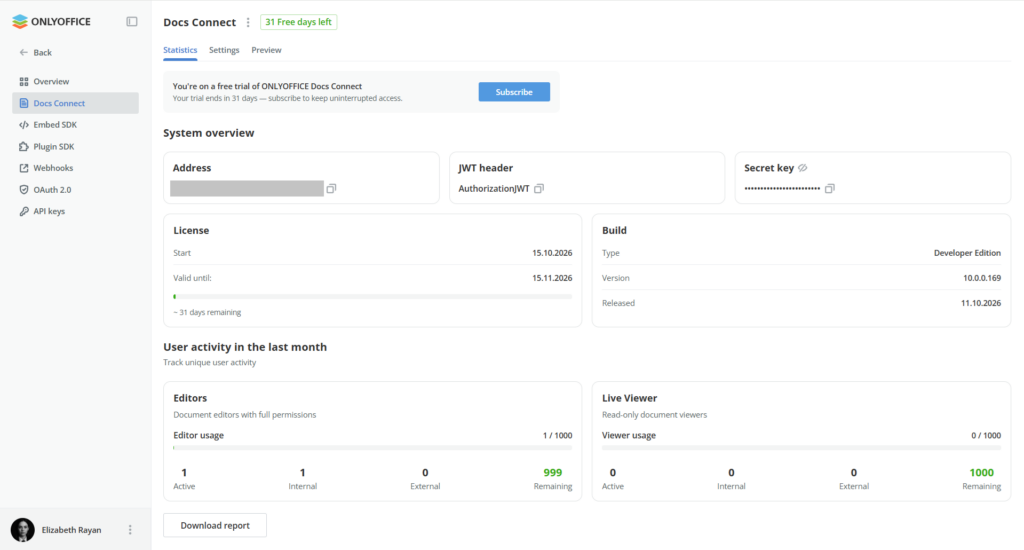
Docs Connect is a cloud service that allows businesses and platform providers to embed ONLYOFFICE editors into existing platforms or custom applications. Users can edit text documents, spreadsheets, presentations, fillable forms, and PDFs while remaining within their familiar working environment.
Unlike a self-hosted deployment, Docs Connect includes hosting, maintenance, and regular updates managed by ONLYOFFICE.
The service offers an alternative for organizations that want to provide document editing capabilities while reducing the operational work involved in managing the editor infrastructure.
Existing Docs Cloud integrations continue to work, so current users do not need to migrate simply because of the change in product name.
Choosing and maintaining your integration
The latest releases demonstrate the importance of maintaining compatibility between document editors and the platforms they support. Whether your organization uses a cloud storage solution, a knowledge management system, or a project management platform, the right integration should fit both your workflow and your infrastructure requirements.
When planning an update, consider the following:
- Check platform compatibility. Confirm that the connector supports your deployed version of Nextcloud, ownCloud, Confluence, or Jira.
- Review configuration changes. Pay attention to redesigned administration settings and any changes to how options are saved or managed.
- Verify security settings. Review authentication, secret-key handling, network access, and other relevant configuration options.
- Test before production deployment. Where possible, validate the updated connector in a staging environment, especially if your organization relies on custom configurations.
- Keep documentation up to date. Make sure administrators and users know how to access the relevant features and where to find support information.
These steps help organizations benefit from new features while minimizing disruption to existing document workflows.
FAQ
Do I need to update my connector to use Docs 10.0? Connectors load the editors from your Docs server, so new editor features appear after you upgrade Docs. Update the connector when its release notes mention compatibility or settings you need.
Are the new versions free to update to? Yes, the updated connectors are free of charge.
Where can I find all connectors? On the connectors page, which lists more than 50 integrations, with links to their documentation and repositories.
Useful links
Create your free ONLYOFFICE account
View, edit and collaborate on docs, sheets, slides, forms, and PDF files online.