What is an OFD file and how to open one
Summary
An OFD file, or Open Fixed-layout Document, is a Chinese electronic document format designed to preserve the exact layout of a document across different devices and printers. It is primarily used in government and administrative contexts in China, serving as a standardized alternative to PDF. To open an OFD file, you can use ONLYOFFICE PDF Editor, which allows you to view and convert the file into other formats.
- OFD files ensure consistent document layout.
- ONLYOFFICE PDF Editor can open OFD files.
- Conversion options include PDF, DOCX, and images.
- OFD is mainly used for official documents in China.
When a document must look exactly the same on every screen and printer, PDF is the go-to format for most users. In China, however, there’s another format that plays this role in government offices, tax systems, and archives: OFD. If you work with Chinese partners, institutions, or e-invoices, you’ve probably already received a file with the .ofd extension and found that your usual tools couldn’t open it.
In this article, we’ll explain what OFD files are, how the format is built, how it compares to PDF, where it’s used, and how you can open and convert OFD files.

An OFD file (Open Fixed-layout Document) is an electronic document saved in China’s national fixed-layout format. Like PDF, it “freezes” the layout of a document: text, fonts, images, and their exact positions are fixed when the file is created, so the document renders identically on any device, operating system, or printer.
This makes OFD fundamentally different from reflowable formats such as DOCX or HTML, where the layout adapts to the screen size, installed fonts, and software version. OFD is meant for final, official versions of documents that shouldn’t change once issued.
Technical background
OFD is defined by the Chinese national standard GB/T 33190-2016 (Electronic files storage and exchange formats — Fixed layout documents). The standard was released by the Standardization Administration of China in October 2016 and came into effect in May 2017. Its development was driven by the goal of having a domestically controlled alternative to PDF for government and other sensitive workflows.
Shortly after the standard was published, Chinese rules for electronic official documents and government bodies named OFD as the required format for these documents. Since then, its use has expanded steadily across public administration and related industries.
How an OFD file is structured
An OFD file is a ZIP archive containing XML files and resources, an approach similar to modern office formats like OOXML and ODF. If you rename an .ofd file to .zip and extract it, you’ll see a clear folder hierarchy organized as document → page → object.
The main components of an OFD package include:
- OFD.xml: The entry point that describes the package and points to the documents inside it.
- Document.xml: Defines a document’s page tree, outline (bookmarks), and general settings.
- Content.xml: One per page, describing the text, vector graphics, and images on that page, along with their exact coordinates.
- PublicRes.xml / DocumentRes.xml: Shared resources such as fonts, color spaces, and images.
- Signs folder: Electronic seals and digital signatures, if the document has been signed.
Because everything is described in XML, OFD files are easy to parse with standard tools, which simplifies automated processing, auditing, and data extraction. The standard also supports annotations, attachments, and custom tags that link structured data to specific areas of a page.
OFD vs PDF
OFD and PDF serve the same purpose: preserving a document’s layout exactly. The differences lie in their origins, internal structure, and ecosystems.
| Category | OFD | |
| Standard | Chinese national standard GB/T 33190-2016 | International standard ISO 32000 (originally by Adobe) |
| Internal structure | ZIP archive of XML files | Binary/text objects linked by a cross-reference table |
| Electronic seals | Native support, compatible with Chinese cryptographic algorithms (SM2, SM3) | PKI-based digital signatures; Chinese algorithms need extra adaptation |
| Main use | Chinese government documents, e-invoices, e-licenses, archives | Universal: business, publishing, legal, everyday sharing |
| Software support | Limited, mostly specialized readers | Supported almost everywhere, including web browsers |
In practice, the two formats coexist rather than compete. PDF remains the global default, while OFD is required wherever Chinese regulations or institutions demand it.
Uses of OFD files
OFD is used mainly where documents carry legal or administrative weight. In government administration, official documents are drafted, signed with electronic seals, distributed, and archived as OFD files, so their layout stays consistent across different office systems.
In taxation and finance, Chinese electronic VAT invoices are commonly issued in OFD, combining a fixed visual layout with structured data such as amounts and tax codes that software can read automatically. Electronic licenses and certificates, such as business licenses and property records, increasingly use OFD too, because the format supports embedded seals and anti-forgery checks.
Finally, archives and records management rely on OFD for long-term storage of electronic records, as Chinese archival standards reference it as the format for preserving digital documents. Companies doing business in China, as well as their accountants and legal advisors abroad, regularly encounter OFD files for these reasons.
Pros and cons of OFD files
Pros
- Consistent layout: The document looks identical on every device and printer.
- Open, structured format: XML inside a ZIP container is easy to parse and process automatically.
- Built-in trust features: Native support for electronic seals and signatures based on Chinese cryptographic standards.
- Officially recognized: Accepted and often required by Chinese government bodies.
Cons
- Limited compatibility: Most operating systems and browsers can’t open OFD files out of the box.
- Regional focus: Outside China, the format has limited adoption and recognition.
- Not meant for editing: Like PDF, OFD is designed for final documents, not for ongoing changes.
How to open OFD files
Since Windows, macOS, and web browsers don’t recognize OFD natively, you usually need a dedicated reader. A convenient alternative is ONLYOFFICE PDF Editor, part of ONLYOFFICE Docs: starting with version 10.0, it can open OFD files and convert them to other formats, so you don’t have to install a separate viewer just for these documents.
Opening OFD files with ONLYOFFICE
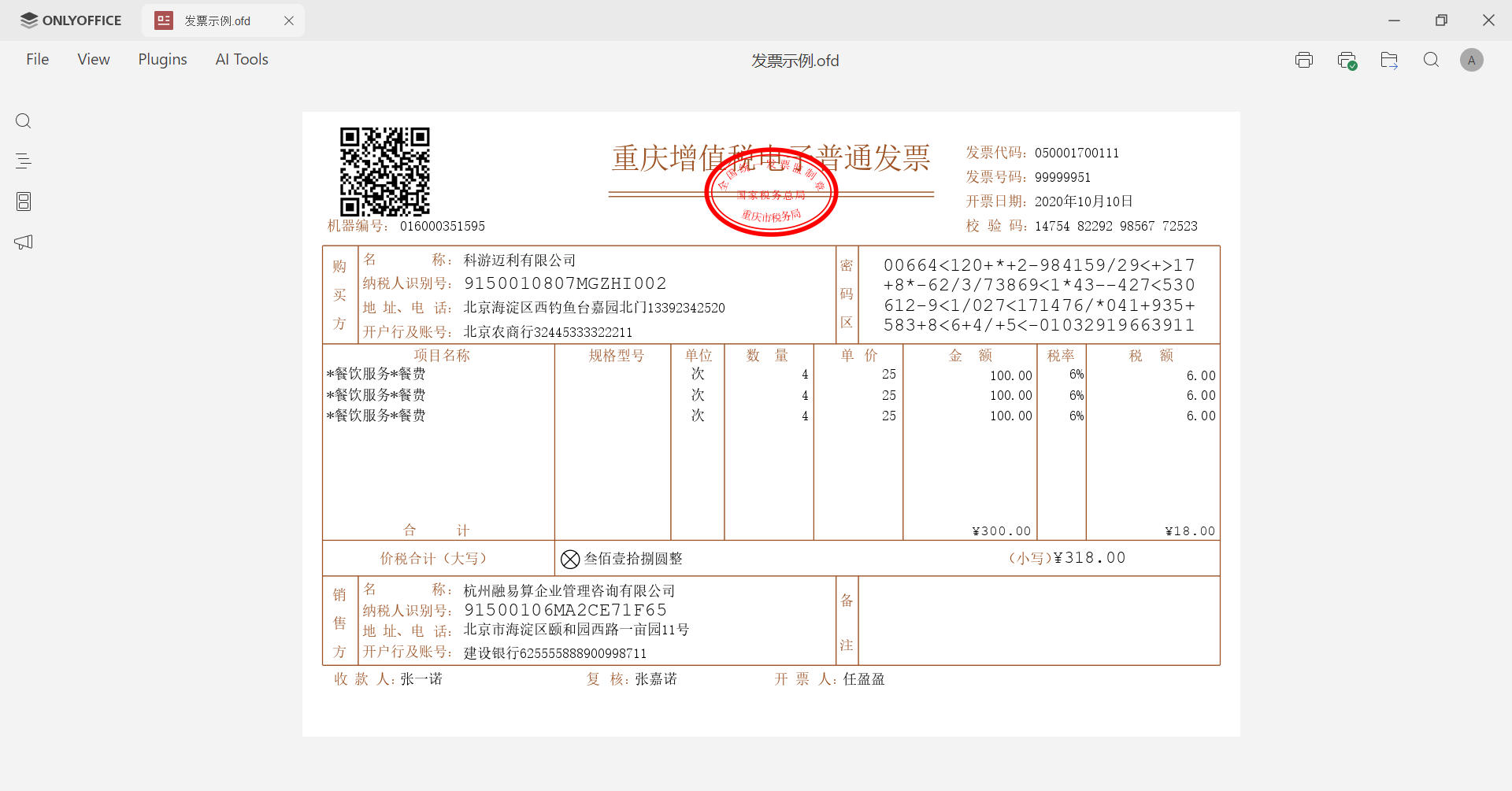
Simply double-click the OFD file from your computer or connected storage, or upload it to your ONLYOFFICE DocSpace. The file opens in view-only mode, the same way XPS files do, with its original layout, fonts, and images preserved, so you can read, search, and print it.
Converting OFD files
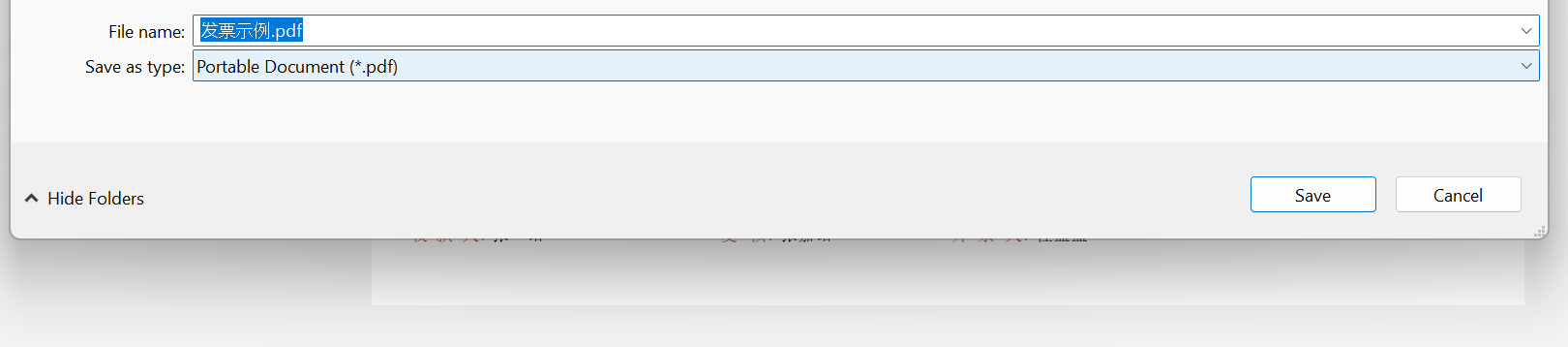
If you need to edit the content or share it with someone who can’t open OFD, go to File → Download as and choose another format:
- PDF or PDF/A for universal sharing and archiving
- DOCX to edit the text in a word processor
- TXT, RTF, or HTML to reuse the content elsewhere
- JPG or PNG to save pages as images
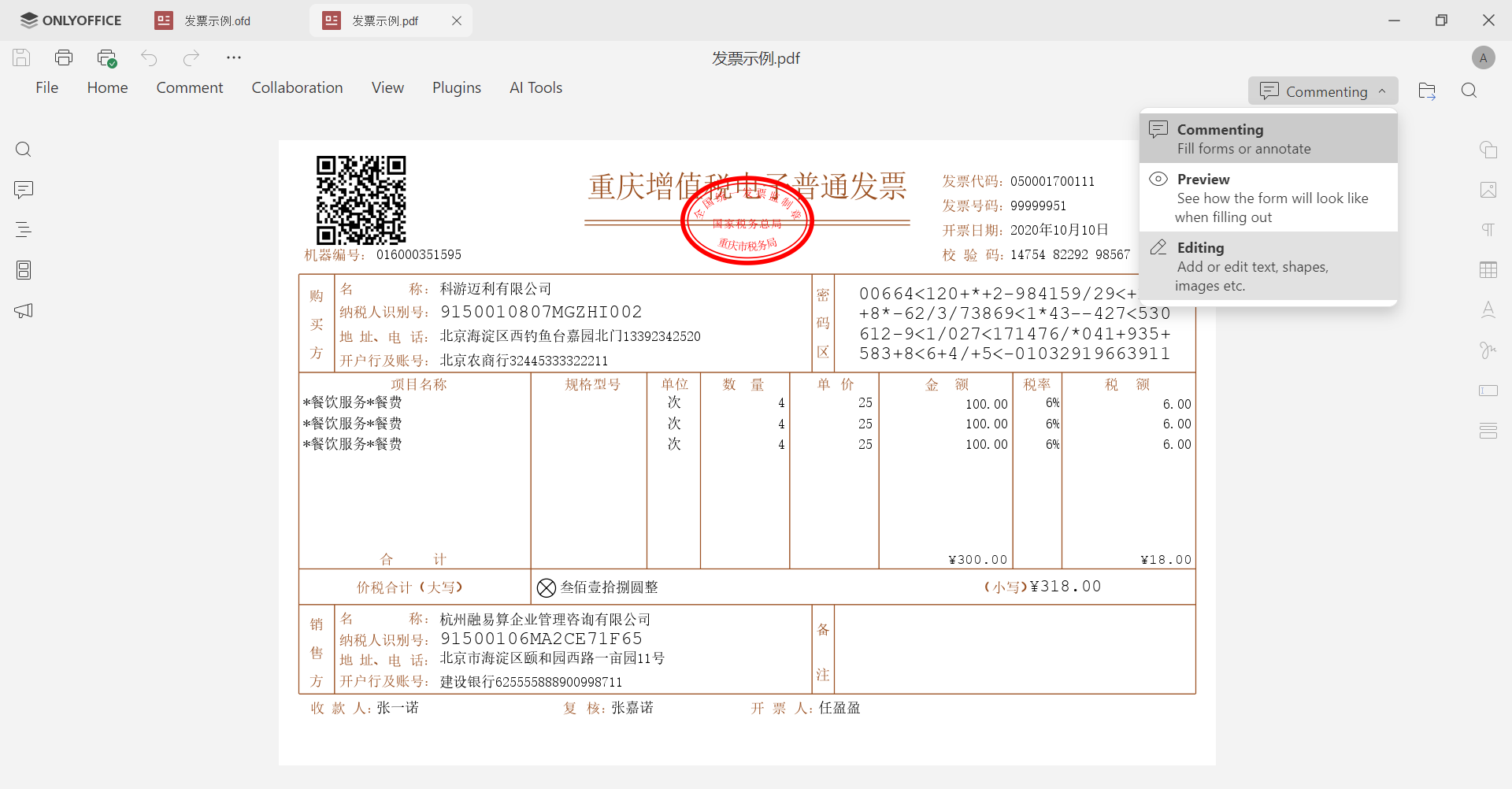
Now you can switch from Viewing mode to Editing and keep working on the document as a normal PDF.
Keep in mind that electronic seals based on Chinese cryptographic standards may not remain valid after conversion. If the document’s legal validity matters, keep the original OFD file alongside the converted copy.
Get ONLYOFFICE and open OFD files with ease
View and convert OFD files with ease, whether online by creating a free cloud account or offline by downloading the free desktop app for Windows, Linux, or macOS.
Create your free ONLYOFFICE account
View, edit and collaborate on docs, sheets, slides, forms, and PDF files online.