ONLYOFFICE 10.0 for developers: What’s new
ONLYOFFICE 10.0 brings a solid set of updates for developers who build on top of the editors. You get new endpoints that make file handling simpler, PDF editing in Document Builder, and a modernized Plugin API with async methods. The release also adds new controls for AI features and safer defaults across the server.
Below is a quick tour of the changes that matter most to your integrations, plus a few behavior changes to check before you upgrade.

AI tools, AI customization options & server-side AI management
ONLYOFFICE Docs 10.0 brings AI Tools to every editor. More than basic text generation, they understand document structure, recognize elements, connect content across sections, and create clickable references for easier navigation. You can connect any AI model, including local models for privacy-sensitive use cases, and assign different models to different tasks.
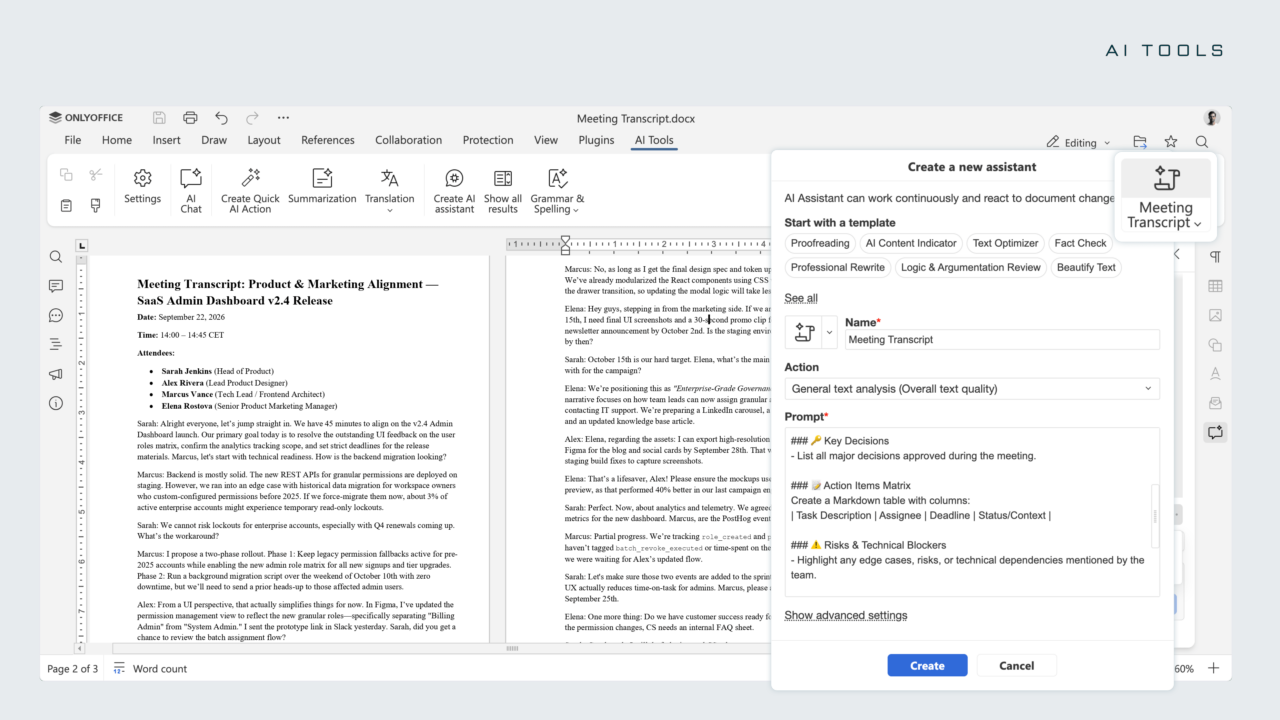
In commercial editions of ONLYOFFICE Docs 10.0, administrators can configure AI providers once in the Admin Panel. Once set up, editor users get ready-to-use AI tools without having to enter their own API keys. Admins can assign different models to specific tasks, connect MCP servers for external tool access, and control whether web search is available. Once a server-side configuration is saved, users are limited to the approved providers and models – they can no longer add their own keys or change which model is used. Learn more
You decide whether AI tools appear in your product. Version 10.0 gives you two levels of control:
- Per editor instance: Use
editorConfig.customization.aiwith thedisabledparameter to hide AI features in a specific editor configuration. - Server-wide: Use the
aiSettings.enableserver setting to turn off AI features and exclude AI Tools from/plugins.json.
This is handy if you serve different customer tiers, or if some deployments need to stay AI-free for compliance reasons.
Modular apps
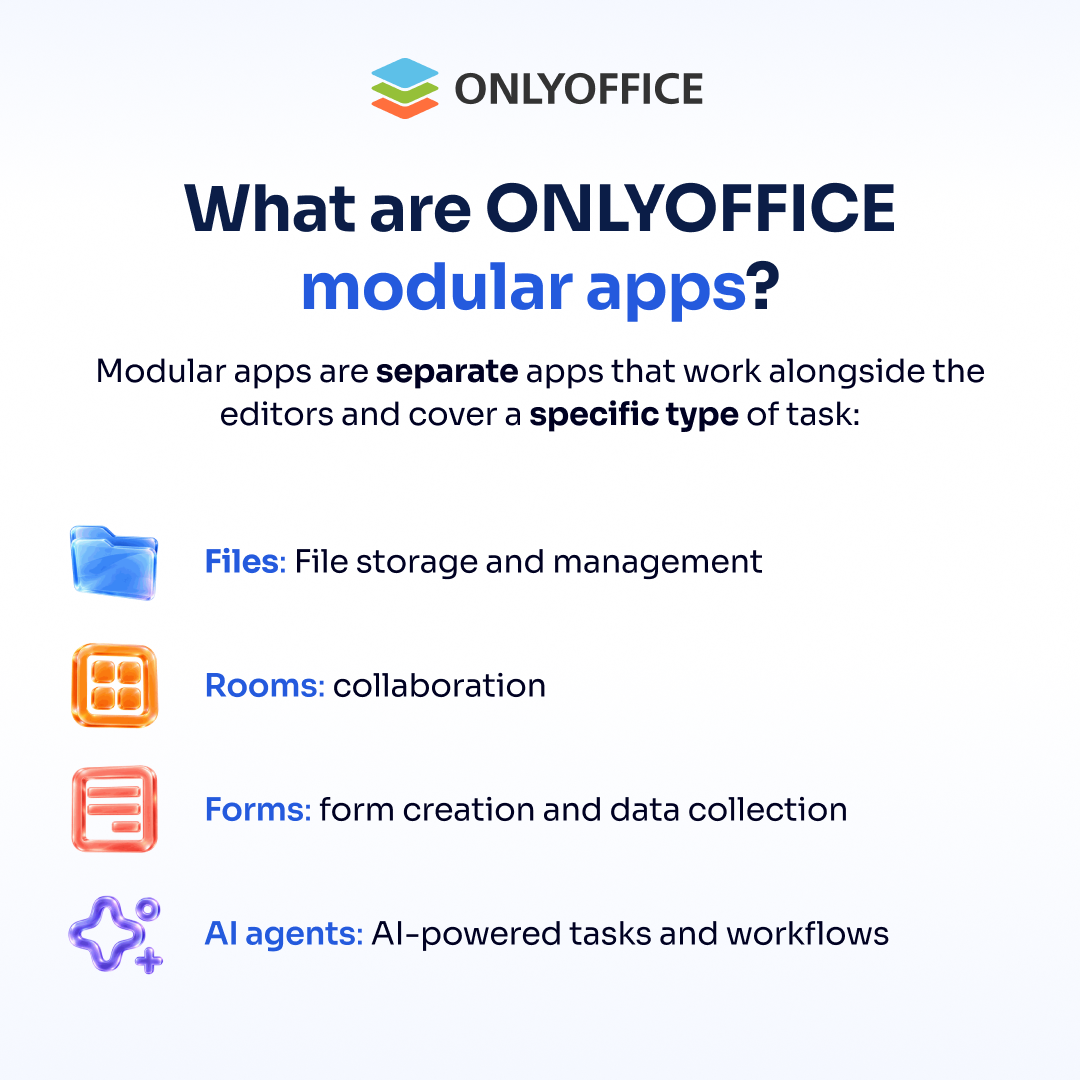
ONLYOFFICE Docs 10.0 introduces modular apps – a new way to extend the editors without changing their core. Apps such as AI agents, Forms, Rooms, and Files plug into ONLYOFFICE Docs and add new functionality on top.
For developers, this means you can enable only the capabilities your users need, keep your integration lean, and expand step by step as your product grows.
Security and architecture improvements
Version 10.0 moves several protections to “on by default,” so new integrations start from a safer baseline.
- JWT enabled by default. JWT is now on in
default.json. - Stricter token handling. If a secret is empty or unset, including tenant secrets, ONLYOFFICE Docs now rejects the token instead of verifying or signing it.
- Scoped tokens for service APIs.
/converter,/docbuilder, and/commandno longer accept a token from the editor configuration. A newoperationfield in the token is optional for these requests and required for/converter/from-fileand/docbuilder/from-file. - Integrity verification for downloaded files. When your integration sends integrity headers, the server checks downloaded files against them. Supported headers include
Content-Digest,Repr-Digest,x-amz-checksum-*, and WOPI SHA256. This is controlled byservices.CoAuthoring.requestDefaults.checksumVerification, which istrueby default. - Explicit WOPI hosts. WOPI hosts must now be allowed by an IP filter rule. The wildcard
allow: *rule is no longer enough, so specify each host explicitly. - API access controls. Use
services.CoAuthoring.server.convertServiceEnableandservices.CoAuthoring.server.docbuilderEnableto turn off the public conversion and Document Builder APIs. Both aretrueby default. - Tighter runtime config. Only the log4js logging level can now be changed via
runtime.json.
A closer look at the latest security fixes
PDF editing in Document Builder
Document Builder can now edit PDFs, which opens the door to many new automation scenarios:
- OpenFile handles PDFs smartly. PDF forms created in ONLYOFFICE open in the document editor. Other PDFs open in the PDF editor with full access to the PDF API.
- Password-protected PDFs. The new
m_sPasswordparameter inOpenFilelets you open protected files. - PDF form creation. Call
CreateFilewith thepdftype to create PDF forms.
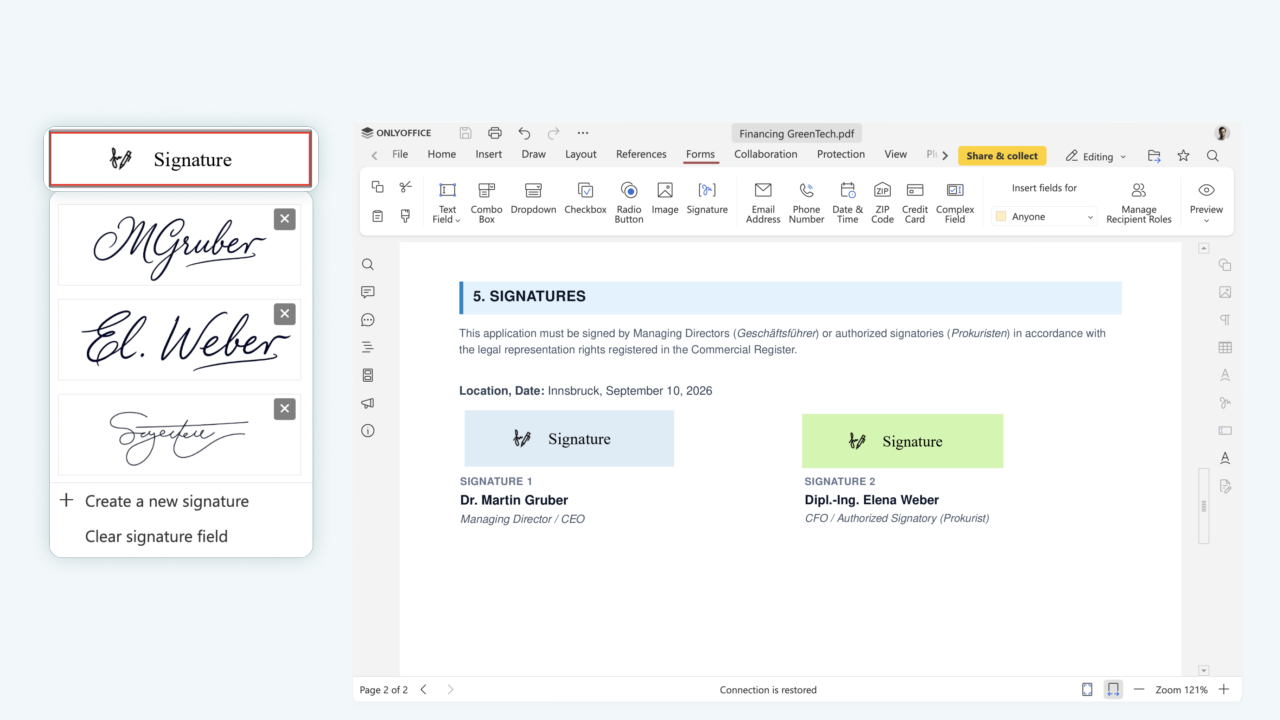
On the server side, forms saved as a regular PDF are now signed when users submit them. This gives you an extra layer of trust in your form workflows.
Alexander Trofimov, Head of the Editor Development Team at ONLYOFFICE:
With ONLYOFFICE Docs 10.0, we’ve made the editors even more secure for your integrations. On top of that, this release brings full-fledged PDF support to Document Builder, so developers and end users alike can create, edit, and manage PDFs directly from Builder without relying on workarounds or third-party tools.
Deployment and admin updates
Running ONLYOFFICE Docs in production also got easier:
- Admin Panel starts with the server. In commercial editions, the Admin Panel now launches automatically by default. It also includes blocks for viewing the JWT secret and buttons for opening and starting or stopping the test example.
- CLI admin creation. You now create the first administrator through the
documentserver-adminhost CLI, usingcreate-adminandreset-admin-password. This replaces the old web page that relied on bootstrap logs. - Automatic recovery of unsaved changes. If the server shuts down, unsaved changes are recovered into “forgotten files” automatically. The separate
changes2forgottenscript has been removed. - New default port. DEB and RPM installations now use port
8083by default. Update your proxy and firewall rules if needed. - Better monitoring. The new
coauth.connectionsmetric includesmode(edit, liveview, view) andreplicatags. - Desktop update flag. On Windows, the
--prefer-alternate-urlcommand-line flag lets Desktop Editors download updates from an alternate source. - Refreshed welcome page. The server welcome page has a new design.
New file format support
Version 10.0 adds two format updates that help you handle more documents with less custom work:
- OFD viewing and conversion. You can open and convert
ofdfiles. Likexps, they open in view-only mode. - Conversion to XLS. You can convert any spreadsheet format to the classic
xlsformat. This is useful when your users or partners still depend on legacy systems.
Multipart endpoints for direct file upload
Until now, the conversion and Document Builder services downloaded source files from a URL. That meant you had to host the file somewhere the server could reach. Version 10.0 adds two new endpoints that remove this step:
Both accept data in multipart/form-data format. You can send a file or a script directly in the request, so you don’t need to expose it through a temporary URL.
This is a cleaner option for many workflows. For example, a backend service can convert user uploads on the fly, or run a Document Builder script without staging files first.
Request example: converting TXT to DOCX
curl -f -X POST "https://documentserver/converter/from-file" \
  -F 'params={"filetype":"txt","outputtype":"docx","title":"Example Document Title.txt"}' \
  -F 'file=@example.txt' \
  -o "Example Document Title.docx"
Plugin API modernization
The Plugins and Macros API got its biggest refresh in a while.
A new global Editor object
Methods are now called as regular functions that return a Promise. Instead of routing every call through window.Asc.plugin.executeMethod, you can write clean async code:
const text = await Editor.GetSelectedText();
The result is shorter, more readable code that fits naturally into modern JavaScript projects.
New methods and events
Version 10.0 also adds new tools to build richer plugins:
- Methods:
Editor.RunMacro,GetRestrictions,SetButtonDisabled,GetOFormRole - Events:
onFloatActionButtonClick,onSelectionEnd,onSelectionCancel
For example, the selection events let your plugin react the moment a user finishes or cancels a selection.
Check the full list of changes for the Plugins API
Start building with ONLYOFFICE 10.0
Version 10.0 gives you cleaner APIs, more automation power, and safer defaults. Here’s a quick plan to get the most out of it:
- Review the behavior changes. Check token usage, WOPI IP filter rules, and the new default port.
- Update your plugins. Switch to the global
Editorobject and replace any renamed or removed methods. - Try the new endpoints. Test
/converter/from-fileand/docbuilder/from-filein your conversion workflows. - Decide on AI. Configure
editorConfig.customization.aioraiSettings.enableto match your product needs.
Building with the cloud version of ONLYOFFICE Docs? Try Docs Connect for an easier way to connect the editors with external platforms and services. Unlike the self-hosted version of ONLYOFFICE Docs, which requires you to deploy and maintain the editors on your own servers, Docs Connect handles hosting, maintenance, and regular updates for you.
Check the full changelog for every detail, and share your feedback on the ONLYOFFICE community forum. We can’t wait to see what you build!
Useful links
API changelogs: Docs API / Office API / Plugins API / Document Builder
ONLYOFFICE Docs 10.0: blog / webinar
Create your free ONLYOFFICE account
View, edit and collaborate on docs, sheets, slides, forms, and PDF files online.