ONLYOFFICE Docs Connect: deliver document editing to your platform
ONLYOFFICE v10.0 introduces a new product structure. As part of this change, Docs Cloud becomes Docs Connect, a cloud service maintained and updated by ONLYOFFICE that you can integrate into your own platform.
Let’s see what you can do with Docs Connect and how to get started.

What Docs Connect is
Docs Connect (previously Docs Cloud) is a cloud service that lets you embed ONLYOFFICE Docs into the platform you already use or develop. It allows your users to edit documents, spreadsheets, presentations, fillable forms, and PDFs, and collaborate on files in real time, without leaving your platform.
Unlike the self-hosted version of ONLYOFFICE Docs, which you install and maintain on your own servers, Docs Connect includes hosting, maintenance, and regular updates for you. The editors are hosted in the ONLYOFFICE cloud with included maintenance and regular updates, so you can focus on integrating them into your platform rather than managing the infrastructure.
With Docs Connect, you can:
- Create cloud instances to connect the editors to your platform.
- Enable document editing and real-time collaboration for your users.
- Connect one instance to multiple platforms.
- Scale your service with a subscription that fits your needs.
- Configure JWT authentication and IP filtering to control access to your editors.
- Check the tenant details and statistics and manage file size limits.
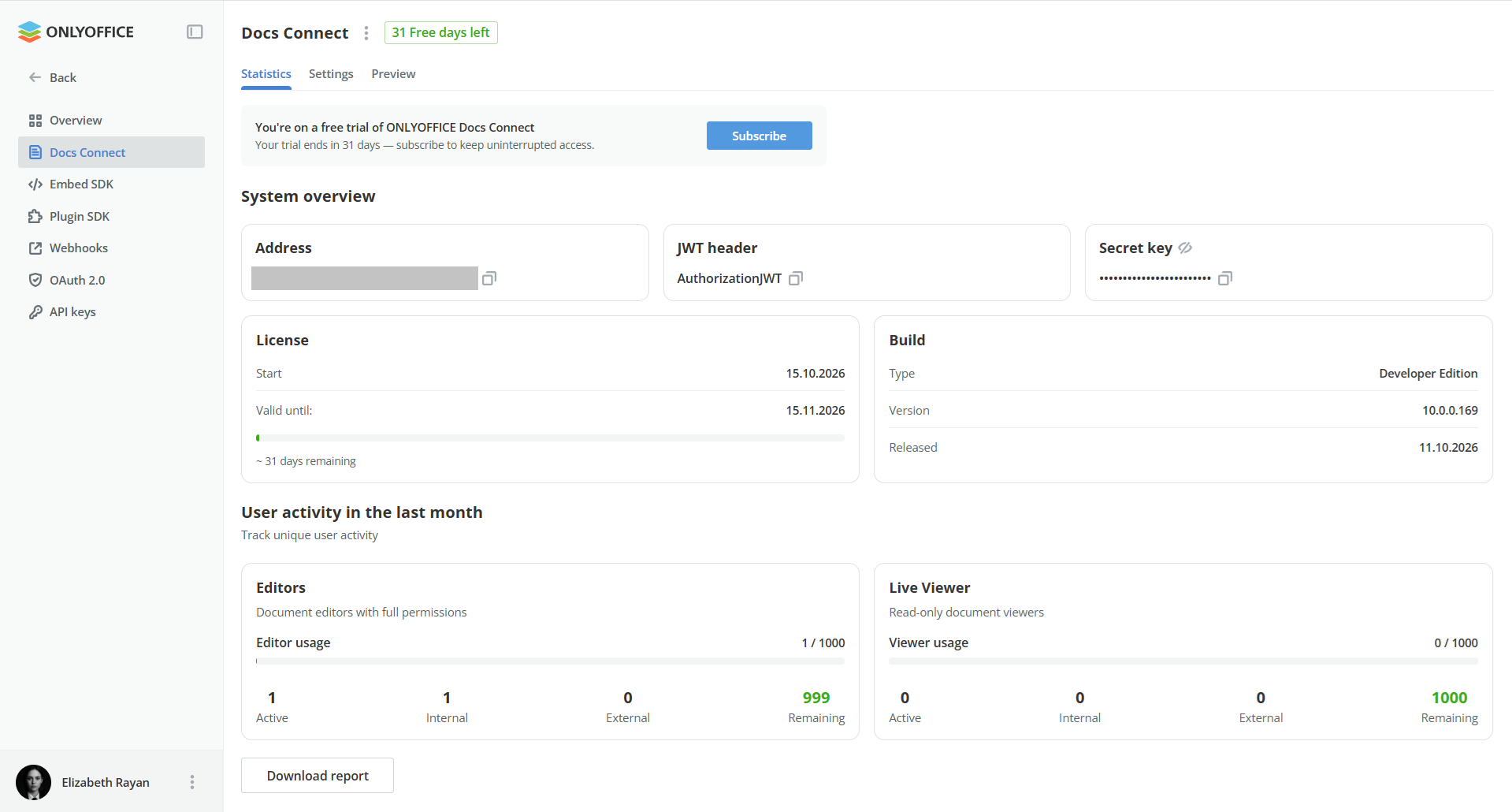
The new name reflects the product’s main purpose: connecting ONLYOFFICE document editing to the platforms and services you use.
Integrations with your existing platforms
Docs Connect supports more than 50 ready-made connectors for platforms such as Nextcloud, ownCloud, Odoo, Confluence, Moodle, and WordPress.
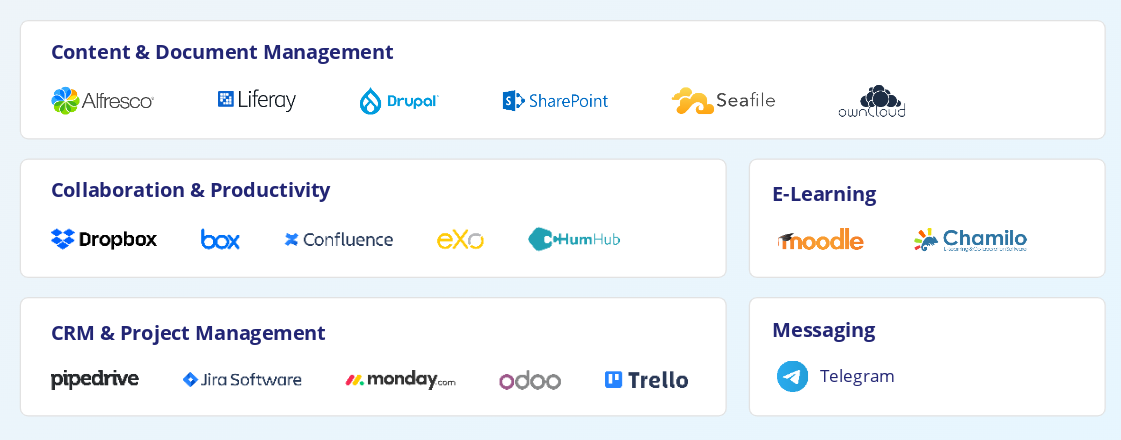
A connector links the cloud-hosted ONLYOFFICE editors to your platform, so you can integrate document editing without developing the integration from scratch.
Explore the available connectors and choose the one for your platform:
If you’re developing your own service or using a platform without a ready-made connector, you can integrate ONLYOFFICE Docs through the API.
Dev Pack: Automation API and branding options
Dev Pack extends Docs Connect with access to the Automation API and standard branding options.
The Automation API lets your platform manipulate document contents from outside the editors. Use it to create documents from a template and fill them with data stored in Odoo within the ONLYOFFICE integration, or to build custom workflows with your own integration using API.
Standard branding options let you customize editor logos, company details, interface layout, and the visibility of features such as comments, chat, and plugins.
If you need White Label customization, including a custom loading screen and more extensive control over the interface, it is available with self-hosted ONLYOFFICE Docs Developer.
Free trial & Pricing
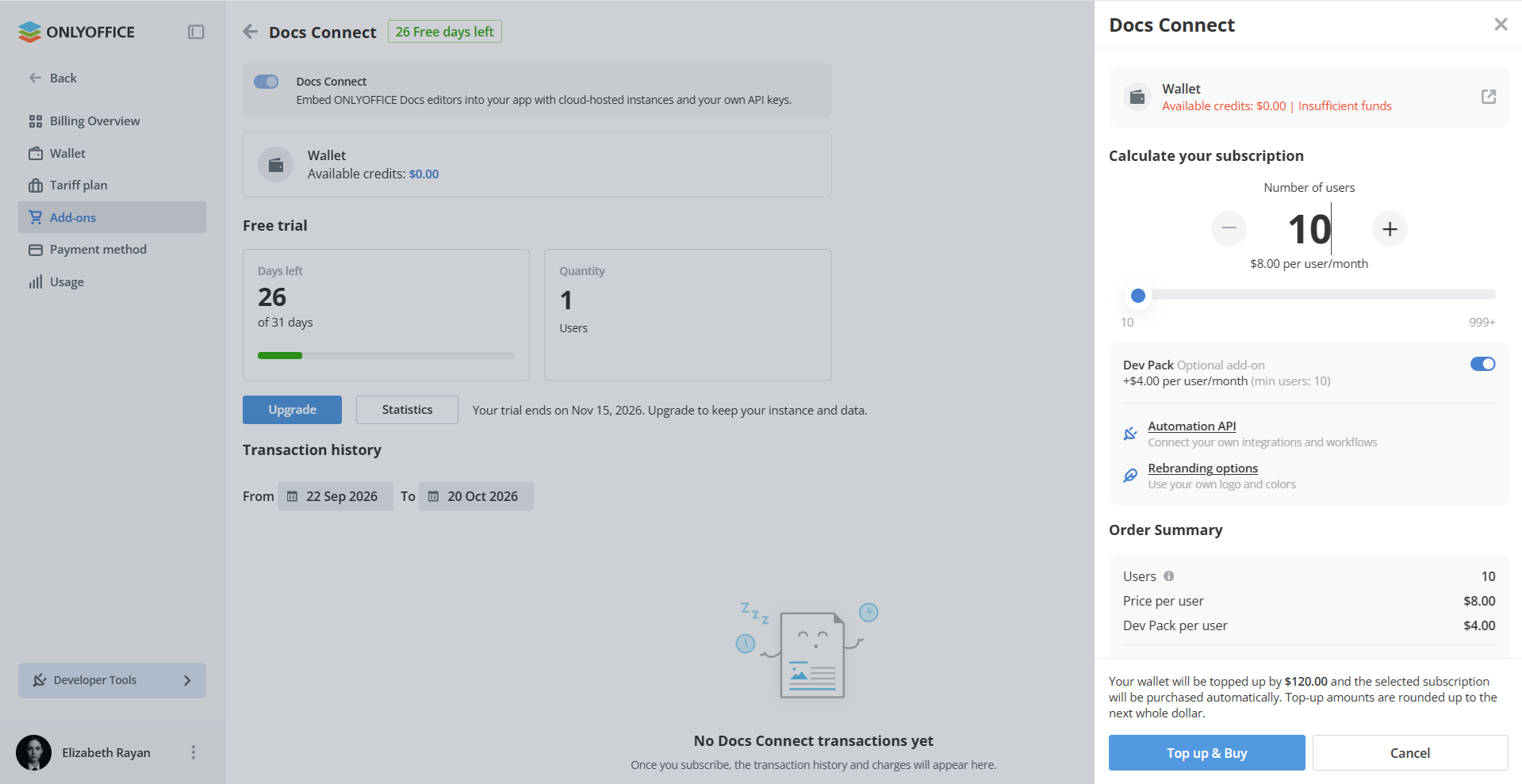
Docs Connect offers a free 30-day trial to test the editors within your platform before choosing a subscription. The trial includes Dev Pack, so you can explore the developer features and branding options as well. No credit card required.
After the trial, it is possible to continue with paid subscriptions starting at $8 per user/month. The Developer Pack is optional and available for $12 per user/month.
For help choosing a subscription or discussing the Dev Pack, contact our sales team.
How to get started with Docs Connect
You can set up a Docs Connect instance from your ONLYOFFICE cloud account and connect it to your platform using a ready-made connector or the API.
Follow these steps to get started.
1. Create an ONLYOFFICE cloud account.
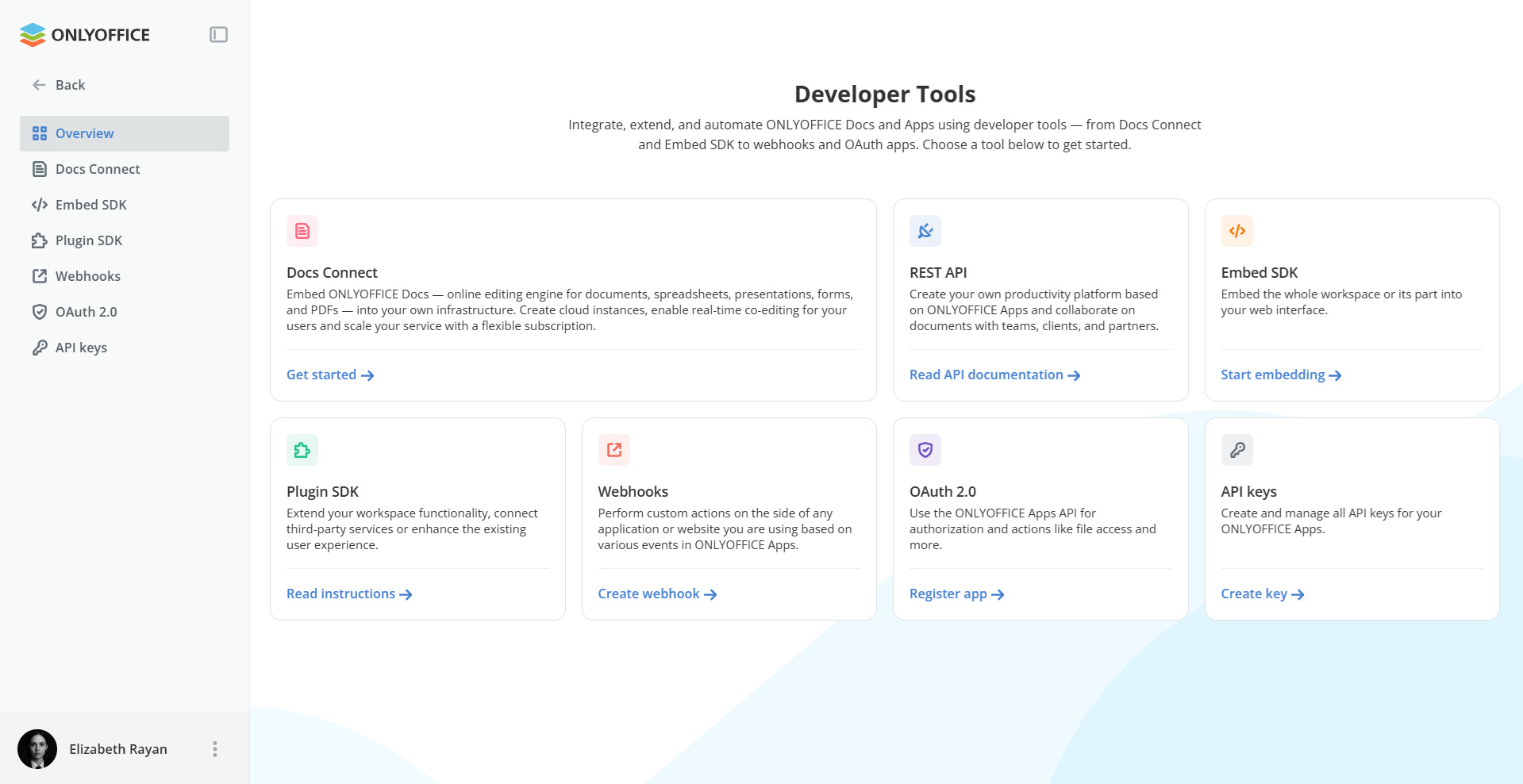
2. Go to the Developer Tools section and click Get started next to Docs Connect.
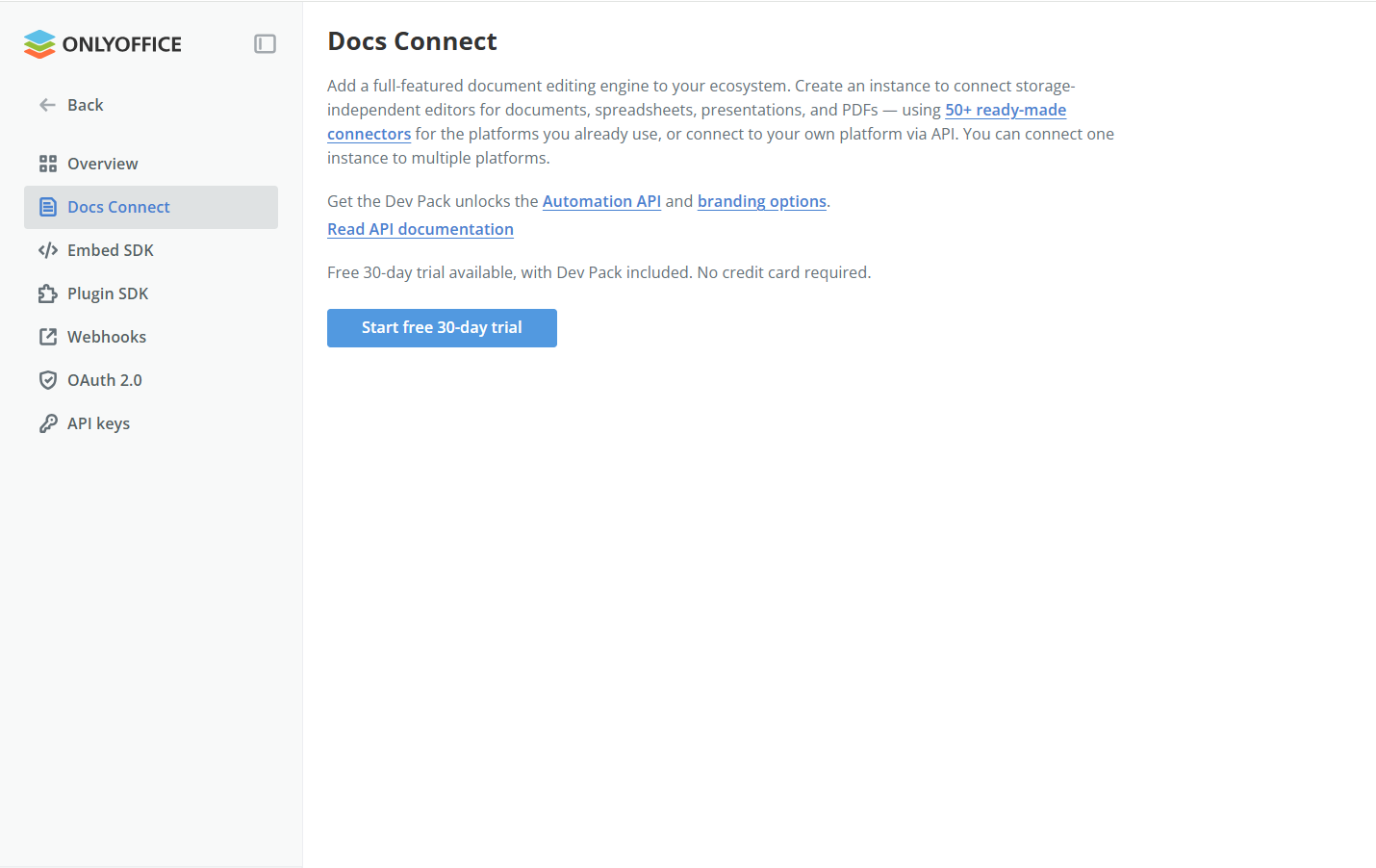
3. Click Start free 30-day trial to launch your Docs Connect instance. You’ll then have a cloud-hosted ONLYOFFICE editing service ready to connect to your platform.
4. If you want to connect ONLYOFFICE to your platform via a ready-to-use integration, find a ready-made connector for your platform here and install it.
5. Within your platform, open the connector settings. Specify the Document Server address and Document Server secret. You can find them in your Docs Connect settings.
If you’re integrating ONLYOFFICE Docs through the API, generate an editor configuration containing the document URL, callback URL, and document key. Load the editor on your page and implement the callback to save changes back to your storage.
Please note: Your platform and the ONLYOFFICE Docs instance must be able to reach each other for the integration to work.
6. To continue using Docs Connect after the trial, choose a subscription that suits your service and proceed to payment via wallet.
Start now
Create an ONLYOFFICE cloud account and try Docs Connect free for 30 days. Integrate document editing into your platform and let users work with documents, spreadsheets, presentations, forms, and PDFs without switching between applications.
Discover more updates in version 10 in our video:
FAQ
What is the difference between ONLYOFFICE Docs and Docs Connect?
ONLYOFFICE Docs is a document editing solution that you install and maintain on your own servers. Docs Connect is a cloud service provided by ONLYOFFICE. We take care of hosting, maintenance, and regular updates. You only need to connect Docs Connect to your platform.
Will my existing Docs Cloud integration continue to work?
Yes. For current users, the change requires no additional action. Your existing connections will continue to work, and you can keep using the editors within your platform as before.
Which platforms can I connect Docs Connect to?
Docs Connect supports more than 50 ready-made connectors, including integrations for Nextcloud, ownCloud, Odoo, Confluence, Moodle, and WordPress. You can also use the API to integrate the editors into your own platform.
What is included in the 30-day free trial?
The trial includes access to Docs Connect and Dev Pack features, allowing you to test document editing, the Automation API, and standard branding options. No credit card is required.
How much does Docs Connect cost after the trial?
Paid subscriptions start at $8 per user/month. The optional Developer Pack subscription, which includes the Automation API and branding options, costs $12 per user/month.
Create your free ONLYOFFICE account
View, edit and collaborate on docs, sheets, slides, forms, and PDF files online.