Meet ONLYOFFICE Desktop Editors 10.0: brand-new AI tools, redesigned start window, Odoo as a new cloud provider and more
The wait is over! ONLYOFFICE 10.0 is coming to your desktop, bringing the new features of the online version and some unique updates, including a new approach to AI integration and new AI tools, the redesigned start window, Odoo as a new cloud provider and more. Read this blog post to find out what’s new in ONLYOFFICE Desktop Editors 10.0.

Work smarter with the brand-new AI tools
Version 10.0 takes the AI functionality to a new level, combining all AI features into a single module* instead of the disconnected tools (AI agent and the AI plugin) that worked separately in previous versions. You can now work with office files smarter and automate a lot of document workflows, using the brand-new AI tools both inside and outside the editors without extra configuration. Let’s discover what the newest release brings to you.
*currently available as a beta version
AI Chat, your AI-powered workspace for documents
Using ONLYOFFICE Desktop Editors 10.0, you don’t even have to launch the editors to let the AI do your work or help you out. The AI Chat feature is accessible right from the start window’s interface, allowing you to have a natural, back-and-forth conversation with your favourite AI assistant — ChatGPT, Claude, Mistral, Google Gemini, Groq, xAI, DeepSeek, local LLMs (running via Ollama, LM Studio or GPT4ALL) and more.
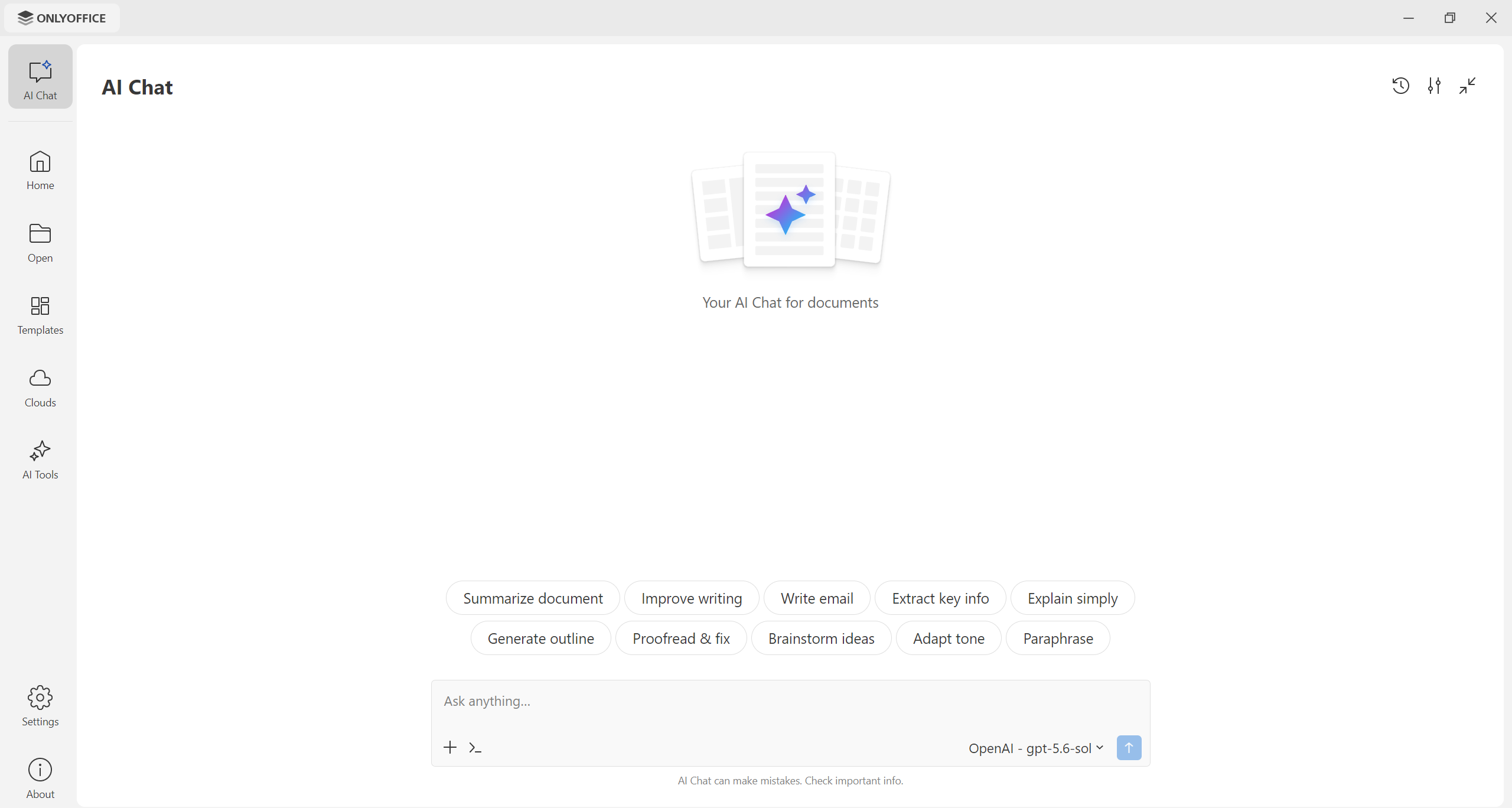
With AI Chat, you can work with text documents, spreadsheets, presentations, fillable forms and PDFs and understand their contents without opening them. You simply attach a file stored on your computer or laptop, and either write your own prompt or use one of the predefined ones to get the work done. Your AI assistant will analyze the prompt and perform the required action — text generation, proofreading, grammar and spelling correction, data analysis, summarization, translation, formatting and more.
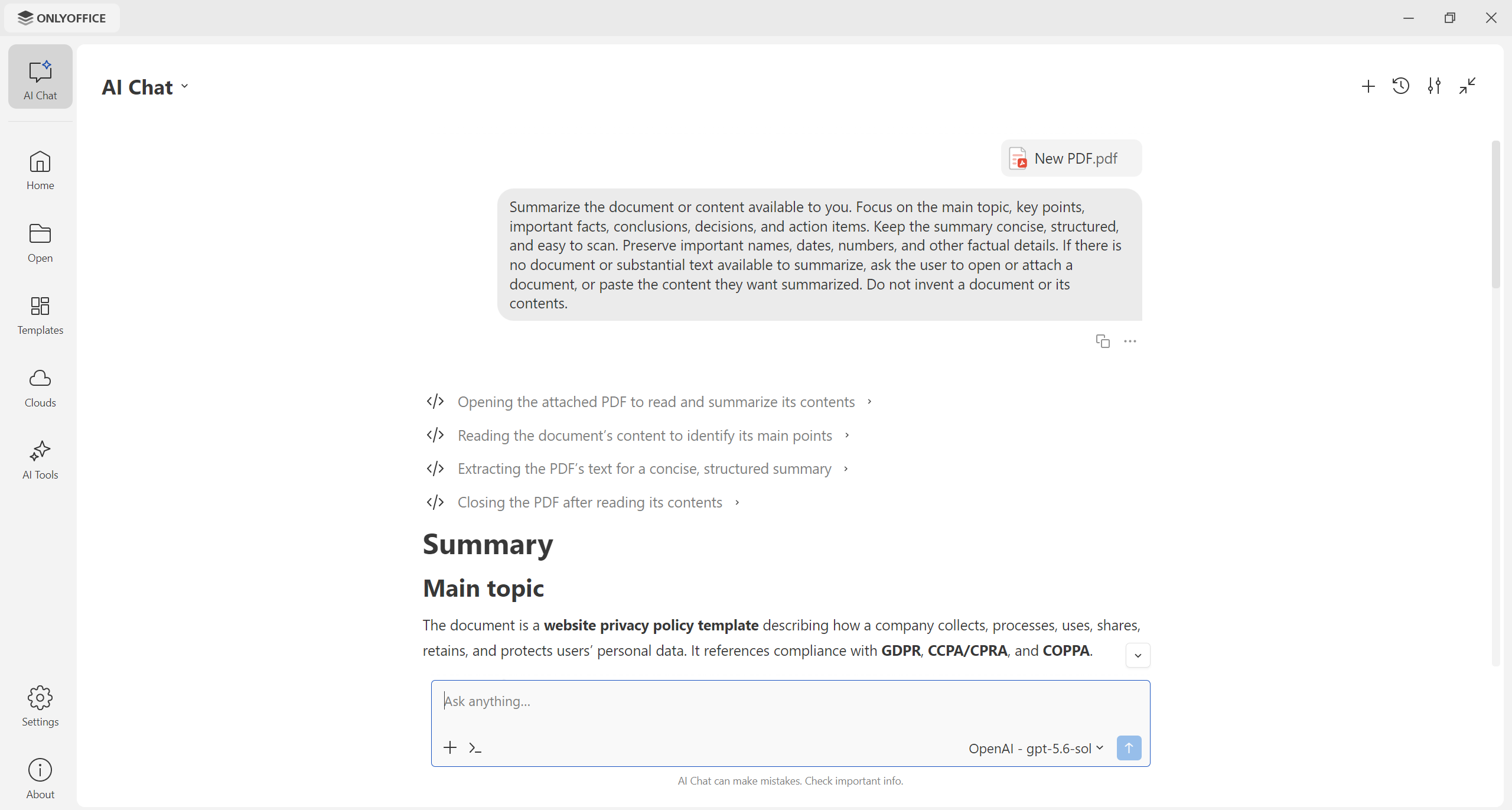
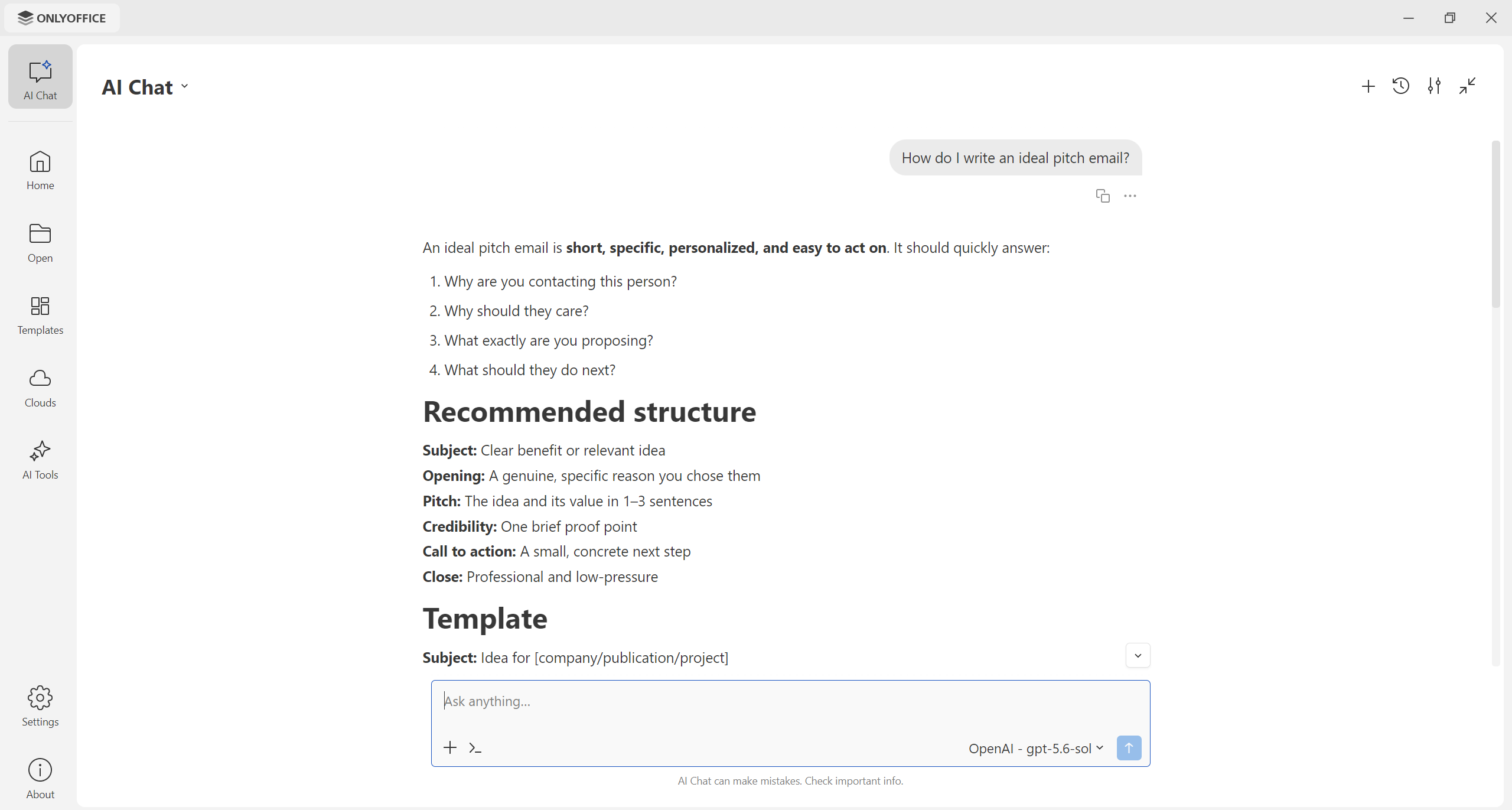
You can also use the AI Chat feature to look up new information, find answers to your questions, check facts, explain unknown words and concepts or simply communicate with your AI assistant. However, don’t forget that AI assistants can make mistakes and provide false information, so you need to double-check whatever you see in the chat.
AI Tools for better productivity
The updated desktop app comes with a new section called AI Tools. It provides a bunch of ready-to-use options for documents, spreadsheets, presentations and PDF files, allowing you to quickly perform the most common actions.
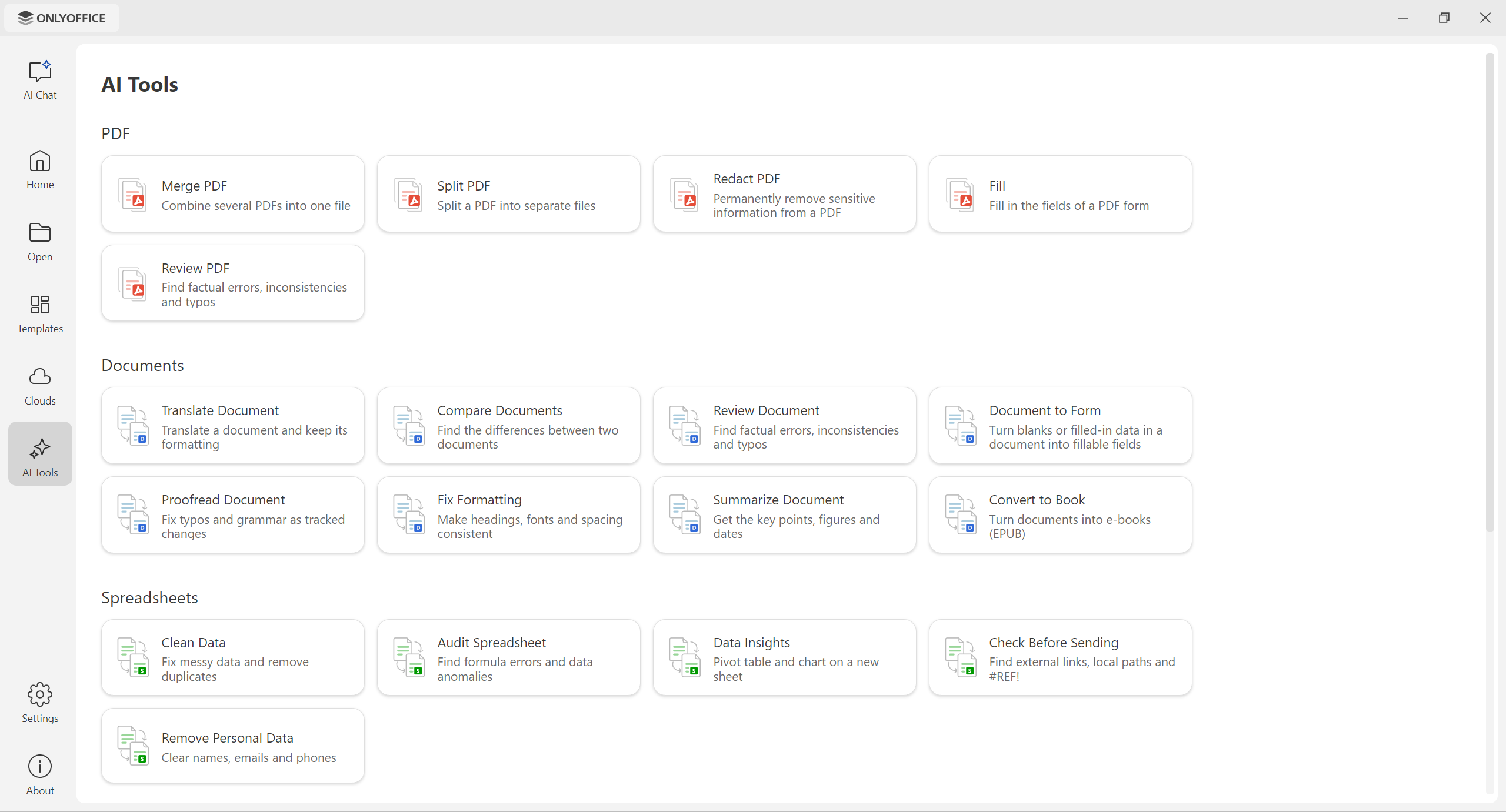
Here is what you can do with AI Tools in ONLYOFFICE Desktop Editors:
- Documents: review, compare, translate, proofread, summarize, convert and turn DOCX files into fillable forms;
- Spreadsheets: remove personal information, clean data, spot formula errors, create pivot tables and charts and find local paths and external links in your sheets;
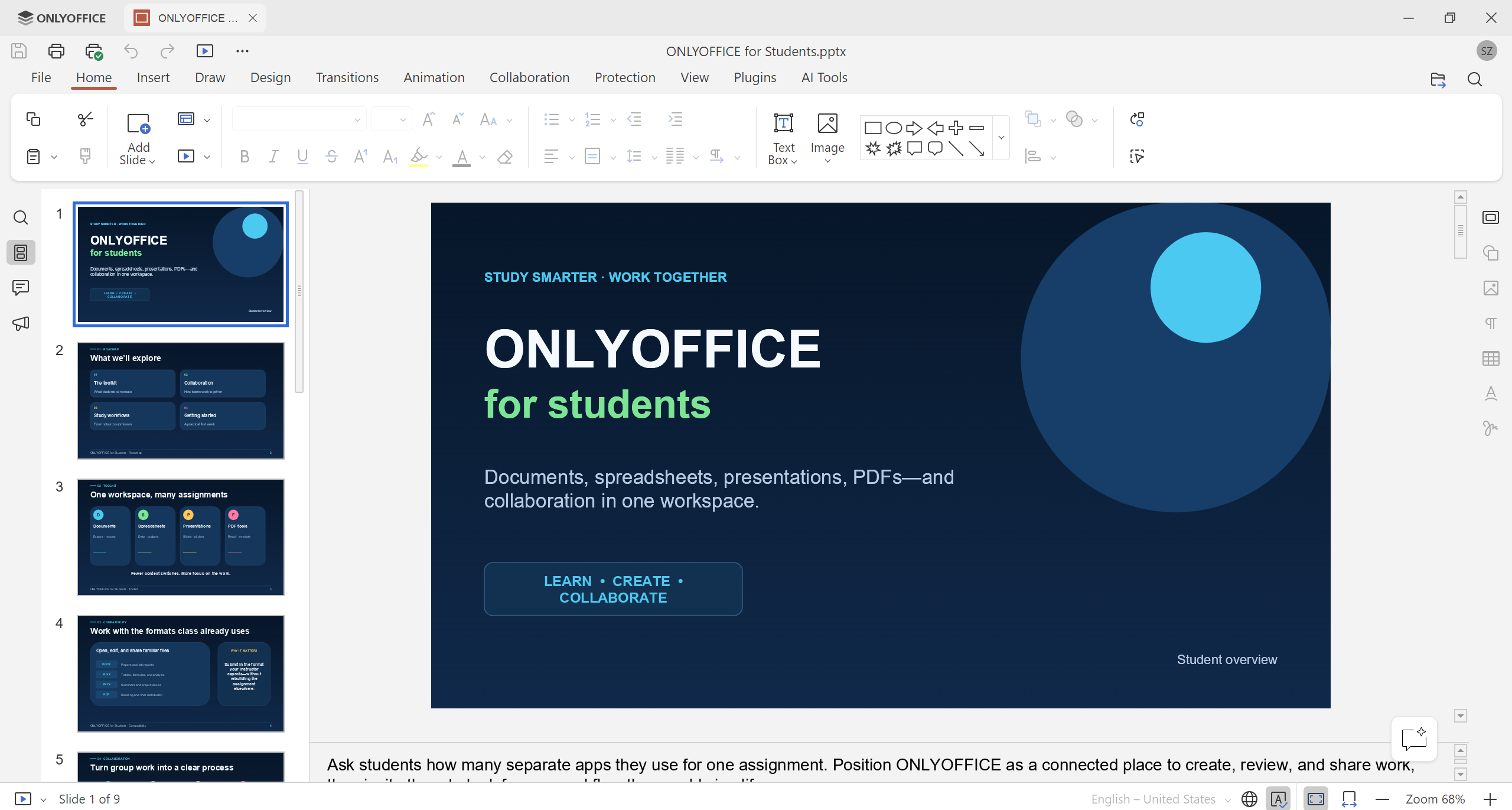
- Presentations: generate new slides from scratch, turn documents into slides, rewrite text content and correct mistakes, prepare notes and check your work before presenting;
- PDF files: merge, split, redact and review PDFs and fill out forms.
- Other features: convert files to different formats and password-protect PDFs and docs.
Just choose whatever you need in the AI Tools section, and you will be redirected to AI Chat. Attach a file if necessary or provide additional information, and your AI assistant will get the work done.
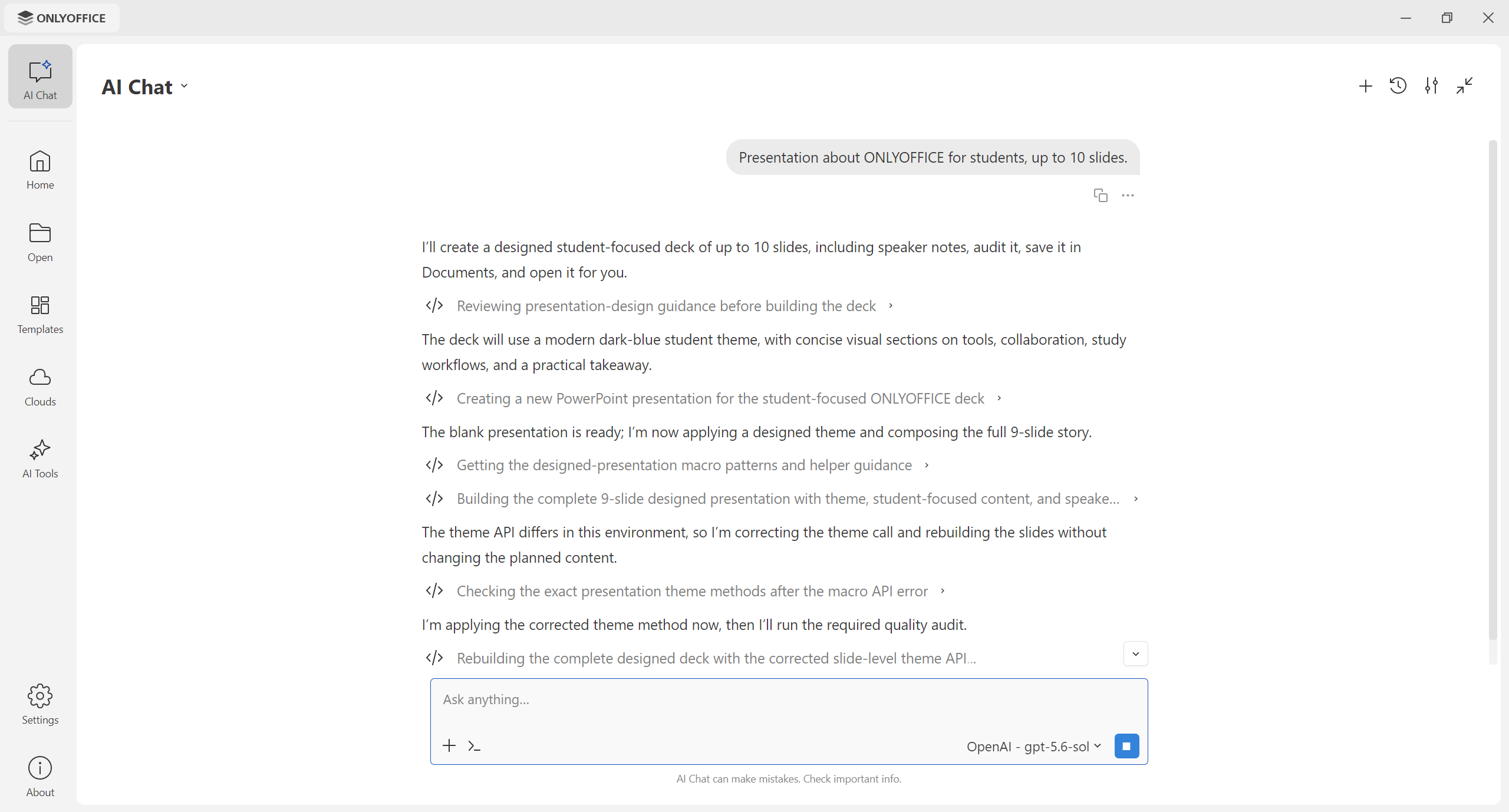
All you need to do is review the final result and make necessary edits.
New AI features across the editors
Version 10.0 brings AI directly into every ONLYOFFICE editor, enabling artificial intelligence to understand the context of your file and come up with the most relevant suggestions.
Another improvement is that AI now works inside ONLYOFFICE PDF Editor, so you can ask questions about your PDFs and get answers, generate summaries, redact sensitive information to protect confidential data and do more things.
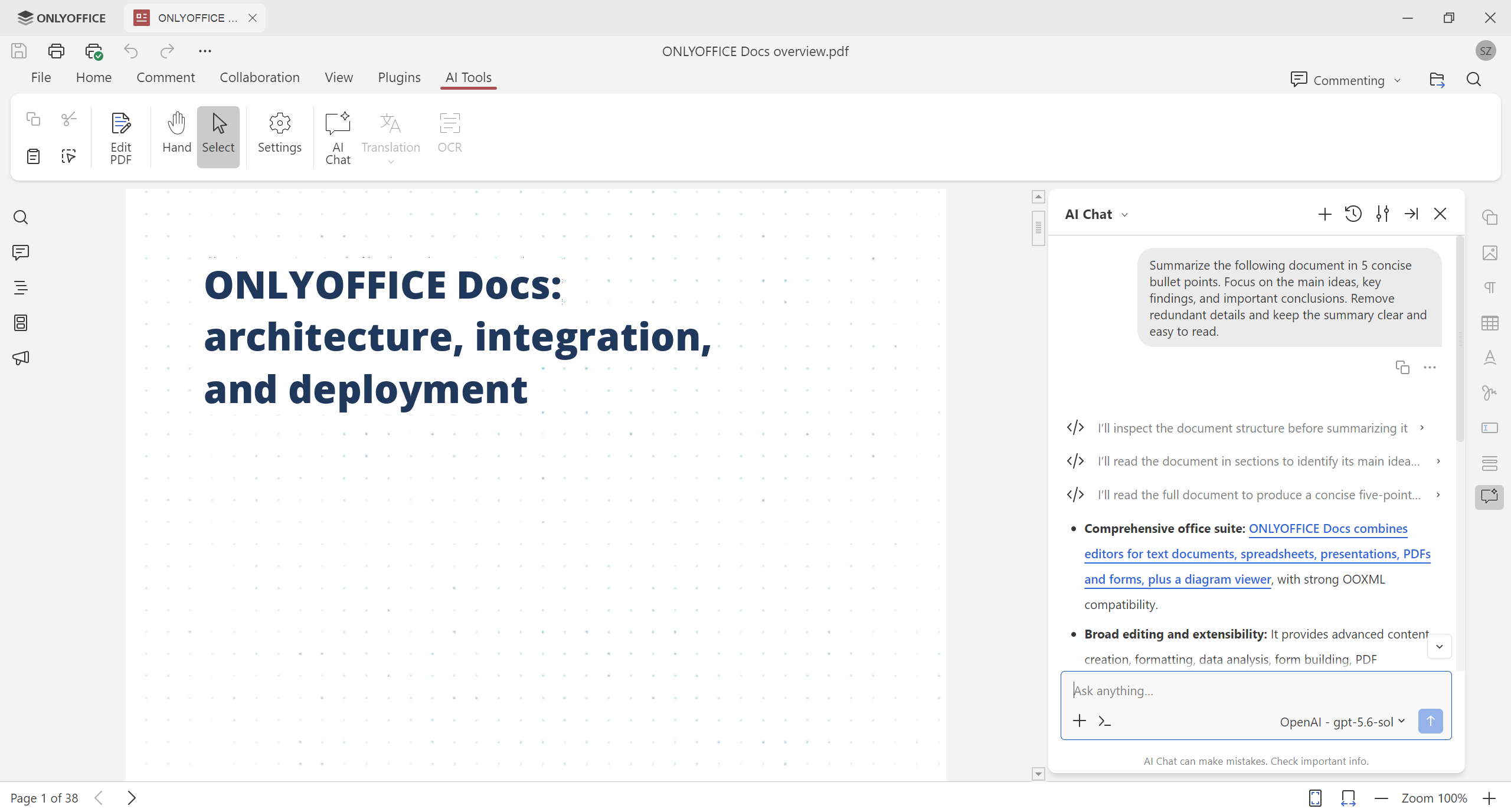
Apart from the default prompts and pre-configured AI tools, version 10.0 allows you to set up:
- Quick AI actions to deal with one-time tasks, like changing the tone of your text or rewriting it for a specific audience.
- AI assistants to respond to all changes in your document as you edit.
- Saved prompts in AI Chat to use them for repeated tasks.
Learn more about the AI updates in the ONLYOFFICE editors in this blog post.
Enable or disable the AI module at any moment
Starting from version 10.0, the desktop app relies on a completely new approach to artificial intelligence. All AI tools and settings are available now as a separate module that you need to download manually. This means that there is no pre-installed AI component, so you can enjoy the AI-free editing experience without extra clicks or actions.
However, if you want to boost your productivity and save time while doing repeated tasks in your documents, you can easily enable AI by installing the corresponding module. This can be done by clicking any of the two options on the left-hand sidebar of the start window:
- AI Chat: a chat where you can interact with your virtual assistant.
- AI Tools: ready-made presets for the AI chat.
After choosing one of these options, click the Accept & Install button, and you are done.
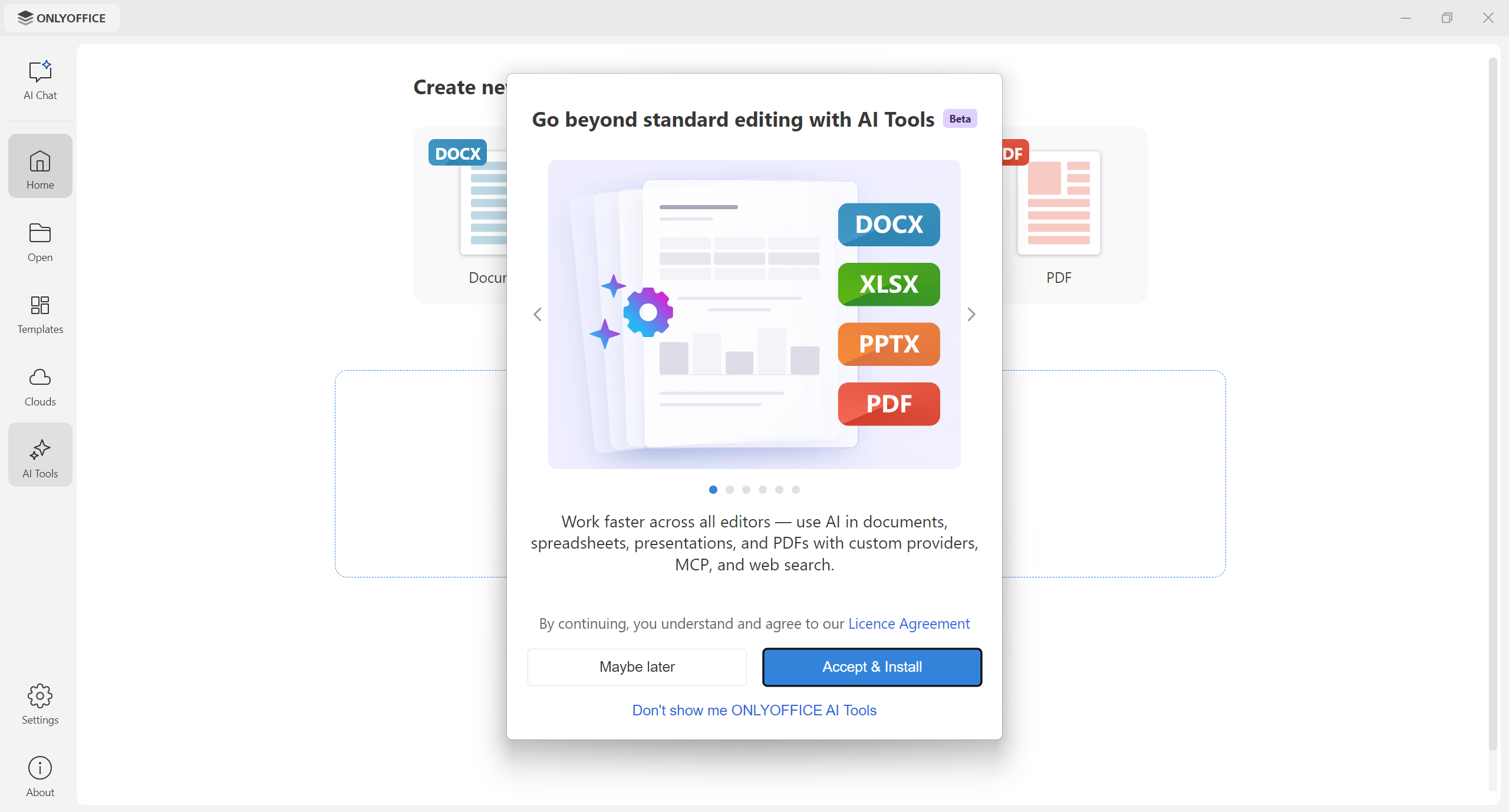
If you want to disable the ONLYOFFICE AI tools in your desktop app, there is a special option in the Settings — click the Uninstall button, and that’s it.
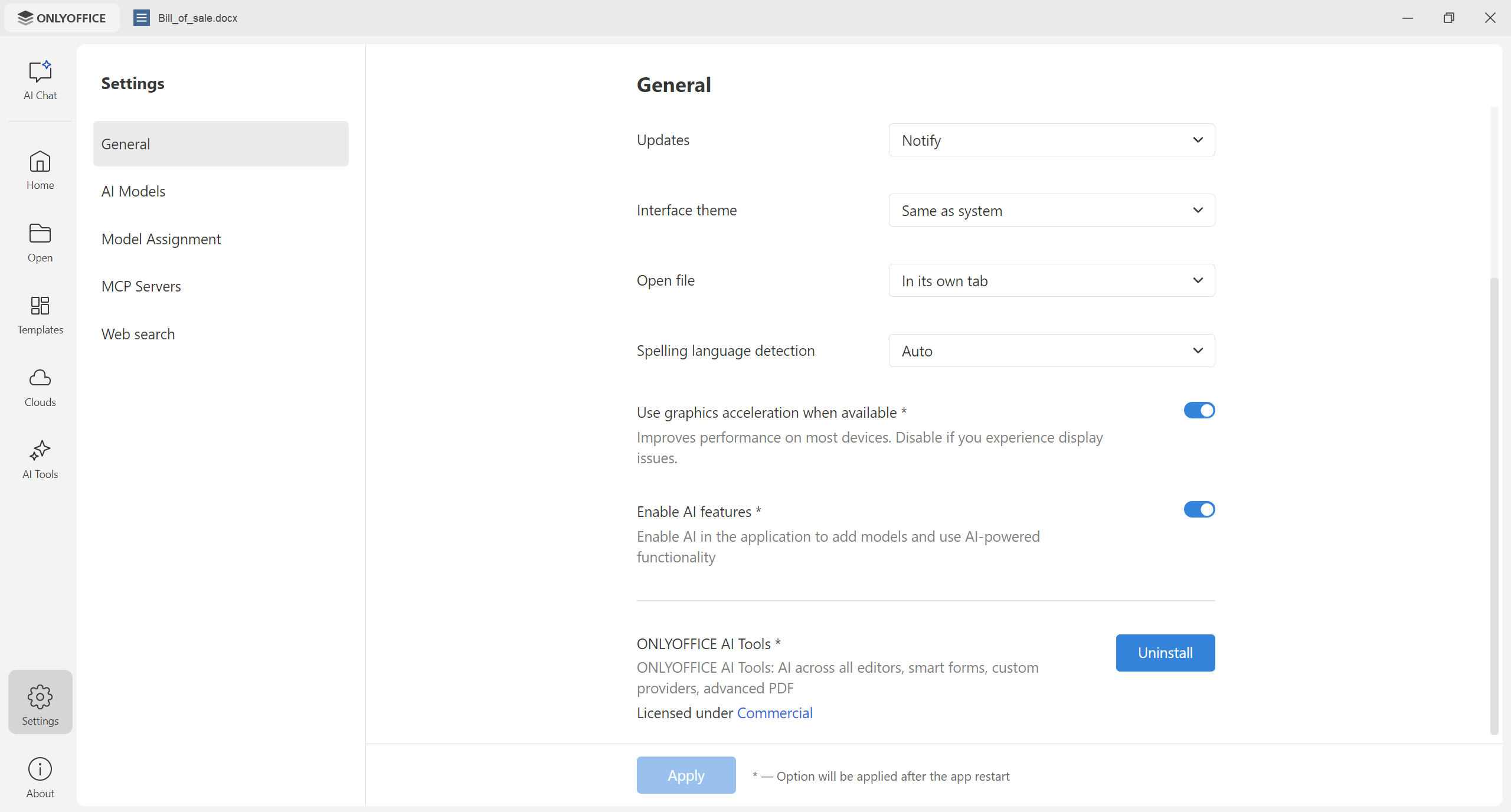
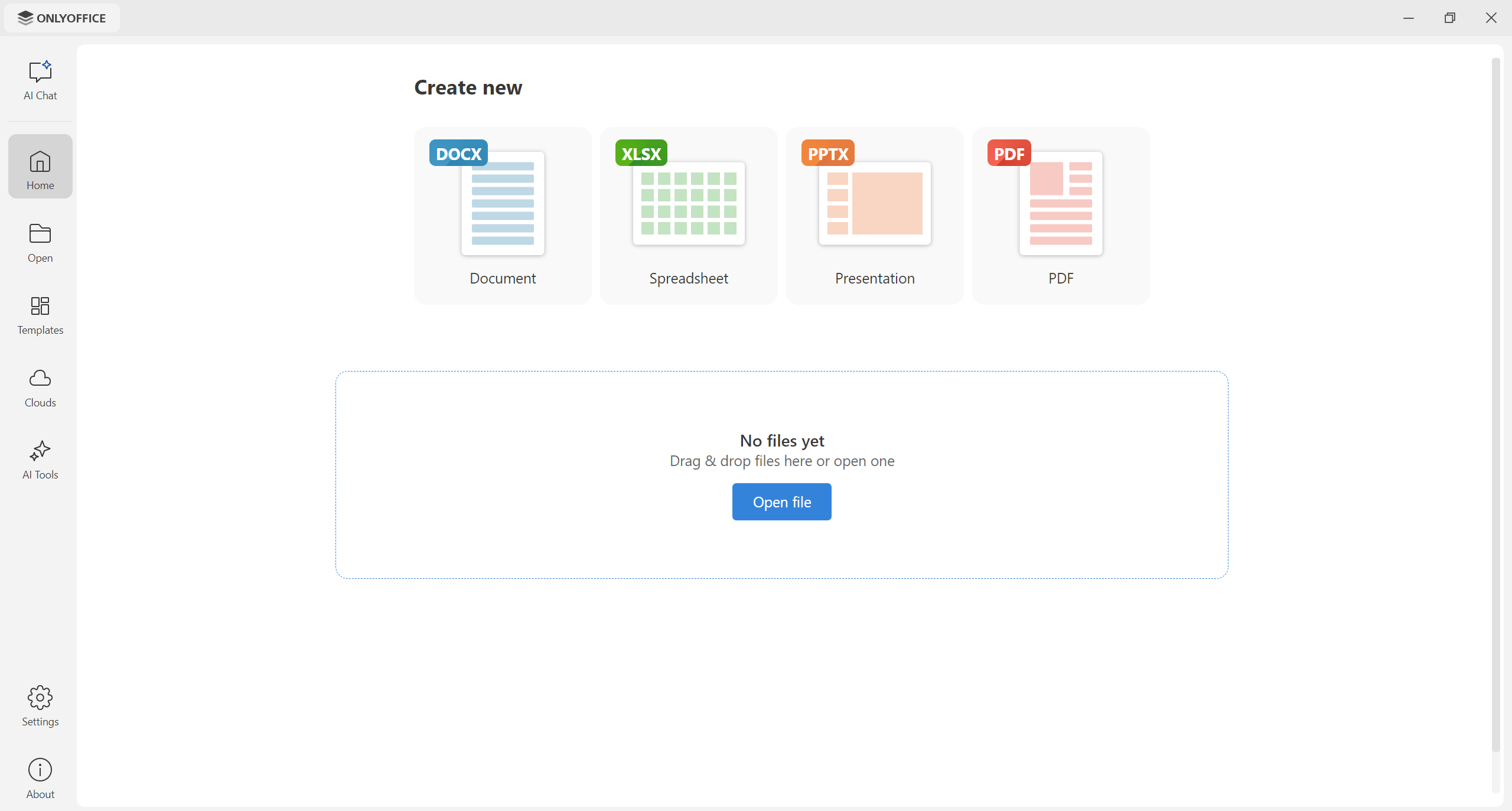
Redesigned start window
With version 10.0, the start window has been updated, offering a new minimalistic design with a redefined left-hand sidebar and buttons. This improvement allows you to quickly access the desired options without getting distracted by unnecessary elements.
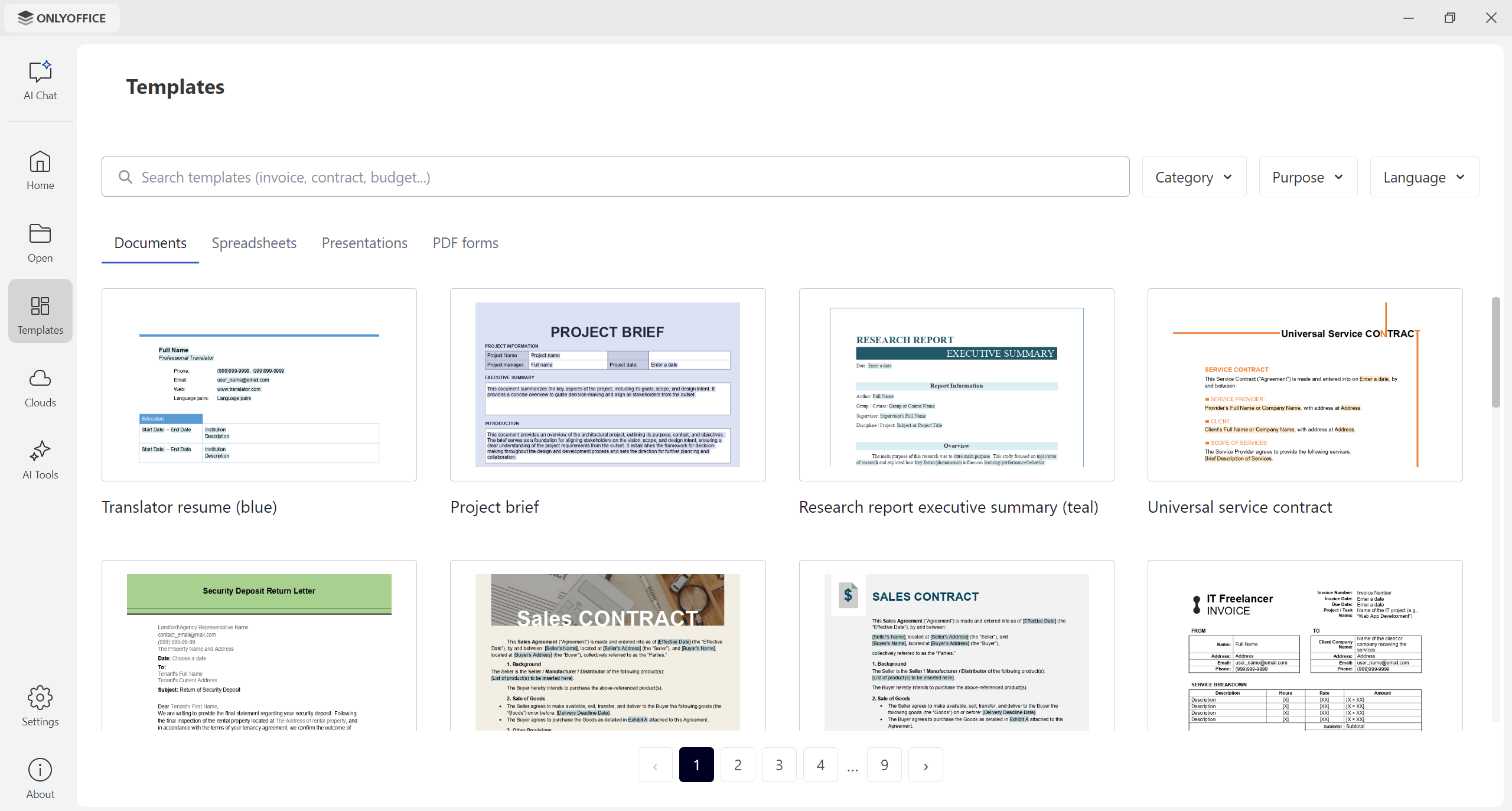
The Templates section has also been redesigned, making it easier to navigate between available templates and quickly find what you are looking for — a sales contact, an invoice, a marketing plan spreadsheet, a business plan presentation, a fillable recommendation letter, etc.
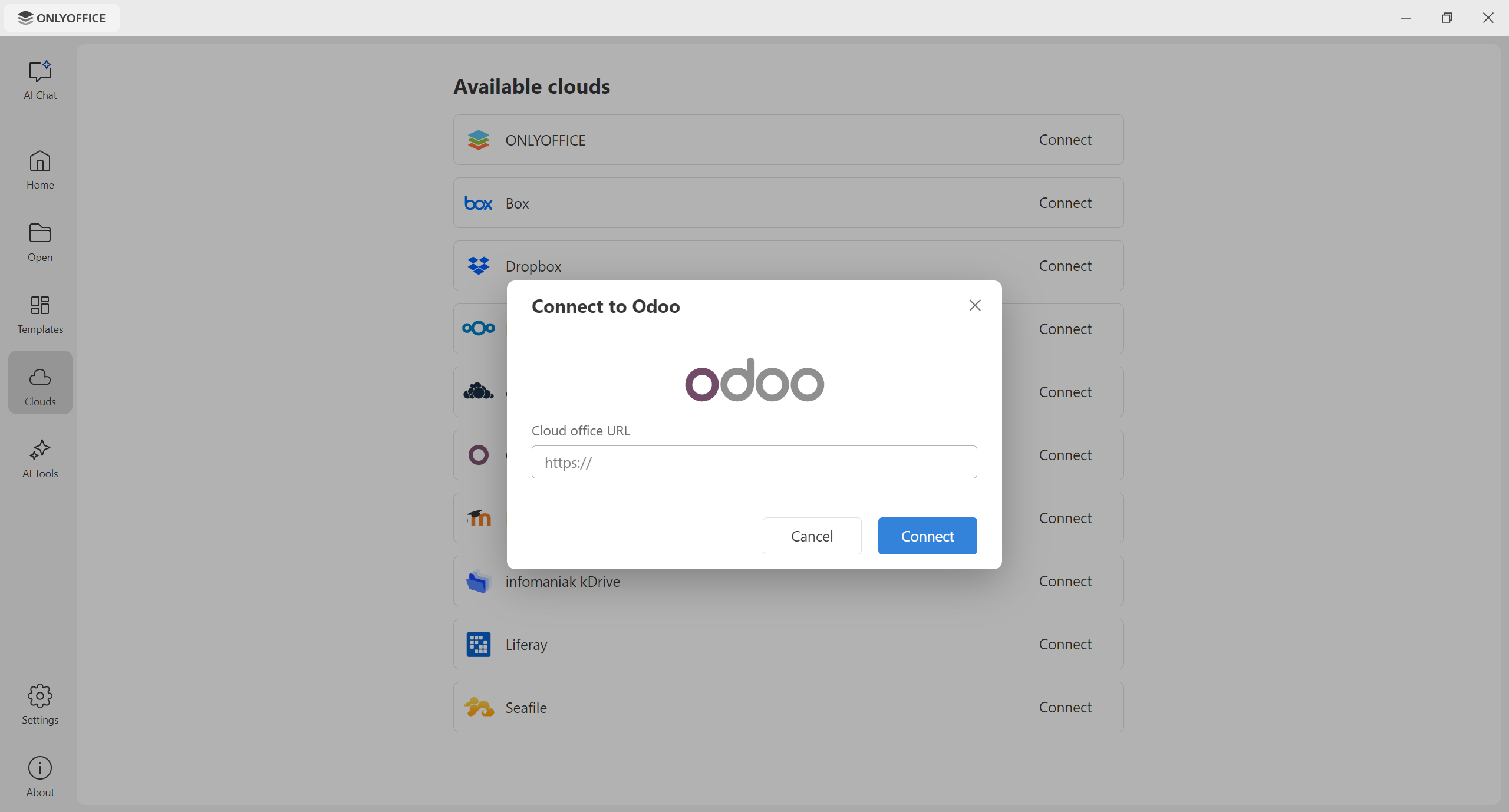
What else has a fresh look is the Cloud section. You can now see all the available cloud providers as a list and easily add your account by clicking the Connect button.
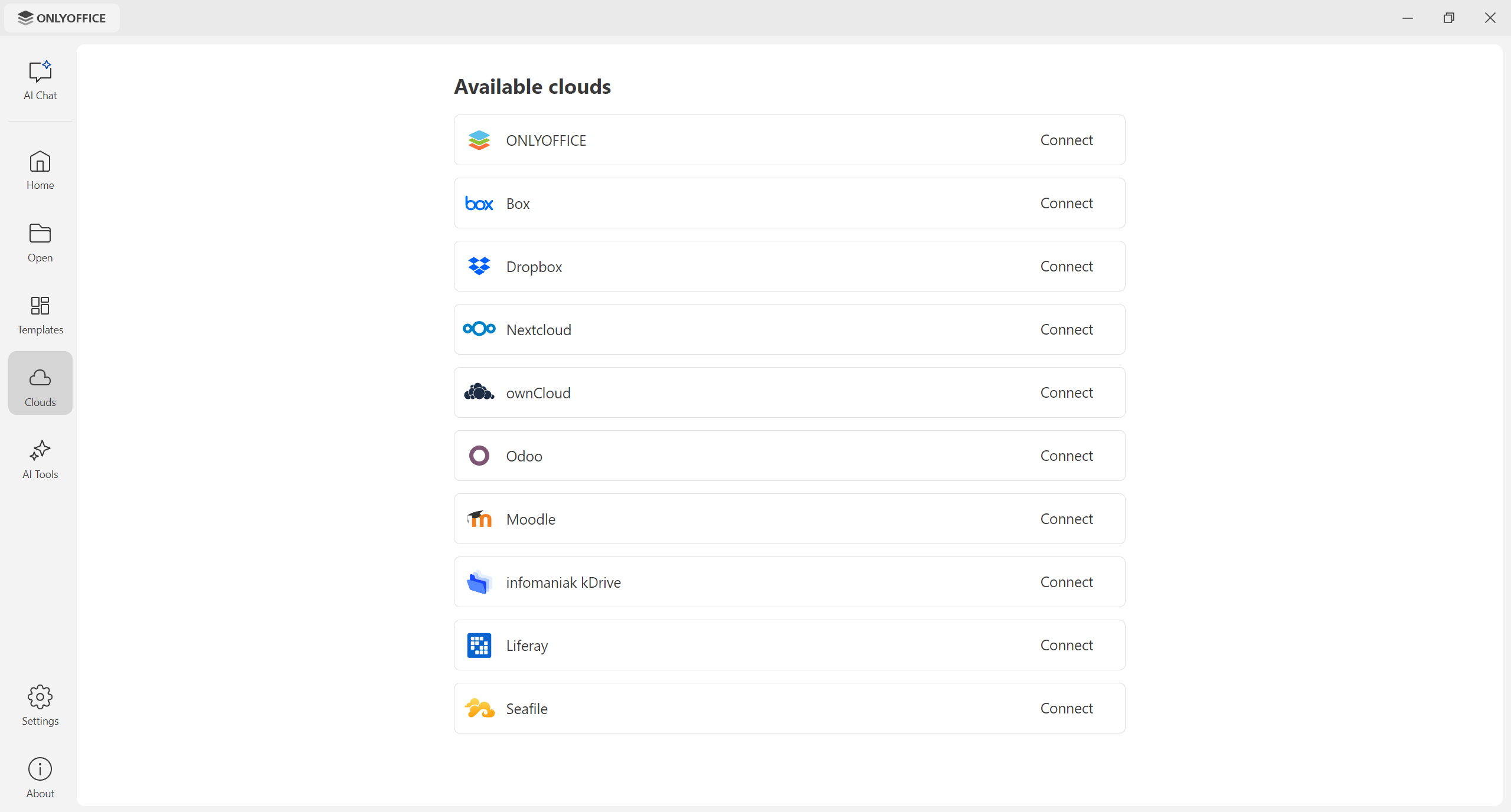
Odoo as a new cloud provider
If you keep an eye on the ONLYOFFICE and Odoo integration, you might know that we promised to enable this integration in ONLYOFFICE Desktop Editors in this blog post about the latest updates in the ONLYOFFICE connector for Odoo. It’s time to keep our promise!
Version 10.0 adds Odoo to the list of available cloud providers — you can now add your Odoo account in the Clouds section and edit your Odoo documents, spreadsheets, presentations and PDFs using local fonts, print services and spellcheckers.
Improvements for Linux and macOS
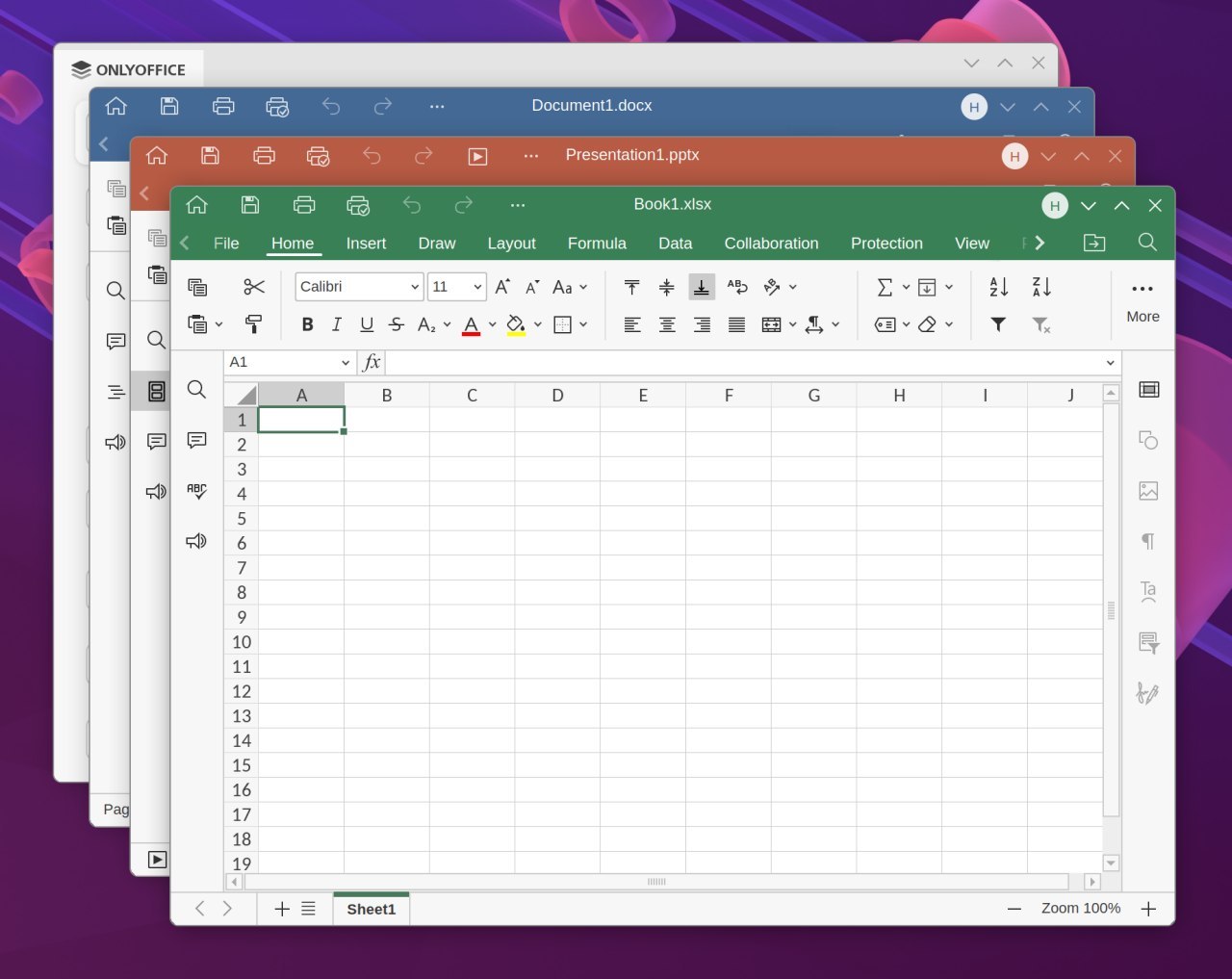
Last but not least, the updated desktop app comes with some improvements for the Linux and macOS versions. On Linux, the frame thickness of the app’s windows has been reduced, and a window shadow has been added. These changes make it easier to work with several documents at a time and compare them side by side.
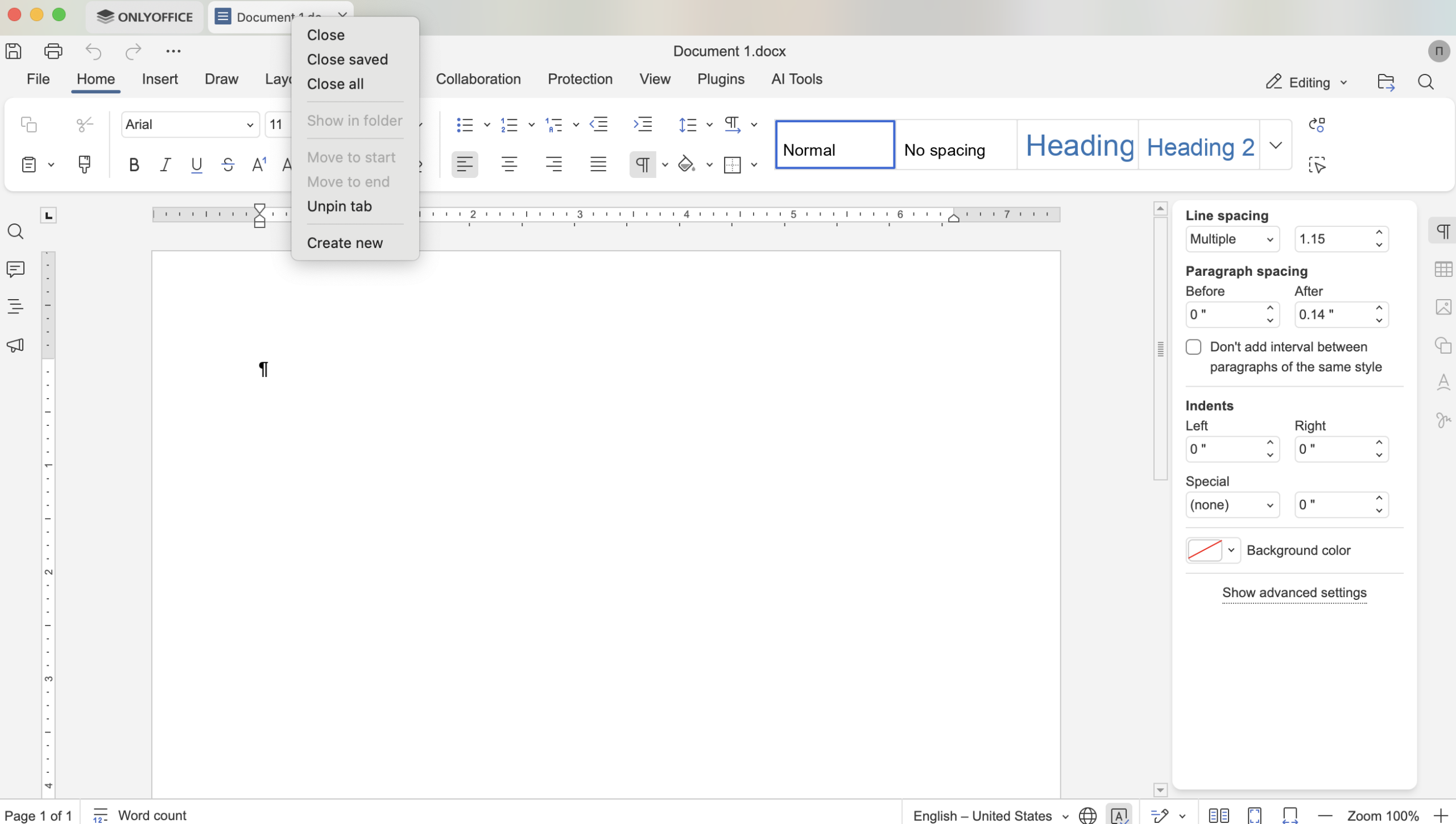
When it comes to macOS, an important quality-of-life change is the availability of context menus for file tabs. When you right-click on a document tab, a context menu will open, allowing you to close, move, pin and unpin your document, as well as create a new one. It comes in handy when you work with several documents simultaneously.
Other improvements
Here is a brief overview of what else you will find in ONLYOFFICE Desktop Editors after updating to version 10.0:
- Removing metadata from PDFs with the Redact tool;
- Reusable signatures in forms;
- Horizontal Line settings window for precise formatting control;
- AutoComplete toggle for cell values;
- Sheet background support in spreadsheets;
- New display modes and extended print settings in presentations;
- Exporting slides as GIF or video.
Read this blog post to learn how all these features work or watch our YouTube webinar for more details:
Get ONLYOFFICE Desktop Editors 10.0
Do you want to give the updated desktop app a try? Get the latest version of ONLYOFFICE Desktop Editors for Windows, Linux and macOS from our website:
The updated Snap, Flatpak and AppImage packages will be available later. Stay tuned!
Share your feedback
Are some features still missing, or do you have suggestions and ideas on how to make the ONLYOFFICE editors better? Don’t hesitate to share your feedback on our community forum:
Create your free ONLYOFFICE account
View, edit and collaborate on docs, sheets, slides, forms, and PDF files online.