From ONLYOFFICE DocSpace to Apps: Upgrade the way you work
Big changes are here, and they’re all about making your workday simpler. With ONLYOFFICE 10.0, we’re moving from the familiar DocSpace concept to a flexible approach built around modular apps. Think of it as a shift from one fixed space to a set of building blocks you can add, arrange, and use exactly the way you work. Let’s walk through what changed, why it matters, and how each new app helps you get more done with less effort.

What changed, and why you’ll love it
Before, everything lived inside DocSpace. Useful, yes, but a little one-size-fits-all. Now, ONLYOFFICE gives you separate apps you can mix and match: AI agents, Forms, Rooms, and Files. Each one solves a real, everyday problem, and you only turn on what you actually need.
Here’s the key idea: flexibility. Instead of shaping your work around the software, you shape the software around your work. That means less clutter, a cleaner experience, and tools that feel made just for you.
So, apps and editors work as one flexible system. Install the editors, extend their capabilities with apps, and integrate the package into your solution with ease.
The best part? You don’t need any technical skills to enjoy it. The layout stays intuitive, everything is clearly organized, and you can get going in minutes.
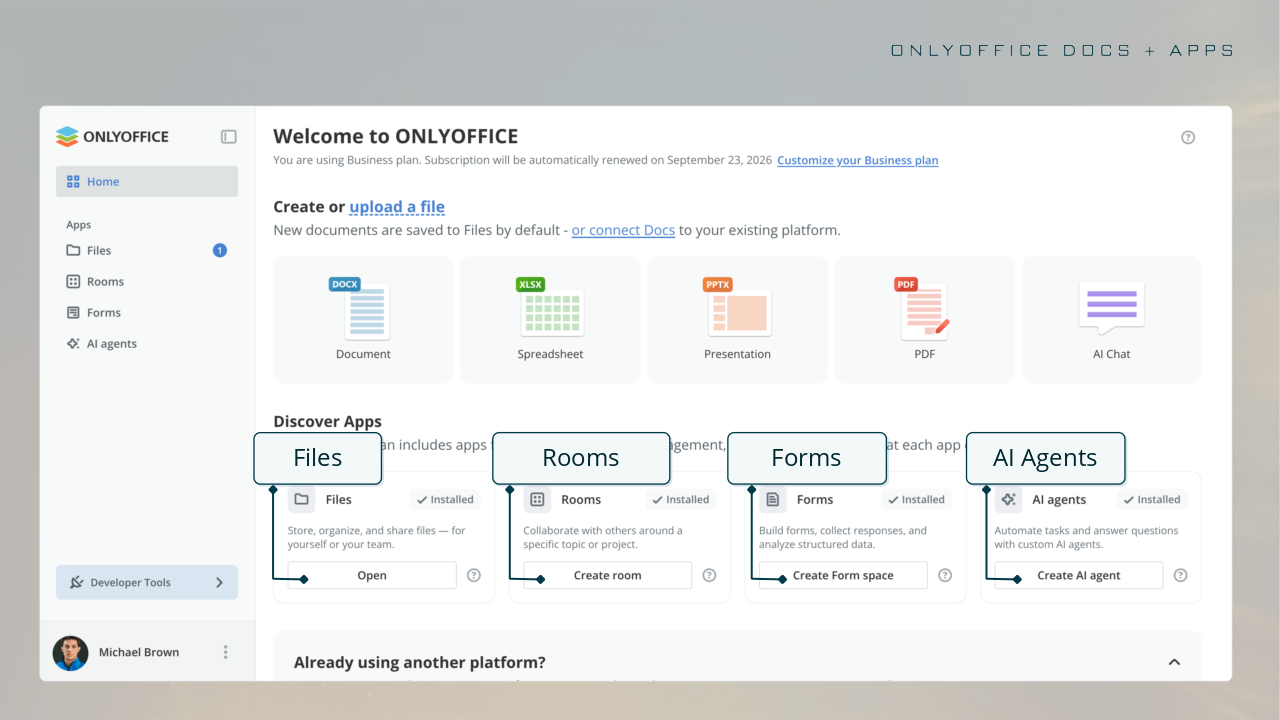
AI agents: your smart helpers
AI agents have their own dedicated section, where you can create custom agents for a wide range of tasks. And it doesn’t stop there: the AI chat is now available across all apps, making it easier and faster to work with rooms, files, and forms.
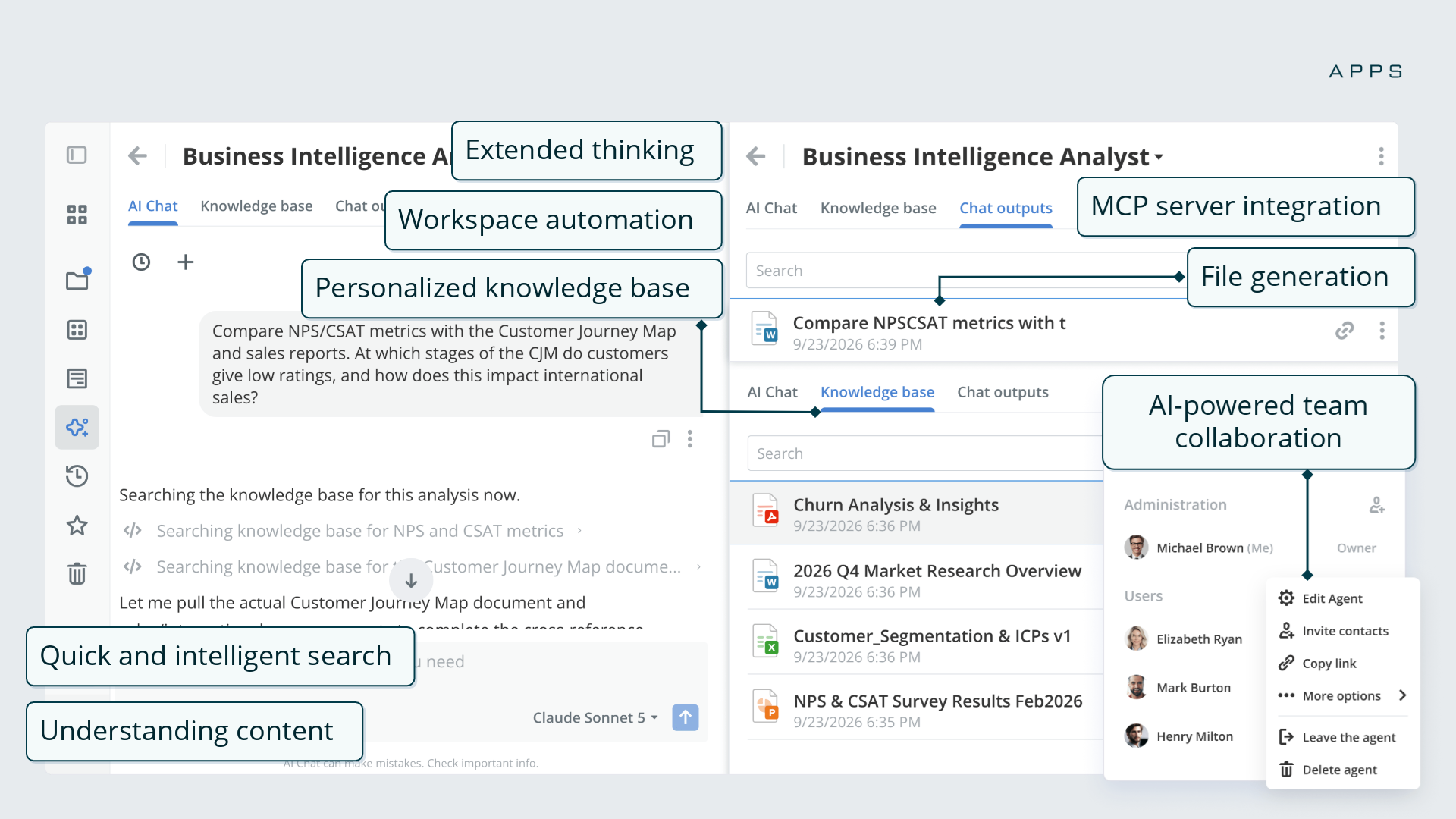
So, you get a set of AI capabilities designed to save time and improve productivity. This includes:
- workspace automation;
- tools for understanding and refining content;
- quick file generation;
- intelligent search;
- personalized knowledge base;
- MCP server support.
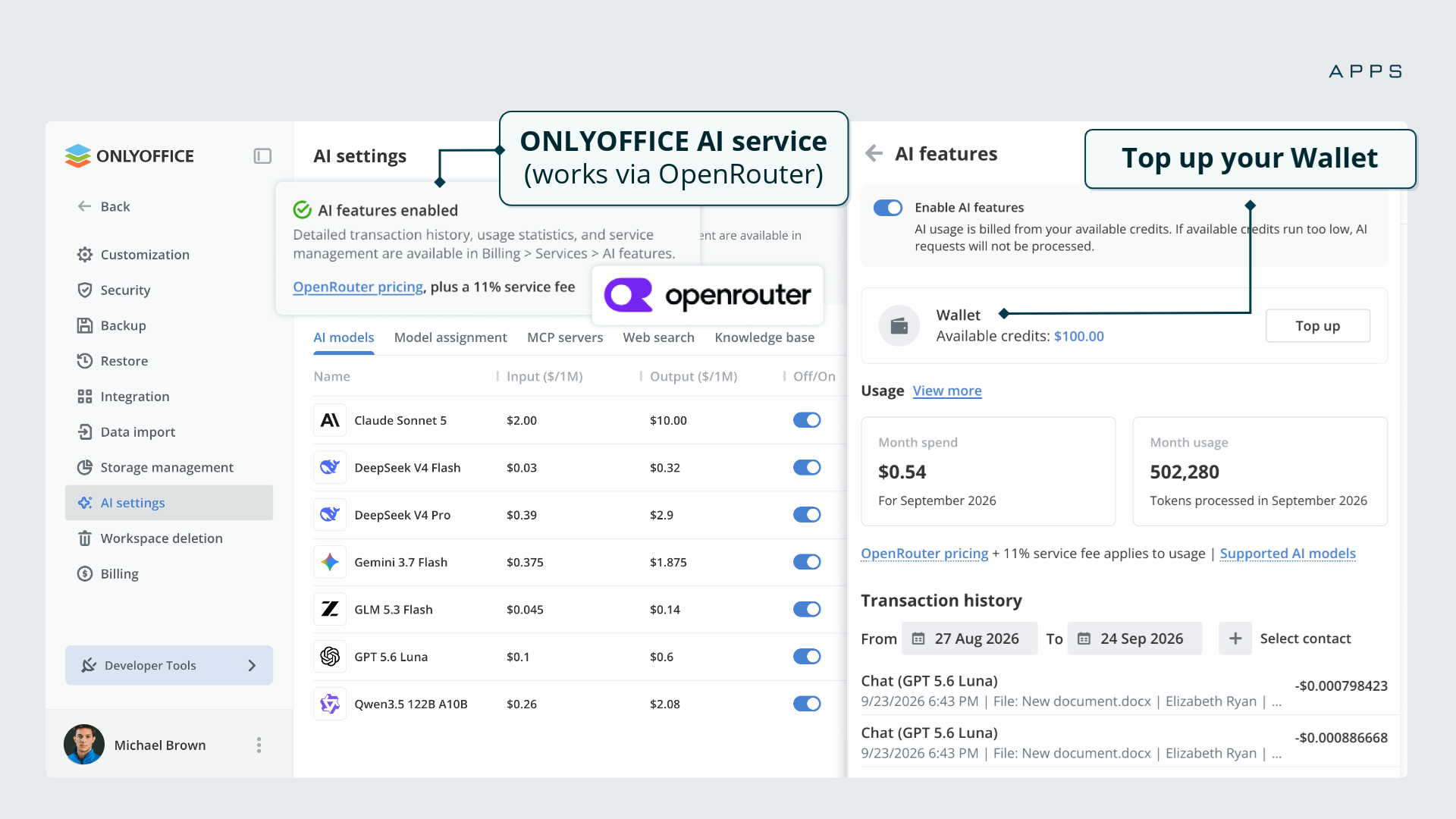
Besides, we expanded the list of formats supported by the knowledge base in AI agents: .txt, .md, .json, .csv, .docx, .docm, .dotx, .dotm, .xlsx, .xlsm, .xltx, .xltm, .xlam, .ppt, .pps, .pot, .pptx, .pptm, .ppsx, .ppsm, .pdf.
If you don’t have any AI keys ready, the ONLYOFFICE AI service is an easy way to get started. Just top up your Wallet and enable the feature in your account.
How to enable: Settings → AI settings
Forms: collect and understand data with ease
Forms is your go-to app for collecting information and turning it into useful insights.
You can use auto-generated forms and ready-made templates, so you never begin from a blank page. Just pick, tweak, and share.
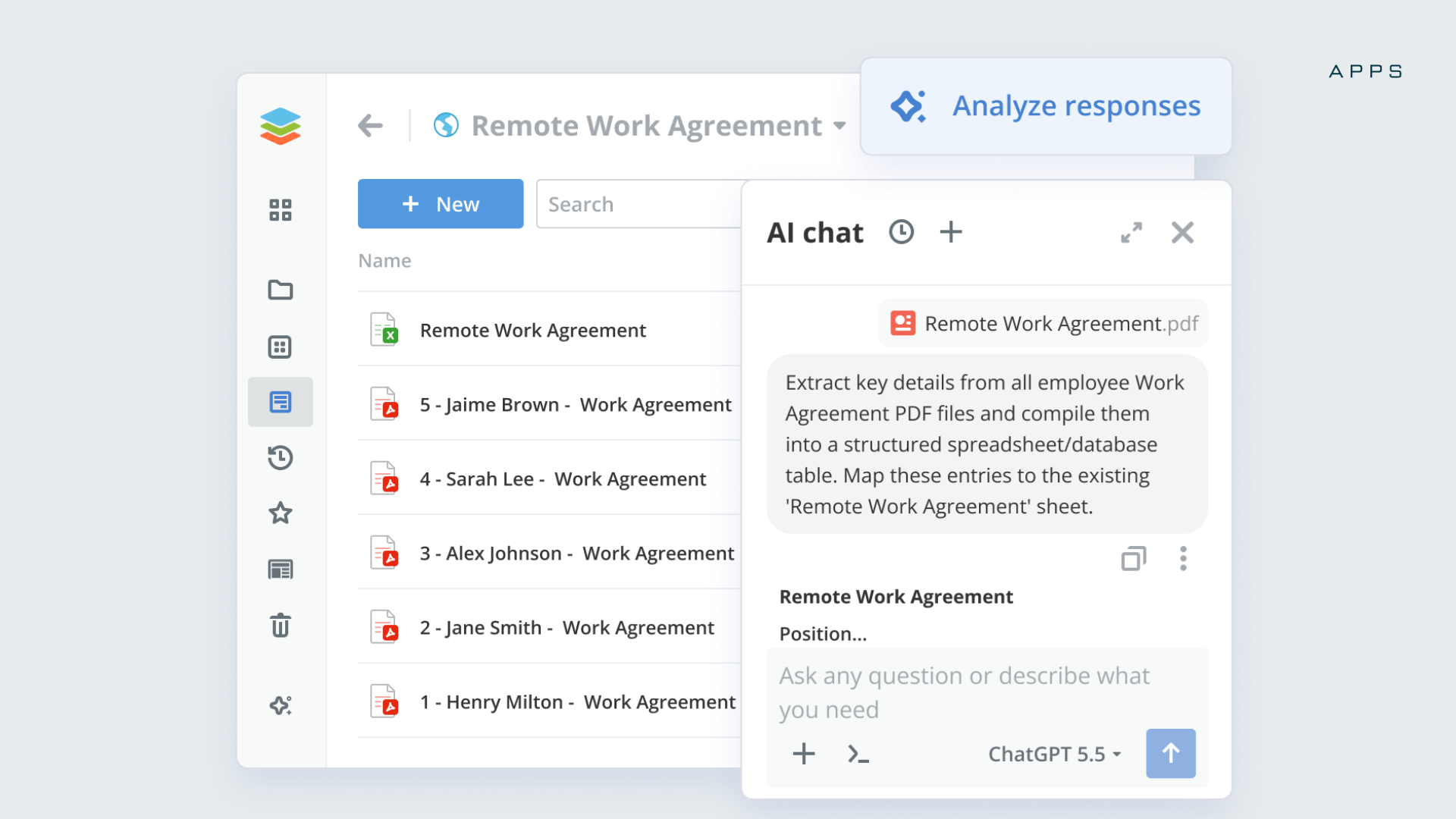
Once responses come in, they land neatly in a database or spreadsheet, all organized for you. Then AI steps in to analyze the results and help you understand every answer.
Rooms: teamwork, your way
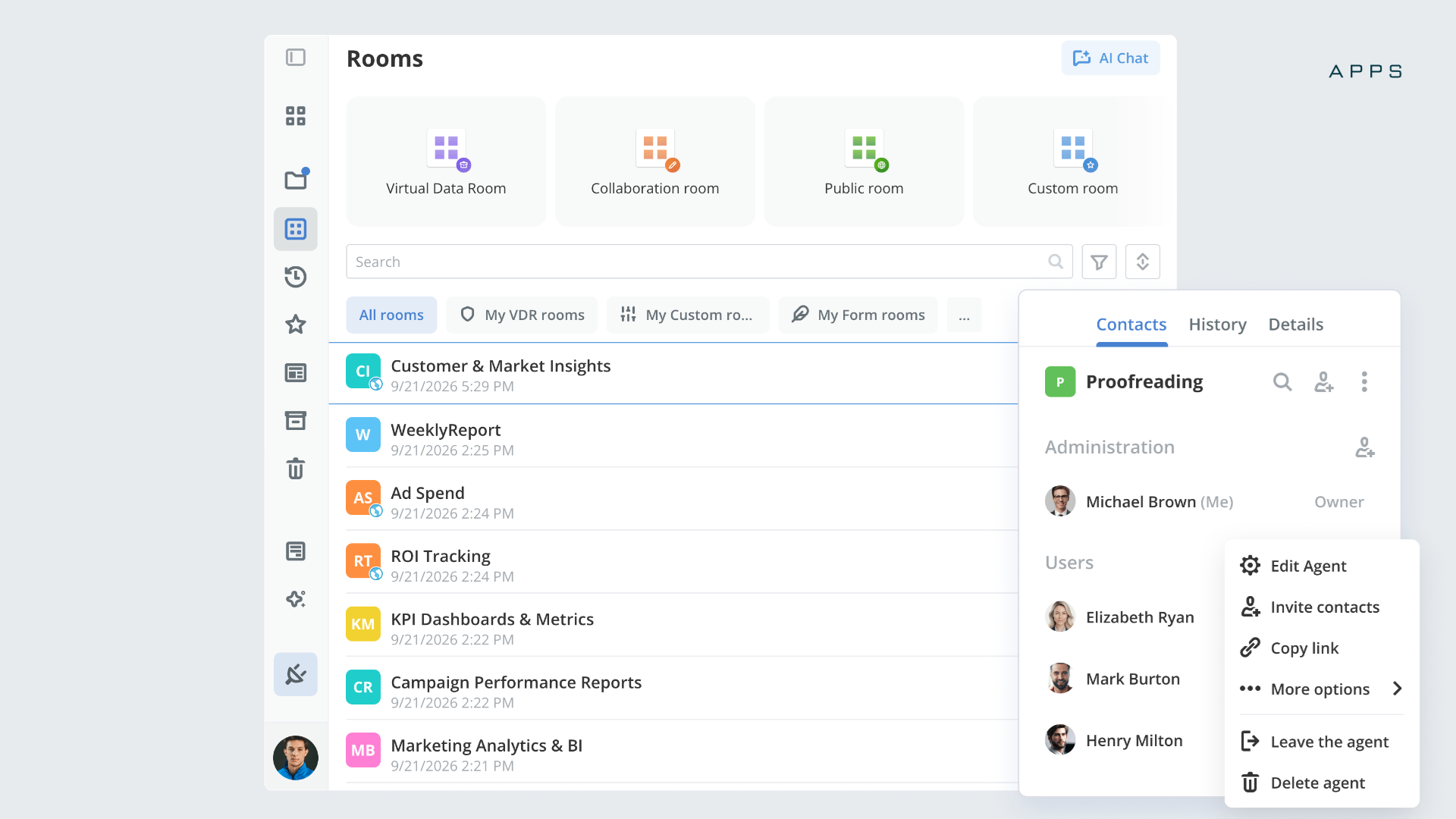
Rooms are built for working together, and there’s a room type for every situation:
- Collaboration rooms let your team work together in real time;
- Public rooms make it easy to share files with people outside your organization;
- Virtual Data rooms (VDR) keep your sensitive documents safe and secure;
- Custom rooms let you set things up exactly around your goals.
AI helps you find, manage, and keep everything tidy.
Files: everything in one place
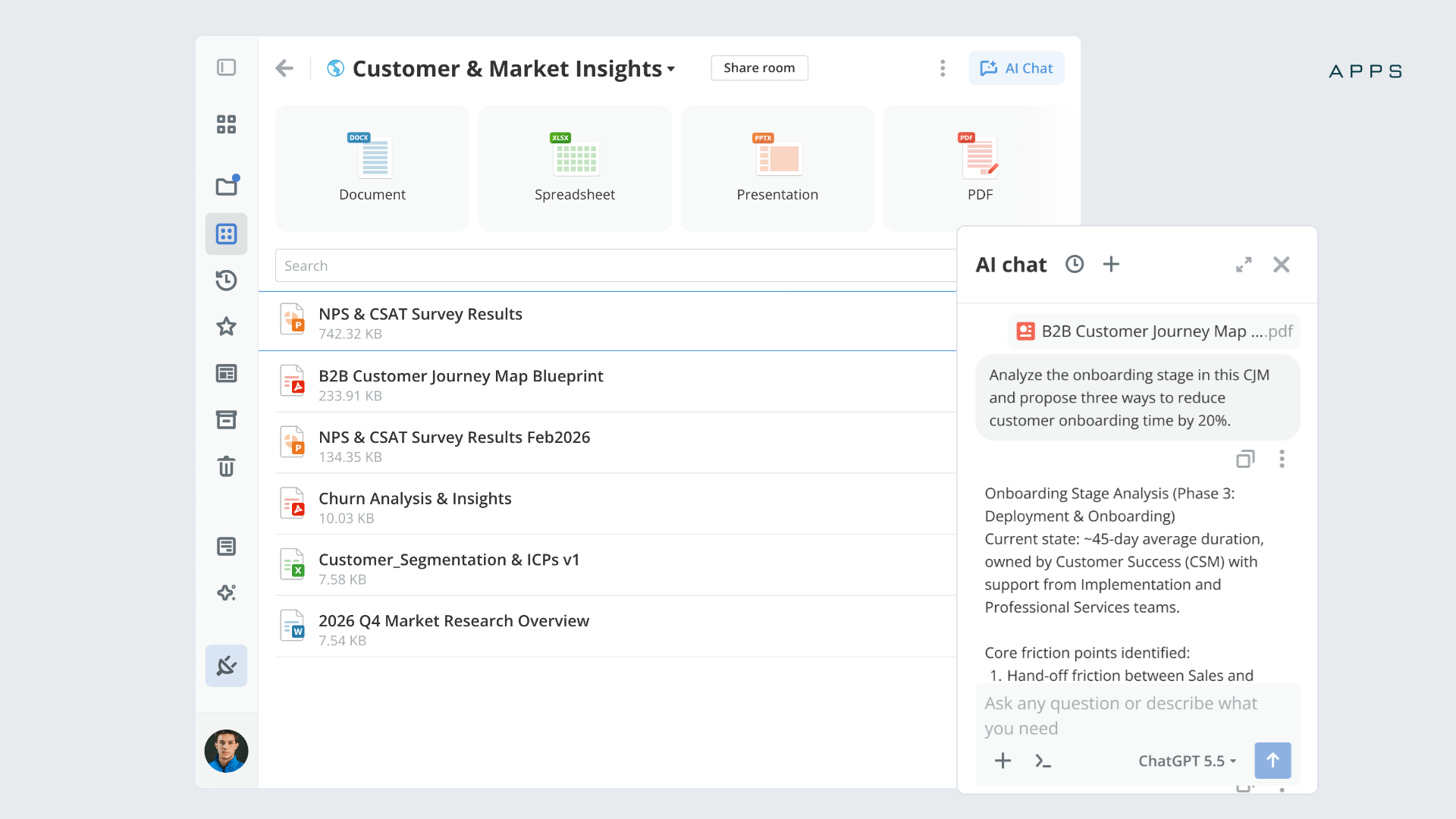
Files is your home base for all your documents.
Store and manage everything in a single spot, and find what you need in seconds thanks to quick search and filtering. Organize your way with folders and tags, and stay in control with access settings that decide exactly who sees what.
AI is right there to help you organize, find, and tidy up faster. No more digging through endless folders to track down that one file.
Getting set up is quick
Ready to jump in? Setup is simple:
- For cloud: All the apps are activated by default. You’re ready right away.
- For server builds: A quick installation gets you set up in no time.
Quick note: For the existing DocSpace accounts the transition to the Apps structure happens automatically, so no action is required on your side.
Create your free ONLYOFFICE account
View, edit and collaborate on docs, sheets, slides, forms, and PDF files online.