ONLYOFFICE connector for Plone v4.1.0: fillable PDF forms and expanded localization
Summary
Version 4.1.0 of the ONLYOFFICE integration for Plone enhances the platform with improved compatibility, support for fillable PDF forms, and expanded localization options. Users can now create customizable PDF forms and access templates in 21 additional languages, making it easier for international teams to manage documents effectively. This update also includes various technical improvements to enhance document workflows.
- Fillable PDF forms streamline data collection.
- Expanded localization supports 21 new languages.
- Improved compatibility with the latest Plone releases.
- Integration is free and open-source.
- Real-time collaboration is supported for document editing.
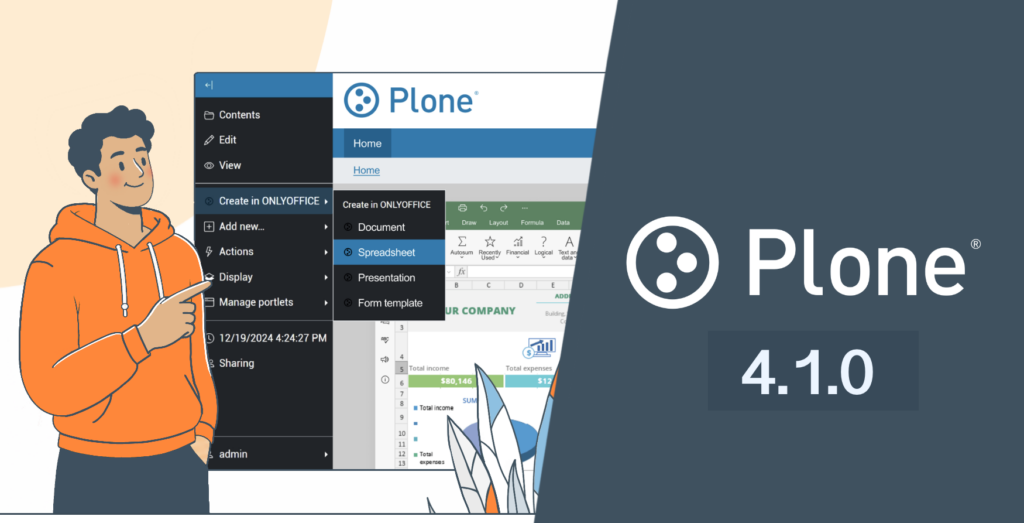
Version 4.1.0 of the ONLYOFFICE integration for Plone introduces improved compatibility with the latest Plone releases, support for fillable PDF forms, expanded localization options, and multiple technical improvements aimed at making document workflows more flexible and reliable.
Fillable PDF forms
Fillable PDF forms are now available in the integration app, providing teams with a more efficient and structured way to collect and manage data within Plone environments.
The default conversion format has been changed from DOCXF to PDF, simplifying document processing and ensuring better compatibility across platforms and devices.
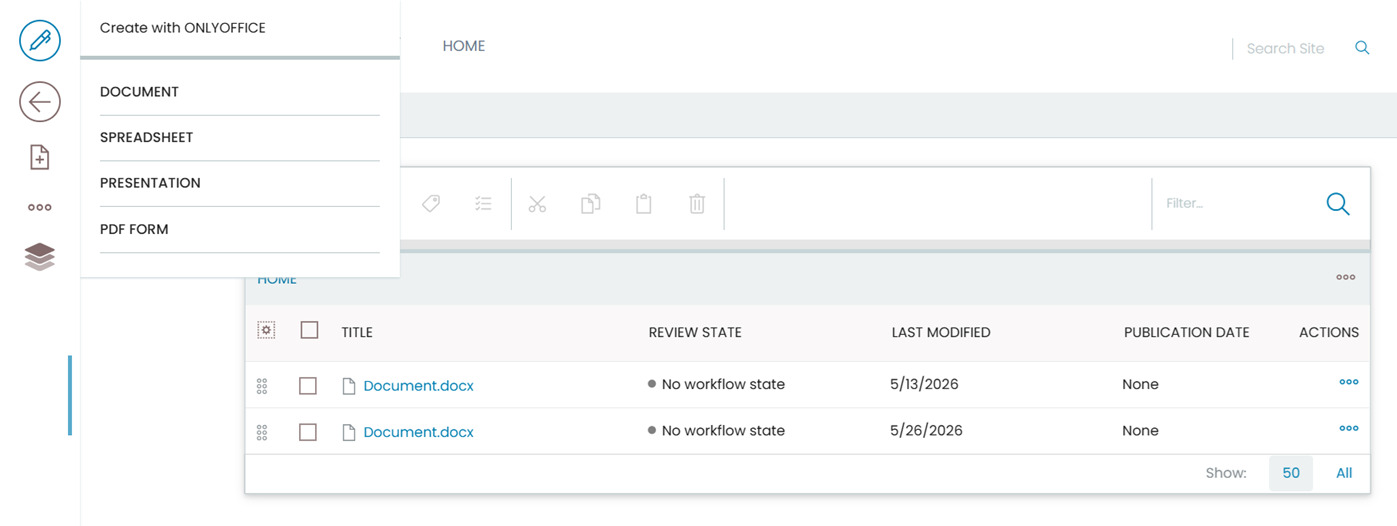
Where to find: Create with ONLYOFFICE → PDF form
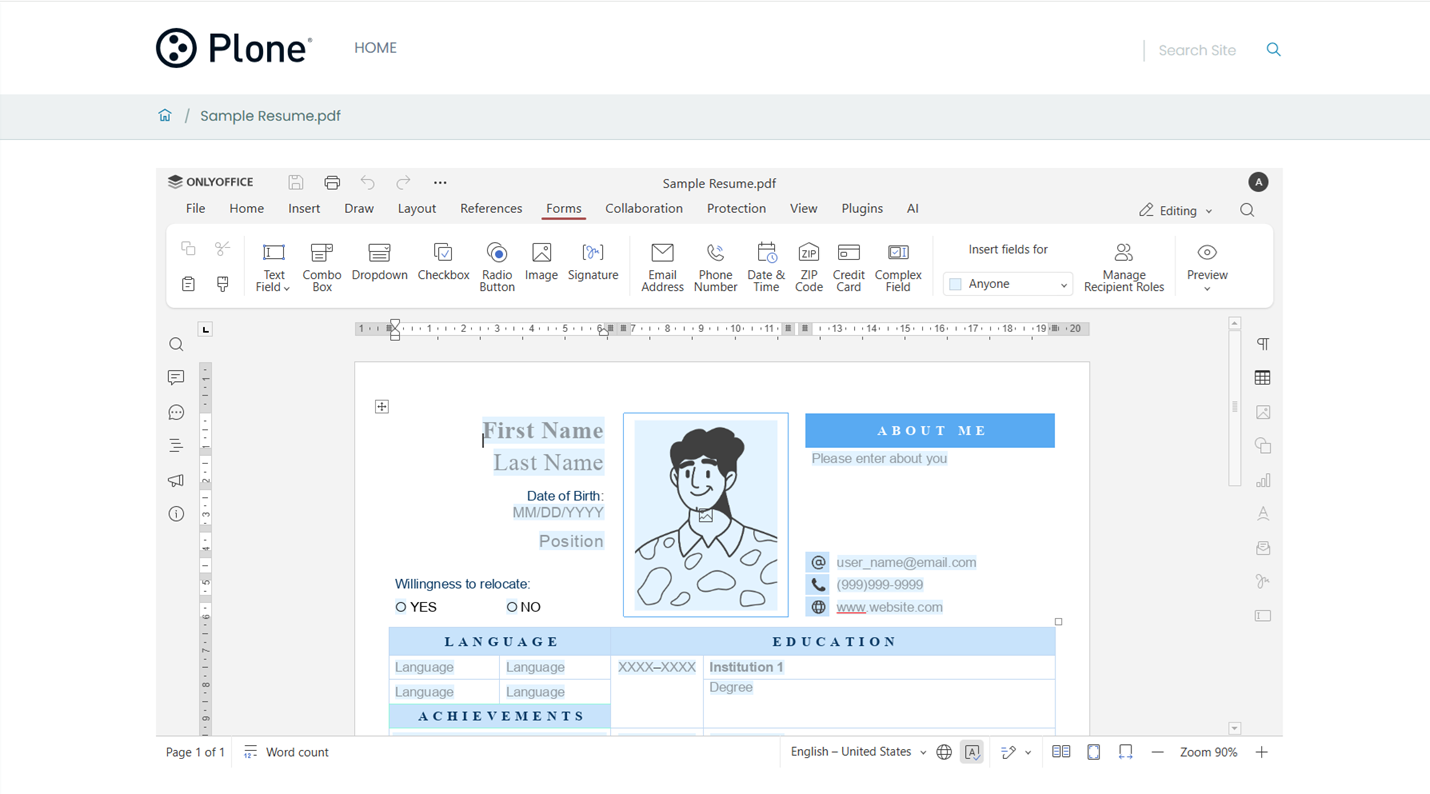
Users can create customizable PDF forms and add various field types from the Forms tab:
- Text fields
- Combo boxes
- Dropdown lists
- Checkboxes
- Radio buttons
- Images
- Signature fields
- E-mail addresses
- And others
New language templates for empty files
The integration now includes an expanded set of empty file templates for 21 additional languages, improving accessibility for international teams and multilingual organizations.
New supported locales include Arabic (ar-SA), Catalan (ca-ES), Danish (da-DK), Basque (eu-ES), Finnish (fi-FI), Galician (gl-ES), Hebrew (he-IL), Hungarian (hu-HU), Armenian (hy-AM), Indonesian (id-ID), Malay (ms-MY), Norwegian Bokmål (nb-NO), Romanian (ro-RO), Sinhala (si-LK), Slovenian (sl-SI), Albanian (sq-AL), Serbian Cyrillic (sr-Cyrl-RS), Serbian Latin (sr-Latn-RS), Turkish (tr-TR), Urdu (ur-PK), and Traditional Chinese (zh-TW).
These additions make it easier to create new documents with the correct language settings and localized formatting from the start.
Other improvements
Version 4.1.0 also includes several enhancements focused on compatibility, configuration flexibility, and deployment:
- Support for Plone 6.1
- Improved JWT lifetime configuration
- Updated demo ONLYOFFICE Document Server URL
Discover the full list of changes on GitHub.
Get ONLYOFFICE integration for Plone v4.1.0
Update the integration to version 4.1.0 to take advantage of the latest compatibility improvements, expanded localization, and new form capabilities.
FAQ: ONLYOFFICE and Plone integration
Is the ONLYOFFICE integration app for Plone free?
Yes. The ONLYOFFICE connector for Plone is free and available as an open-source integration.
Do I need ONLYOFFICE Docs to use the integration?
Yes. To edit and collaborate on documents within Plone, you need an instance of ONLYOFFICE Docs connected to your environment. You can deploy it on your own server or use a cloud-based solution.
Can I collaborate on documents in real time?
Yes. The integration supports real-time collaborative editing, allowing multiple users to work on the same document simultaneously, leave comments, track changes, and co-author files directly inside Plone.
Does the integration support AI features in editors?
Yes. You can use AI-powered tools in ONLYOFFICE editors connected to Plone. The integration allows you to configure AI providers and use them for tasks such as writing and improving text, summarizing content, translating, generating ideas, analyzing information, and building your personalized AI assistants.
Where can I find installation and configuration instructions?
Detailed setup and configuration guidelines are available in the ONLYOFFICE Help Center and official integration documentation.
Where can I share feedback or suggest improvements?
You can share your feedback, report issues, or suggest new features through the ONLYOFFICE community. Feedback helps us improve the integration and prioritize future enhancements.
Useful links
Get ONLYOFFICE Docs for Plone: Enterprise / Community / cloud
About ONLYOFFICE and Plone integration
Create your free ONLYOFFICE account
View, edit and collaborate on docs, sheets, slides, forms, and PDF files online.