ONLYOFFICE Desktop Editors now available for Linux ARM
Great news for Linux users on ARM devices!
Our free desktop app, ONLYOFFICE Desktop Editors, is now available for Linux on ARM architecture, including Ubuntu, Fedora, OpenSUSE, Arch Linux, and other distributions.
With the growing adoption of ARM-based Linux devices, users can now install ONLYOFFICE Desktop Editors natively and enjoy stable performance, full functionality, and offline document editing.
Why native Linux ARM support matters
Linux ARM devices are becoming increasingly popular due to several key advantages:
- improved energy efficiency
- longer battery life
- silent hardware designs
- fast wake-up and instant-on performance
- efficient ARM-based processors suitable for everyday work
How to install ONLYOFFICE Desktop Editors on Ubuntu ARM
If you’re using Ubuntu on ARM64, installing ONLYOFFICE Desktop Editors is quick and straightforward.
- Open the ONLYOFFICE Desktop Editors download page and scroll to the Linux section.
- Download the ARM64 (.deb) package for Ubuntu.
- Open the terminal and navigate to the folder with the downloaded file.
To install DEB using the apt command:
sudo apt install path_to_deb_file
To install DEB using the dpkg command:
sudo dpkg -i path_to_deb_file
Detailed installation instructions in our Help Center
About ONLYOFFICE Desktop Editors
ONLYOFFICE Desktop Editors is a free, open-source office suite for Windows, Linux, and macOS. It includes powerful editors for text documents, spreadsheets, presentations, PDFs, and forms, with full support for popular formats such as DOCX, XLSX, PPTX, ODT, CSV, and PDF.
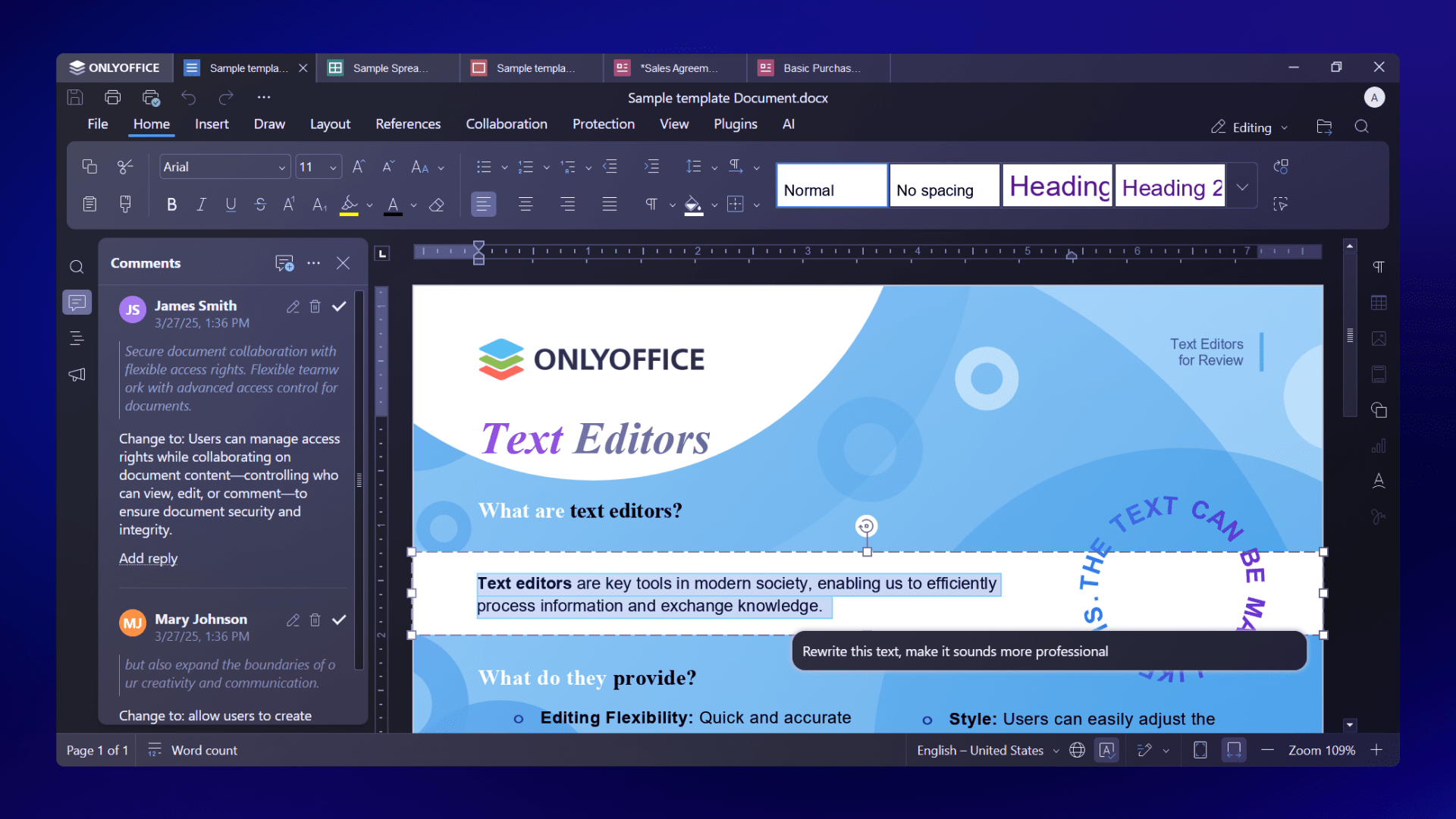
With ONLYOFFICE Desktop Editors, you can:
- Create and edit documents, spreadsheets, presentations, and fillable forms
- View, annotate, edit, and convert PDF files
- Build charts and visualize data
- Use ready-made or custom form templates
- Protect files with passwords, watermarks, and digital signatures
- Extend functionality with plugins like DeepL, LanguageTool, draw.io, Jitsi, and more
- Work completely offline or connect to cloud platforms such as ONLYOFFICE DocSpace, Nextcloud, ownCloud, Seafile, Liferay, or Moodle
- Use built-in AI tools and the AI Agent to summarize, translate, rewrite text, generate ideas, and interact with documents using natural language
Try ONLYOFFICE Desktop Editors on Linux ARM
If you’re running Linux on ARM hardware, ONLYOFFICE Desktop Editors now offer a native, fast, and reliable desktop office experience tailored to your platform.
FAQ: ONLYOFFICE Desktop Editors for Linux ARM
Is ONLYOFFICE Desktop Editors fully native on Linux ARM?
Yes. The application runs natively on ARM64.
Are all editors available on Linux ARM?
Yes. Text documents, spreadsheets, presentations, PDFs, and forms are fully supported.
Does Linux ARM support plugins and AI tools?
Yes. Plugin support and built-in AI features are available on Linux ARM, just like on other platforms.
Can I work offline on Linux ARM?
Absolutely. ONLYOFFICE Desktop Editors work offline and can also be connected to cloud platforms when needed.
Is ONLYOFFICE Desktop Editors free on Linux ARM?
Yes. ONLYOFFICE Desktop Editors are free and open source.
Useful links
About ONLYOFFICE Desktop Editors
ONLYOFFICE Desktop Editors: Help Center / GitHub
Create your free ONLYOFFICE account
View, edit and collaborate on docs, sheets, slides, forms, and PDF files online.