ONLYOFFICE Docs 10.0 for enterprises: What’s new and why it matters
Large organizations need document tools that stay secure, scale with demand, and fit into complex IT environments. ONLYOFFICE Docs 10 is released with those needs in mind.
This version delivers around 50 new features, more than 1,000 bug fixes, and about 40 fixed vulnerabilities. For enterprises, the result is stronger protection, faster performance on large files, and more control over how AI and apps are deployed.
Here are the updates that matter most to enterprise IT and business leaders.

AI tools for enterprise workflows
With ONLYOFFICE Docs 10.0, you can bring AI into everyday document work without giving up data ownership or control over costs.
- AI tools and agents. Write, analyze, and edit docs, sheets, slides, forms, and PDFs, and automate document workflows so teams spend less time on routine tasks.
- Custom AI tools. Build AI assistants and actions tailored to your processes, so every department gets AI that fits how it actually works.
- Connected to your knowledge and systems. Draw on internal knowledge bases and connect AI to business systems and external tools via MCP, so you get context-aware results that fit into existing workflows.
- Different models for different tasks. Use lightweight models for quick edits and more powerful ones for complex work, so you pay only for the capacity each task needs.
- Deployment in your infrastructure. Keep all data inside your network to meet security and compliance requirements.
- Local models. Run AI fully offline for sensitive documents and isolated environments, with no dependence on external services.
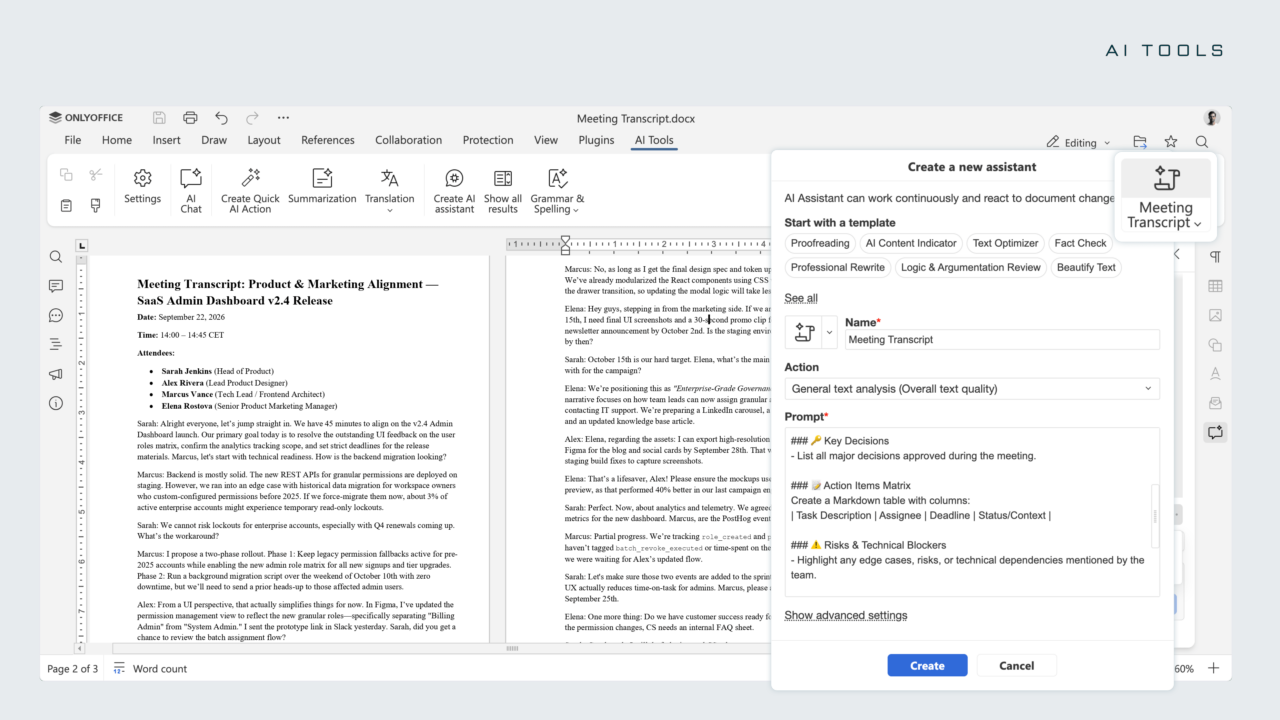
Pro tip: in the enterprise editions of ONLYOFFICE Docs 10.0, administrators can configure AI providers once in the Admin Panel, giving users ready-to-use AI tools without entering their own API keys. Admins can also assign models to specific tasks, connect MCP servers, control web search, and limit users to approved providers and models. Learn more
Modular apps: deploy only what you need
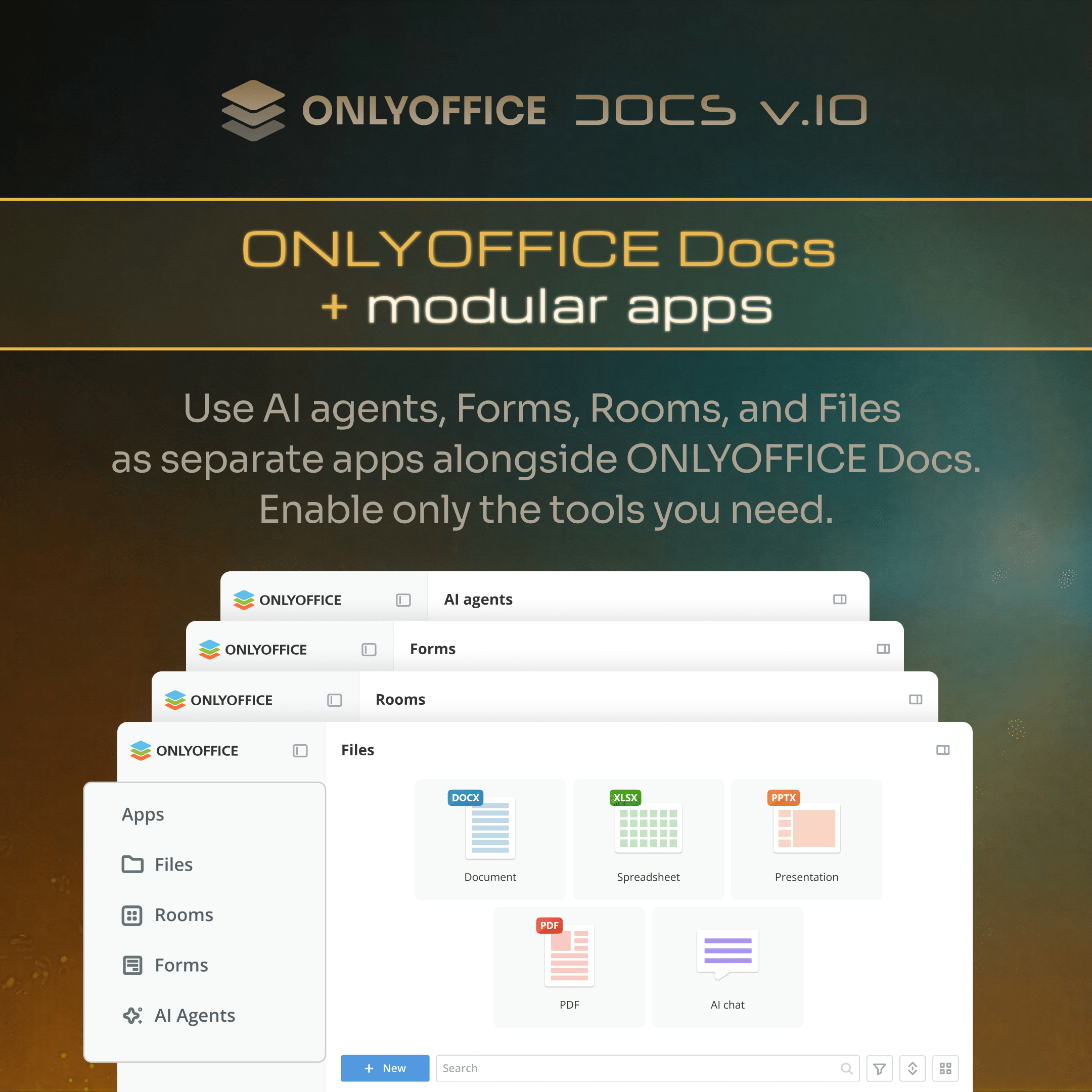
ONLYOFFICE Docs 10.0 introduces modular apps you can mix and match: AI Agents, Forms, Rooms, and Files. IT teams can install the editors, enable only the apps the organization needs, and integrate the package into existing solutions. This means less clutter for end users, tighter deployment control for IT, and room to grow as needs change.
Galina Goduhina, Commercial Director at ONLYOFFICE:
For years, enterprises have known ONLYOFFICE as a powerful document editing solution. With version 10.0, we’re evolving beyond traditional document editing, bringing together powerful editors, AI capabilities, and modular applications in one flexible ecosystem. By connecting AI with business knowledge, existing systems, and everyday workflows, we want to help enterprises move from simply working with documents to building intelligent, automated processes that deliver real business value, while maintaining full control over their data and digital infrastructure.
Security improvements: stronger protection at scale
When thousands of employees share documents every day, one vulnerability can reach a lot of people. ONLYOFFICE Docs 10.0 closes about 40 vulnerabilities. The fixes cover the areas enterprises rely on most:
- Cross-site scripting (XSS). Closed gaps in hyperlinks, AI assistant fields, the Review panel, the function arguments window, and the HTML plugin.
- Server-side request forgery (SSRF). Fixed in WOPI endpoints and the /ai-proxy endpoint.
- Macro sandbox bypasses. Macros now stay inside their isolated environment, including a fix for a bypass that allowed access to browser cookies.
- PDF exploits. Blocked embedded and action-based JavaScript in PDFs and fixed an authorization bypass when printing.
- WOPI integrations. Fixed co-editing session hijacking and path traversal issues that could expose server configuration.
- Path traversal and file access. Closed arbitrary file write, local file read, and unauthorized OS file access during conversion.
- Docker image fixes. Patched vulnerabilities in the DocumentServer Docker image, including OpenSSL CVEs.
Why it matters for compliance
For organizations working under GDPR, HIPAA, or industry-specific rules, timely patching is a core part of data protection. These fixes support ONLYOFFICE’s existing security foundation, including on-premises deployment, JWT, encryption at rest, and granular access permissions. Together, they help keep sensitive data within your control.
Important: Plan your upgrade to 10.0 as soon as possible.
Server and admin improvements
For IT and infrastructure teams, version 10.0 introduces a set of backend changes that improve control, observability, and security posture.
Admin Panel. The server welcome page has been redesigned for clarity. The Admin Panel now launches automatically with the enterprise server by default, reducing manual setup steps. It also includes new blocks for viewing the JWT secret and buttons for navigating to and starting or stopping the test case, making configuration verification faster during deployment.
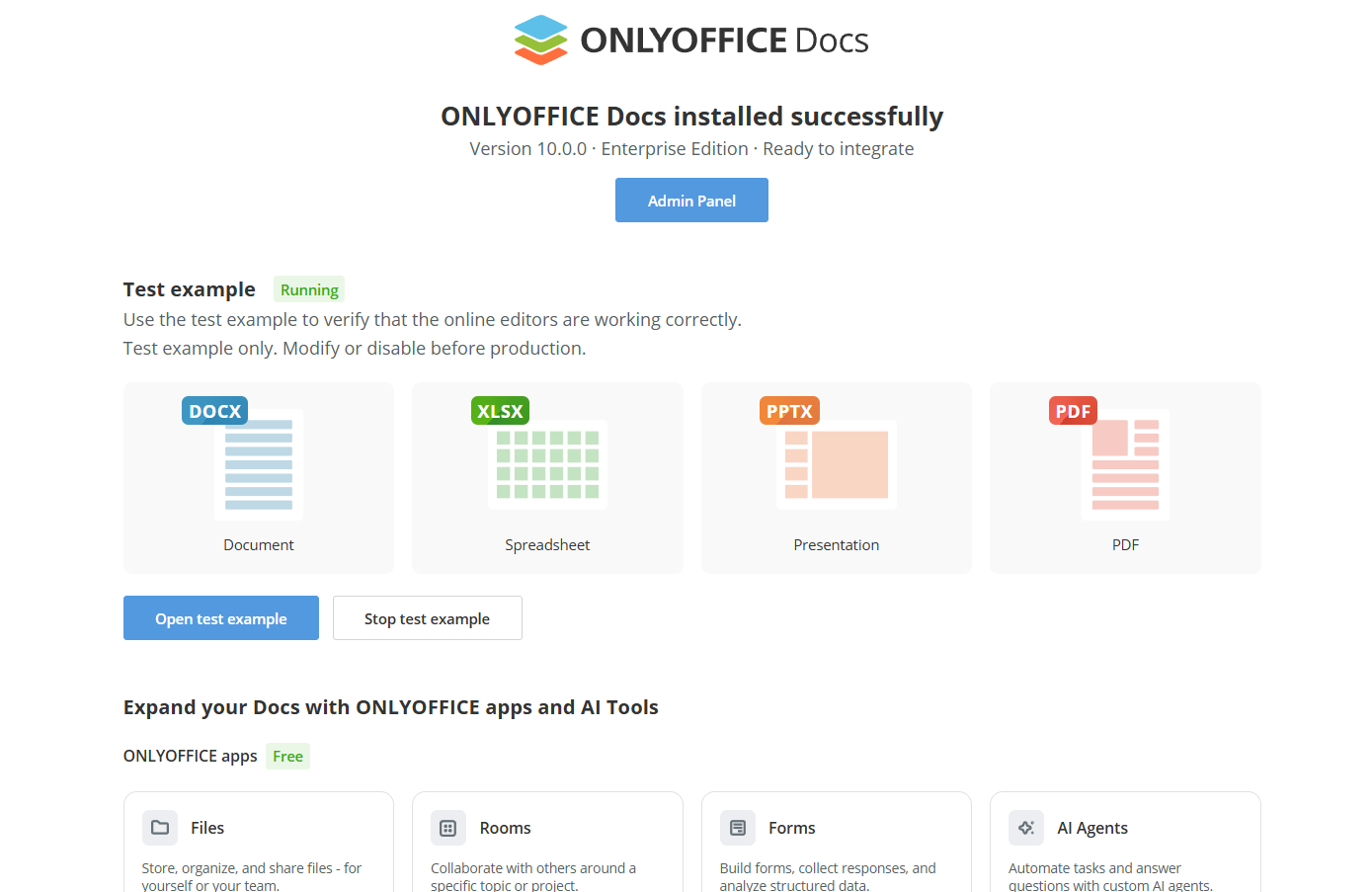
JWT enabled by default. JWT is now enabled by default in default.json, strengthening out-of-the-box security across all installations.
WOPI security tightening. IP filter rules are now required for WOPI. The allow: * rule is no longer sufficient, the host must be specified explicitly. This reduces the risk of unauthorized access through misconfigured WOPI integrations.
Integrity verification. When an integrator provides the appropriate headers, ONLYOFFICE now verifies the integrity of downloaded files via the certain parameter, which is enabled by default.
Useful improvements in the editors
Version 10.0 brings meaningful upgrades across the editors that directly benefit teams handling large volumes of documents. Here are the highlights:
PDF Editor. Strip hidden metadata before sharing files externally, save and reuse signatures for high-volume signing, and let AI query, summarize, and redact long documents in a fraction of the time. Forms saved as regular PDFs are now signed automatically on submission, which simplifies document workflows at scale.
Spreadsheets. Separated style and data storage and limited cell traversal make large workbooks faster. Commonly used functions (like SUMIF, AVERAGEIF, COUNTIFS, etc.) have been optimized for quicker calculation. Formula range highlights and function constant hints make complex models easier to build and verify.
Collaboration. Follow a teammate’s cursor to see exactly where they’re editing. Improved right-to-left support helps teams working in Arabic, Hebrew, and other RTL languages. Keep with next and row breaking across pages keep long reports and tables readable.
Useful links
ONLYOFFICE Docs 10.0: blog / webinar / changelog
ONLYOFFICE Docs for enterprises
Create your free ONLYOFFICE account
View, edit and collaborate on docs, sheets, slides, forms, and PDF files online.