16 ways to contribute to ONLYOFFICE: making the best office suite together
As an open-source office suite, ONLYOFFICE is not only about new releases, technical innovations and controversial decisions. It’s about people from all over the world who collaborate, not just inside documents, but around the product itself.
At ONLYOFFICE, community contributions play an essential role in improving our software. If you are a user with a unique idea, a technical writer who is passionate about writing helpful how-to guides, a developer crafting tailored business solutions or an organization seeking integration, there are multiple ways to become part of the ONLYOFFICE ecosystem.
Celebrating 16 years of ONLYOFFICE, we present 16 practical, community-friendly ways to contribute to our project, ranging from the simplest ways to get involved to more advanced options, so you can choose what fits your time, skills and interests.

Improve ONLYOFFICE as a user
You don’t need to be a developer to make a meaningful contribution. Improvements begin with ideas and feedback from people who use ONLYOFFICE every day.
1. Suggest new features
Every workflow is different, and users usually find opportunities to make document editing faster and smarter.
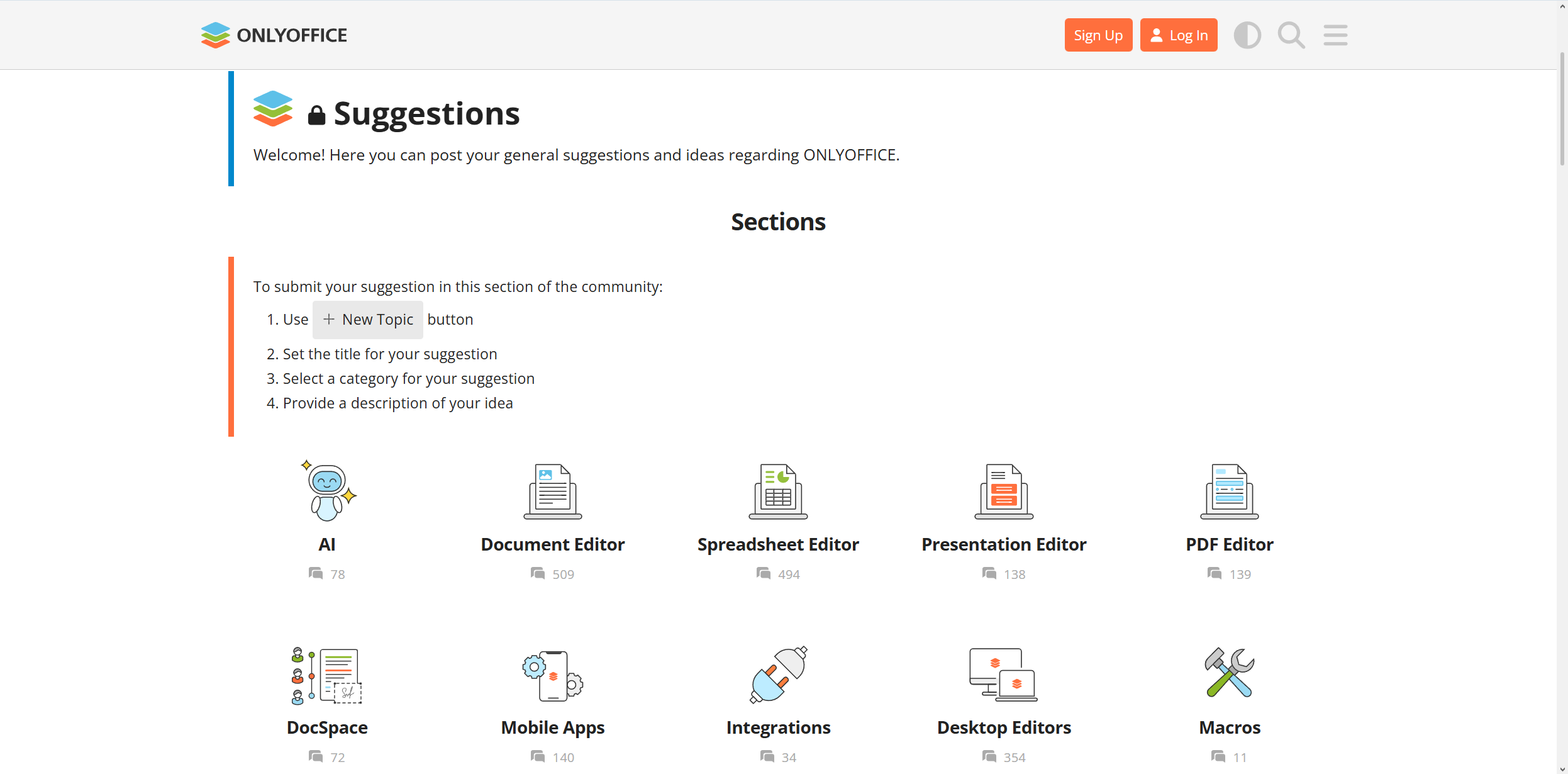
If you want to see different features, you can share your ideas in the ONLYOFFICE community. If it’s a new editing capability, a collaboration tool or an interface improvement, these small steps start as community suggestions before becoming part of future releases.
Have a feature request or improvement idea? Share it right now:
Facts: Over the last 12 months, we have received 495 ideas и 1689 feature upvotes. Based on the feedback of our users, we implemented such features as ARM support for the desktop editors on Windows and Linux, editing password-protected PDF files, custom keyboard shortcuts, multipage view in documents and many other useful improvements.
2. Report bugs
No software tool is perfect, and finding issues plays an important role in improving it and creating a more stable experience for everyone.
When you come across an unexpected behaviour when using our solutions, submitting a detailed bug report makes it easier for our developers to recognize the problem and resolve it quickly. If you include information about your operating system, ONLYOFFICE solution and its version, and related screenshots, it would make a huge difference.
However, GitHub and our forum are not the only places where you can report bugs. We run a private bug bounty program on the HackerOne platform. If you are an experienced hacker and know how to detect vulnerabilities, you can join in by sending your request to marketing@onlyoffice.com with the ONLYOFFICE HackerOne bounty subject.
Facts: Starting from the release of version 9.0, we have fixed more than 2,500 bugs and vulnerabilities across the online and desktop editors. This was possible due to the active participation of our community members, customers, partners, Redditors, social media users, HackerOne enthusiasts (a big thank you to isopach (is-) and (8910jq) for submitting numerous reports via the platform) and, of course, our Q&A team.
As a result, we improved RTL support across the editors, secured macros performance, prevented a lot of potential crashes, fixed multiple file conversions errors and got rid of a bunch of vulnerabilities, not to mention hundreds of small issues.
3. Participate in beta testing
Everyone wants new features, and beta testing gives community members a chance to try new ONLYOFFICE releases before making them public. Your feedback helps identify usability issues, compatibility problems and unexpected limitations that might otherwise go unnoticed.
Want to take part in the version 10.0 beta testing? Submit your request to marketing@onlyoffice.com with your name and email address to get invited.
Share your knowledge with the community
Knowledge is just as important as code in open-source projects like ours. With clear documentation and accessible resources, users better understand how to use and make the most of the ONLYOFFICE solutions.
4. Write or improve documentation
Documentation grows alongside the product. If you notice a missed explanation, outdated manuals or opportunities to simplify existing guides, you can help improve the documentation for future users and developers.
At ONLYOFFICE, we often involve talented interns in writing documentation because it gives us the fresh perspective of young professionals, making our how-to guides and user manuals truly accessible and easy to understand.
Facts: Here are some recent blog posts written by ONLYOFFICE interns:
- Top 5 methods to integrate Word into your web application by Sara Bogavac;
- Macros or AI functions? Understanding ONLYOFFICE Tools by Igor Stojadinovic;
- Сreating ONLYOFFICE plugins: tips, tricks, and hidden pitfalls by Vukasin Popovic;
- A developer’s guide to ONLYOFFICE style and color APIs by Owais Raza.
Want to contribute to our project by writing something of your own? Submit your request to documentation@onlyoffice.com.
5. Translate and localize ONLYOFFICE products
People around the world use ONLYOFFICE. By translating the interface, documentation and other resources into their languages, contributors make the platform more accessible to new communities and organizations.
If you speak more than one language, you can translate ONLYOFFICE and make the platform more accessible to users across different locations.

Facts: Natalija Blagojevic from Serbia/Italy made a priceless contribution to our project by translating the products’ interface and documentation into Serbian, making ONLYOFFICE accessible to millions of new users in Southeast and Central Europe:
During my internship, I translated from English to Serbian and made ONLYOFFICE more accessible to local audiences that do not speak English. In my opinion, this is especially useful for older demographics, and it made me happy to be able to bring tech closer to them.
Do you find Natalija’s story inspiring? Join our translator community by dropping us a message to documentation@onlyoffice.com.
Extend ONLYOFFICE with your own solutions
Developers can go beyond when using ONLYOFFICE. They can extend its capabilities by adding new functionality, automating workflows and integrating external services.
6. Create custom AI functions
The ONLYOFFICE AI framework allows developers to build intelligent tools tailored to specific workflows.
Instead of relying only on built-in AI features, you can create custom AI functions that perform document analysis, writing assistance, data processing, presentation generation and many other specific tasks, like creating image descriptions, using your preferred AI provider.
Facts: In 2025, we organized the ONLYOFFICE AI Agent Competition, encouraging developers and tech enthusiasts to create custom AI functions for smarter workflows across documents, spreadsheets and presentations. You can find the officially added functions on this GitHub page.
7. Automate routine tasks with macros
In ONLYOFFICE, macros let you automate routine tasks using JavaScript.
If your work involves formatting reports, processing spreadsheet data or generating repeated content, ONLYOFFICE macros can save time while reducing manual work. They are a good starting point for developers who want to customize document workflows.
The best thing about macros is that you can create them using the built-in AI tools. For example, you can use ChatGPT to build something useful.
Facts: Some ONLYOFFICE macros were built by our talented interns:
- Marija Vujanac’s macro adjusts paragraph first line indentation in presentations;
- Aleksa Radenkovic’s macro creates a spreadsheet data heat map;
- Owais Raza’s macro highlights empty text fields with a specific tip text;
- Firat Demir’s macro analyzes PDF form documents;
- Vukasin Popovic’s macro calculates the estimated reading time.
You are welcome to bring your own macro to the ONLYOFFICE ecosystem or request the one you need by contacting us at marketing@onlyoffice.com.
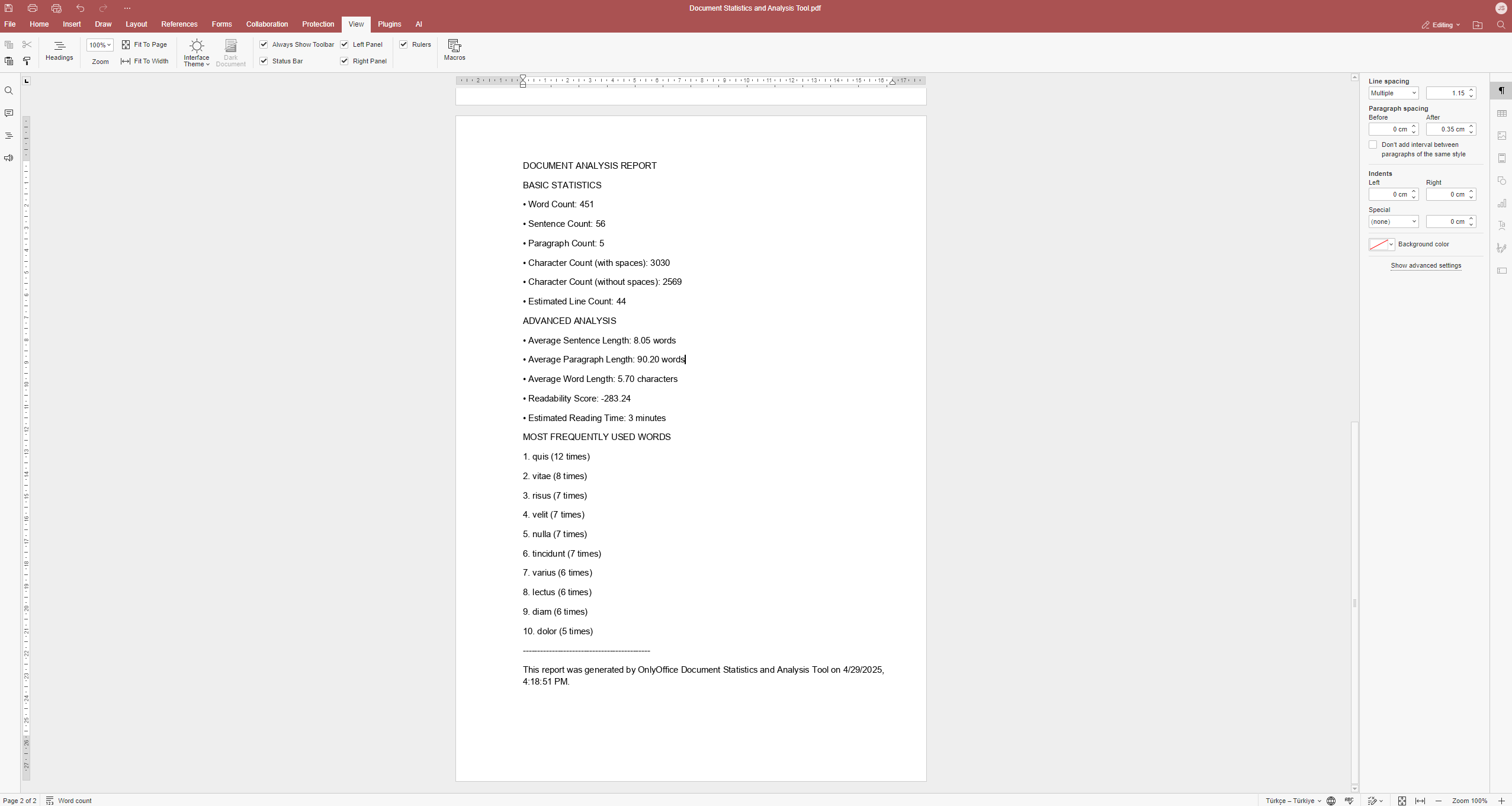 PDF analysis report generated by Firat Demir’s macro
8. Develop new plugins
Plugins add new features to the ONLYOFFICE editors. From productivity tools and third-party integrations to AI-powered assistants and specialized business workflows, plugins allow developers to extend ONLYOFFICE using familiar web technologies like HTML, CSS and JavaScript.
You are welcome to create custom ONLYOFFICE plugins using your knowledge and programming skills or relying on AI-assistance. For example, the OData Import plugin for spreadsheets and the Bergamot plugin for offline translation were created using Claude AI.
Facts: Here are a few plugin examples created by our community:
- LizardTypst by JIJINBEI;
- Chinese Converter by Lumi;
- CVbuilder by Kevin Tian;
- OnlyDraw by Shanyu Qing.
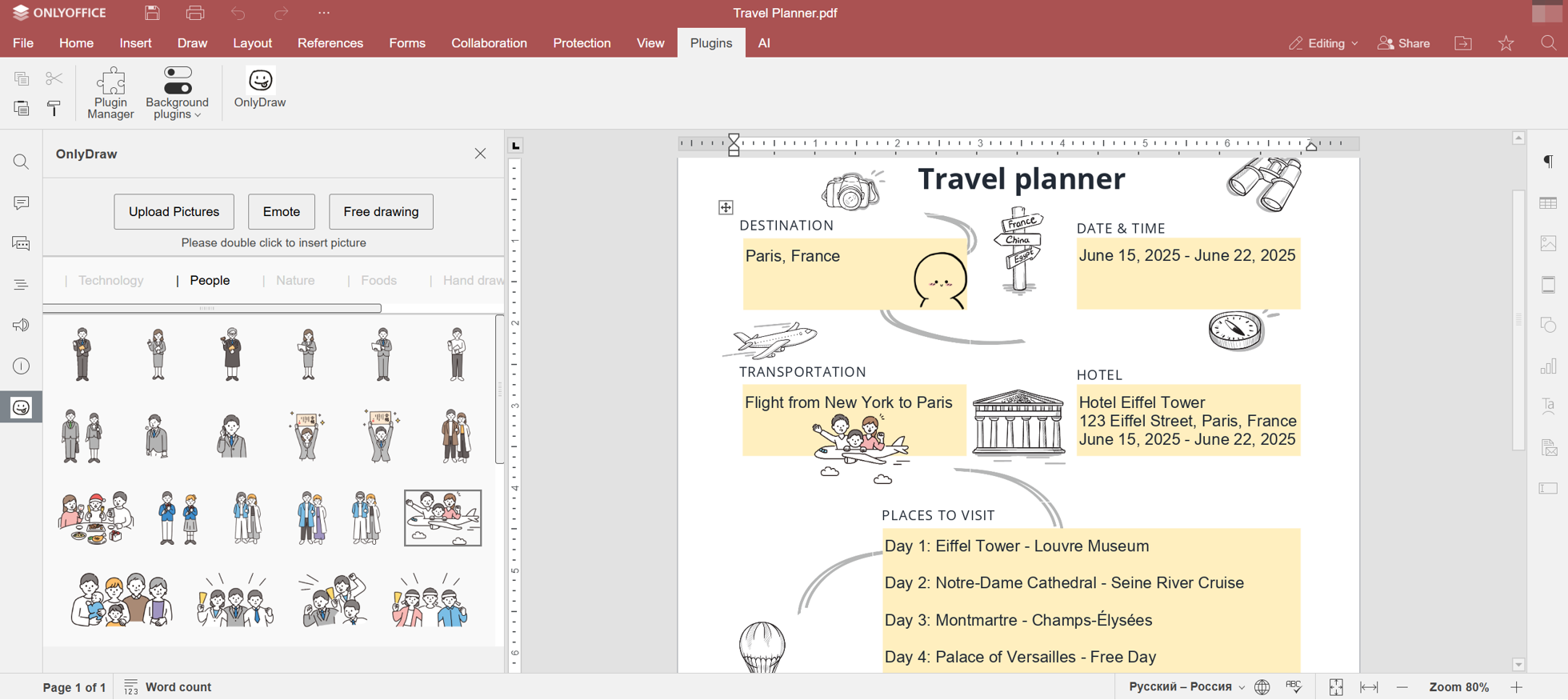 OnlyDraw plugin
9. Build connectors
Developers can create connectors that integrate ONLYOFFICE Docs with LMS, document management platforms, CRMs, CMSs, cloud storage services and many other applications. Existing integrations with platforms such as Moodle, Redmine, WordPress, Alfresco, Odoo, Pipedrive and others demonstrate how powerful these connections can be.
Facts: Among more than 40 ready-to-use connectors, there are many developed by third parties. Some examples include:
- DzzOffice, an open-source office suite built for team collaboration;
- FileCloud, an enterprise file-sharing, backup and remote access platform;
- OpenKM, an open-source electronic document and record management system;
- WebWeaver, a web-based e-learning platform;
- OpenOlat, a web-based LMS, and more.
We are always thinking about our customers and what can improve their experience with FileCloud. Integration with ONLYOFFICE was something we saw could really benefit our customers who already use ONLYOFFICE.
Need an integration app to connect ONLYOFFICE to your web service or platform? Or have you developed one? Just contact us at sales@onlyoffice.com to discuss the details.
10. Integrate ONLYOFFICE into your operating system
If your project is based on a Linux distribution or another operating system, you can integrate ONLYOFFICE Desktop Editors to provide your users with a seamless document editing experience.
Such integrations help bring open document editing capabilities to new environments while expanding the reach of the ONLYOFFICE ecosystem. Some striking examples include Guará Linux, Canaima GNU/Linux, Regata OS and more.
Josué Vicente, the creator of Regata OS:
ONLYOFFICE is fantastic because, in addition to offering a full-featured suite of office applications, it also has great compatibility with Microsoft Office files and presents a unified solution, which has a modern and familiar look for users looking for an alternative so they can do more. There are so many advantages offered by ONLYOFFICE that we decided to add it by default in Regata OS. Thus, Regata OS users will have a powerful office suite just a few clicks away whenever they need it.
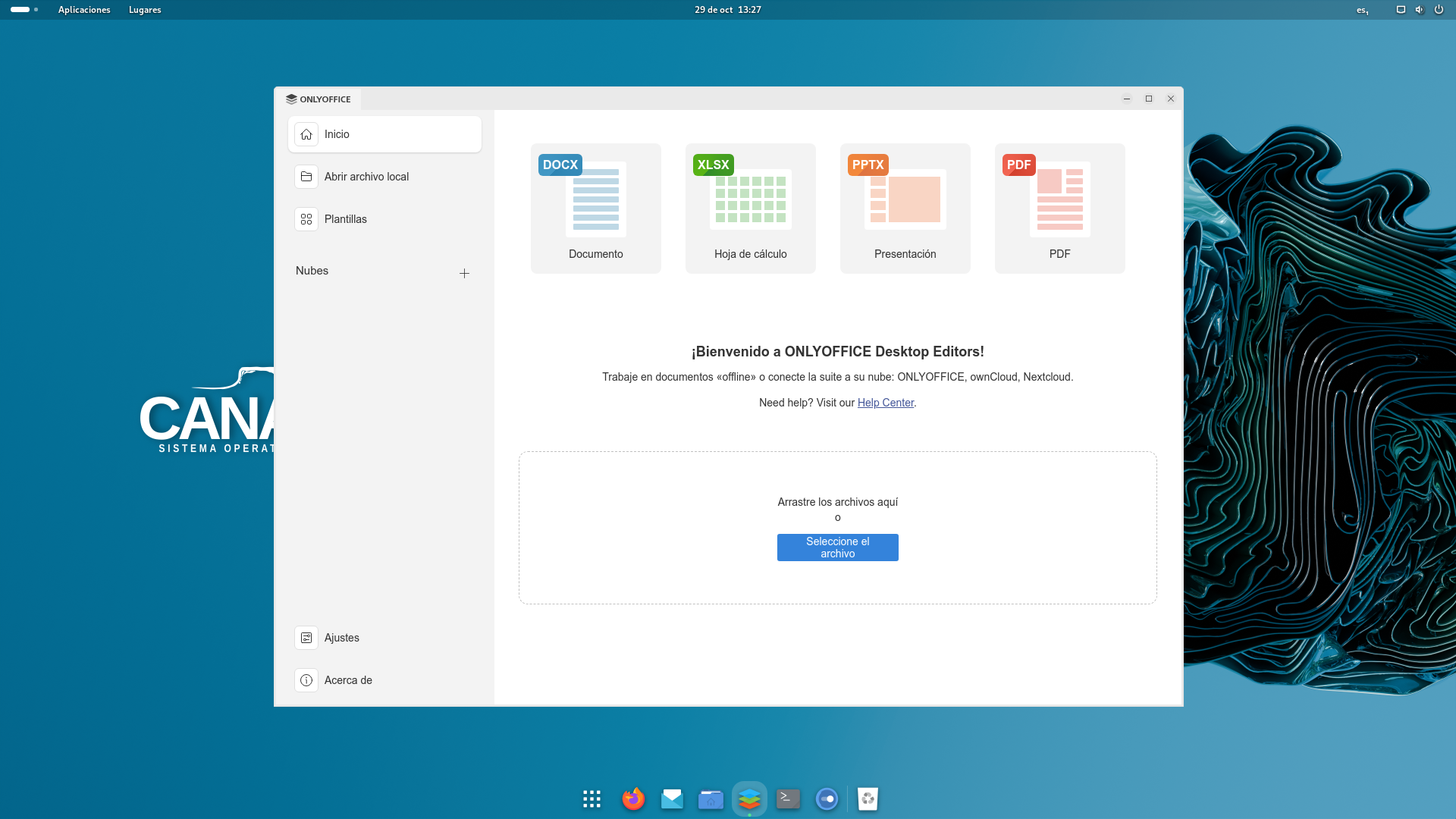 ONLYOFFICE Desktop Editors and Canaima GNU/Linux
At the same time, ONLYOFFICE Docs and ONLYOFFICE Desktop Editors have been officially certified by several OS, which guarantees flawless compatibility and performance. You can find our certificates on our website.
Make a difference as a developer
Developers who wish to work directly on the project have several opportunities to make lasting contributions.
11. Contribute to the code
ONLYOFFICE is an open-source project that welcomes community contributions.
If you’re fixing bugs, improving existing functionality or implementing new features, contributing to the code allows you to collaborate directly with our development team and help shape future releases and product updates.
Facts: Since the launch of the Nextcloud connector in 2018, we have received at least 34 pull requests and issues directly from Nextcloud team members. 17 pull requests were successfully merged, 4 were closed but effectively completed, 10 issues were accepted, 2 remain pending, and 1 was declined.
Ready to make your contribution? Explore our GitHub repositories and find what you can improve or change to the better.
12. Create API samples
Documentation becomes much more useful when they show practical examples. Developers can create sample applications and code snippets that demonstrate how to use ONLYOFFICE APIs in real projects. These examples help other developers get started faster while showcasing different integration scenarios across multiple programming languages.
If you need inspiration, here is what was written by our interns:
- Manipulate PDF content with new ONLYOFFICE PDF Editor API by Igor Stojadinovic;
- Mastering ONLYOFFICE APIs with Playground by Vukasin Popovic.
Help grow the ONLYOFFICE community
Beyond technical contributions, community advocates help introduce ONLYOFFICE to new people and encourage others to join the ecosystem.
13. Become an ambassador
If you love speaking at events, organizing local meetups or introducing open-source platforms to your community, becoming an ambassador is the best way to contribute. By sharing your knowledge and experience, you help more people explore what ONLYOFFICE offers.
Don’t know how to get started? Read the story of Kimmo Granqvist from Finland and learn more about his experience of promoting open-source software and using ONLYOFFICE:
ONLYOFFICE has proven for me as a reliable office suite on Linux, more stable than its open-source competitors. As the needs and the team will grow, I will be likely to consider the enterprise products.
Facts: In 2023, we ran the ONLYOFFICE Campus Ambassador Program for students who wanted to develop their skills and contribute to our open-source project. Most ambassadors felt satisfied with their internship experience, especially with the flexible working hours and productive atmosphere.
14. Become an influencer
Through the ONLYOFFICE Influencer Program, content creators can contribute by producing videos, tutorials, reviews, social media posts or educational content focused on ONLYOFFICE.
If you’re explaining new features, demonstrating workflows or showcasing integrations, your content helps users learn while expanding community awareness. Submit your request on this page to become an ONLYOFFICE influencer.
Spread the word about ONLYOFFICE
If you like communicating with other people and find it interesting to share information, spreading the word about our open-source project across platforms and communities might be a good fit for you.
15. Share your experience
The easiest way to contribute is by telling others how you use ONLYOFFICE. This can be done by publishing a blog post, creating a video tutorial, writing a review or sharing a customer story that demonstrates how ONLYOFFICE fits into your workflow.
Real-world experiences help other users understand how ONLYOFFICE can work for them, so leaving a review on platforms, such as SourceForge, G2 and GetApp, is a good contribution to what we do. Alternatively, you can share your success story with us so that we can publish it on our blog, making it available to other people.
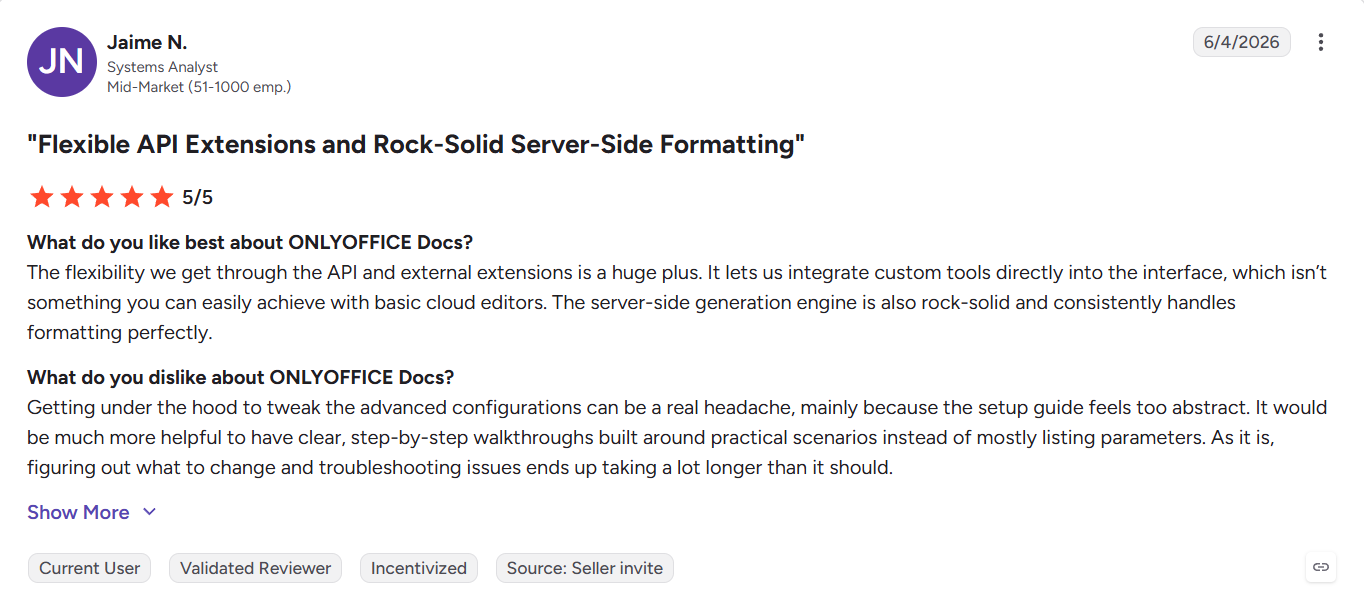 A user’s review on G2
16. Answer community questions
As you begin familiarizing yourself with ONLYOFFICE, your experience can help newcomers. You can answer questions on our community forum, GitHub discussions, Reddit and other social media, making the whole ecosystem stronger and helping users solve problems faster and learn new features.
A big shout-out to the most active members of our community forum and visitors to our Reddit community, especially Mr_Electro84, who have been reporting issues, answering others’ questions and sharing their ONLYOFFICE experience with the rest. Without you, guys, ONLYOFFICE would never be what it is now.
Every contribution matters
Not every contribution starts with writing multiple lines of code. Some start with a feature request. Others begin with page translations, answering someone’s question or creating a simple macro that later inspires a larger project. Whichever path you choose, every contribution makes ONLYOFFICE better for users worldwide.
Ready to get involved? Explore the contribution opportunities, choose the one that fits your skills and interests and become part of the growing ONLYOFFICE community.
This blog post was written in collaboration with Suman Shafi.
Useful links
How to contribute to ONLYOFFICE: website / Help Center
How to contribute to the ONLYOFFICE blog
Join the ONLYOFFICE Influencer Program
ONLYOFFICE API documentation: macros / plugins
Create your free ONLYOFFICE account
View, edit and collaborate on docs, sheets, slides, forms, and PDF files online.