ONLYOFFICE DocSpace 3.7 released: file generation & new providers in AI agents, smarter forms, updated editors and license, and more
Summary
ONLYOFFICE DocSpace 3.7 introduces significant enhancements across the platform, including new AI providers, improved form filling, and updated editors. Users can now generate DOCX, PDF, and PPTX files directly from AI chats, manage forms more effectively, and enjoy a more streamlined document and room management experience. This release also includes security updates and a unified Billing section for better user convenience.
- New AI providers include DeepSeek and Google AI.
- Users can create and edit PDF forms directly in rooms.
- The latest editors feature dark mode and new themes.
- Enhanced security settings allow better access control.
- Licensing terms have been updated for clarity.
ONLYOFFICE DocSpace 3.7 is here, and it touches nearly every part of the platform. This release brings new AI providers and tools, a reworked form filling experience, improvements to document and room management, and more. Below is a clear rundown of everything that’s new.
DOCX, PPTX, and PDF generation in AI chats
ONLYOFFICE DocSpace lets you connect AI providers and activate agents to help with your projects: analyze files, generate content, search for information, manage your space, etc.
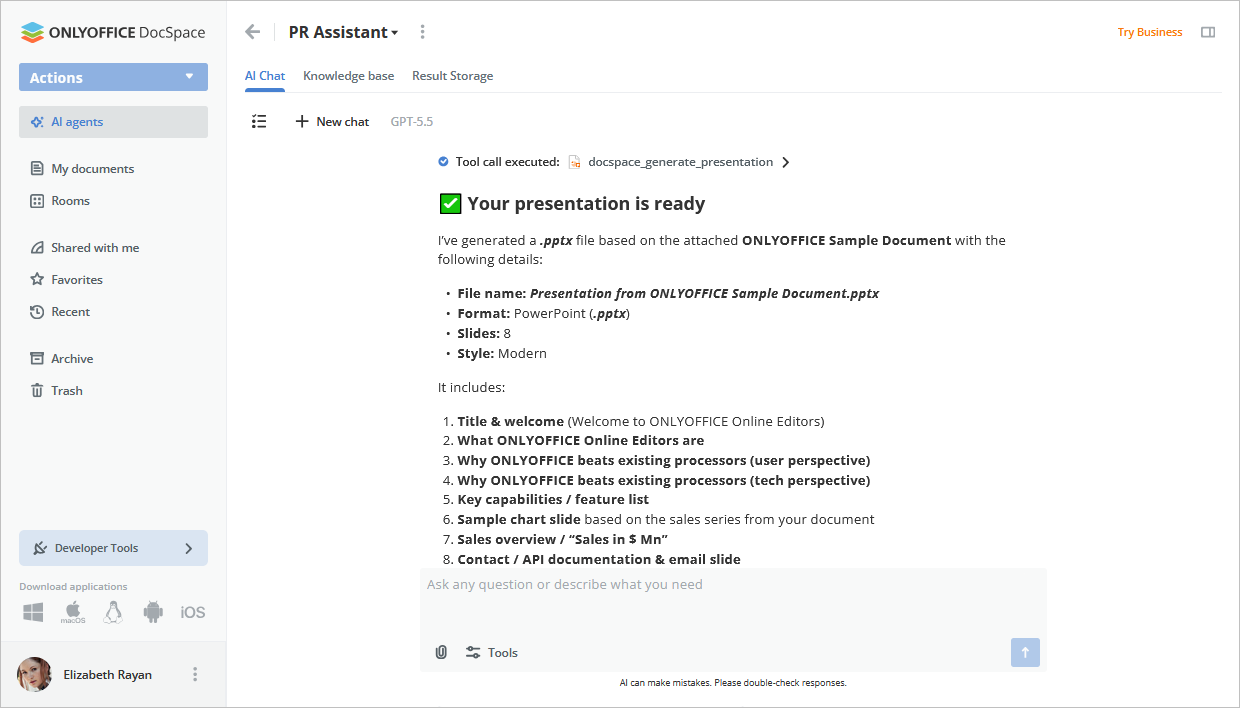
Previously, chat results could only be saved in certain formats. With this release, you can generate DOCX files, PDF forms, and PPTX presentations directly from the AI agent chat* and open right away for editing in a new tab.
AI gets more flexible
Sync a default AI provider from DocSpace to the editors*. Once you add a provider in the DocSpace AI settings, the selected provider and model are automatically configured in the editors’ AI plugin, so you no longer need to set up AI separately for DocSpace and the editors.
*Please note: These features are available by default for ONLYOFFICE DocSpace Cloud users. For server builds, the Automation API is required and is currently available on request. Please contact our sales team for details.
New providers. Connect DeepSeek, Google AI, and xAI, alongside the providers you already use (Anthropic, OpenAI, OpenRouter, Together AI, or custom).
A default provider option. Set a default provider and model, which are automatically selected when you create an agent.
Where to find: Settings → AI settings → AI provider tab
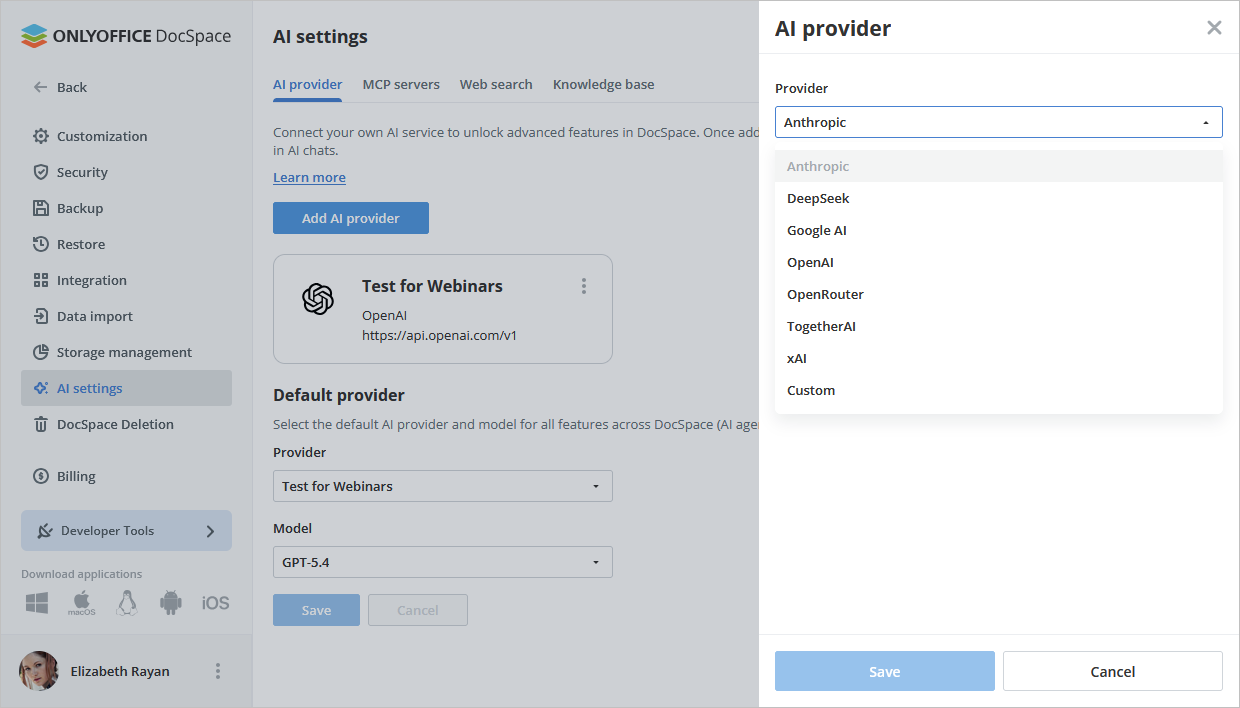
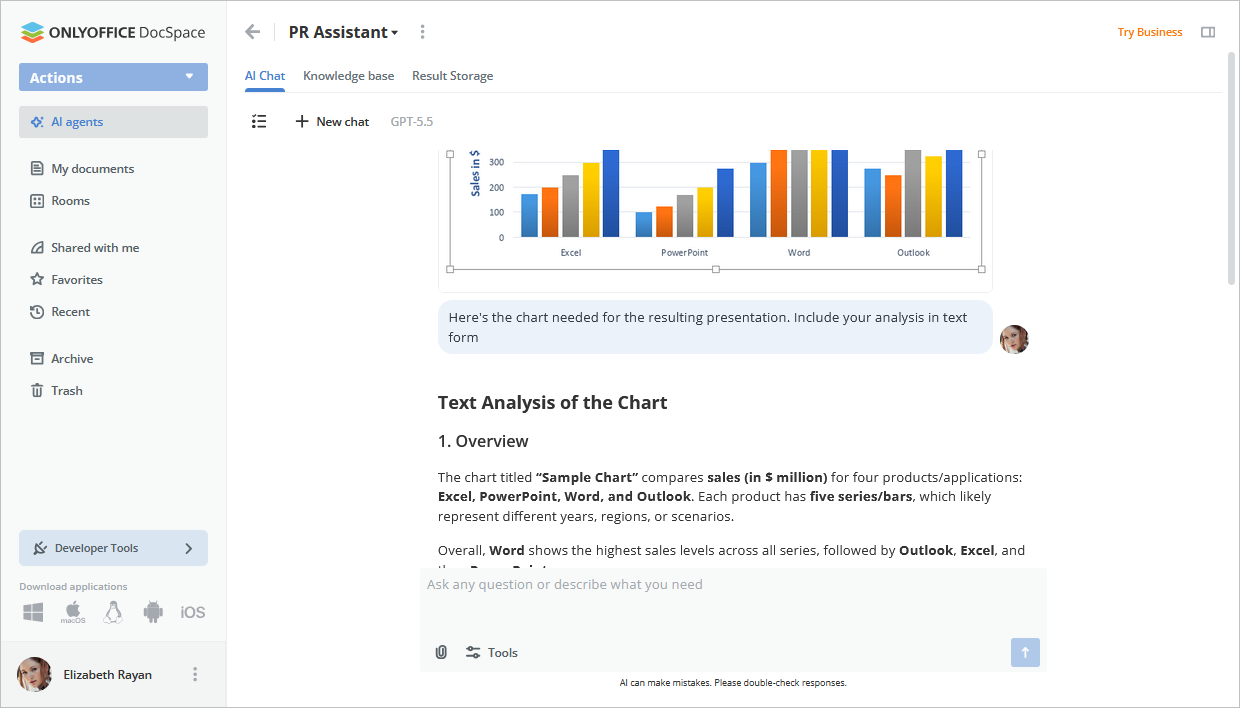
Image uploading in chat. Upload images from your DocSpace into the AI chat, making it easier to give your agent visual context when working on a task.
Extended thinking. The chat can show an extended thinking section. It won’t always appear, but depends on how complex your request is.
Where to find: AI chat → Tools
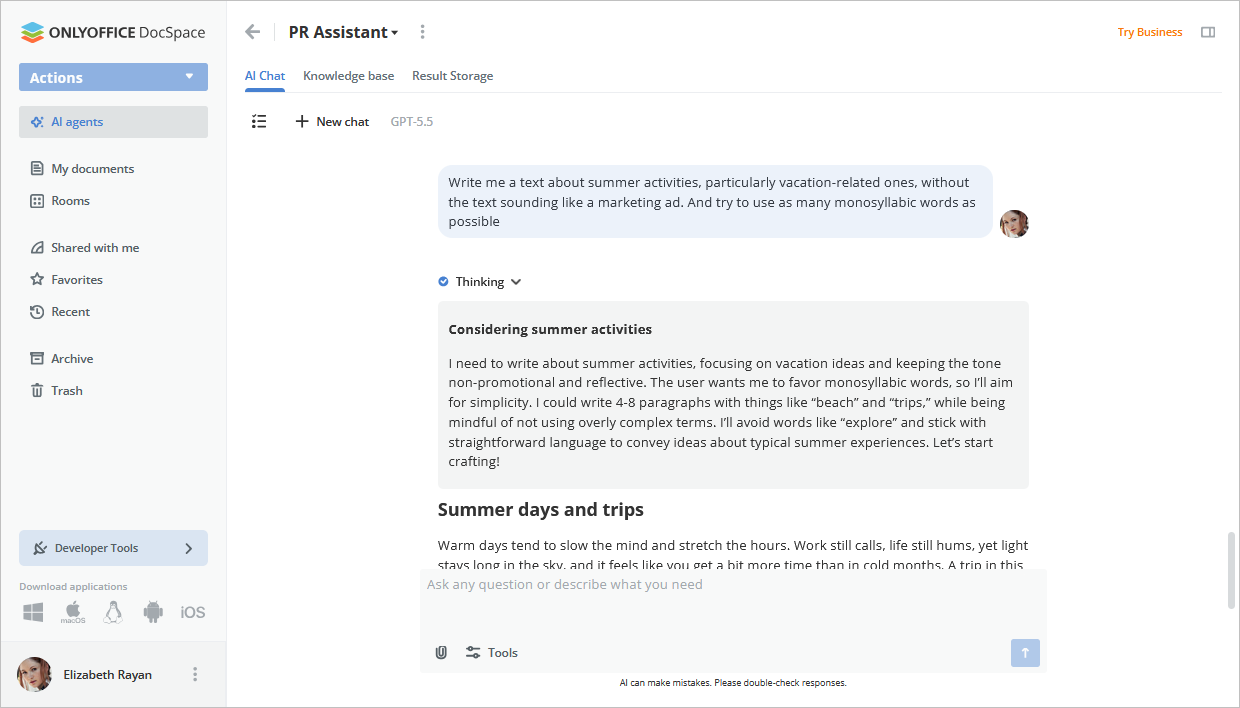
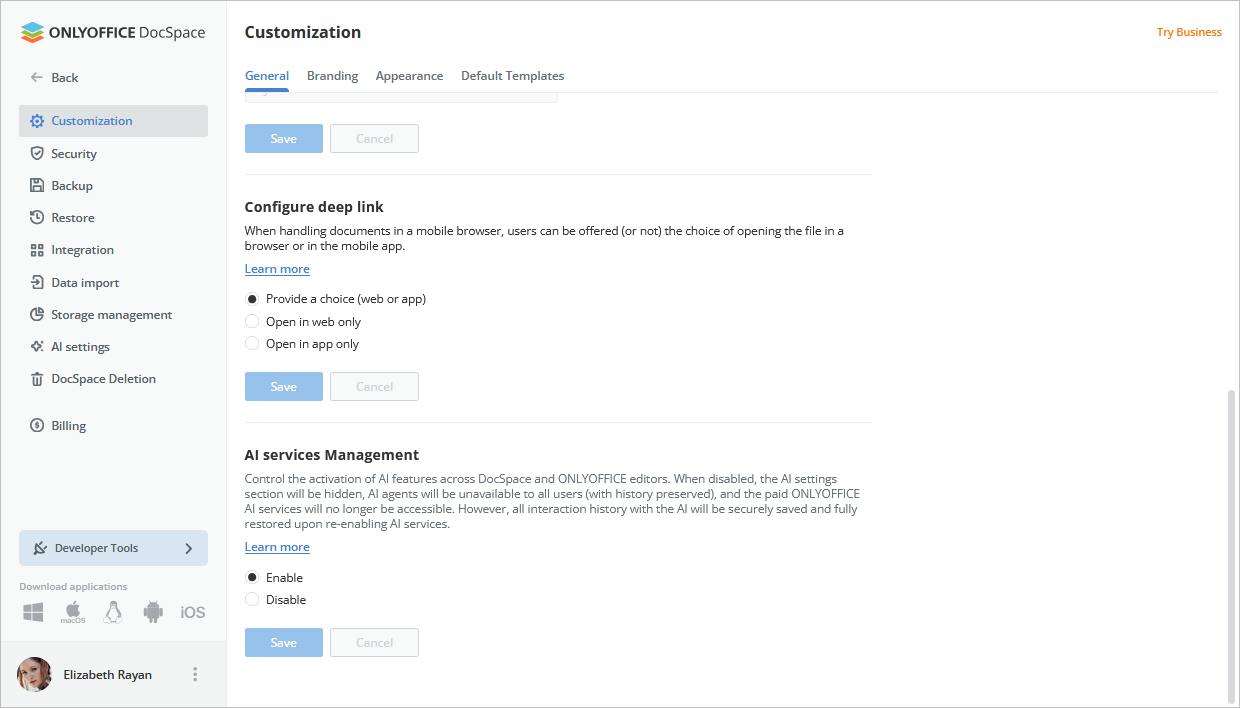
Disable AI when you need to. Turn AI features on or off across DocSpace and the editors. If disabled, AI settings and agents are hidden, but chat history is preserved.
Where to find: Settings → Customization → General → AI Services Management
A reworked form filling experience
Form Filling rooms received a major update in 3.7, with new ways to create, manage, and collect forms.
Connect a third-party database. In Form Filling rooms, responses are automatically gathered into a spreadsheet. Now you can also collect them in an external database. To get started, connect your database via Settings → Integration → Third-party services.
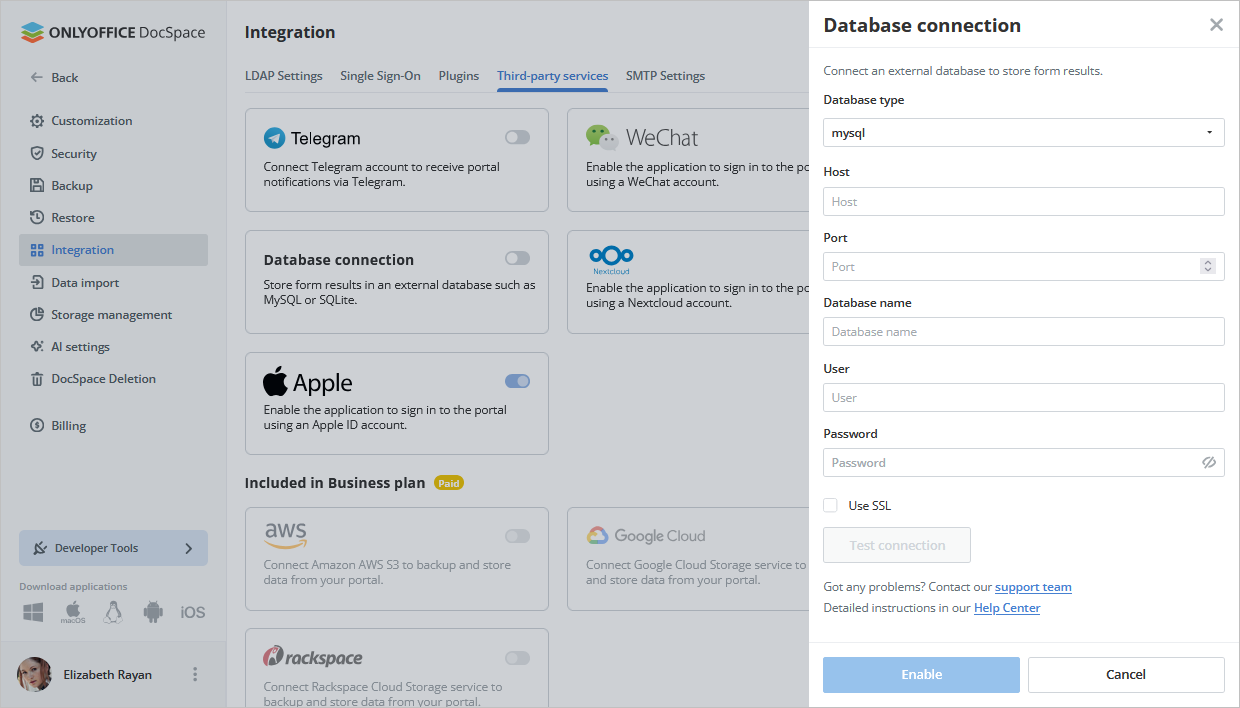
Once done, enable the “Export results to the database” option in the room settings.
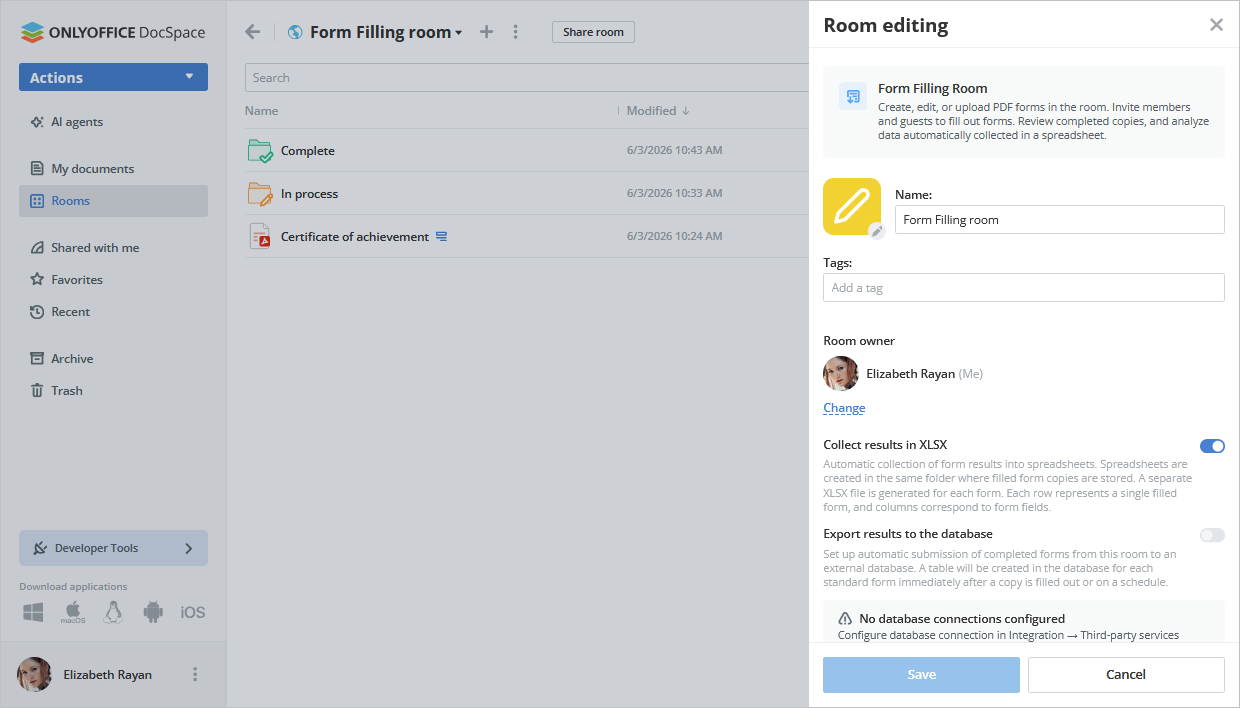
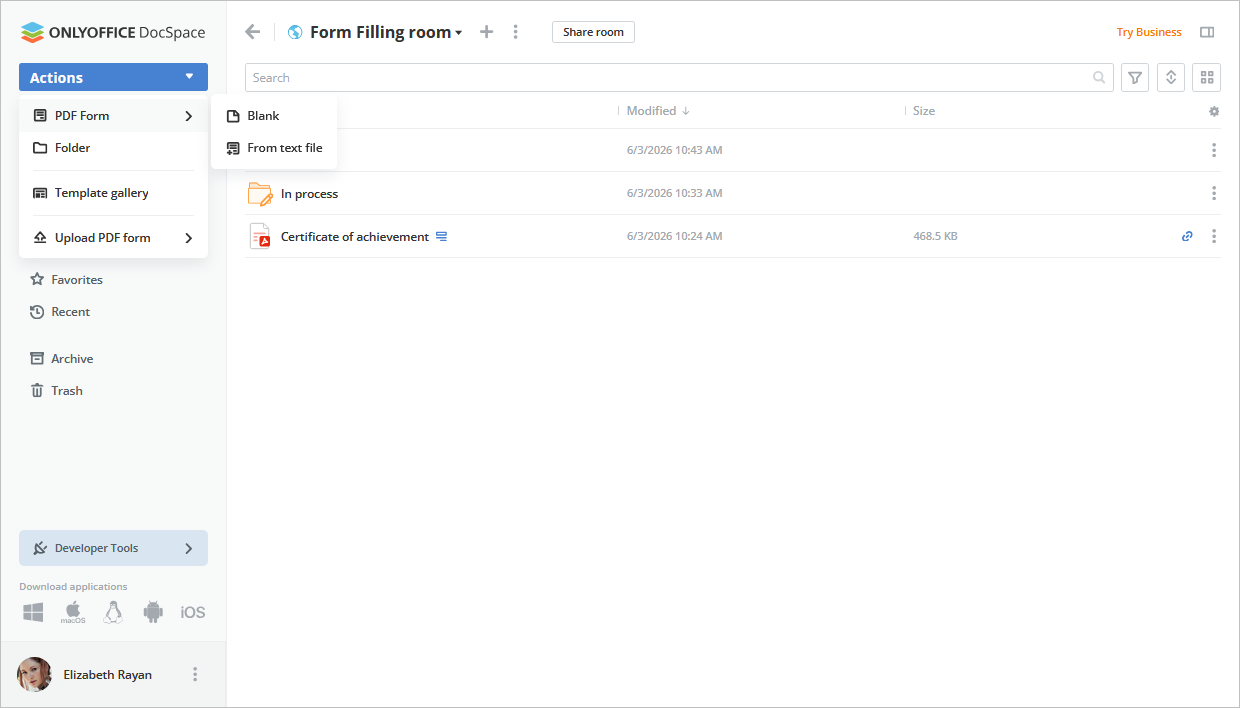
Create and edit forms in the room. Previously, you could only upload a ready form from your device or DocSpace, or pick one from Templates. Now you can also create and edit PDF forms directly in the room.
Where to find: Form Filling room → Actions → PDF form → Blank/From text file
A new way to start filling. The form must be switched to the filling mode using Start filling. You can access it either from the file context menu or from the editor top toolbar in the opened file. Once done, the form becomes available for everyone in the room to complete.
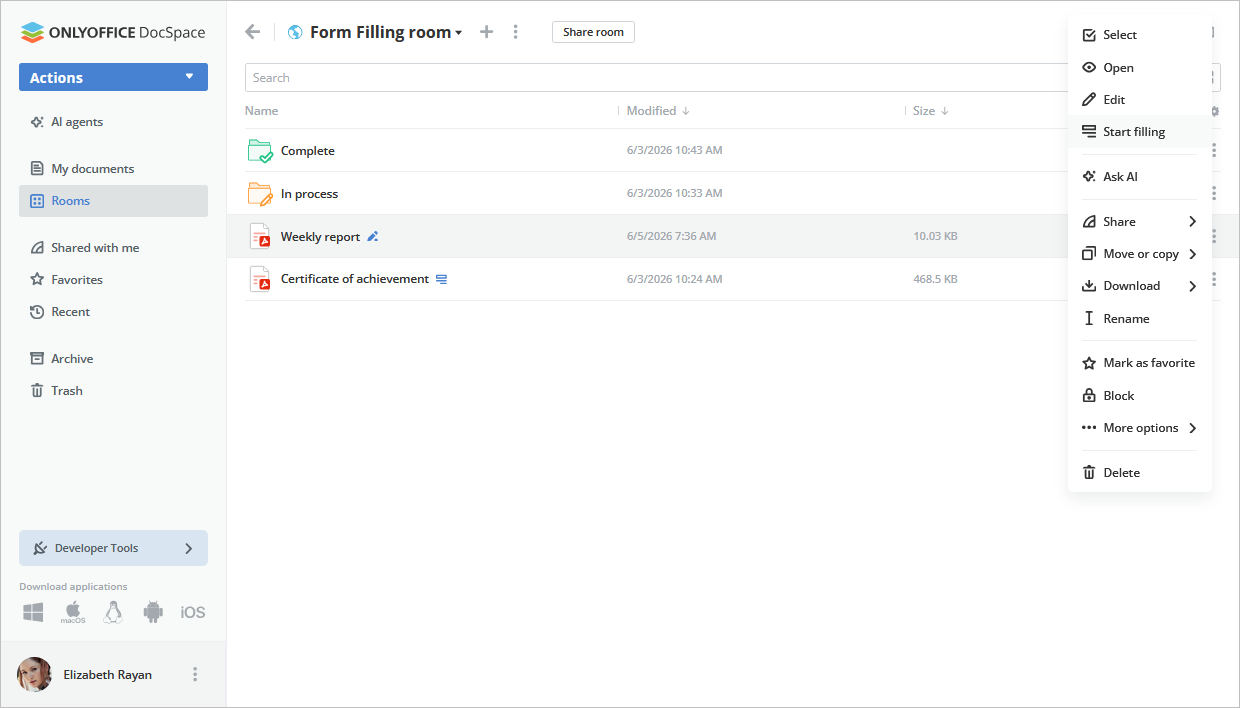
A few details to keep in mind:
- In the editing mode, all room members can edit the form except the Form filler. For that role, the form is hidden from the list.
- When you start filling from the Documents section after selecting a room, the form automatically enters the filling mode, and any room user can begin filling it.
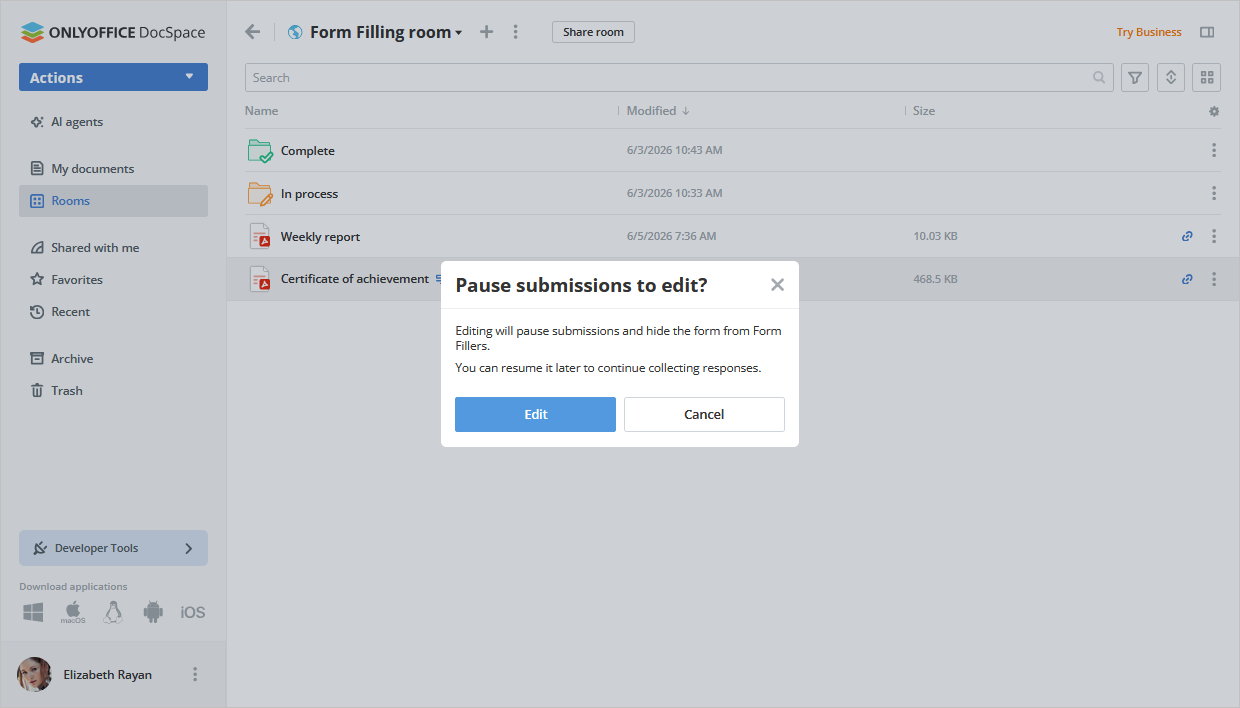
- In the filling mode, the Edit option is still there, but choosing it shows a warning that the form will leave fill mode and become hidden for the Form filler role.
Update collected data. A new option “Sync responses to XLSX” lets you refresh the XLSX file where form responses are gathered.
Editors powered by Docs 9.4
DocSpace 3.7 includes the latest version of the editors:
- Horizontal lines for better document structure
- Dark Document mode in spreadsheets
- 25 new ready-to-use slide themes
- 20 new slide transitions
- A dedicated Chart Design tab
- Croatian interface support
File and room management
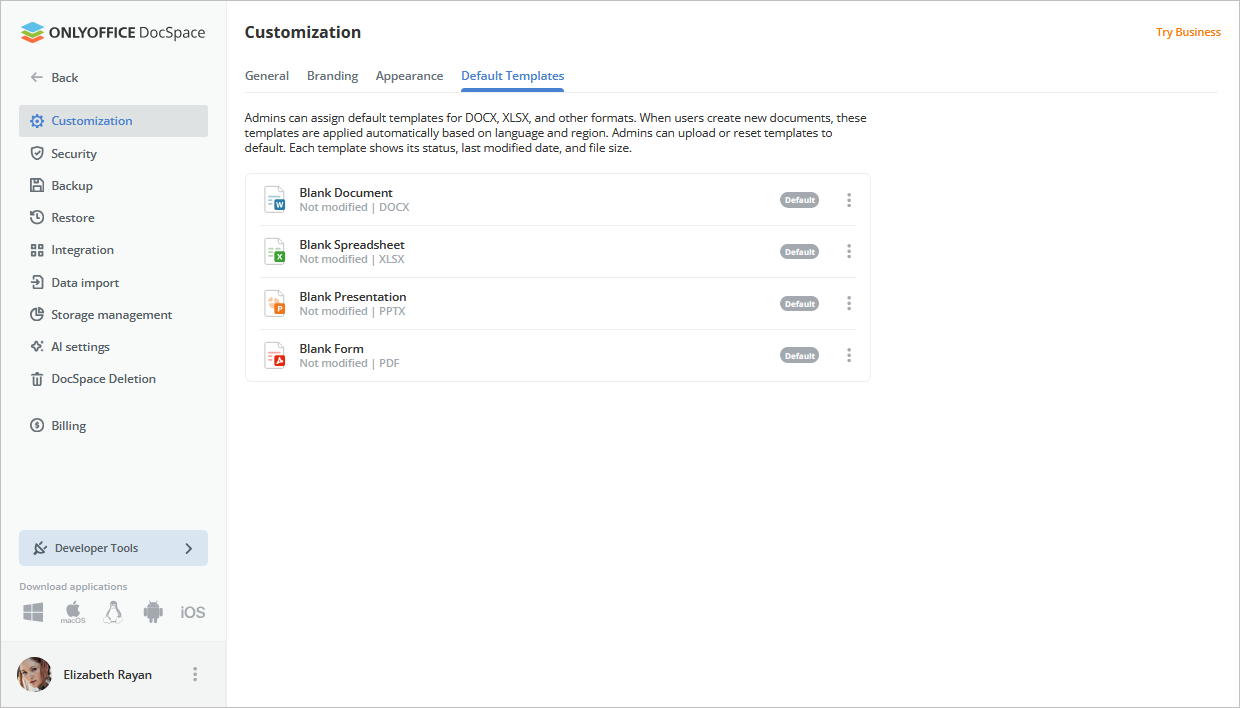
Replace files used for creating new documents in your DocSpace.
Where to find: Settings → Customization → Default templates
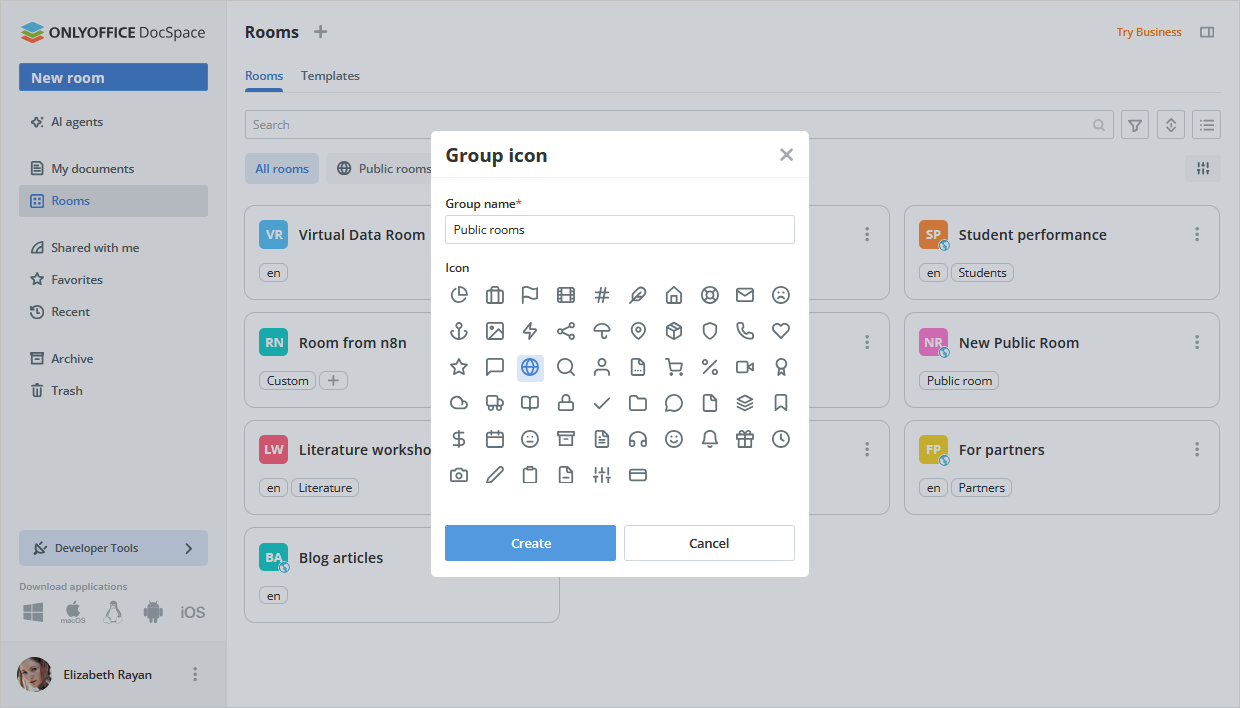
Combine rooms into groups, with group tags shown below the search field. Besides, multiple rooms can be now deleted at once.
Where to find: Activate the setting via Profile → File management → Group by rooms
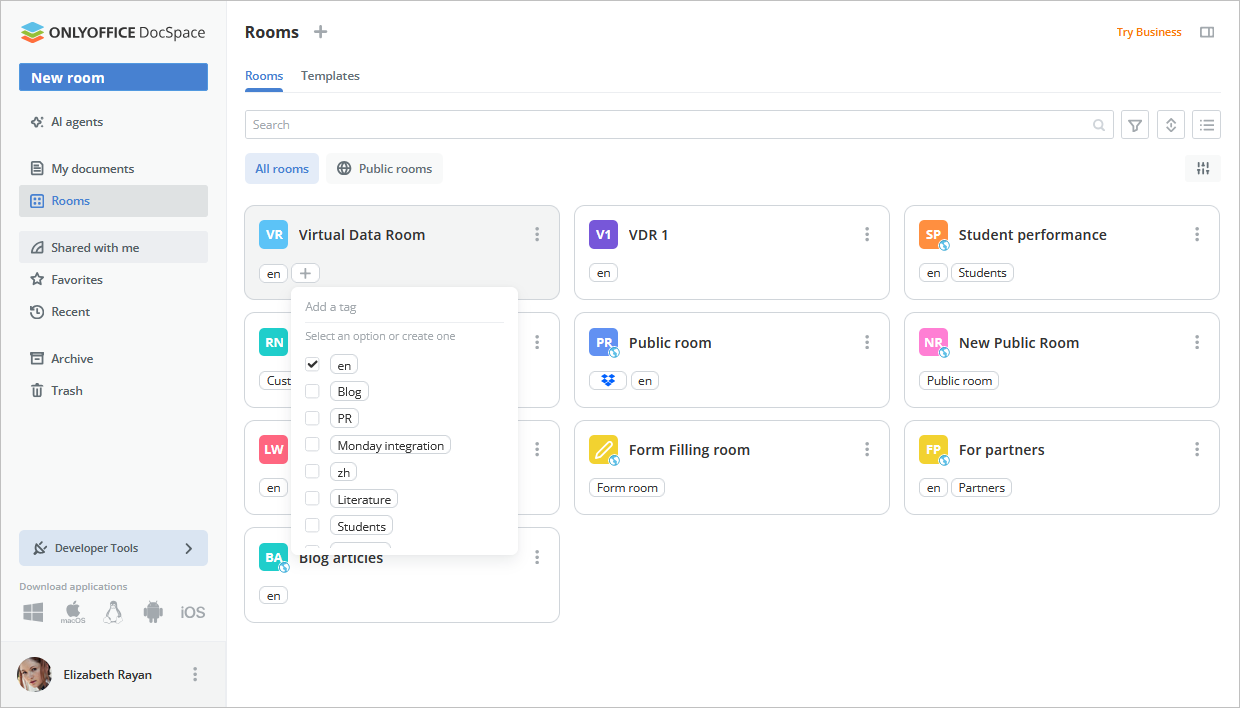
Quickly add, delete, and change room tags.
Security
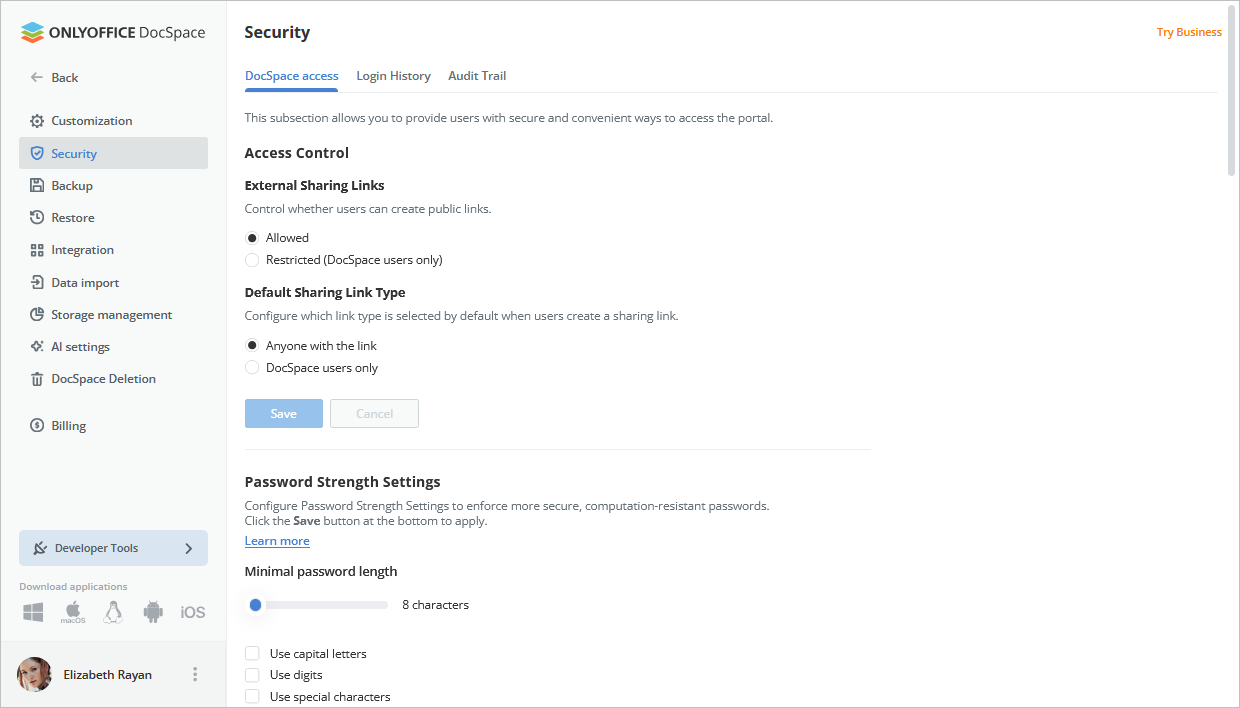
As an administrator, prohibit the creation of external links to prevent unauthorized access to sensitive content.
Where to find: Settings → Security → DocSpace access
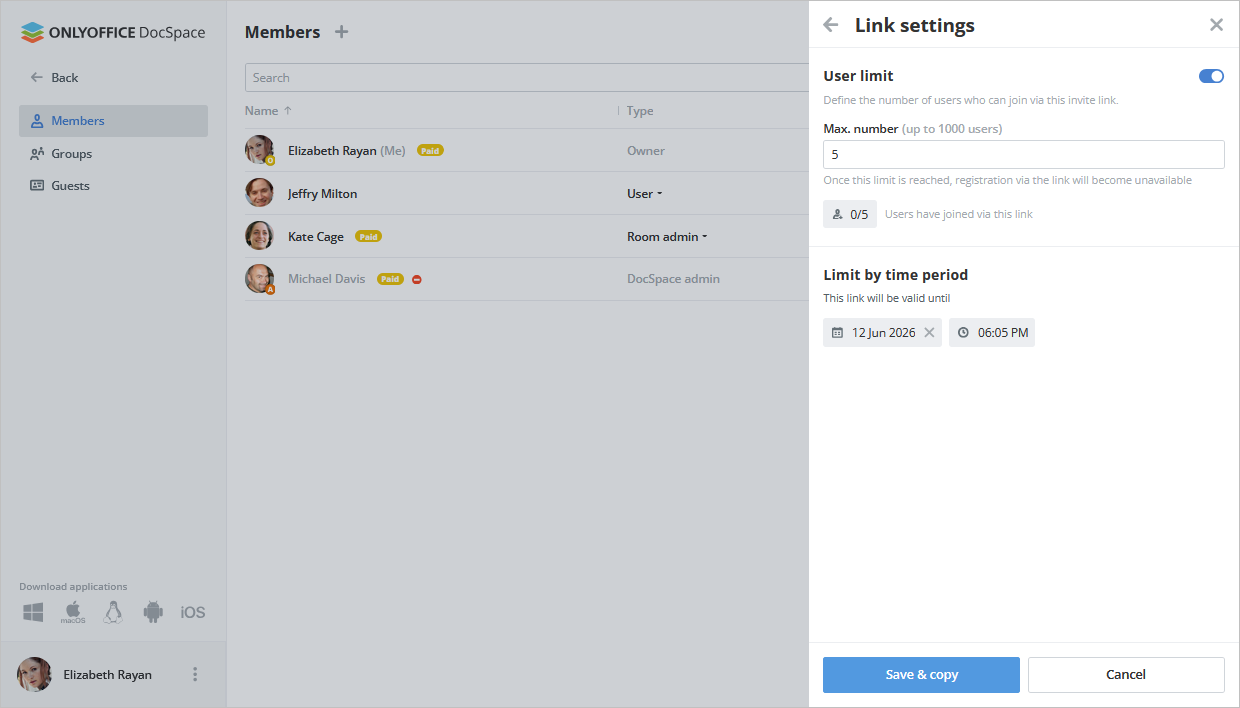
Set how many users can join DocSpace through an invite link and limit how long the link remains valid, giving you more control over access.
Where to find: Contacts → Invite via link → Link settings
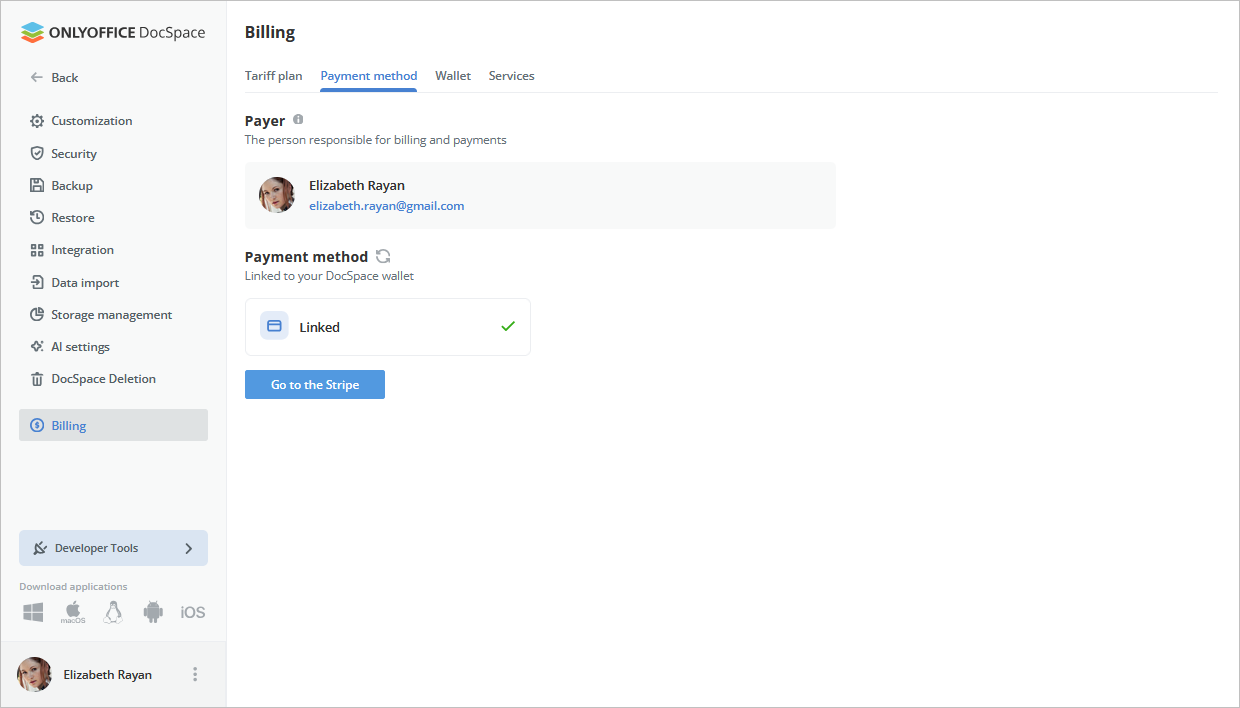
New section: Billing
The payments and services pages are now unified under “Billing” for your convenience. It brings together your tariff plan, Wallet, payment method, and services such as extra disk storage and backup.
More quality-of-life improvements across DocSpace
This v3.7 release also brings a long list of smaller but useful changes:
- the filter shows a separate search by owner;
- owner change details appear in the history info panel;
- choosing which section DocSpace opens to (the My Documents section isn’t available to guests);
- opening the context menu using hotkeys;
- the redesigned document template library;
- ability to stop a backup process in progress;
- blocked users are hidden from the selector;
- login to DocSpace via Nextcloud;
- the header stays fixed when you scroll up on smartphones.
License updates
We’ve updated our licensing terms for added clarity and compliance. The software code is licensed under the GNU Affero General Public License v3.0 (AGPLv3), with additional terms that must be included in all copies and distributions.
These terms emphasize proper attribution, copyright notices, and clear labeling of modified versions. While the license allows modifications, it does not grant rights to use ONLYOFFICE trademarks, which are covered by a separate Trademark Policy.
If you want to check the Terms of Use for ONLYOFFICE DocSpace Cloud, click here.
Get ONLYOFFICE DocSpace 3.7
The latest update is already available in the cloud. Sign into your DocSpace to try all the new features yourself, or create a free account if you are new to ONLYOFFICE DocSpace.
For the self-hosted builds, the new version will be available soon. Stay tuned!
Shape the future of ONLYOFFICE with your ideas!
Share your thoughts, suggestions, and ideas on how we can improve our solutions and make your experience even better. Your input matters, so don’t hesitate to visit our community forum and leave your suggestions today!
Create your free ONLYOFFICE account
View, edit and collaborate on docs, sheets, slides, forms, and PDF files online.