ONLYOFFICE Docs 9.4 released: license update, Dark Document for sheets, horizontal lines, new slide themes & transitions, and more
Summary
The release of ONLYOFFICE Docs 9.4 introduces several significant updates, including a license update, new features like Dark Document mode for spreadsheets, horizontal lines for better document structure, and enhanced presentation tools with new themes and transitions. These improvements aim to enhance user experience and streamline collaboration across the suite.
- Updated licensing terms for clarity and compliance.
- Dark Document mode improves comfort in low light.
- New horizontal lines enhance document readability.
- 25 new slide themes and 20 transitions added.
The latest release for ONLYOFFICE Docs has arrived, packed with new features and enhancements across the suite. Curious about what’s included? Let’s dive into the key highlights!

Important license update
We have updated our licensing terms to ensure clarity and compliance. The software is licensed under the GNU Affero General Public License v3.0 (AGPLv3), with additional terms that must be included in all copies and distributions.
These terms emphasize proper attribution, copyright notices, and clear labeling of modified versions. While the license allows for modifications, it does not grant rights to use ONLYOFFICE trademarks, which are governed by a separate Trademark Policy.
An optimized version for the community without connection restrictions
In response to user feedback, we’ve optimized the Community version of ONLYOFFICE Docs to deliver a more efficient and accessible experience. Key improvements include:
- Enhanced readability: Code minification has been removed, making it easier to understand and work with.
- Simplified architecture: Consolidated into a single process to reduce resource consumption, improve performance, and eliminate unnecessary dependencies.
- Lightweight operation: Removed dependencies on RabbitMQ and databases, allowing the software to run smoothly on less powerful machines.
Starting with version 9.4, the open-source Community version also removes the 20 simultaneous connection limit.
Experience the difference today! Test the new Community version and discover how ONLYOFFICE Docs can transform your collaboration.
Horizontal lines for better structure
One of the top-requested features from our social media community is here!
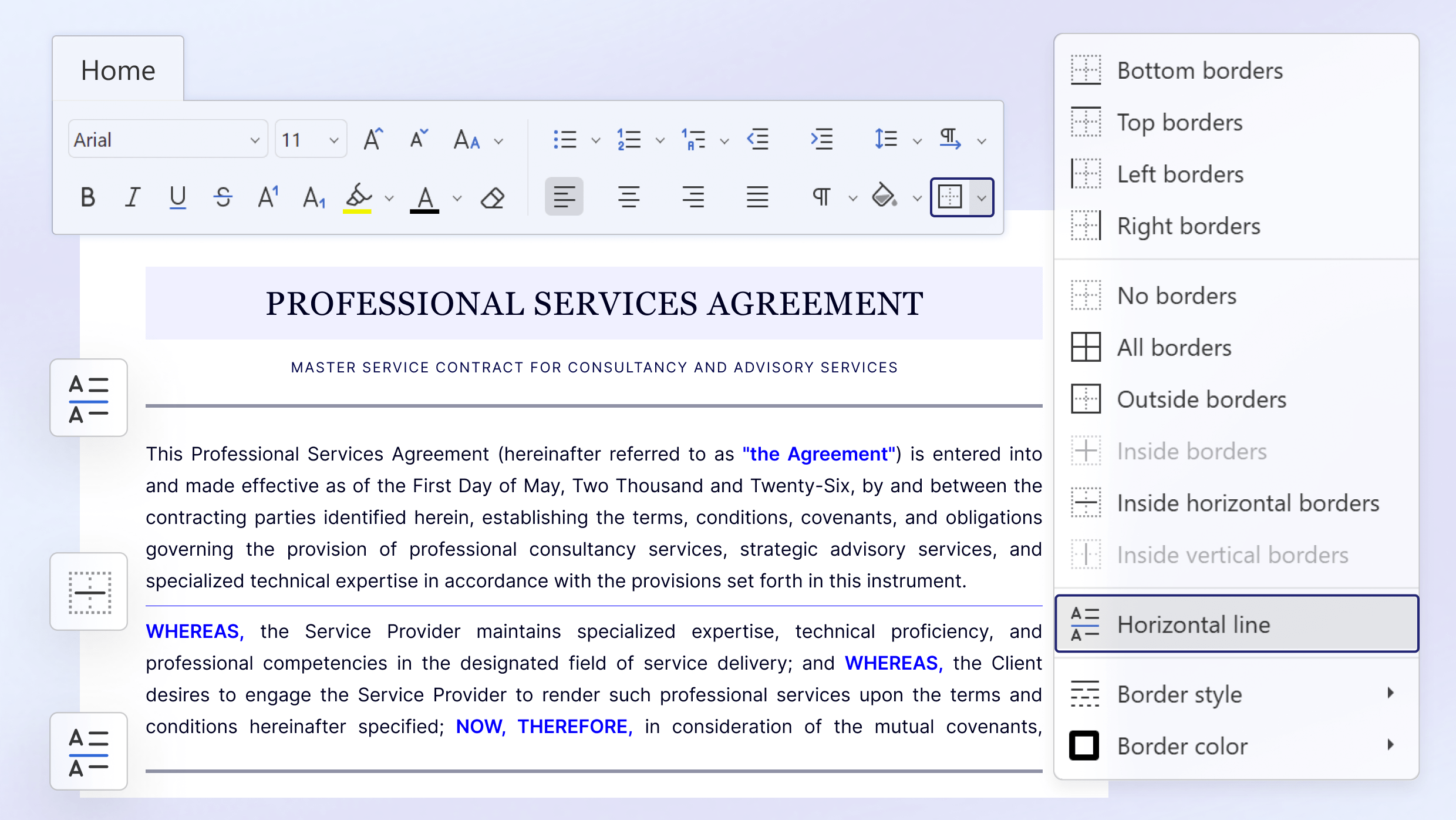
Visual hierarchy matters when you format detailed reports or lengthy proposals. You can now easily insert horizontal lines to separate sections and improve document readability.
Where to find: Navigate to the Home tab and click the Borders button
Streamlined form management
Digital forms serve as the backbone for data collection, contracts, and internal requests. We overhauled the form-filling experience in version 9.4 to save you time and reduce repetitive tasks.
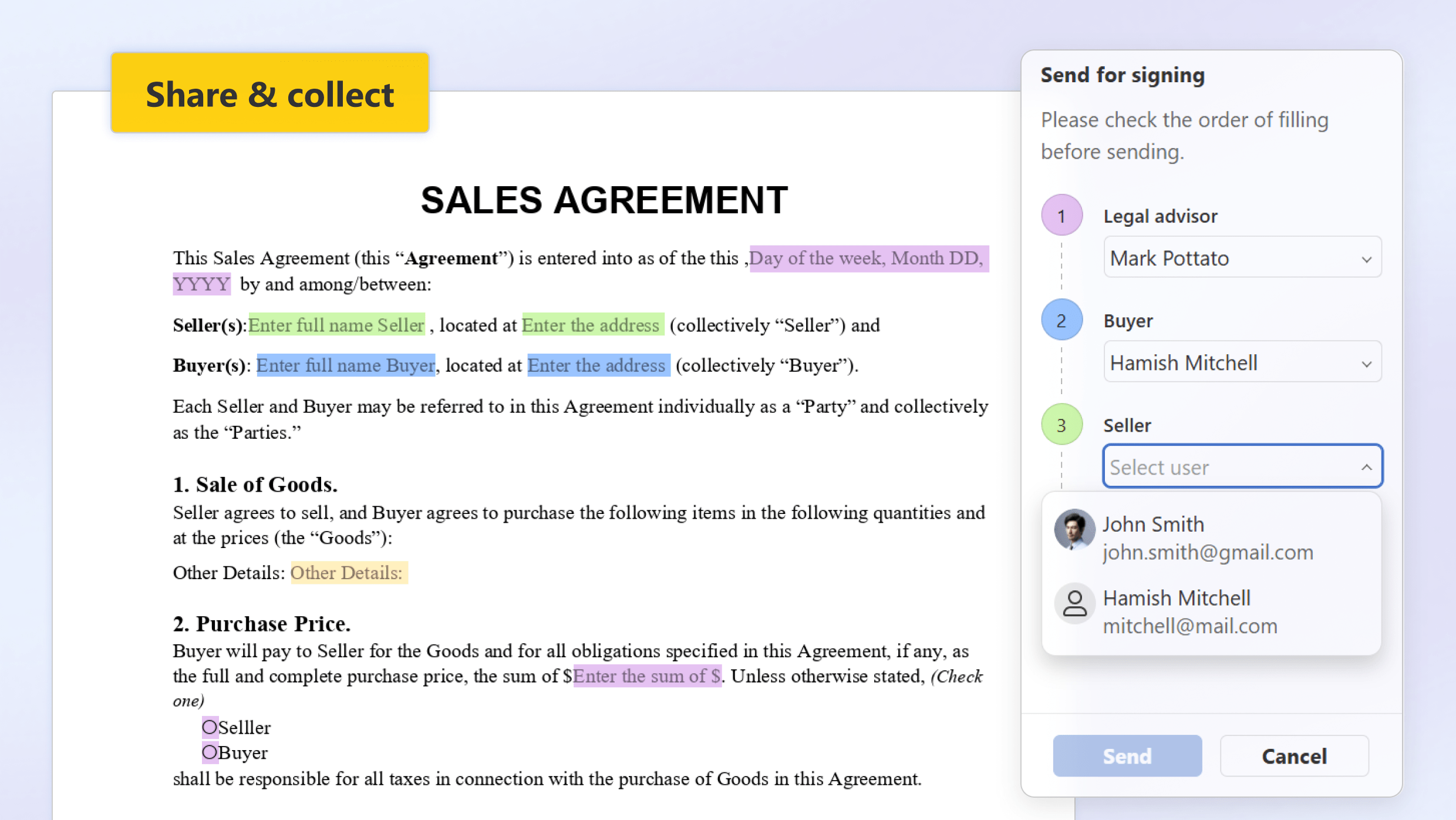
Built-in recipient assignment and filling status
Managing form recipients used to require extra steps outside the immediate editing environment. Now, you can assign specific recipients and track the filling status directly within the editors. This centralized approach makes assigning roles and tracking form completion far more intuitive.
Smart signature storage
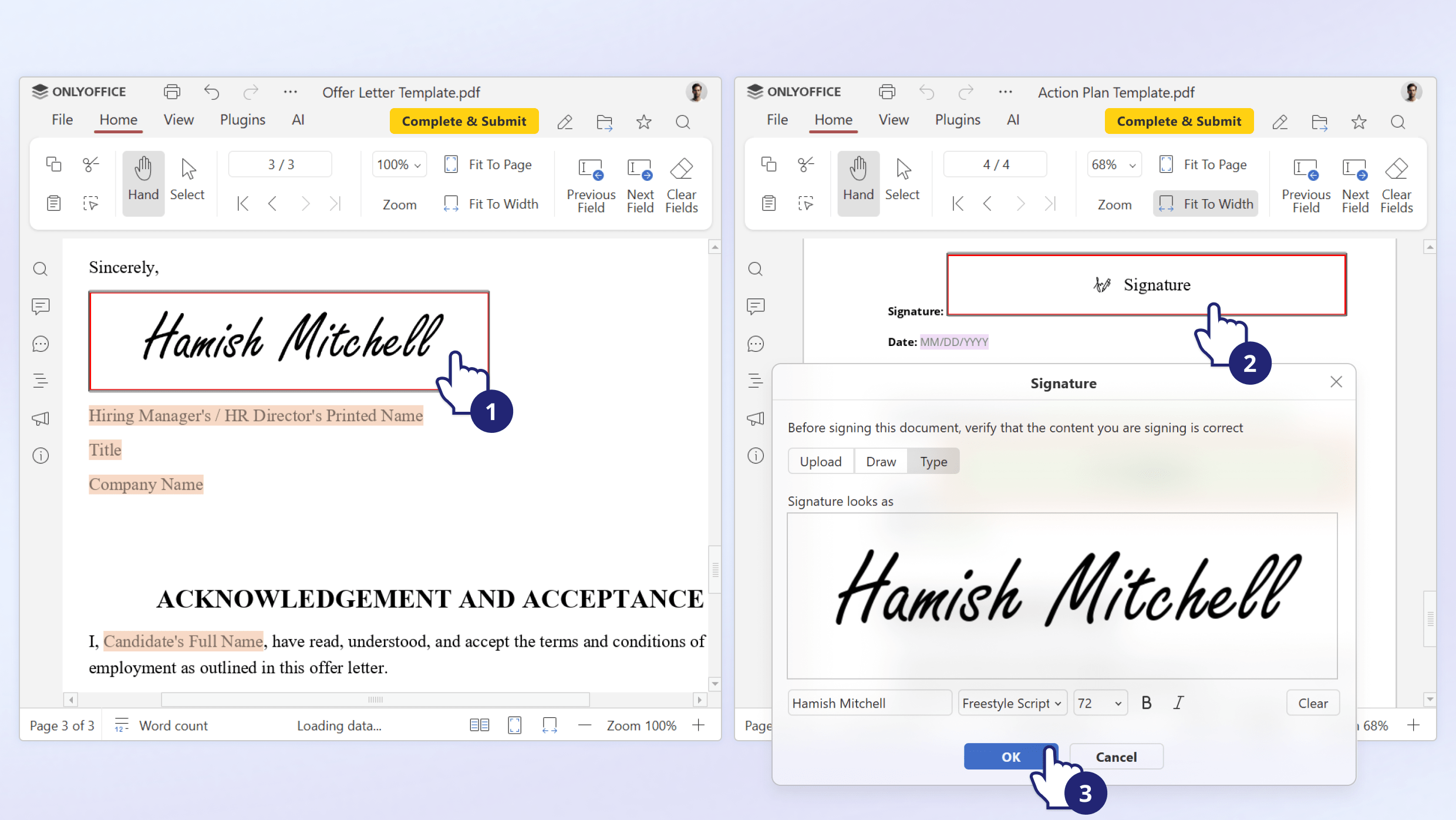
Signing multiple documents often means uploading the same signature image repeatedly. The signature field now automatically defaults to the last selected image when you fill it out. This small backend change eliminates repetitive clicks and speeds up the entire signing process.
Spreadsheets: Dark Document mode
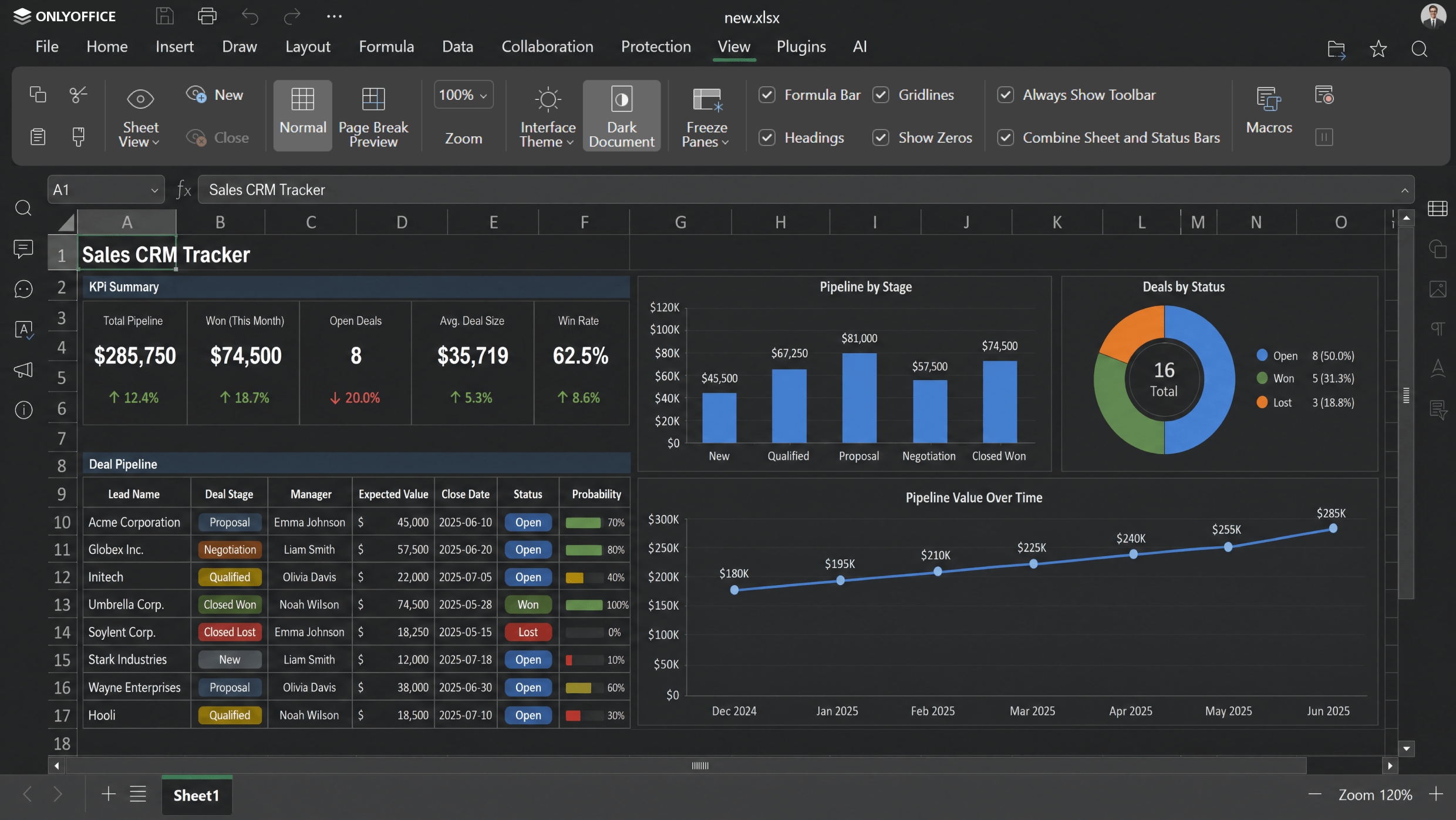
Staring at bright, white spreadsheets for hours takes a toll on your eyes. To improve ergonomics and user comfort, the Spreadsheet Editor now supports a dedicated Dark Document option.
When you enable the general Dark theme for the editors, you can toggle the spreadsheet canvas to match. This dark background minimizes glare and provides a much more comfortable editing experience in low-light environments.
Where to find: Open the View tab while using the Dark theme
Dynamic Presentation Editor updates
Presentations need to capture attention immediately. We expanded the creative toolkit within the Presentation Editor so you can build professional slides faster.
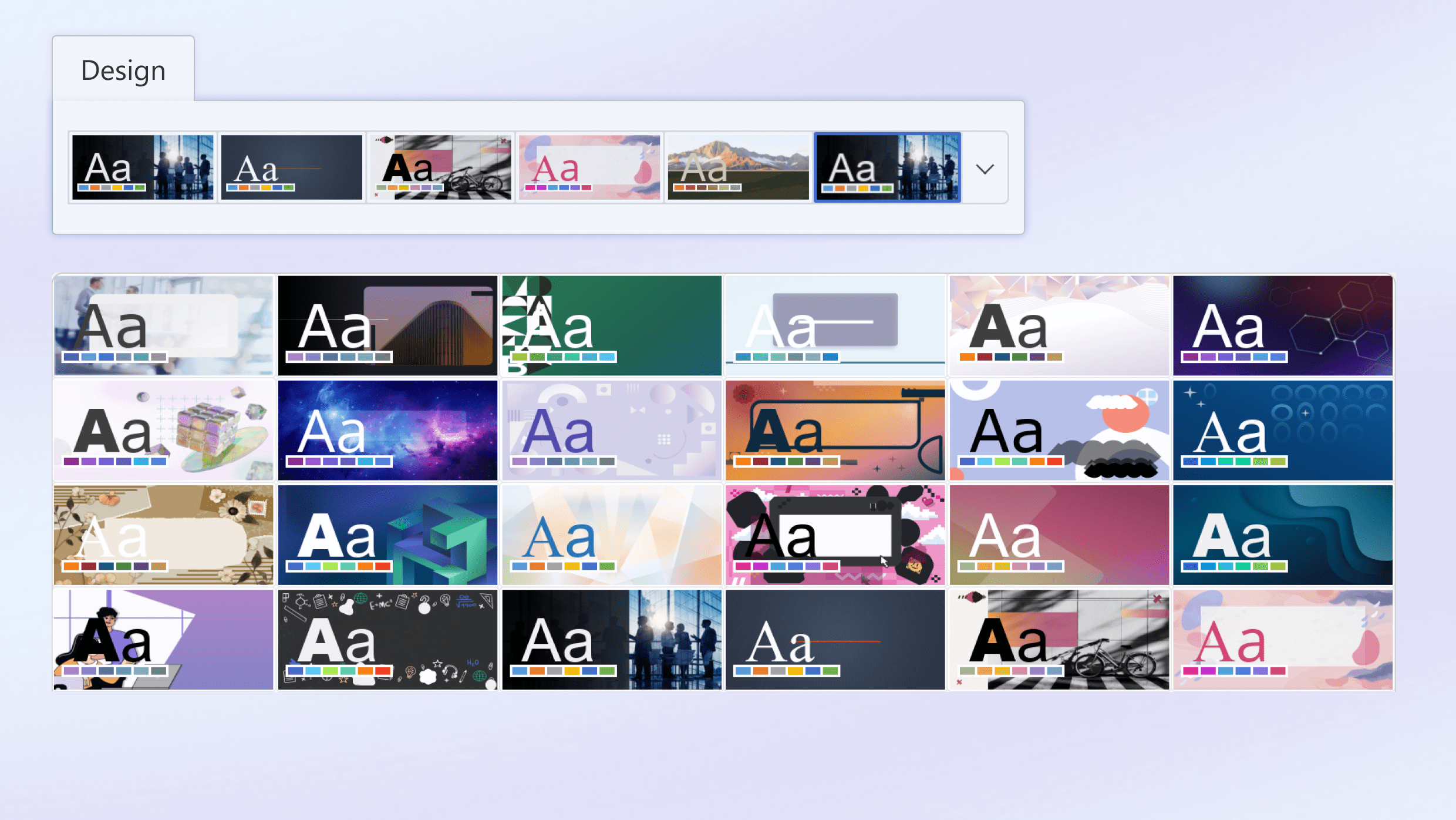
25 new ready-to-use themes
Starting from a blank slide slows down your momentum. We added 25 brand-new, professionally designed themes to give your presentations a massive head start. These templates cover a wide variety of business and creative use cases.
Where to find: Browse the new selections under the Design tab
20 new slide transitions
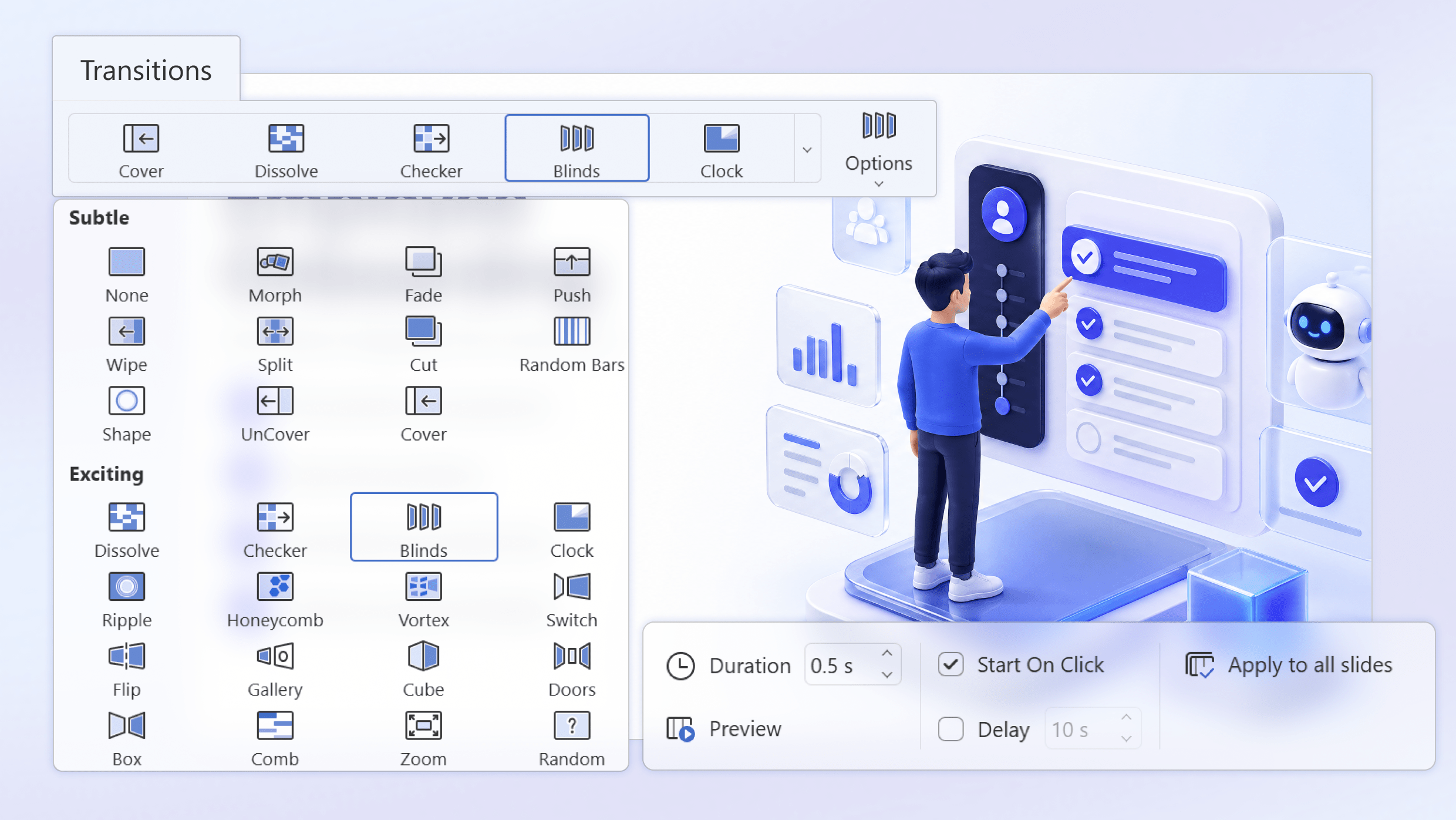
Smooth transitions keep your audience engaged as you move from one point to the next. You now have access to 20 additional slide transitions. Use these dynamic effects to add a polished, cinematic touch to your next pitch or webinar.
Where to find: Explore the new effects in the Transitions tab
Global editor improvements
Beyond the specific modules, ONLYOFFICE Docs 9.4 introduces suite-wide upgrades that benefit all users across desktop, web, and mobile environments.
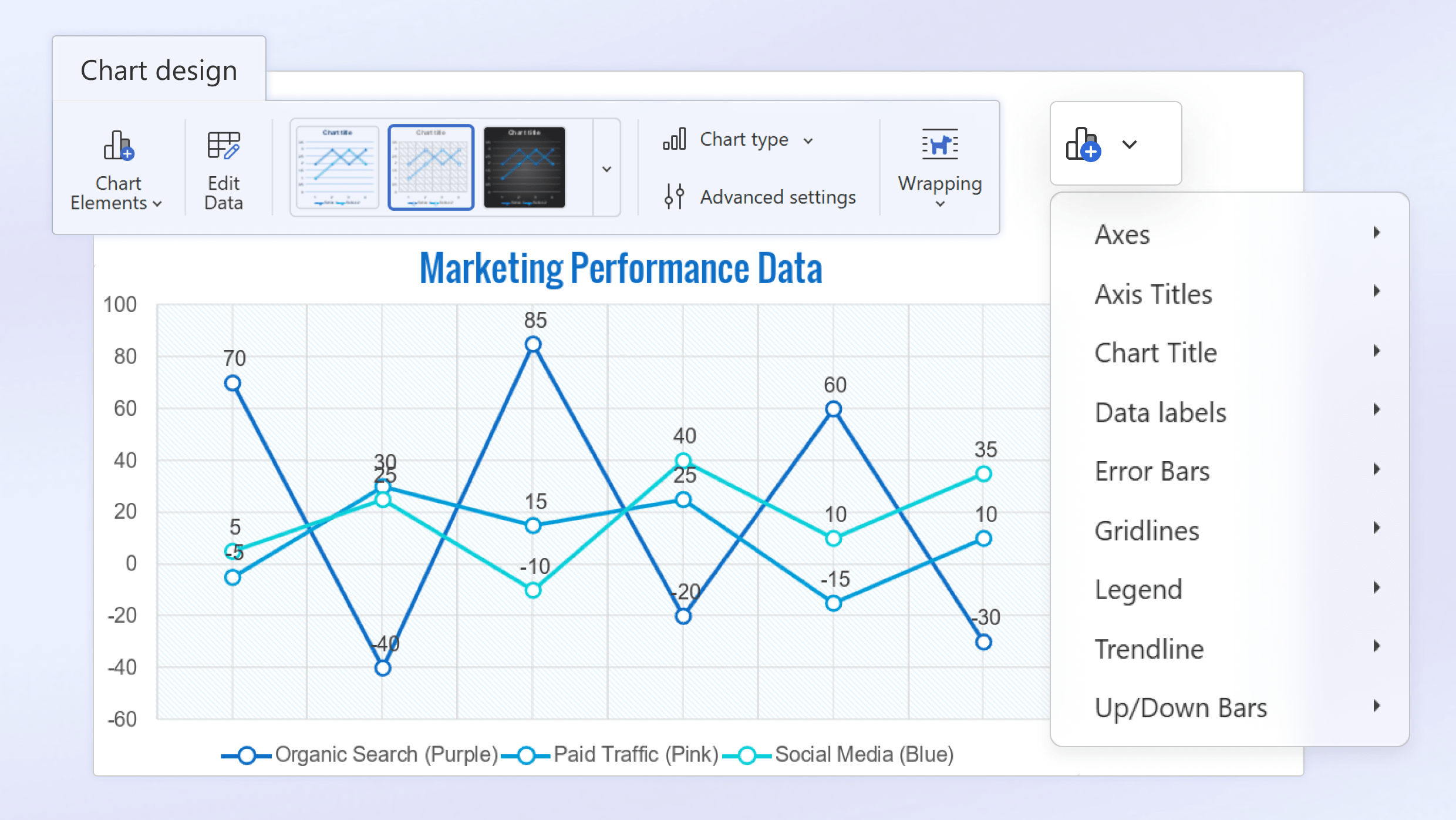
Dedicated Chart Design tab
Customizing charts in the web editors is now much more straightforward. We moved all chart-related settings to a dedicated Chart Design tab. This unified space makes it incredibly easy to tweak data visualization without hunting through multiple dropdown menus.
Croatian interface support
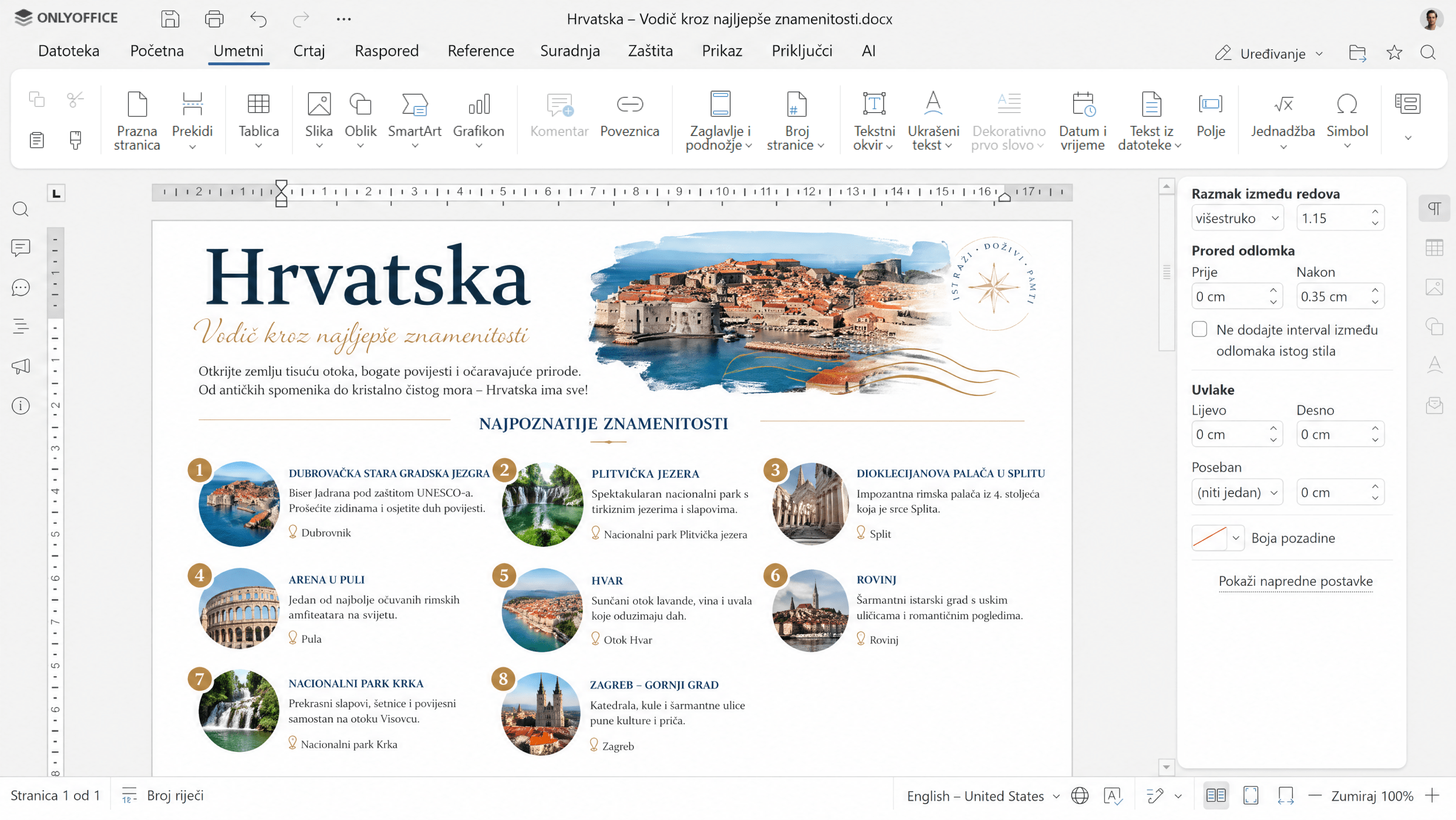
We continually work to make ONLYOFFICE accessible to more users worldwide. Version 9.4 introduces full support for the Croatian interface (hr-HR, Hrvatska), allowing users in the region to navigate the suite in their native language.
Expanded Paste options
Bringing external content into your workspace should not break your formatting. We expanded the paste options across the Document, PDF, and Presentation Editors on the desktop application*. You now enjoy greater flexibility and precision when pasting rich text, tables, and mixed media.
Manual Save option on mobile
Sometimes you want strict control over when your document saves, especially when working on unstable cellular connections. We added a dedicated Save button to ONLYOFFICE mobile apps* (both iOS and Android) and the mobile web version. This allows you to disable Autosave entirely and manually save your work only when you are ready.
*Quick note: the mobile and desktop apps will be updated a little later.
Updates for enterprise admins and developers
For those managing ONLYOFFICE deployments or building custom integrations, version 9.4 delivers advanced controls and expanded APIs.
Advanced WOPI Settings for SharePoint
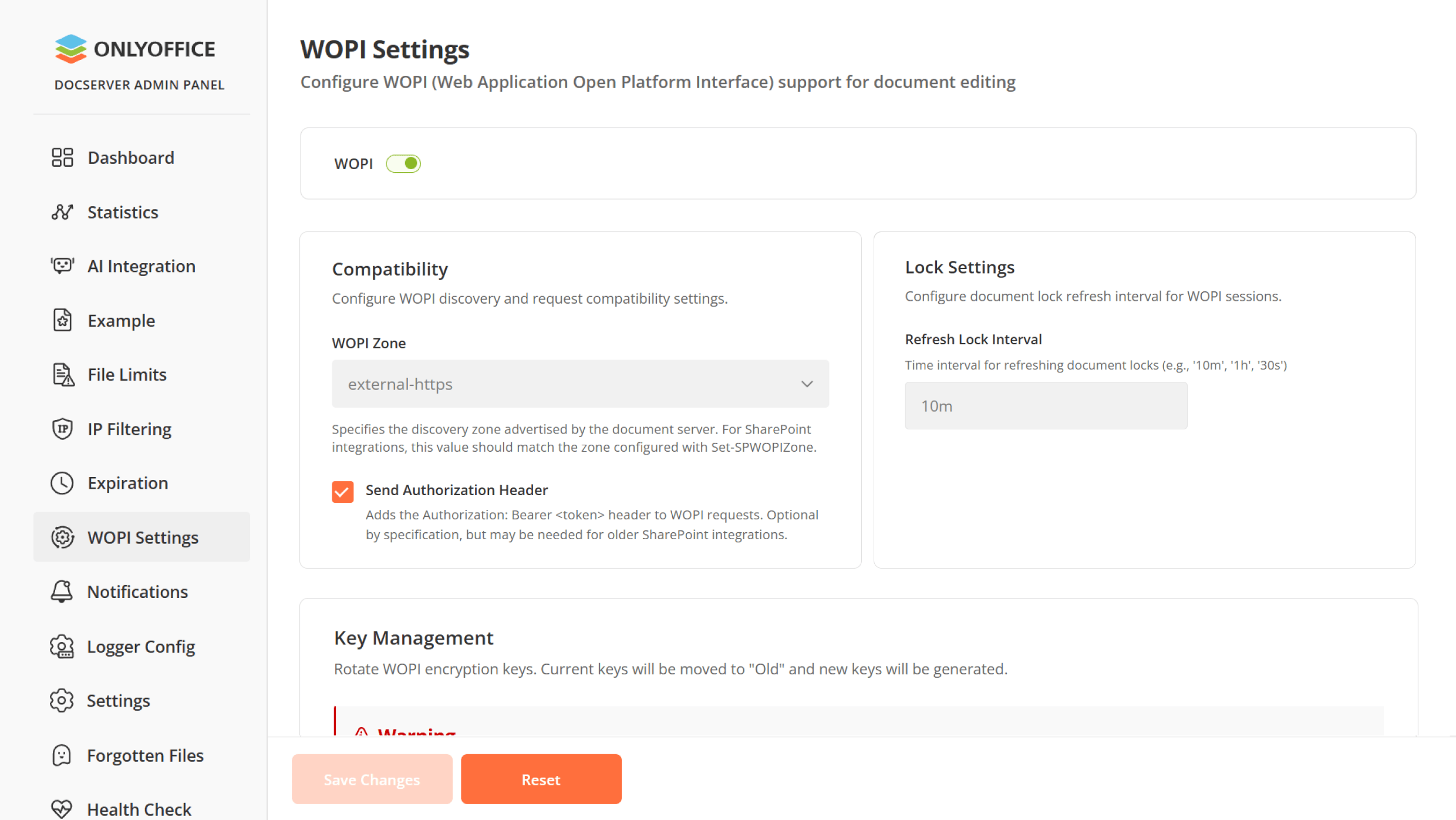
System administrators using Docs Enterprise will find new configuration options in the Admin Panel. We added specific WOPI settings designed to improve SharePoint compatibility. You can now easily synchronize with the required WOPI Zone and choose to optionally include the Authorization header directly from the dashboard.
API and Doc Builder Enhancements
Developers can tap into new possibilities with our expanded API. We introduced new methods specifically for working with forms, custom plugins, and detailed paragraph settings. Furthermore, we added new Doc Builder classes and methods tailored for handling formatted tables.
Shape the future of ONLYOFFICE with your ideas!
Share your thoughts, suggestions, and ideas on how we can improve our solutions and make your experience even better. Your input matters, so don’t hesitate to visit our community forum and leave your suggestions today!
How to use new features
Check out our video to see the latest features in action:
Get ONLYOFFICE Docs 9.4
Download the self-hosted version of ONLYOFFICE Docs 9.4:
In the cloud solutions, the new version will be available a bit later. Stay tuned!
Create your free ONLYOFFICE account
View, edit and collaborate on docs, sheets, slides, forms, and PDF files online.


