ONLYOFFICE connector v3.1.0 for SharePoint released: edit PDF files, view Visio diagrams and work with new file formats
It’s been a long time since the ONLYOFFICE connector for SharePoint was updated, and now the wait is over. The newly released version 3.1.0 significantly expands the integration’s functionality, allowing SharePoint users to edit PDF files, open Visio diagrams for viewing and handle new file formats. Keep reading to learn all the details.

Edit PDFs with ease
With version 3.1.0, ONLYOFFICE PDF Editor is finally available to SharePoint users. What this means is that they can now benefit from using all its features and tools, including:
- Insertion and modification of various objects, such as tables, shapes, images, SmartArt, charts, hyperlinks and more;
- PDF annotation and commenting;
- PDF to DOCX conversion;
- AI-powered OCR recognition;
- Creation and completion of PDF forms;
- PDF form signing;
- Real-time collaboration;
- PDF redaction;
- AI integration and more.
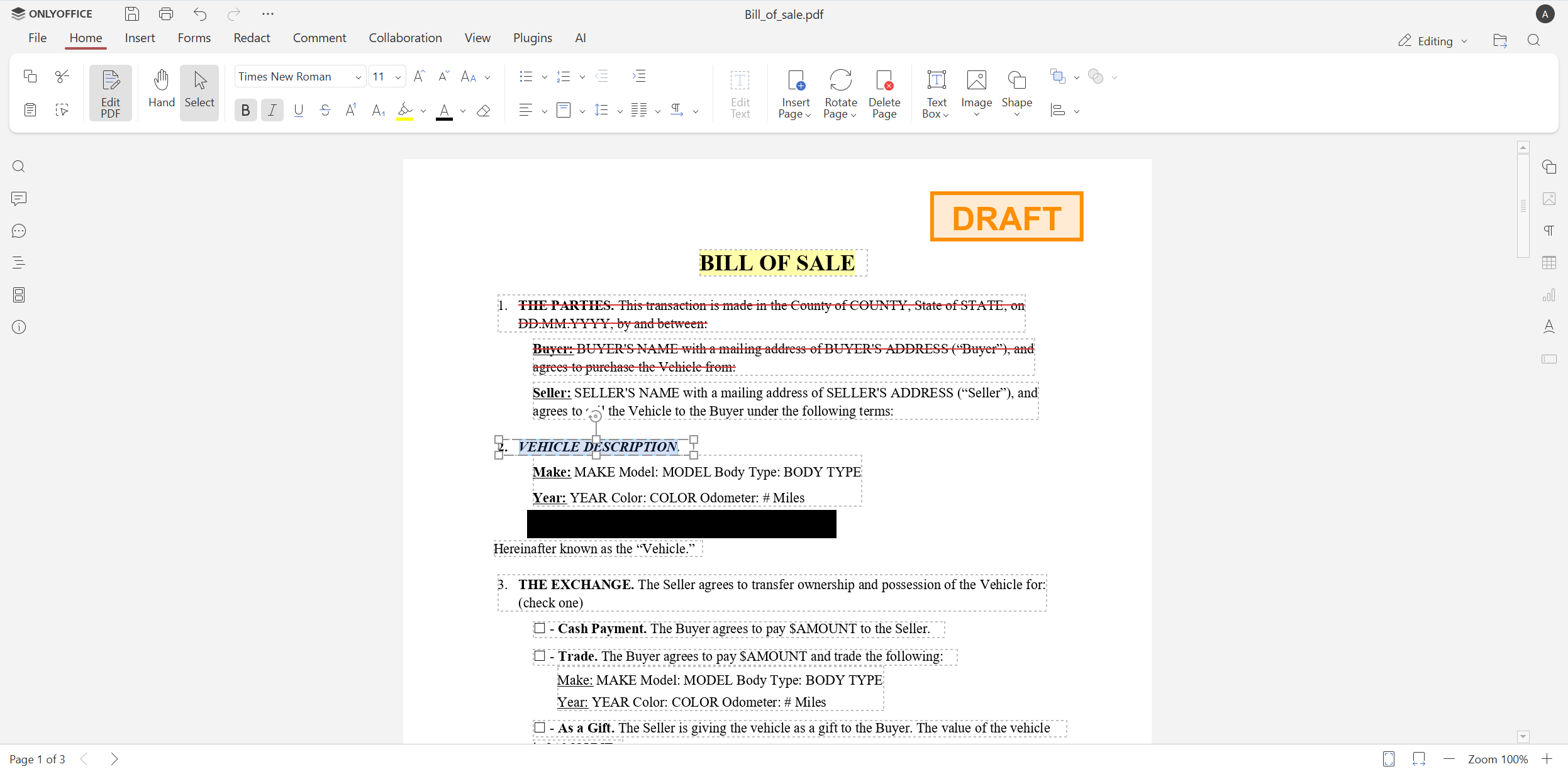
For more information on how to use ONLYOFFICE PDF Editor, please refer to this guide in our Help Center.
Open Visio diagrams for viewing
The updated connector for SharePoint also introduces ONLYOFFICE Diagram Viewer. Using this tool, you can open and view Visio diagrams in various formats, such as VSDM, VSDX, VSSM, VSSX, VSTM and VSTX.
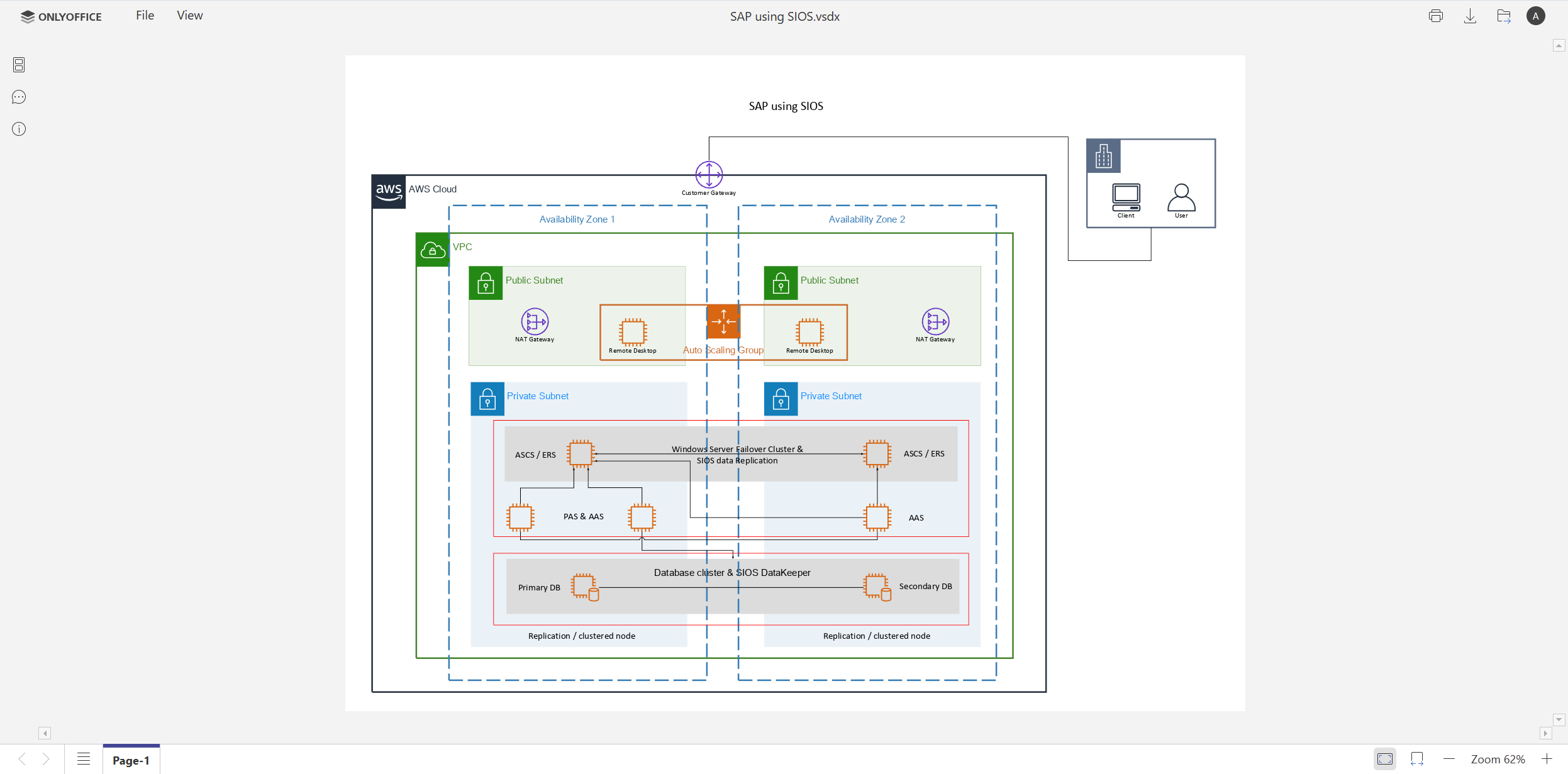
Work with various file formats
Another important improvement in the ONLYOFFICE and SharePoint integration is an extended list of supported formats. Starting from version 3.1.0, the following formats are available for direct editing:
- Document editor: DOCM, DOCX, DOTM, DOTX;
- Spreadsheet editor: XLSB, XLSM, XLSX, XLTM, XLTX;
- Presentation editor: POTM, POTX, PPSM, PPSX, PPTM, PPTX;
- PDF editor: PDF.
This is a big step forward in comparison with the previous version, which could edit DOCX, XLSX, PPTX and PPSX only.
Moreover, the updated connector makes it possible to open multiple new formats for viewing. Some examples include:
- Apple iWork formats: Pages, Keynote, Numbers;
- Hancom Office documents: HWP, HWPX;
- MD documents;
- ODG presentations and more.
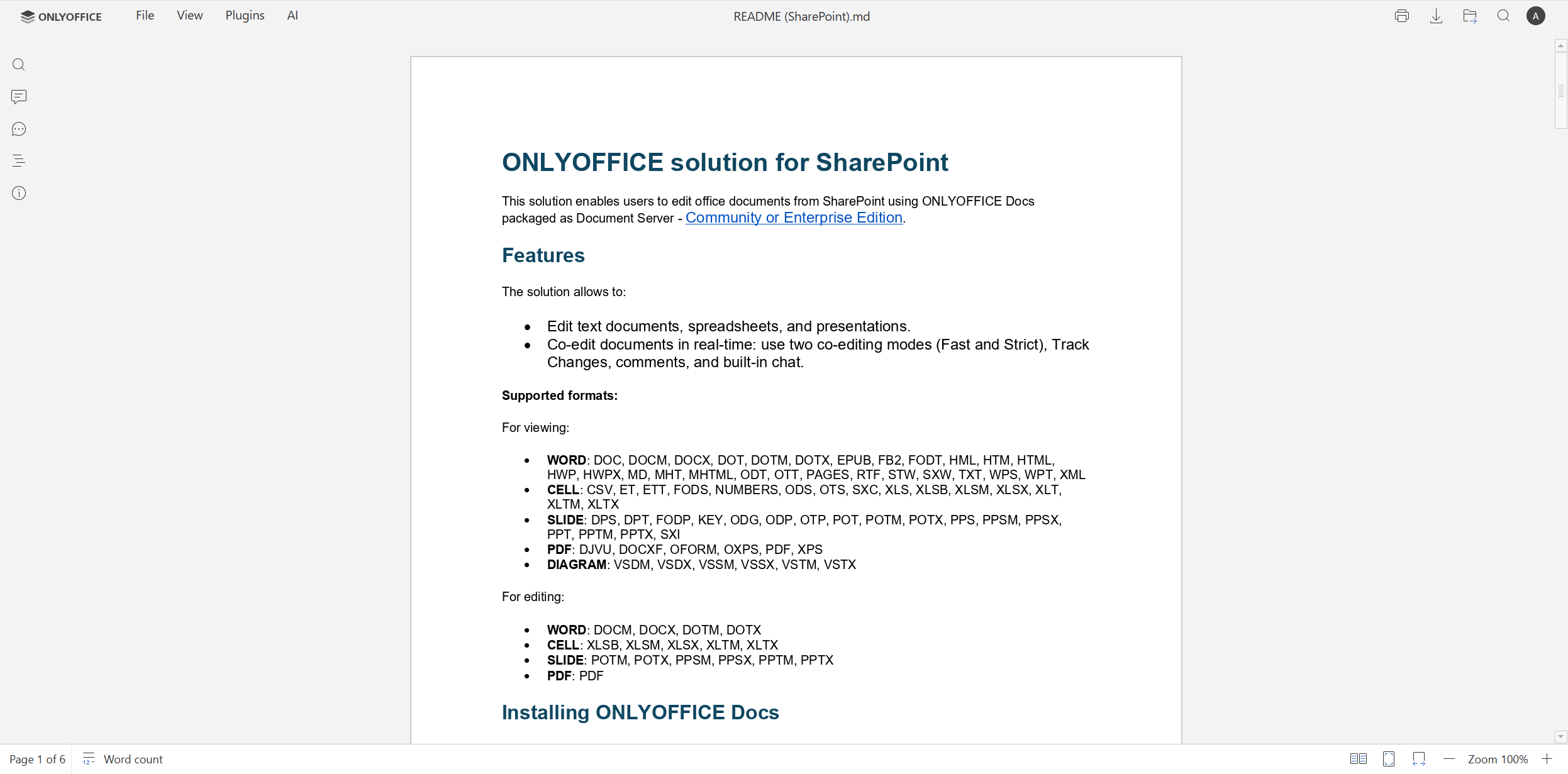
To learn more about all the supported formats, please take a look at the official GitHub page.
Get the updated connector for SharePoint
Boost your productivity with the newest version of the ONLYOFFICE integration app for SharePoint by getting it on GitHub:
FAQ: ONLYOFFICE and SharePoint integration
Is the ONLYOFFICE connector for SharePoint free?
Yes. The connector is free and can be found on GitHub.
What do I need to use this integration?
For this integration, you need to have an ONLYOFFICE Docs instance connected to your SharePoint platform via the official connector. You can deploy ONLYOFFICE Docs on your local server or sign up for an account in the cloud.
Can I use the AI assistant within my SharePoint platform?
Yes, you can. The AI features are available on the AI tab after you install and configure the AI plugin in the ONLYOFFICE editors, using an API key from your AI provider. The plugin is compatible with all popular AI tools and services, e.g. OpenAI, Mistral AI, Anthropic, Google Gemini, DeepSeek, Ollama, xAI, Groq, LM Studio and more.
You can find detailed guides on how to connect popular AI providers, including custom ones, in our Help Center.
Is there an alternative way to connect ONLYOFFICE Docs to SharePoint?
Yes, there is. This integration also supports the WOPI protocol, which can be used to establish a connection between ONLYOFFICE Docs and SharePoint. However, this integration method lacks some features due to the WOPI architecture. Learn more in this guide in our Help Center.
Is ONLYOFFICE Docs a viable alternative to Microsoft Office Online Server for SharePoint?
Taking into account Microsoft announcing the end of support for Office Online Server on December 31, 2026, ONLYOFFICE Docs is a practical and flexible alternative for companies seeking browser-based document editing for the SharePoint platform within their local infrastructure. Learn why ONLYOFFICE is the best alternative to Microsoft Office Online Server in this blog post.
How do I request a new feature for the ONLYOFFICE and SharePoint integration?
You can share your ideas and suggestions on our feedback platform or visit our forum to contribute to our community.
Useful links
ONLYOFFICE Docs for SharePoint: Enterprise / Community / Cloud
Help Center / API documentation / GitHub
Create your free ONLYOFFICE account
View, edit and collaborate on docs, sheets, slides, forms, and PDF files online.


