ONLYOFFICE Docs 9.2 released: AI-powered spell and grammar checks, customizable hotkeys, macro recording, and more
We are thrilled to unveil the latest version of ONLYOFFICE Docs. This update is packed with some useful fixes and enhancements designed to refine your document editing experience. With new AI-powered features, greater customization options, and improved form creation, ONLYOFFICE Docs continues to be a powerful and versatile suite for all your productivity needs.

AI grammar & spelling
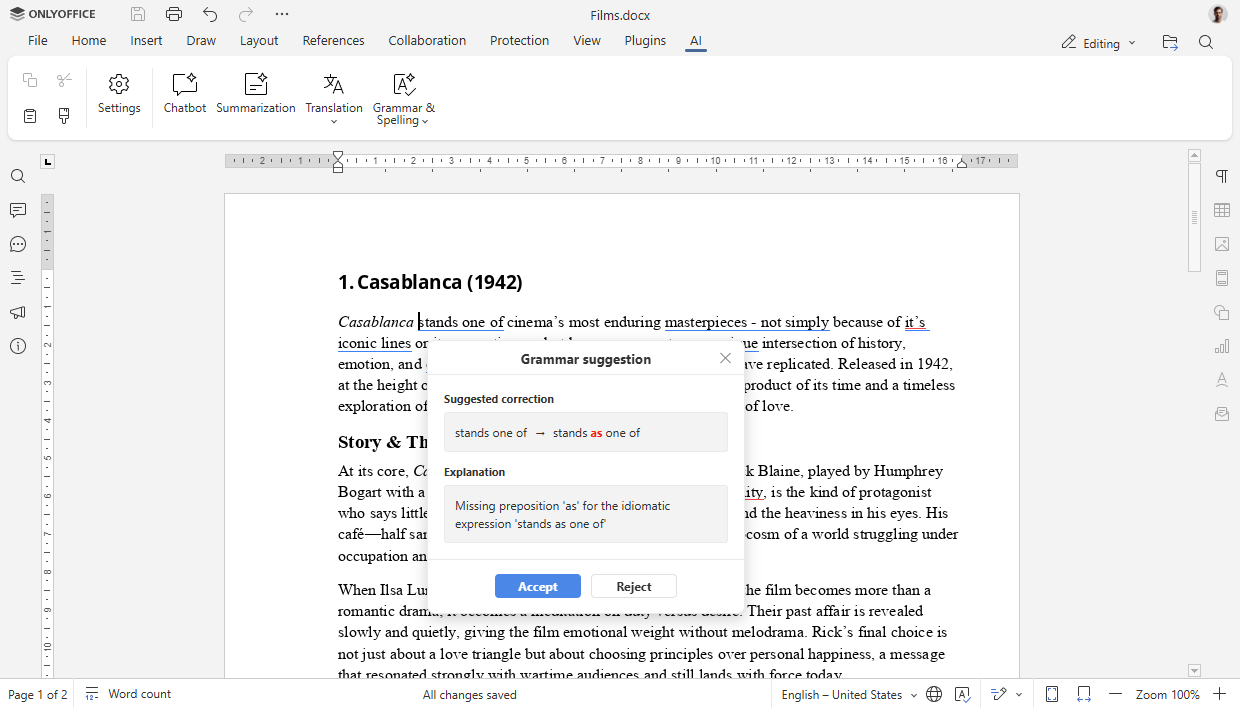
ONLYOFFICE Docs 9.2 integrates AI-powered spell and grammar checking, now available directly through the AI plugin, so that you produce polished, professional, and error-free documents with ease.
How it works
Imagine you’ve just finished a brainstorming session and have a document filled with hastily written notes. Cleaning it up is now simpler than ever.
Assuming you have the AI plugin configured in your editors, you can start the check with just a few clicks.
- Navigate to the AI tab on the top toolbar.
- Click the Grammar & Spelling option. You can choose to check the entire document or a specific selection of text.
- Alternatively, you can access this feature by right-clicking anywhere in your document and selecting it from the context menu.
The AI will analyze the text and present suggestions for spelling and grammar corrections, often providing explanations for its recommendations. You can then review each suggestion and decide whether to accept or reject it. This process is quick, intuitive, and efficient, helping you maintain a high standard of quality in all your written work.
What else is new in ONLYOFFICE Docs 9.2?
Beyond the AI enhancements, this version introduces several new features and improvements to give you more control and flexibility.
Customizing keyboard shortcuts
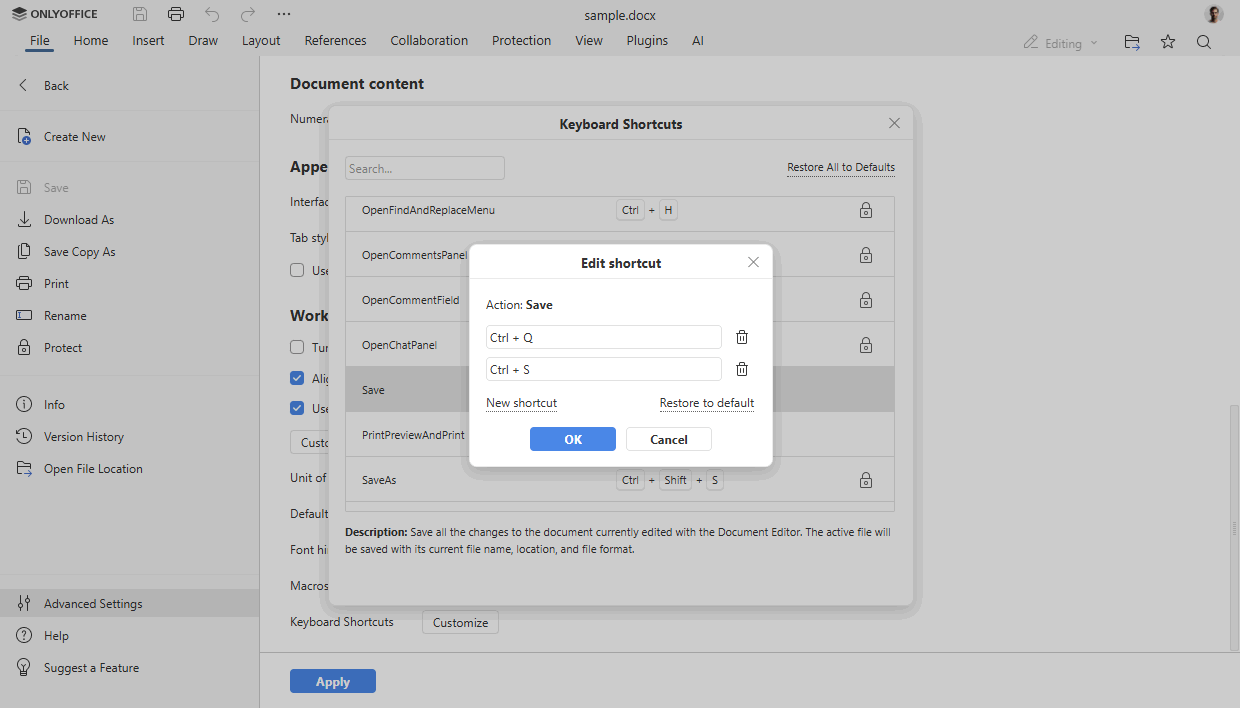
For many users, keyboard shortcuts are the key to a fast and efficient workflow. You can now customize these shortcuts to match your habits. Navigate to the File tab, open Advanced Settings, and configure your preferred key combinations for a truly personalized editing experience.
Where to find: File tab ➙ Advanced settings
Recording actions as macros
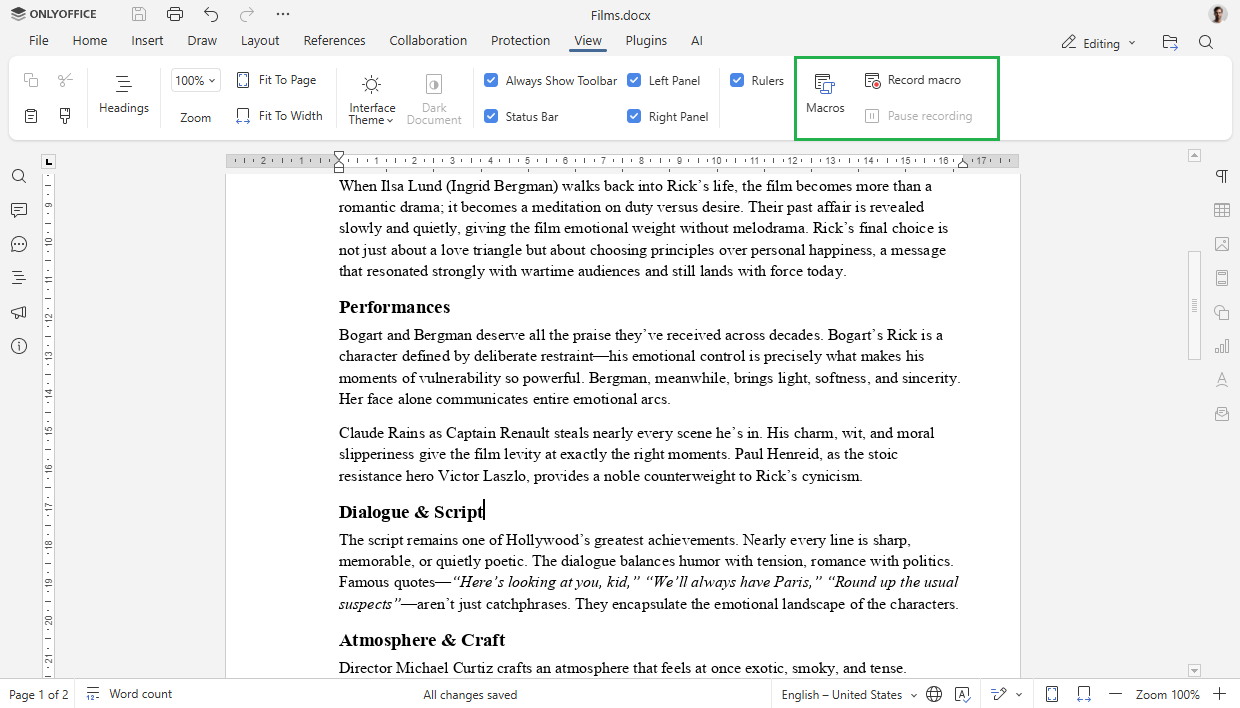
Repetitive tasks can slow down your progress. With the new macro recording feature, you can automate these actions. Simply record a sequence of actions, save it as a macro, and run it whenever you need to perform that task again. This is a powerful way to streamline your work and save valuable time.
Where to find: View tab ➙ Record macro
Enhanced PDF redaction
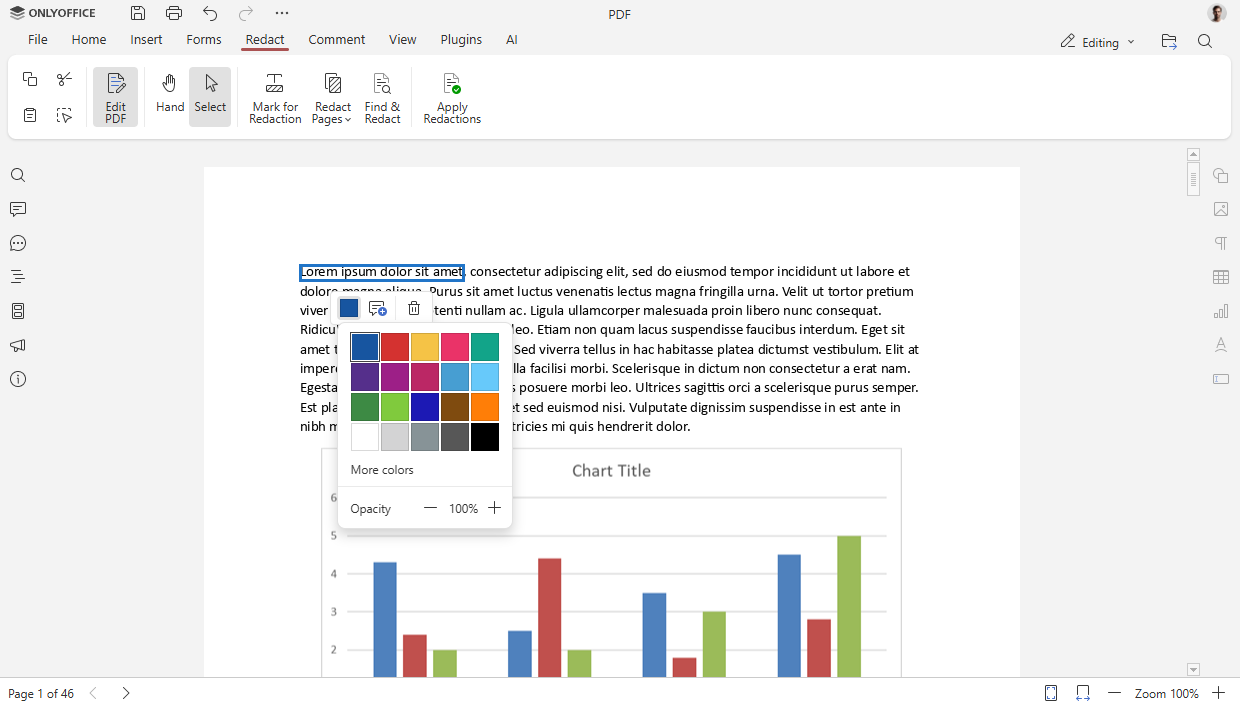
When dealing with sensitive information in PDFs, redaction is a critical tool. In version 9.2, you can now customize the color used for the Redact option. This gives you greater visual control and flexibility when preparing documents for sharing.
Where to find: PDF Editor ➙ Redact tab
Improved form creation
We’ve also made improvements to our form creation tools to enhance clarity and usability.
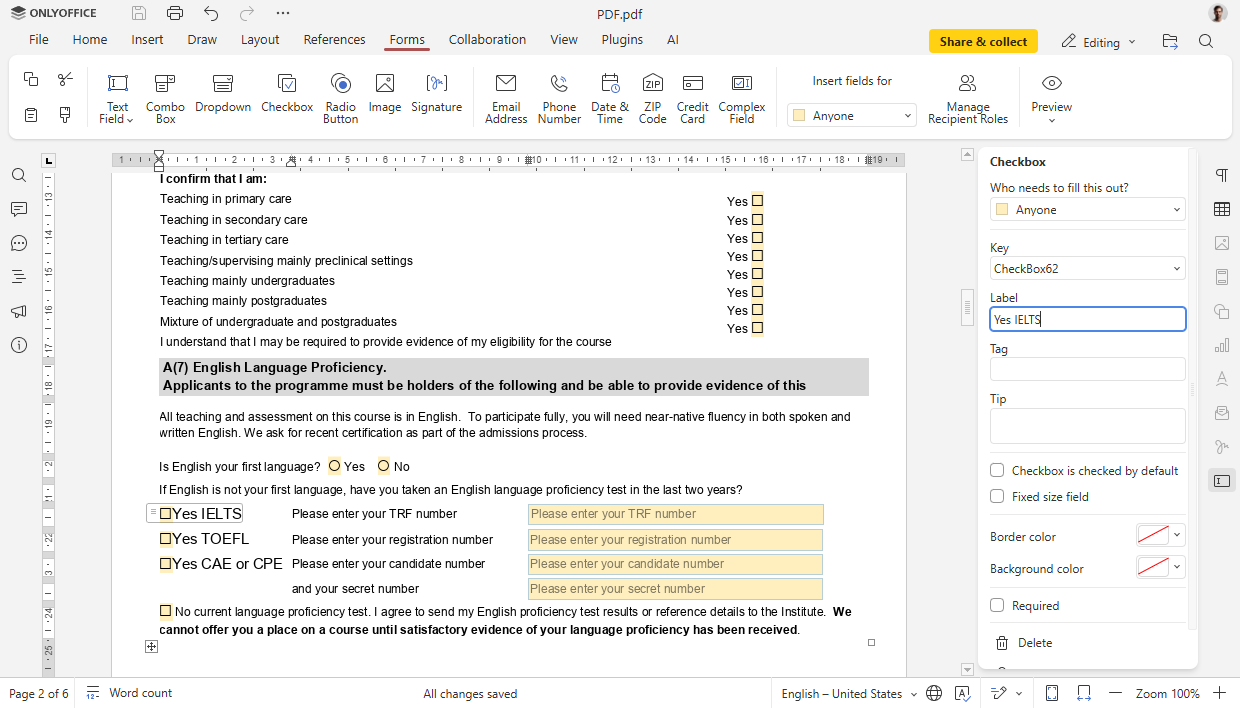
- Add descriptive text labels to checkboxes and radio buttons. This makes forms easier for respondents to understand and complete accurately.
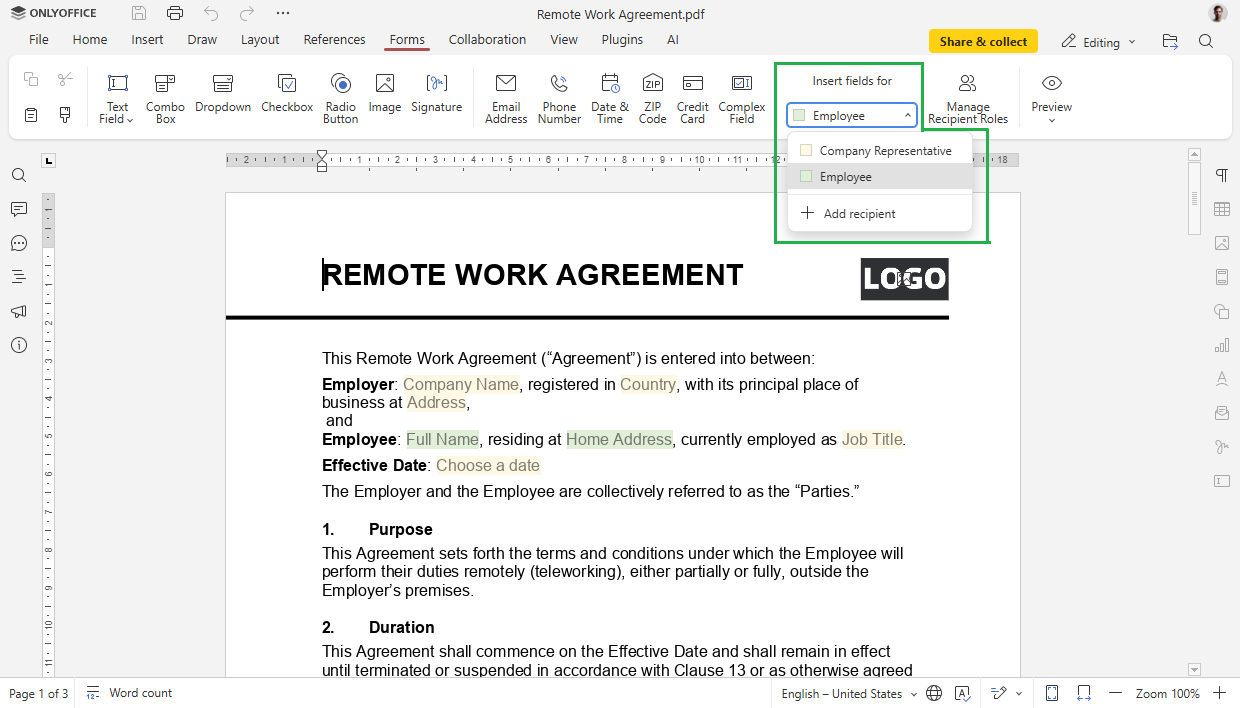
- When inserting new fields into a form, assign specific roles to them. This ensures that forms are correctly tailored to different users and their required inputs.
How to use new features
Watch our free detailed webinar to learn how to work with the new features:
Get ONLYOFFICE Docs 9.2
Download the self-hosted version of ONLYOFFICE Docs 9.2:
Or sign up for a free DocSpace account and explore the latest version of the editors in the cloud.
Shape the future of ONLYOFFICE with your ideas!
Share your thoughts, suggestions, and ideas on how we can improve our solutions and make your experience even better. Your input matters, so don’t hesitate to visit the platform and leave your suggestions today!
Create your free ONLYOFFICE account
View, edit and collaborate on docs, sheets, slides, forms, and PDF files online.