ONLYOFFICE Docs 9.3 released: Enhanced PDF Editor, more signature options, Multipage View, Solver in sheets, and more
The latest update for ONLYOFFICE Docs is here, bringing more than 30 new features, a host of performance improvements, and over 500 bug fixes. Ready to see what’s new? Let’s take a look at the key updates.
Extended signature options for PDF forms
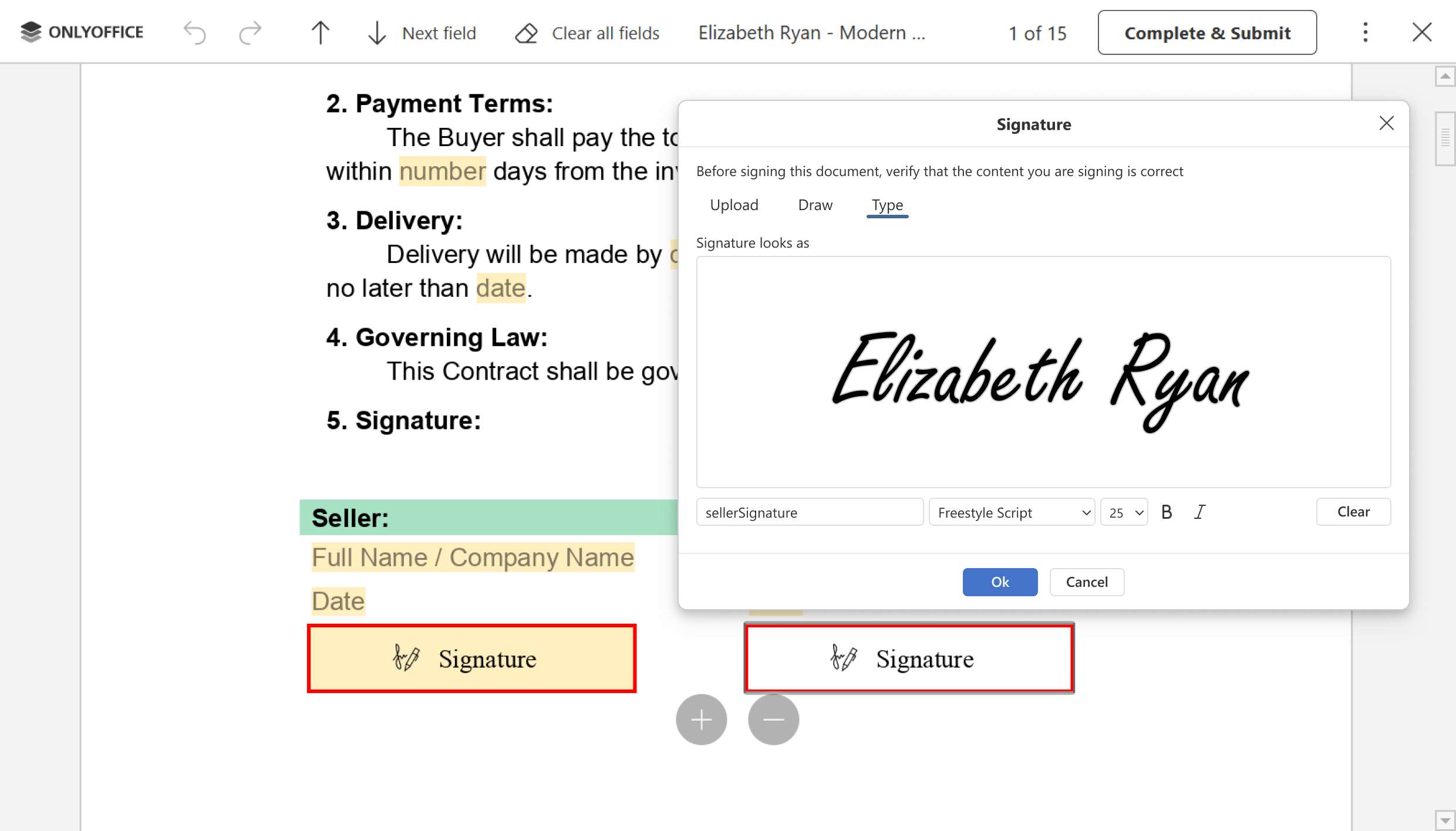
Signing documents digitally should feel as natural as using pen and paper. With the updated signature field in PDF forms, you can offer recipients a seamless and flexible experience. In addition to the available image upload, which now includes the option to remove white backgrounds, users have access to expanded signing options designed for maximum convenience:
- Custom text: Typing a signature using an elegant, professional font. Perfect when users don’t have a stylus or image file handy.
- Drawing: Drawing a signature directly on the screen using a mouse or touch device for a personal touch.
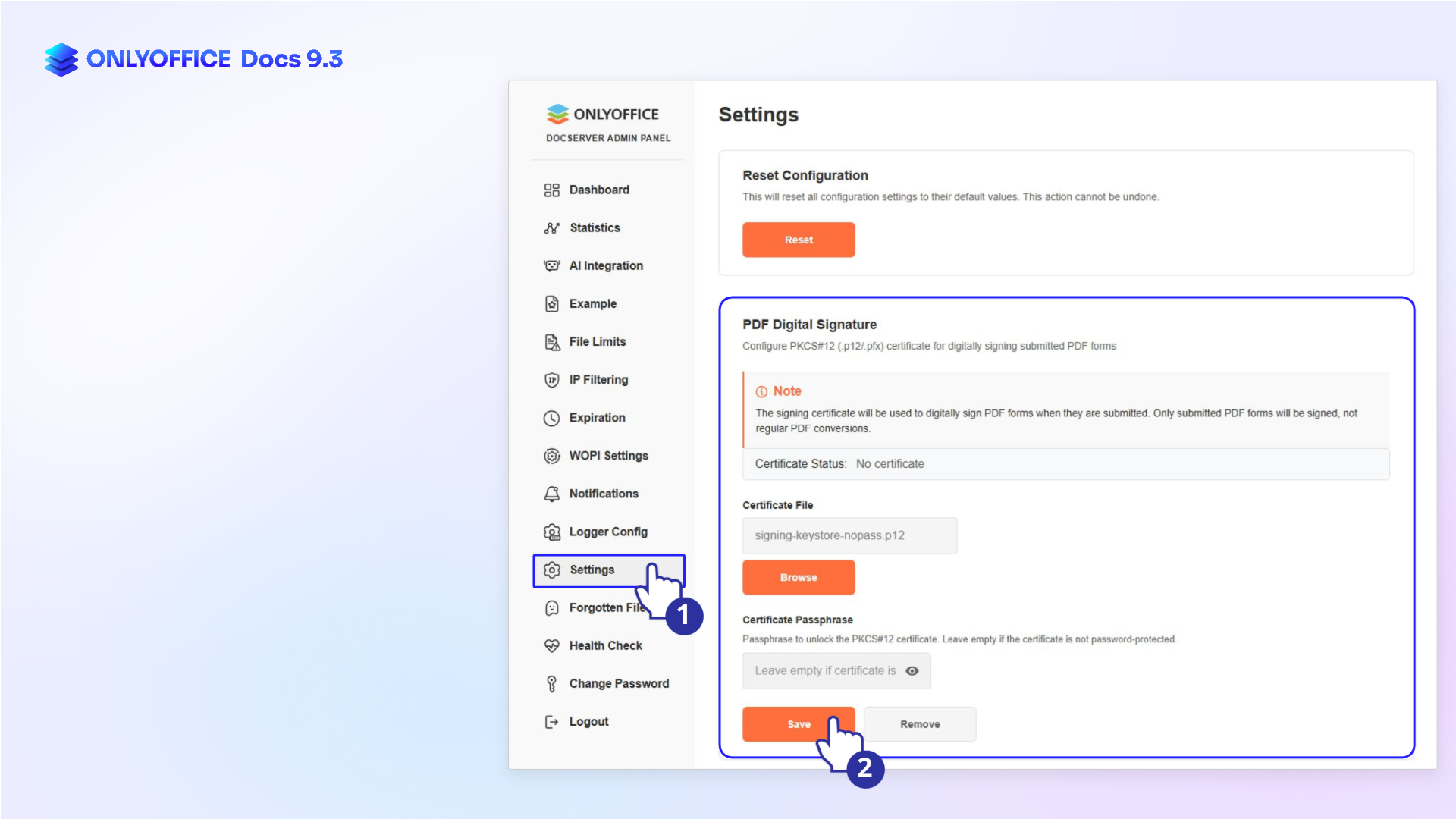
ONLYOFFICE Docs Enterprise users can now upload a signing certificate to the Admin Panel. This feature enables trusted digital signatures on submitted PDF forms, ensuring that important documents are protected from unauthorized access and modifications.
Where to find: Admin Panel ➙ Settings ➙ PDF Digital Signature
Master your PDFs with new editing tools
Working with PDFs is a daily reality for many professionals. In this release, we’ve focused heavily on making PDF management more flexible and secure.
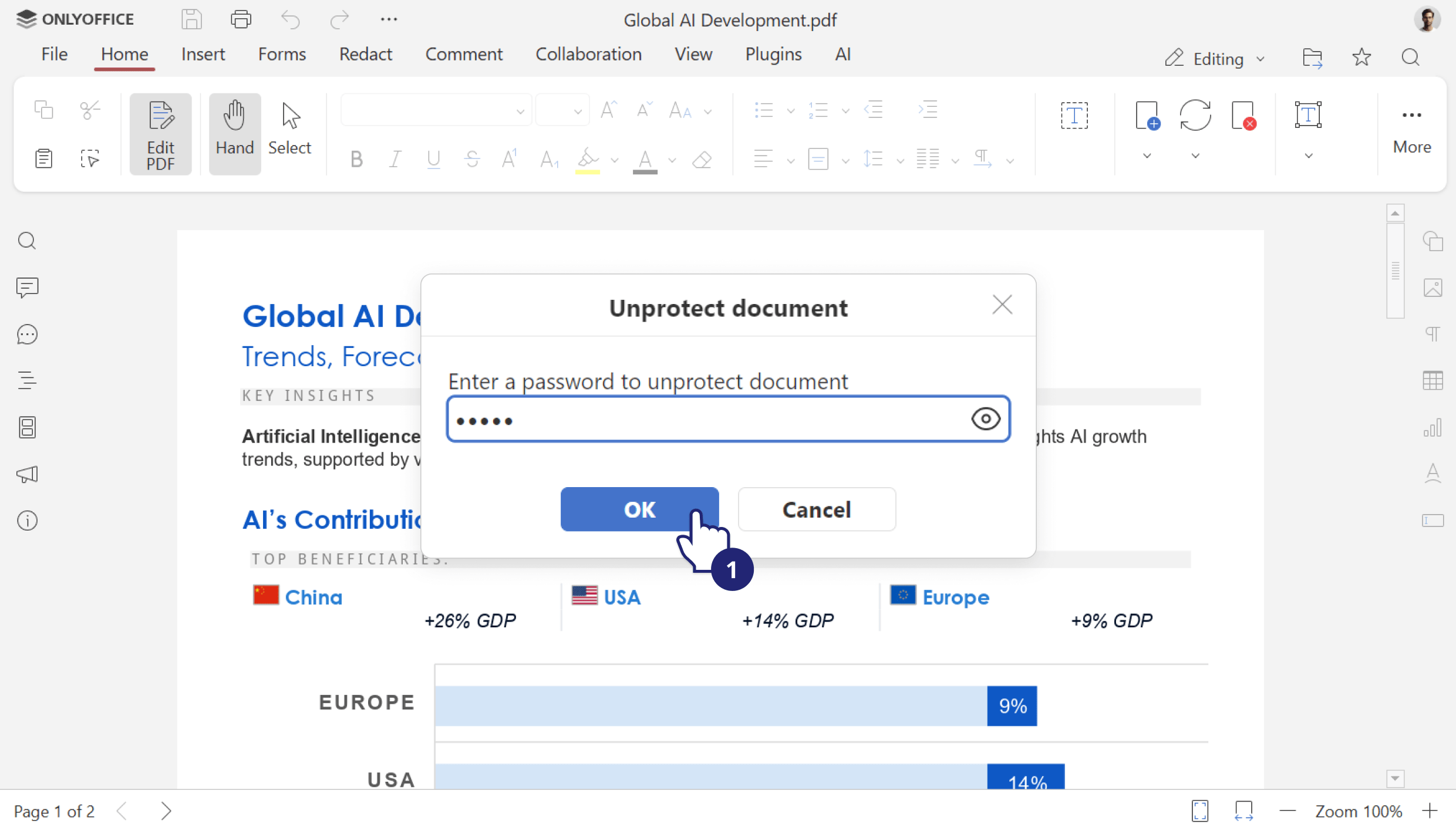
Editing password-protected files. Unlock and edit protected PDFs directly if you have the password.
Where to find: Editing mode ➙ Unprotect document
Managing links. Easily create and edit links to external resources or internal pages. These links remain active even in the Commenting mode.
Where to find: Editing mode ➙ Insert tab
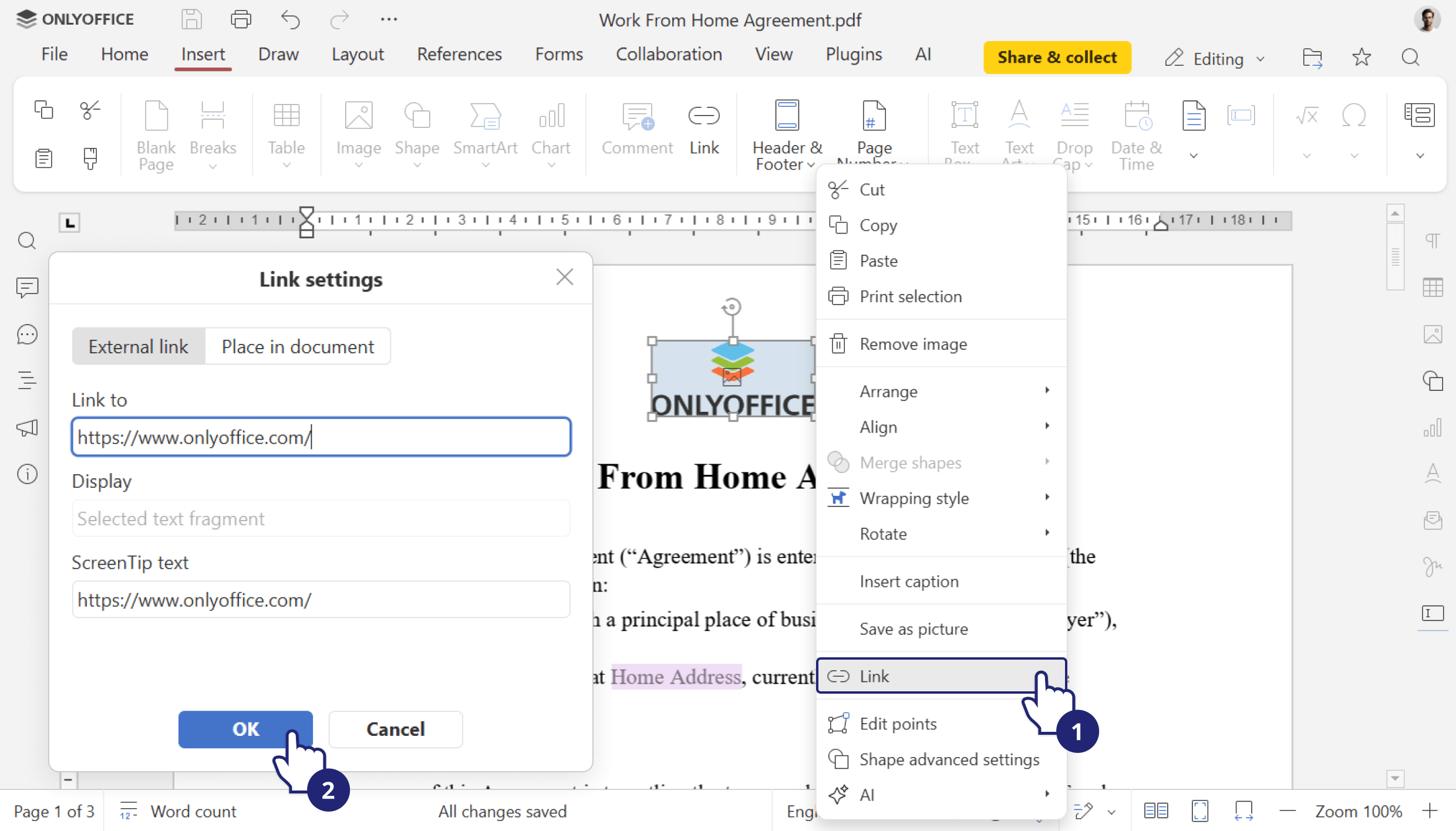
Moreover, you will find the following enhancements for the PDF Editor in version 9.3:
- support for Version History for PDF files;
- support for editing built-in PDF fonts;
- ability to redact text from the pop-up tool panel;
- page print settings for PDFs;
- support for macros in PDFs (adding/deleting/editing pages, forms, annotations, shapes, tables, images, and diagrams);
- inserting adjustable fields into a table cell when creating PDF forms.
Document editor: better collaboration and layouts
Writing and editing documents just got smoother with highly requested features that improve both individual focus and team collaboration.
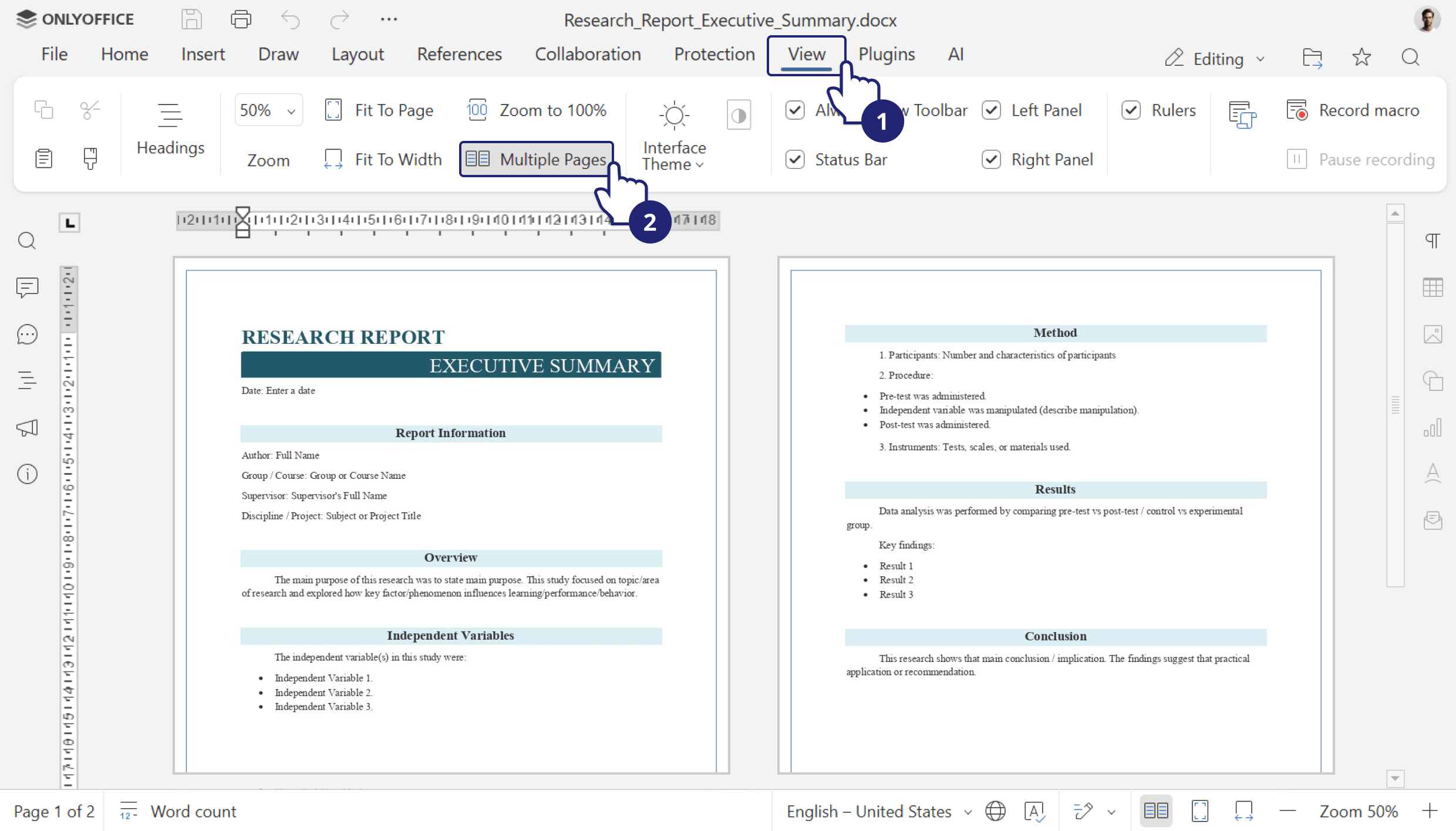
Multipage view. Review layouts more effectively by viewing multiple pages side-by-side.
Where to find: View tab ➙ Multiple Pages
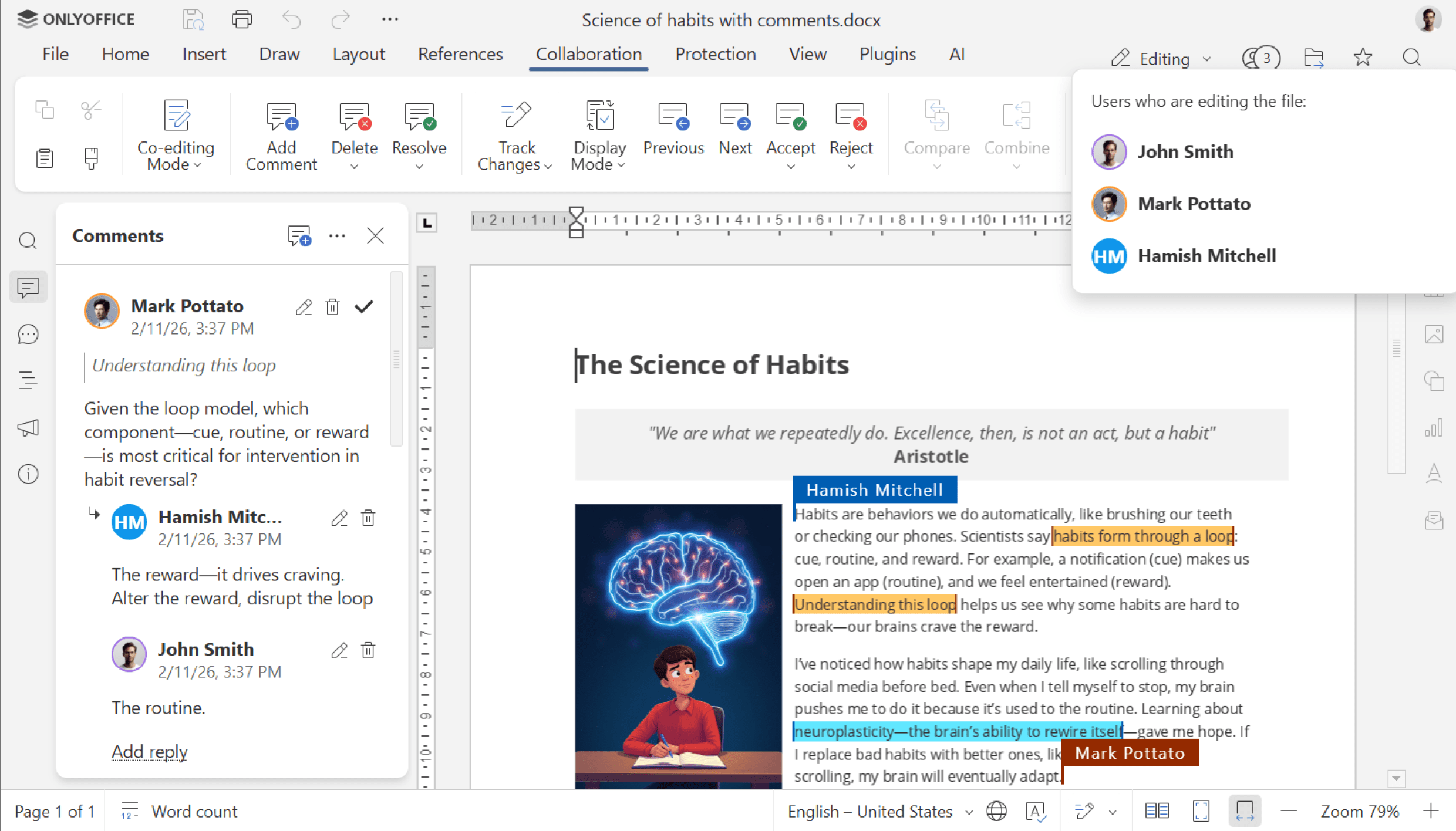
Enhanced comments. Collaboration is clearer than ever. Comments now feature unique user colors for instant identification, with the exact start and end points of the commented text being displayed, so context is never lost.
Where to find: Comments
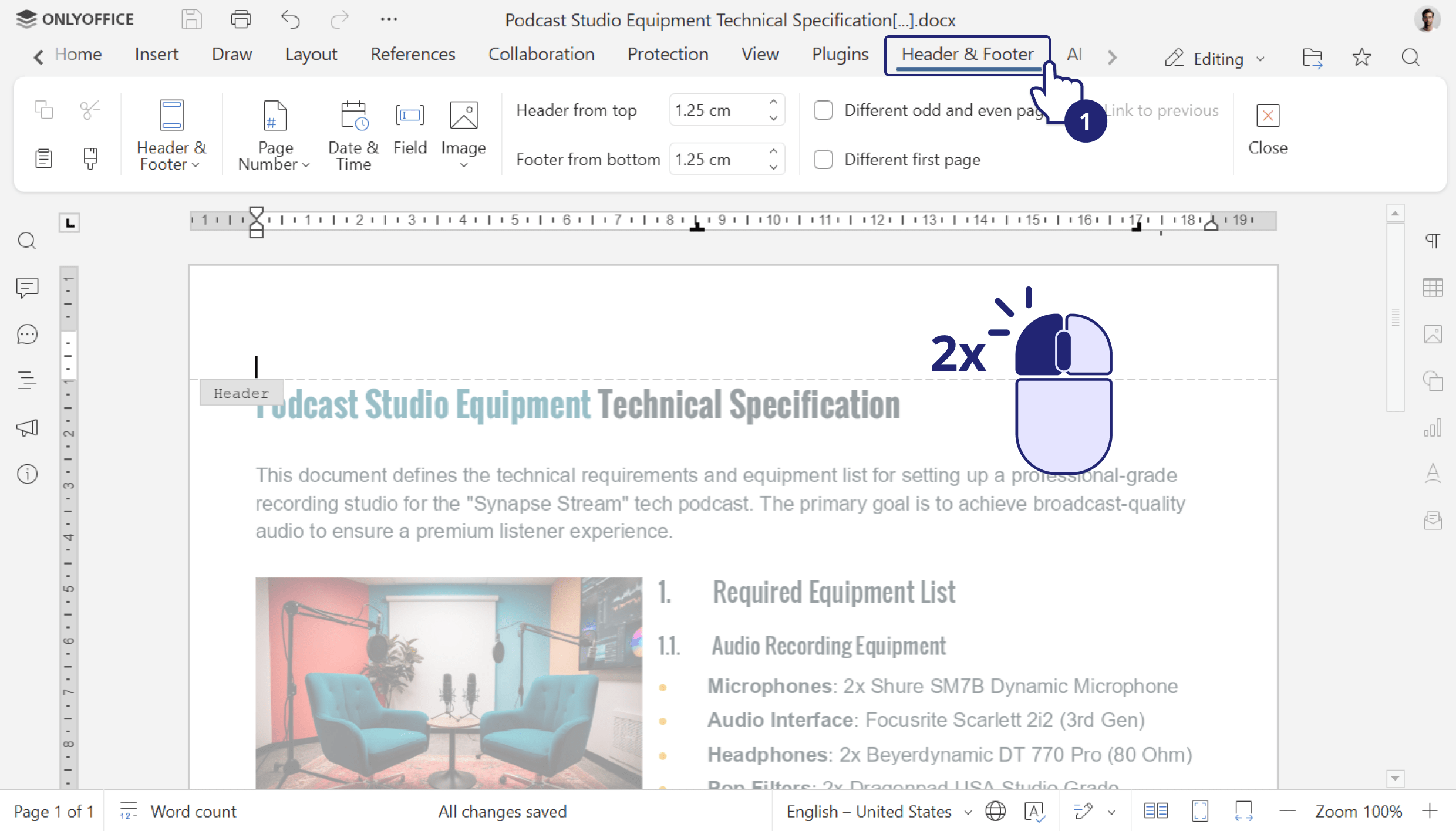
Header & Footer tab. All header and footer options are now consolidated in one dedicated tab for easy access.
Where to find: Header & Footer tab
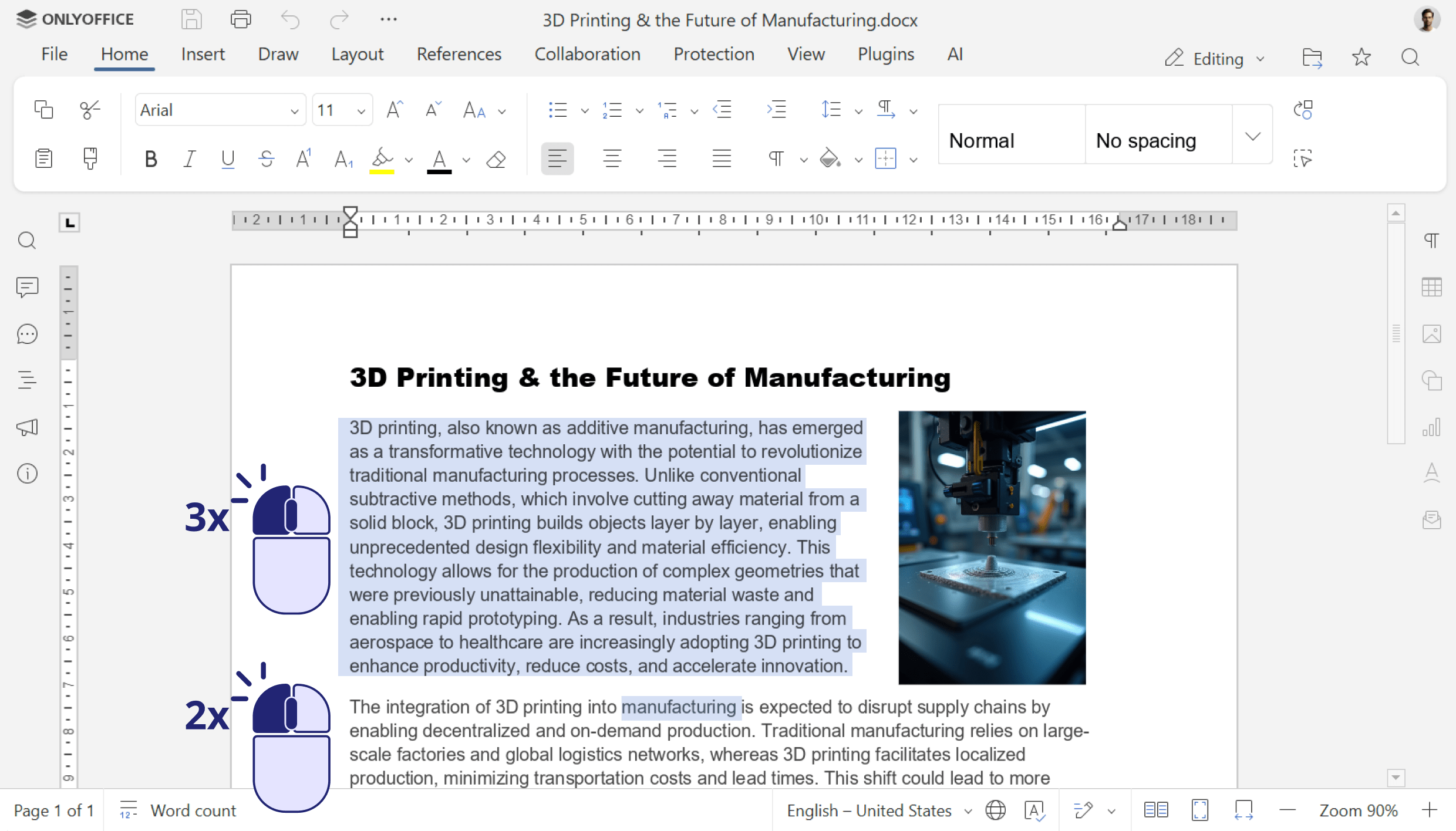
Enhanced mouse select. You can now select multiple words or entire paragraphs simply by double- or triple-clicking, making text selection faster and more precise.
Where to find: Double & triple mouse clicking
Spreadsheet editor: Speed and precision
For data analysts and spreadsheet power users, performance is key. We’ve optimized the ONLYOFFICE Spreadsheet Editor to handle data more quickly and accurately.
First of all, speed improvements are immediately noticeable. The initial rendering of large spreadsheets – specifically those over 3 megabytes – has been accelerated, resulting in less waiting and more productivity when opening large files.
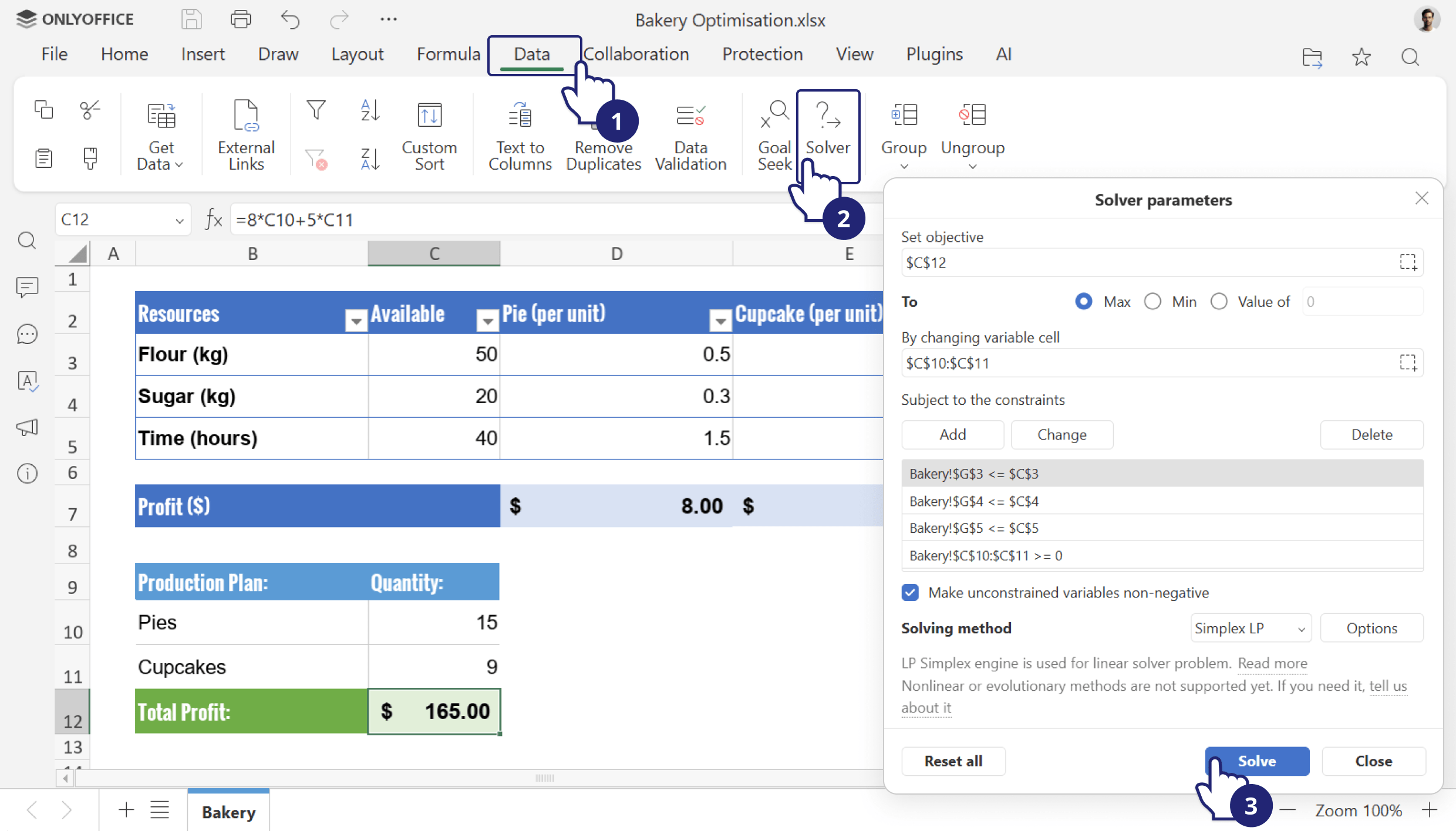
New Solver tool. Solve linear problems using the Simplex method directly within your sheets.
Where to find: Data tab ➙ Solver
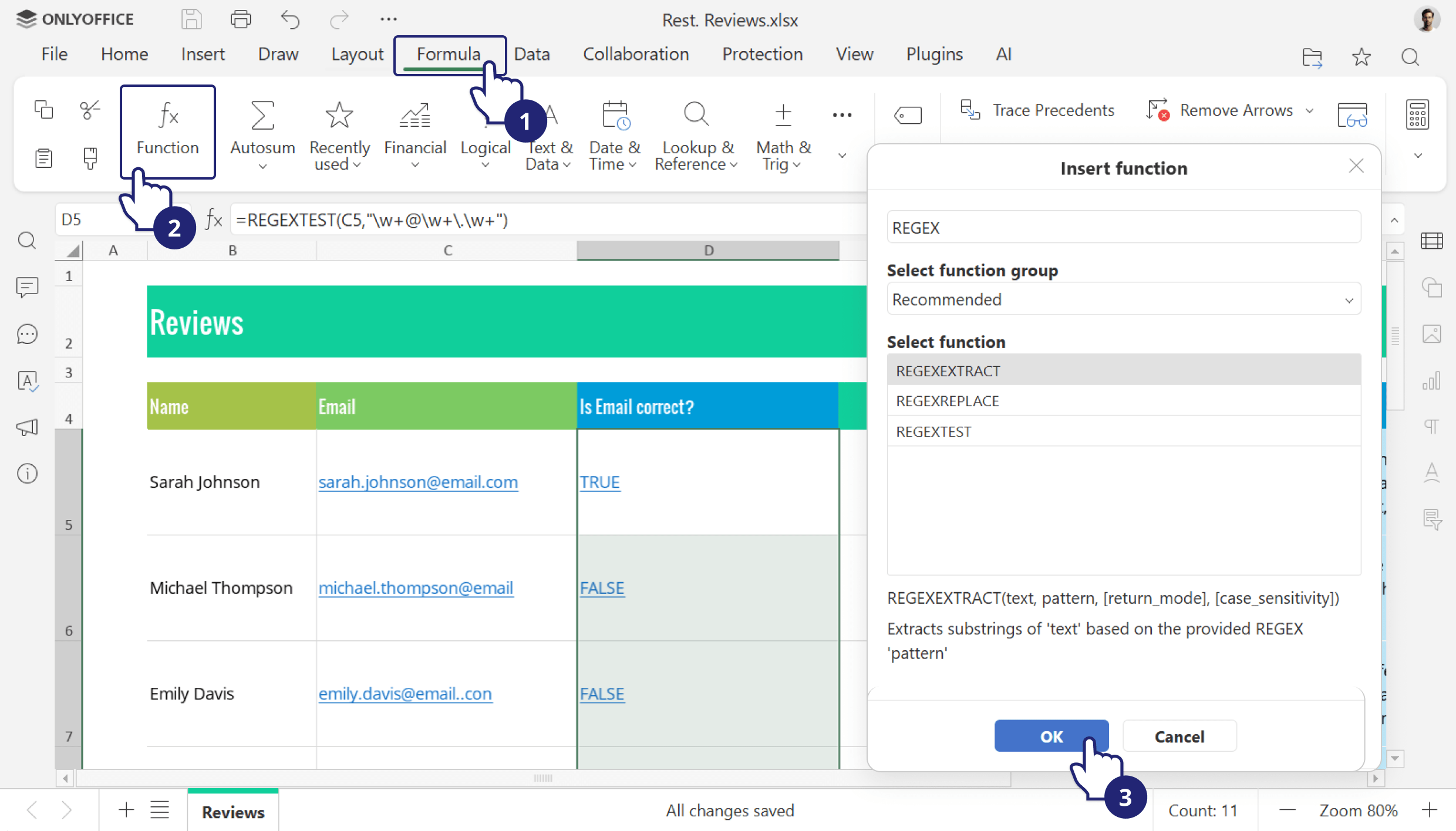
Expanded formula library. We’ve added new functions for regular expressions – REGEXTEST, REGEXREPLACE, and REGEXEXTRACT – improving how you handle complex text data.
Where to find: Formula tab
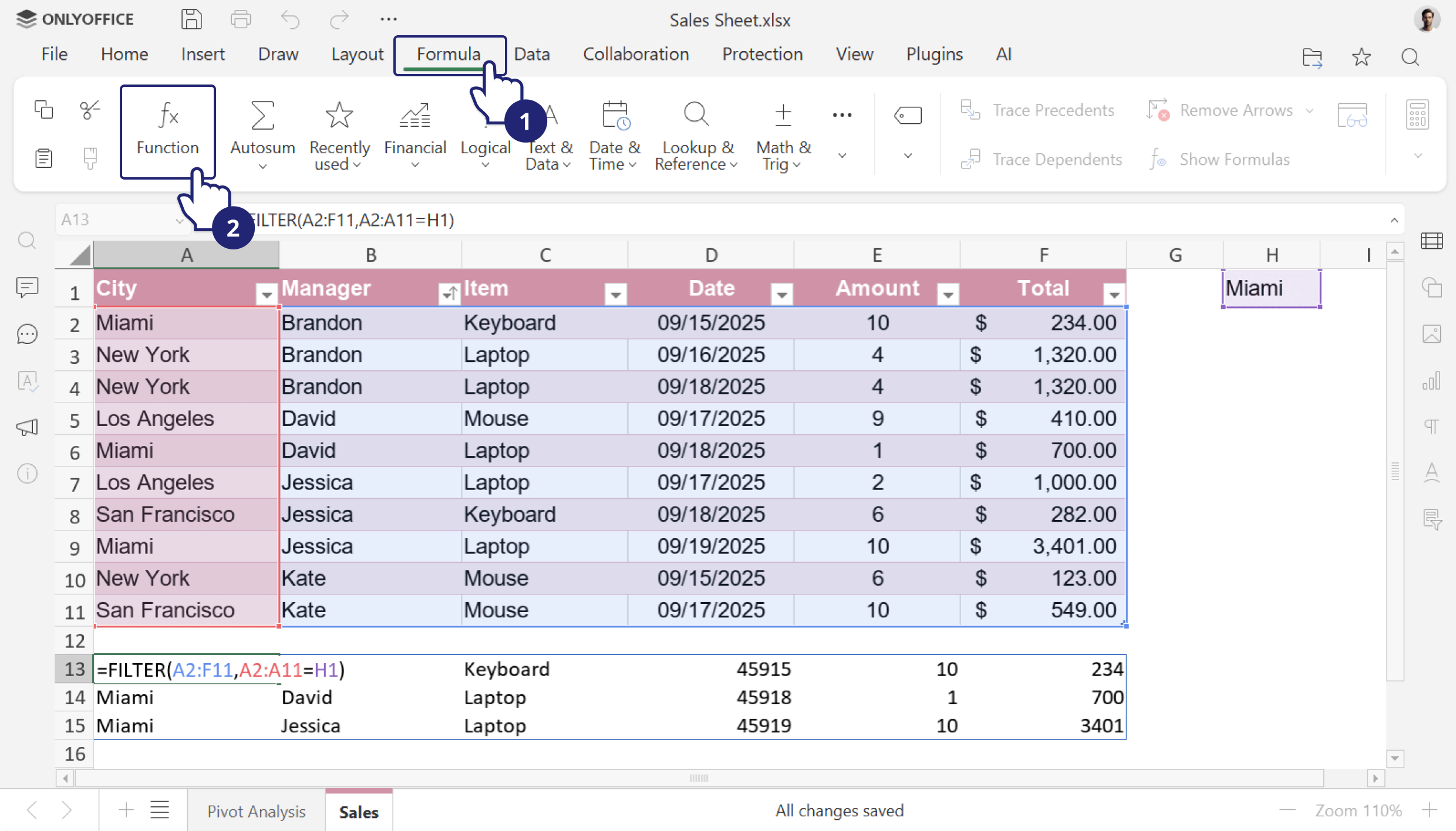
Dynamic array support. The introduced option allows formulas to return multiple results that automatically “spill” into neighboring cells. This supports modern spreadsheet practices.
New Format button. Easily access all the options for working with sheets, rows, and columns to streamline formatting.
Where to find: Home tab
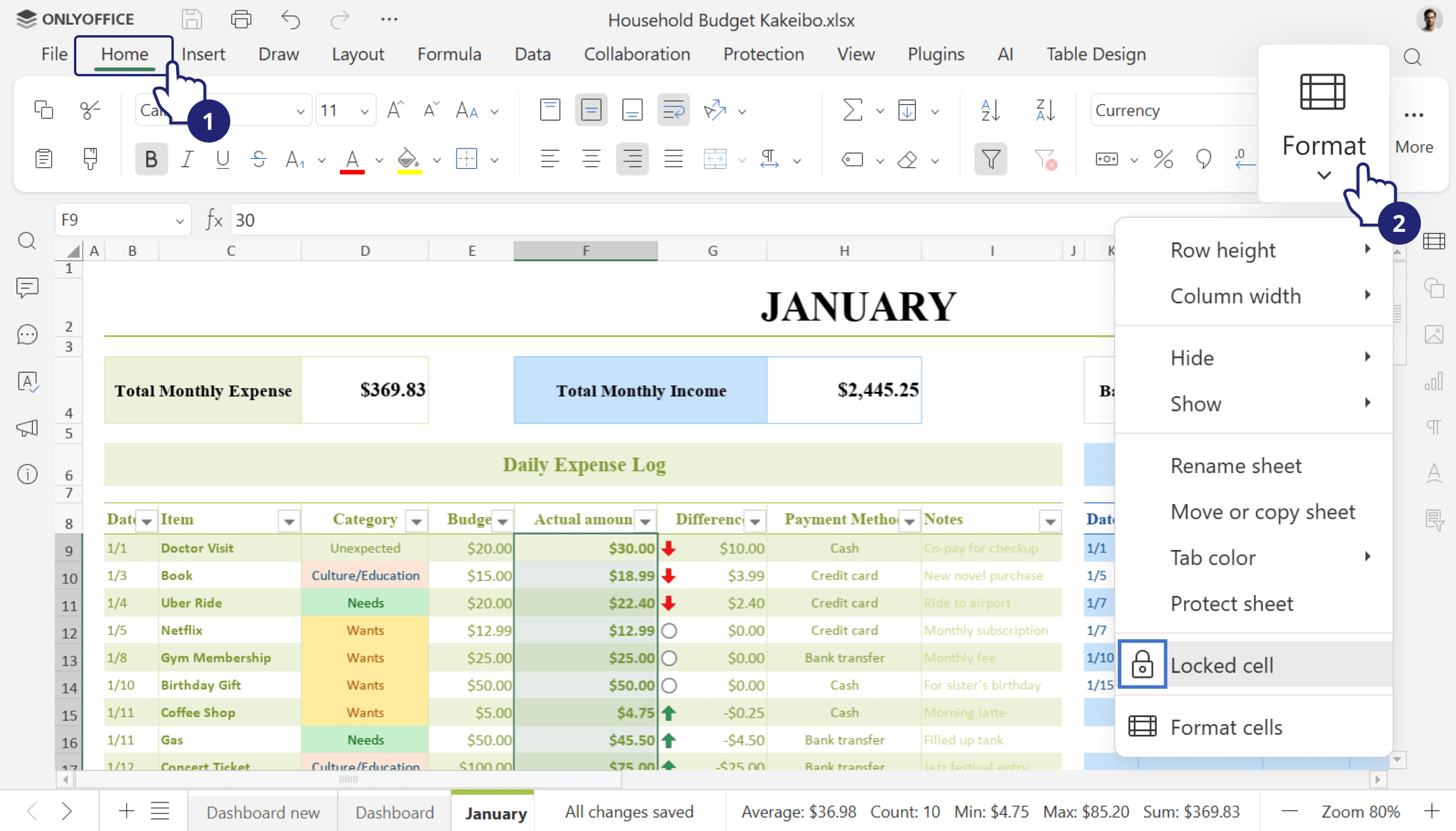
Explore these further improvements in the Spreadsheet Editor:
- Improved COUNTIF function with fixes for memory errors, calculation corrections, and resolution of issues with mixed data types;
- Ability to select multiple separators when splitting text into columns or pasting from the clipboard;
- Updated color of the resolved comment indicator for better clarity.
Presentation editor: Dynamic visuals
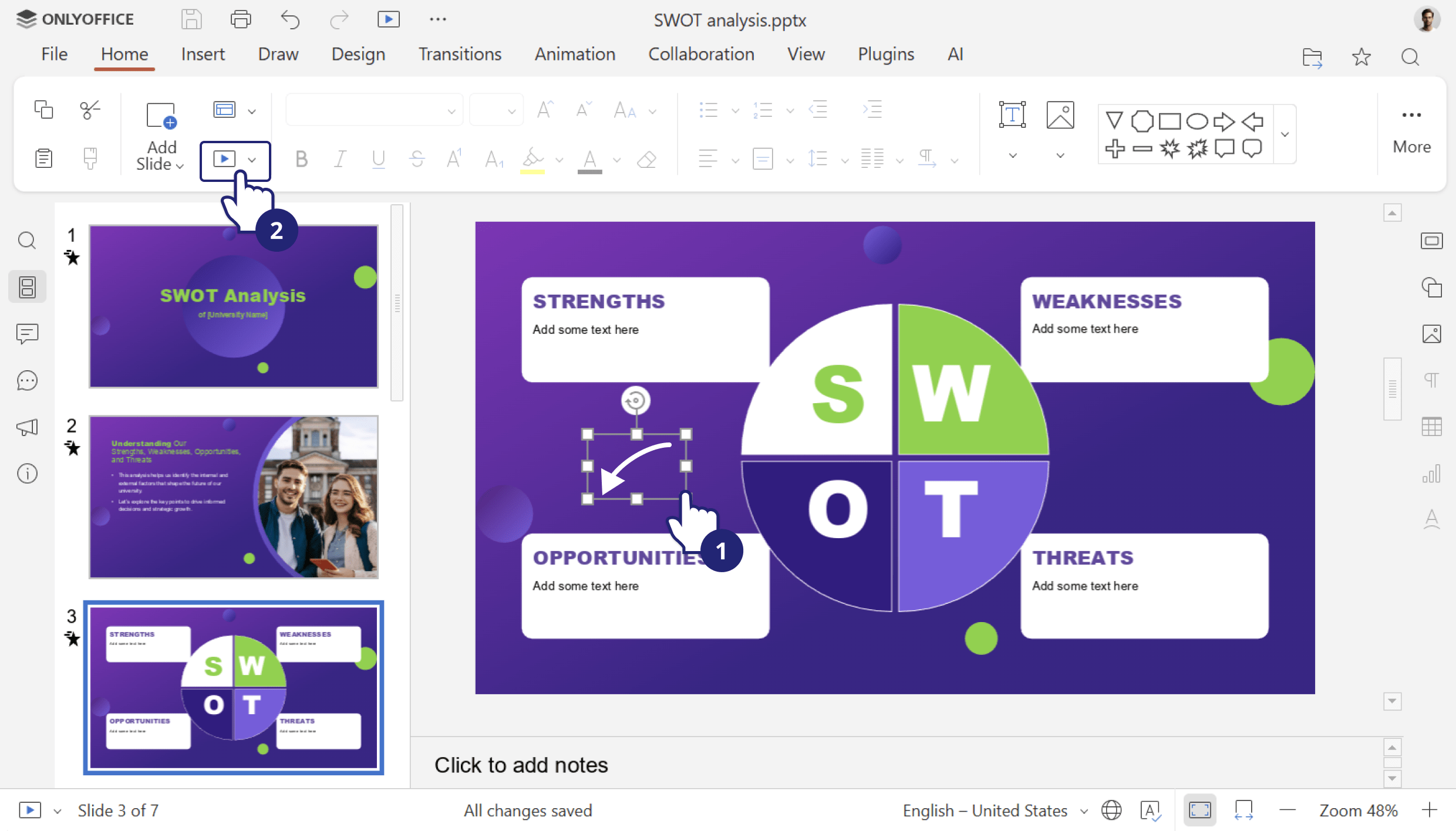
Presentations need to be engaging. To help you tell better visual stories, we’ve added support for GIF animations in slideshow mode. Your slides can now include dynamic motion without needing video players or external links.
Where to find: Slideshow
Further useful enhancements across the editors
There are also more useful improvements across the suite to enhance the overall user experience.
- Add hyperlinks to images, shapes, and groups in both documents and spreadsheets. This is ideal for creating interactive dashboards or documents with navigational elements.
- Enhanced macro recording: supports recording a wider range of operations with shapes.
- Save your files in .md format.
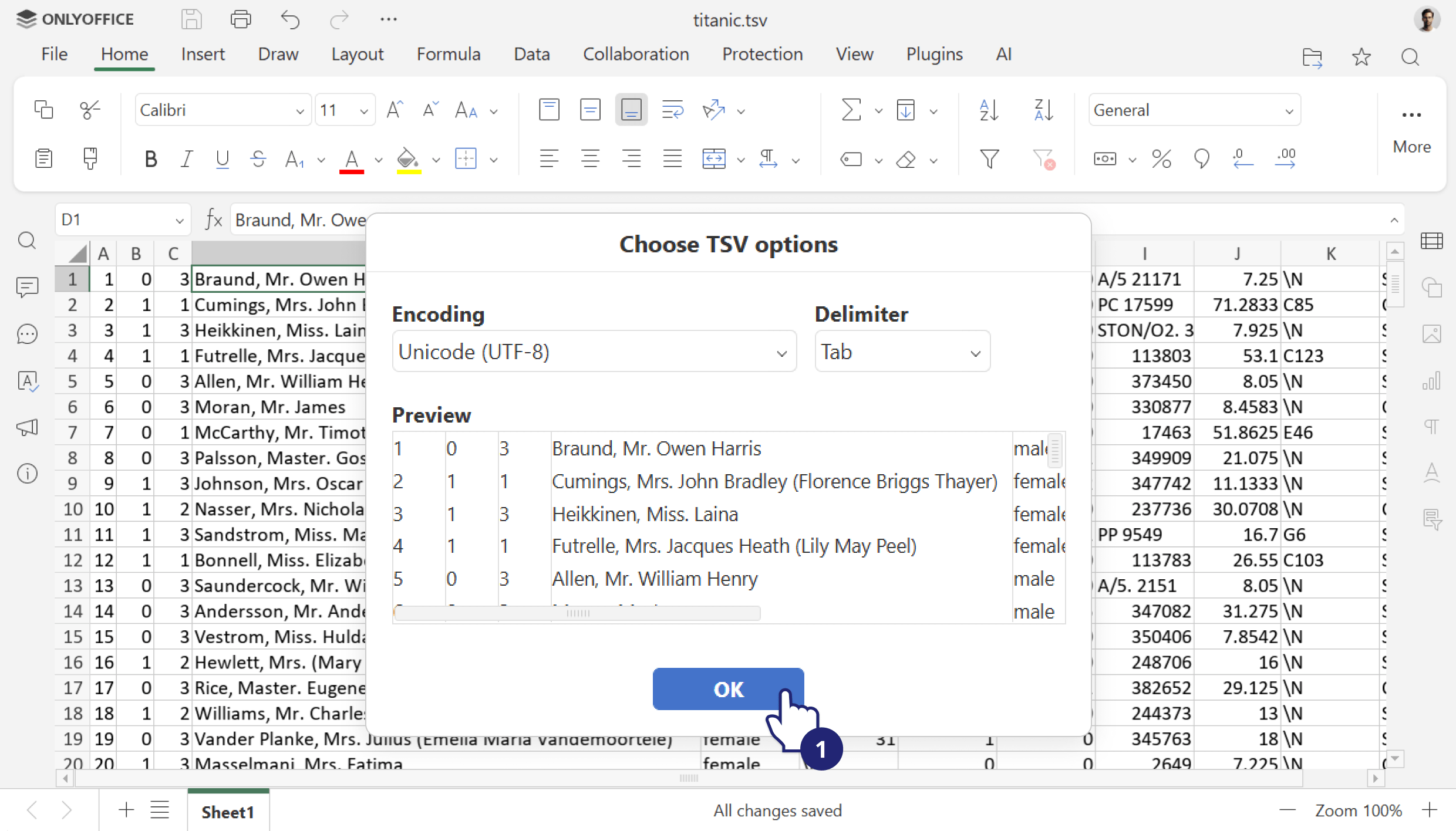
- Open TSV files (Tab-Separated Values) for viewing.
New settings in the Admin Panel
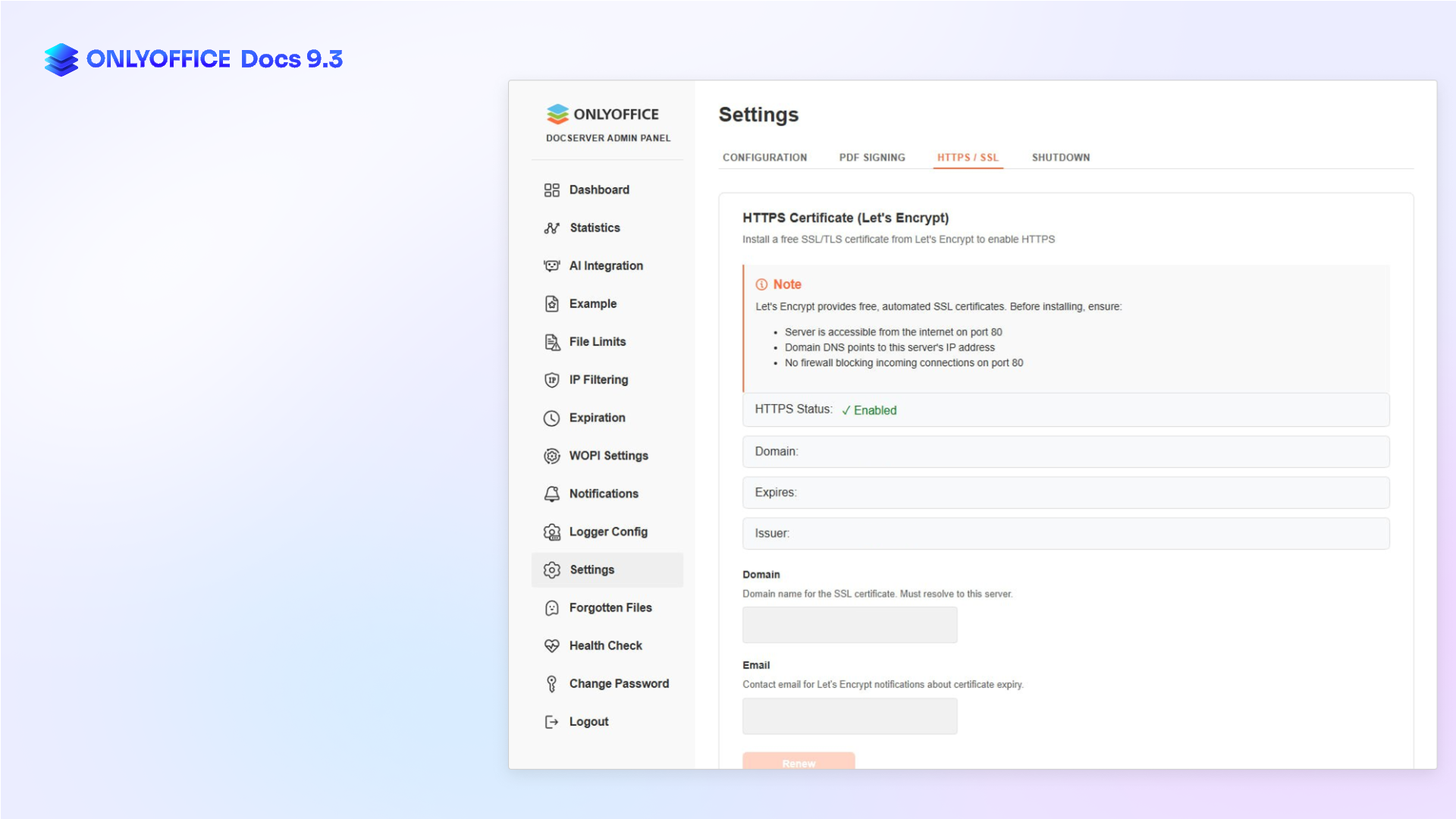
Last but not least, new settings in the Admin Panel are available for ONLYOFFICE Docs Enterprise admins, offering even more convenient instance management:
- complete the final server configuration in the designated window;
- execute the script to easily obtain the HTTPS certificate;
- quickly shut down the server;
- manage fonts, including the ability to upload custom ones;
- upload a license file with ease;
- access detailed data for individual tenants directly on the Statistics tab.
Shape the future of ONLYOFFICE with your ideas!
Share your thoughts, suggestions, and ideas on how we can improve our solutions and make your experience even better. Your input matters, so don’t hesitate to visit the platform and leave your suggestions today!
How to use new features
Watch our free detailed webinar to learn how to work with the new features:
Get ONLYOFFICE Docs 9.3
Download the self-hosted version of ONLYOFFICE Docs 9.3:
In the cloud solutions, the new version will be available a bit later. Stay tuned!
Create your free ONLYOFFICE account
View, edit and collaborate on docs, sheets, slides, forms, and PDF files online.


