ONLYOFFICE localization challenges: interview with Marija
Every button, menu command and tooltip in ONLYOFFICE has to work in many languages, and every release adds new text. ONLYOFFICE Docs 10.0 brought around 50 new features, a new name for DocSpace (ONLYOFFICE Apps) and a set of optional AI tools. All of it had to be translated, checked and kept consistent across the editors, the mobile apps, the Help Center and the website.
To see what this looks like from the inside, we asked Marija, who has handled localization at ONLYOFFICE since 2021, about long words and variables, the move to Weblate, working with AI tools and how volunteers can join in. Let’s discover how the localization team keeps one product consistent across up to 45 languages, and where AI is changing the work.
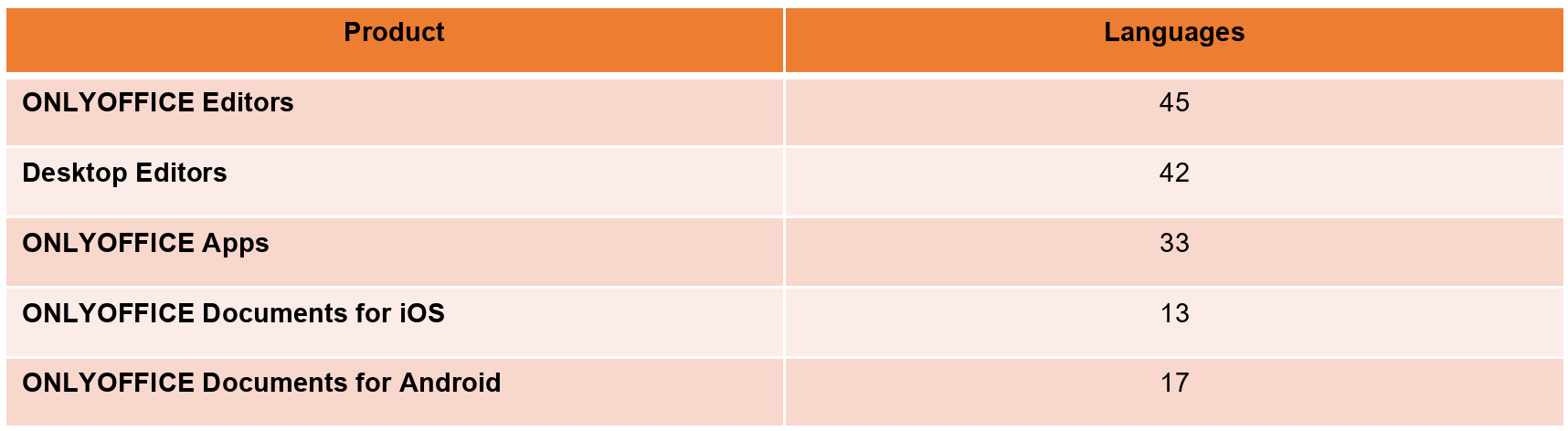
ONLYOFFICE interfaces at a glance
Number of interface languages by product.
About the interviewee
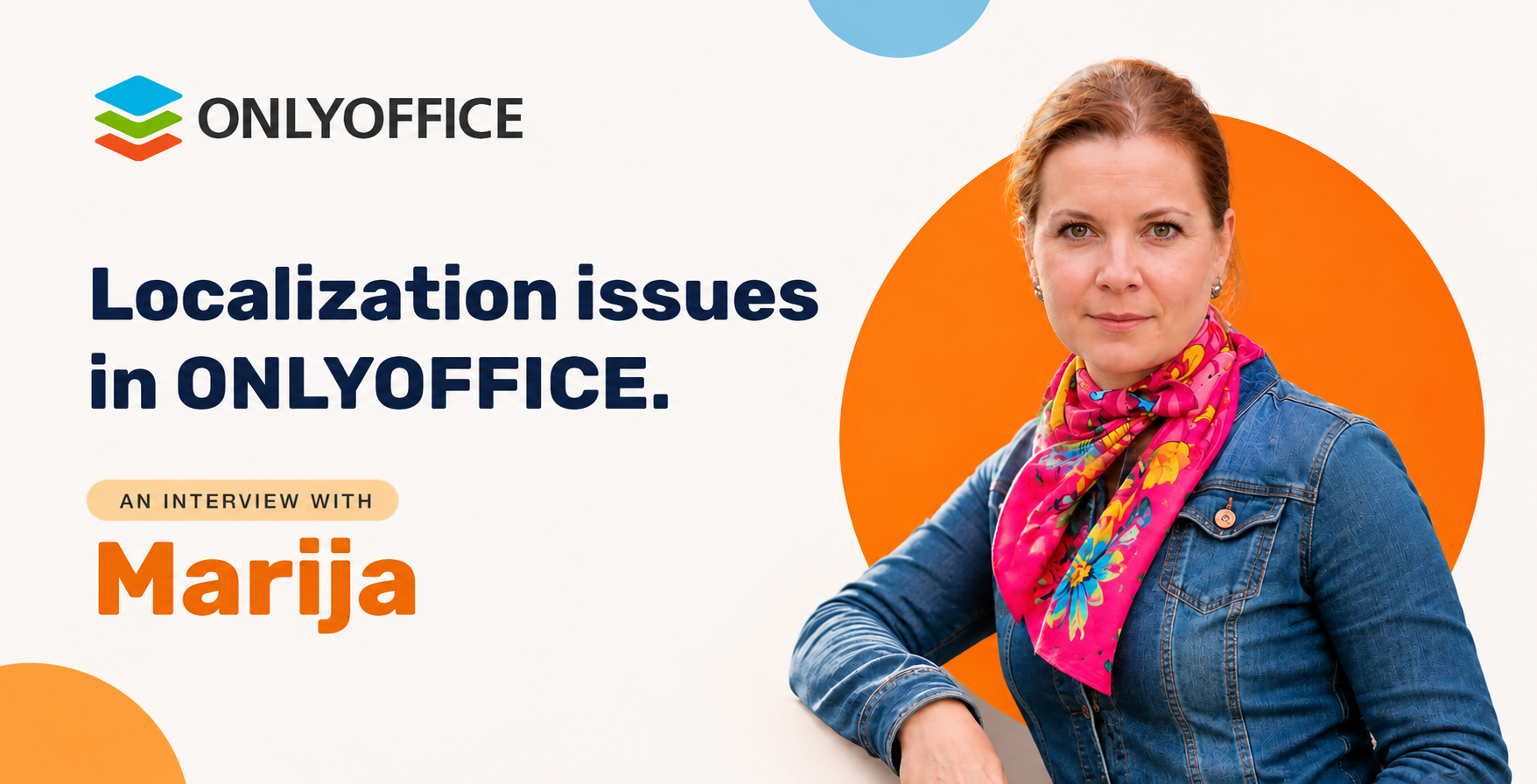
Marija has worked at ONLYOFFICE since 2021 and handles localization for almost every area of the project, including the editors, the mobile apps, the Help Center and the release notes. Before that, she spent many years working as a translator and with translators.
Getting to know
Tell us briefly what you do at ONLYOFFICE and how you got into localization.
I have been working at ONLYOFFICE since 2021. Before that, I had spent many years working as a translator myself and with translators, so I was familiar with most of the programs and tools needed at the time, and it was easy for me to learn formats that were new to me and to write translation briefs. Besides, at the start our developers helped me a lot with the finer points. Today I handle localization for almost every area of the project, now often with the help of AI.
How many languages are the products translated into now, and how many people are involved (team, volunteers, contractors)?
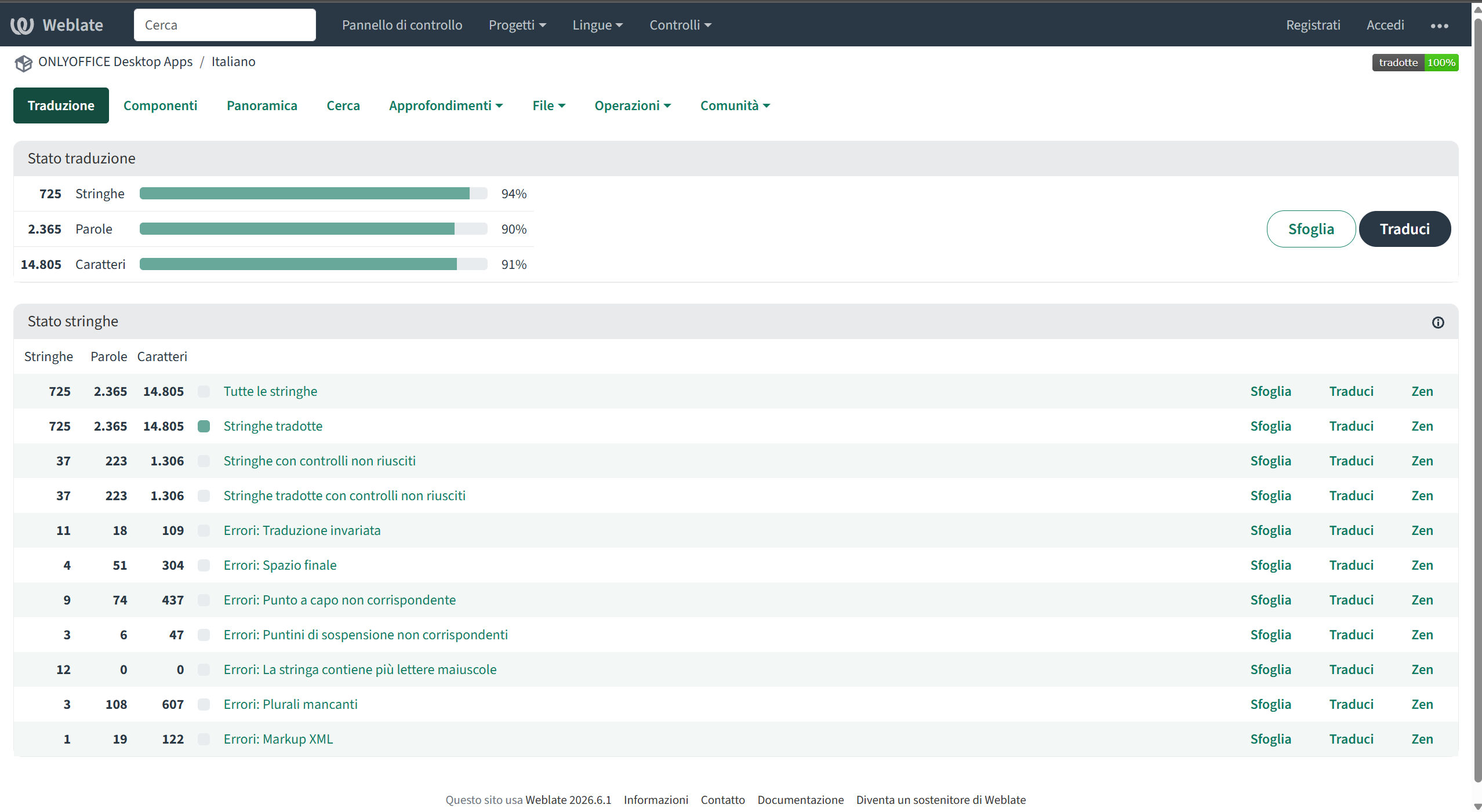
The ONLYOFFICE Documents app for iOS interface is available in 13 languages. The ONLYOFFICE Documents app for Android interface is available in 17 languages. The ONLYOFFICE Apps interface is available in 33 languages. The Desktop Editors interface is available in 42 languages, and the Editors interface is available in 45 languages. As for the people taking part in the translation projects, the previous translation system had more than 550 registrations. They include the team, partner representatives, freelance translators and volunteers. Not all of them were equally active all the time, but many did a great deal of work (Portuguese, Sinhala, Turkish). The new Weblate system has only just started filling up with accounts, but it has great potential.
What does your typical working day look like, especially before a release like 10.0?
New keys for different areas of the project appear all the time: features, their descriptions, menu commands and so on. I track when they appear and add translations. I also review and translate instructions for the Help Center and the mobile app stores, and I update the release notes. Developers, colleagues from our department, students and interns help me with this. The update process is practically continuous. That is why work is always especially intense before a release: keys are added, changed and edited at the same time based on test results and user recommendations, and I need to make fixes on the fly, sometimes ask for advice on particular phrases, and clarify the context in some cases.
Challenges & common problems
What is the most common localization problem that users don’t even suspect?
I think it is the length of the key text. While working, translators usually don’t think about how exactly a button or menu will look on the page or in an image; what matters most to them is the text. In fact, the source English phrases are relatively compact, flexible and allow abbreviations. But there are long and very long languages (for example, Albanian, Armenian or Hungarian). And there are often difficulties fitting the text into a button, a window or a line. The same difficulty arises when preparing descriptions, for example for the mobile app stores. The character limit is the same for everyone, but English fits more information, languages that use characters fit perfectly, while for the others we sometimes have to rephrase and shorten the texts. AI has made this easier, since you can ask it to rework a description without losing the meaning.
Think of a time when a translation “broke” the interface: a button didn’t fit, text was cut off, the meaning was distorted. What happened and how was it noticed?
It happens sometimes; mostly, requests to rephrase a fragment or change where its text is placed come from designers while they are preparing website updates.
Which languages are the hardest to work with and why: long German words, right-to-left writing, cases and plural forms, characters?
Long languages and languages with cases / inflection. Creating new keys is usually not a problem, but modifying keys is. Variables also lead to unusual situations. For example, there is a variable {aiagents} whose value is AI Agents. But when a phrase is built with it, languages with cases and some others get the wrong form, for example in Czech, the phrase “See {aiagents} details here” would appear with an error: “Zobrazte podrobnosti o AI agenti zde”. Removing variables also requires a new translation. That is why lately we have been trying to use fewer variables from the start. As for RTL, the main issues come up when preparing technical files, because English abbreviations, for example, make RTL phrases display as LTR. But once they appear on the page, they usually look right.
How do you make sure a feature has the same name in the editors, the help, on the website and in the mobile apps?
The best solution would be to bring all areas of the project together on one common platform with a single glossary and Translation Memory, because phrases sometimes repeat, for example in Desktop and the mobile apps, or in the iOS and Android mobile apps, to describe similar features. For now, these things have to be aligned by looking through different files in different repositories. It would be faster and more accurate if they were filled in with a 100% match across parallel projects, and in other cases a term from the glossary were suggested.
What was especially hard in 10.0? For example, how did you translate the new AI features and the renaming of DocSpace to Apps?
Indeed, renaming DocSpace to Apps was a challenge because of the sheer volume. We wrote a brief for AI to search for and find occurrences, also searched through the areas separately and reviewed test pages. On the other hand, since these are original names that stay untranslated, in most cases they did not cause trouble with languages that have cases. As for the AI tools, there is still debate about whether to translate the abbreviation AI and related terms, and the glossary is being sorted out.
What we tried and what worked
What did you try and give up on? What did that teach you?
We replaced the project’s previous translation system with Weblate, a more modern system with built-in AI that is open to more specialists. We started using and developing it actively not long ago, but it is already proving effective. Also, for translating Help Center articles (for example, articles on connectors), we used to rely heavily on Trados, which not everyone had access to. Today, such articles can be translated using AI.
How do you check translation quality before a release?
For checking the text, it works best to use AI, for example Claude: you write a brief for an area of the project as a whole, and the service checks terminology and links and suggests fixes to word order, punctuation or typos. But a human proofread of the page in test mode is also important. That way you can spot subtle flaws, rephrase fragments to be more readable and natural, and see inaccuracies in images or on buttons.
Which decision or process change had the biggest effect?
Without a doubt, the rapid development of AI. For example, in the large DocSpace (Apps) project, testing for completeness and possible errors has been handed over to AI, which lets us find the right key right away and apply the suggested fixes. In Weblate, we have set up faster transfer from the system to the relevant repository, which will let new translations for features and commands appear in the interfaces sooner.
Community and volunteers
Have there been cases when the community suggested a better option than a professional translation?
Lately this has mostly been about whether to translate the abbreviation AI and related terms. There are established options: for example, we write KI for German, MI for Latvian, and so on. For some languages, people suggest not abbreviating at all and writing the term in full, and for Ukrainian it was the community that chose AI after all, since ШІ, suggested by some sources, seemed less suitable for a technical field.
How do you settle translation disputes when native speakers disagree?
In that case, you can look at how a similar feature is translated, for example in other products or projects, look at how frequently each option is used, or ask for a third opinion.
Are there languages that rely on one or two enthusiasts? What happens if they leave?
This has happened with Albanian and Urdu… When native speakers of these languages dropped out, we used AI (sometimes with back-translation: for extra reliability, we translate with Claude and then check in the opposite direction with Tarjama). Since the languages are already built into the project, we cannot stop adding them, or the projects won’t pass tests. Perhaps new volunteers will turn up soon. Many users suggest improvements by email or send requests directly on GitHub. We try to pay close attention to such requests and make the necessary fixes, because feedback and our response to it are very important.
AI in localization
Do you use machine translation or language models? Where do they help, and where is it better to do without them?
Yes, we use AI services, for example Claude, Tarjama for Arabic, and OpenAI helps in Weblate. They work best on relatively short text keys, for describing buttons or features, and do quite well with translating instructions. As for website pages or blog articles, AI translations still need proofreading, because they often look too technical and not quite “alive”, they come across as unnatural, and the creative element is lost.
How do you think a localizer’s work will change in a couple of years?
The changes are already happening. Processes have sped up, and for translators of written texts the key skills are now quickly finding the right term, finding their way around formats and using the available tools for them competently.
Marija:
Going forward, I think the translator will act more as an editor, that is, improving, adapting and humanizing the translations they receive.
Advice and final thoughts
What would you advise an open-source project that is just starting to translate its product?
Try to bring all areas of the project together on one platform from the start, because if they are spread across different repositories, each requiring separate access, it is harder to align terminology and the work takes longer.
What one localization mistake would you ban forever?
Ignoring context. Even for a short command, you should look at how it is used and at neighbouring phrases in the same menu, for example, to avoid inconsistencies (infinitive vs. imperative, capitalization).
What are you missing: languages, people, tools?
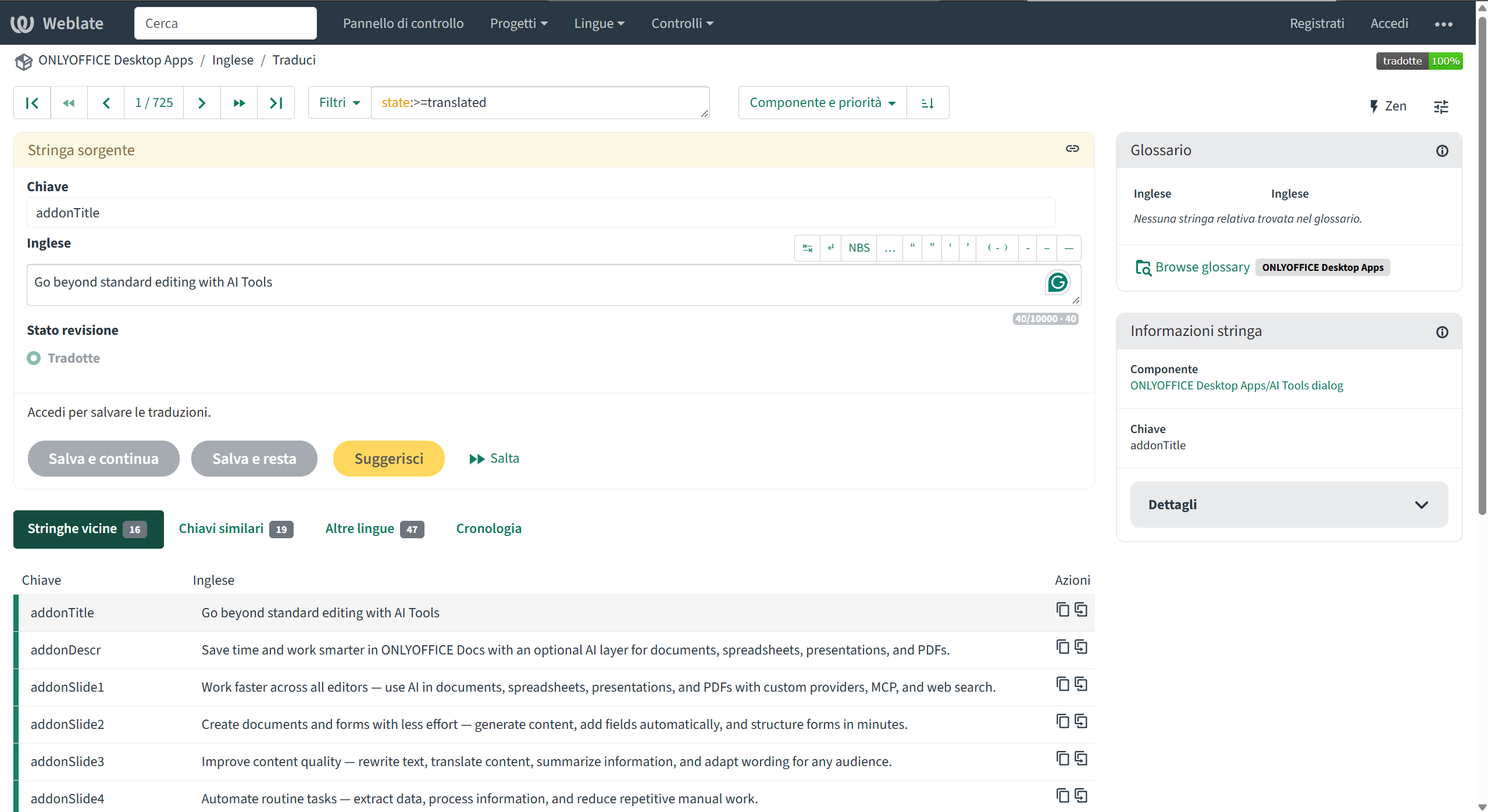
The translation system currently has many translations into various languages that were started but not continued. Partners help us with some of them, and for the rest we would be glad to have volunteers take part. Joining us is easy: just write to us and register an account on Weblate, and start translating in “Suggest” mode.
How can readers join the ONLYOFFICE translation effort?
Anyone can contribute to ONLYOFFICE translations. We especially welcome contributions by ONLYOFFICE users. The only requirement is a good knowledge of English and writing fluency in another language. Interface translations are done in ONLYOFFICE Weblate, a web-based translation platform. No software needs to be installed — everything is done in the browser. The translator can submit a request at documentation@onlyoffice.com, register an account on Weblate and get started.
Conclusion
Localization is easy to overlook when it works: the right word on the right button in the right language. The interview shows how much sits behind it: text that must fit into small spaces, variables that break grammar, terms that must stay the same across editors, Help Center articles and mobile stores, and a community that sometimes knows better than any glossary.
Two trends run through the answers. One is consolidation: a single platform with a shared glossary and Translation Memory, which Weblate now makes possible to build. The other is AI, which already checks terminology, drafts instructions and helps with languages that have fewer contributors, while human proofreading remains essential and the translator’s role moves toward that of an editor.
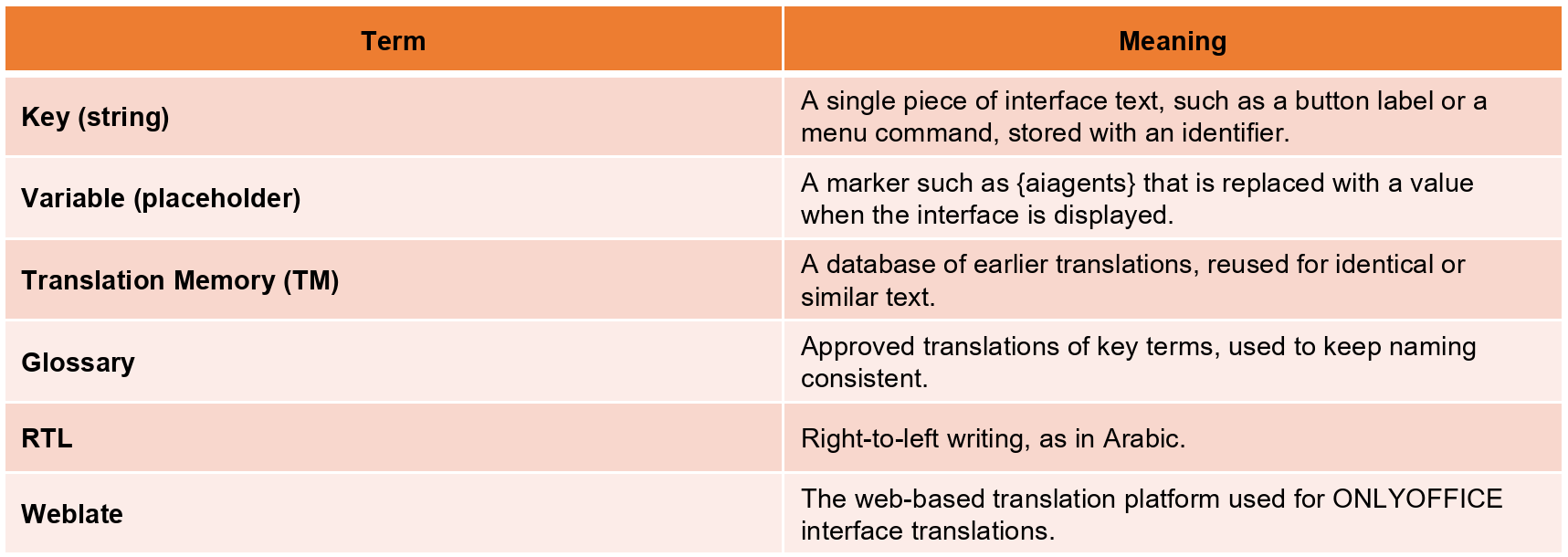
Quick glossary
Create your free ONLYOFFICE account
View, edit and collaborate on docs, sheets, slides, forms, and PDF files online.