How ONLYOFFICE Docs and Moodle streamline the cloud-based review and assessment of student assignments at the Open University of Israel
The Open University of Israel, one of ten public universities in the country, integrated ONLYOFFICE Docs into its Moodle-based e-learning platform to improve learning workflows and enable a seamless cloud-based process for reviewing and assessing student assignments. Roy Yarkoni, Head of the Technological Development Unit at the Shoham Center, tells us about why they created a custom solution based on the ONLYOFFICE and Moodle integration and what challenges it solves.

About the Open University of Israel
Founded in 1974, the Open University of Israel is one of the largest and most innovative academic institutions in the country, with more than 47,000 students enrolled in undergraduate, graduate and PhD programs across diverse disciplines available in Hebrew, English and Arabic.
As a forerunner in distance education, the university is famous for its flexible and accessible learning model, combining high-quality digital course materials, advanced online learning environments and optional face-to-face sessions. This approach enables students from all backgrounds to study at their own pace, regardless of location or prior academic requirements.
Key challenge: an outdated assignment management system
At the Open University of Israel, the learning model is based on continuous assessment through assignments, which constitute a significant part of the final grade. To support this model, the Shoham Center (Center for Educational Technology), the university’s unit responsible for innovation in distance learning, develops its own e-learning environment called Smart OPAL and built on top of a dedicated Moodle branch.
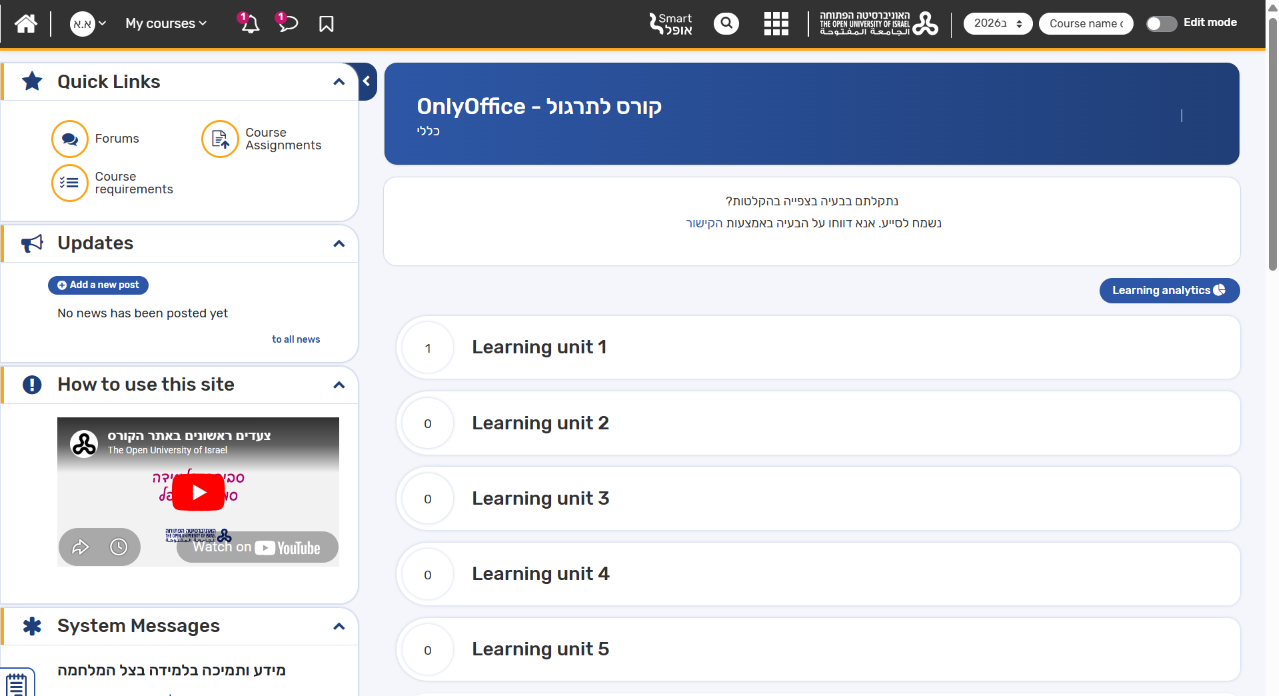
The Smart OPAL platform supports online assignments and contributes to the self-paced learning approach, encouraging independent study as well as reflection throughout the student’s progress in each course.
However, the university’s assignment management system was originally developed a long time ago and eventually became outdated. In 2023, the university therefore decided to develop a new assignment management system within its Moodle-based environment.
Key requirements
Based on faculty members’ feedback, the new assignment management system would have to meet the following criteria:
- Ability to review and assess Word documents without compatibility issues;
- Cloud-based access without the need to download and re-upload files;
- Support for right-to-left (RTL) languages.
Initially, the Shoham Center team explored integration with Microsoft Office but found it to be quite complex, so they continued looking for a more efficient solution.
Why ONLYOFFICE
In 2023, Roy Yarkoni, Head of the Technological Development Unit at the Shoham Center, visited MoodleMoot Global 2023, held in Barcelona, Spain. At the event, he came across the ONLYOFFICE stand and discovered the ONLYOFFICE and Moodle integration. He immediately recognized its potential as the right solution for their assignment management needs due to the following benefits:
- Native compatibility with DOCX documents;
- Cloud-based and self-hosted deployment for browser-based document editing;
- Ready-to-use plugins for Moodle.
However, there was a serious stumbling block as the ONLYOFFICE editors didn’t support right-to-left (RTL) languages at that time. The situation changed with the release of version 8.0 at the beginning of 2024, which brought RTL support to the ONLYOFFICE open-source suite.
Once the missing feature was introduced, the Shoham Center team proceeded with embedding the ONLYOFFICE editors into their custom assignment system within Moodle. Since the standard ONLYOFFICE integration didn’t fully meet their specific use case, they decided to develop their own custom solution based on ONLYOFFICE and Moodle. The new solution was developed in collaboration with Devlions, a company specializing in the development and support of Moodle-based environments.
How the custom integration works
The new system based on the ONLYOFFICE and Moodle integration facilitates the review and assessment of student assignments, increases student engagement and perfectly aligns with the university’s self-paced learning model. The process is straightforward:
Step 1. A student uploads a Word document assignment.
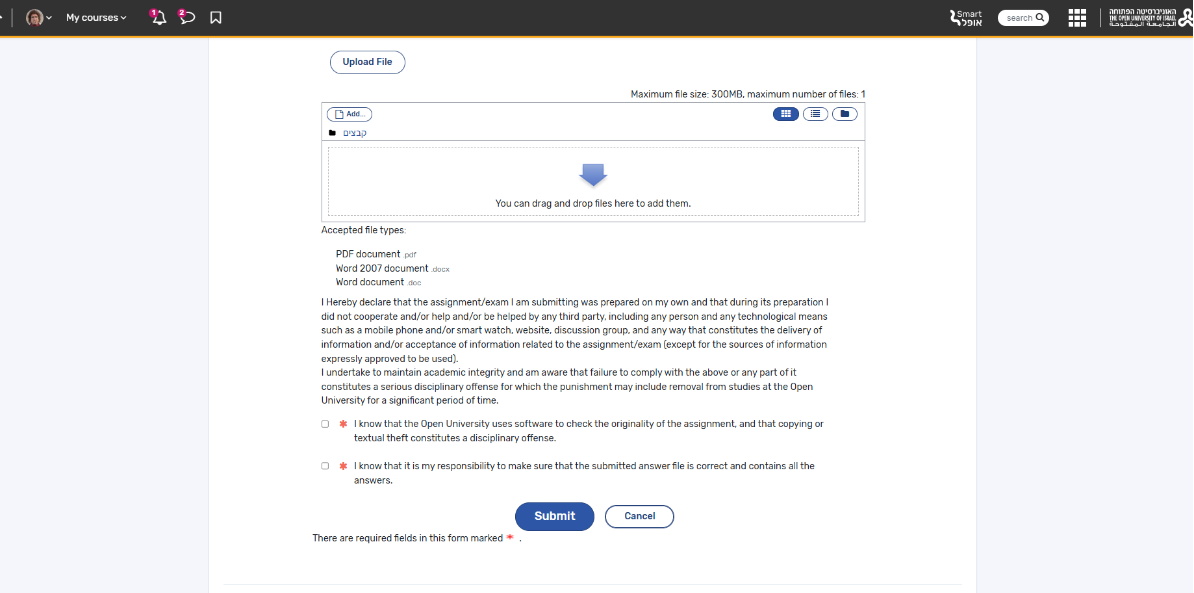
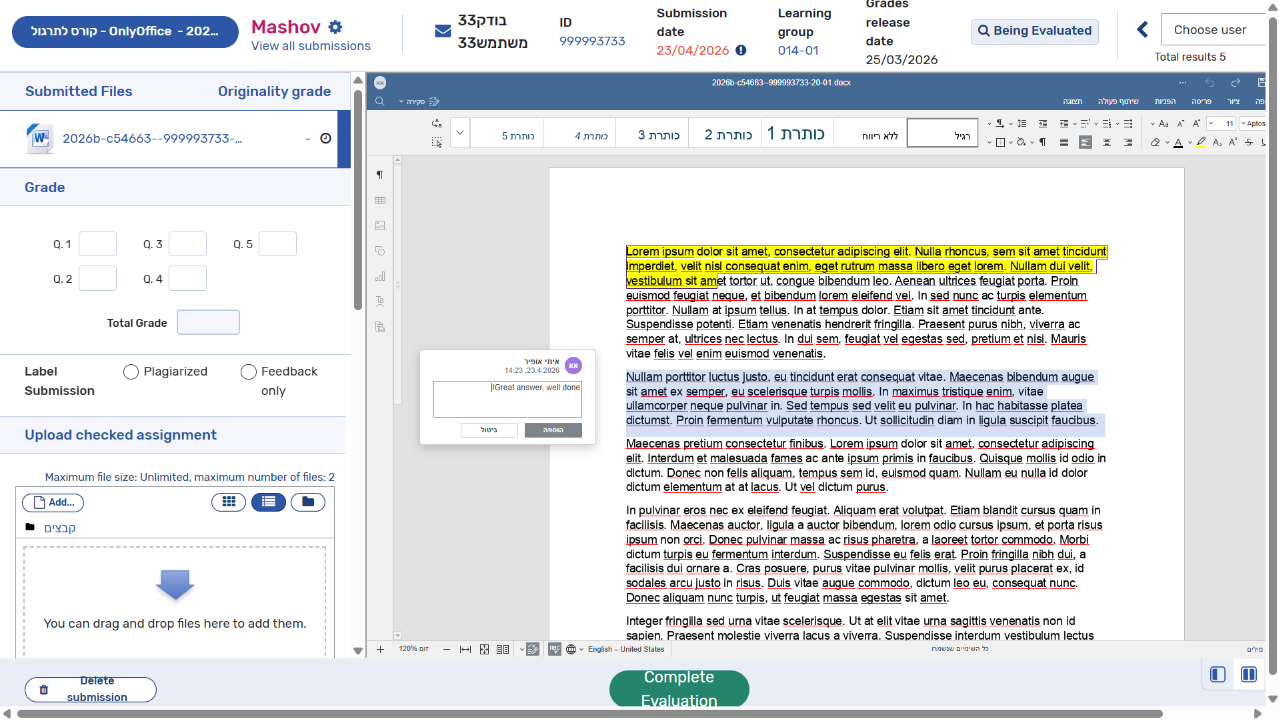
Step 2. The instructor opens the submitted assignment, assesses the student’s work and completes the evaluation process.
Step 3. The student receives the evaluated assignment.
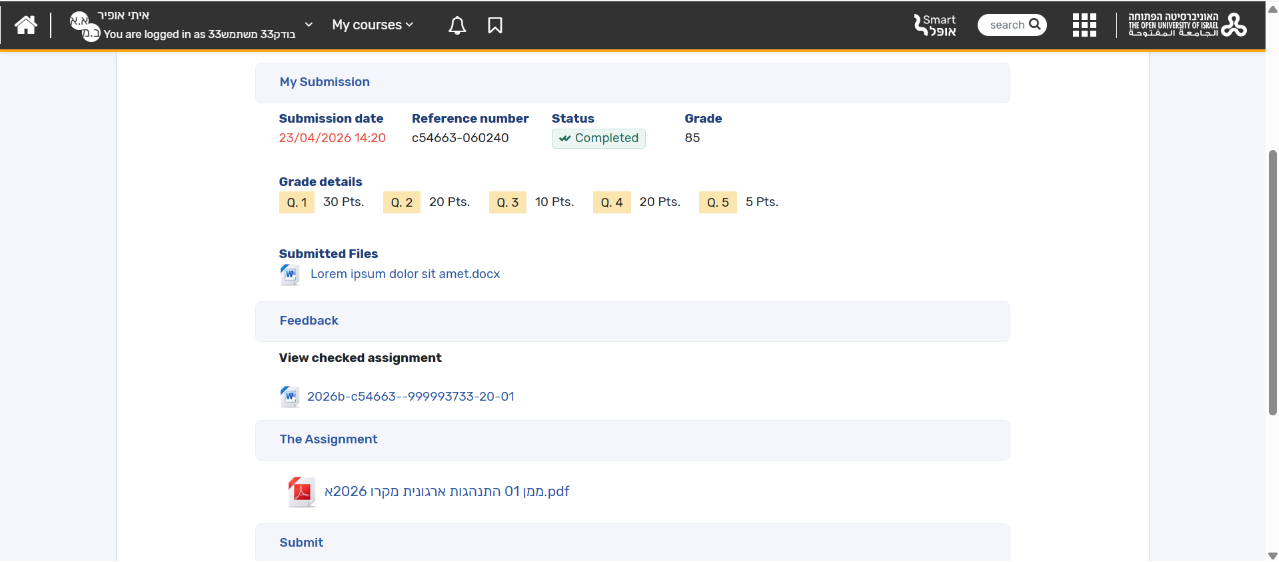
As a result, there is significant time-saving and better assessment process organization for instructors while students can enjoy total compatibility with Word documents and work with their assignments online with the tools they are used to.
Roy Yarkoni:
The integration of ONLYOFFICE significantly improved our workflow and enabled a seamless cloud-based process for reviewing and assessing student assignments.
Get ONLYOFFICE for your Moodle platform
Does your university or school need efficient tools for document editing, real-time collaboration and assignment management within the Moodle platform? Integrate ONLYOFFICE Docs with your LMS and find out how this integration can make a difference for your educational workflow:
Useful links
ONLYOFFICE plugins for Moodle: Document / Assign Submission / DocSpace
How Collège-Lycée Sacré Cœur de Taravao uses ONLYOFFICE and Moodle
Updates for Moodle plugins and other connectors: October 2026
Create your free ONLYOFFICE account
View, edit and collaborate on docs, sheets, slides, forms, and PDF files online.