PDF workflows without Adobe: Everything you can do in ONLYOFFICE
Summary
ONLYOFFICE provides a comprehensive solution for managing PDF workflows without the need for Adobe. Users can edit, annotate, build forms, collaborate, and ensure document security all within the ONLYOFFICE suite, making it a versatile alternative for handling PDFs efficiently and effectively.
- Edit text, images, and formatting directly.
- Annotate PDFs with comments and highlights.
- Build and collect forms seamlessly.
- Collaborate in real time with team members.
- Ensure document security with redaction and password protection.
We’ve all had that moment. A PDF lands in your inbox, and you need to change just one thing. A date. A name. A single box that needs ticking. But the file won’t budge. So you print it, scribble on it, scan it back in, and email it like it’s 2004. Or you go hunting for a tool, and the first decent one you find asks for your credit card before it lets you do anything.
We show you how to skip that whole ritual. You can run your entire PDF workflow inside ONLYOFFICE, including editing, annotation, forms, collaboration, and security, with no specialized PDF subscription involved.
The PDF frustration most teams know
PDFs quietly run the working world. Contracts, invoices, reports, policy documents, onboarding paperwork – if it needs to look the same on every screen and stay put, it’s a PDF. The format is built to stay fixed, which is wonderful, right up until the afternoon you need to change something.
Most teams bump into the same three headaches:
- You can’t edit it. A PDF arrives, and there’s no obvious way to fix a single typo.
- Form returns are chaos. You send out a form and get back a messy pile of scans, phone photos, and “is this the right version?” emails.
- Review turns messy. A few people need to comment on one document, and somehow you end up with five copies and a forty-message email thread.
Each one quietly eats time and breeds confusion. The good news: all of it can happen in one place.
What is ONLYOFFICE?
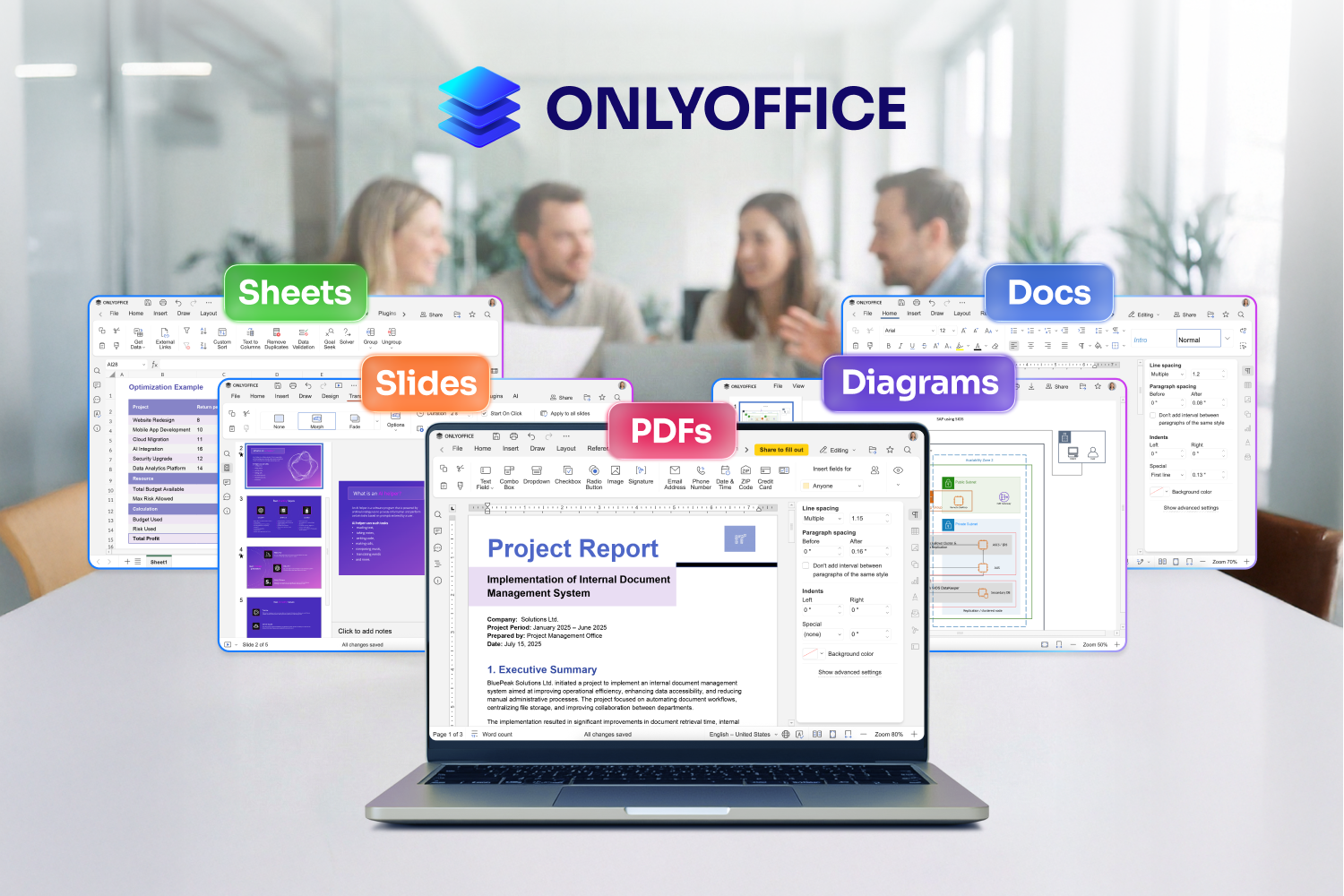
ONLYOFFICE is an open-source office suite which comprises documents, spreadsheets, presentations, and PDFs, all under one roof. The PDF Editor is part of ONLYOFFICE Docs, so there’s no separate app to launch or learn. The same place you’d write a document or build a spreadsheet also opens, edits, and creates PDFs.
It works wherever you happen to be when that awkward PDF shows up: on desktop (Windows, Linux, macOS), in your browser, and on mobile.
Edit PDFs directly
The first thing people assume is off-limits with a PDF turns out to be the most useful: editing the content itself.
With ONLYOFFICE, you can:
- Change text directly, such as fix a typo, update a figure, or reword a sentence
- Add, swap, and resize images
- Adjust formatting like fonts, sizes, and alignment
- Drop in hyperlinks
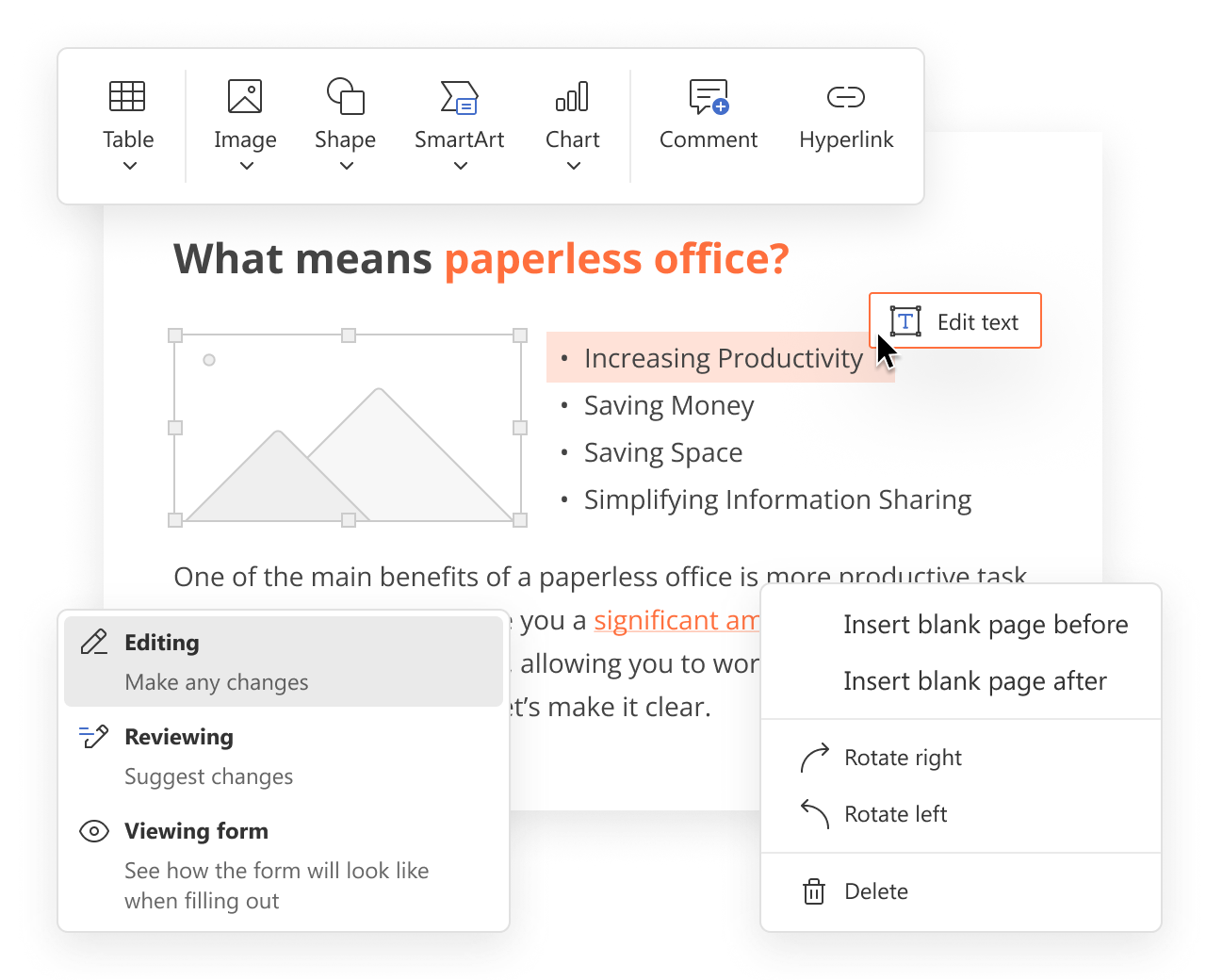
So when a contract turns up with the wrong date or address, you simply fix it yourself. No awkward “could you resend that?” email required.
Annotate and review
Feedback on PDFs often still travels by email: “notes attached,” a second document, yet another tool. You can skip all of that.
Right inside the PDF, you can:
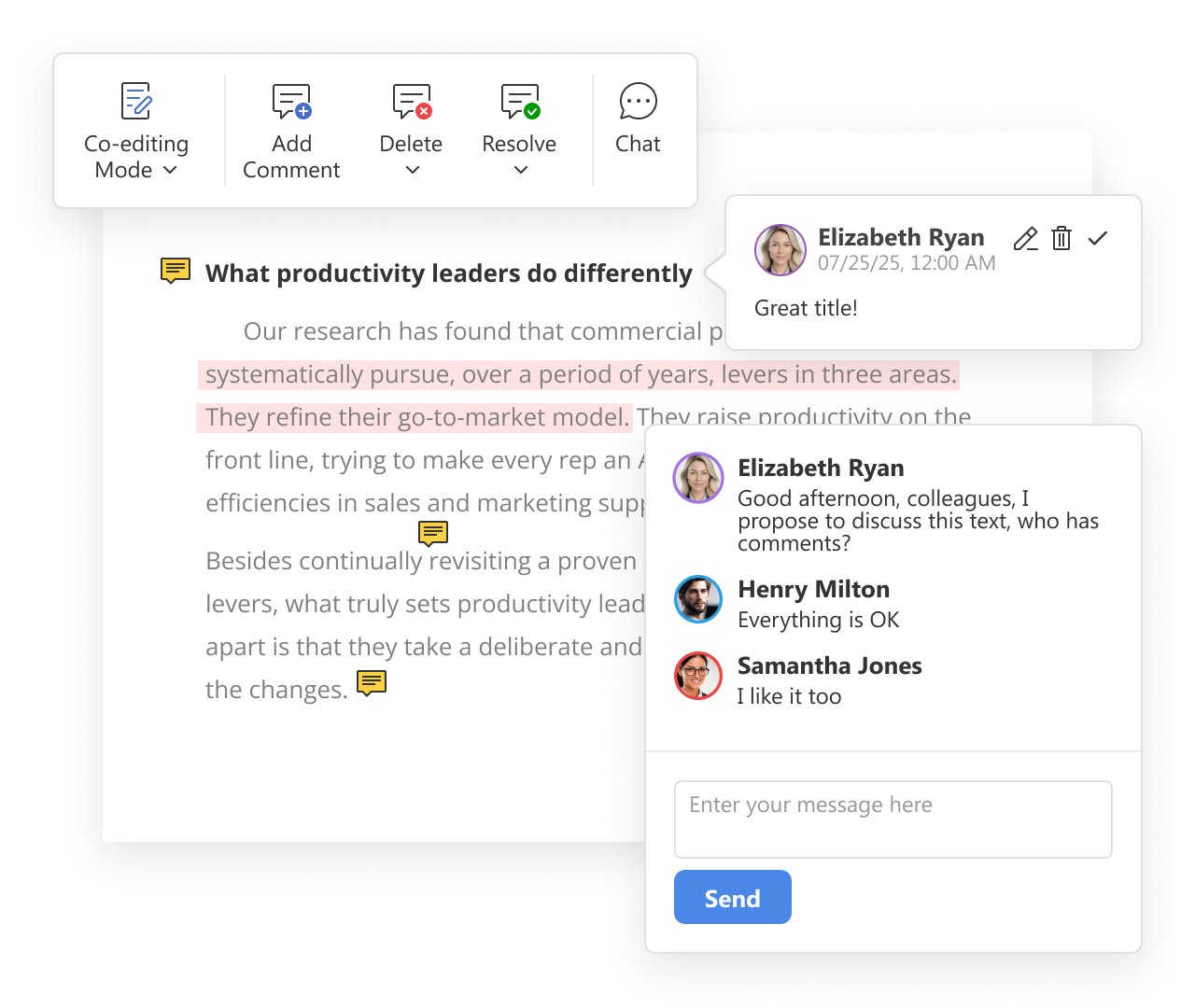
- Leave comments, sticky notes, and callouts
- Highlight, underline, or strike through text
- Draw shapes and freehand marks
- Reply to comments and resolve threads
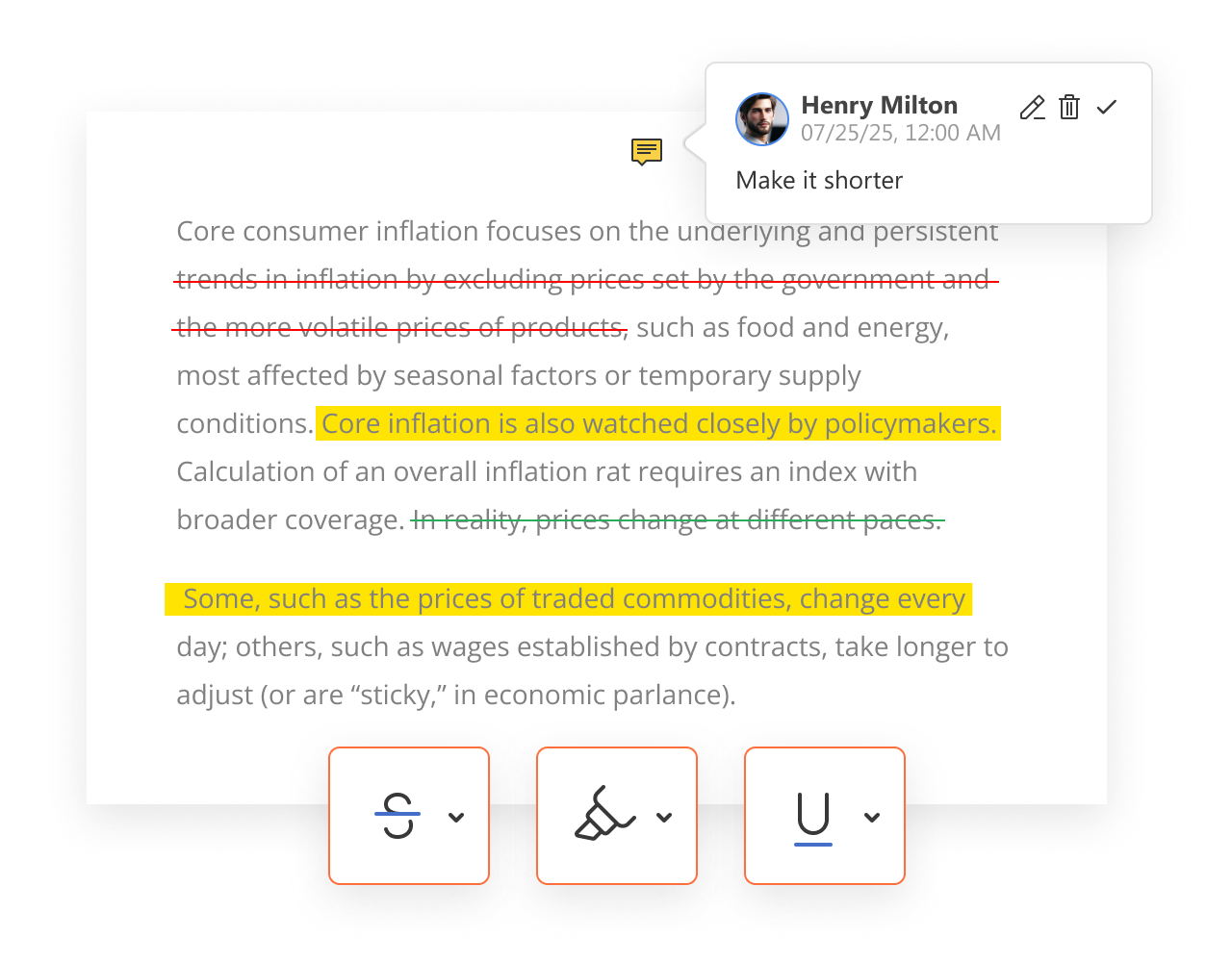
Because the discussion sits right next to the thing it’s about, nothing gets lost. And it all stays intact when you share or export the file.
Build, fill, and collect forms
Forms are the part of PDF work that saves the most time. There are really three jobs here: building a form, filling one in, and collecting the responses.
Building a form. You have three ways to start:
- Begin from an existing .docx document
- Grab a ready-made template from the ONLYOFFICE library
- Build from scratch
Then you drop in the fields you need, e.g. text fields, dropdowns, combo boxes, radio buttons, checkboxes, signatures, etc. Mark the required ones, and add formatting like a date mask so everyone enters dates the same way.
Filling a form. This is the easy part: open the form, complete the fields, save, and send.
Collecting responses. Instead of emailing a form and getting back a heap of scans, you can share it through a Form filling room in ONLYOFFICE DocSpace and gather every completed copy in one place. You can also assign roles, so each section reaches the right person. It’s handy when one part needs an employee to fill it in and another needs a manager to sign off.
Manage pages
A small feature that punches above its weight: page management. In the page panel, you can:
- Reorder pages by dragging them into place
- Delete the pages you don’t need
- Rotate pages to rescue a sideways scan
- Pull in pages from another PDF
So when a proposal arrives with its sections in a creative order and a stray blank page, you can tidy it up yourself – no need to bother whoever sent it.
Collaborate in real time
Everything above works when you’re on your own. It also works beautifully as a team.
- Share a PDF straight from ONLYOFFICE with view or comment permissions
- Let several reviewers mark up the same document at the same time
- See who said what, and when
- Export one clean, final version when the dust settles
No more chasing the “latest” copy across inboxes.
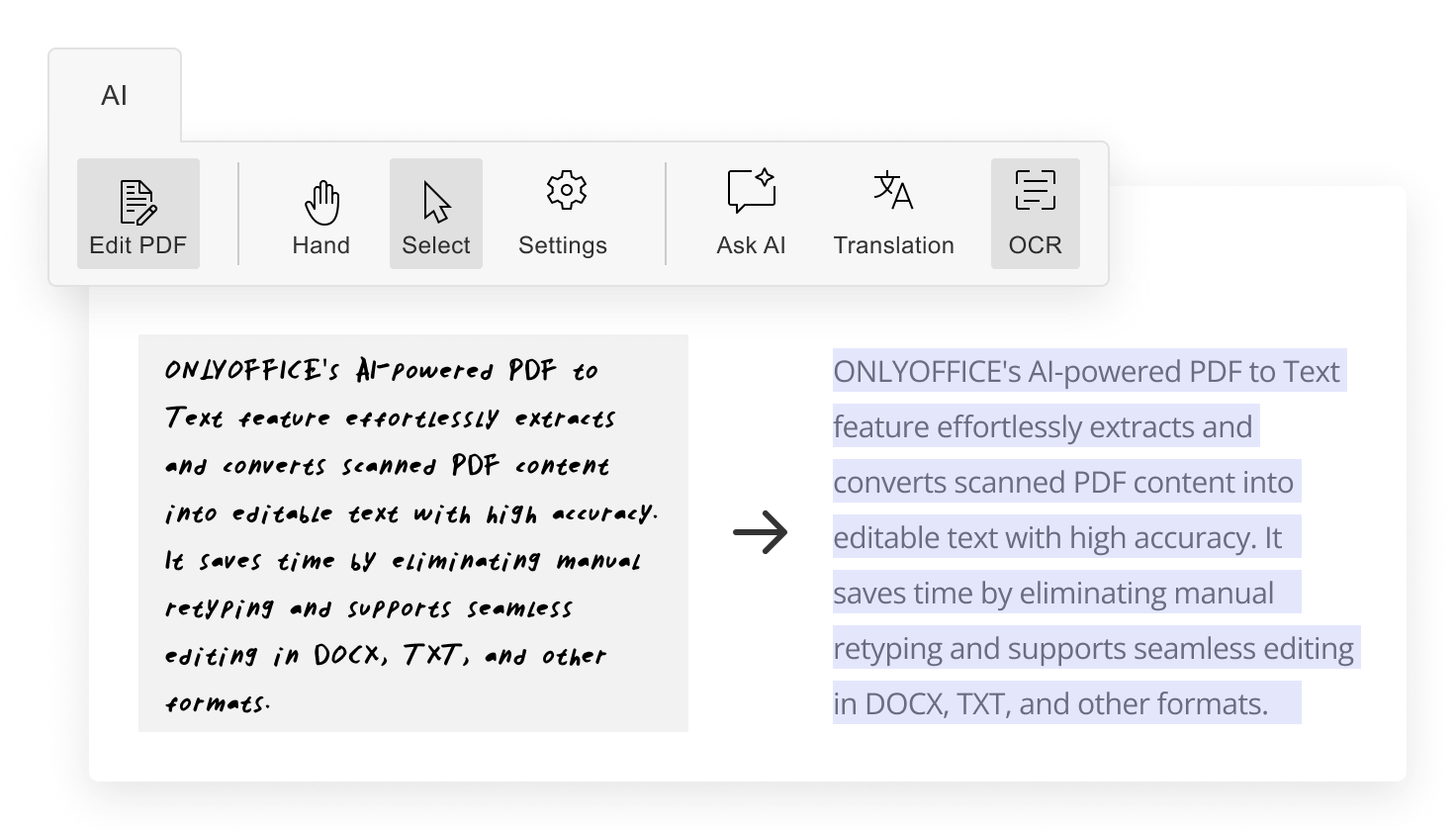
OCR for scanned PDFs
Sometimes a scanned PDF is secretly just a photo of text. Selecting it does nothing, and retyping it by hand is nobody’s idea of fun.
ONLYOFFICE lets you connect an AI assistant, and the feature that really earns its keep for PDFs is OCR (optical character recognition). OCR reads the page and turns that image into text you can select, search, and edit.
A couple of quick things worth knowing:
- For PDFs, OCR runs through the AI plugin, so you connect a model that handles visual analysis.
- The plugin is free. Depending on which AI provider you choose, that provider may charge for usage.
Security
If you work in finance, legal, HR, or healthcare, this section matters most.
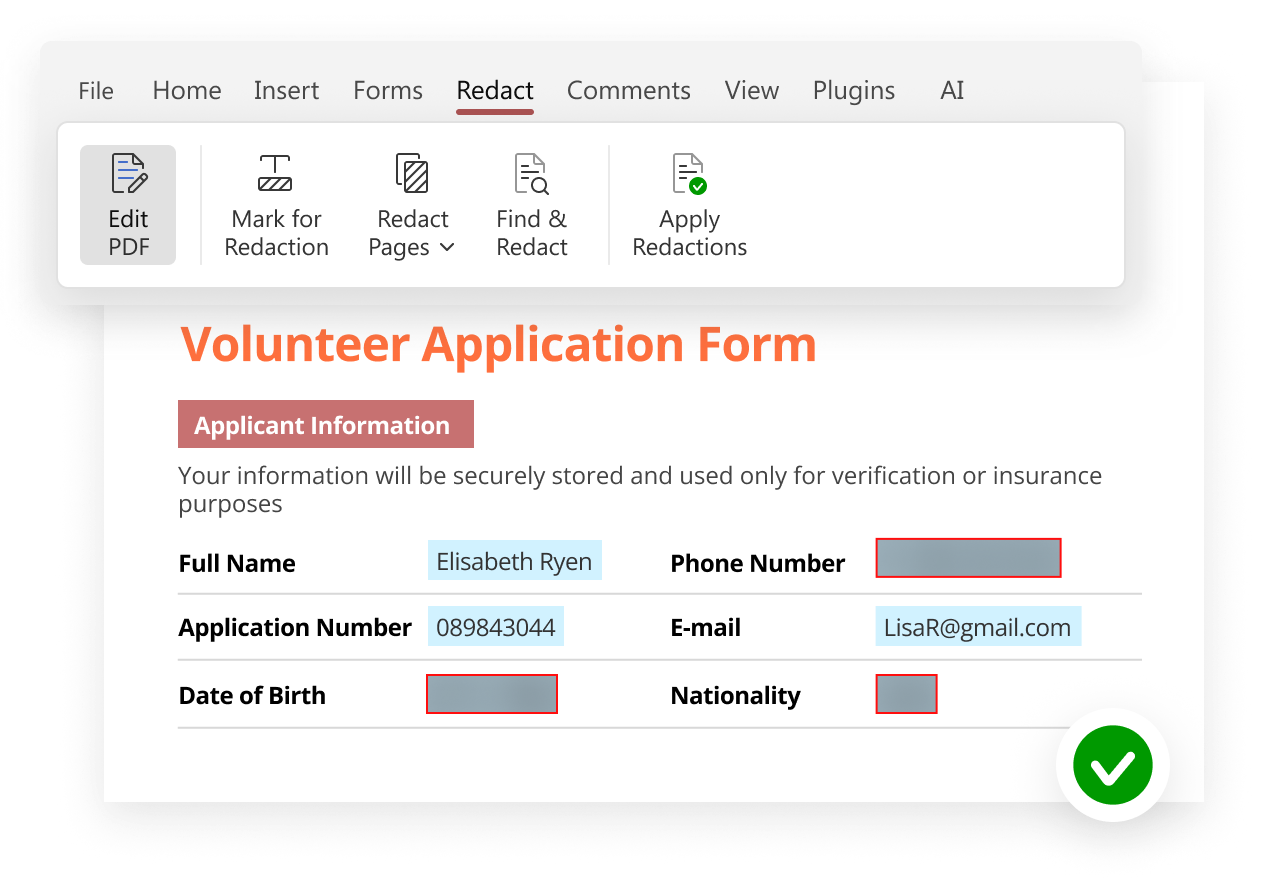
True redaction. Drawing a black rectangle over text only hides it from view — the words are still sitting in the file, ready for anyone curious enough to copy them out. Real redaction removes the content for good. The ONLYOFFICE Redact tool does exactly that. You can:
- Mark text by hand
- Search and redact specific words or phrases across the whole document
- Remove entire pages or page ranges
Once you apply it, the information is gone. It can’t be recovered, copied, or coaxed back out.
Password protection. You can password-protect a sensitive PDF before it ever leaves your hands.
Self-hosting and compliance. ONLYOFFICE can be self-hosted, which means your documents stay on your own infrastructure with no third-party cloud in the picture. That’s exactly what you want when you’re handling regulated data under GDPR or HIPAA. In short: you decide who sees what, and where your data lives.
Watch our free webinar with demo included to learn more:
Who uses this?
One suite handles a surprising number of everyday jobs across a whole organization:
- Finance edits invoice PDFs and fills in and returns supplier forms.
- HR creates and sends out onboarding and policy forms, then collects them all in one tidy place.
- Legal annotates contracts, gathers signatures, and locks down sensitive files with redaction and passwords.
- Sales freshens up proposals and pitch decks saved as PDFs, minutes before a client call.
- Operations wrangles multi-page procedure documents into order.
Try it for yourself
Here’s the quick recap: editing, annotating, building and collecting forms, managing pages, collaborating, and securing your files. All in one place, and all without a specialized subscription.
The best way to understand it is to try it. ONLYOFFICE is free to try, and it runs on desktop, in your browser, and on mobile. Open your own PDFs and put everything above to work. You might be surprised how much of that old print-scribble-scan routine you can leave behind for good.
Bonus: This summer only, get free access to our 3-week course on creating and working with PDF forms. Top participants will get a chance to collaborate with us and earn money. Starting August 17. Don’t miss out! Register now
Create your free ONLYOFFICE account
View, edit and collaborate on docs, sheets, slides, forms, and PDF files online.