ONLYOFFICE connector v2.1.0 for Confluence Cloud released: new supported formats, dedicated space page, improved file browsing and more
Summary
The ONLYOFFICE connector v2.1.0 for Confluence Cloud introduces several enhancements, including support for more file formats, a dedicated space page for easier access to attachments, and improved file browsing features. Users can now navigate documents more efficiently and manage attachments with greater ease, all while benefiting from a new demo server for testing purposes.
- New supported formats include Apple iWork and Hancom Office.
- A dedicated space page simplifies access to attachments.
- Improved file browsing features enhance navigation.
- Users can manage attachments through a content tree.
- A demo server is available for 30 days.
The latest version of the ONLYOFFICE connector for Confluence Cloud brings some important updates to Confluence users, allowing them to work with more file formats, access all attachments in a dedicated space and look through documents with ease. Read this post to learn all the details.

New supported formats
The updated ONLYOFFICE connector for Confluence Cloud significantly expands the list of supported file formats. For example, you can now work with the following:
- Apple iWork formats: Pages, Keynote, Numbers;
- Hancom Office formats: HWP, HWPX;
- MD documents;
- ODG presentations;
- VSDX, VSSX, VSTX, VSDM, VSSM and VSTM diagrams.
Dedicated ONLYOFFICE space page
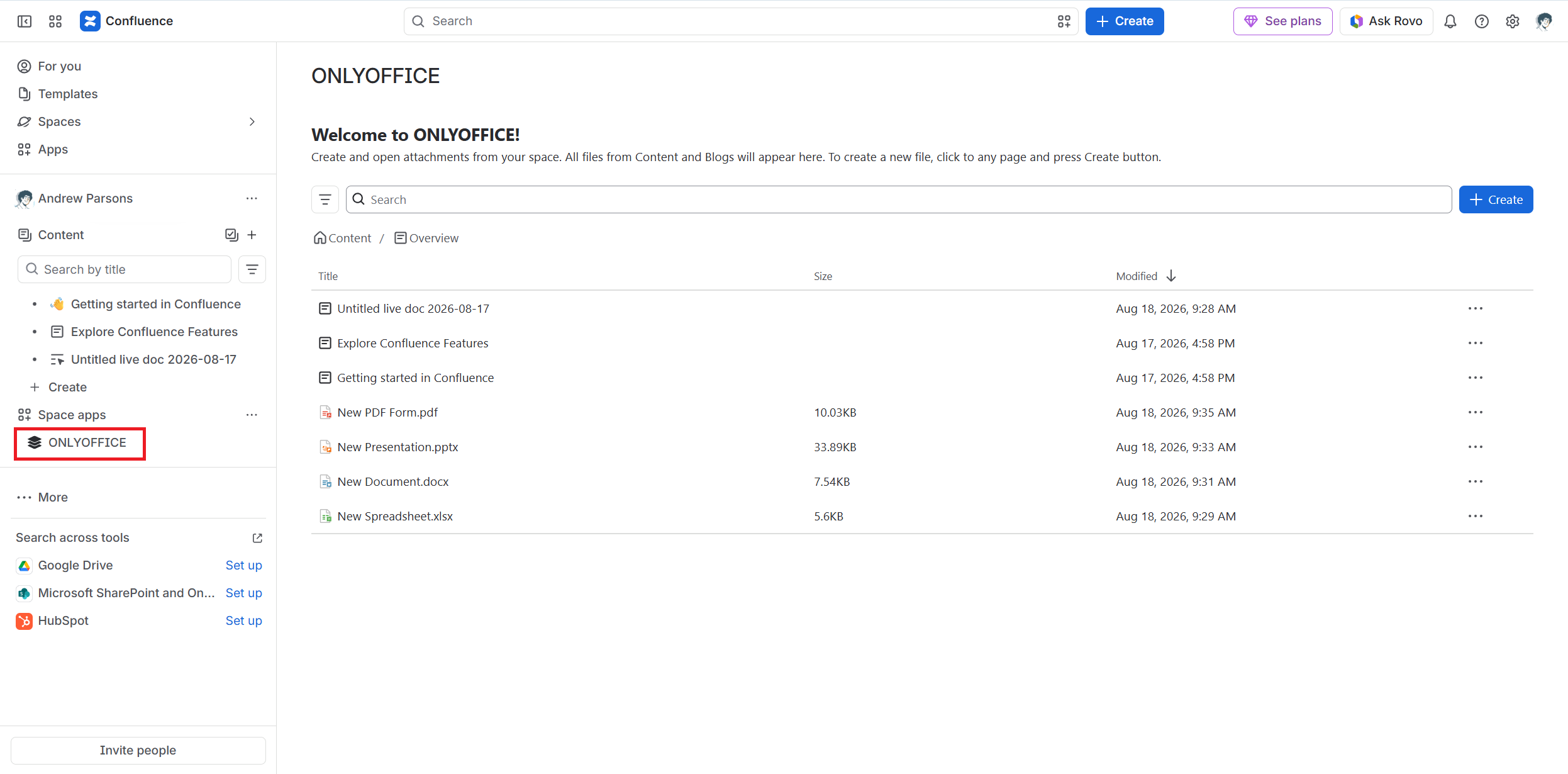
The updated connector creates a dedicated workspace where you can access all Confluence pages, blog posts and attachments. This means that you no longer need to open a specific page to be able to edit its attachments. Everything is accessible in one place, so you can easily navigate through pages and files and find what you need in seconds.
The ONLYOFFICE space also allows you to create new files on any page, using the Create button.
To access the space, simply click the ONLYOFFICE icon on the left-side panel.
Improved file browsing
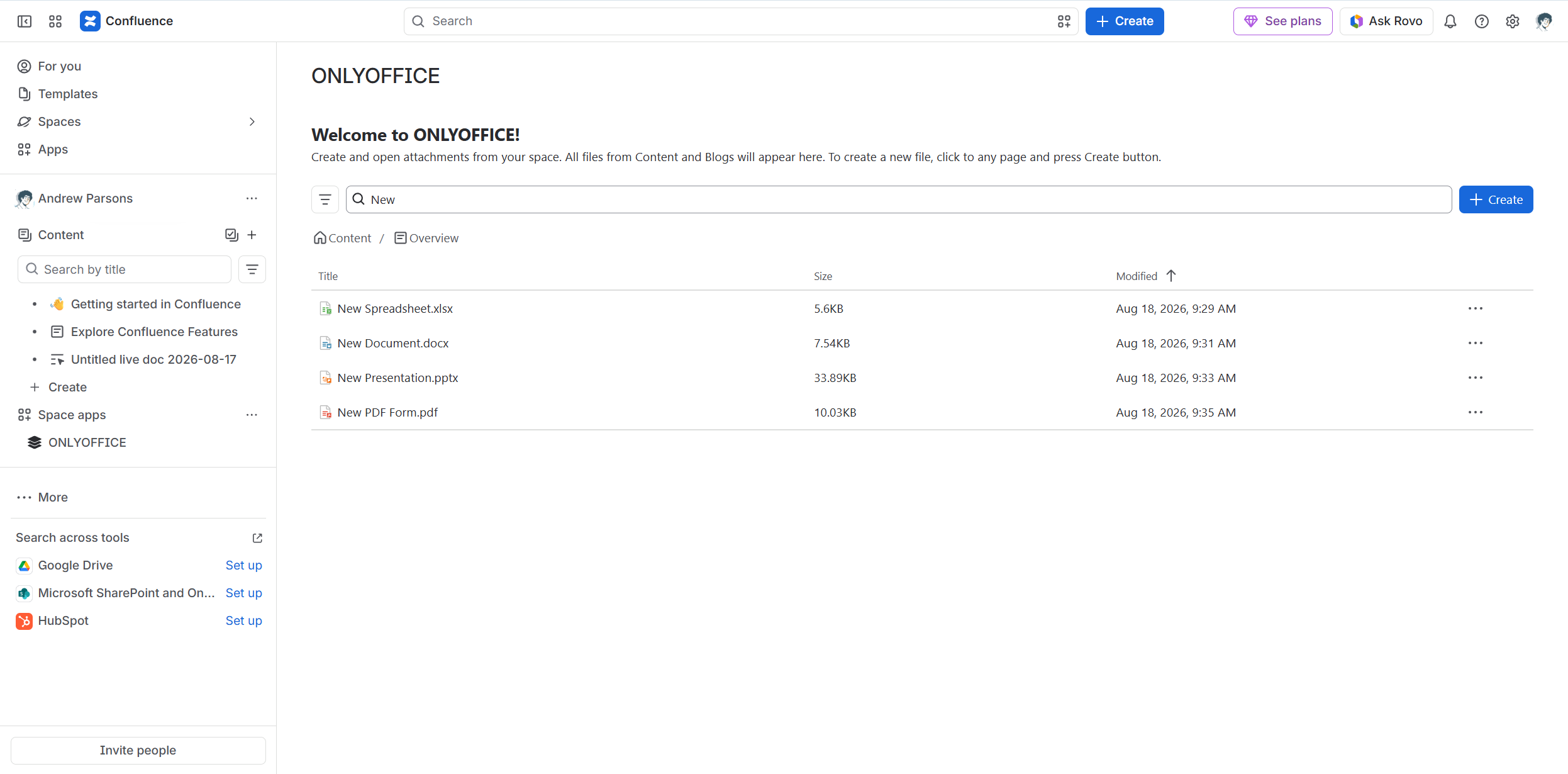
The ONLYOFFICE space comes with improved file browsing, which makes it easier to look through files and attachments. Equipped with a localized UI, it provides a search bar, filtering and sorting tools, and support for breadcrumbs and pagination. All these features are designed to make file navigation a breeze.
Content tree actions for attachments
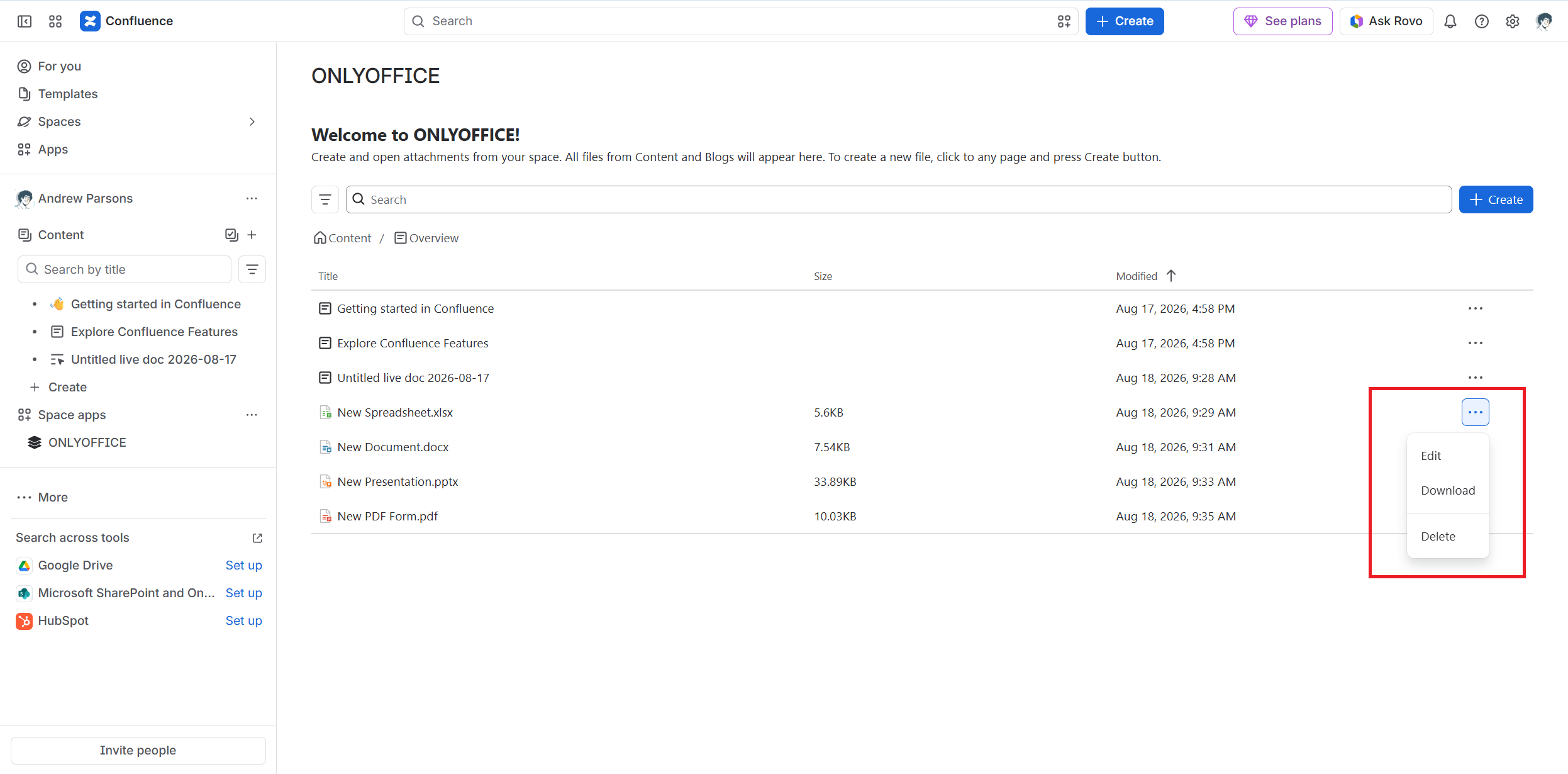
With the updated ONLYOFFICE connector, attachment management has become easier. You can now easily open, download and delete attachments using a content tree with the corresponding options. To access it, click the three-dot icon of the required file.
Access to a demo server
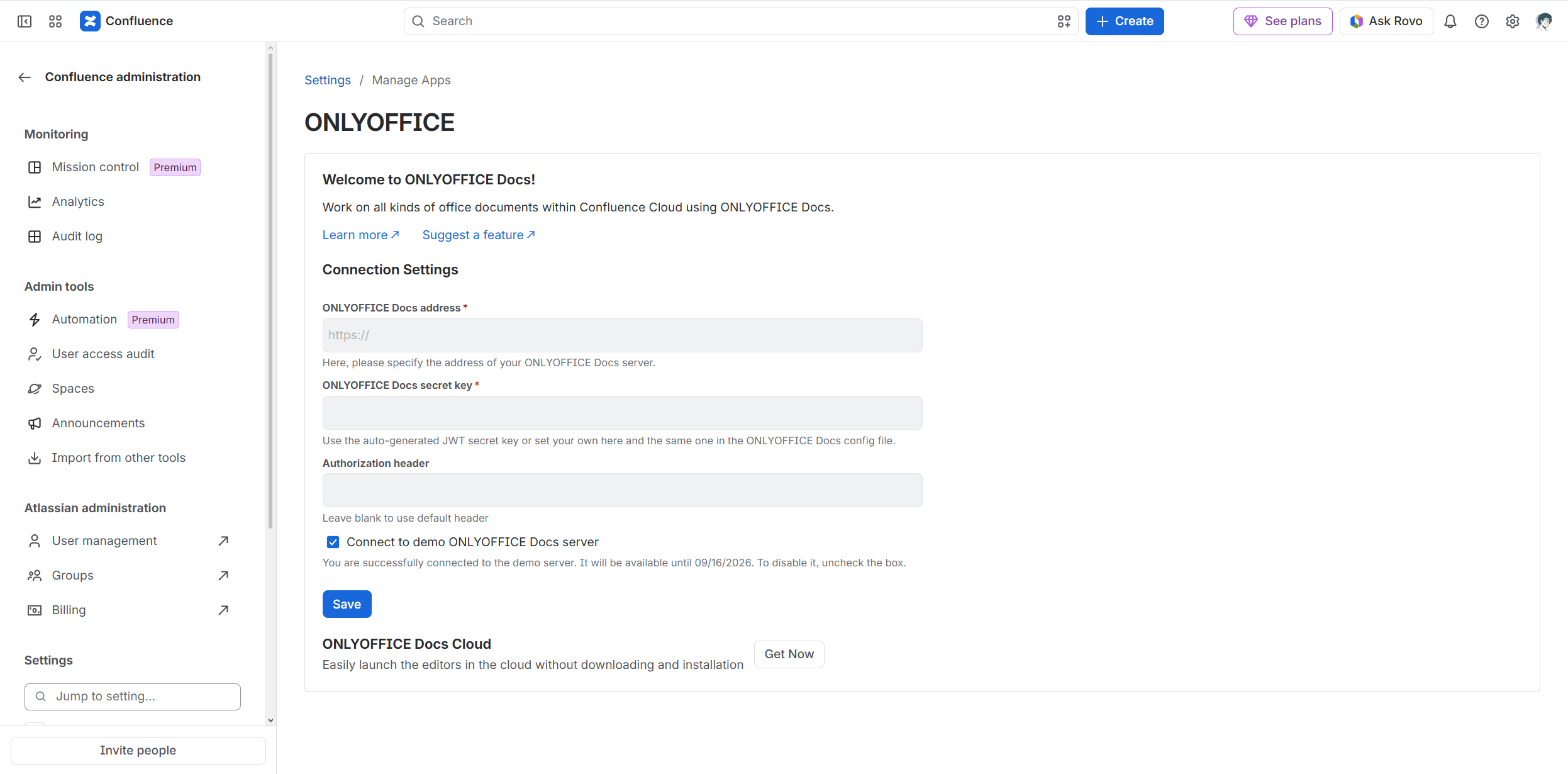
The ONLYOFFICE connector v2.1.0 Confluence Cloud introduces a redesigned settings page where you can enter the parameters of your ONLYOFFICE Docs instance or connect to a demo server. The demo server gives you an opportunity to try the integration without having to deploy an ONLYOFFICE Docs instance.
Note: The demo server is available for 30 days and is not recommended for sensitive data and confidential files.
Migration from Atlassian Connect to Forge
One more improvement that might go unnoticed but is worth a mention is the migration from Atlassian Connect to Forge, a serverless, Atlassian-hosted architecture. Since the ONLYOFFICE connector for Confluence Cloud is now a Forge app, Atlassian takes care of hosting, scaling and monitoring its code. This allows us to focus on building new functionality for the app rather than worrying about its deployments. Another good thing about this migration is that we can provide a custom UI for our app.
Other improvements
What else is new in the ONLYOFFICE connector v2.1.0 Confluence Cloud:
- new empty file templates;
- support for opening referenced documents from the editors;
- several error fixes.
Find the full changelog on GitHub.
Get ONLYOFFICE
Get the latest version of the ONLYOFFICE connector for Confluence Cloud from the Atlassian Marketplace:
FAQ: ONLYOFFICE connector for Confluence Cloud
Question: What is the ONLYOFFICE connector for Confluence Cloud?
The ONLYOFFICE connector enables users to edit and collaborate on office files directly within Confluence Cloud, a web-based productivity platform developed by Atlassian.
Question: Is the ONLYOFFICE connector for Confluence Cloud free?
Yes, the app is free. You can install it from the Atlassian Marketplace.
Question: Is the connector compatible with Confluence Data Center?
If you use Confluence Data Center, you can get the corresponding ONLYOFFICE app from Atlassian Marketplace.
Question: Do I need to install anything to use the integration?
Yes, you do. You need to deploy ONLYOFFICE Docs on-premises or sign up for the cloud-based version.
Question: How do I test the integration before implementing it?
For testing purposes, you can install the ONLYOFFICE connector and connect to a demo ONLYOFFICE Docs server. It’s a public test server available for 30 days, which allows you to check the functionality of the ONLYOFFICE editors before full implementation.
Useful links
ONLYOFFICE connector for Confluence Cloud: Atlassian Marketplace / GitHub
Get ONLYOFFICE Docs: self-hosted / cloud
Create your free ONLYOFFICE account
View, edit and collaborate on docs, sheets, slides, forms, and PDF files online.