What’s new in the ONLYOFFICE connectors for Odoo: opening PDFs from preview mode, creating documents from form templates and the enhanced Templates module
Summary
The latest updates to the ONLYOFFICE connectors for Odoo introduce several enhancements, including the ability to open PDFs directly from preview mode, create documents from form templates, and improvements to the Templates module. These features streamline document management and editing processes, making it easier for users to work with PDFs and templates within the Odoo platform.
- Open PDFs directly from preview mode.
- Create documents from PDF form templates.
- Save completed forms to the Documents module.
- Convert PDF files to fillable forms.
- View templates as a list for easier navigation.
Great news for Odoo users!
The official ONLYOFFICE connectors for Odoo, including the core integration apps for the Enterprise and Community versions of the open-source ERP platform, and the Templates app, have been updated. The new releases make it easier to open PDFs and create documents from form templates, and improve the Templates module overall.
Read this blog post to discover what’s new in each integration app.

Odoo Enterprise: what’s new
The ONLYOFFICE connector for the Enterprise edition of the ERP platform has received several improvements. Let’s take a look at them.
Open PDFs from preview mode
The updated connector for Odoo Enterprise makes it easier to work with PDF files in the Documents module, allowing you to open them directly from preview mode. When you open a PDF file in preview mode, you just need to click the Open in ONLYOFFICE button in the upper right corner for further editing in another tab.
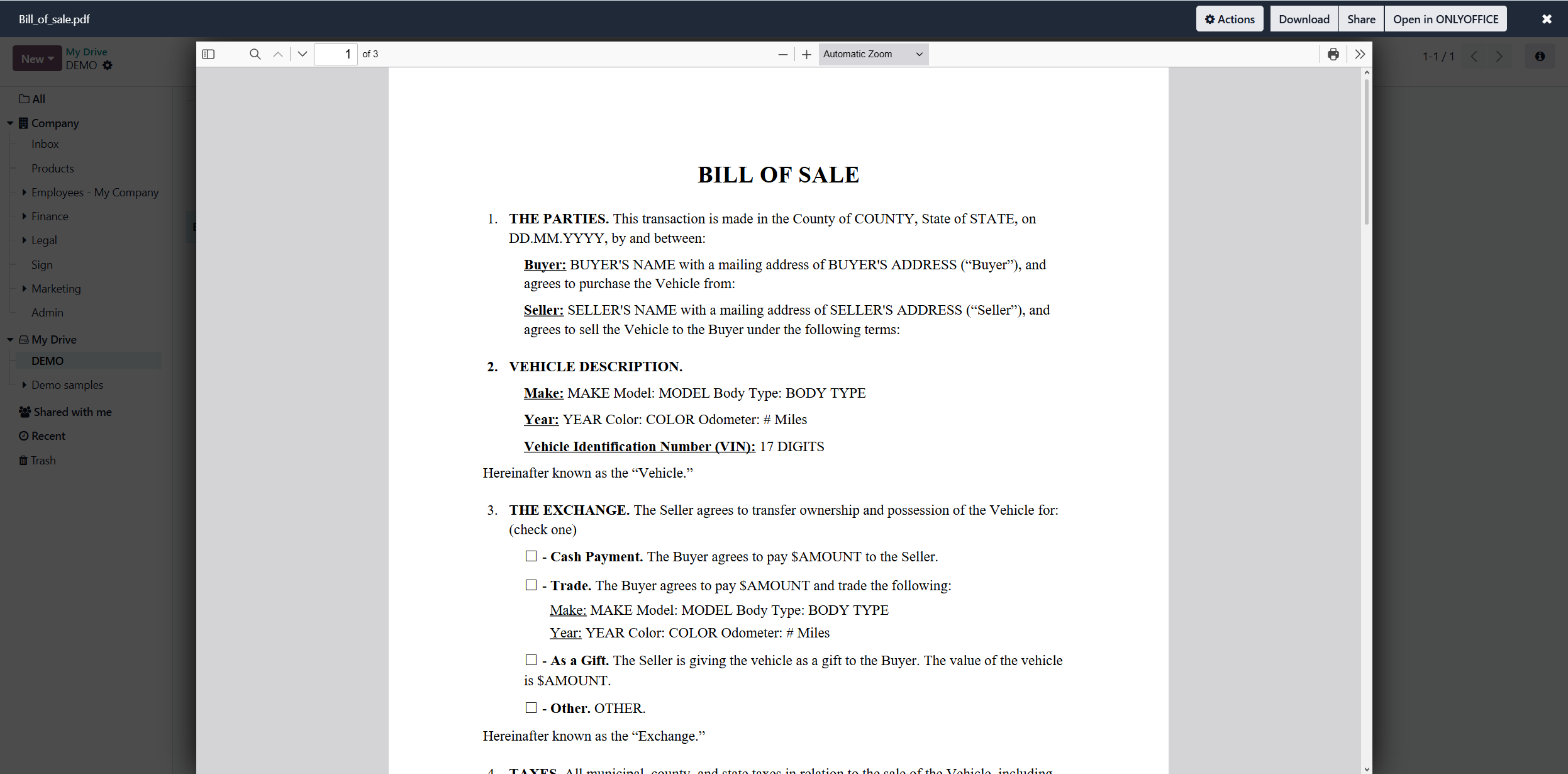
Create documents from form templates
Another improvement for the Documents module within the Odoo platform lets you create new documents directly from PDF form templates. When creating a new document by clicking the New button in the upper left corner and choosing Create with ONLYOFFICE, you will be offered to select one of the following options:
- Blank
- From Template
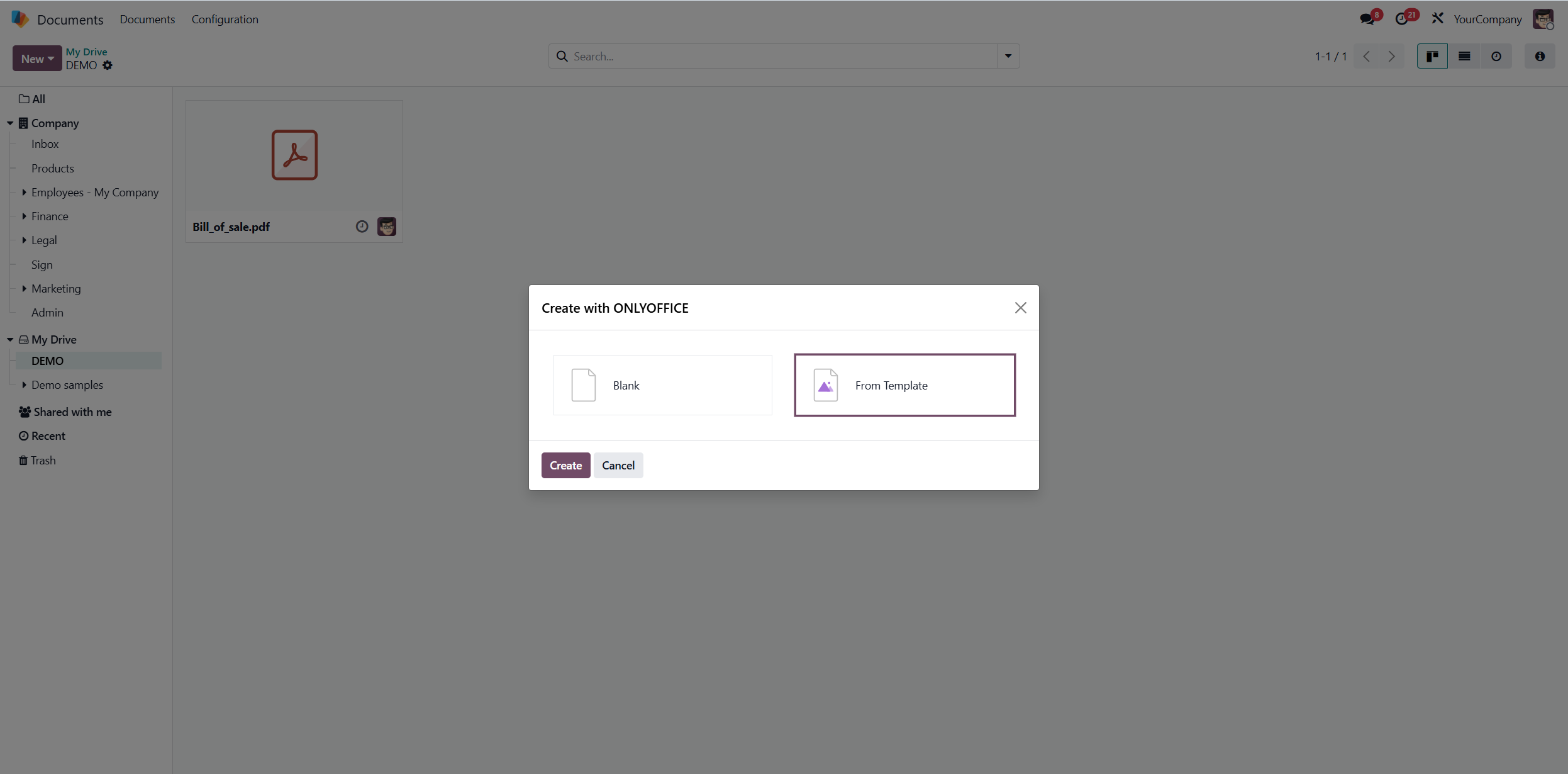
The latter is what allows you to access the built-in gallery of templates, which includes documents, spreadsheets, presentations and PDF forms. Choose the PDF form you need, open it and edit it the way you like.
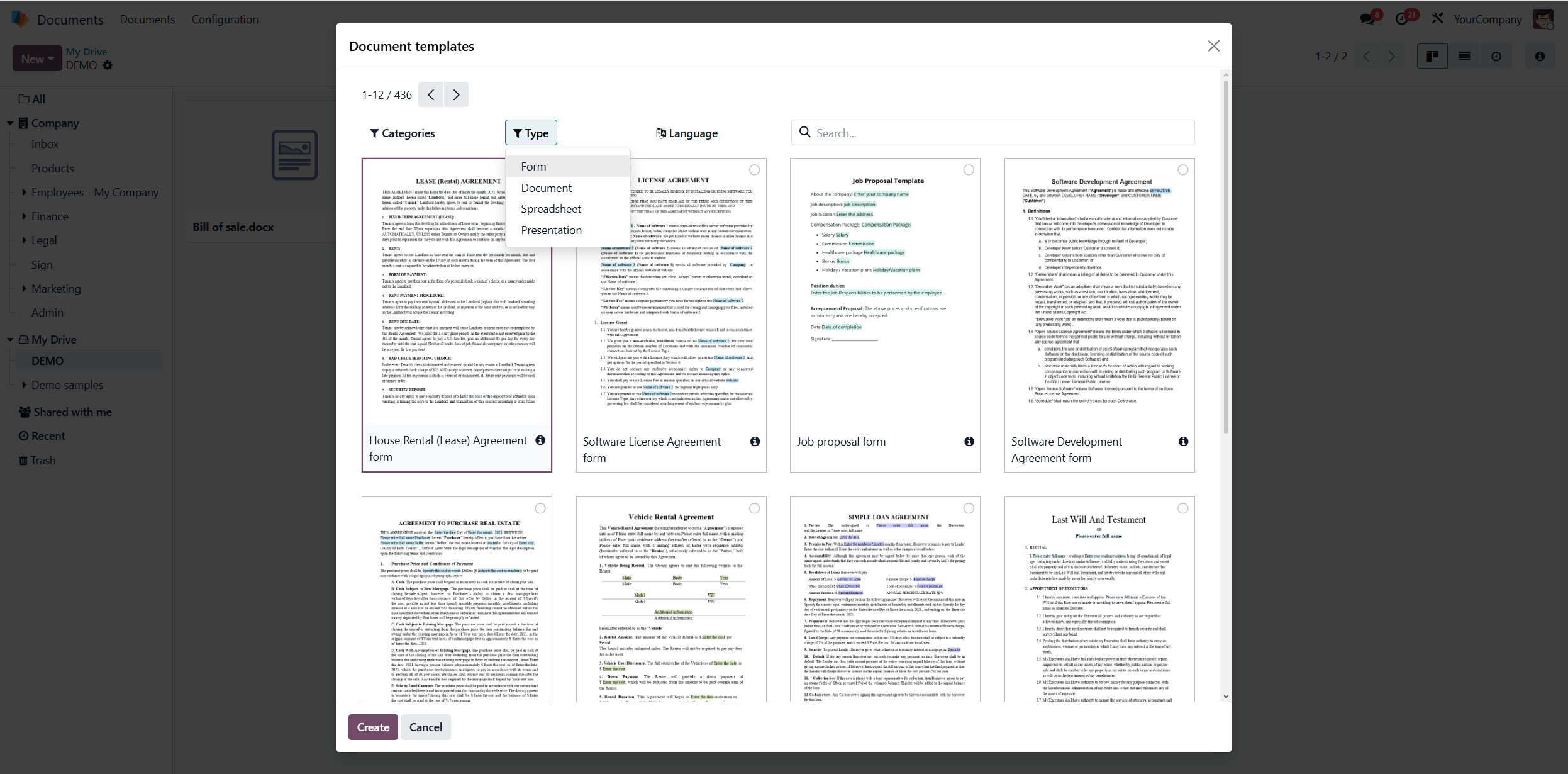
Create, upload and move documents within system folders
The updated ONLYOFFICE connector also makes document management within the module easier, allowing you to create and upload documents to system folders (My Drive, Company, etc.). Additionally, now you can move documents, spreadsheets, presentations and PDFs between directories.
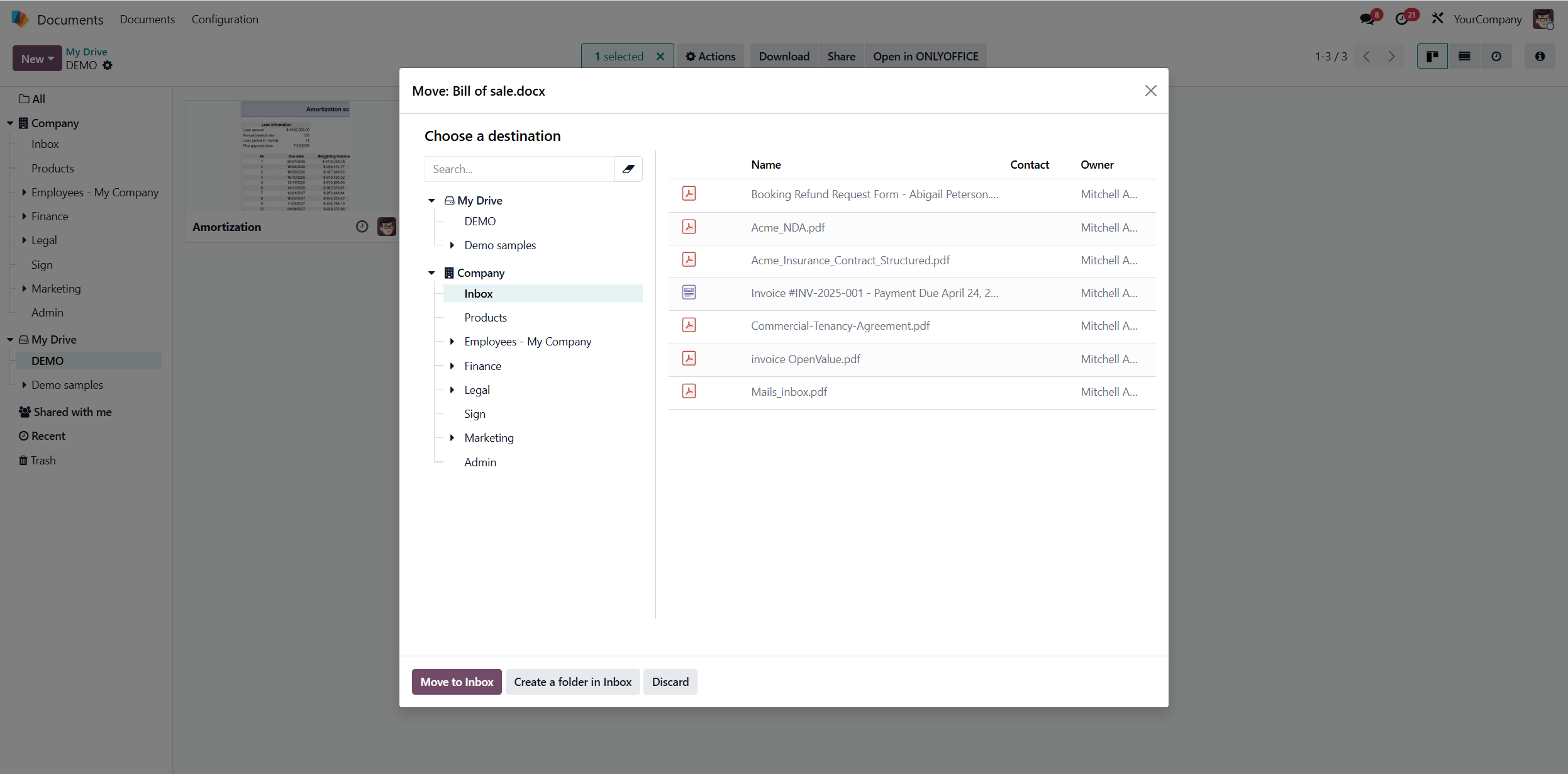
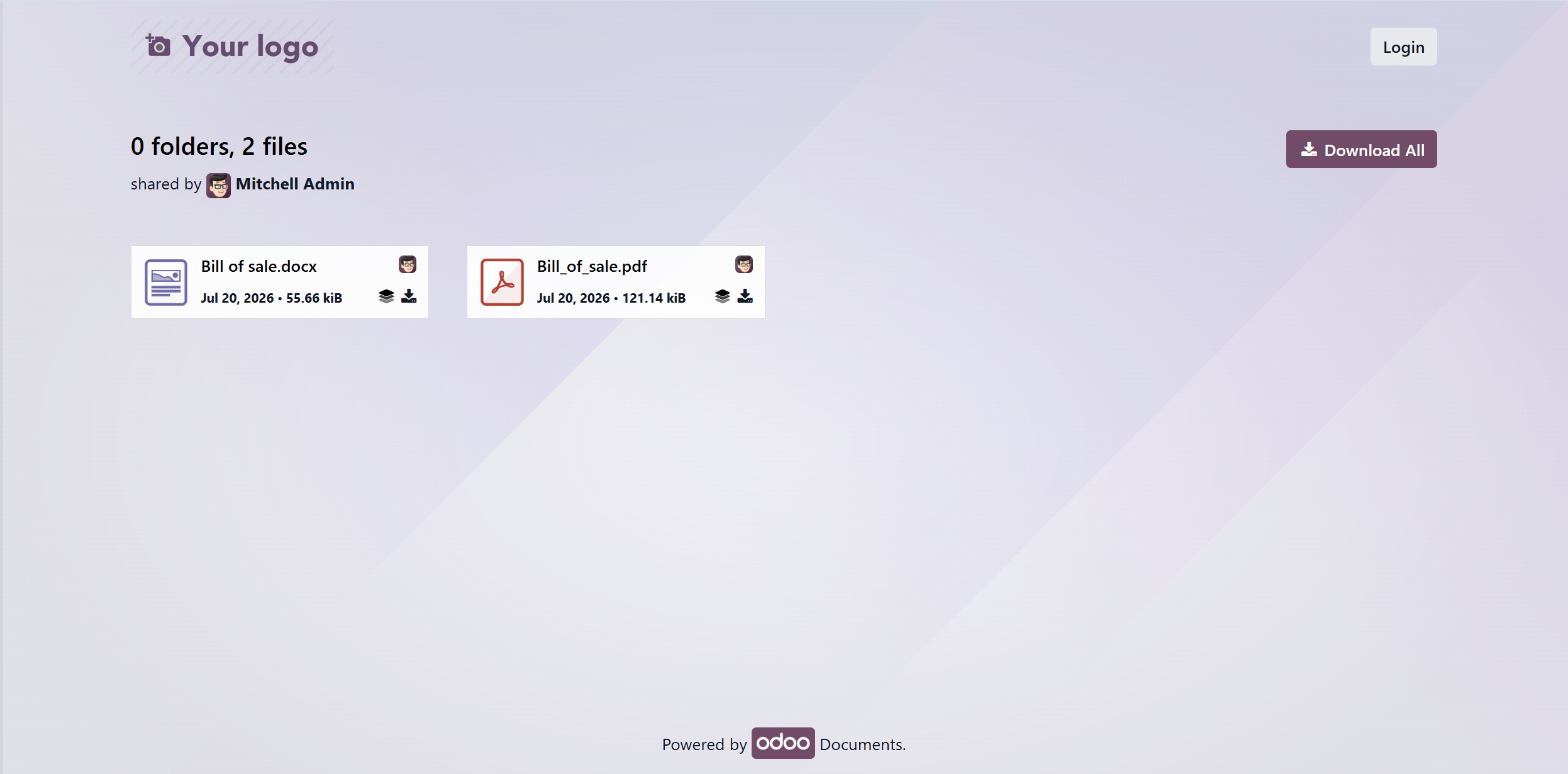
Opening folders shared via a link
File sharing is another aspect improved by the newest version of the ONLYOFFICE integration app. Now you can share not only separate files via a link but whole folders. External users can open shared folders in their browser and either open files in the ONLYOFFICE editors or download them to their device.
What’s next: work with Odoo documents via ONLYOFFICE Desktop Editors
One of the most useful improvements of the version 6.3.1 release is the ability to connect your Odoo account to ONLYOFFICE Desktop Editors. This way, you can access your documents via the desktop app and edit them using local system fonts, the clipboard and system printers, available on your OS.
Note: Although this integration is already enabled, the corresponding option will be available in the desktop application for Windows, Linux and macOS in the next release. Stay tuned!
Odoo Community: open TSV files
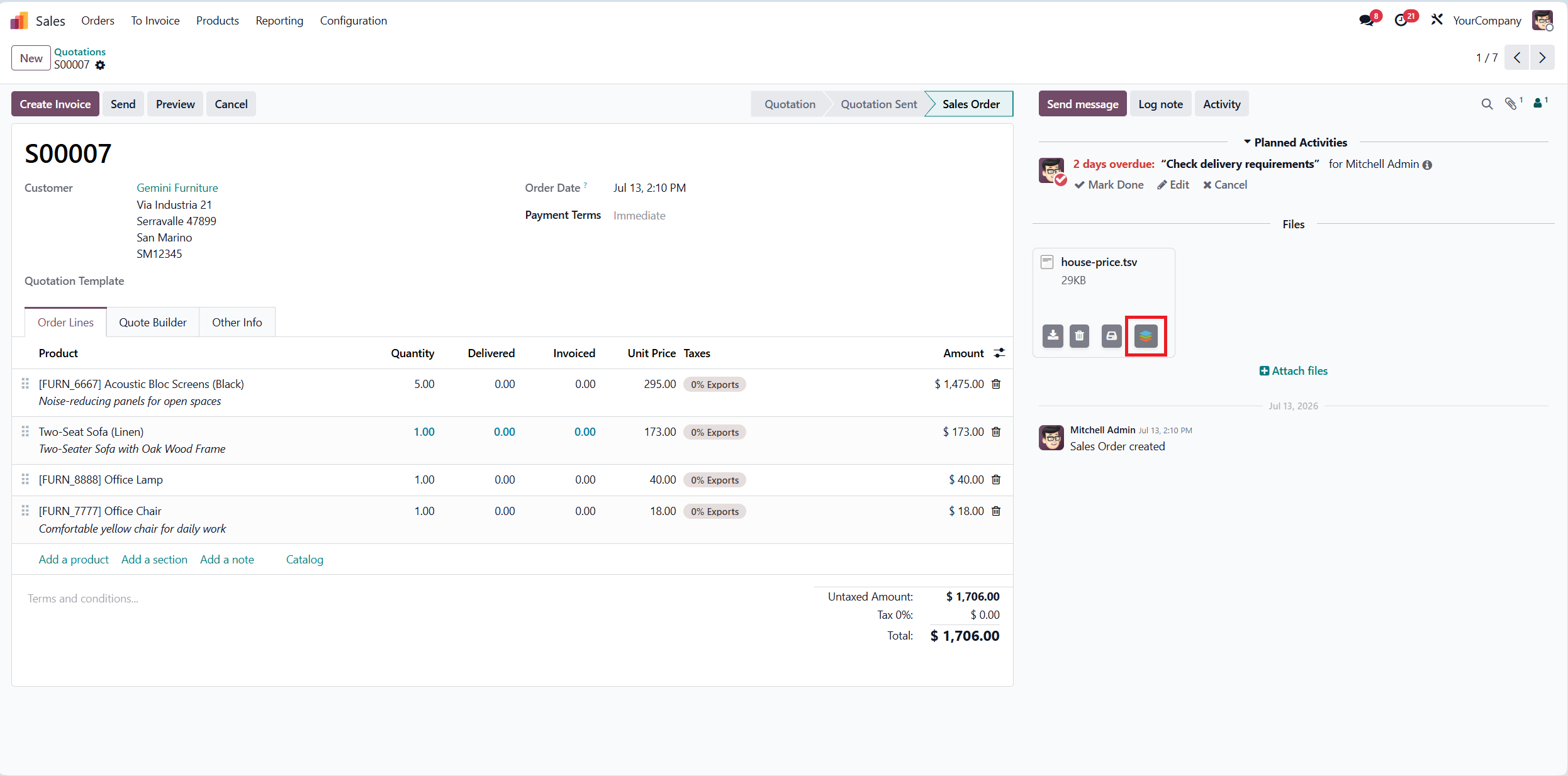
The ONLYOFFICE connector for the Community edition of the Odoo ERP platform has also been improved. The most important update is support for TSV (Tab-Separated Values) files. Now you can open such files attached to the Sales, Invoicing and other Odoo modules, using the Open in ONLYOFFICE option.
The updated integration app also comes with a lot of bug fixes and removes the outdated methods.
ONLYOFFICE Templates app: what’s new
The ONLYOFFICE Templates app for Odoo brings some useful improvements to the corresponding module. Let’s find out what’s new in this release.
Save completed forms to the Documents module
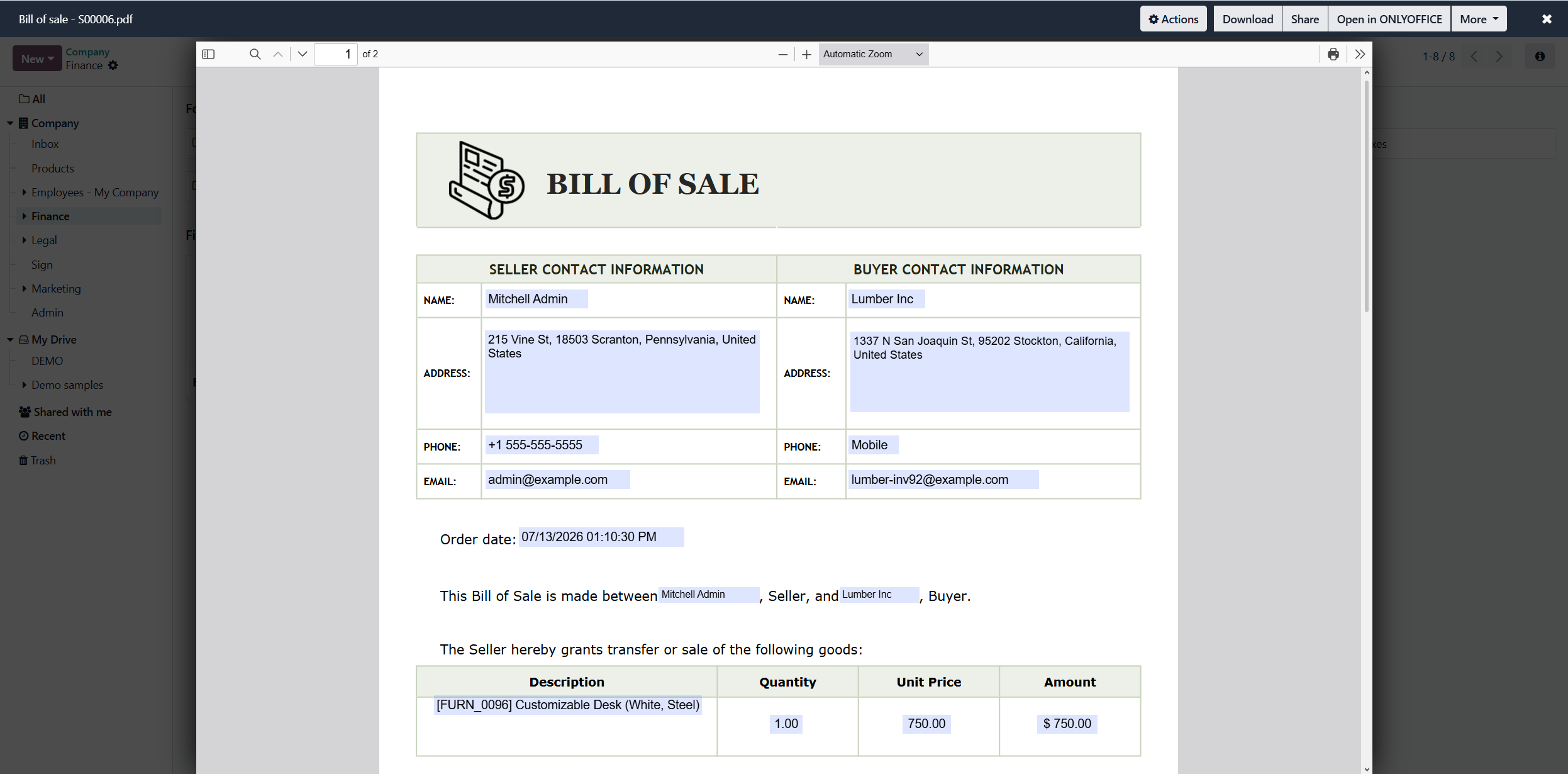
Another important improvement in the ONLYOFFICE Templates app is the ability to save forms with completed fields directly to the Documents module. Now you can open ONLYOFFICE templates in the required module (for example, Sales or Invoicing) and save them to a specific folder, using the Add to Documents option.
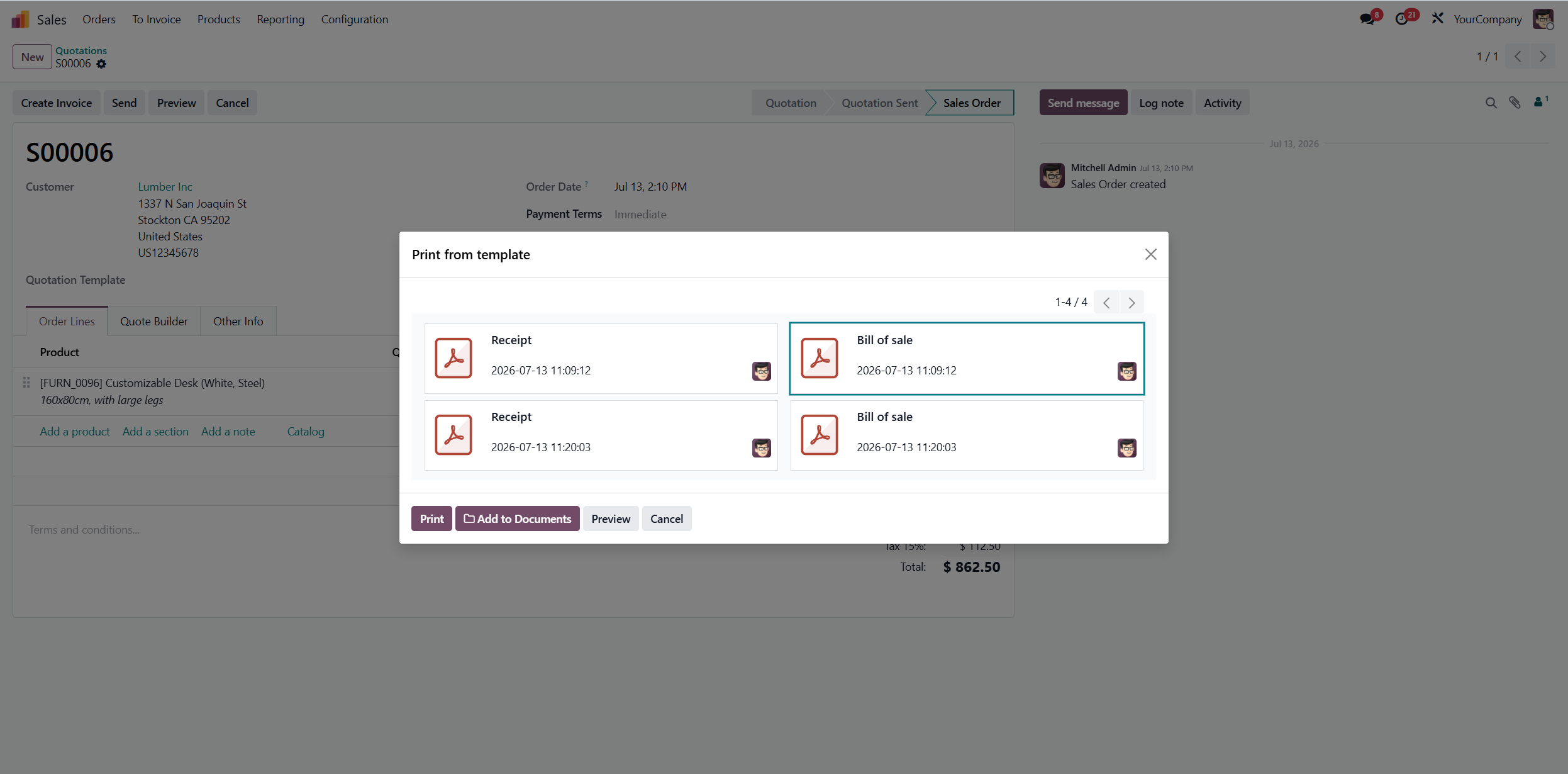
After saving, your template will be available in the selected location within the Documents module. Now you can share it with other Odoo users and collaborate in real time.
Convert PDF files to forms
When creating or modifying a template within the Templates module, you can now convert PDF files to forms with fillable fields. This means that you don’t have to create templates from scratch. You can simply upload a PDF file and turn it into a fillable PDF form, using ONLYOFFICE Form Creator.
View templates as a list
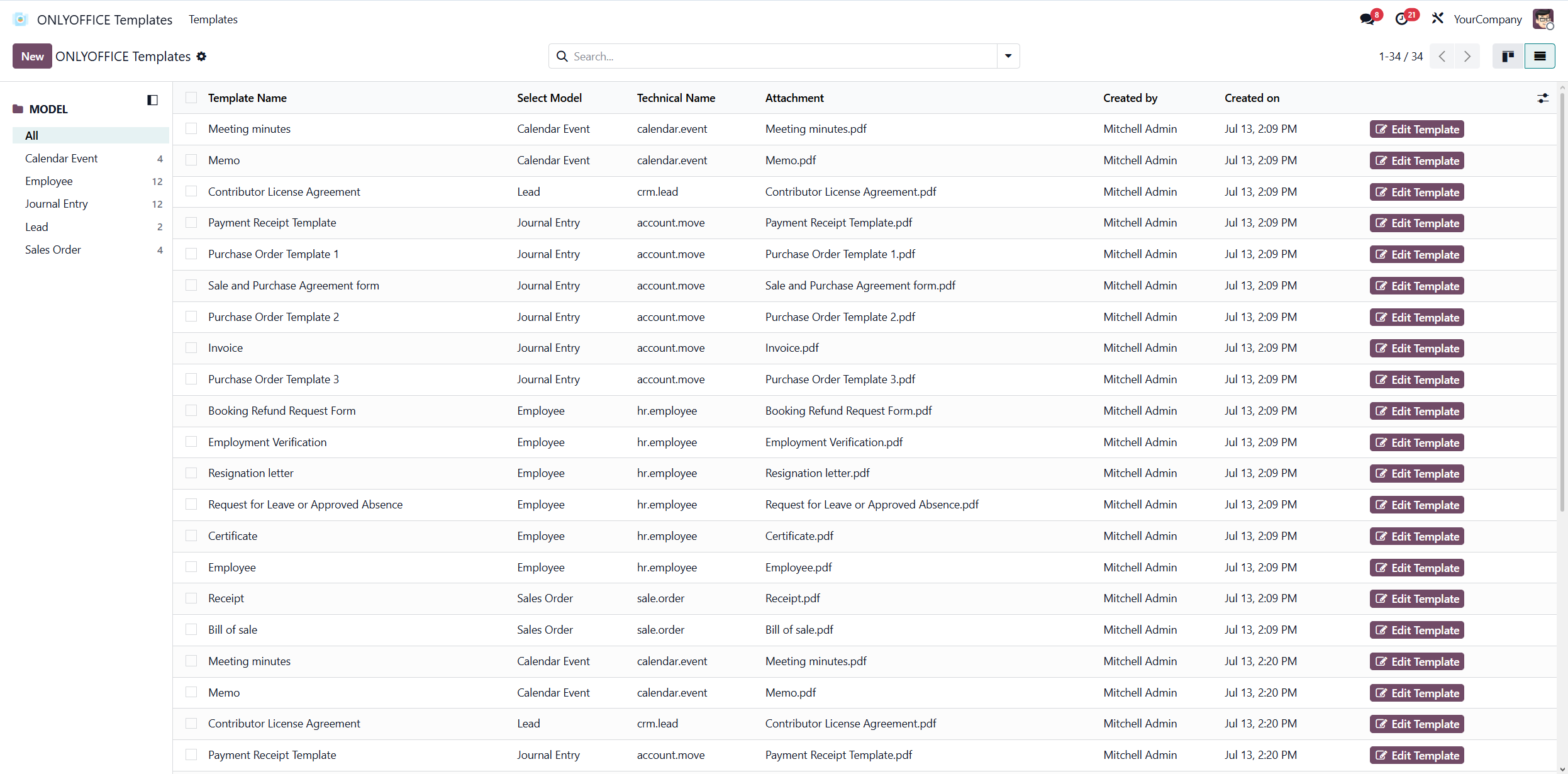
With the latest update, viewing templates has become much easier. In addition to the Kanban style mode, now you can view templates as a list if you enable the corresponding option in the upper right corner, right under your user profile.
Navigate among Odoo fields with ease
Since Odoo provides plenty of fields that you can choose from when creating your templates, navigating among them might be time-consuming. However, this is no longer a problem with the updated ONLYOFFICE templates app. Now you can simply click on a field in your ONLYOFFICE template, and you will automatically scroll to the corresponding Odoo field on the left-side panel. This way, you can access the desired fields much quicker.
Get started with the ONLYOFFICE and Odoo integration
Want to know how to connect your Odoo platform with the ONLYOFFICE editors to be able to create, edit and collaborate on documents, spreadsheets, presentations and PDFs directly within your business environment? Watch the video below:
FAQ: ONLYOFFICE and Odoo integration
How many ONLYOFFICE connectors are there for Odoo?
We offer three official modules for Odoo:
- ONLYOFFICE is a main module compatible with Odoo Community. It allows you to open and edit office files attached to various modules (Sales, Invoicing, Calendar, etc.), and its installation is required for other ONLYOFFICE connectors to work.
- ONLYOFFICE Documents is a module used for creating, editing and collaborating on office files within the Documents module in Odoo Enterprise.
- ONLYOFFICE Templates is a module used for creating and editing fillable forms within a separate module. It requires ONLYOFFICE Automation API.
Do I need to install ONLYOFFICE Docs to use this integration?
Yes. To make this integration work, you need to have an ONLYOFFICE Docs instance deployed locally or in the cloud, and connected to your Odoo platform via the integration apps.
Can I try this integration before its implementation?
Sure. You can connect a public ONLYOFFICE Docs test server on the settings page and see how it works for you.
Where do I find guides for the ONLYOFFICE and Odoo integration?
You can take a look at our Help Center and API documentation.
How do I request a new feature for this integration?
You can share your ideas and request new features in our community.
Useful links
Get ONLYOFFICE Docs for Odoo: self-hosted / cloud
Guides: Help Center / GitHub / API documentation
Create your free ONLYOFFICE account
View, edit and collaborate on docs, sheets, slides, forms, and PDF files online.