ONLYOFFICE Documents v9.4 for iOS: Mistral AI provider, smarter editing, and manual saving control
Summary
The latest version of ONLYOFFICE Documents for iOS, v9.4, introduces significant enhancements, including the integration of Mistral AI for smarter editing and improved manual saving control. Users can now leverage AI features for content generation and data analysis while enjoying the flexibility to disable autosave for cloud documents, allowing for more control over when changes are saved.
- Mistral AI enhances document and spreadsheet editing.
- Users can manually save cloud documents.
- Improved comment management for better collaboration.
- Multiple image insertion speeds up document creation.
- Expanded presentation themes for polished visuals.
The latest update of ONLYOFFICE Documents for iOS is now available. Version 9.4 brings a range of improvements designed to make mobile document editing more flexible and convenient, whether you work with cloud files, presentations, spreadsheets, or text documents on the go.

Mistral AI provider
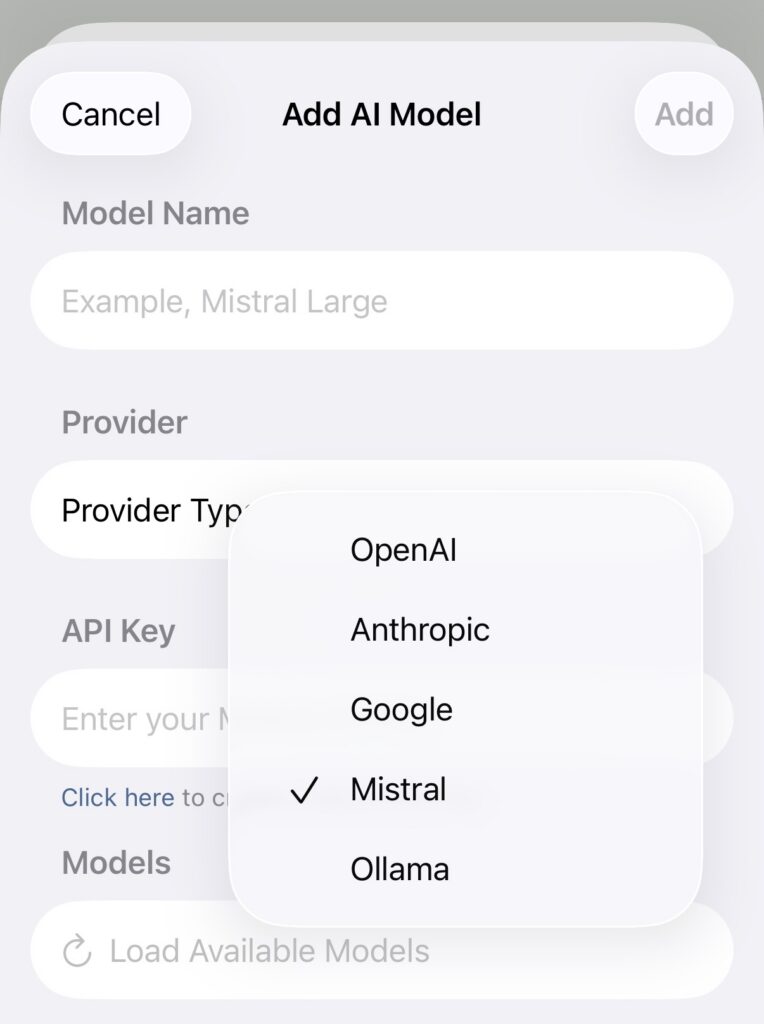
Version 9.4 introduces Mistral as a new open-source AI provider for AI features in document and spreadsheet editors.
Users can now perform AI-powered tasks directly inside ONLYOFFICE editors by selecting Mistral models for content generation, text refinement, data analysis, and other productivity workflows.
Where to find: AI -> Settings -> Add AI Model -> Provider -> Mistral AI
More control over cloud document saving
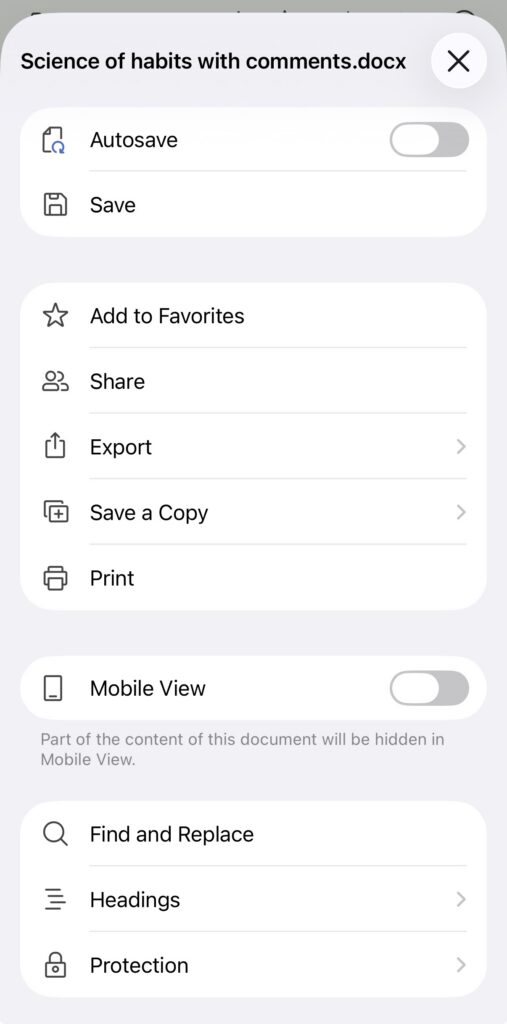
One of the key additions in version 9.4 is the ability to disable autosave for cloud documents and manage saving manually.
This feature gives users more flexibility when working with shared files or unstable Internet connections. Instead of applying every change automatically, you can now decide when updates should be saved to the cloud.
Where to find: Settings -> Autosave. After turning off auto-save, use the Save button to save the file manually.
Quick reminder: you can connect your app to cloud services like ONLYOFFICE DocSpace, ownCloud, Dropbox, OneDrive, kDrive, and Nextcloud, and work with documents stored there on the go.
Editing improvements
Version 9.4 introduces several updates aimed at making everyday editing and collaboration more convenient on iPhone and iPad.
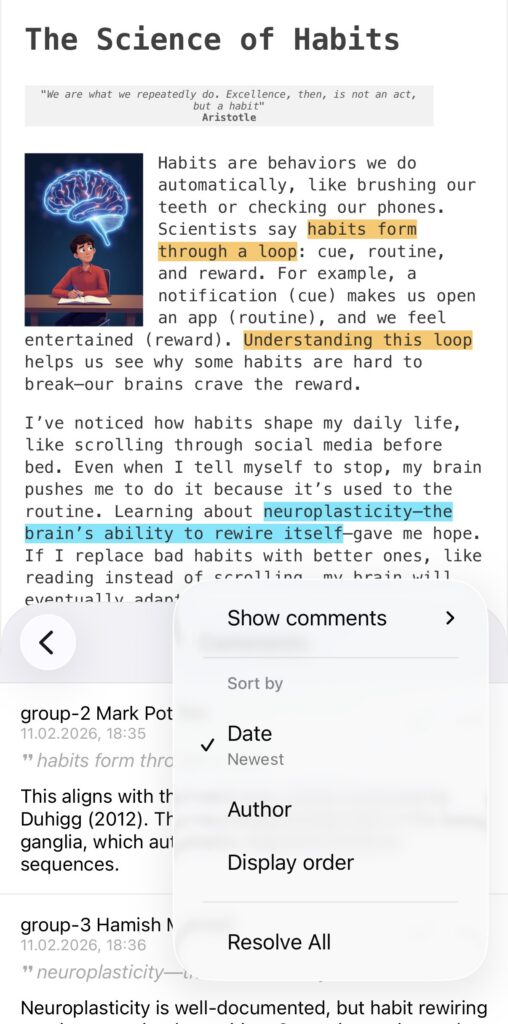
Better comment management. You can now sort by date, author, or display order and filter comments in editors, making it easier to navigate discussions and focus on relevant feedback when collaborating on documents.
Where to find: Collaboration -> Three-dots icon -> Comments Sort by/Show comments
Redesigned quick actions on iPhone. The structure of quick actions in iPhone editors has been reworked and expanded. Frequently used tools are now easier to access, helping streamline editing workflows on smaller screens.
Multiple image insertion. Editors now support inserting multiple images at once. This improvement speeds up document, spreadsheet, and presentation creation when working with visual content on mobile devices.
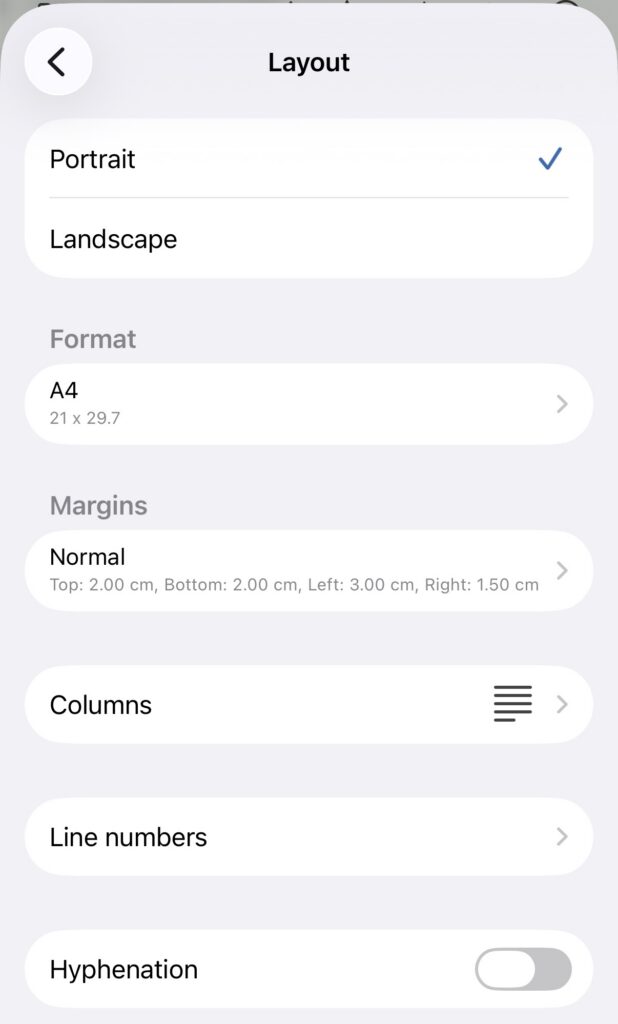
Line numbering in documents. The document editor now includes line numbering support, making it easier to review and reference specific parts of long or structured documents such as contracts, scripts, or technical materials.
Where to find: Settings -> Layout -> Line numbering
Better sheet management in spreadsheets. The spreadsheet editor now allows you to manage sheet order directly through the sheet panel.
You can quickly reorganize worksheets within a spreadsheet, making navigation easier when working with large or multi-sheet files.
More presentation editing capabilities
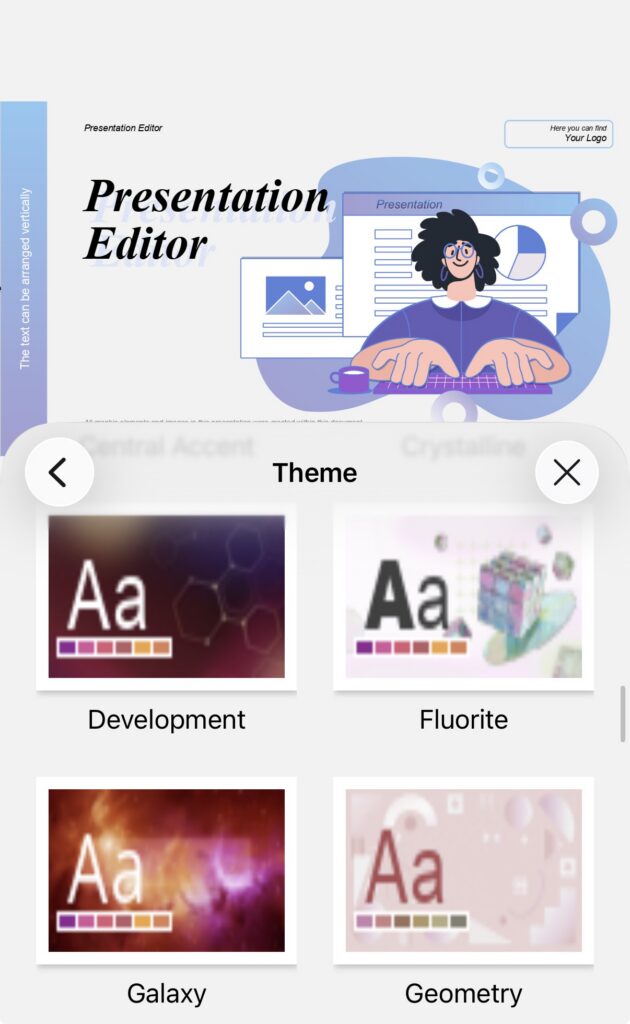
Expanded presentation themes. The collection of available presentation themes has also been expanded.
New themes help users create more visually polished presentations faster without needing additional formatting adjustments. This makes presentation creation on mobile devices more practical for both business and educational use cases.
Where to find: Slides -> Theme
Slide orientation support. You can now change slide orientation directly in the presentation editor.
This allows you to switch between portrait and landscape layouts depending on your presentation format and content requirements. The feature is especially useful for creating mobile-first presentations, infographics, brochures, or digital signage materials directly from iOS devices.
Get ONLYOFFICE Documents v9.4 for iOS
Update the app to access the new features and improvements. If you are installing it for the first time, download it from the App Store and connect it to your cloud or work locally with files on your device.
Create your free ONLYOFFICE account
View, edit and collaborate on docs, sheets, slides, forms, and PDF files online.