ONLYOFFICE app for Mattermost v2.3.0: live viewer, new interface themes and improved notifications
Summary
The ONLYOFFICE app for Mattermost version 2.3.0 introduces several enhancements, including a live viewer, new interface themes, and improved notifications. Users can now view real-time document changes without switching to editing mode, enjoy modern light and dark themes for better visual consistency, and receive notifications when the editor disconnects, ensuring smoother collaboration.
- Live viewer allows real-time document observation.
- New themes enhance visual experience in editors.
- Admins receive notifications for editor disconnections.
- The app is free and available on Mattermost Marketplace.
- Integration requires ONLYOFFICE Docs installation.
The ONLYOFFICE app for Mattermost has been updated to version 2.3.0, bringing several usability and stability improvements. This update mostly focuses on better ways to stay up to date with the latest document versions and giving the app a fresh look with new light and dark themes.
Live viewer
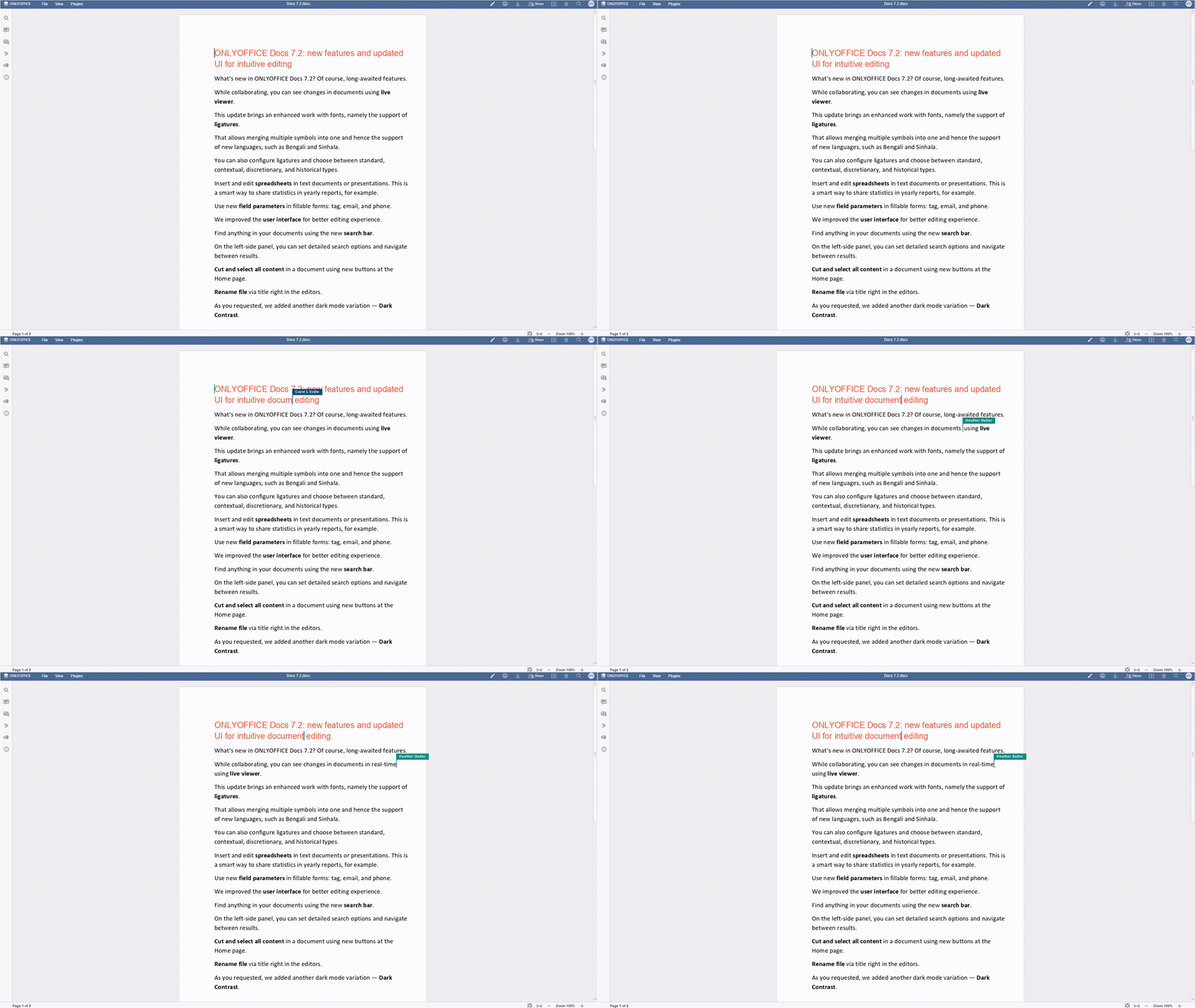
Now, Mattermost users can watch what’s happening in a document live without having to switch into full editing mode.
In practice, a user with view only access to the document can see real-time changes from other users who are editing the document, including their cursors. It is handy for presentations, document reviews, or simply keeping up with teamwork as it happens.
The Live Viewer is available for server installations only and is enabled by default, so no additional configuration is required.
Read our API documentation to learn how live-viewing in ONLYOFFICE works.
Modern light and dark themes
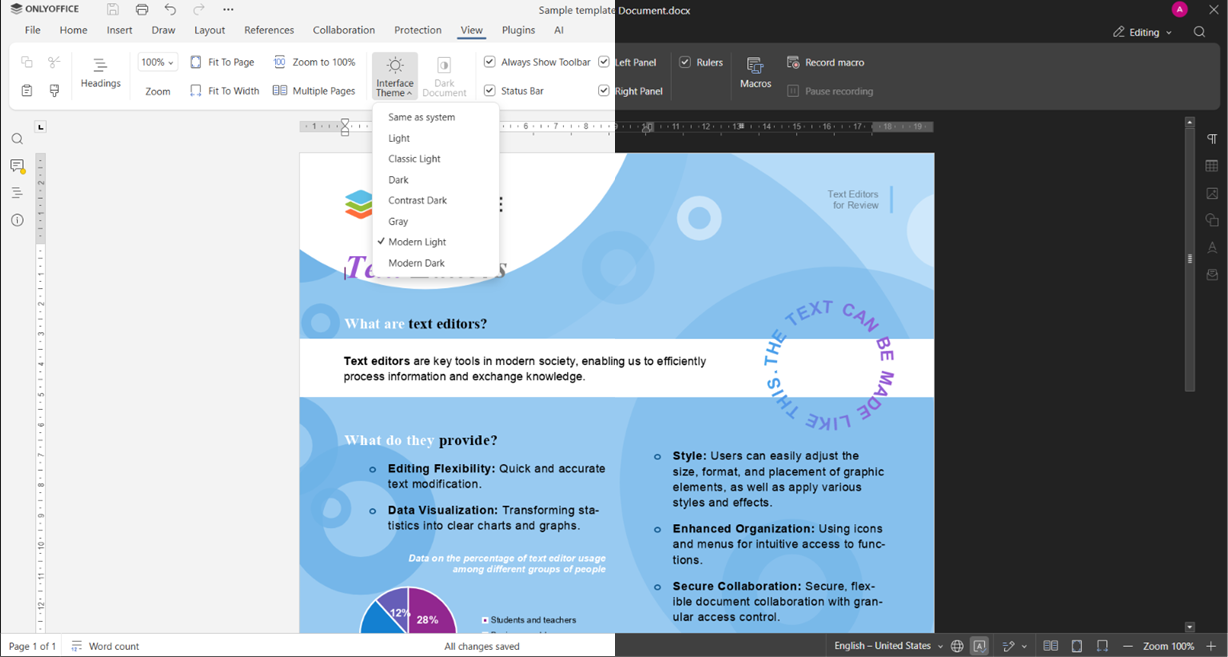
The app interface now supports modern light and dark themes for editors. This improves visual consistency and makes the experience more comfortable in different working environments.
Where to find: View tab -> Interface theme -> Modern Light / Modern Dark
Admin notifications for editor disconnect
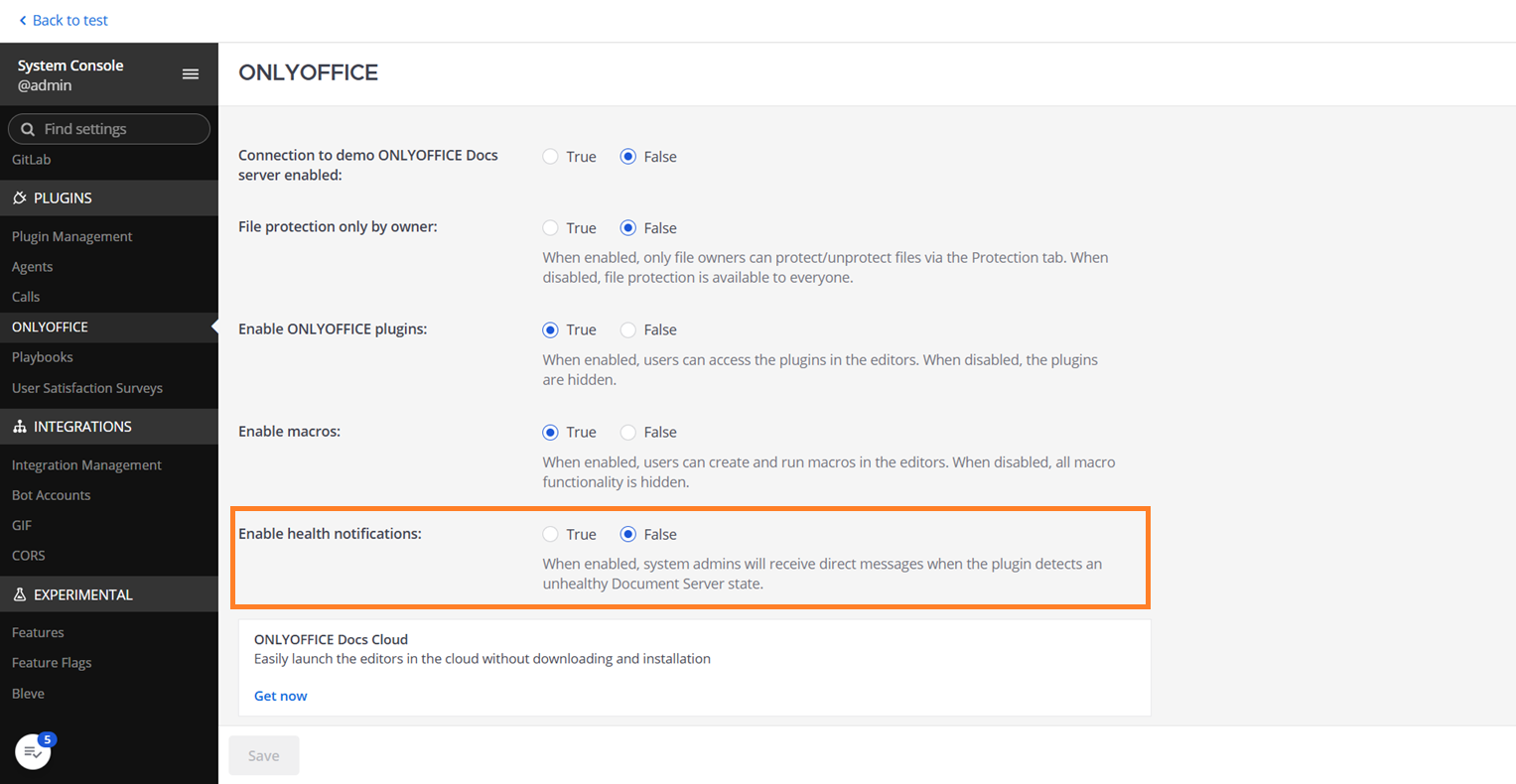
Administrators can now receive direct notifications when the ONLYOFFICE editor becomes unavailable. This helps teams react faster to connection issues and maintain uninterrupted document workflows.
Where to find: System Console -> ONLYOFFICE plugin -> Enable health notifications
Editor reconnection and auto-reload
The editor now automatically reloads when the connection is restored. This reduces interruptions and helps users continue working without manual page refreshes.
Get the updated app
To try the updated app, install or update it from the Mattermost Marketplace:
Frequently asked questions
Is the ONLYOFFICE app for Mattermost free?
Yes. The app itself is free and can be installed from the Mattermost Marketplace.
It allows users to create, edit, share, and collaborate on office documents directly within Mattermost using ONLYOFFICE Docs. Documents can be opened from chats and edited collaboratively in real time.
Do I need ONLYOFFICE Docs to use the integration?
Yes. The integration requires ONLYOFFICE Docs Enterprise or Community to be installed and configured. Alternatively, you can use ONLYOFFICE Docs Cloud if you prefer not to manage installation and maintenance yourself.
What happens if the connection to the editor is interrupted?
In version 2.3.0, the editor automatically reloads when the connection is restored, helping users resume their work with minimal interruption.
Can I use AI features in the editors?
Yes. AI-powered tools are available in ONLYOFFICE Docs as an optional feature. You can activate the AI plugin and configure the provider of your choice, including OpenAI, Anthropic, Google AI, DeepSeek, Mistral, xAI, and local models.
AI can help generate content, summarize text, translate documents, explain complex passages, improve writing, and perform other tasks directly within the editors while working in Mattermost.
Where can I leave feedback or report an issue?
We welcome your feedback. You can share your suggestions, report issues, or request new features in the ONLYOFFICE Community. Your feedback helps us improve the integration and prioritize future updates.
Useful links
ONLYOFFICE Docs: Community / Enterprise / Cloud
Full list of ONLYOFFICE integrations
NetExplorer allows clients to view documents using a live viewer
Create your free ONLYOFFICE account
View, edit and collaborate on docs, sheets, slides, forms, and PDF files online.