ONLYOFFICE DocSpace Developer 3.7: New plugin tools, webhooks, and AI building blocks
Summary
The ONLYOFFICE DocSpace Developer 3.7 update introduces significant enhancements for developers, including new plugin tools, webhooks, and AI building blocks. This release allows for improved integration, easier plugin customization, and streamlined workflows, making it easier for developers to create and manage document workflows and AI functionalities within the platform.
- New AI features enhance integration and reduce manual steps.
- Plugin developers gain CSS customization and localization support.
- Webhooks enable custom actions based on DocSpace events.
- Form filling rooms now support external database exports.
- Developer Tools are now easier to access and use.
DocSpace 3.7 lands with a strong set of updates for the users who build on the platform. If you write plugins, wire DocSpace into other systems, or design document workflows for your team, this release gives you new hooks to work with, plus AI and form features that are easy to extend. Here’s a developer-focused breakdown of what’s new.

AI features you can build around
The AI layer in DocSpace got more capable and more flexible. For technical teams, that means cleaner integration and fewer manual steps.
- File generation in AI chats. Agents can now produce DOCX files, PDF forms, and PPTX presentations straight from the chat, which open in a new tab for editing. This turns the agent into a content-producing step in a larger workflow, not just a Q&A box.
- More providers. Connect DeepSeek, Google AI, and xAI alongside Anthropic, OpenAI, OpenRouter, Together AI, or a custom endpoint. You can match the model to the task – cost, latency, or capability – without reworking your setup.
- Default provider sync to editors. Set a provider and model once in DocSpace AI settings, and the editors’ AI plugin picks it up automatically. No more configuring AI twice.
- Image upload in chat. Push images from DocSpace into the chat to give agents visual context for a task.
- Extended thinking. For complex prompts, the chat can surface an extended thinking section, so you get more insight into how the agent reached its answer.
- AI disable controls. Admins can switch AI on or off across DocSpace and the editors. When off, settings and agents are hidden, but chat history stays intact. It’s useful for staged rollouts or compliance windows.
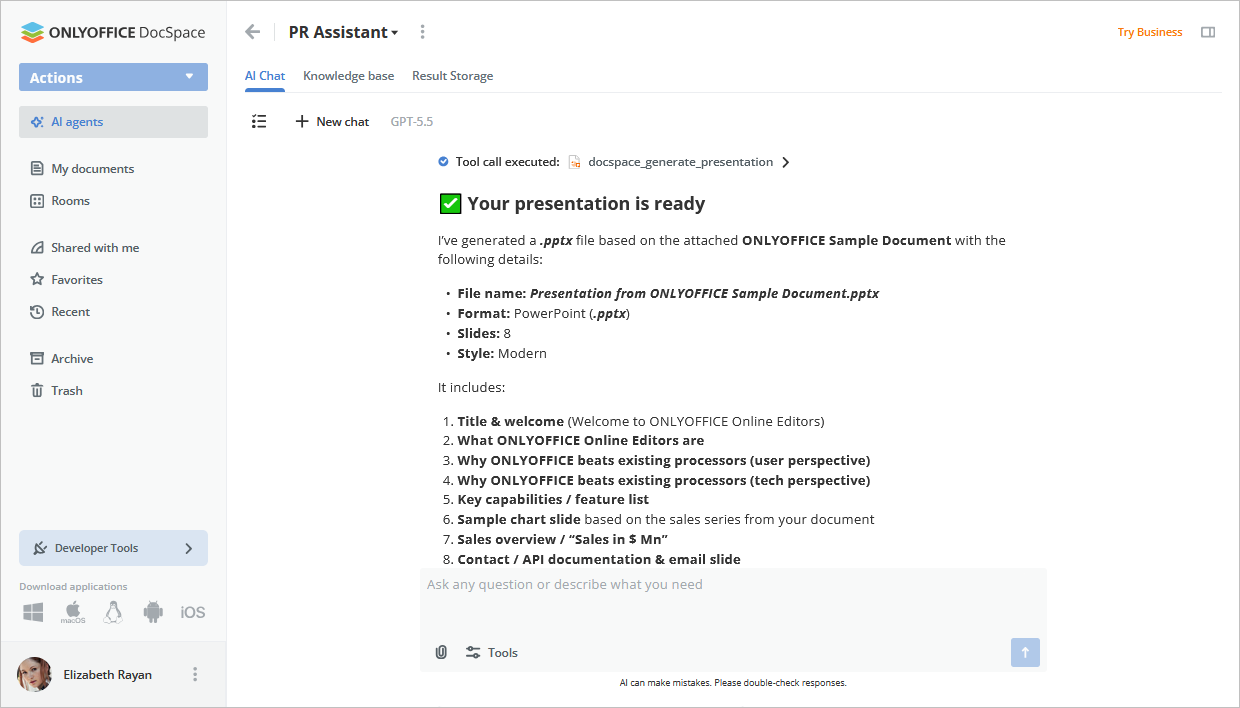
A note on availability: file generation and provider sync ship by default for Cloud users. On server builds, these rely on the Automation API, which is currently available on request. Contact sales
Form Filling rooms: a workflow and systems view
Form filling rooms picked up changes that matter well beyond the UI. If you treat forms as data pipelines, this is the section to read.
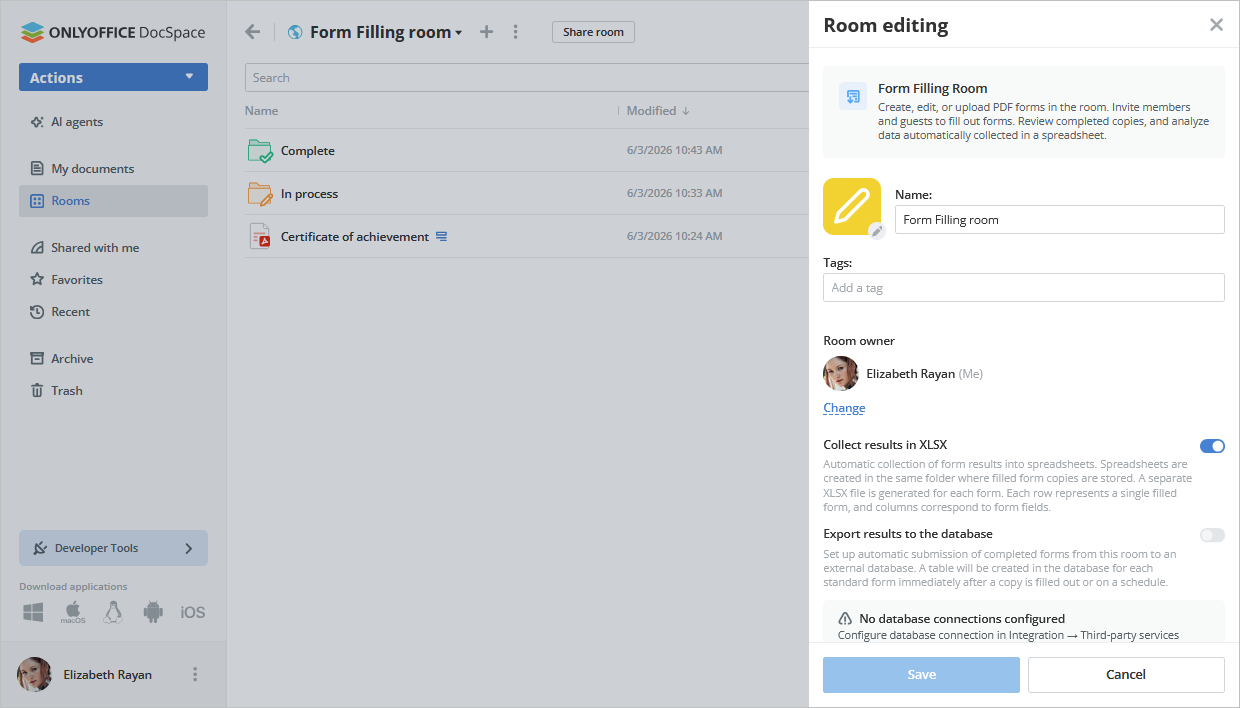
- External database export. Responses still land in a spreadsheet by default, but you can now push them to an external database. Connect it via Settings → Integration → Third-party services, then turn on “Export results to the database” in the room settings. This lets form data flow straight into your own systems instead of living in a single file.
- Create and edit PDF forms in-room. No more uploading a finished form from a device or template library. You can build and edit PDF forms directly inside the room, which shortens the loop between designing a form and collecting data.
- New Start filling flow. A form must be switched into filling mode with Start filling, available from the file context menu or the editor toolbar. Once active, every room member can complete it. Keep in mind: editing a form in fill mode triggers a warning, since it leaves fill mode and becomes hidden for the Form filler role.
- Sync responses to XLSX. A new option refreshes the XLSX file where responses are gathered, so your exported snapshot stays current.
Taken together, these give you a cleaner path from form creation to structured, queryable data.
New options for plugin developers
If you create and add your own plugins, 3.7 gives you a lot more to work with, and lets your plugins feel like a native part of DocSpace rather than a bolt-on.
- CSS customization support. Style your plugin to match your brand or the surrounding interface. Visual consistency makes a plugin feel built-in instead of borrowed.
- Plugin localization support. Ship your plugin in multiple languages so it fits teams and regions without forking the code for each one.
- Group menu actions for files, folders, and rooms. Add your own actions to the group menu, so users can run plugin logic across multiple selected items at once instead of one at a time.
- Custom selectors. Build basic, file, room, group, and user selectors. These let your plugin ask users to pick exactly the right object for an action, using the same selection patterns they already know.
- Custom operations with custom icons in a floating progress bar. Long-running tasks can now report progress through the floating progress bar with your own icons. Users get clear feedback that something is running, which is essential for any operation that isn’t instant.
- Media viewer embedding. Embed your plugin inside the media viewer to add context, controls, or actions right where users preview files.
- Context menu actions on a specific file, folder, or room. Attach plugin actions to a single item’s context menu, so the right action shows up exactly where it’s relevant.
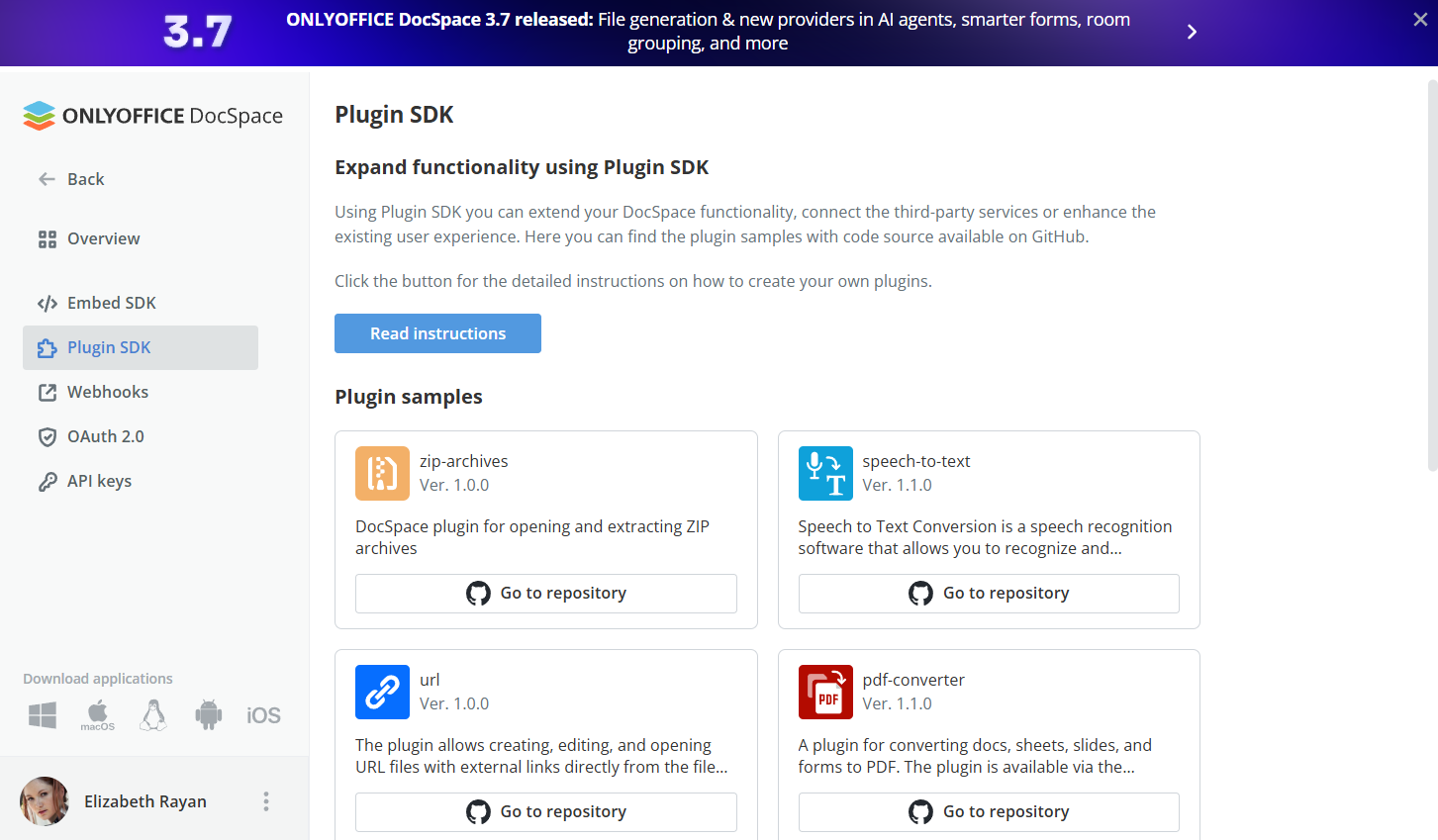
Why this matters: together, these options close the gap between a plugin and the core product. You can style it to fit, translate it, hook it into the same menus and selectors users rely on, and give honest progress feedback during real work. The result is richer extensions and workflows that feel native.
To get started, check the DocSpace Plugins SDK.
Developer Tools & webhooks
Developer Tools have moved out of Settings into their own section, making the SDKs and related options easier to find and work with.
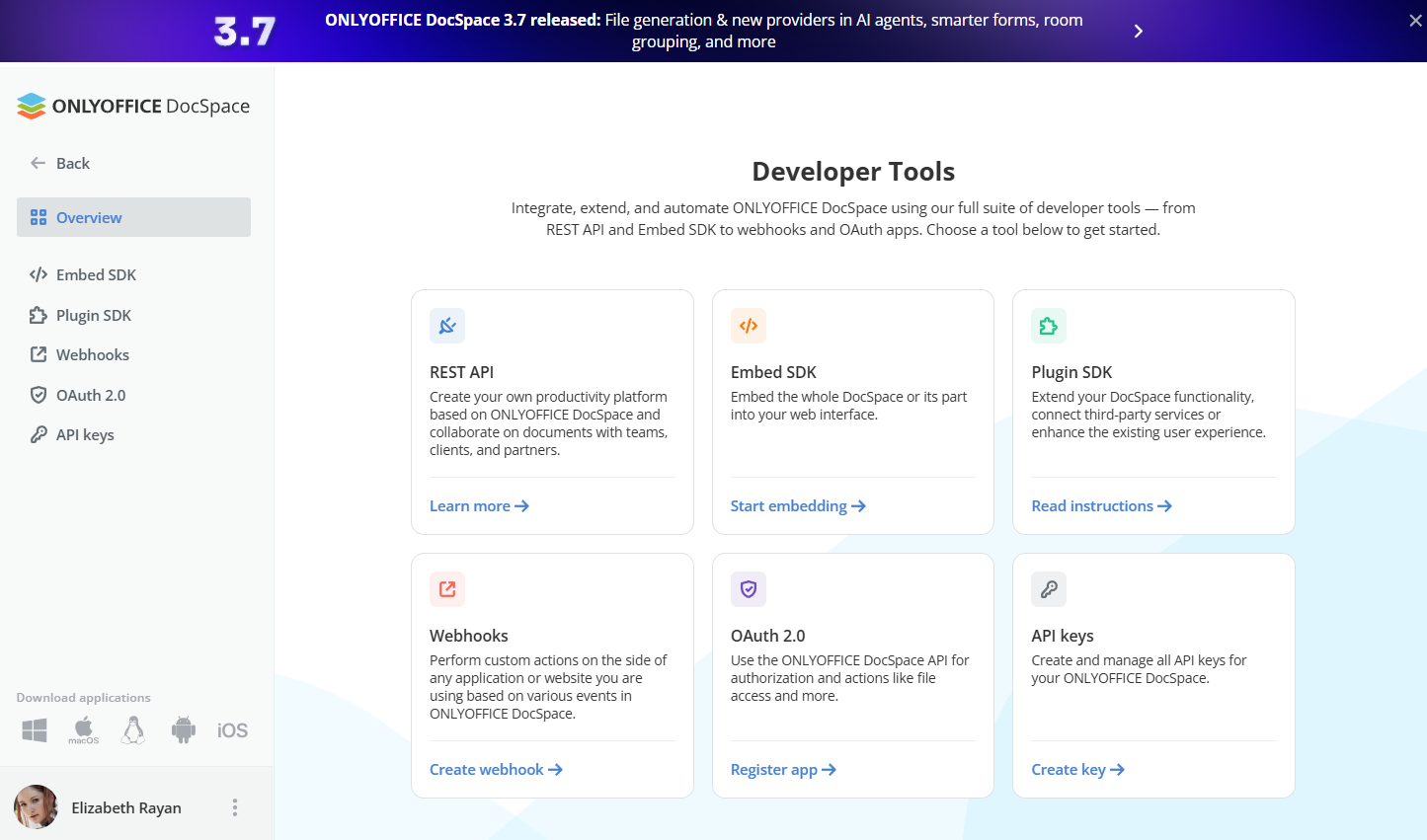
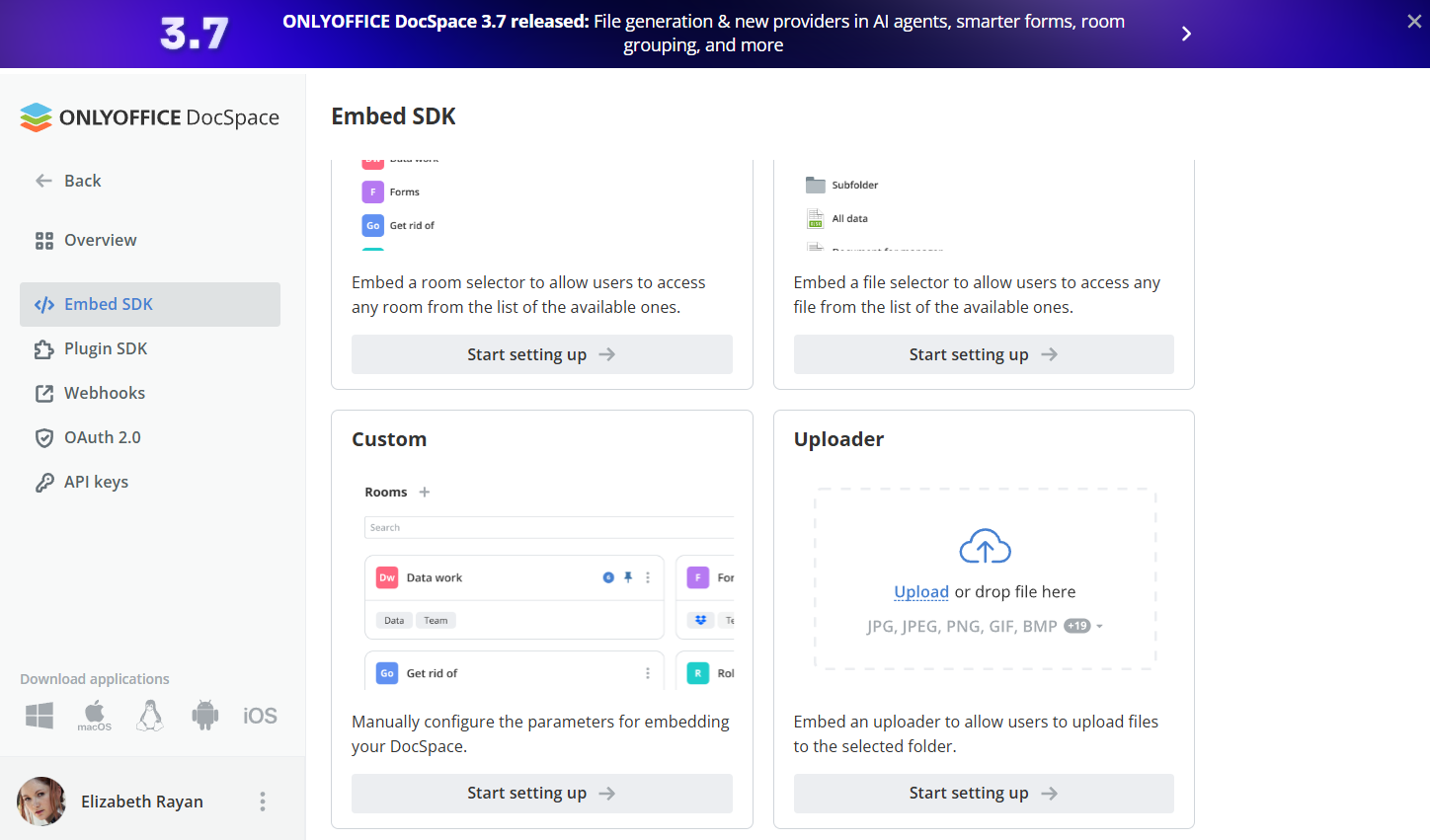
Embed SDK includes a new Uploader setup example that lets you specify the file save location and configure parameters for uploading files and folders. If your integration brings files into DocSpace from another system, this gives you a clear starting point for controlling where uploads land and how they behave.
New webhook events for AI and forms
Webhooks let you trigger custom actions in any app or website based on what happens in DocSpace. This release adds events for both AI and form handling:
- AI Agent created
- AI Agent updated
- AI Agent deleted
- Form Submitted
- Form Filled Out
- Form Stopped
In practice, these open up some useful patterns:
- Fire a notification to the team chat when a Form Submitted event arrives, so the right person reviews it fast.
- Kick off a downstream process. Create a ticket, update a CRM record, or start an approval flow on Form Filled Out.
- Log AI Agent created / updated / deleted events to keep an audit trail of who changed what, and when.
- Pause or notify a connected service on Form Stopped, so dependent jobs don’t run against incomplete data.
Because webhooks reach any external endpoint, you can stitch DocSpace events into the tools your team already uses, without polling or manual checks.
What else is new
- Room grouping
- Replacing default file templates
- Unified Billing section
- The latest version of the editors
- Easier room tag management
- Ability to prohibit the creation of external links
- And more
Check the full list of updates
Get ONLYOFFICE DocSpace Developer 3.7
If you have any suggestions, and ideas on how we can improve the solution and make your experience even better, please don’t hesitate to visit our community and leave your feedback.
Create your free ONLYOFFICE account
View, edit and collaborate on docs, sheets, slides, forms, and PDF files online.


