Top 5 methods to integrate Word into your web application
Document workflows have become a standard part of many web applications. In CRMs, project management platforms, and other document-heavy systems, users increasingly expect to open and edit files directly inside the application rather than switching between tools. As a result, document editing is no longer treated as a secondary feature, but as part of the core product experience.

This is where Word integration becomes important. Instead of sending users to external tools, teams can bring document editing into the product itself and keep the workflow in one place. The right approach depends on the application architecture, the level of control required, and the way users interact with documents in daily work.
Why integrate Word document editing into your app
Teams often consider building their own editor before they explore integration options, but that usually makes sense only in very limited scenarios. A production-grade editor has to handle formatting, DOCX compatibility, comments, permissions, and, in many cases, collaborative editing. Building all of that internally quickly becomes a long-term engineering effort rather than a single feature.
That is why many teams choose to integrate Word document editing into any web app using an existing solution instead. In practical terms, this usually leads to faster implementation, more reliable handling of document formats, fewer issues in production, and lower maintenance costs over time. In a CRM, for example, where users prepare contracts or proposals, integration allows teams to focus on business logic instead of editor infrastructure.
1. iFrame embedding: the quick and isolated sandbox
iFrame embedding is one of the simplest ways to create a Word web application experience. In this model, the editor runs inside a separate frame within the application, which makes implementation relatively straightforward and reduces the risk of conflicts with the rest of the frontend.
The main advantage of this approach is speed. It requires limited setup, has minimal impact on the existing application, and benefits from a clearly isolated execution environment. At the same time, this isolation introduces constraints. Control over styling and interface behavior is limited, communication typically relies on postMessage, and the editor may feel visually detached from the rest of the product.
In practice, iFrame embedding is often used for internal tools or early-stage products. As the product matures, teams usually move toward tighter integration.
2. JavaScript SDKs and widgets for deep frontend control
JavaScript SDKs provide a more integrated approach and significantly more control over the user experience. With this method, Word integration becomes part of the frontend itself, which makes it easier to align the editor with the rest of the interface and connect it to application logic.
This approach is widely used in production systems because it allows teams to handle events such as saving, permission changes, and editing state, while also adapting the editor to fit the product design. It integrates well with modern frameworks, and for most applications, it strikes a practical balance between flexibility and implementation effort.
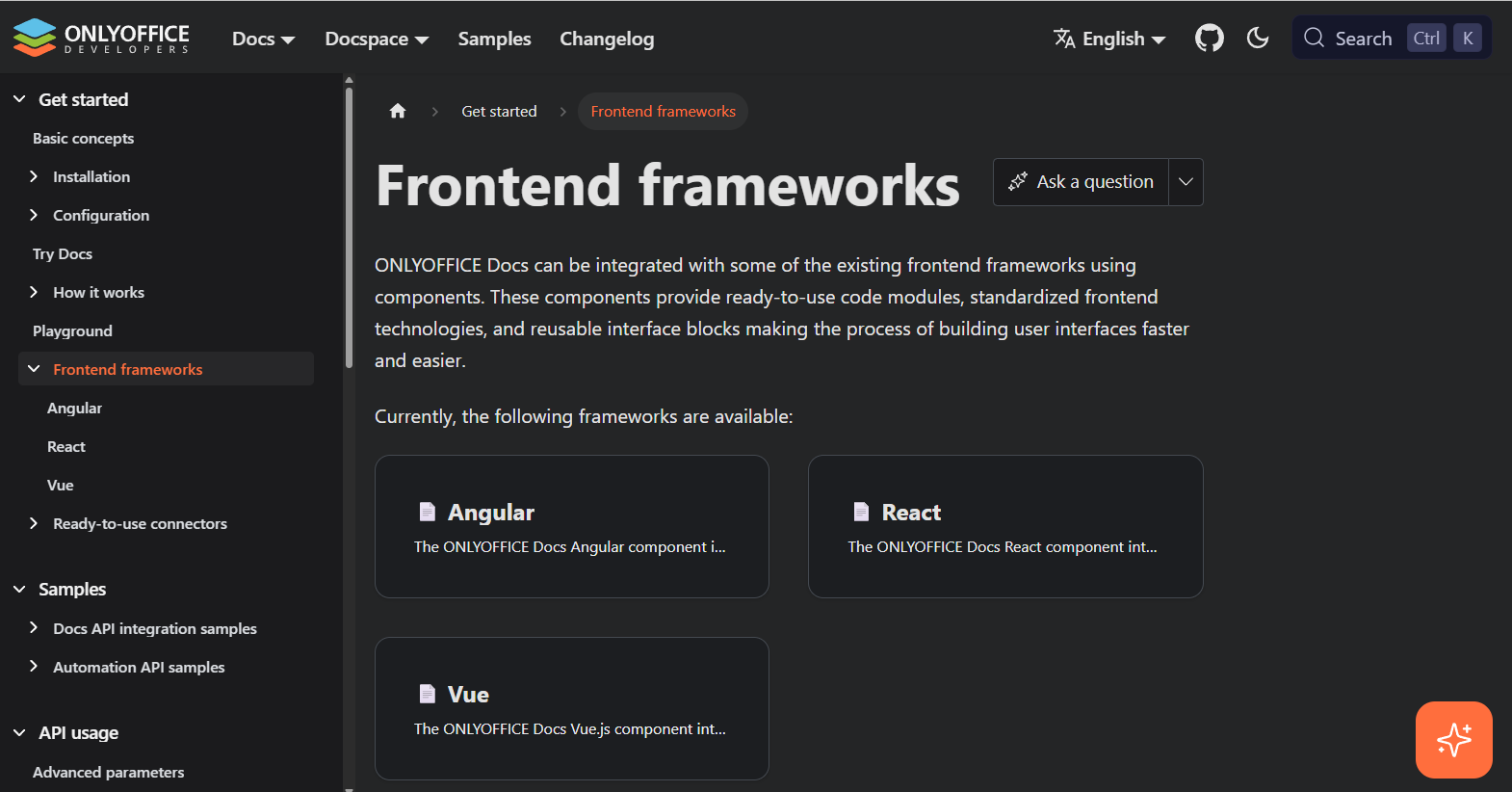
For teams working with modern stacks, ONLYOFFICE provides frontend framework examples that show how document editing can be embedded into applications built with tools like React or Vue. In addition, the editor configuration options allow fine-tuning of permissions, UI behavior, and feature availability based on product requirements.
3. WOPI integration for collaborative document editing
WOPI is a standard protocol designed for connecting document editors to external storage systems. For teams that need both collaboration and control over infrastructure, it offers a structured way to integrate Word in web application environments without transferring document storage to third parties.
Its relevance becomes more apparent in systems where access control and storage architecture are tightly managed. WOPI supports real-time collaborative editing while ensuring that documents remain within your own environment. This makes it particularly suitable for enterprise systems, where compliance and data ownership are key considerations.
For a deeper understanding of how this works in practice, the WOPI integration overview explains the underlying flow between the editor, storage, and application layer.
4. Mobile SDKs: delivering a native experience
When document workflows extend to mobile devices, browser-based editing is not always sufficient. While a web editor may work for simple tasks, it often falls short when users need a stable and responsive experience on mobile platforms.
Mobile SDKs make it possible to integrate Word document editing into any web app ecosystem while delivering a native experience on iOS and Android. This is especially relevant for applications used by field teams, sales representatives, or any users who regularly interact with documents outside of a desktop environment.
The advantage lies not only in performance, but also in interfaces designed specifically for touch interaction and, in some cases, support for offline work.

5. Cloud API integration: server-to-server automation
Not every document workflow requires a user-facing editor. In many systems, documents are generated, converted, or processed automatically in the background.
In these cases, API-based Word integration provides a more efficient solution. It is commonly used for generating documents from templates, converting formats such as DOCX to PDF, or handling large volumes of files in batch processes.
For backend-driven workflows, the Automation API outlines how document generation and processing can be handled programmatically without introducing a frontend editor.
Comparing Word integration methods
| Method | Time to integrate | Customizing | Mobile experience | Data control | Best suited for |
|---|---|---|---|---|---|
| iFrame | Very fast | Low | Moderate | Medium | MVPs and fast deployments |
| JavaScript SDK | Moderate | High | Good | High | Full-featured web apps |
| WOPI | Complex | High | Good | Very high | Collaborative platforms |
| Mobile SDK | Moderate | Medium | Excellent | High | Native mobile apps |
| Cloud API | Fast | Backend only | N/A | High | Automated workflows |
Conclusion
The best integration method depends on the actual use case. If speed is the priority, iFrame embedding may be sufficient. If the editor needs to feel like a natural part of the product, JavaScript SDKs are typically a better fit. When collaboration and storage control are central, WOPI is often the preferred option, while API-based solutions are more suitable for backend-driven workflows.
A clear understanding of how documents are created, edited, and managed within the application is essential. Once that is defined, choosing the appropriate integration method becomes a much more straightforward decision.
Integrate Word document editing in your web app with ONLYOFFICE
ONLYOFFICE supports several of the integration approaches described above, making it possible to use a single platform across different document workflows. Teams can start with a straightforward implementation and expand it as product requirements evolve.
To get started, you can explore the API documentation for integration setup, configuration, and usage details.
Create your free ONLYOFFICE account
View, edit and collaborate on docs, sheets, slides, forms, and PDF files online.