ONLYOFFICE Docs Enterprise 9.4: Admin Panel updates for better SharePoint integration, easier recipient assignment and form-filling, and more
Summary
The ONLYOFFICE Docs Enterprise 9.4 release enhances the Admin Panel for improved SharePoint integration, simplifies recipient assignment, and streamlines form-filling processes. These updates allow enterprise users to configure their Docs instance more effectively, assign roles intuitively, and track form completion directly within the editor, ultimately boosting productivity and collaboration within teams.
- New WOPI settings enhance SharePoint compatibility.
- Direct recipient assignment simplifies form-filling tasks.
- Version 9.4 includes various useful features for teams.
- Users can deploy on-premises or try in the cloud.
- A free demo is available for interested teams.
The ONLYOFFICE Docs 9.4 release introduces a lot of new features and tools for smarter document editing and better productivity, and some of them are specifically designed for enterprise users. In this blog post, you will learn how new updates in the Admin Panel, easier recipient assignment and other improvements in the latest version of ONLYOFFICE Docs Enterprise improve workflows in teams and companies.

New WOPI settings in the Admin Panel
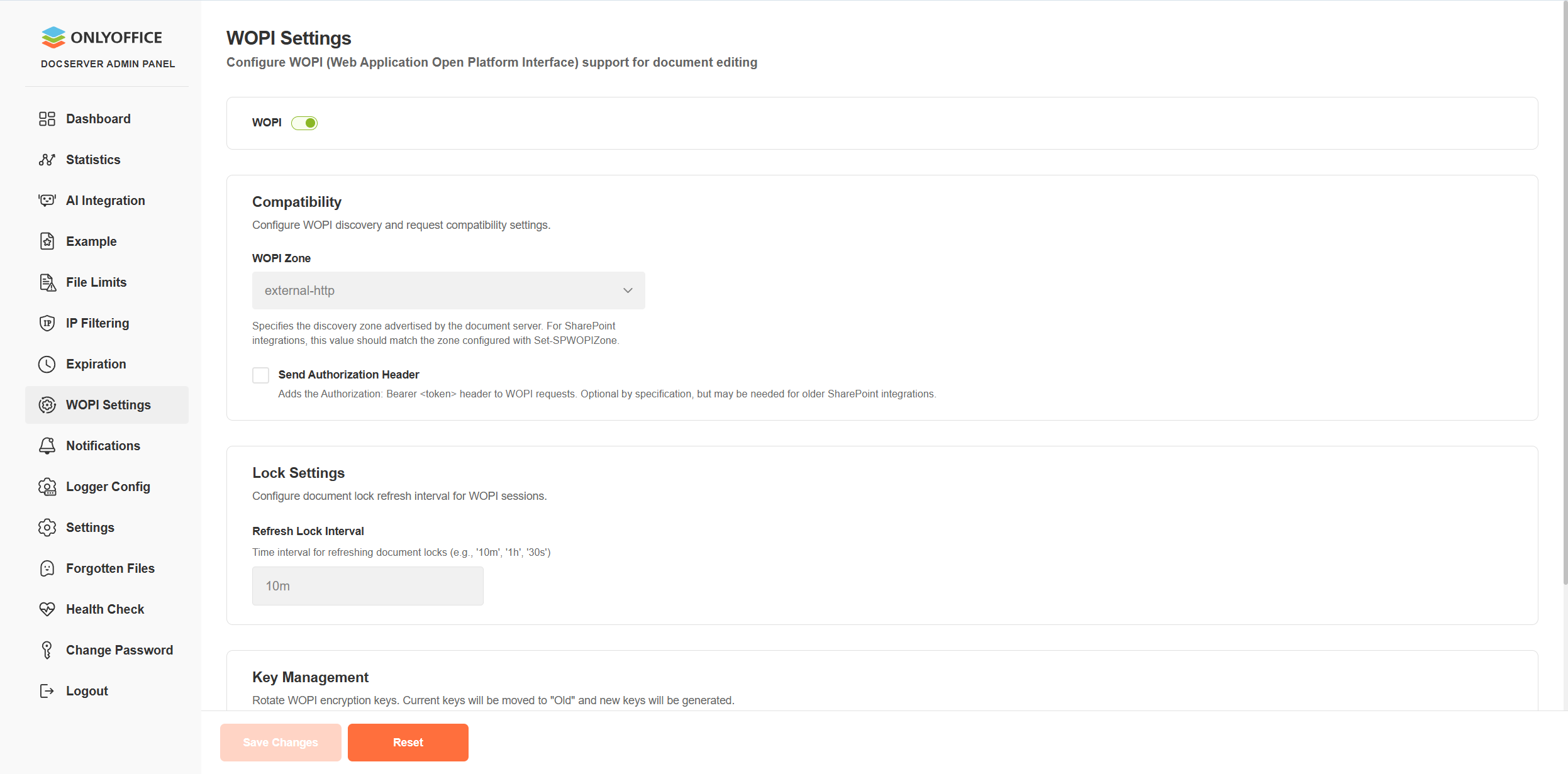
The Admin Panel, the core element of ONLYOFFICE Docs Enterprise designed to make it easier to configure and monitor your Docs instance via a single web interface, brings new updates to the ONLYOFFICE Docs and SharePoint integration.
The newly added specific WOPI settings improve SharePoint compatibility, allowing you to easily synchronize with the required WOPI zone and optionally enable the Authorization header directly from the dashboard.
Where to find: DocServer Admin Panel ➙ WOPI Settings
Direct recipient assignment and form-filling status
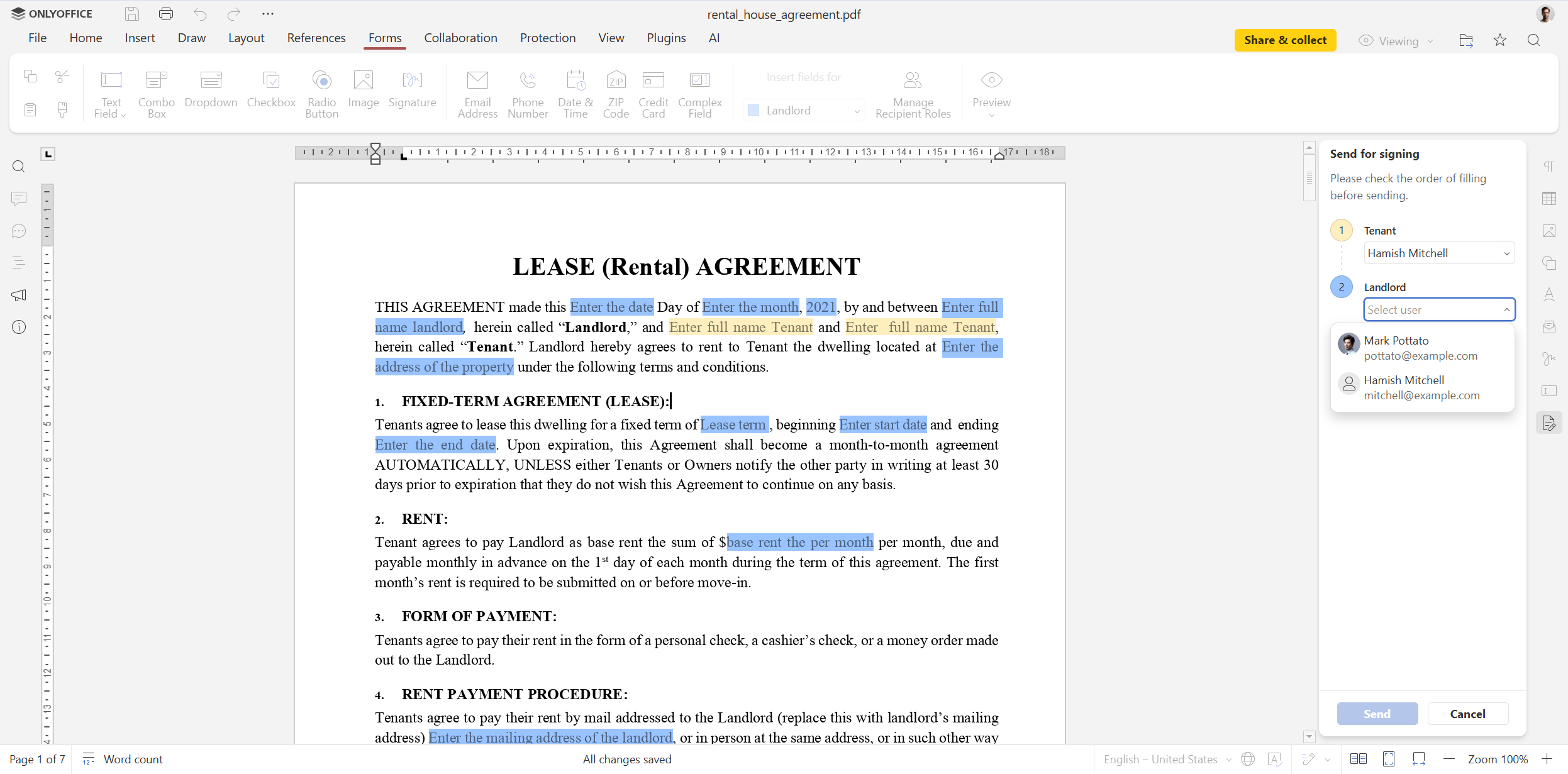
With version 9.4, form-filling has become easier and less time-consuming. Now you can assign specific recipients and track the form-filling status directly within the ONLYOFFICE editor. This improvement makes assigning roles and tracking form completion more intuitive.
Where to find: Share & collect ➙ Send for signing
More updates in version 9.4
Other useful features and updates of version 9.4 for teams and businesses include:
- Horizontal lines in documents;
- Smart signature storage;
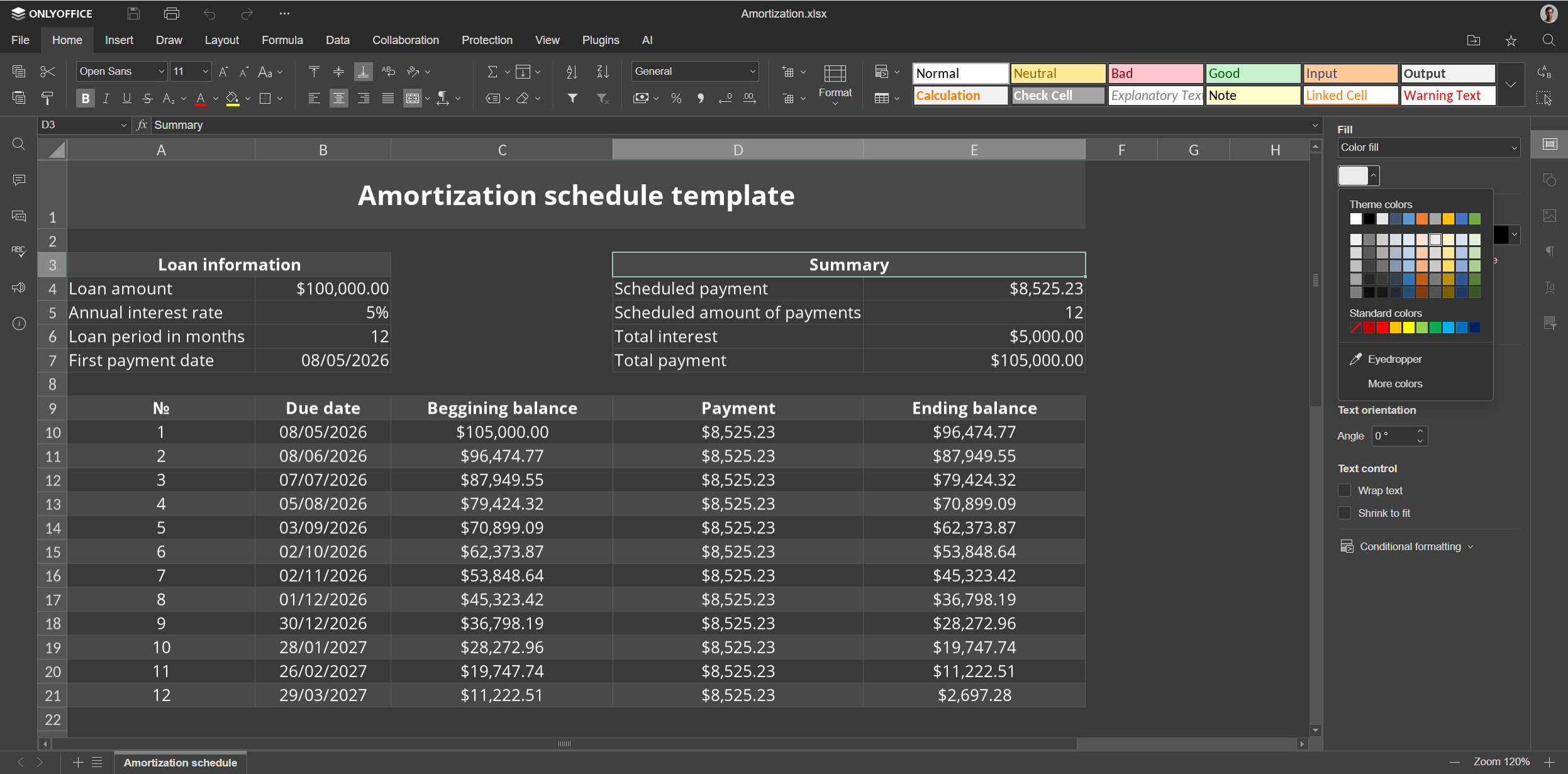
- Dark Document mode in spreadsheets;
- 25 new ready-to-use themes and 20 new slide transitions in presentations;
- Dedicated Chart Design tab across all the editors;
- Croatian language support in the interface and more.
For more information about version 9.4, read this blog post or watch a video overview on YouTube:
Get ONLYOFFICE Docs Enterprise 9.4
Deploy the self-hosted version of ONLYOFFICE Docs Enterprise 9.4 or try the new features in the cloud to create a secure collaborative environment within your favourite business platform:
INSTALL ON-PREMISES TRY IN THE CLOUD
Want to bring document editing and real-time collaboration features to your web application? Book a free demo now and learn how ONLYOFFICE Docs Enterprise can make a difference for your team:
Useful links
Get ONLYOFFICE Docs Enterprise: self-hosted / cloud
Create your free ONLYOFFICE account
View, edit and collaborate on docs, sheets, slides, forms, and PDF files online.


