ONLYOFFICE connector for Jira Cloud released: create, edit and collaborate on office files within your platform
If you use Jira Cloud to plan, track and manage your work, we have good news for you! Our newly released connector brings the power of ONLYOFFICE Docs to your cloud-based Atlassian platform, allowing you to create, edit and collaborate on documents, spreadsheets, presentations and PDFs within the Jira interface. Read this article for further information.

View and edit documents, spreadsheets and presentations
The ONLYOFFICE connector enables Jira Cloud users to open documents, spreadsheets, presentations and PDFs for further editing*. Various formatting and styling options, data processing features and presentation tools make it easy to edit Word, Excel and PowerPoint files attached to issue right within the Jira dashboard.
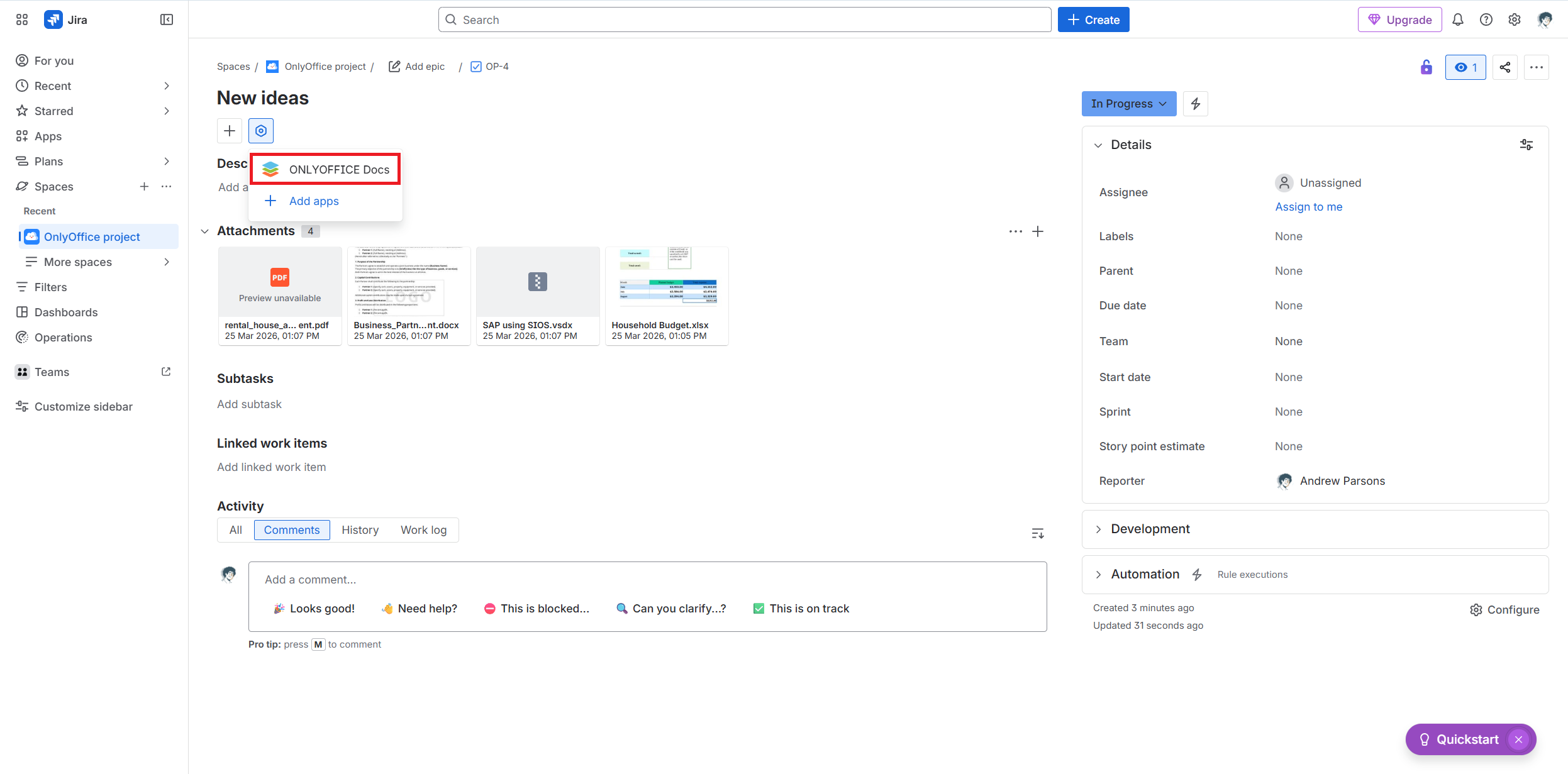
To open a file, you need to click the Edit in ONLYOFFICE option next to the required file.
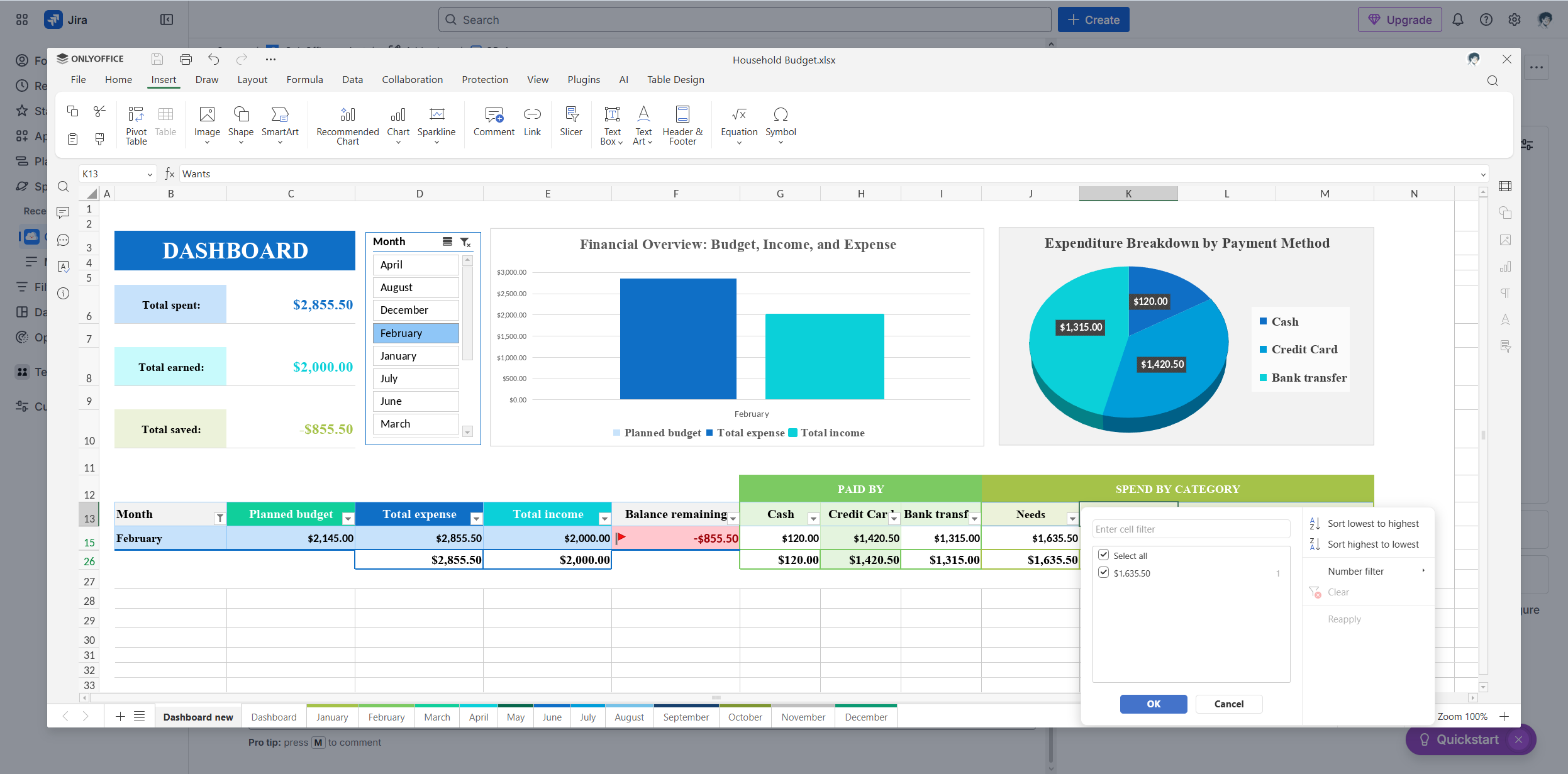
*To enable document editing and other features, you need to add the ONLYOFFICE Docs app in the View app actions menu in your Jira task.
Work with all popular file formats
The integration provides direct editing support for the following formats:
- Documents: DOCM, DOCX, DOTM, DOTX;
- Spreadsheets: XLSB, XLSM, XLSX, XLTM, XLTX;
- Presentations: POTM, POTX, PPSM, PPSX, PPTM, PPTX;
- PDF editor: PDF.
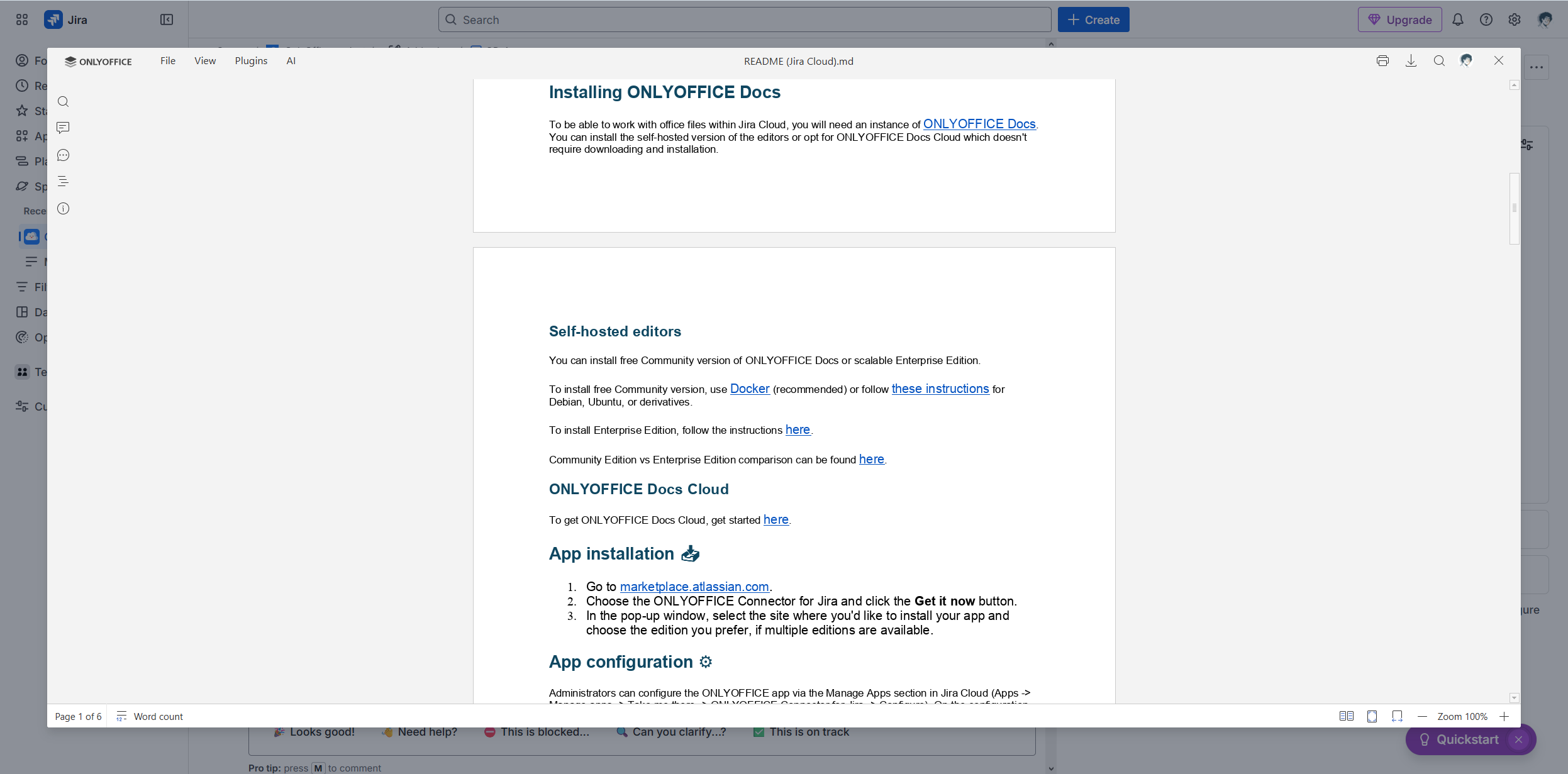
Other popular file extensions, like Apple iWork formats (Pages, Keynote, Numbers), Hancom Office documents (HWP, HWPX), MD documents, ODF files and ODG presentations, are available for viewing only.
Please refer to this GitHub page for more information about format compatibility in this integration.
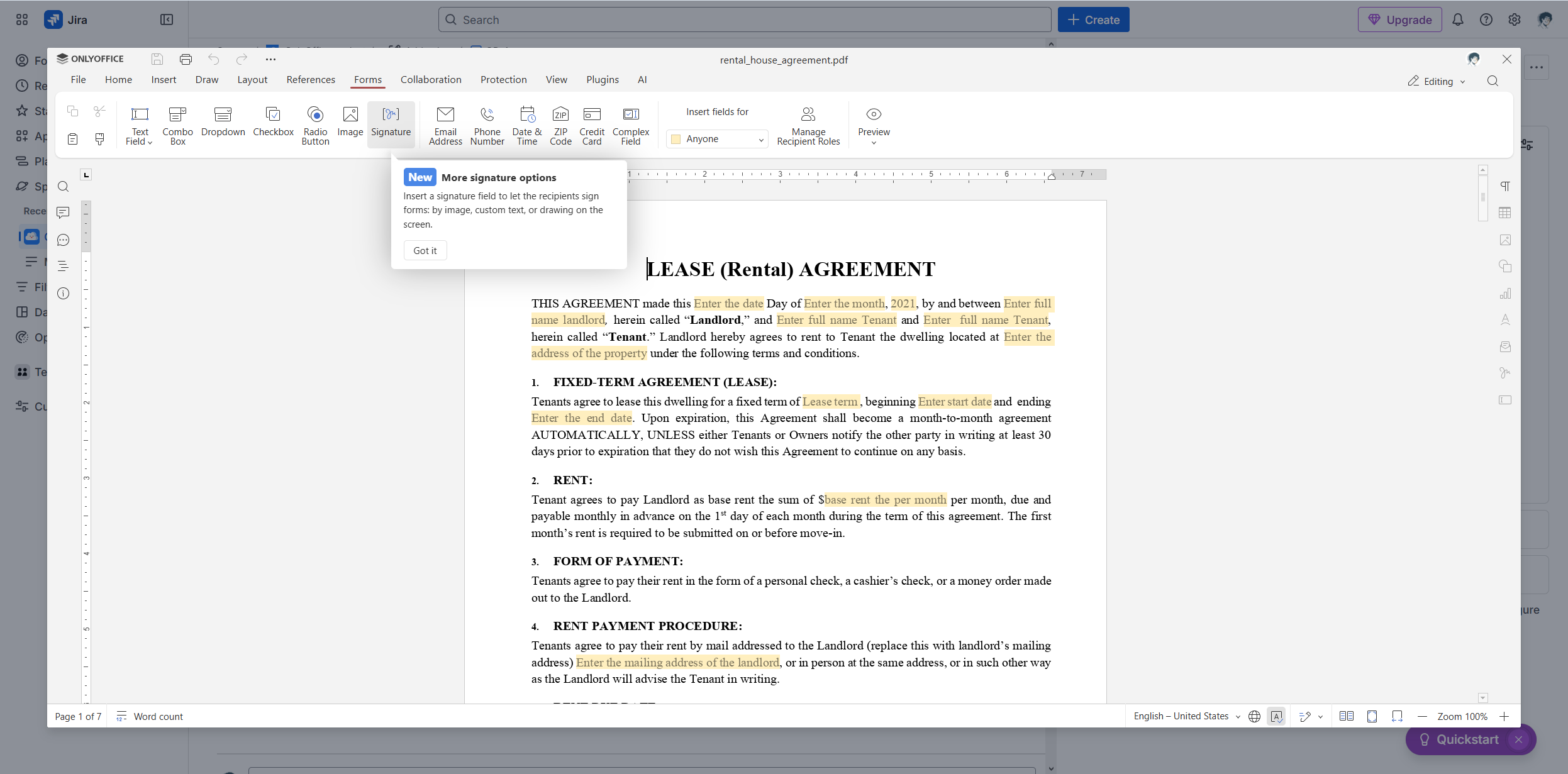
Edit PDF files and fillable forms
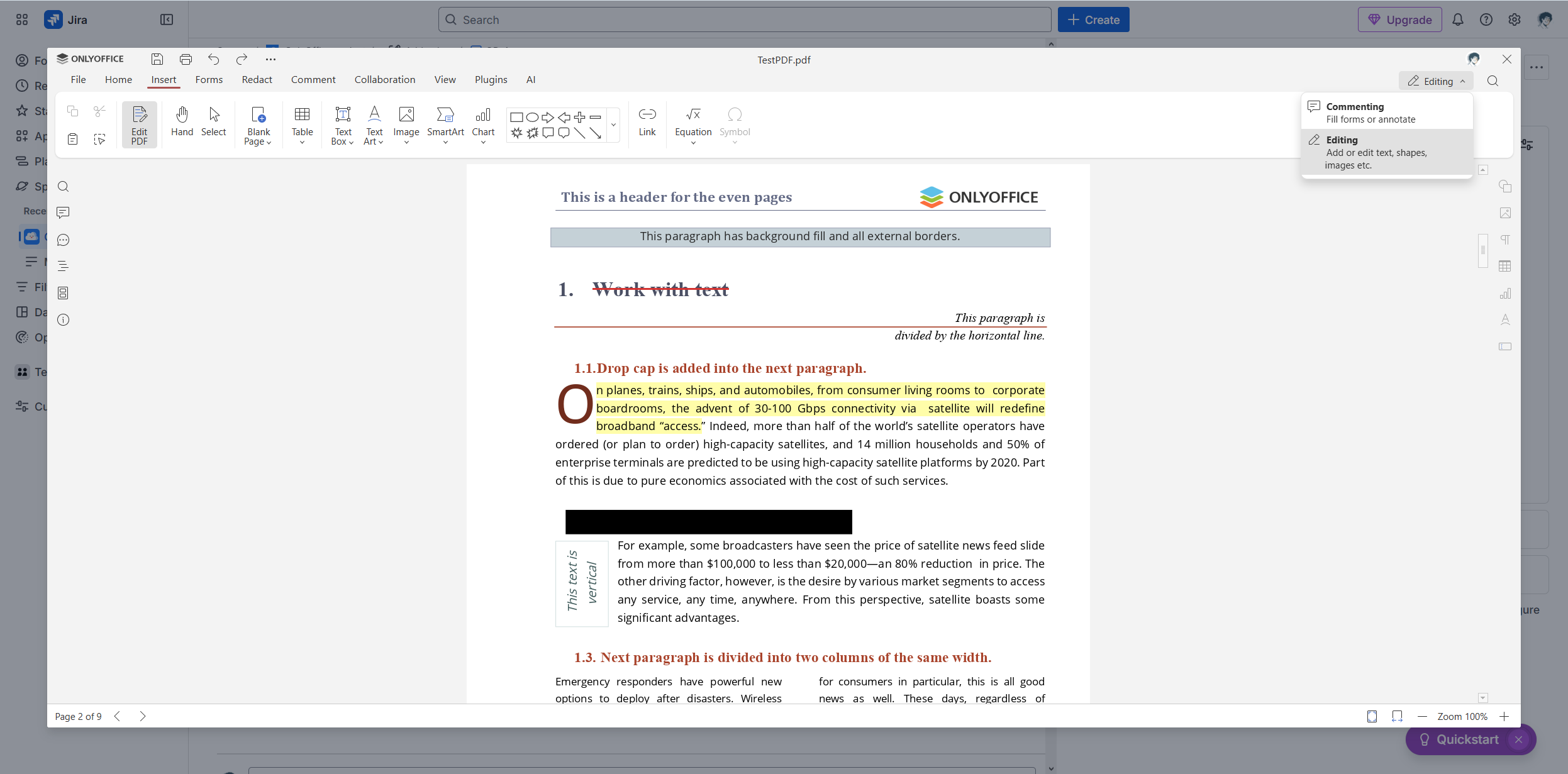
The ONLYOFFICE connector brings ONLYOFFICE PDF Editor to Jira Cloud, making it possible to view and edit PDF files directly in Jira issues:
- Text editing;
- Annotating;
- Commenting;
- Page rotation and insertion;
- Visual objects;
- Redaction;
- PDF to DOCX conversion;
- AI-powered OCR and more.
All these features are available now when you switch to Editing mode.
Additionally, Jira Cloud users can create and edit fillable PDF forms with fields, like drop-down lists, checkboxes and text areas, and sign them digitally.
View diagrams
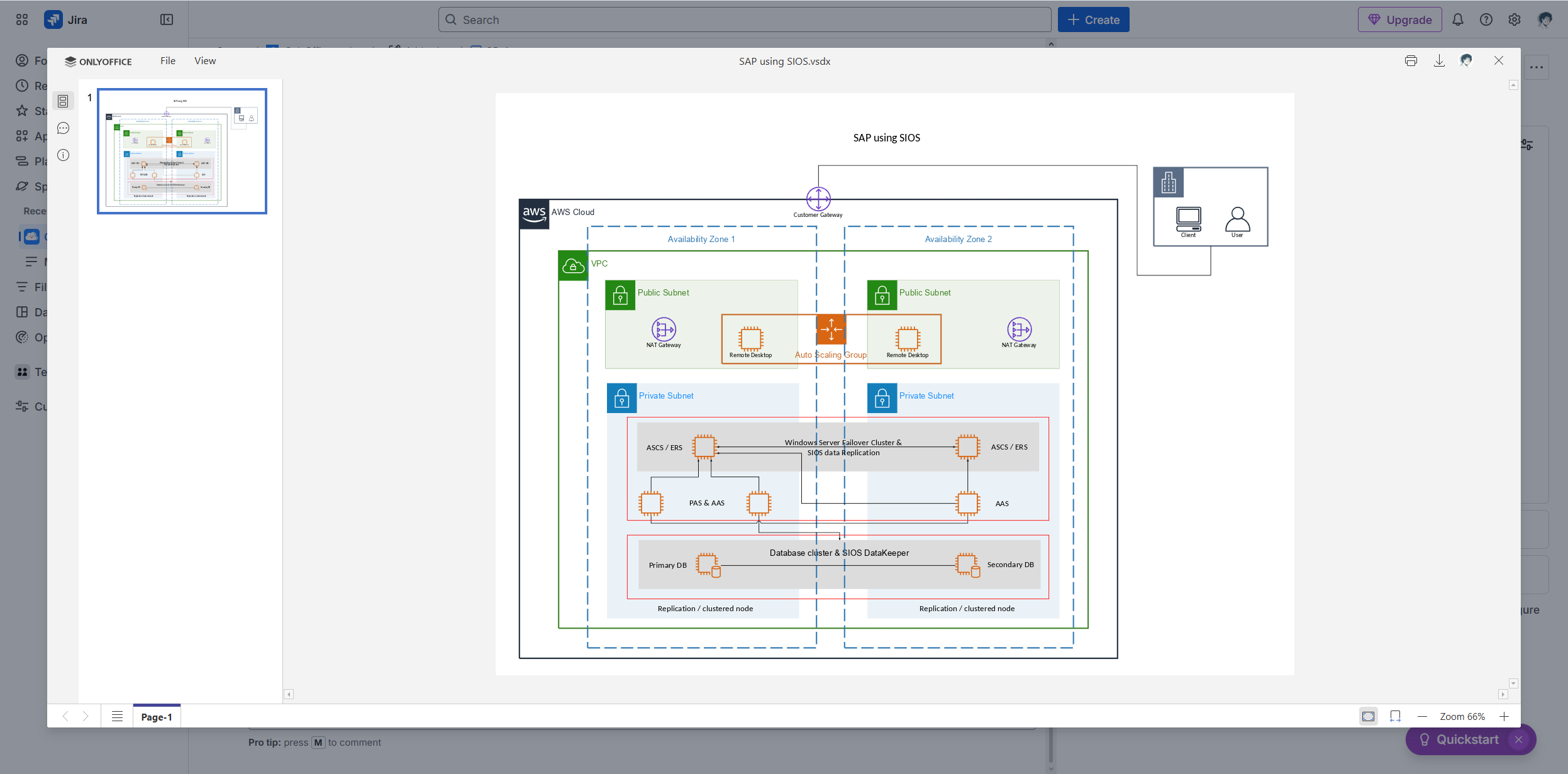
The new ONLYOFFICE connector is also compatible with diagrams. The built-in viewer allows you to open Visio diagrams for viewing, providing support for VSDM, VSDX, VSSM, VSSX, VSTM and VSTX files.
To open a diagram, simply click the View in ONLYOFFICE option.
Use your favourite AI assistant
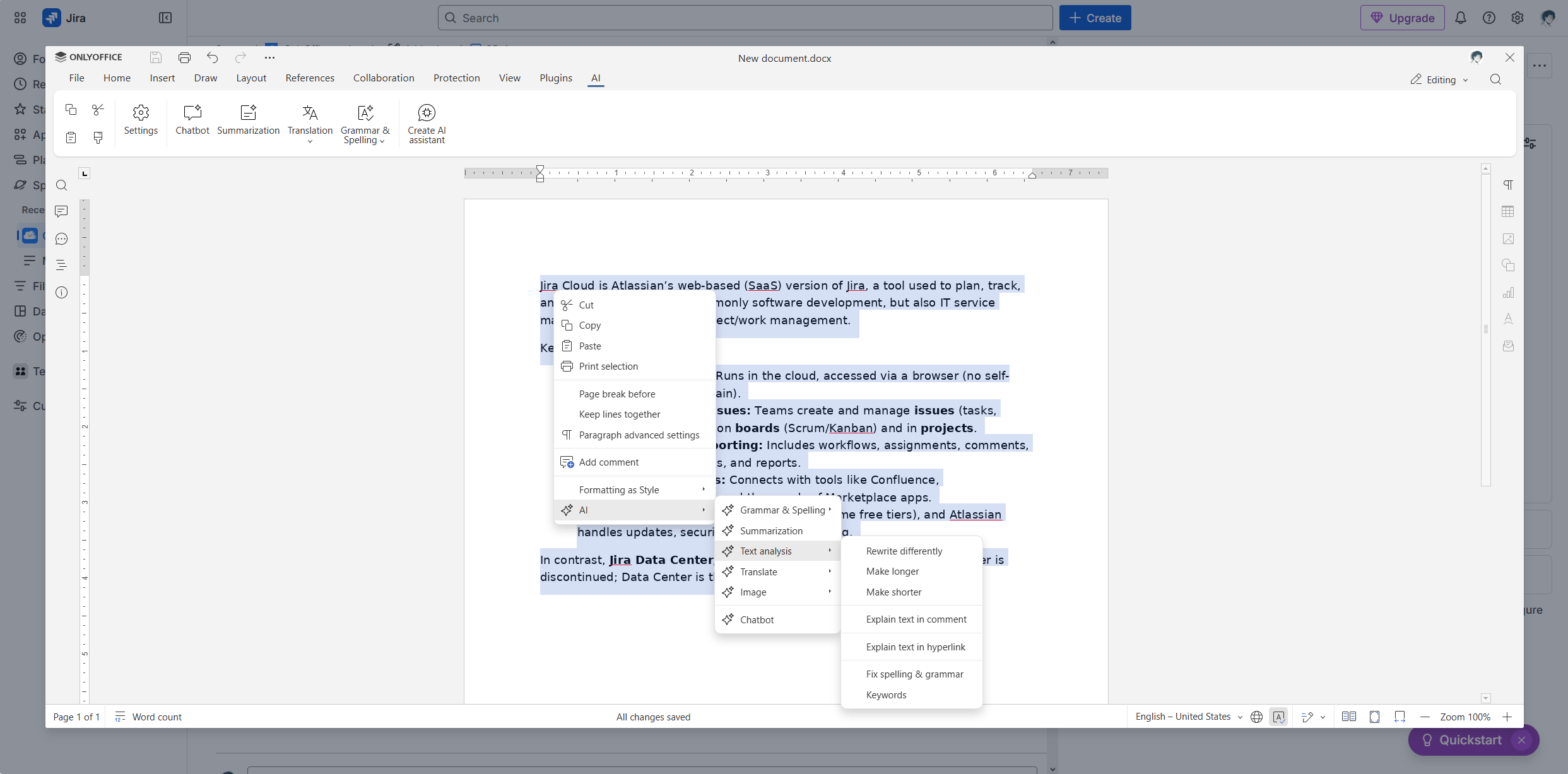
Another strength of the ONLYOFFICE and Jira Cloud integration is its compatibility with all popular AI providers and tools, which can significantly boost your productivity. You can connect your favourite AI assistant via a special plugin and do a lot of things:
- Generating text content and images;
- Summarizing large pieces of text;
- Translating;
- Analyzing texts;
- Correcting spelling and grammar mistakes;
- Rewriting text paragraphs in different ways;
- Getting answers to your questions and more.
The AI plugin is compatible with OpenAI, Mistral, TogetherAI, Anthropic, LM Studio, Google Gemini, DeepSeek and more.
Please take a look at this guide in our Help Center to discover how AI integration in ONLYOFFICE works and what it takes to get started with your AI provider.
Collaborate in real time
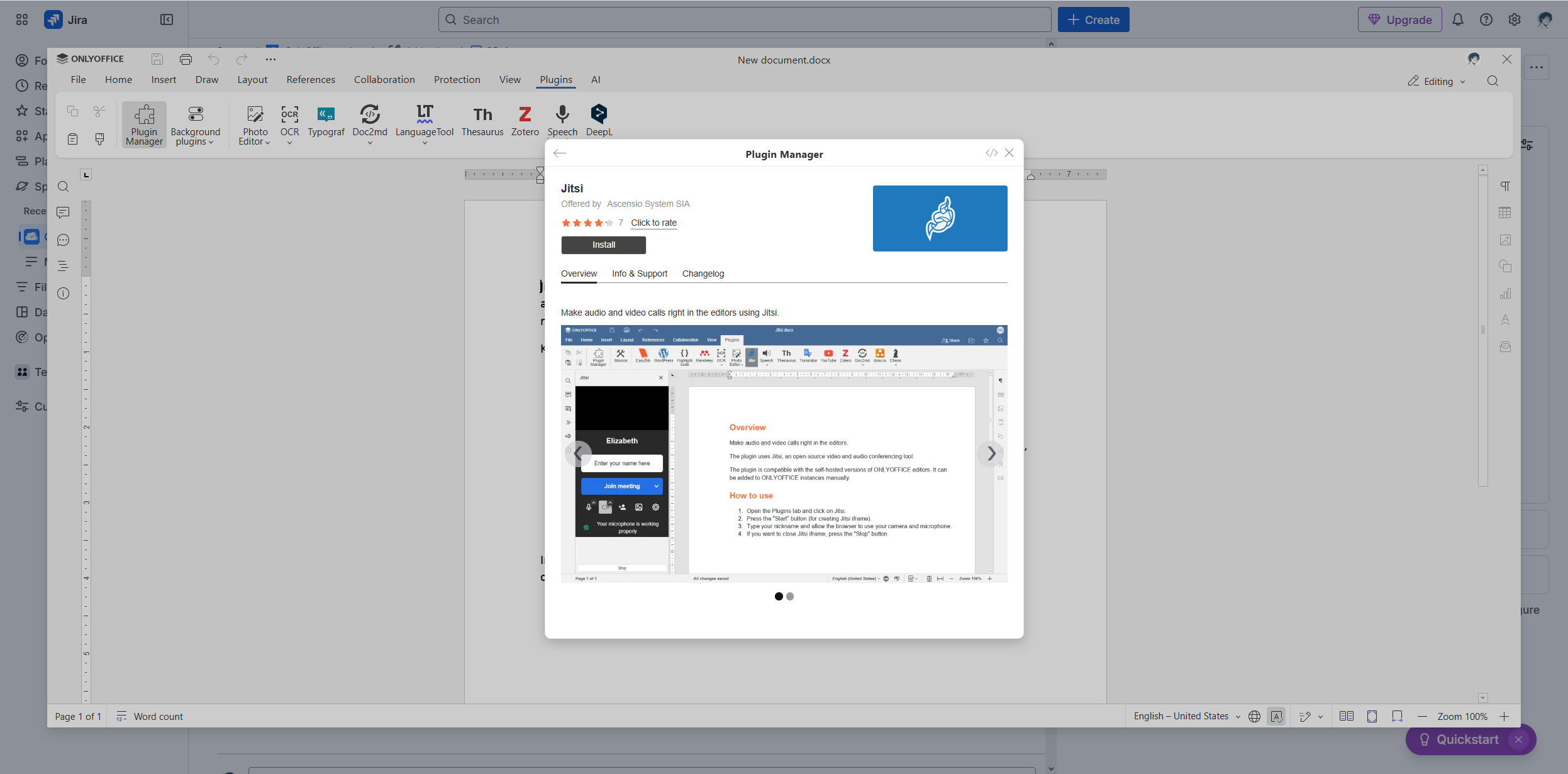
The ONLYOFFICE and Jira Cloud integration is not only about editing office files. It also comes with powerful collaboration features, allowing you to co-edit documents, spreadsheets, presentations and PDFs in real time, using comments, user mentions, two co-editing modes, tracking changes and the built-in chat for text messaging.
What’s more, you can extend collaboration functionality with various plugins. For example, you can enable audio and video calls with Jitsi or use translators like DeepL and Bergamot for quick online translation.
Create new files from scratch
With ONLYOFFICE, not only can you work on already uploaded files in your Jira issues, but you can also create new ones with a few clicks.
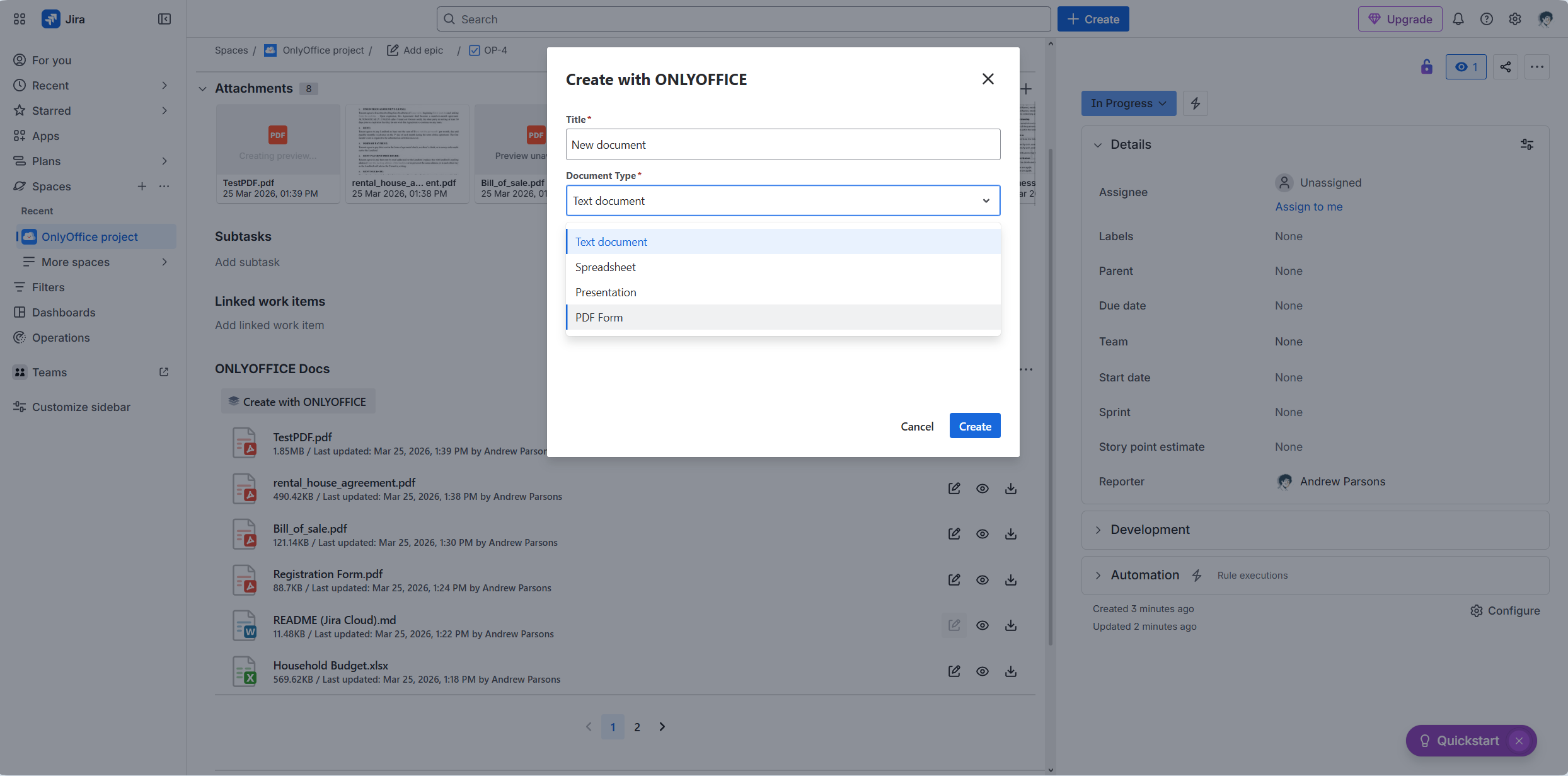
To create a new file, click the Create with ONLYOFFICE button. In the pop-up window, enter a file name and choose the desired file format. Currently, you can create DOCX, XLSX and PPTX files, as well as PDF forms.
Get the ONLYOFFICE connector for your Jira Cloud
Ready to boost document collaboration in your team? Get the official ONLYOFFICE connector for Jira Cloud from the Atlassian Marketplace:
FAQ: ONLYOFFICE and Jira Cloud integration
Is the ONLYOFFICE connector for Jira Cloud free?
Yes. Our connector is free and can be installed directly from the Atlassian Marketplace.
I’m using Jira Data Center. Can I use this integration?
Yes, you can integrate Jira Data Center with the ONLYOFFICE editors, but you need another connector. Get it from the Atlassian Marketplace.
What do I need to use the ONLYOFFICE and Jira Cloud integration?
For this integration, you need to have an ONLYOFFICE Docs instance connected to your Jira Cloud platform via the official connector. You can deploy ONLYOFFICE Docs on your local server or sign up for an account in the cloud.
How do I configure the integration?
Please refer to this GitHub page to learn more about the configuration process.
Can I use AI tools in the ONLYOFFICE editors integrated with Jira Cloud?
Yes. The AI features are available in the ONLYOFFICE editors via the AI plugin. The plugin is free and can be installed and configured in the Plugin Manager. However, some AI providers may require a paid API key depending on the service you would like to use.
You can connect various AI providers, including OpenAI, Mistral AI, Anthropic, Google Gemini, DeepSeek and more.
Useful links
ONLYOFFICE connector for Jira Cloud: Marketplace / GitHub
Get ONLYOFFICE Docs: Enterprise / Community / Cloud
Create your free ONLYOFFICE account
View, edit and collaborate on docs, sheets, slides, forms, and PDF files online.


