ONLYOFFICE connector v10.0 for Nextcloud: Markdown conversion, support for TSV, compatibility with Nextcloud v33
The latest version of the ONLYOFFICE integration app for Nextcloud is now available. Version 10.0.0 introduces compatibility with the newest release of Nextcloud and expands file format support.

Expanded format support
Version 10.0.0 brings support for additional formats introduced in ONLYOFFICE Docs v9.3, further improving compatibility when working with different document types.
Markdown conversion
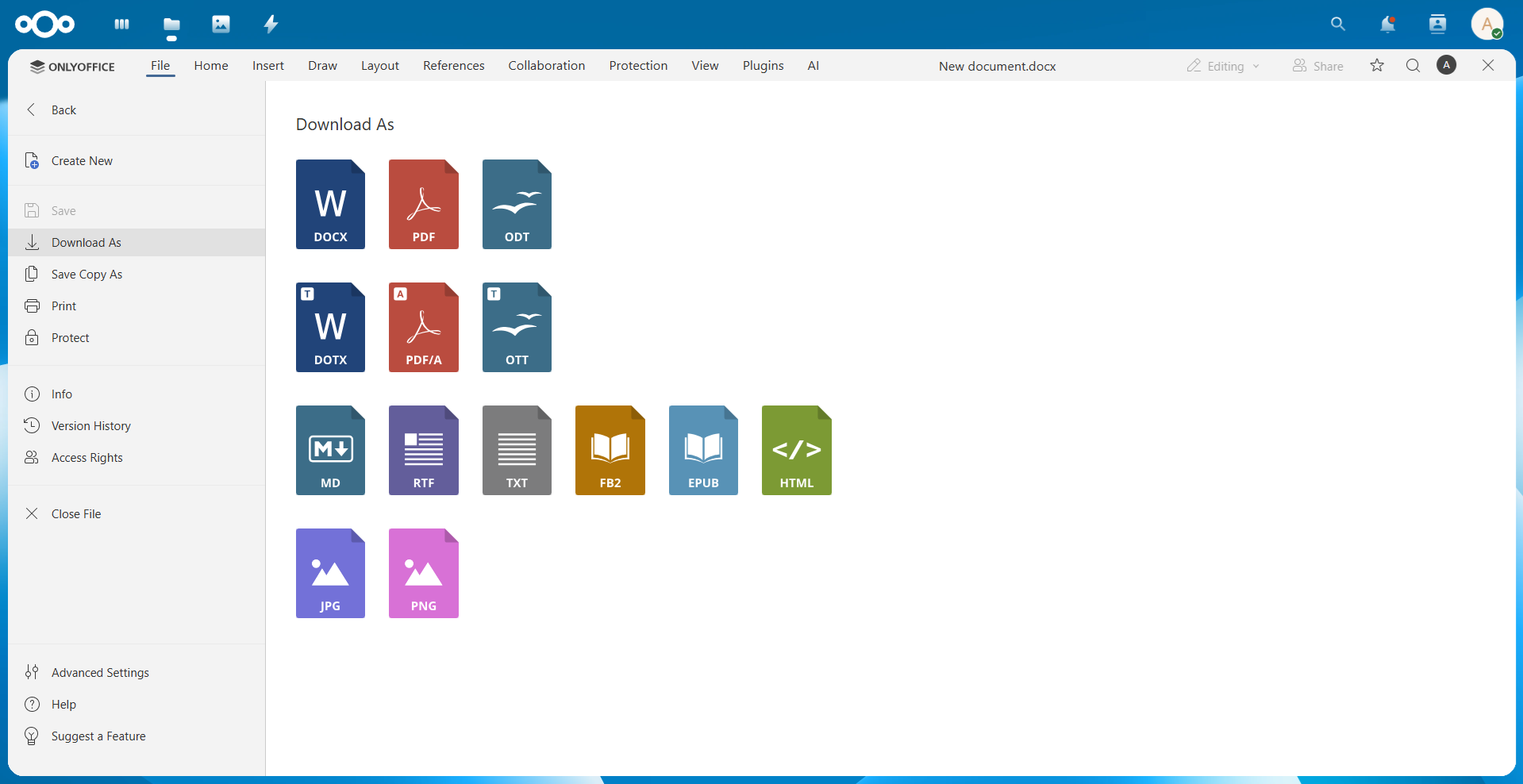
The connector now also allows you to save your files in Markdown (.md) format.
Markdown is widely used for technical documentation, README files, and developer workflows. This improvement makes it easier for teams working with documentation to convert documents into Markdown format directly within their Nextcloud environment.
Where to find: File -> Download As -> MD
TSV file support
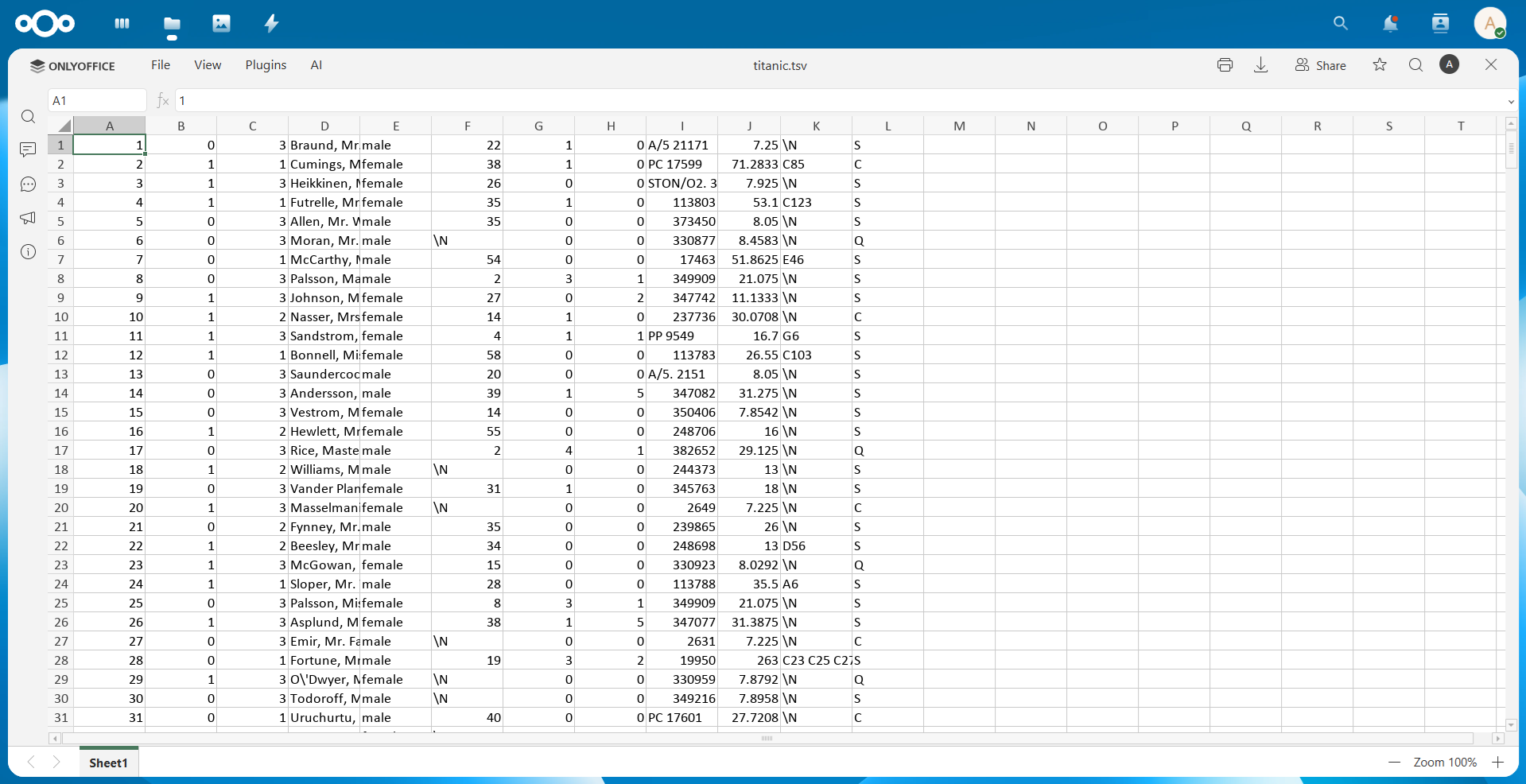
Users can now open TSV (Tab-Separated Values) files for viewing directly in the Spreadsheet Editor.
TSV files are commonly used for exchanging structured data between systems and applications. With this update, you can view and edit TSV files inside Nextcloud without converting them first.
Compatibility with Nextcloud 33
The connector is now fully compatible with Nextcloud version 33, ensuring stable integration with the latest version of the platform.
This update allows administrators and organizations to upgrade their Nextcloud instances without worrying about document editing issues. Users can continue creating, editing, and collaborating on documents directly inside Nextcloud using the ONLYOFFICE editors.
Improved opening of externally shared documents with a watermark
This version also resolves an issue that could occur when opening the editor through external sharing links while a watermark was enabled.
Get the updated connector
Download the latest version of the ONLYOFFICE integration app for Nextcloud from the official app marketplace to take advantage of improved compatibility and expanded format support in your Nextcloud environment.
Frequently asked questions (FAQ)
Is the ONLYOFFICE connector for Nextcloud free?
Yes. The connector itself is free and can be installed directly from the Nextcloud App Store.
Do I need to install ONLYOFFICE Docs to use the integration?
Yes. To edit documents, you need to connect the app to a deployed instance of ONLYOFFICE Docs (either self-hosted or cloud).
Can I use AI features in the ONLYOFFICE editors integrated with Nextcloud?
Yes. AI features are available in the editors via the AI plugin. The plugin itself is free and can be installed and configured within the editors. However, some AI providers may require a paid API key depending on the service you choose to connect.
You can integrate the editors with several AI providers, including OpenAI, Mistral AI, Anthropic, Google Gemini, DeepSeek, locally hosted AI models via compatible APIs.
Is it possible to try the integration?
Yes. You can connect the connector to a public test server of ONLYOFFICE Docs from the settings page to evaluate the functionality.
I have a suggestion for a new feature in this integration. Where can I submit it?
Feel free to share your ideas and suggestions on our feedback platform, or visit our forum to contribute and engage with the community.
Useful links
ONLYOFFICE Docs for Nextcloud: Enterprise / Community / cloud
Create your free ONLYOFFICE account
View, edit and collaborate on docs, sheets, slides, forms, and PDF files online.


