Back to school: why ONLYOFFICE is the right choice for educational institutions in Brazil
Summary
ONLYOFFICE is the right choice for educational institutions in Brazil because it complies with the Estatuto Digital da Criança e do Adolescente (EDCA) and offers a secure, privacy-focused environment for students and educators. Its features, such as self-hosted solutions, comprehensive security tools, and support for digital literacy, make it an ideal fit for schools and universities aiming to protect minors while enhancing their learning experience.
- ONLYOFFICE ensures security by design.
- It provides total control over user data.
- The software complies with data protection regulations.
- It supports real-time collaboration for group projects.
- Brazilian users can access the interface in Portuguese.
Since the back-to-school season is in full swing, we would like to take this opportunity to focus on certain countries and regions and explain what ONLYOFFICE has to offer to local educational institutions. In this blog post, you will learn why ONLYOFFICE is the right choice for schools and universities in Brazil, the largest country in Latin America.

What is the Estatuto Digital da Criança e do Adolescente (EDCA) and why it’s important
The Estatuto Digital da Criança e do Adolescente (EDCA), also known as Lei nº 15.211/2025 (Law No. 15.211/2025), literally translates as “Digital Child and Adolescent Statute”. It’s a comprehensive law designed to protect minors in Brazil by regulating their digital environment. The law’s articles apply to all information technology products and services, including computer programs, electronic games, operating systems, app stores and social media, that are targeted at or used by Brazilian children and adolescents.
The Estatuto Digital da Criança e do Adolescente (EDCA) was enacted on September 17, 2025, and came into force on March 17, 2026. Since then, it has had a major impact on the Brazilian educational sector, forcing IT managers and school administrators to evaluate whether the information technology products used in their educational institutions comply with the requirements of the new law.
These are the most important requirements of Law No. 15.211/2025:
- Protective design by default. According to Article 7, providers of information technology products and services must ensure the most protective configuration by default in terms of privacy and personal data protection.
- No behavioural profiling. Article 26 specifies that the creation and processing of behavioural profiles based on their personal data for commercial advertising purposes is prohibited.
- Promotion of digital literacy. As per Article 4, VIII, the use of information technology products and services by children and adolescents must be based on the promotion of digital literacy, focusing on the development of citizenship and critical thinking.
- Transparency. Under Articles 31 and 40, providers of information technology products and services must have a legal representative in Brazil and regularly publish transparency reports.
Educational software, e-learning platforms, productivity apps and classroom digital resources must comply with the strict privacy and safety guidelines mentioned above, ensuring the responsible use of technology in schools and universities, and preventing the personal data of minor users from tracking and commercial exploitation.
 Photo by Quilia on Unsplash
Why ONLYOFFICE is compatible with the Estatuto Digital da Criança e do Adolescente (EDCA)
As a provider of information technology products, ONLYOFFICE is compatible with the key requirements of Law No. 15.211/2025 since our software is built with security in mind and is not intended for unauthorised data collection and further commercial exploitation.
This is what makes ONLYOFFICE comply with the Estatuto Digital da Criança e do Adolescente (EDCA):
Security by design
ONLYOFFICE is designed for secure document processing, so our software is equipped with a comprehensive range of security tools, such as document encryption, customizable access settings and integration with reliable authentication services, allowing educators and IT managers to protect their information from unauthorized access, data leaks and insider actions.
Additionally, ONLYOFFICE uses no manipulative design patterns, allowing users to focus on their document workflows rather than on the software itself.
Total control over user data
We provide self-hosted solutions that can be deployed within the physical perimeter of educational institutions, making sure the personal data of their users is always under control.
Compliance with data protection regulations
At ONLYOFFICE, we adhere to data minimalism and always let users know how their data is collected, stored and processed. Our solutions are fully compatible with HIPAA and Europe’s General Data Protection Regulation (GDPR), widely considered the gold standard and one of the most comprehensive privacy and data security laws in the world.
Open source code and transparency
ONLYOFFICE’s source code is publicly available on GitHub and can be audited and inspected by any educational institution, researcher or public authority representative.
Contribution to digital citizenship education
When used in educational institutions, the ONLYOFFICE suite provides both educators and students with tools to achieve their learning goals via document editing, file management and real-time collaboration. As office software, it teaches minors to work on documents, helping them to acquire basic computer skills and knowledge for their further development.
More advantages for Brazilian educators and students
Apart from the compatibility with the key requirements of the Estatuto Digital da Criança e do Adolescente (EDCA), ONLYOFFICE has the following advantages that Brazilian educators and students will definitely find useful:
- One suite for all office files. ONLYOFFICE can open and edit documents, spreadsheets, presentations, fillable forms and PDF files, as well as open Visio diagrams for viewing.
- Full-featured PDF editor. Text editing, annotation, redaction, comments, AI-powered OCR, PDF to DOCX conversion and vice versa, fillable forms and other useful tools for PDF files — all available in the ONLYOFFICE suite, so there is no need to switch to third-party applications for PDF-related tasks.
- Native support for MS Office formats. The ONLYOFFICE editors are fully compatible with Word, Excel and PowerPoint files, and support other popular formats, like ODF — more than 60 formats supported overall.
- Real-time collaboration. Features like two co-editing modes (Fast and Strict), version history, comments, online communication tools and more, make it possible to collaborate on office files among multiple users, which is essential for group projects and assignments.
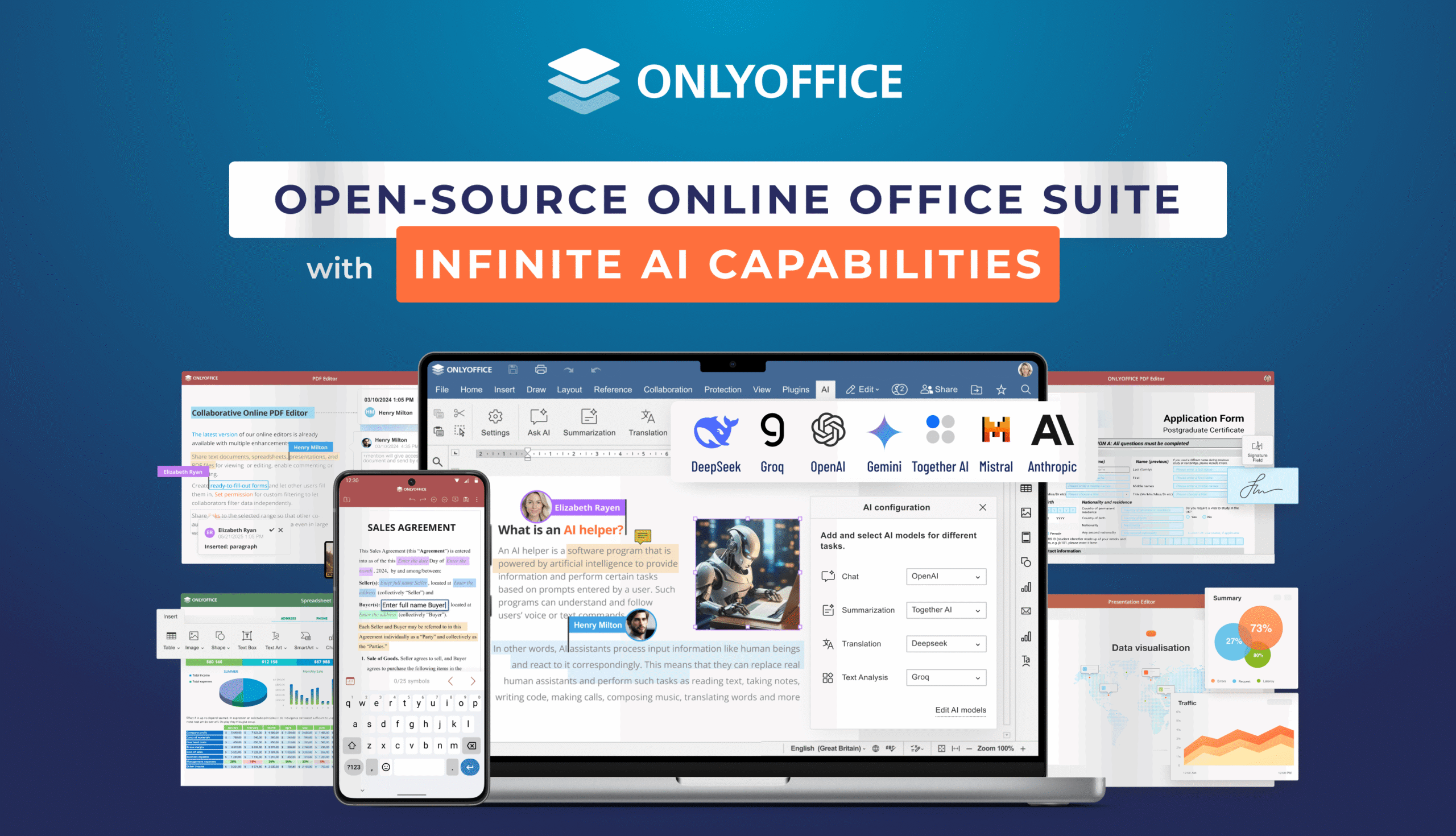
- Built-in AI assistance. ONLYOFFICE’s AI integration supports all popular AI providers (OpenAI, Google Gemini, Anthropic, Mistral, Groq, DeepSeek, etc.) and lets both educators and students use their favourite AI tools, even local ones, for all popular tasks — content generation, translation, summarization, information search, grammar correction and more.
- Seamless integration with e-learning systems. ONLYOFFICE brings document editing and collaboration to more than 40 popular web-based platforms, including those designed for education — Moodle, Chamilo, One, HumHub, OpenOlat, WebWeaver, etc.
- Plugins for better productivity. ONLYOFFICE’s standard functionality can be expanded with plugins, all installed and managed via the Plugin Manager. For example, users can install DeepL for online translation, LanguageTools for error correction, Draw.io for diagram building, Zotero and Mendeley for bibliography management and other plugins they need for their tasks.
- Web, desktop and mobile apps. ONLYOFFICE is accessible on web, desktop and mobile platforms, allowing educators and students to work on their documents in any place, even on the go.
- PT-BR localization. The best thing about ONLYOFFICE is that Brazilian users can use it in their native language — the interface of the ONLYOFFICE products, the official website and blog posts are available on Portuguese (Brazil).
ONLYOFFICE for eduction: what to choose
Now that you know why ONLYOFFICE is a good fit for Brazilian schools and universities, let’s find out which ONLYOFFICE solution you can choose if you are:
An educator or IT manager:
- ONLYOFFICE Docs if you need a collaborative office suite for your e-learning platform or document management system deployed in your education center. Docs seamlessly integrates with any web-based app, bringing powerful document editing and real-time collaboration capabilities to its users. Some integration examples include Moodle, Chamilo, One, HumHub, OpenOlat, WebWeaver and more. Find the full list of ONLYOFFICE Docs integrations here.
- ONLYOFFICE DocSpace if you look to connect learning materials and students in customizable rooms. DocSpace’s room-based structure allows you to create dedicated spaces for different scenarios — for example, you can set your students off on group assignments, collaborate on learning materials with your colleagues or share documents with the administrative staff, everything in separate rooms but within a single workspace.
A student:
- ONLYOFFICE Desktop Editors if you need a free office suite for your PC or laptop running Windows, Linux or macOS. Edit Word documents, Excel spreadsheets, PowerPoint presentations and PDF files locally or connect to your cloud storage for real-time collaboration, whether it be ONLYOFFICE DocSpace, Nextcloud, ownCloud, Moodle, Box, Dropbox, KDrive, Liferay or Seafile.
- ONLYOFFICE DocSpace if you need an online document management platform where you can work on group assignments with other students, share your notes with teachers, and keep all your files in one place in your pursuit of knowledge.
Try ONLYOFFICE
Want to try the ONLYOFFICE editors but don’t know how to get started? Create a free DocSpace account to work on documents in your browser or download ONLYOFFICE Desktop Editors for Windows, Linux and macOS for local document editing:
Are you a representative of an educational institution, looking to deploy ONLYOFFICE on your private server? Please contact our sales department to discuss the details.
Create your free ONLYOFFICE account
View, edit and collaborate on docs, sheets, slides, forms, and PDF files online.