On-premise vs cloud: how to choose the right model in 2026
In 2026, making the right choice between on-premise and cloud depends on how much control you need over your systems, compliance obligations, and how predictable your long-term costs need to be. Choose the cloud if you are looking for flexibility, and on-premise if control and ownership are your top priorities.
This article explains how both models evolved, what change occurred by 2026, and how enterprises can select the right deployment strategy, primarily for productivity and office software.
What is on-premise and what is cloud computing?
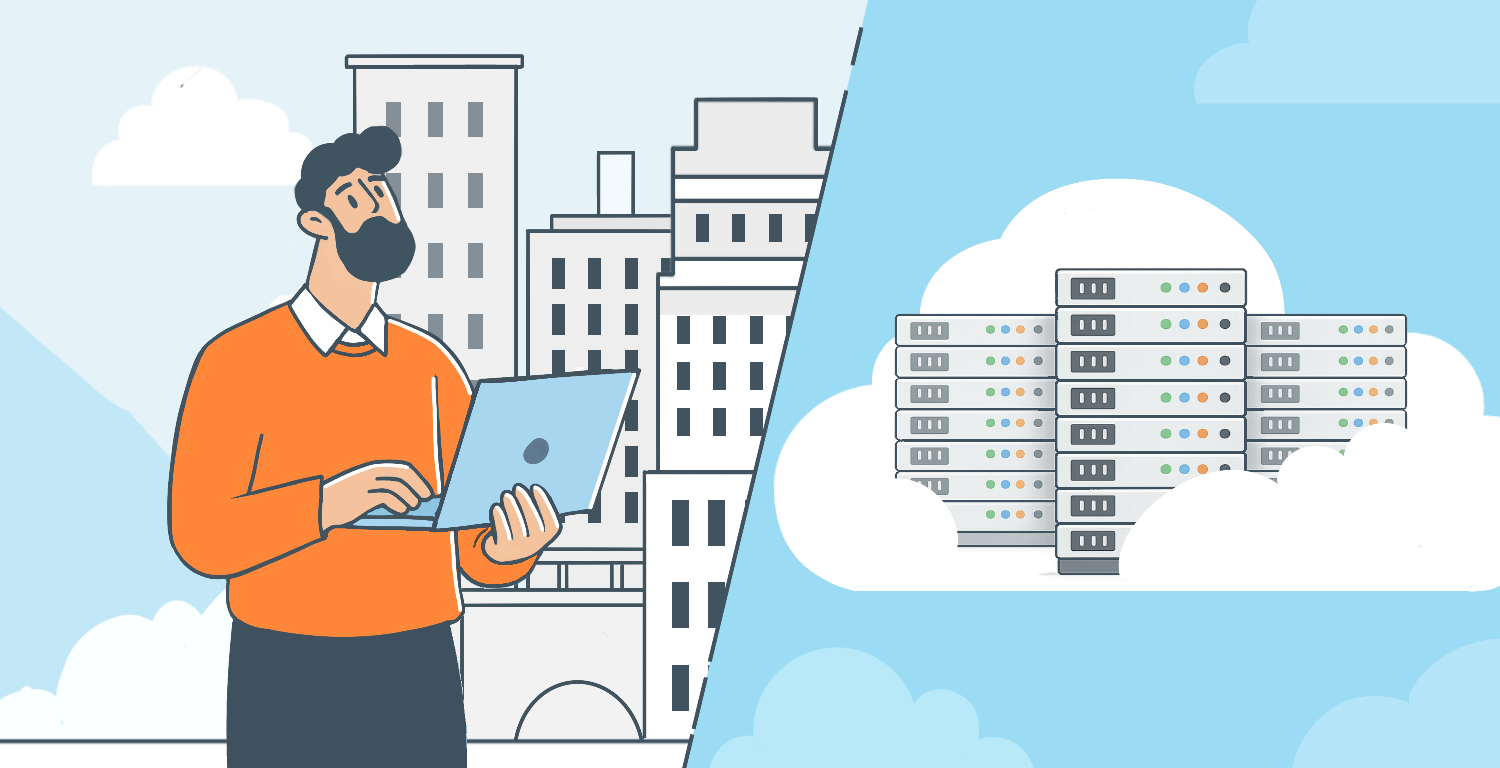
Understanding the difference between the two deployment models begins with who owns, controls, and is responsible for the data infrastructure.
What is on-premise software?
On-premise software is installed and operates on servers located within an organization’s own infrastructure. The company maintains the hardware, provides updates, controls access, and decides how to store and protect data.
Key factors include:
- System ownership.
- Data locality.
- Complete internal control.
This deployment model is well-known for enterprise software such as ERP platforms, document management systems, and on-premise office software for enterprises.
Historically, enterprises that owned an office software developed and deployed on-premise solutions to maintain strict control over document access, data storage, and movement of data internally, which was essential when handling sensitive information.
What is cloud computing?
Cloud computing delivers software and services online, usually through a subscription model. Unlike managing servers internally, organizations depend on external providers to run, manage, and scale infrastructure as needed.
When cloud-based vs on-premise solutions are compared, cloud platforms take the lead due to rapid rollout, built-in collaboration, and easy access to remote teams. SaaS productivity platforms benefit from real-time co-editing, immediate updates, and seamless access from various locations.
Modern cloud-based office suites enable real-time collaboration across distributed teams, but introduce new considerations around data residency and compliance.
To better understand cloud fundamentals, refer to this blog post for the overview of cloud computing.

On-premise vs cloud: key differences at a glance
Choosing between on-premise and cloud deployment depends on the organization’s requirements, costs, and goals. Below is a comparison to help clarify the decision.
| Criterion | Cloud | On-Premise |
|---|---|---|
| Deployment speed | Rapid rollout | Planned implementation |
| Infrastructure ownership | Vendor-managed | Organization-owned |
| Data location | External data centers | Internal servers |
| Scalability | Elastic | Hardware-dependent |
| Enterprise office software deployment | Instant team access | Complete data ownership |
| Office productivity tools | Faster collaboration | Full data control |
On-premise vs cloud security: what changed by 2026?
By 2026, discussions about the security of cloud vs on-premise are not about which model is safer, but who retains decision-making authority over security controls.
Security implications for enterprise productivity tools
For enterprises that handle sensitive documents, contracts, and internal reporting, the deployment model of an office suite plays a critical role in the overall security architecture.
Important considerations include:
- Where documents are stored.
- Who controls encryption keys.
- How internal access policies are enforced.
With a cloud-based solution, encryption and access are controlled by the provider. In an on-premise setup, organizations keep full authority over these elements.
This difference is relevant when comparing cloud and on-premise security based on productivity tools that manage sensitive information such as intellectual property, legal documents, or confidential financial data.
Cost considerations: beyond “cloud is cheaper”
The belief that cloud-based deployment is cheaper is not true at an enterprise scale.
Productivity software costs at scale
Per-user SaaS pricing
- Cloud pricing is based on per-user SaaS subscriptions that expand with the organization.
- On-premise deployments require upfront infrastructure investment.
Long-term licensing
- Cloud-based deployment can incur long-term costs that exceed expectations, mainly due to storage, compliance, and advanced security features.
- On-premise models have a one-time or full-year license that is predictable over time.
Infrastructure amortization
- The infrastructure of cloud-based deployment is maintained by the provider, which means no upfront investment.
- Infrastructure costs are higher upfront with on-premise models because the organization must purchase and maintain servers, but these costs can be amortized over the long term.
Compliance costs
- Compliance responsibilities in cloud-based deployment may require additional tools or audits.
- On-premise productivity software deployment can be cost-effective because infrastructure, internal hosting, and per-user pricing costs can be easily managed.
For large enterprises, cloud-based office tools may become more expensive over time compared to on-premise deployments with predictable licensing and infrastructure costs.
Private cloud vs on-premise: not the same thing
It is often misunderstood that cloud deployments are similar to on-premise environments.
Private cloud office suites
With a private cloud model, enterprises run office software in assigned cloud environments, either at their own data center or via trusted providers.
This framework supports hybrid document workflows and enables centralized management, while keeping stronger data isolation than public cloud services.
Some organizations deploy enterprise office suites in private cloud environments to combine centralized management with stronger data isolation.
Why are large enterprises returning to on-premises? A new trend in the cloud era
After following cloud-first adoption for many years, many large enterprises are reevaluating their approach.
Control over business-critical documents
It is essential for an organization managing sensitive information to maintain effective governance and auditability.
Using specialized document management and collaboration software makes a significant difference. Solutions that are purpose-built, like ONLYOFFICE Docs, are designed to work effortlessly in both cloud and on-premise environments. They provide secure document editing, real-time collaboration, and complete control over data, ensuring reliability, efficiency, and compliance regardless of where your infrastructure is hosted.
Whether deployed on-premise or as a cloud solution, ONLYOFFICE Docs allows enterprises to keep complete control over document storage, access, and workflows. This minimizes dependency on external providers.
- Internal documents: Files with everyday work benefit from centralized access control, version history, and ownership that ensures documents align with internal security protocols.
- Financial reports: This data requires limited access and accurate audit trails; ONLYOFFICE supports security when handling reports while maintaining compliance and accountability.
- Legal workflows: Documents with legal information require strict governance and retention policies. Complete control over document environments allows meeting regulatory and compliance requirements with ease.
For enterprises that handle sensitive documents, contracts, and internal reporting, platforms like ONLYOFFICE Docs enable teams to have full control over document storage and access — whether deployed on-premise or in a private cloud environment.
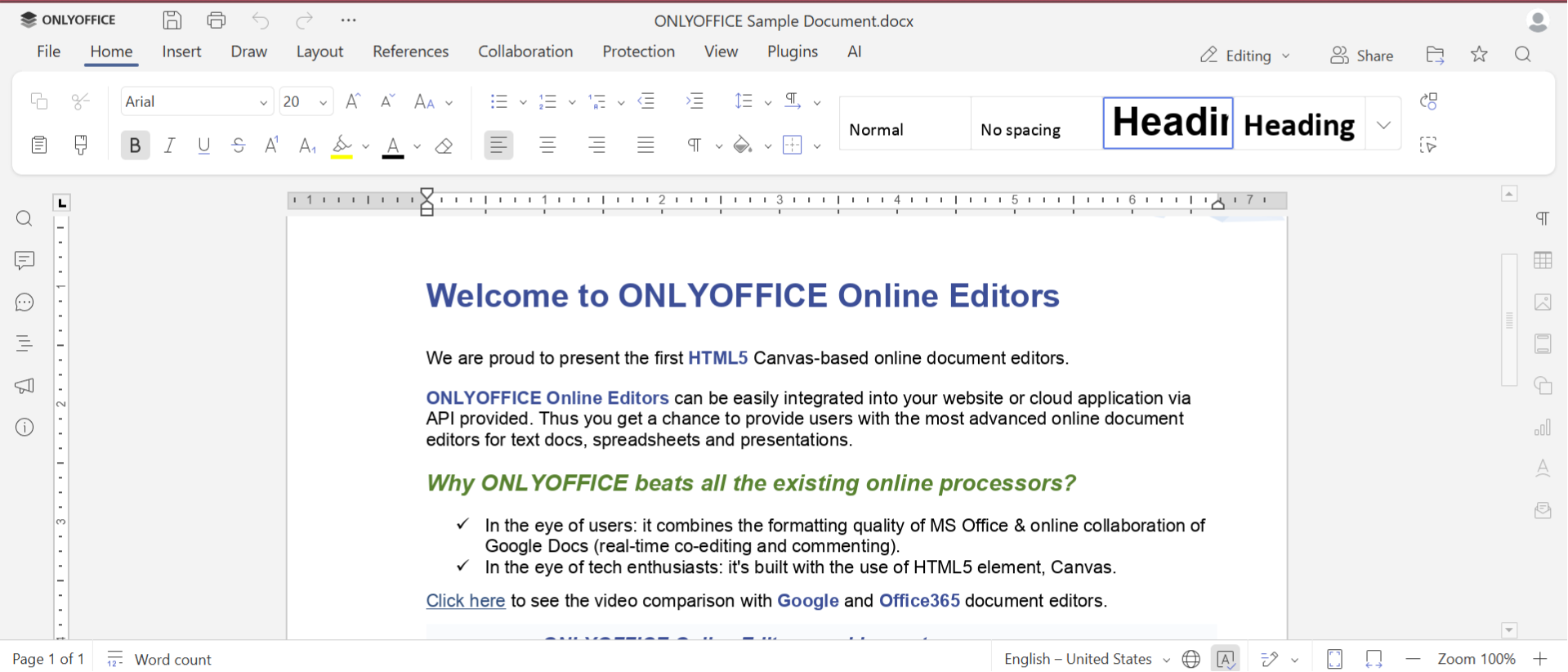
ONLYOFFICE Docs stands out for its various integration capabilities. Designed as a flexible collaborative platform, ONLYOFFICE Docs can be integrated seamlessly with any enterprise software, allowing businesses to embed document creation, editing, and co-authoring directly into their existing workflows.
This makes it the best choice for companies using systems like CRM (e.g., Salesforce), ERP (e.g., SAP, Microsoft Dynamics), DMS (e.g., Alfresco, SharePoint), learning platforms (LMS), and bespoke industry‑specific tools, all without disrupting familiar interfaces. With its comprehensive connector ecosystem, organizations can adjust integrations to meet diverse environments.
Compliance and data sovereignty
With increased regulatory pressure, organizations need assurance that their document systems meet the non-negotiable global and local compliance needs.
- ISO, SOC, GDPR, and industry regulations: These standards and regulations specific to the sector are important in shaping deployment decisions. It is easier to meet compliance obligations with an on-premise environment because they handle sensitive data with ease, which is directly controlled by the organization.
- Document retention policies: Data residency and retention rules strictly require specific control on how long documents are stored and where they are live. With on-premise deployments, it is easy to apply retention policies, especially in regions with local legal requirements.
Cloud vs on-premises for enterprise productivity and collaboration
Enterprise security tools combine collaboration, security, and system integration.
Cloud-based vs on-premise office suites
When a comparison is made between cloud-based vs on-premise office suites, enterprises evaluate their selection based on certain dimensions:
- Collaboration vs control: The focus of cloud deployment is real-time collaboration and ease of access for distributed teams, whereas on-premise solutions allow organizations strict control over data and workflows.
- Upgrades vs stability: Office suites using cloud office provide regular updates and improvements automatically, while on-premise software provides a predictable context with expected release cycles.
- Customization: Cloud solutions are often limited to default configurations, whereas on-premise deployments offer deeper customization that naturally fits in internal processes.
- Integration with internal systems: Cloud solutions would require additional tools for full integration, while on-premise software integrates seamlessly with internal systems and mainframe applications.
Nowadays, the comparison between cloud-based vs on-premise, or on-premise software vs cloud, is not about replacing one model with the other. It is about selecting the solution that fits well with an organization’s business priorities.
When enterprises choose a dual-deployment office suite
Some enterprise office suites, such as ONLYOFFICE Docs, are available in both cloud and on-premise deployments. This allows organizations to align productivity tools with security, compliance, and infrastructure requirements without forcing a one-size-fits-all approach.
For businesses looking for a versatile and secure office suite, ONLYOFFICE Docs offers the flexibility of a dual-deployment model. Whether you want to host it on your own servers for maximum control or use the cloud for easy access and maintenance-free collaboration, ONLYOFFICE Docs can adapt to your workflow seamlessly. Empower your team with all-in-one platform: real-time collaboration, document editing, and smooth integration.
DEPLOY ON-PREMISE TRY IN THE CLOUD
Cloud vs on-premises for specific enterprise use cases
It depends on which deployment model interests an enterprise for their workflow. The benefit for each will vary depending on the model they choose.
Compliance documentation and internal reporting
Those enterprises that handle sensitive information need extensive systems to manage compliance records and internal reporting. Cloud or on-premise office suites help in managing documents and maintain accountability.
- Document control: Stronger control over who can access, edit, or share documents helps maintain compliance and security standards.
- Audit trails: In-depth logs of documentation activity provide accountability, making it easier to display compliance during audits.
- Versioning: When multiple document versions are maintained, it prevents data loss, supports traceability, and allows teams to restore changes when required.
When cloud-based vs on-premise compliance documentation management systems is evaluated, enterprises should balance easy access, and collaboration with control, customization, and integration with internal systems.
Hybrid models
Many enterprises adopt hybrid models where collaboration happens in the cloud, while sensitive documents and internal workflows remain on-premise — especially when supported by flexible office platforms. This approach highlights the factual reality of modern enterprise IT rather than strictly following a single model.
For core systems like enterprise office suites, flexibility in deployment has become a strategic advantage rather than a technical detail.
Key takeaways
In 2026, making the right choice between on-premise and cloud depends on how much control you need over your systems, compliance obligations, and how predictable your long-term costs need to be. Choose the cloud if you are looking for flexibility, and on-premise if control and ownership are your top priorities.
Create your free ONLYOFFICE account
View, edit and collaborate on docs, sheets, slides, forms, and PDF files online.