ONLYOFFICE 2025 year in review: A journey of innovation
2025 has been nothing short of extraordinary for the ONLYOFFICE team. From groundbreaking AI advancements to major product releases and new integrations, we have worked tirelessly to bring you the best tools for collaboration and productivity. As we wrap up this incredible year, we want to take a moment to reflect on the milestones we’ve achieved together and share the innovations brought to life.

Relive the highlights: watch the webinar
Get all the key updates and insights from the past year in one convenient session:
A breakthrough year for AI
One of the most exciting areas of growth this year has been in artificial intelligence. We believe AI should be a useful tool that helps users work smarter, faster, and more efficiently, and this year we took massive strides in that direction.
AI plugin enhancements
The AI plugin for the ONLYOFFICE editors received significant upgrades. We introduced:
- OCR for PDFs: Easily convert scanned documents into editable text.
- Grammar & Spelling: Write with confidence using improved checking tools.
- AI assistant for spreadsheets: Analyze data and generate insights effortlessly.
- Automation: AI-based macro creation and VBA conversion now simplify automation tasks like never before.
- New providers: We expanded capabilities with new providers such as Stability AI and OpenRouter, alongside text-to-image and image-to-text features.
The AI inline agent for Docs
In 2025, we presented the first version of the AI inline agent for Docs. It enables seamless communication with an AI assistant directly within your document using natural language. A convenient floating panel lets you perform common tasks without navigating menus, refine results step by step, or tackle complex requests effortlessly. It’s like having a personal assistant at your fingertips.
AI in DocSpace, Desktop & Mobile
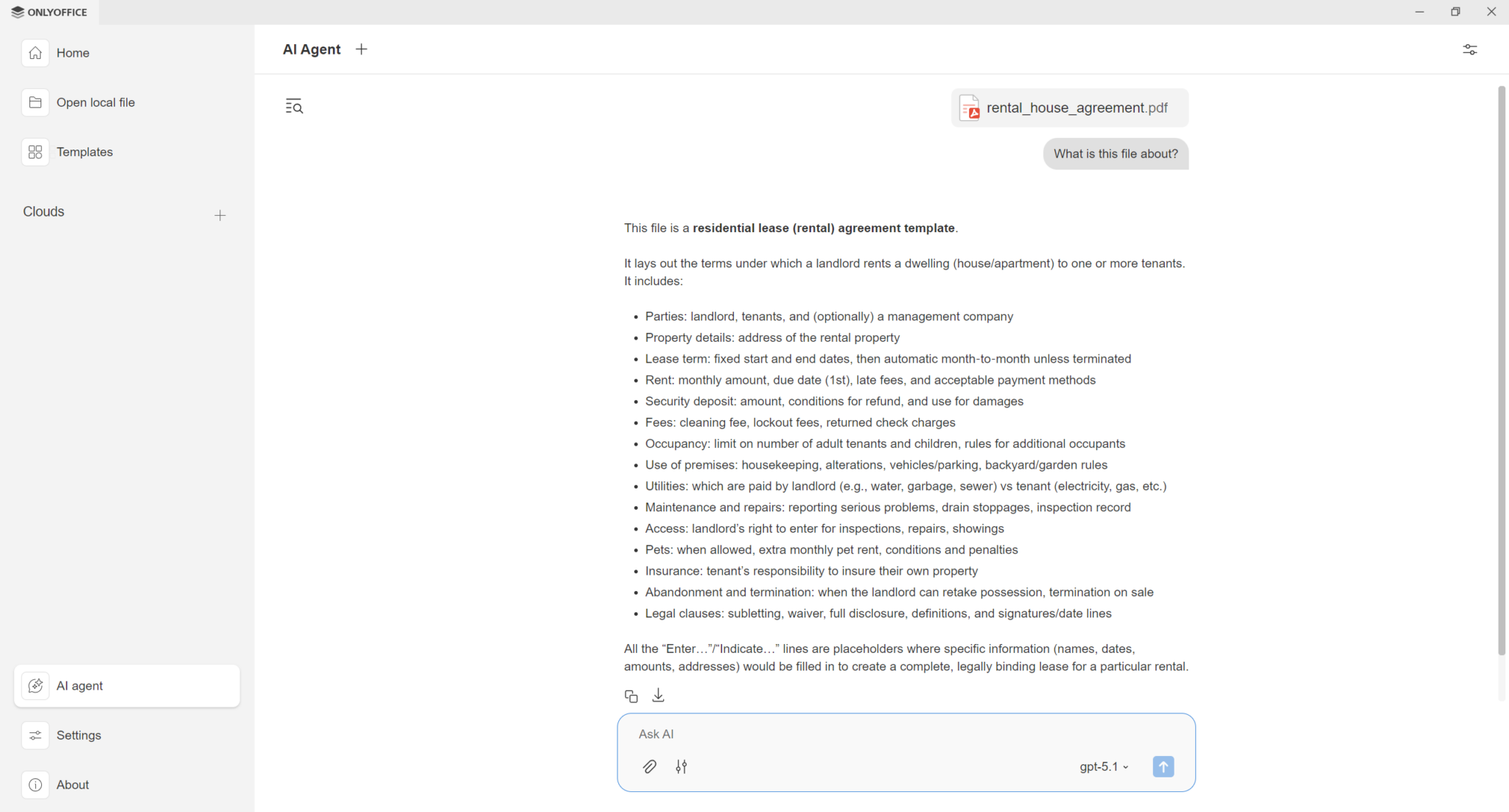
AI agents have also made their way into the desktop app, allowing you to generate new files, list folder contents, and preview file details without even opening them. Need to fill out forms? The agent can now auto-fill them with provided data.
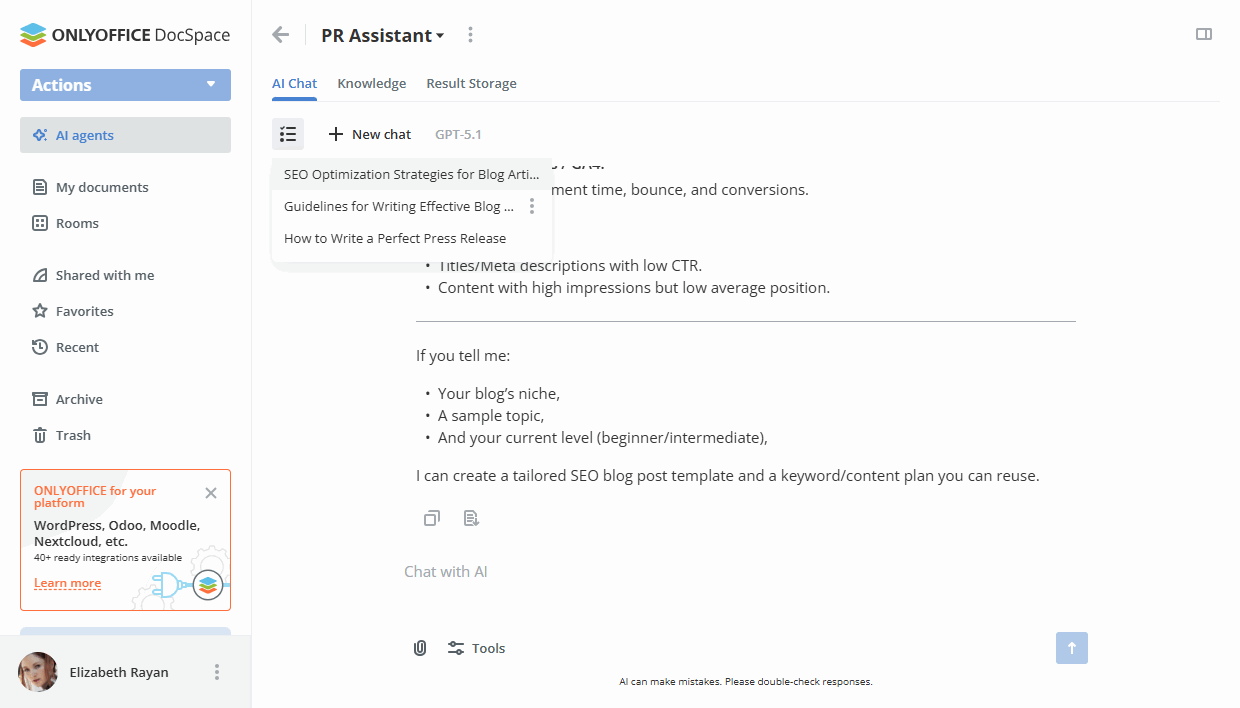
In DocSpace, tailored AI agents help create content, analyze files, search your knowledge base or the web, and manage files and rooms effortlessly. Collaboration is enhanced as you can invite teammates to work alongside these AI-powered tools.
Besides, the ONLYOFFICE DocSpace MCP Server enables seamless integration with your favorite AI clients like Claude, OpenAI, and Le Chat, as well as connection to the desktop app for a highly personalized experience.
For mobile users, ONLYOFFICE apps for iOS and Android now feature AI assistants, ensuring you have the power of AI in your pocket whether you are on the go or working remotely.
Major product releases
2025 was a year of rigorous development.
Docs: redesigned and refined
We rolled out four major releases of ONLYOFFICE Docs (8.3 / 9.0 / 9.1 / 9.2 plus the same versions updates for the desktop and mobile apps) and seven hotfix releases to ensure stability. In total, Docs introduced over 100 new features and over 1,500 bug fixes, making the suite more powerful and versatile than ever.
The interface across all editors has been redesigned to offer a modern and user-friendly experience. Key highlighting features include:
- Diagram Viewer
- Support for Markdown, HWP, and Apple iWork formats
- Redact and stamps in PDF
- Customizable keyboard shortcuts
- Enhanced RTL support

DocSpace: intelligent collaboration
ONLYOFFICE DocSpace also had a transformative year with four major releases (3.1 / 3.2 / 3.5 / 3.6) introducing over 100 new features.
From AI agents to role-based form filling in VDR, DocSpace has become a hub for intelligent collaboration. New features like Wallet & Services, room templates, improved guest management, and file sharing make it easier than ever to share and manage files securely.
Expanding integrations
Integrations have always been a key focus, and this year we expanded the ways you can use ONLYOFFICE with other platforms.
New integrations
- DocSpace plugin for Moodle makes it easier for educators and students to collaborate on learning materials. Learn more
- Bring powerful DocSpace features directly into your project management workflows within monday.com. Learn more
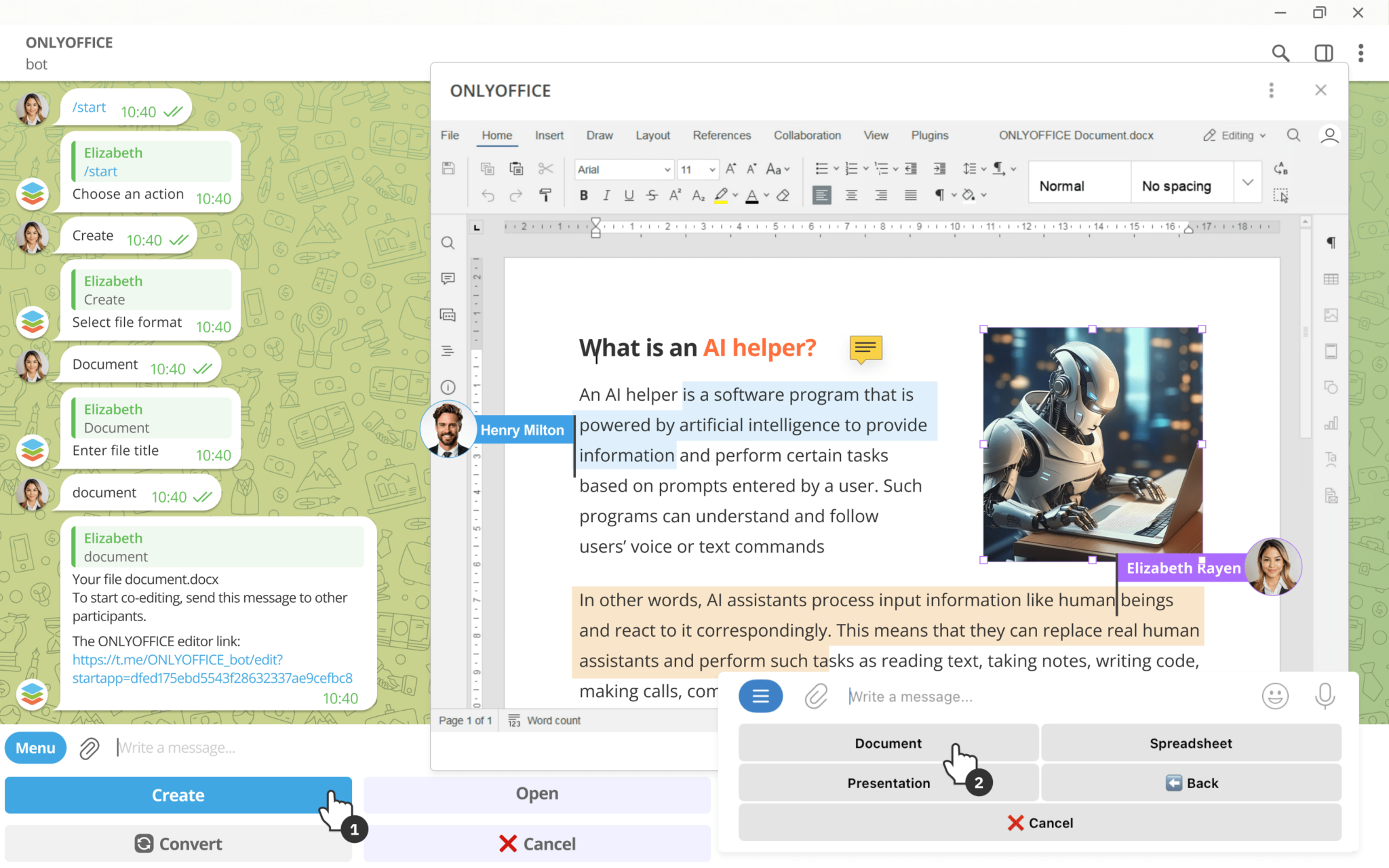
- The ONLYOFFICE bot for Telegram makes it easy to manage documents directly within chats. Learn more
- A must-have for integrating complex equations into documents: Mathpix plugin for Docs. Learn more

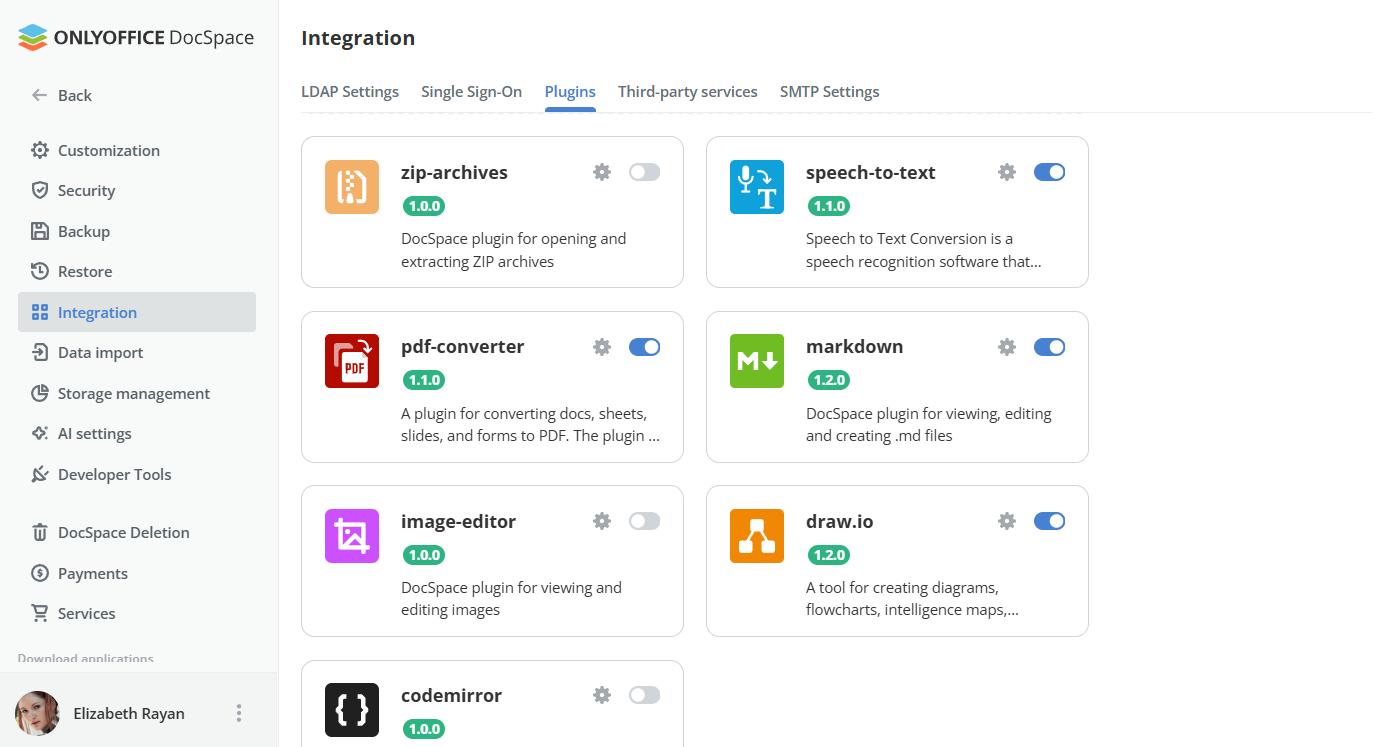
- New DocSpace plugins: We introduced ZipArchives for file compression, Codemirror for editing code files, and an ImageEditor to crop and resize images without leaving DocSpace.
Besides, this year, we achieved more certifications and expanded distributions, including:
Updated integrations
We also upgraded the existing integration apps for a wide range of platforms, ensuring you can work seamlessly across your favorite tools:
- Odoo
- Pipedrive
- WordPress
- Nuxeo
- Mattermost
- Drupal
- Alfresco
- Moodle
- Zapier
- Dropbox
- Liferay
- ownCloud
- Box
- Confluence
- Jira
- Nextcloud
Furthermore, the Zotero plugin for Docs now includes offline mode, custom styles, and improved citation management.
Join our free webinar
Register for an insightful webinar on January 29, 2026 where we’ll dive into the latest developments in ONLYOFFICE integrations. Reserve your seat today:
Growing stronger together
The ONLYOFFICE community continues to grow, and we are proud of the milestones we’ve reached together.
Team and contributors
This year, our team welcomed 30 new employees from countries such as Colombia, Italy, Morocco, and Uzbekistan, along with 23 new interns.
Our contributor base also saw significant growth, with almost 100 new contributors joining us on Upwork, HackerOne, and in our translation system.
Do you have interest in becoming part of our team? Check out the list of open positions and see if your perfect job is there waiting for you! You are also welcome to check the options for contributors.
Customer and partner success
We extend our heartfelt gratitude to all partners, resellers, and integrators. We welcomed more than 40 new partners this year, and our customer base grew by around 30% in 2025. From universities to enterprises, our roster of renowned customers continues to expand.
Discover the most inspiring testimonials from our users and partners shared over the year:
- University of Zurich
- One-ERP Systems
- WFTA (World Food Travel Association)
- EUNICE (a consortium of ten European universities)
- rising systems
- DzzOffice
- VNC (Virtual Network Consult AG)
- The Rotary Club Bremen-Neuenlande
- designermakersCIO
- ikuTeam
- LK Domain Registry
- ProID
Would like to share your own experience of using ONLYOFFICE? Contact us at marketing@onlyoffice.com with your own story to be featured in the blog.
If you want to join the ONLYOFFICE partner network, you are welcome to submit your request here.
Awards and recognition
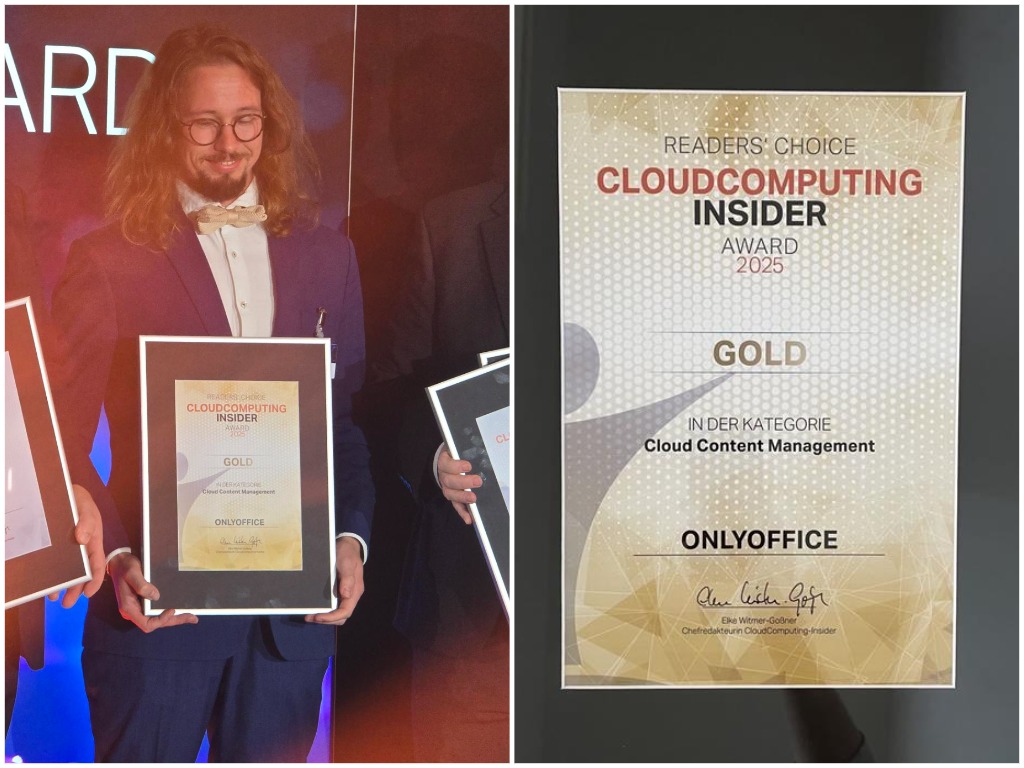
We are thrilled to share that ONLYOFFICE won Gold in the Cloud Computing Insider Awards 2025. This prestigious award is a testament to our commitment to excellence and the trust you place in our solutions. Thanks everyone involved!
Community engagement
Connecting with you is what drives us forward. In 2025, we:
- attended more than 60 events worldwide;
- hosted 22 engaging webinars in English and Chinese;
- published 2,200 new blog posts in 14 languages;
- registered around 9,000 new forum posts, 11 million new website visitors, and 1,7 million blog readers;
- launched and joined the initiatives like the AI Agent Competition, 4L Trophy humanitarian adventure, Open Source Promotion Plan (OSPP), and continued our internship program.

Don’t forget about our forum and a dedicated platform for gathering ideas and feedback. Your input is invaluable, so please continue to share your thoughts on how we can enhance ONLYOFFICE solutions.
Looking ahead
As we wrap up 2025, we want to wish you all a Merry Christmas and a Happy New Year. Thank you for being part of the ONLYOFFICE journey. We are excited about what the future holds and look forward to continuing to serve you with excellence in 2026!

Create your free ONLYOFFICE account
View, edit and collaborate on docs, sheets, slides, forms, and PDF files online.