Word processors compatible with Raspberry Pi
This article explores the best word processors and office suites that actually work on Raspberry Pi. We’ll look at their strengths, limitations, and ideal use cases to help you choose the right tool for writing and editing documents on this compact computer.
Using a Raspberry Pi as a daily computer is no longer a niche experiment. Many people rely on it for learning, lightweight work, coding, and even content creation. However, when it comes to word processing, Raspberry Pi still presents some very concrete challenges that make software choice critical.
First of all, Raspberry Pi devices use ARM architecture. This immediately excludes a large portion of mainstream desktop software, which is built primarily for x86 systems. Even when Linux versions exist, they are not always optimized for ARM, resulting in performance issues or unstable behavior. RAM is another limiting factor: newer models are more capable, but many users still work with 2 GB or 4 GB configurations, where heavy office suites can quickly become sluggish.
Because of these constraints, the ecosystem of truly usable Raspberry Pi software is smaller than it might seem at first glance. The same applies to Raspberry Pi apps designed for productivity rather than experimentation. Not every Linux word processor is suitable, and not every office suite delivers an acceptable experience on real hardware.
This is why choosing a proper Raspberry Pi word processor or a complete Raspberry Pi office suite matters. Below, we focus only on editors that are known to work on Raspberry Pi in practice.
ONLYOFFICE Desktop Editors
ONLYOFFICE Desktop Editors stands out as one of the most modern and well-balanced office suites available for Raspberry Pi today. Unlike many traditional Linux editors, it is designed with a strong focus on compatibility, usability, and collaboration, which makes it especially appealing for users who regularly exchange documents with Microsoft Office users.
Another notable advantage is AI integration. ONLYOFFICE Desktop Editors support AI assistants through plugins, allowing users to generate text, rewrite content, summarize documents, translate passages, and get writing suggestions directly inside the editor. The AI functionality can be connected to different providers, giving users flexibility and control over how AI is used in their workflow.
As a Linux office suite, ONLYOFFICE offers a clean and consistent interface that feels familiar without being overloaded. Even on Raspberry Pi, the experience remains coherent and professional, provided the hardware is reasonably recent.
Key features
ONLYOFFICE includes a full-featured Linux word processor alongside spreadsheet and presentation editors. DOCX, XLSX, and PPTX are native formats, which significantly reduces formatting issues when opening complex documents. This is particularly important for contracts, reports, and academic work.
Another strong point is collaboration. ONLYOFFICE Desktop Editors can be connected to cloud platforms such as ONLYOFFICE DocSpace, allowing real-time co-editing, comments, and version history. This turns Raspberry Pi into a surprisingly capable collaboration workstation.
Installation and supported platforms
ONLYOFFICE provides official Linux ARM builds, making installation on Raspberry Pi straightforward. It supports Raspberry Pi OS and other ARM-based Linux distributions. A detailed installation guide is available here.
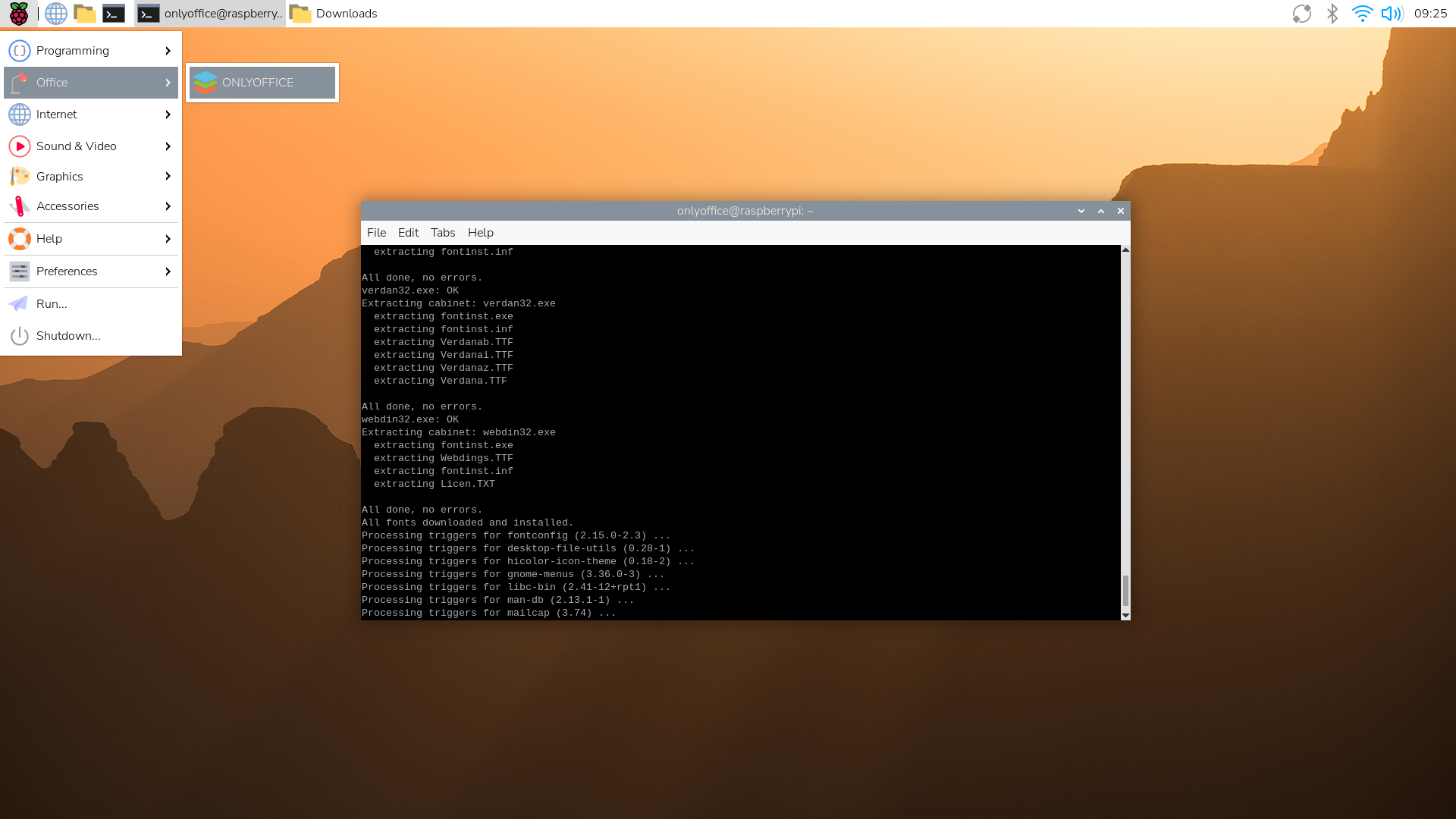
For smooth performance, Raspberry Pi 4 or newer models with at least 4 GB of RAM are recommended.
Pros:
- Excellent Microsoft Office compatibility
- Modern, user-friendly interface
- Native ARM support
- Strong collaboration features
Cons:
- Heavier than minimal editors
- Older Pi models may struggle
Best for: Users who need a modern, professional office suite on Raspberry Pi for real work, not just basic editing.
LibreOffice
LibreOffice is often the default answer when talking about office software on Linux, and Raspberry Pi is no exception. It is widely available, fully open source, and extremely feature-rich. For many users, LibreOffice is simply the standard choice.
However, power comes at a cost. While LibreOffice offers deep functionality, it can feel heavy on Raspberry Pi hardware, especially when working with large or complex documents.
Key features
LibreOffice Writer provides advanced tools for formatting, styles, tables, references, and exports. The suite also includes Calc, Impress, Draw, and additional utilities, making it one of the most complete office environments available on Linux.
File format support is extensive, although compatibility with Microsoft Office documents can be inconsistent when layouts become complex.
Installation and supported platforms
LibreOffice is available directly from Raspberry Pi OS repositories and can be installed using standard package managers. ARM support is mature, but performance varies significantly depending on the device generation.
Pros:
- Fully open source
- Extremely feature-rich
- Widely available and well-documented
Cons:
- High resource consumption
- Slower startup and performance
- Interface feels outdated to some users
Best for: Users who prioritize open-source software and advanced features over speed and responsiveness.
WPS Office
WPS Office takes a different approach. Instead of aiming for maximum flexibility, it focuses on familiarity and speed. Its interface closely resembles Microsoft Word, which can significantly reduce the learning curve for new users.
On Raspberry Pi, WPS Office can feel faster and lighter than LibreOffice, but its limitations are also more noticeable.
Key features
WPS Writer offers solid support for DOCX files and provides the most common tools needed for everyday writing: formatting, tables, images, and templates. For simple documents, it performs reliably and efficiently.
Installation and supported platforms
While WPS Office offers Linux versions, ARM support is limited and sometimes unofficial. Installation on Raspberry Pi may require extra steps and compatibility depends on the OS version and hardware.
Pros:
- Familiar Microsoft-like interface
- Lightweight and responsive
- Good basic DOCX support
Cons:
- Proprietary software
- Limited ARM support
- Fewer advanced features
Best for: Users who want a simple, familiar writing environment and don’t need deep customization.
Comparison table: Word processors for Raspberry Pi
| Software | Performance on Raspberry Pi | Microsoft Office compatibility | ARM support | Best use case |
| ONLYOFFICE Desktop Editors | Good on Pi 4+ | Excellent (native DOCX/XLSX/PPTX) | Native | Professional documents, collaboration, daily work |
| LibreOffice | Moderate to slow | Good but inconsistent in complex files | Native | Advanced editing, open-source workflows |
| WPS Office | Fast | Very good for basic DOCX | Limited / unofficial | Simple documents, familiar UI |
Choosing the right word processor for Raspberry Pi
Choosing the right word processor for Raspberry Pi depends entirely on how you use the device and what you expect from it.
LibreOffice is the most powerful option on paper. It offers deep functionality and a full ecosystem of tools, but on Raspberry Pi this power often turns into a drawback. Startup times are long, performance can degrade quickly, and complex documents push the hardware to its limits. It is best seen as a workstation-grade suite running on constrained hardware.
ONLYOFFICE Desktop Editors takes a more pragmatic approach. Instead of trying to do everything, it focuses on what most users actually need: clean editing, reliable Microsoft Office compatibility, and a modern interface that does not fight the hardware. On recent Raspberry Pi models, it feels more balanced and predictable, especially for everyday writing and document exchange.
WPS Office is the lightest option and works well for basic tasks, but its limited ARM support and proprietary nature make it less reliable long-term.
In short, Raspberry Pi can absolutely be used for serious word processing, but only with the right software. ONLYOFFICE is ideal for everyday work and document exchange, LibreOffice suits advanced open‑source workflows, and WPS Office fits lightweight tasks.
Work smarter on Raspberry Pi with ONLYOFFICE Desktop Editors
Install ONLYOFFICE Desktop Editors on your Raspberry Pi and access a complete set of tools for editing text documents, spreadsheets, presentations, PDFs, and fillable forms all in one modern, free office suite.
Create your free ONLYOFFICE account
View, edit and collaborate on docs, sheets, slides, forms, and PDF files online.


