ONLYOFFICE Documents v9.2 for iOS: better DocSpace workflow, improved search, mentions in comments, and more
The newest update of our free mobile app ONLYOFFICE Documents for iOS is here! Version 9.2 makes your mobile productivity smoother with a refined DocSpace experience, faster in-editor search, extended table formatting options, and more.

Improved DocSpace experience
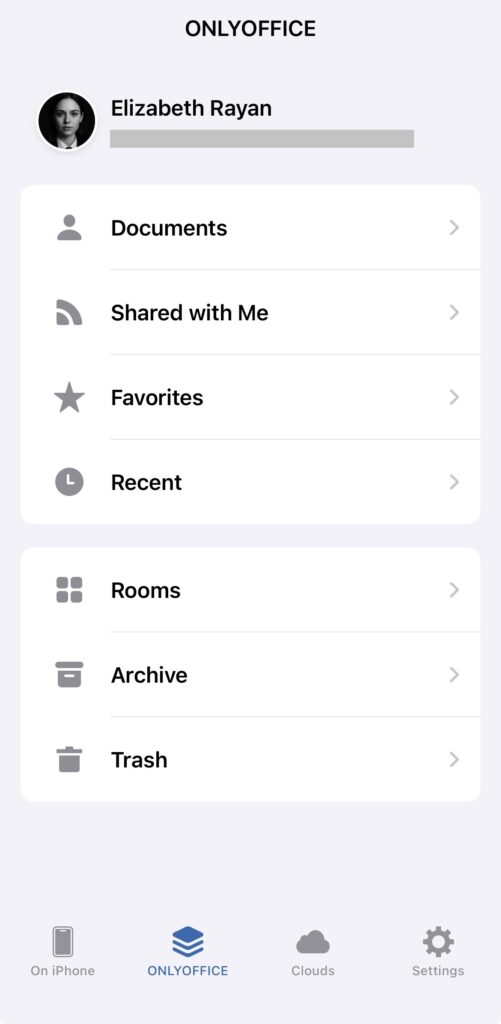
New document sections. Working with DocSpace from your iPhone or iPad is now easier and more intuitive. In version 9.2, you get new convenient sections to keep files in a more organized manner.
- Shared with me — gathers all files and folders shared with you by other users, including items from their “My Documents” and content accessed via shared links.
- Favorites — mark any file or folder as a favorite to keep it within easy reach.
- Recent — displays the last 100 files you’ve worked on across your Documents, rooms, and shared items.
Where to find: ONLYOFFICE DocSpace → Shared with me / Favorites / Recent
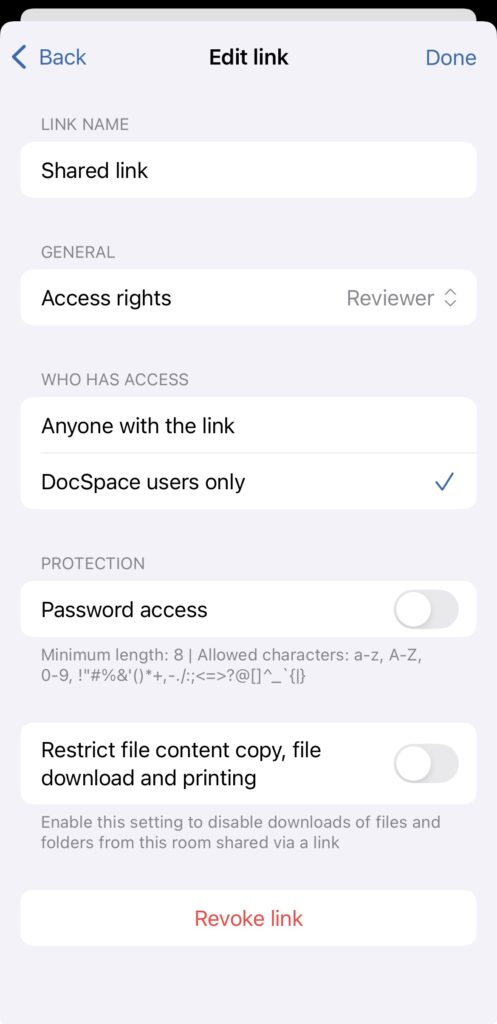
Individual sharing links. You can now generate separate, dedicated sharing links for both internal and external users. This works for any file or folder — whether it’s stored inside a room or in your personal My Documents.
Where to find: Context menu → Share → Copy shared link / Sharing settings
Enhanced search in editors
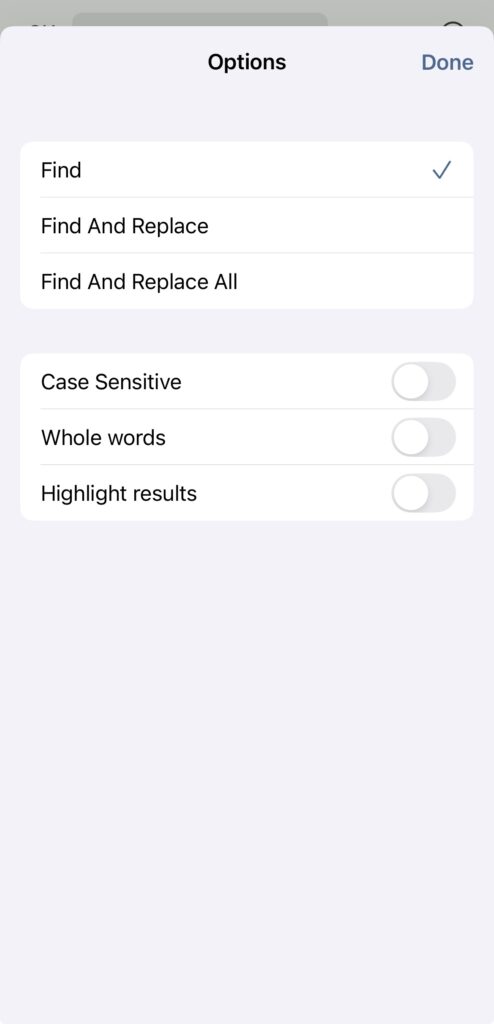
Version 9.2 introduces an improved in-editor search for documents, spreadsheets, and presentations. You can now:
- Find and replace all results
- Activate the Whole words option
- Highlight results
Where to find: Three dots icon → Find and Replace
More table cell settings
Document and presentation editors on iOS now offer extended cell formatting options, giving you more control over layout and design.
You can fine-tune:
- Cell alignment
- Borders
- Background settings
- Other visual parameters
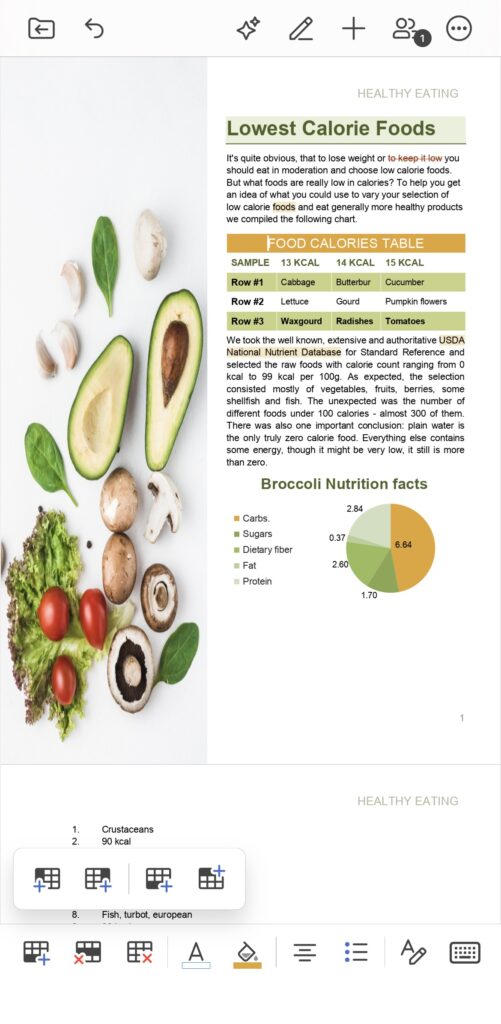
This allows for cleaner documents, clearer presentations, and more professional results — all from your mobile device.
Mentions in comments
Collaboration becomes even more effective with the introduction of @mentions. You can now tag teammates directly in comments, making it easier to draw someone’s attention to a specific part of your file and keep discussions moving quickly.
Where to find: Collaboration icon → Comment
oCIS sign-in support
ONLYOFFICE Documents 9.2 also brings support for authentication via oCIS, enabling seamless access to your ownCloud environment. This update offers greater flexibility for enterprise users, simplifies the connection to corporate infrastructure, and ensures a more streamlined and secure sign-in experience overall.
Get ONLYOFFICE Documents v9.2 for iOS
Update the app today to enjoy all the new features and improvements.
Discover all the latest ONLYOFFICE updates in our webinar:
Have questions or suggestions? Share your feedback at feedback.onlyoffice.com — we’d love to hear from you.
Create your free ONLYOFFICE account
View, edit and collaborate on docs, sheets, slides, forms, and PDF files online.


