How to сonnect ONLYOFFICE DocSpace MCP Server to Desktop Editors
ONLYOFFICE Desktop Editors now support MCP (Model Context Protocol) servers, allowing AI agents to work not only with local tools but also with external services that extend their capabilities. By connecting the ONLYOFFICE DocSpace MCP server, you enable the editors to interact with files and use advanced AI-driven operations directly from your desktop environment.
This guide explains how to connect the ONLYOFFICE MCP server to Desktop Editors.
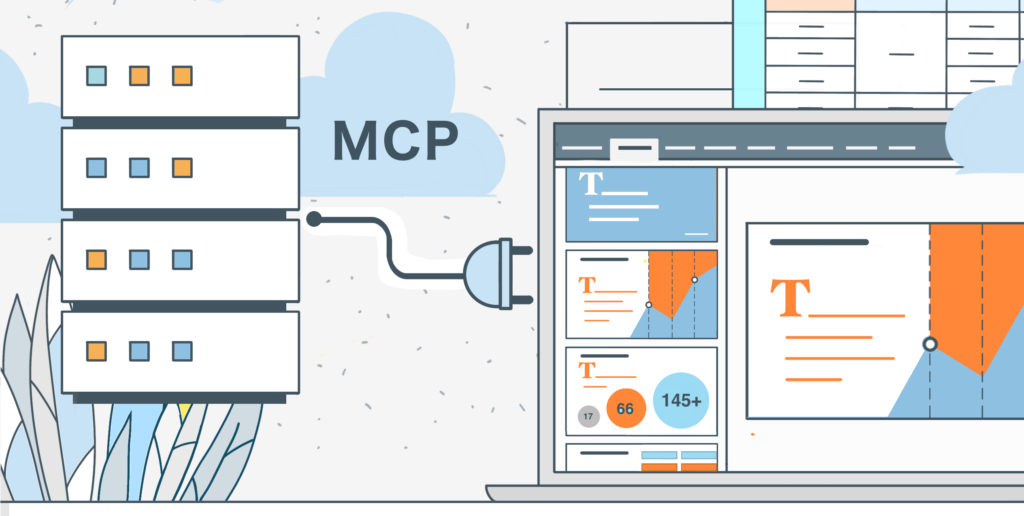
What MCP server in ONLYOFFICE Desktop Editors is
MCP servers allow AI agents to access tools outside the local environment. These tools can generate files, read content, manipulate documents, or provide custom functionality defined by the server.
ONLYOFFICE Desktop Editors include a built-in MCP tool, and you can add additional server connections with a simple JSON configuration.
How to сonnect the ONLYOFFICE DocSpace MCP Server
The DocSpace MCP server lets you interact with DocSpace through an AI agent.
Before you begin, ensure you have:
- ONLYOFFICE Desktop Editors (version 9.2 or higher)
- Access to your DocSpace instance
- A valid API key for your DocSpace
- A configured AI provider (e.g., OpenAI, Anthropic Claude, or another supported LLM) — the MCP Servers tab is only available after setting up an AI connection in Desktop Editors.
Step 1. Open the MCP Servers configuration
On the start window of ONLYOFFICE Desktop Editors, go to AI agent → MCP Servers section.
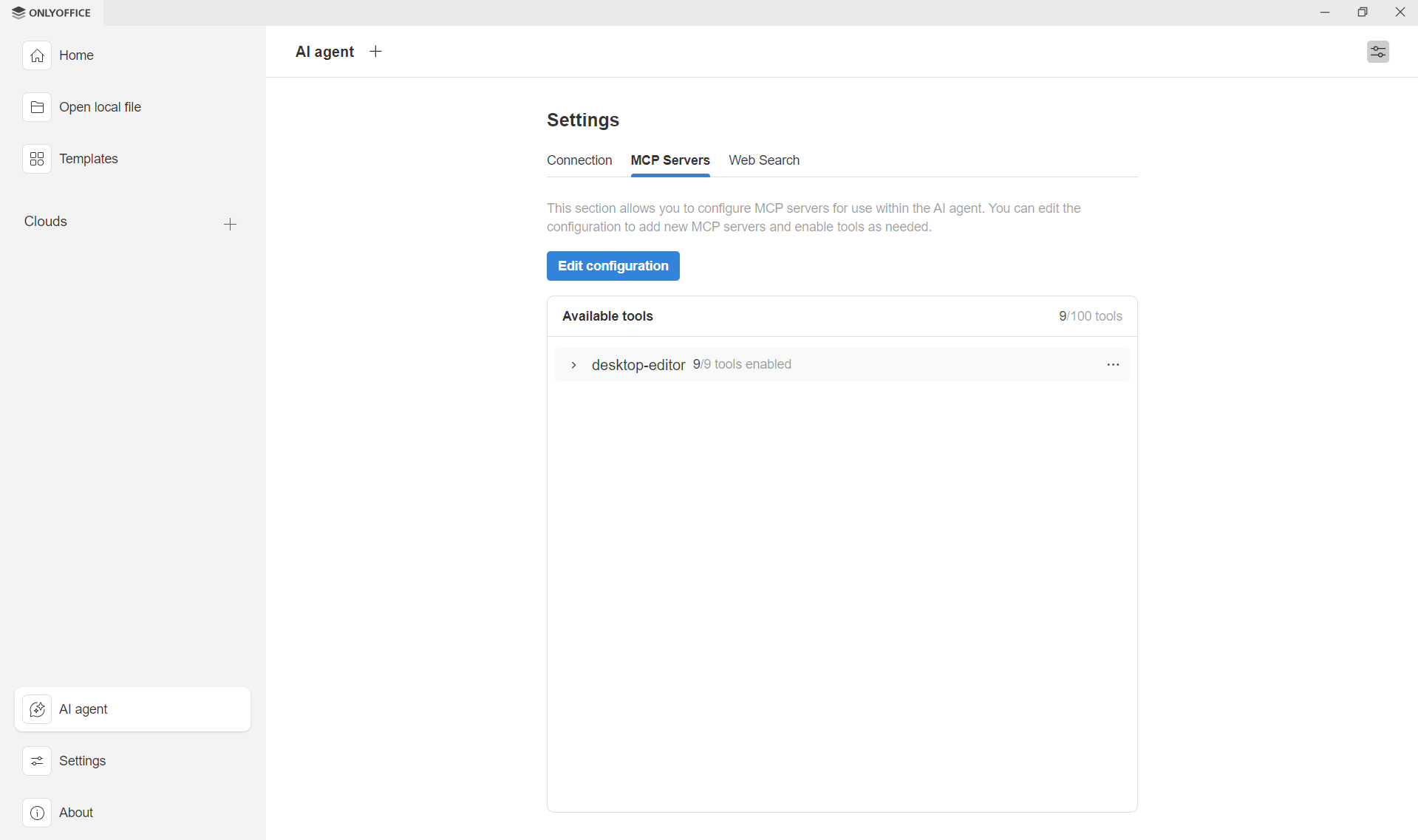
In the MCP Servers section, click Edit configuration. A JSON editor will appear.
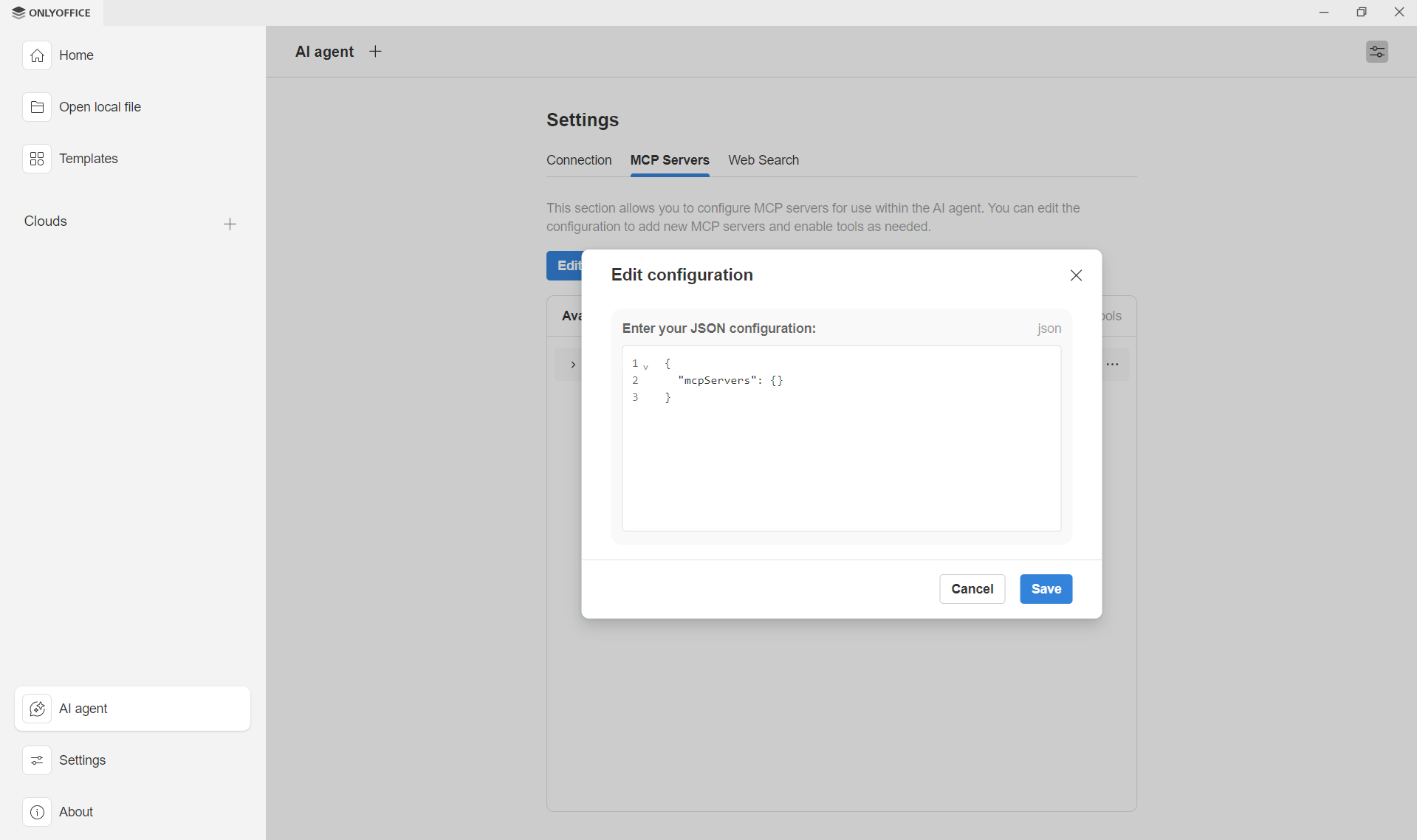
Step 2. Add your MCP server configuration
In the Edit configuration dialog, enter the JSON configuration obtained from the MCP server provider and click Save. Example for Docker*:
{

"mcpServers": {

"onlyoffice-docspace": {

"command": "docker",

"args": ["run", "--interactive", "--rm", "--env", "DOCSPACE_BASE_URL", "--env", "DOCSPACE_API_KEY", "onlyoffice/docspace-mcp"],

"env": {

"DOCSPACE_BASE_URL": "https://your-instance.onlyoffice.com",

"DOCSPACE_API_KEY": "your-api-key"

}

}

}

}*If you use the DocSpace MCP server via Docker, Docker must be installed and running on your system for the server to launch correctly.
Replace DOCSPACE_BASE_URL and DOCSPACE_API_KEY with values for your DocSpace instance.
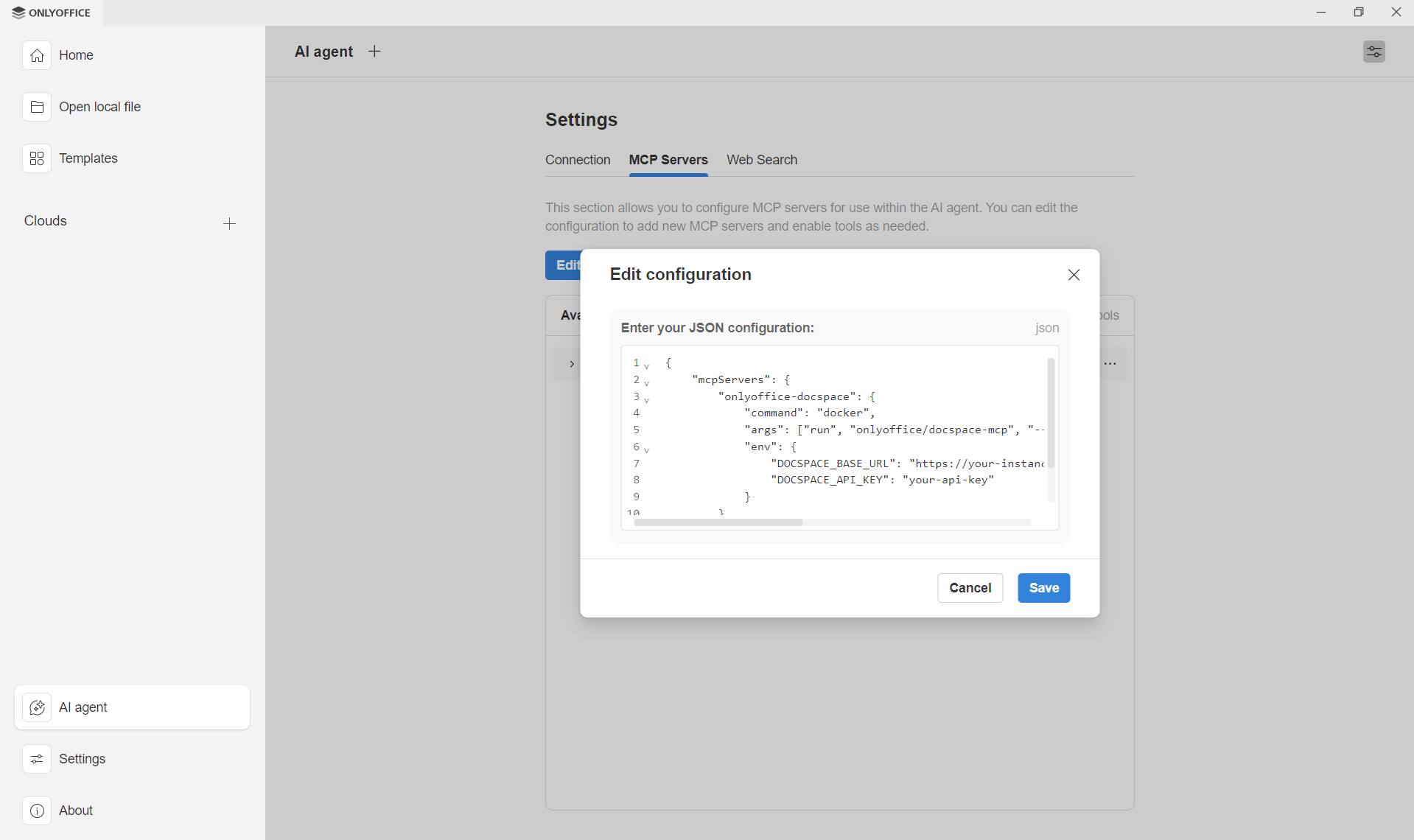
After saving the configuration, the ONLYOFFICE MCP server will appear in the list, and its tools will become available for your AI agent.
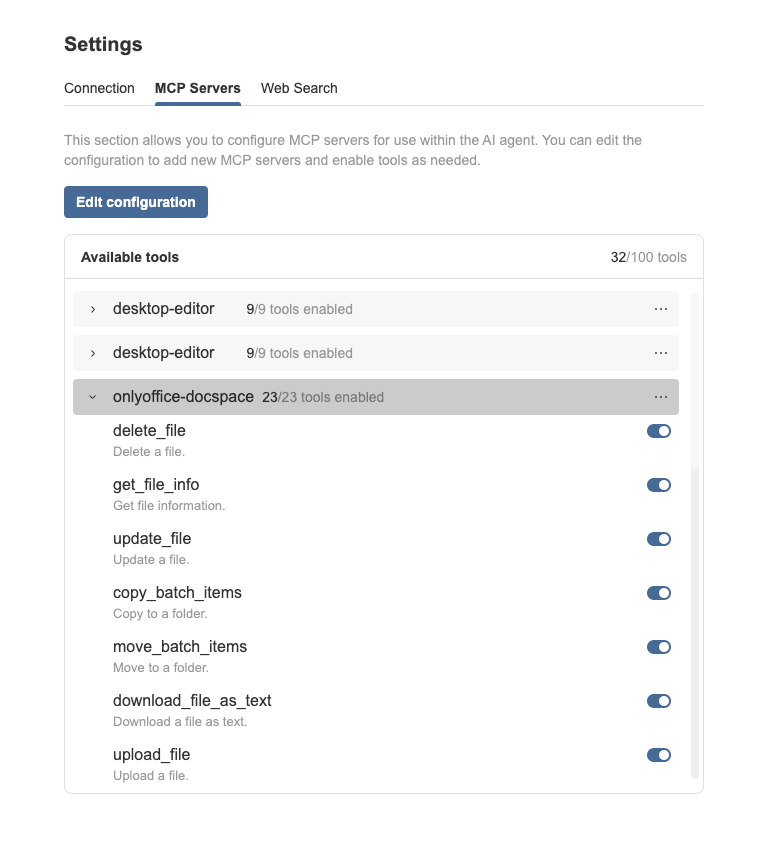
Step 3. Enable or disable MCP tools
After adding an MCP server, its tools appear in the Available tools list.
Here you can also enable or disable each tool individually, enable all tools at once, or disable all tools at once. Changes apply instantly, making it easy to fine-tune your AI setup.
Start using the DocSpace MCP Server inside Desktop Editors
Once the server is connected:
- Open the AI agent panel in Desktop Editors
- Type tasks in natural language — the agent will automatically use tools exposed by the DocSpace MCP server.
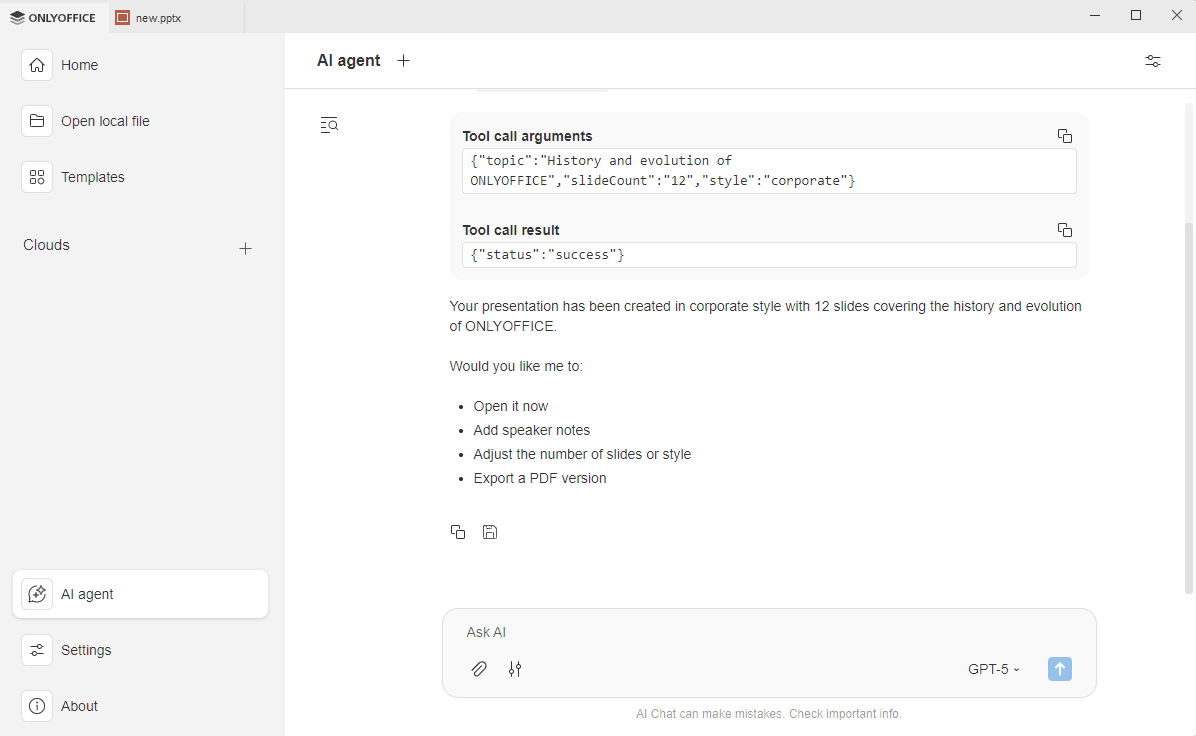
The output generated by the agent appears directly in the chat. You can:
- See which MCP tools were used
- Review the AI-generated responses
- Copy the entire conversation to the clipboard
- Save the result as a .docx file on your computer
Please note: This ONLYOFFICE DocSpace MCP server is currently in a preview state. While it is functional, it may include incomplete features, potential bugs, or undergo significant changes. Use cautiously in production environments, as updates may impact compatibility.
Create your free ONLYOFFICE account
View, edit and collaborate on docs, sheets, slides, forms, and PDF files online.


