9 AI document generators to watch in 2026
Summary
In 2026, nine AI document generators stand out for their ability to streamline the document creation process, transforming how businesses draft reports, proposals, and contracts. These tools enhance productivity by reducing the time spent on initial drafts, allowing users to focus on refining content rather than starting from scratch. Each generator offers unique features tailored to different workflows, making it essential to choose the right one for specific needs. and so on.
- Claude excels in producing coherent, long documents.
- ChatGPT is versatile for various document types.
- Jasper ensures brand consistency across generated content.
- PandaDoc streamlines the document lifecycle from drafting to signing.
- Notion AI integrates document creation directly within existing workspaces.
Document creation used to mean staring at a blank page, wrestling with formatting, and copy-pasting between five different tabs. In 2026, that workflow is disappearing. AI document generators now draft reports, proposals, contracts, and decks from a single prompt, cutting production time from hours to minutes.
The question is no longer whether to use one, but which tool fits your workflow. This guide covers nine AI document generators worth watching this year, from general-purpose writing assistants to specialized platforms built for structured, professional output.

Why AI document generators matter in 2026
Documents are still the backbone of business communication: proposals win deals, reports drive decisions, contracts protect both sides. But drafting them from scratch is repetitive work that eats into time better spent on strategy and judgment. AI document generators don’t replace that judgment — they remove the friction of getting from blank page to solid first draft, so people can focus on refining rather than starting.
The best tools in 2026 go beyond autocomplete. They understand structure, maintain a consistent voice across long documents, and increasingly plug directly into the office software people already use. So let’s have a look at some of the best solutions available.
Note: The tools below aren’t ranked from best to worst. Each excels in a different type of workflow, from long-form writing to sales documents and collaborative knowledge management.
1. Claude
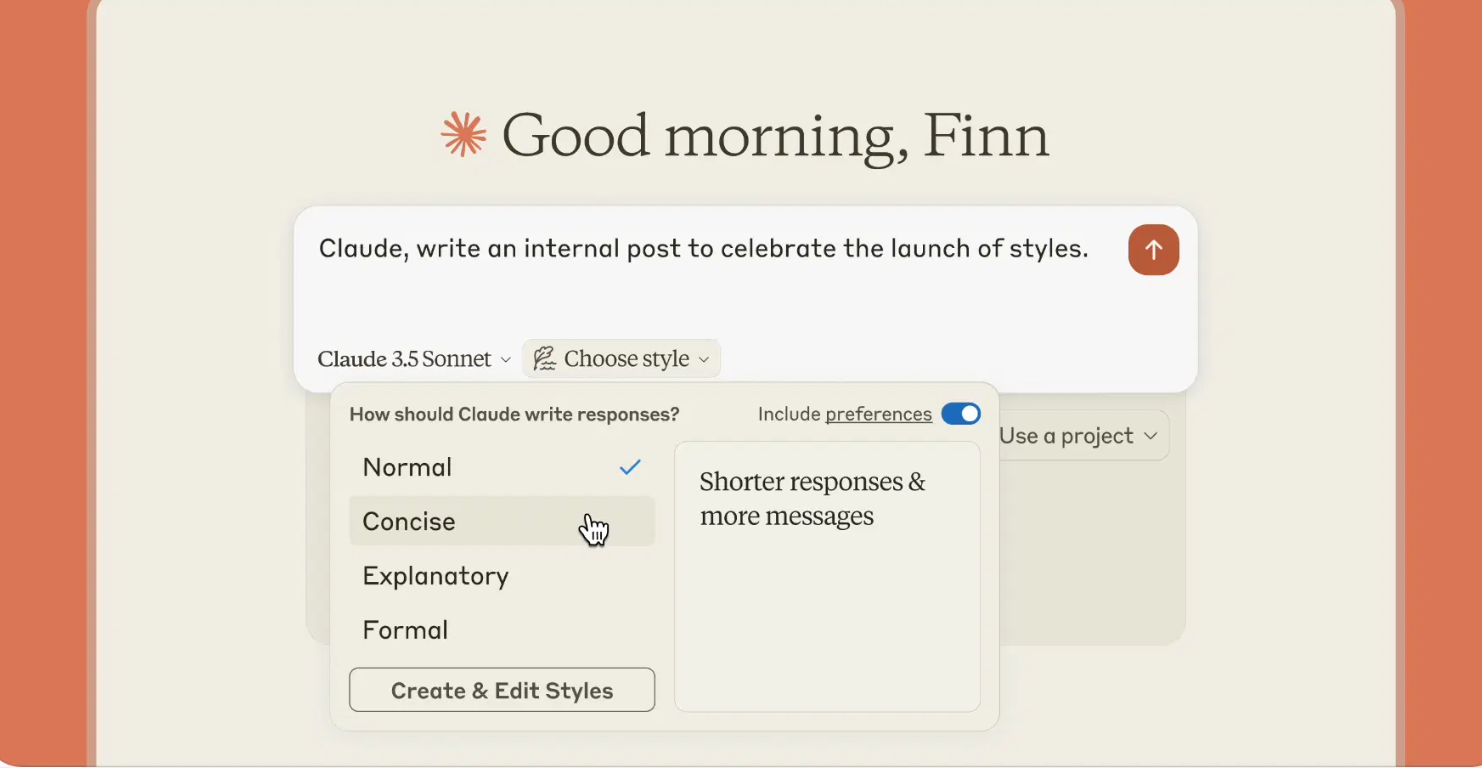
Claude has built a reputation for producing long, coherent documents without losing the thread. Where many generators start strong and drift by page three, Claude holds onto the structure and argument of a piece from the first paragraph to the last, keeping terminology, tone, and logic consistent even across documents that run into the thousands of words. That makes it a natural fit for reports, proposals, and any document where the reader needs to follow a chain of reasoning rather than skim a series of disconnected points.
It also handles research-heavy drafts particularly well. Rather than flattening source material into generic summary language, it weaves context and evidence into the narrative in a way that still reads like something a person would write, not a patchwork of extracted facts. The trade-off is that Claude shines most when given detailed instructions and source material. For quick one-paragraph drafts, its strengths are less noticeable than for long-form work.
For teams that need to turn dense source material — interview notes, technical specs, prior reports — into a polished document, that ability to synthesize rather than just summarize is often the difference between a usable first draft and one that needs a full rewrite.
Ideal for: reports, business proposals, research summaries, and any document that needs to stay coherent over several pages.
2. ChatGPT
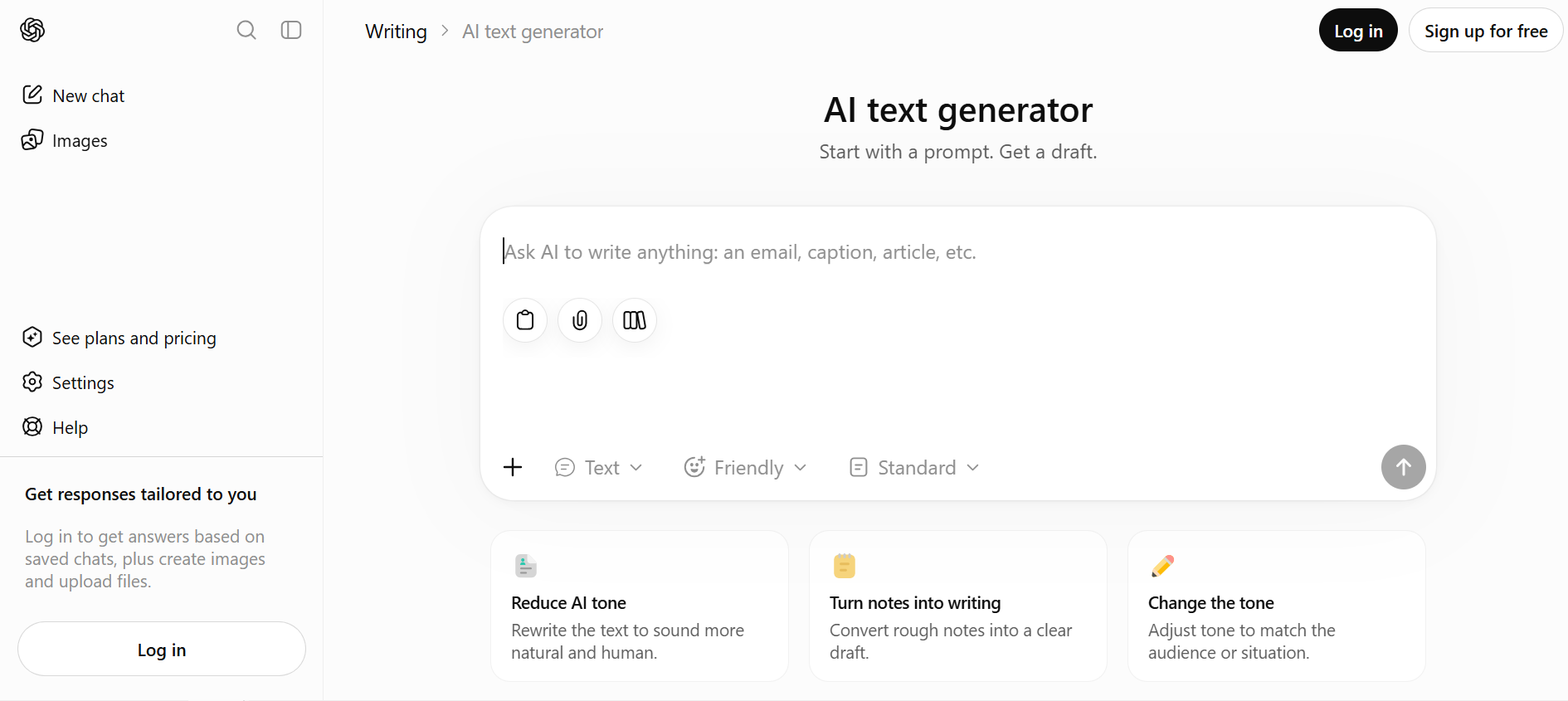
ChatGPT remains the most widely used starting point for document drafting, and for good reason: its strength is versatility. The same interface handles contracts, memos, meeting summaries, and marketing one-pagers with minimal setup, which makes it the default choice for people who don’t want to learn a new tool for every document type they produce. Its familiarity is also part of its appeal — most people have already spent months or years learning how to prompt it effectively, so there’s little onboarding friction when a new document task comes up.
Custom GPTs push this further by letting teams bake in templates, formatting rules, and even company-specific context, so the same base model can be configured to produce a legal memo one day and a client-facing proposal the next. That flexibility comes with a trade-off: without careful setup, output quality can vary more than with tools built specifically for one type of document. In practice, the difference often comes down to prompting. Teams that invest in reusable prompts and templates usually see much more consistent results than those relying on ad hoc requests.
Ideal for: quick first drafts, templated documents, and teams that want one tool for many document types.
3. Jasper
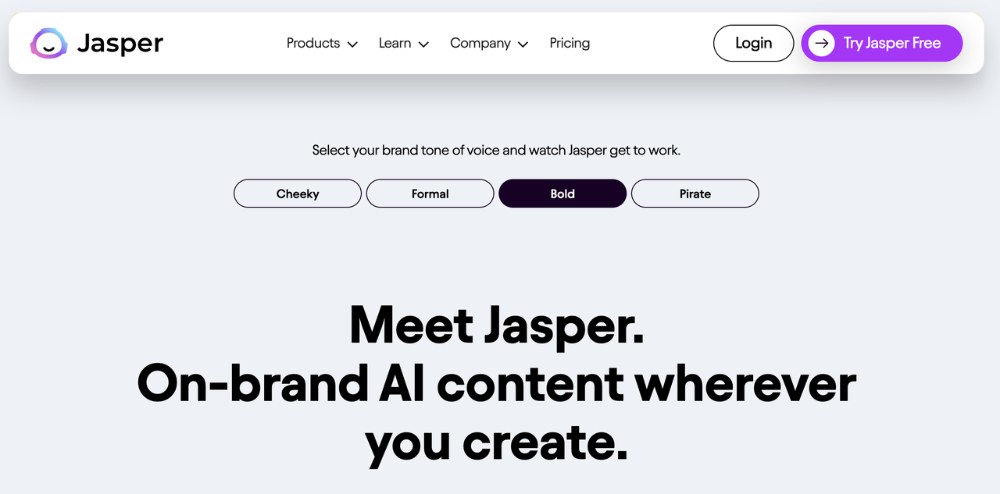
Jasper’s edge in 2026 is brand and style consistency at scale. Its memory system learns an organization’s terminology, tone, and messaging guidelines from existing material, then applies them automatically across every document it generates afterward, rather than requiring someone to re-explain the brand voice in every prompt. For companies producing large volumes of client-facing material — proposals, case studies, sales one-pagers, follow-up documents — that consistency is often worth more than raw creativity, since the biggest risk in scaled content production isn’t a dull draft, it’s an inconsistent one.
Jasper is also built with marketing and sales workflows specifically in mind, so it tends to understand the shape of those documents — pain point, solution, proof, call to action — without needing to be walked through the structure each time. It integrates with existing brand assets and campaign data, which shortens the gap between “we need a proposal for this client” and having something ready to send. That focus makes it less flexible than a general-purpose tool, but for teams whose main output is branded, client-facing documents, the specialization pays off.
Ideal for: sales collateral, client proposals, and any document that needs to sound like the same brand every time.
4. PandaDoc
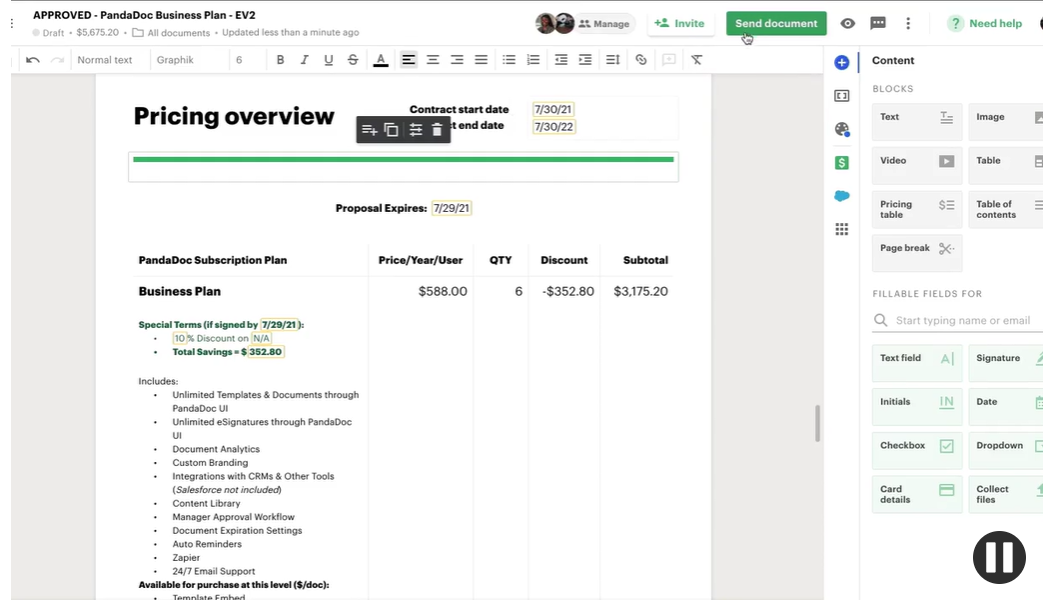
PandaDoc approaches document generation from the transactional end of the spectrum: proposals, quotes, and contracts that need to go out, get signed, and get tracked, not just get written. It generates the first draft from a template and CRM data, then keeps the whole lifecycle of the document in one place — drafting, sending, e-signature, and payment collection are all part of the same flow, so a proposal doesn’t need to bounce between three different tools before it reaches a client’s inbox.
That end-to-end focus is what sets it apart from general-purpose writing assistants: PandaDoc isn’t trying to be the best tool for open-ended writing, it’s trying to be the fastest path from “we need a contract for this deal” to a signed document sitting in a CRM record. Built-in analytics show how much time a recipient spent on each section, which is a level of feedback most document generators simply don’t offer. For sales and legal teams whose documents exist to be signed rather than just read, that visibility into what happens after send is often more valuable than sharper prose.
It’s less suited to brainstorming or open-ended writing, but that’s intentional—its strength lies in moving documents through a business process rather than creating them from scratch.
Ideal for: sales quotes, contracts, and any document that needs to be sent, signed, and tracked in one workflow.
5. Notion AI
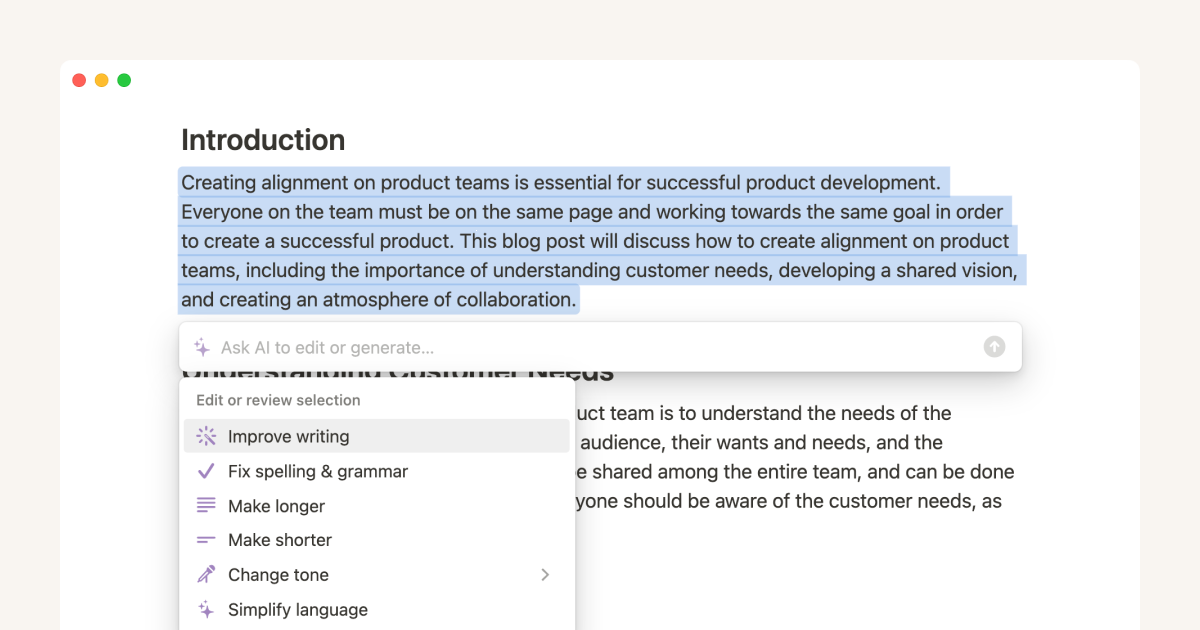
Notion AI’s biggest advantage isn’t the quality of what it generates in isolation — it’s that it works where documents already live. Instead of drafting content in a separate window that then has to be copied and reformatted, it writes directly inside a shared workspace, pulling context from existing pages, notes, and databases as it goes. A project brief generated this way can reference the actual specs, decisions, and prior notes already sitting in the workspace, rather than starting from a blank slate that ignores everything the team has already documented.
That connection to context makes it particularly strong for internal documents — specs, meeting notes, onboarding guides, project briefs — that need to stay accurate and up to date as the underlying work evolves. Because the document lives in the same place as the source material, updates tend to happen faster: someone can ask Notion AI to revise a brief based on a decision made two pages away, without exporting anything or switching tools. For teams that already run their internal knowledge base in Notion, that tight loop between information and output is hard to replicate elsewhere.
For teams that don’t already use Notion as their primary workspace, however, much of this contextual advantage naturally disappears.
Ideal for: internal documentation, project briefs, and teams that already manage their work in Notion.
6. Gamma
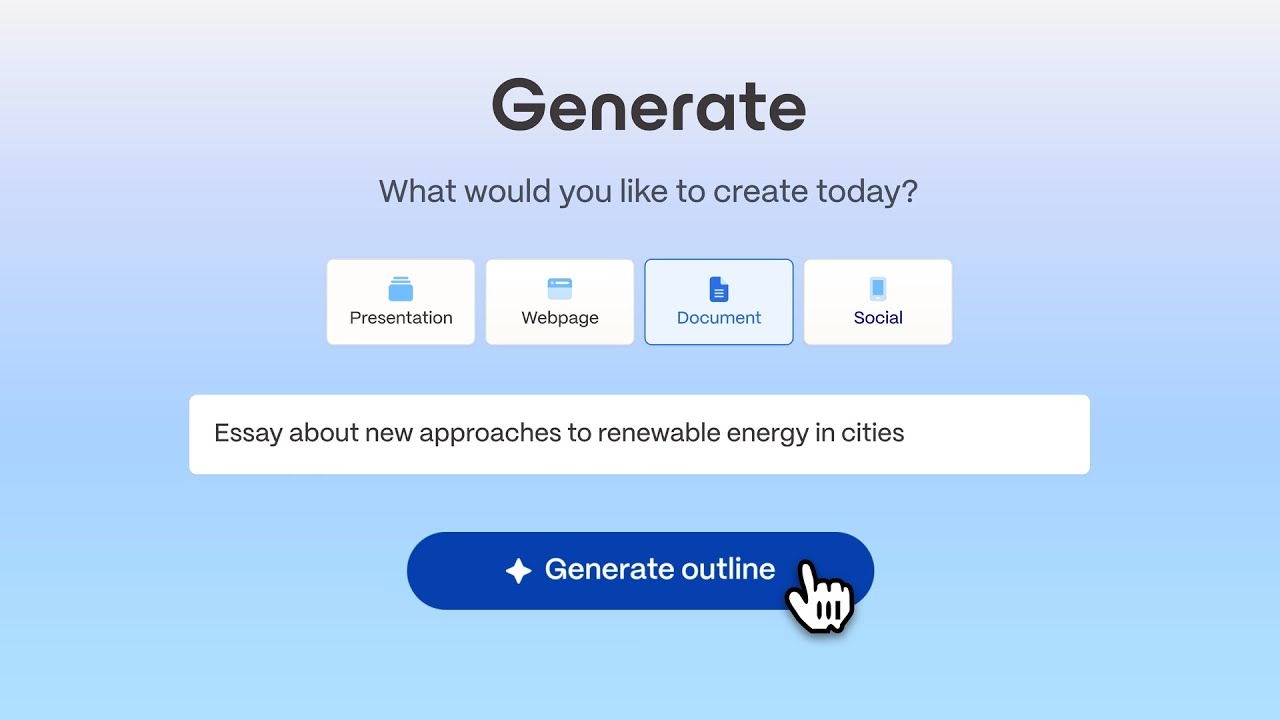
Gamma blurs the line between document and presentation, and that’s really its whole pitch. Give it a prompt or a rough outline, and it generates a fully designed document or deck, complete with layout, imagery, section breaks, and formatting, in a fraction of the time manual design would take. For example, a sales proposal or investor one-pager can go from rough notes to a polished presentation in minutes, without requiring any design experience. The output doesn’t look like a text file with a header slapped on top — it looks like something a designer spent an afternoon on, which matters a lot for documents that are going to be read by clients, investors, or executives who form an opinion within the first few seconds.
It’s become a favorite for one-pagers, pitch documents, and internal reports that need to look polished without a design team behind them, particularly at smaller companies or on teams where design resources are scarce. The trade-off is that Gamma is optimized for visual, skimmable documents rather than dense, text-heavy ones — it’s not the right choice for a fifty-page technical report, but for anything meant to be read quickly and make a strong first impression, it consistently outperforms tools built primarily for writing.
Ideal for: pitch documents, one-pagers, and reports where visual polish matters as much as the writing.
7. Venngage
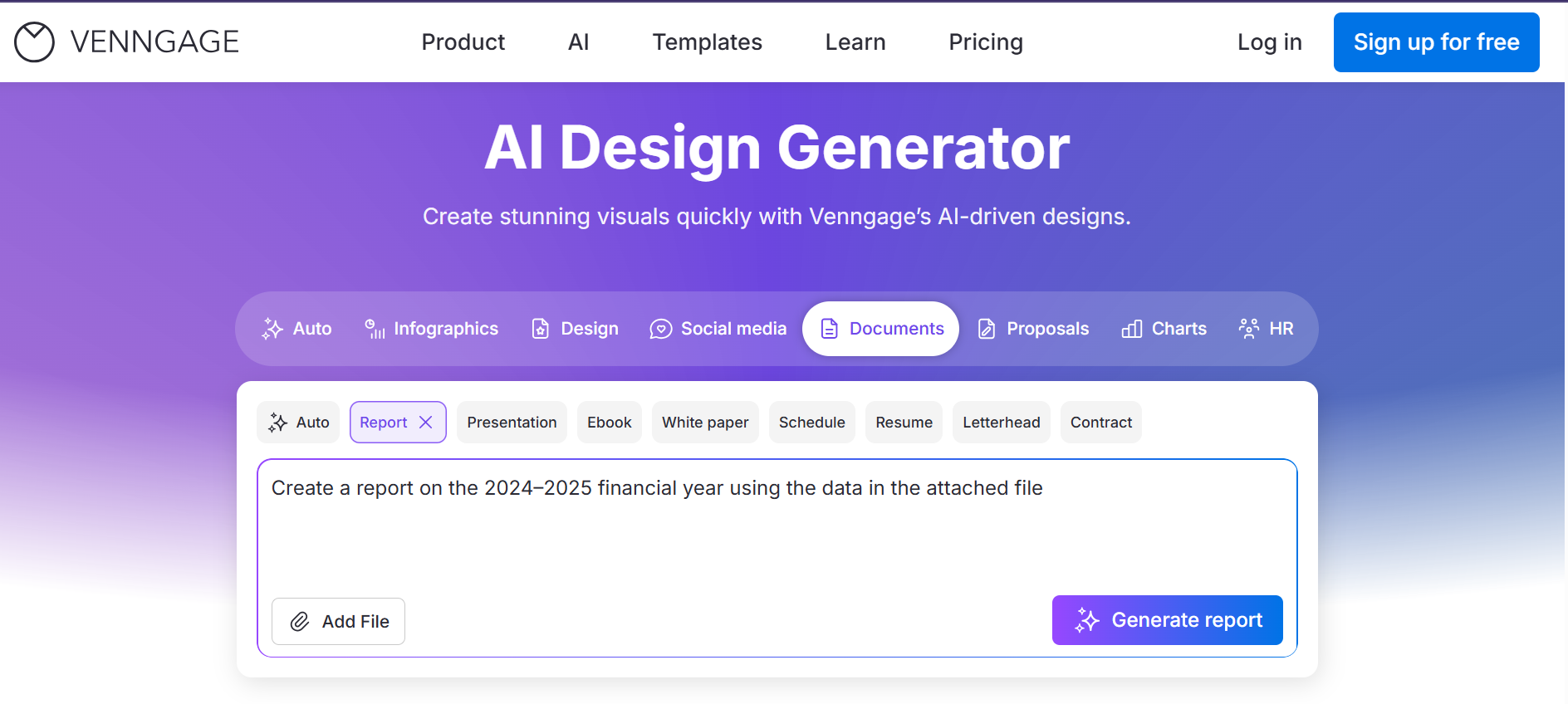
Venngage takes a template-first approach to document generation, which makes it a good fit for teams that need to look professional fast without much internal design capability. Instead of generating a layout from scratch the way Gamma does, it starts from a large library of pre-built templates — reports, one-pagers, case studies, infographics — and uses AI to fill in and adjust the text, so the structure is already proven and the AI’s job is narrower and more reliable: writing good copy inside a layout that’s already been designed to work.
Its branding tools let a company lock in colors, fonts, and logos once, so every document generated afterward stays on-brand without anyone having to check manually. That combination of ready-made structure and enforced branding makes Venngage particularly popular for compliance-adjacent and client-facing documents, where consistency matters as much as speed — the kind of report that has to look the same whether it was made by marketing, sales, or HR.
Ideal for: template-based reports, case studies, and one-pagers where consistent branding matters more than custom design.
8. Grammarly Business
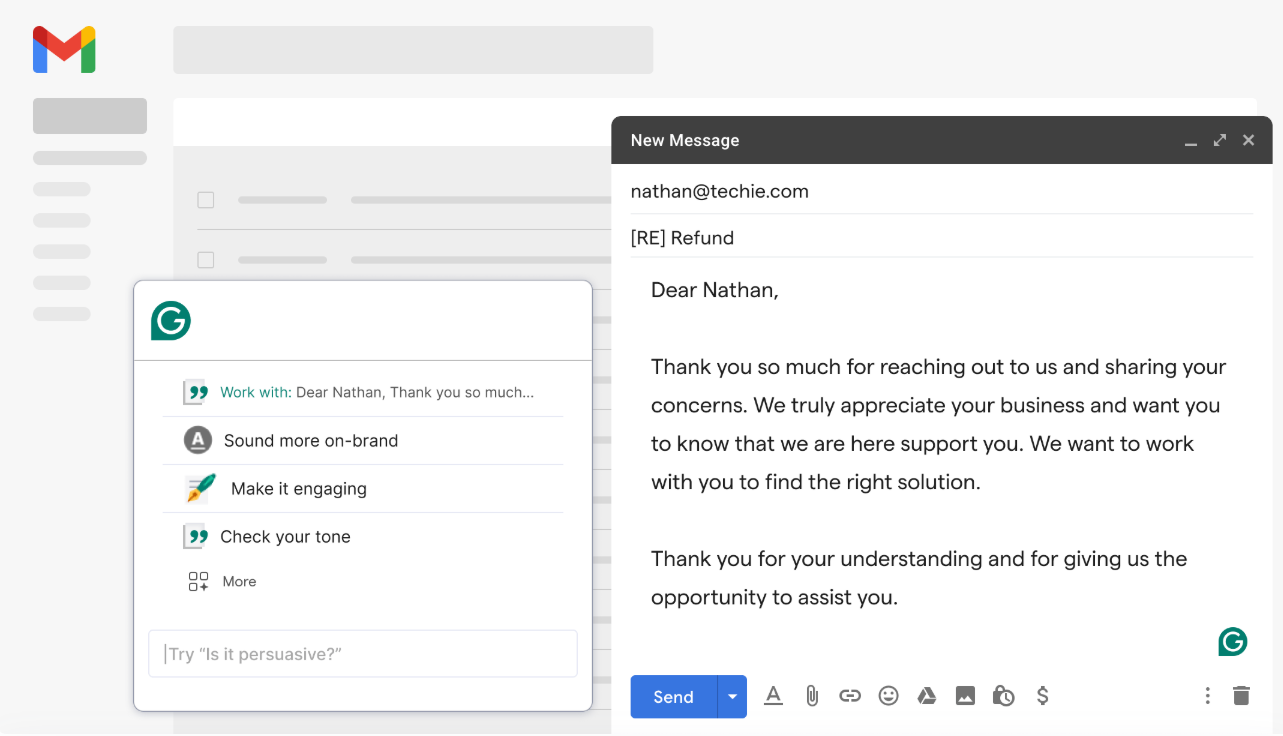
Grammarly Business has quietly grown from a grammar checker into a genuine document assistant, and its 2026 positioning reflects that shift. Businesses now use it to improve the clarity, tone, and structure of full reports and proposals, not just to catch typos — it analyzes a draft the way an editor would, flagging sections that are unclear, inconsistently toned, or structurally weak, and suggesting concrete rewrites rather than vague comments.
Rather than replacing the writer, it behaves more like a second editor reviewing every draft before it reaches clients or colleagues.
Most teams are already drafting in Word, Google Docs, or their browser, and Grammarly Business layers on top of that workflow instead of asking anyone to switch tools or change habits. That makes it a low-friction way to raise the baseline quality of documents across an entire organization — less about generating content from scratch, more about making sure everything that goes out the door reads like it was written by one careful, consistent voice.
Ideal for: teams that already draft in Word or Google Docs and want AI-assisted editing rather than full generation.
9. Writer
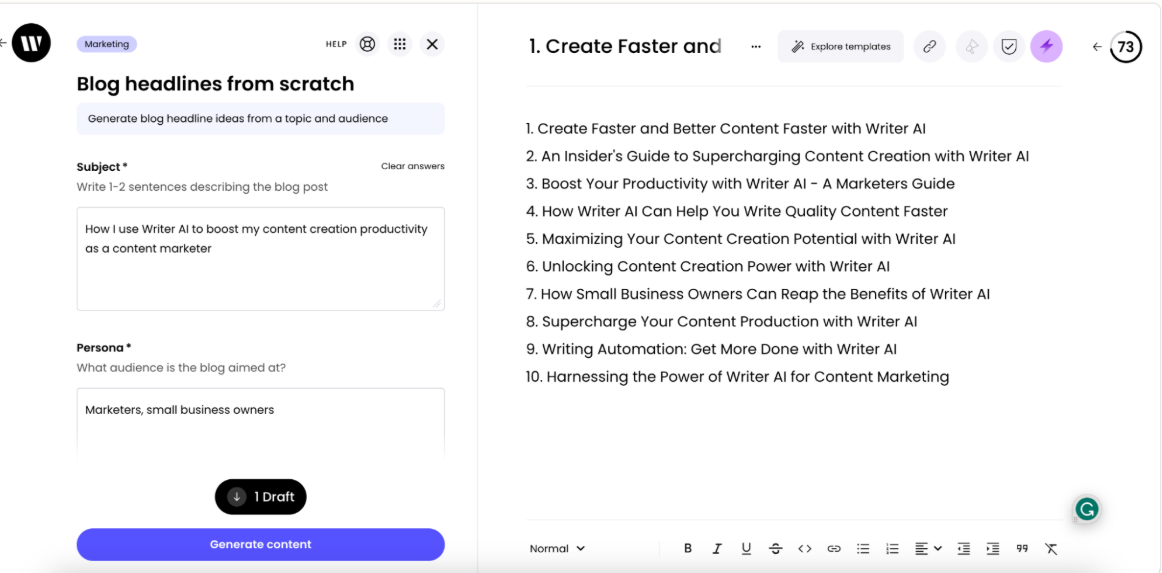
Writer is built for regulated and enterprise environments where compliance and accuracy aren’t optional, and it’s designed around that constraint from the ground up rather than treating it as an afterthought. It generates documents against a company’s approved style guide and internal knowledge base, so the output isn’t just plausible-sounding text but content grounded in material the organization has already vetted. Just as important, it flags claims that aren’t backed by a source, which turns the usual “check everything before you send it” review process into something closer to spot-checking flagged sections.
That combination of grounding and traceability is exactly what legal, financial, and healthcare teams need when producing high-stakes documents, where an unsupported claim in a report or client communication isn’t just an embarrassment but a real liability. Writer also supports governance features — permissions, audit trails, approval workflows — that matter far more in large organizations than in a solo workflow, which is part of why it’s positioned as an enterprise tool rather than a general consumer product. For teams working under real compliance pressure, that focus on accuracy and traceability is worth more than a faster or flashier draft.
Ideal for: compliance-sensitive documents, enterprise reports, and industries where every claim needs a source.
Bonus: AI document generation inside your office suite — the case of ONLYOFFICE
Creating a draft is only the first step of the document workflow. Once the content is generated, it usually needs to be edited, formatted, reviewed, translated, shared, and revised—often across several different applications. This constant switching between tools interrupts the writing process and slows collaboration.
ONLYOFFICE takes a different approach by bringing AI directly into the document editor itself. Instead of generating content in one application and finishing the work somewhere else, users can create, improve, and collaborate on documents without leaving their workspace.
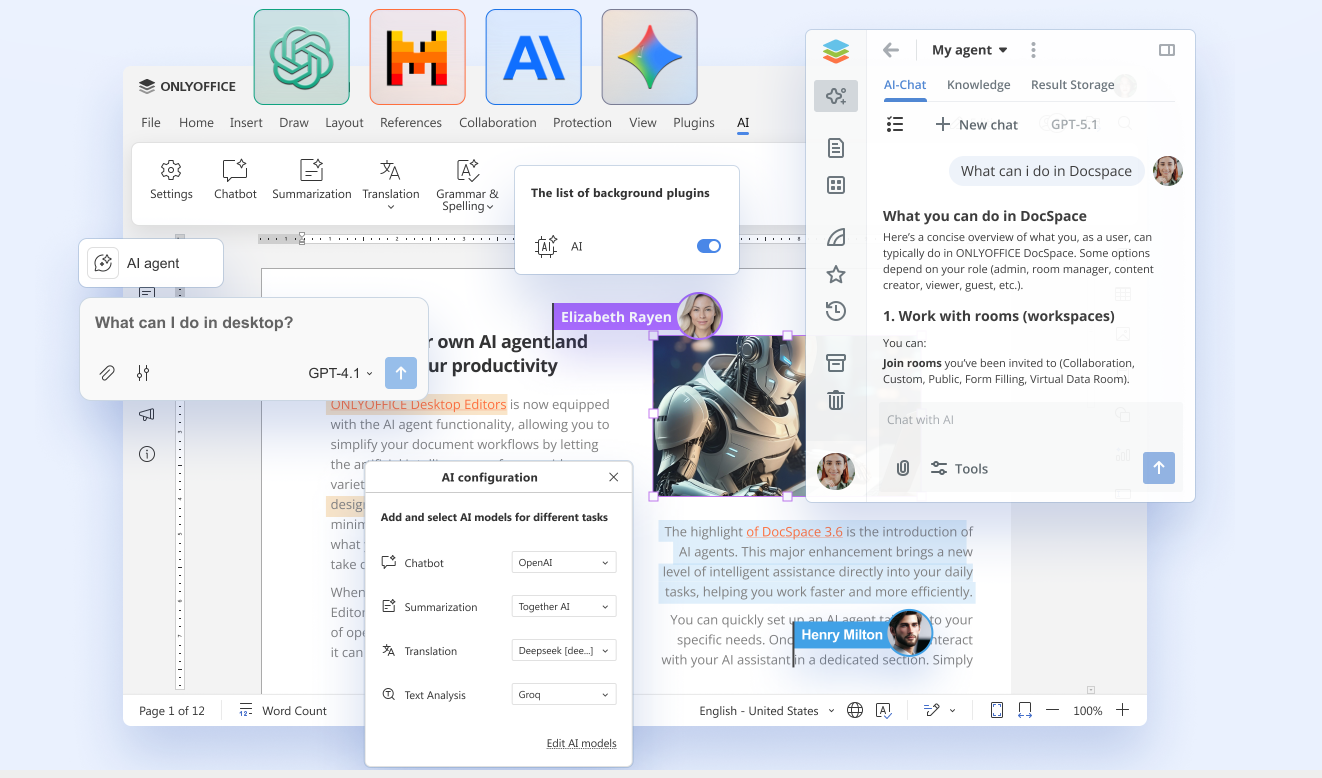
As an open-source office suite available on web, desktop, and mobile, ONLYOFFICE gives users complete control over how they integrate AI into their workflow. The AI plugin is installed manually through the Plugin Manager, meaning no AI features are enabled by default. This privacy-first approach lets users decide exactly when and how AI should be used.
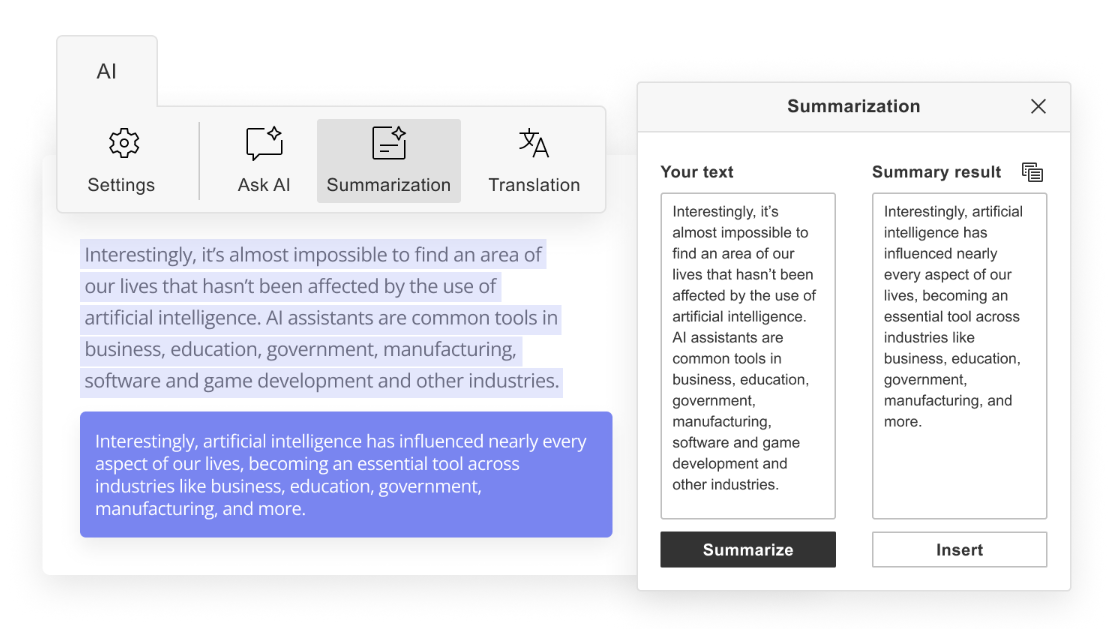
Once enabled, the AI tab becomes a complete writing assistant rather than a simple text generator. Users can:
- Generate new content or rewrite existing text
- Expand, shorten, simplify, change style and tone of texts
- Correct grammar and spelling
- Summarize long documents and extract keywords
- Translate content into multiple languages
- Generate images directly inside documents
- Convert scanned PDFs and images into editable text with OCR
One of ONLYOFFICE’s biggest advantages is flexibility. Rather than locking users into a single AI provider, the plugin supports OpenAI, Anthropic Claude, Google Gemini, Mistral, DeepSeek, Groq, Ollama, LM Studio, and many others. Different models can even be assigned to different tasks—for example, using one model for translation, another for proofreading, and another for content generation—allowing organizations to balance quality, speed, privacy, and cost according to their needs.
For teams with more advanced workflows, ONLYOFFICE also supports custom AI assistants built from user-defined prompts. Frequently used actions can be added directly to the toolbar, turning repetitive tasks into one-click operations and adapting the editor to each organization’s workflow instead of forcing teams to adapt to the software.
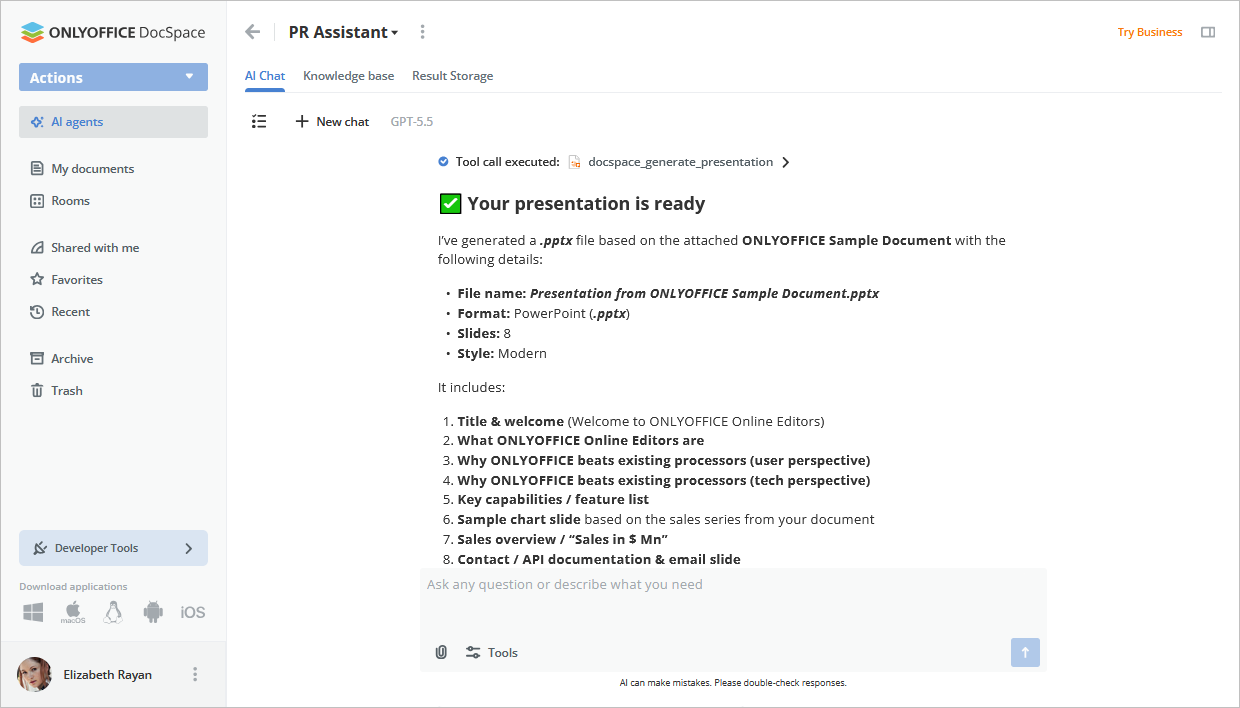
The workflow doesn’t stop at text generation. In ONLYOFFICE DocSpace, AI agents can turn a conversation into a fully editable DOCX document, PDF form, or PPTX presentation. Generated files open instantly in a new editing tab, allowing users to continue refining and collaborating without copying content between different applications.
Looking ahead, ONLYOFFICE is also developing an inline AI agent, currently in beta, that will allow users to interact with AI naturally while writing, without opening separate dialogs or interrupting their work. The goal is to make AI feel less like an external tool and more like a collaborative assistant embedded directly into the document.
Note: The ONLYOFFICE team is not responsible for the accuracy or reliability of the information and content provided by third-party AI models and assistants.
At a glance: how these tools compare
| Tool | Best for | Pricing | Standout feature |
| Claude | Reports, proposals, research summaries | Freemium | Exceptional coherence across long, complex documents |
| ChatGPT | General-purpose document drafting | Freemium | Versatile AI with highly customizable workflows |
| Jasper | Sales collateral and branded content | Paid | Maintains consistent brand voice across teams |
| PandaDoc | Contracts, quotes, and proposals | Paid | Complete document lifecycle with e-signatures |
| Notion AI | Internal documentation and project management | Freemium | Context-aware writing inside collaborative workspaces |
| Gamma | Presentations and visually polished documents | Freemium | Instantly generates professionally designed layouts |
| Venngage | Reports, case studies, and infographics | Freemium | AI-assisted content inside ready-made branded templates |
| Grammarly Business | Editing and document refinement | Paid | Improves clarity and consistency within existing workflows |
| Writer | Enterprise and regulated industries | Enterprise | Source-grounded generation with governance controls |
| ONLYOFFICE AI | Writing, editing, collaboration, and document workflows | Free plugin | AI integrated directly into an open-source office suite with support for multiple providers |
Note: pricing tiers shift often in this space, so treat the column above as a rough guide rather than a quote — always check the provider’s site for current plans.
Final thoughts
AI document generators have made it possible for one person to produce the volume and quality of documentation that once required a support team. But the tool only ever produces a draft — judgment, accuracy, and context still come from the person using it. The best generators in 2026 are the ones that get out of the way fastest, leaving more time for the parts of the work that actually need a human.
Pick the tool that fits the type of document you produce most often, build it into your workflow, and expand from there. The generator that works is the one you’ll actually keep using.
Get started with AI in ONLYOFFICE
Download ONLYOFFICE Desktop Editors or sign up for a free DocSpace account to start building your own AI assistants.
Create your free ONLYOFFICE account
View, edit and collaborate on docs, sheets, slides, forms, and PDF files online.