Celebrating 16 years of ONLYOFFICE: 16 questions answered (FAQ)
Summary
During ONLYOFFICE's 16th anniversary celebration, the company addressed various questions from users, providing insights into features, integrations, and future developments. This blog post answers 16 key questions, reflecting user feedback and highlighting the platform's capabilities, including AI integration, document compatibility, and educational tools, while encouraging community engagement for further enhancements.
- ONLYOFFICE supports custom AI provider integrations.
- Users can request additional AI features via community feedback.
- The platform is free and accessible for students.
- ONLYOFFICE is natively compatible with Microsoft Office formats.
- The suite offers real-time collaboration for group projects.
During the celebration of ONLYOFFICE’s 16th anniversary, we have received a lot of questions from our users via our community forum and social media. Although many questions were feature requests, some of them provided valuable feedback for our team. That’s why we would like to share our answers to 16 questions and suggestions in this blog post. Why 16? Because ONLYOFFICE has turned 16 this month.

16 years of ONLYOFFICE: all you need to know
Before we dive into questions and answers, we recommend you get familiar with our 16th anniversary blog series. It will walk you through the history of our triumphs and controversial decisions, introduce the people behind our project, bring to light the features that shaped ONLYOFFICE and even reveal what we are going to build in the next 16 years.
AI integration
Since AI integration has been a crucial part of our project so far, many users have questions about how to use artificial intelligence and connect their favourite AI providers in ONLYOFFICE.
Question: With AI assistants becoming a core focus, will ONLYOFFICE support custom AI model integrations so teams can connect their own LLMs instead of being limited to built-in ones?
Answer: We already support custom AI providers in our AI integration. Apart from the predefined options, such as OpenAI, Google Gemini, Anthropic, xAI, DeepSeek, Mistral and more, our users can configure and connect any custom AI provider, using the corresponding functionality in our plugin. Such an approach reflects our philosophy — giving users total control over their AI integration and allowing them to use the tools they can rely on.
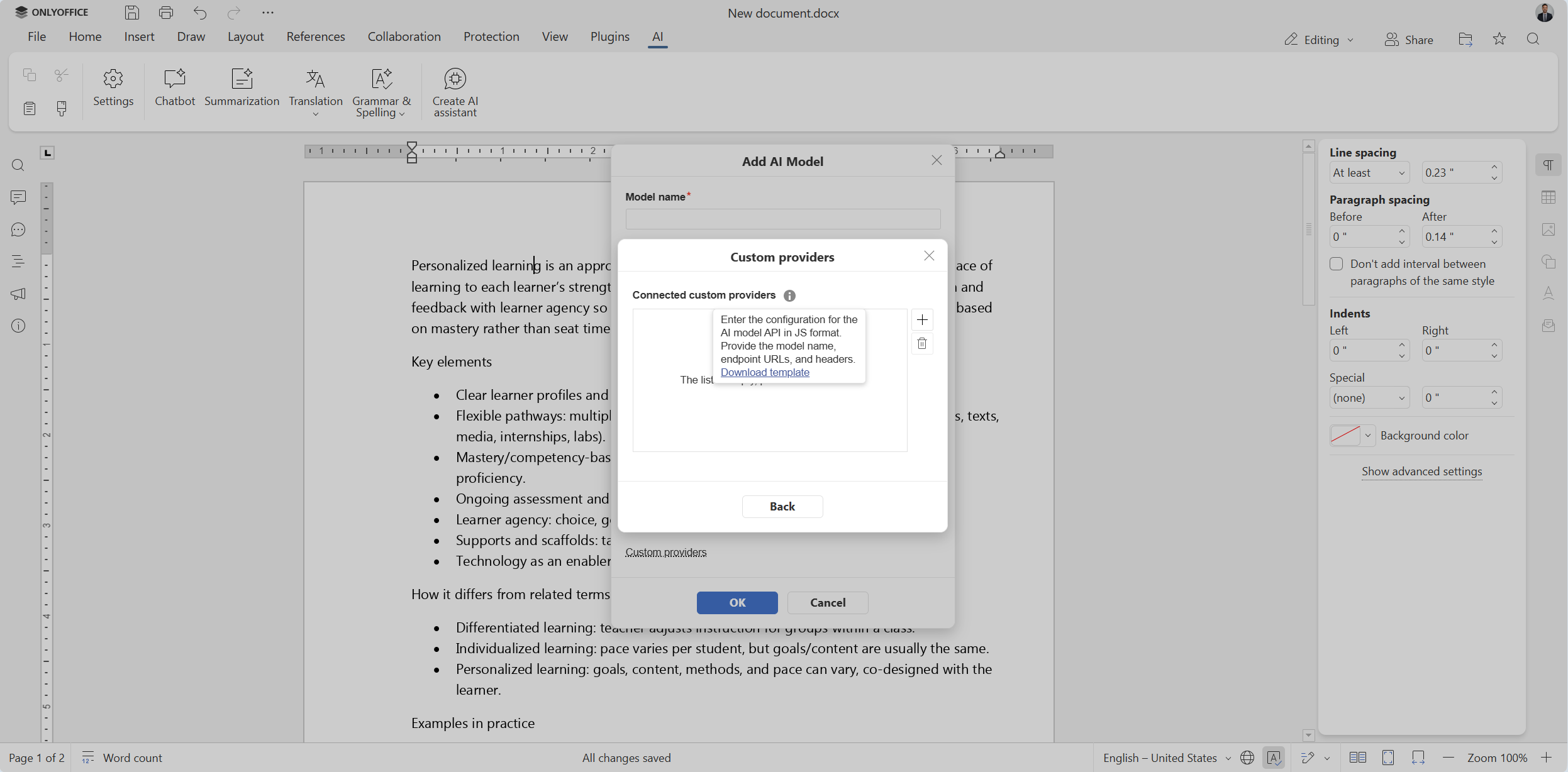
Question: Question: Is it possible to integrate 1min.AI in OnlyOffice Desktop Editors by using API? If not, can this feature be provided in the next upgrade of the AI plugin?
Answer: Currently, we have no plans to add this provider to our AI integration. However, you can request that we make it available in our community. If other users support your suggestion, we might want to change our mind. The more upvotes, the better!
Question: I would like to have an AI agent from European countries. Is it possible?
Answer: Sure thing! Among all compatible AI providers, you can try Mistral AI, a France-based artificial intelligence provider known for its open-source large language models that can be used for all kinds of natural language processing tasks. For more information on how to set it up in our AI plugin, please read this guide in our Help Center or watch the video below:
Question: Some AI operations should be performed asynchronously. For example, when I select a piece of text and ask the AI to translate or rewrite it, I should still be able to continue editing other parts of the content, instead of being stuck on the progress bar screen. Will you implement it?
Answer: We have good news for you! This feature is expected to be available in version 10.0 coming out in early autumn. This release will also introduce other AI updates and improvements, making the overall user experience more comfortable. If you want to know the details, take a look at our roadmap and stay tuned!
Integration
Over the years, we have built an ecosystem with more than 40 ready-to-use integrations and more than 50 plugins. However, our users need more and more integrations for their workflows.
Question: I believe it would be a great enhancement if API users could create document templates that accept parameters when they are opened, allowing the document to automatically render its content based on the provided data. This functionality would make it much easier to generate dynamic documents, reduce manual work, and enable the same template to be reused across multiple scenarios. I believe this would be a valuable feature for developers and organizations integrating ONLYOFFICE through its API.
Answer: For those seeking to integrate our software through its API for better template workflows, ONLYOFFICE Automation API might be the solution. It enables interaction with office documents from external sources, allowing you to automatically fill out form templates outside the editor. A great example of such automation is the ONLYOFFICE Templates app for Odoo. Using this app, users can create form templates and automatically complete their fields with the corresponding Odoo data without manual input.
Possible issues
Sometimes users want to know if they encounter unusual behaviour when using the ONLYOFFICE editors or if there is something they don’t know about.
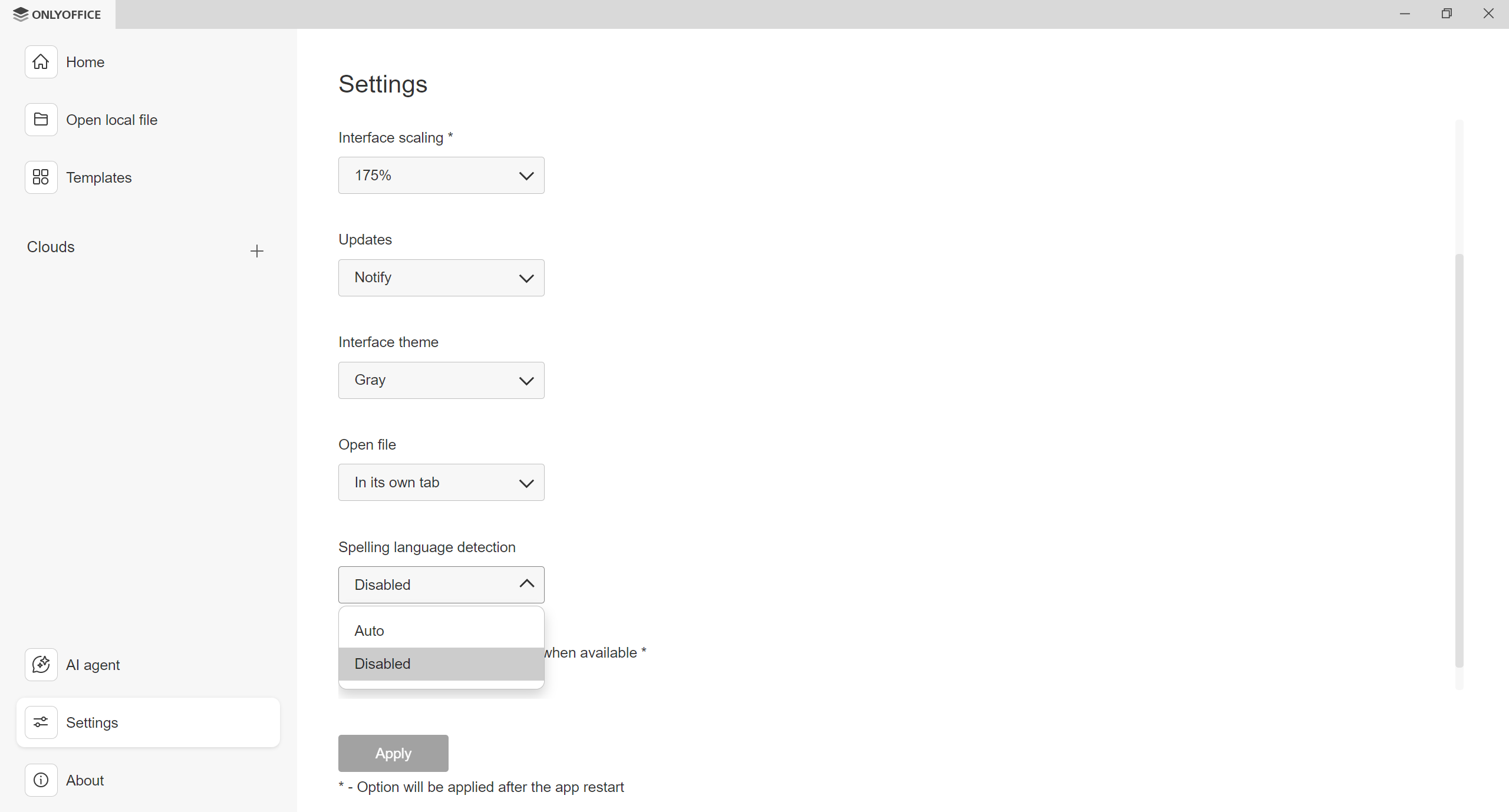
Question: I’m using your Community version 9.4.0.129 (x64 Flatpak) in Dutch with a German keyboard on an HP ZBook 15 G5 running Mint Cinnamon 22.3. And although Dutch documents are also marked as being in Dutch, whenever I make changes to the text, the language and spell-checking switch to German, and the text is underlined in red. So the keyboard language is interfering with the spell-checker. Is there any hope that this will be fixed in a future version?
Answer: You can try disabling the Spelling language detection option in the Settings section of the start window. If this doesn’t help, please report this issue on GitHub or our community forum as described in this guide.
Question: Regarding ONLYOFFICE Editor for the free version, why is it not capable of typing English characters in Zorin Linux computer?
Answer: Please provide more information, e.g. exact version of your OS, the version of the ONLYOFFICE app, screenshots or videos, etc., and report this issue on GitHub or our community forum. For detailed guidelines on how to report issues, please visit our Help Center.
Format compatibility
With plenty of office suites out there, format compatibility might become a pain because different users prefer different formats for their workflows.
Question: I really hate DOCX because the files always lose formatting and corrupt over time. Why can’t I use ODT? Every time I try to use ODT, it is converted to a DOCX.
Answer: ONLYOFFICE has been natively supporting OOXML (DOCX, XLSX, PPTX) formats since 2011, and other popular formats, like ODT, are converted to OOXML upon editing. Although you can expect the highest compatibility with Word, Excel and PowerPoint files, flawless compatibility with ODF is also what we constantly work on and try to improve. To better understand why ONLYOFFICE relies on OOXML, please read this blog post.
Text formatting
One of the most popular question types regards the applicability of the ONLYOFFICE editors in different scenarios and professional spheres. For example:
Question: I know ONLYOFFICE is great for office work. But has anyone here ever tried doing complex layout work, like the style shown below? Is it possible to lay out a book this way?
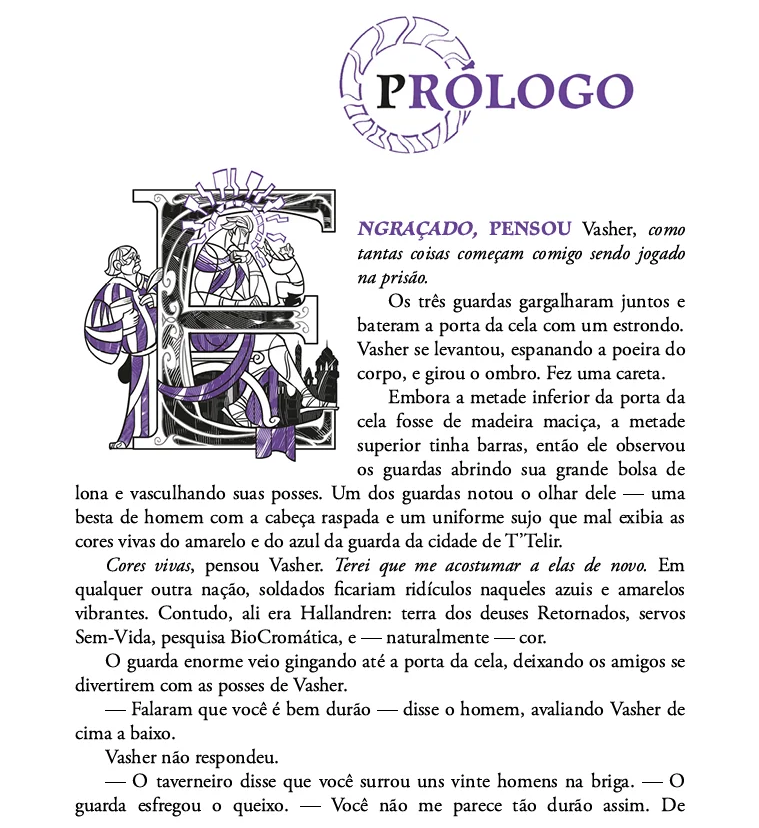 Image source: Reddit
Answer: Yes, it’s possible. ONLYOFFICE Document Editor provides a vast array of formatting and styling tools, allowing you to create complex layouts for professional purposes. If you want to master ONLYOFFICE documents, please take a look at this guide in our Help Center.
Education
Students and educators often want to know if ONLYOFFICE can be a good fit for them before switching to it. Let’s find out.
Question: Is ONLYOFFICE good enough for students?
Answer: ONLYOFFICE is a good choice for students because it’s designed to make studying and group work easier due to the following features:
- Free and accessible options: Students can use ONLYOFFICE for free (including a free cloud-based option), so they can create and edit documents without paying for a license;
- Highest compatibility with Microsoft Office formats: ONLYOFFICE natively supports DOCX, XLSX and PPTX, which helps students open, edit and submit assignments in the formats schools commonly require;
- AI-powered assistance: The built-in AI tools make it easier for students to complete their assignments right in their documents;
- Real-time collaboration for group projects: Multiple people can co-edit the same document, spreadsheet, presentation or PDF file with features like comments and change tracking to coordinate their work;
- Useful academic tools: Built-in features like citation tools, equation editing and plugins for bibliography management (e.g. Zotero and Mendeley) help with research papers;
- Availability across devices and setups: The suite is available as web, desktop and mobile apps, and can be used in the cloud or self-hosted setups, allowing students to access and edit their files from any device.
Comparison with other office suites
If you have never used ONLYOFFICE, you might wonder what makes it different from other office suites.
Question: What’s the difference between LibreOffice and ONLYOFFICE?
Answer: Although both suites are open-source, the core difference between them lies in their native formats. While LibreOffice sticks to ODF, ONLYOFFICE is natively compatible with OOXML (DOCX, XLSX, PPTX) formats. Another distinguishing point is that our office suite is mainly web-based, with additional desktop and mobile apps for a seamless editing experience across various platforms and devices, while LibreOffice is purely suited for desktop environments. Also, many users point out that the ONLYOFFICE interface looks and feels more familiar.
Of course, there are some other differences that make ONLYOFFICE shine, e.g. editing functionality, integration capabilities, collaborative tools and the implementation of AI assistance. For a detailed comparison, please visit this page.
Feature requests
Finally, the most popular question type: feature requests. Since ONLYOFFICE is used by more than 21 million people around the globe, we receive a lot of requests and suggestions every day. Some recent examples:
- I am very happy with ONLYOFFICE. But when I open it, I never use PPTX. I’d like it to open with only 3 choices: only the usual DOCX, XLSX and PDF. Any chance to alter the start?
- Why is it not able to be saved automatically while using it?
- Please add a tracked changes view that shows the document as final text while still allowing editing. This would make ONLYOFFICE much better for serious editing, proofreading, and revision work.
- Can you add the reuse slide feature in the presentation editor?
- I just wanted to have a multipage view for PDFs with Desktop Editors 9.3.
We always listen to our users and pay attention to what they want to see implemented in our editors. Over the last 12 months, we have received almost 500 ideas and feature suggestions in our community. As a result, we implemented such highly anticipated features as ARM support for the desktop editors on Windows and Linux, editing password-protected PDF files, custom keyboard shortcuts, multipage view in documents and more.
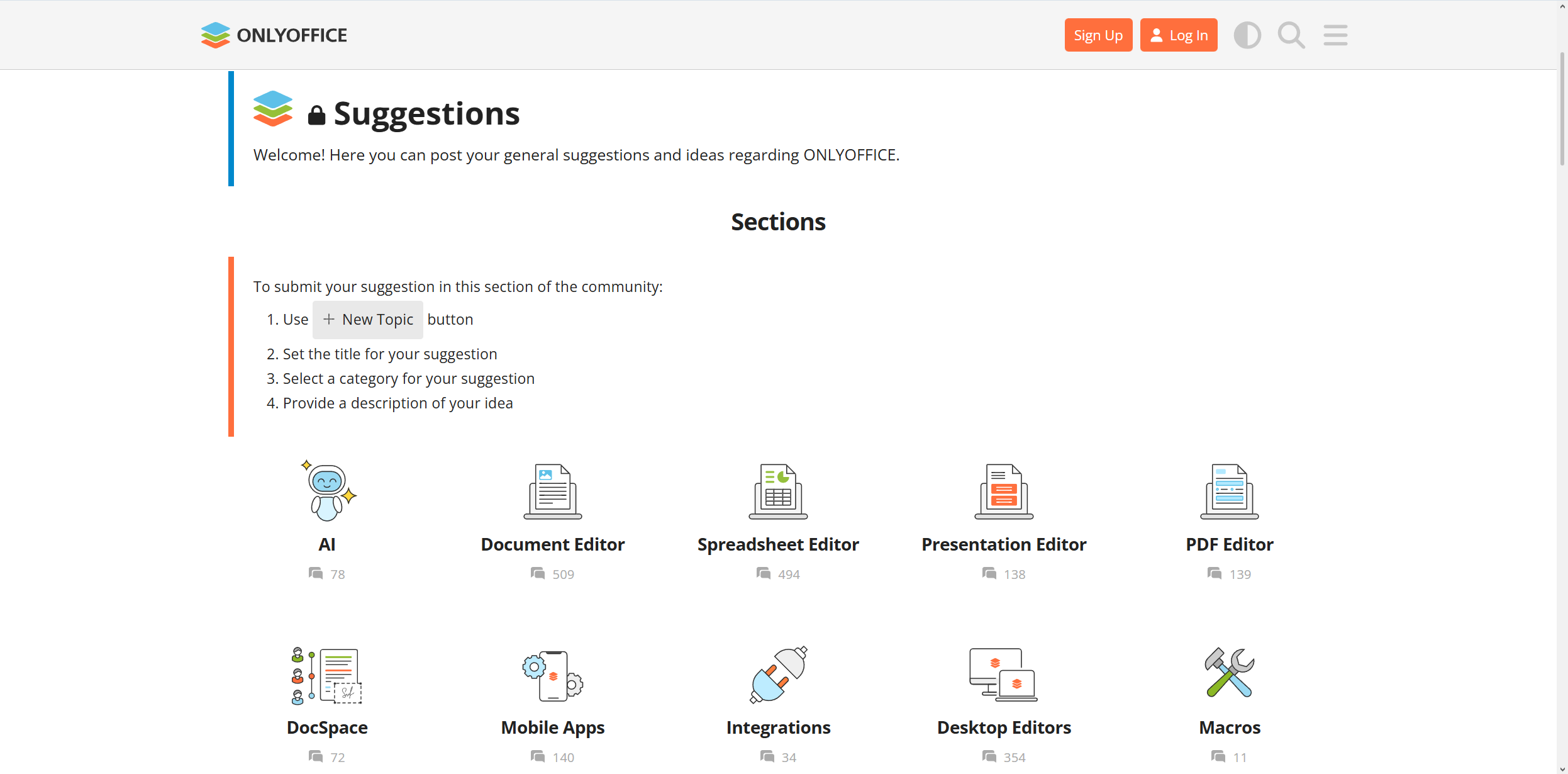
If you need a certain feature for your workflow or have a suggestion about how to make ONLYOFFICE better, don’t hesitate to share your feedback in our community. Suggest new things, leave comments and vote for other users’ ideas:
Join the ONLYOFFICE community and help us make the best office suite for your and other people. Want to contribute in another way? Explore the contribution opportunities and become part of our project.
Useful links
User guides: Help Center / API documentation
Create your free ONLYOFFICE account
View, edit and collaborate on docs, sheets, slides, forms, and PDF files online.