Share your ideas about the future of ONLYOFFICE solutions in our community
Summary
The future of ONLYOFFICE solutions can be shaped by user feedback and suggestions shared in the newly established community platform. This interactive space allows users to submit feature requests, discuss improvements, and vote on ideas, fostering a collaborative environment that directly influences product development.
- Users can suggest new features easily.
- Feedback can be shared across all ONLYOFFICE solutions.
- Voting helps prioritize the most requested features.
- Discussions are centralized for better tracking.
- Community engagement enhances product development.
We have moved feature requests and feedback discussions from UserVoice to our Discourse-based community. The new platform makes communication around ideas more transparent, interactive, and community-driven. Users can now submit suggestions, discuss them with others, vote for features, and follow conversations in one place while staying more closely connected with the ONLYOFFICE product development process.

Leave feature requests
We’re always working on improving ONLYOFFICE solutions, and user feedback plays a big role in that. Instead of sending ideas through multiple channels, you can now share everything directly in one place inside our community.
This section is not only for posting requests. It’s also a space to take part in product development in a more direct way. Here, you can:
- Suggest new features
- Report ideas for improvements
- Discuss existing workflows
- See what other users are asking for
Everything is gathered in one place, so it’s easier to follow discussions and stay up to date.
Choose a category for your suggestion
When you create a suggestion, you can select a category to help us route your idea to the right product area and make review easier for the team. Whether it’s a small improvement in editing or a broader workflow idea, there’s a place for it.
You can leave feedback across all ONLYOFFICE solutions, including:
- AI
- Document Editor
- Spreadsheet Editor
- Presentation Editor
- PDF Editor
- DocSpace
- Mobile Apps
- Integrations
- Desktop Editors
- Macros
How to submit a suggestion
Posting an idea is simple:
- Log in or create a new account in the communty.
- Click +New Topic
- Add a clear title
- Choose a category
- Describe your idea in your own words
- Click +Create Topic
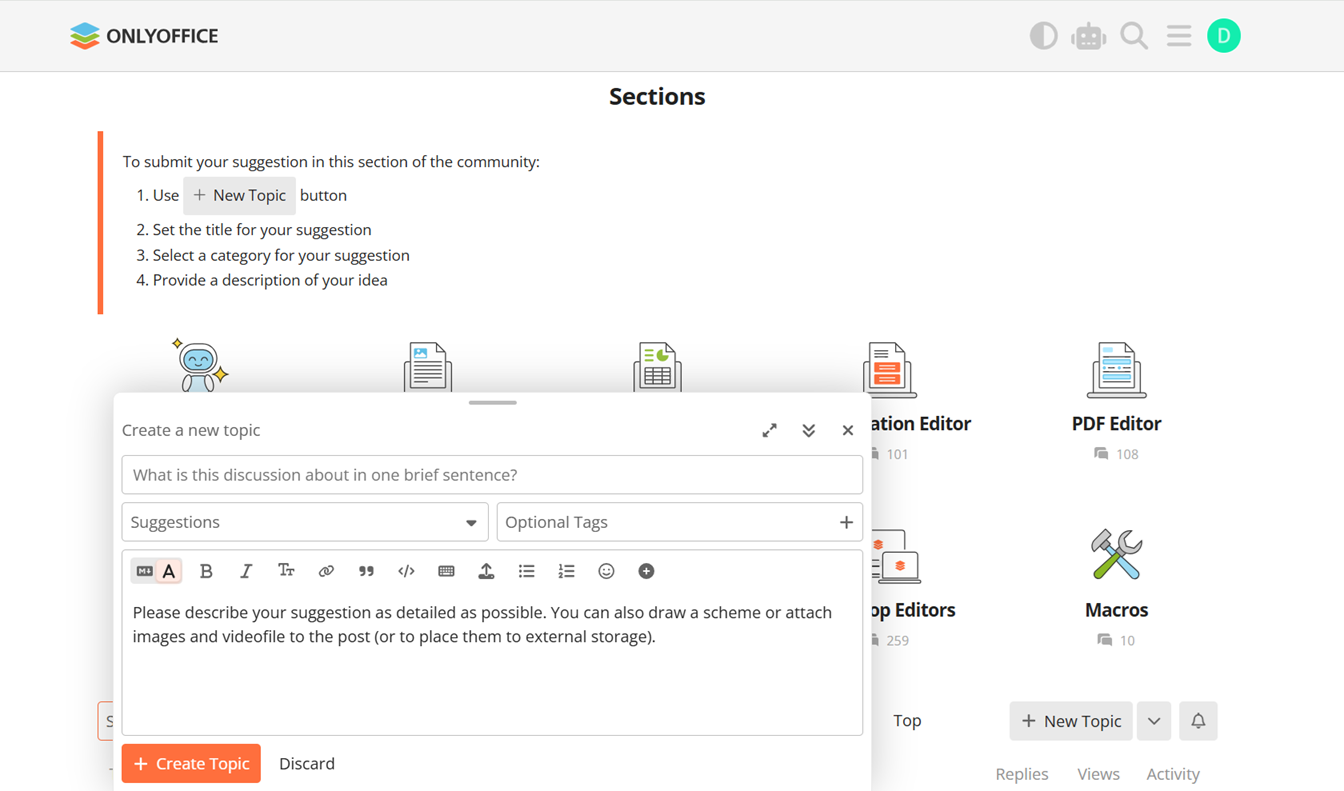
That’s it. Just explain what you want to see and why it matters to you.
Vote on ideas from others
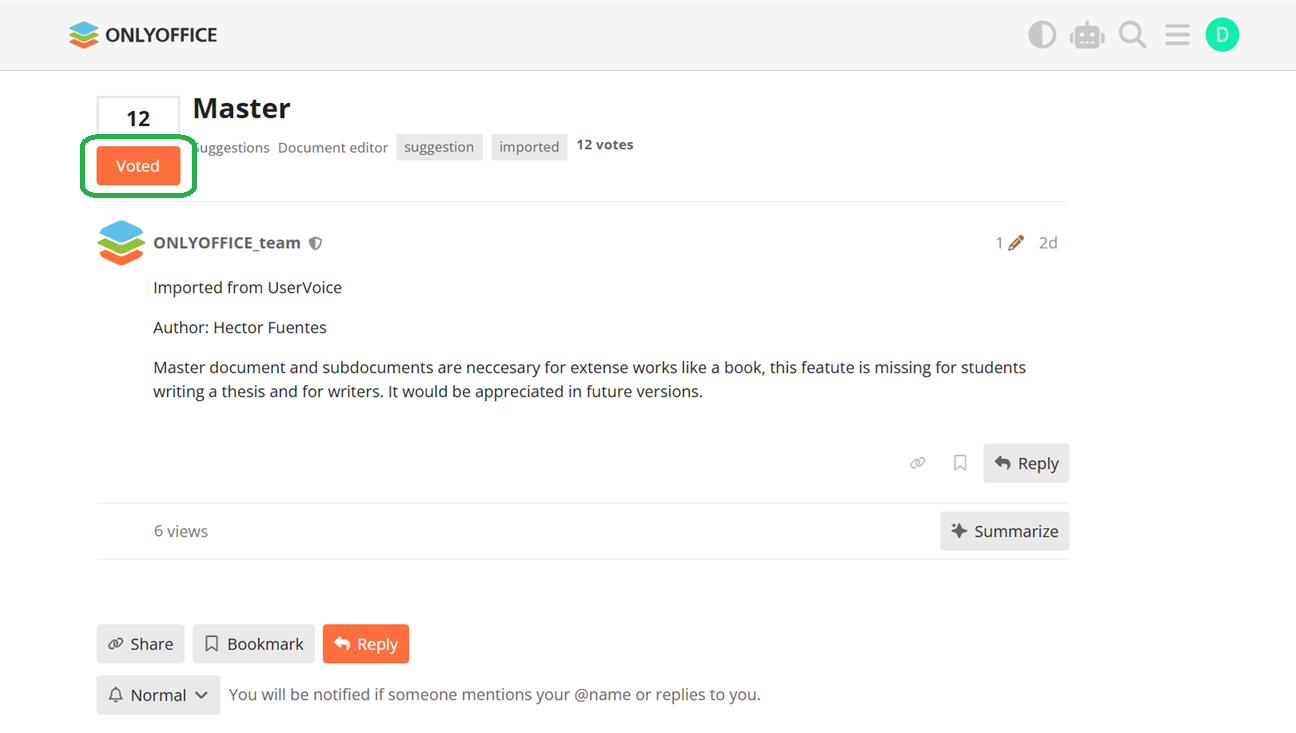
You can also support existing ideas by voting for them. Votes help us highlight the most requested features and prioritize future improvements.
To vote for an idea, open the suggestion page and click the Vote button.
Join the ONLYOFFICE community
Have an idea or a missing feature? Share it in the ONLYOFFICE community and join the discussion.
Create your free ONLYOFFICE account
View, edit and collaborate on docs, sheets, slides, forms, and PDF files online.


