Introducing the Text Cleaner plugin: turn messy documents into clean, consistent text
When you copy content from websites, emails, PDFs, and other documents, inconsistent formatting can quickly make your text look cluttered and unprofessional. The Text Cleaner plugin for ONLYOFFICE helps you fix that in just a few clicks, making it easier to turn messy content into polished, consistent documents.

About the plugin
The Text Cleaner plugin is a smarter alternative to the standard clear-formatting tool. It removes unwanted formatting while preserving the structure of your document, helping you clean up pasted content without starting from scratch. Compatible with ONLYOFFICE Document Editor 7.0 and later on Windows, macOS, and Linux, it is useful for cleaning copied web content, standardizing internal documentation, polishing emails, and preparing academic or technical texts.
Core features and functionality
Text Cleaner combines three groups of tools designed to solve common formatting problems:
The Formatting Cleaning Module lets you remove bold, italic, underline, strikeout, colors, highlights, and frames while preserving the parts of the text you want to keep.
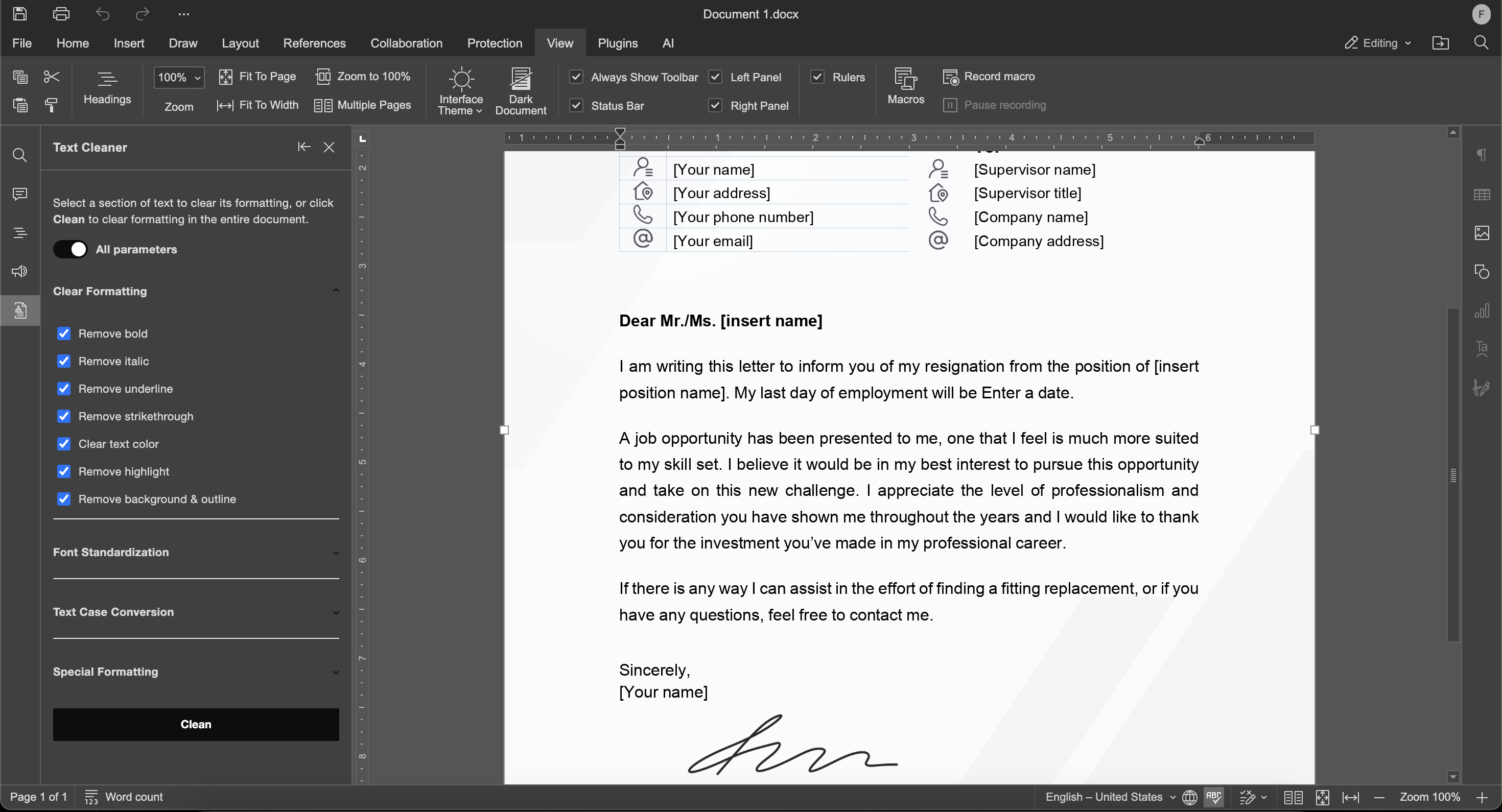
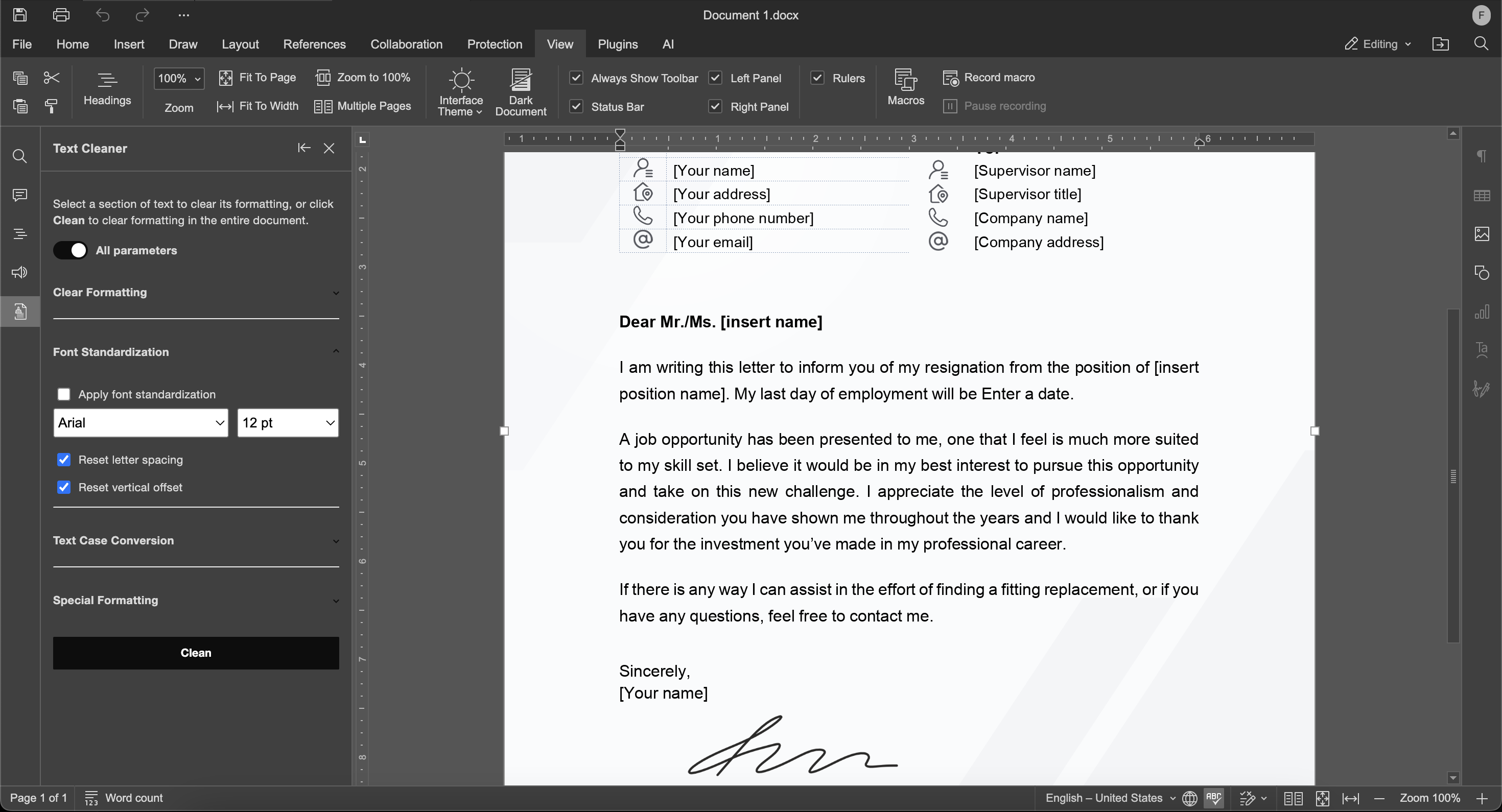
The Font Standardization Module helps unify typography with selectable fonts, font sizes from 8 pt to 36 pt, and options to reset spacing and text offset.
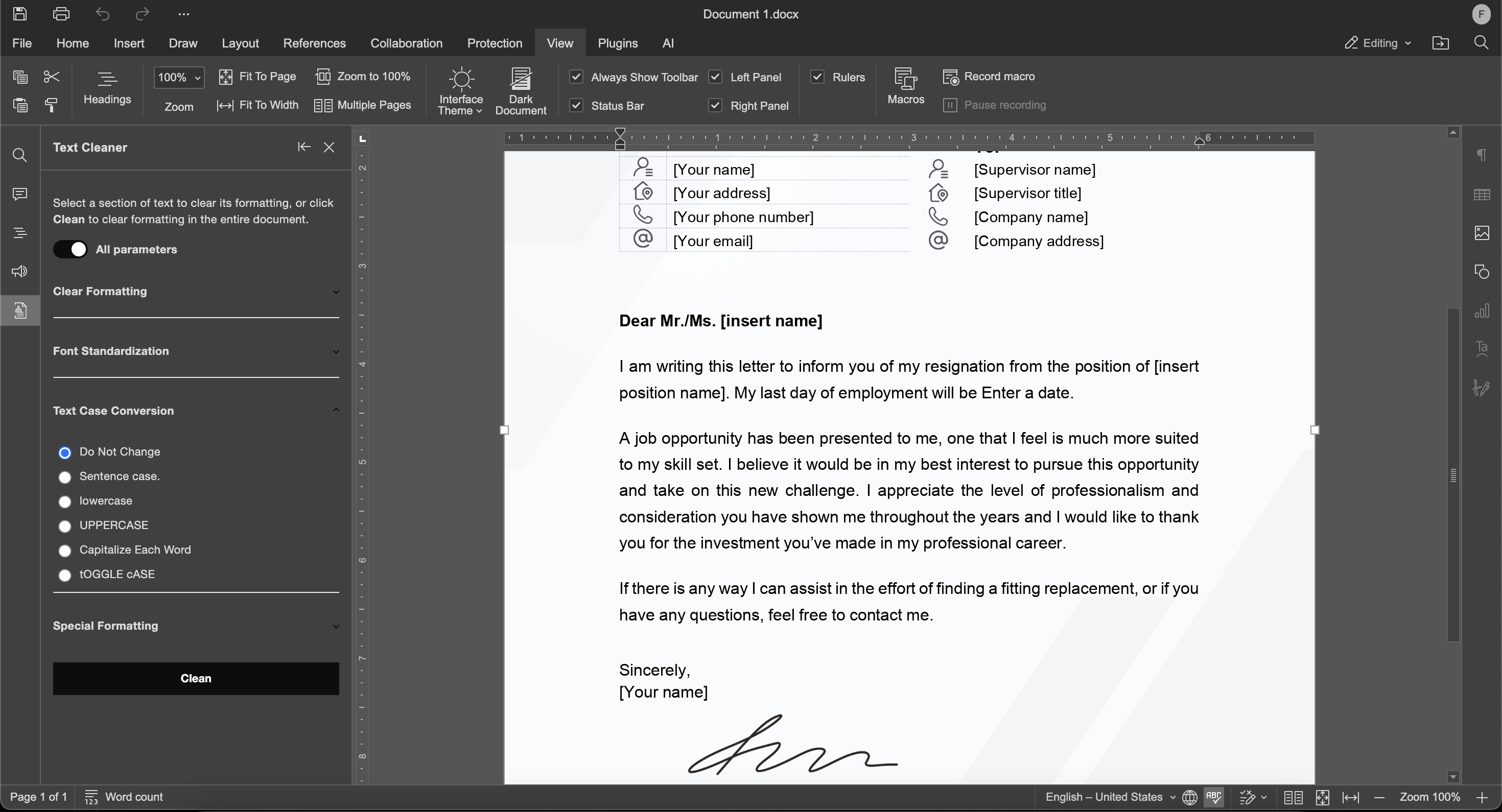
The Text Case Conversion Module makes it easy to normalize capitalization with modes such as sentence case, lowercase, uppercase, title case, and toggle case.
How to install
Installation via Plugin Manager:
- Open the Plugins tab and click Plugin Manager.
- Switch to the Marketplace tab.
- Search for the Text Cleaner plugin using the search bar on the right, then click Install.
Manual installation:
- Download the Text Cleaner plugin from the ONLYOFFICE plugin repository.
- Pack all plugin files and subfolders into a ZIP archive, making sure they are placed at the archive root.
- Change the archive extension to .plugin.
- Open the Plugins tab, go to Plugin Manager, and use Available plugins >> Install plugin manually. Then browse for the .plugin file and click Open.
How to use
- Open Text Cleaner from the Plugins tab.
- When the Text Cleaner plugin opens, its interface appears in the left sidebar with the available options selected by default.
- You can also access some actions from the context menu by right-clicking in the document.
- Select the text you want to clean, then right-click and use either the plugin panel or the context menu to apply the required action.
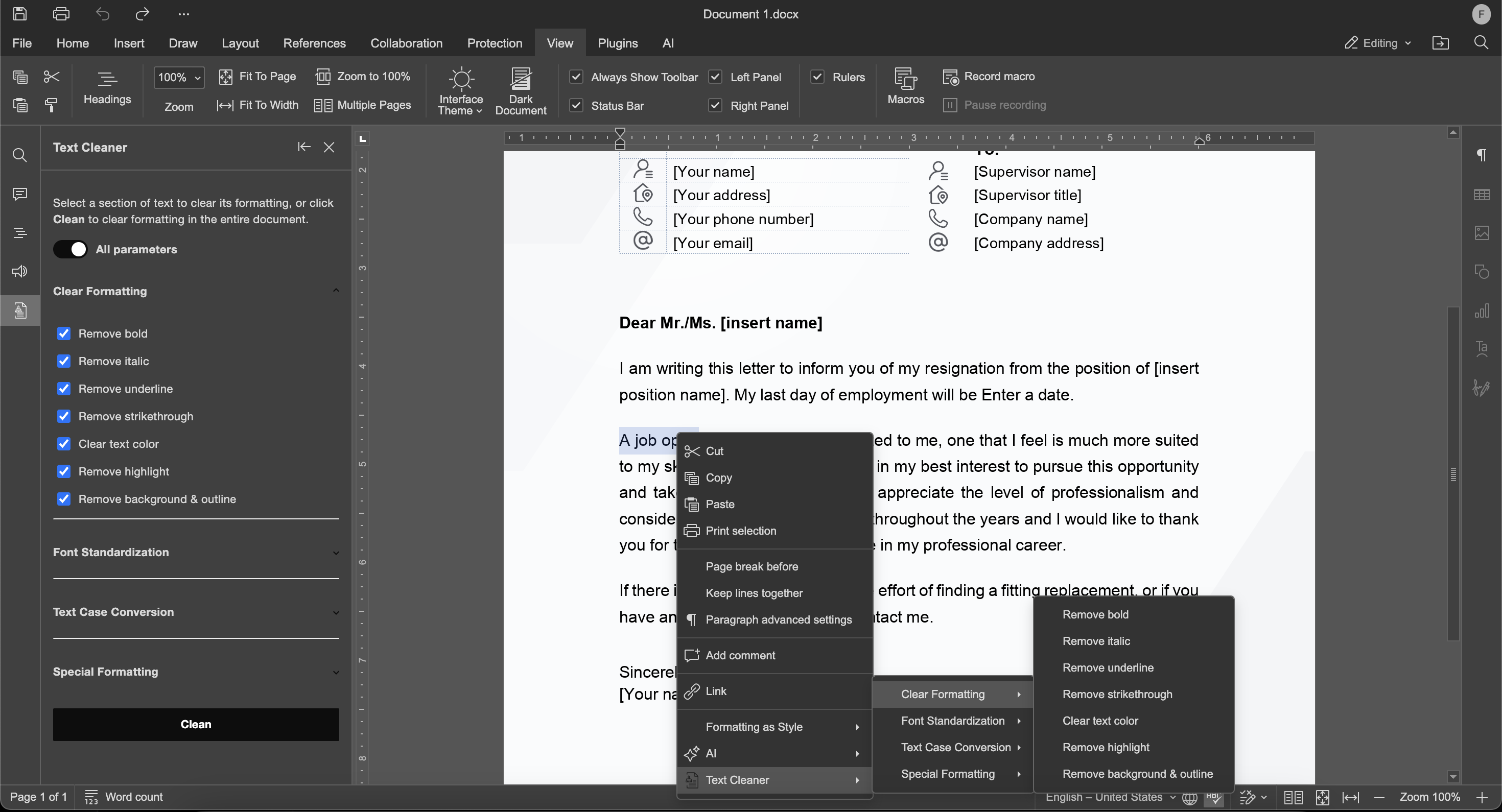
- In the context menu, find the Text Cleaner section.
- Click the action you want to apply.
- In the left sidebar, the available tools are grouped into accordion sections for easier navigation.
- Choose the formatting options you need, then click the Clean button.
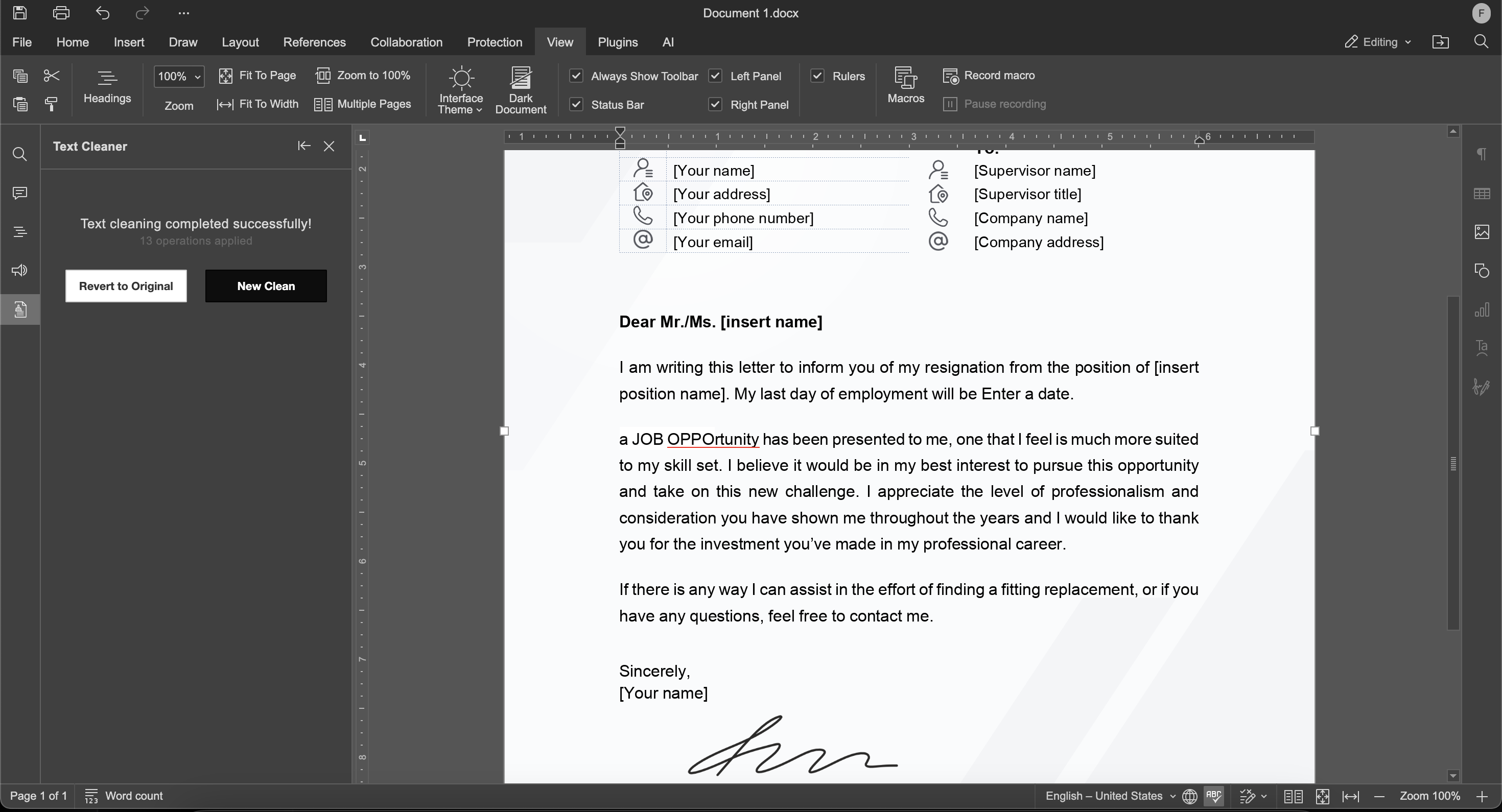
- After processing, the plugin shows two buttons: New Cleaning and Revert to Original.
- New Cleaning starts a new cleanup session and clears the previous selection.
- Revert to Original restores the text to its previous state.
Text Cleaner is another example of how the ONLYOFFICE plugins can simplify practical editing tasks. As you edit more content from websites, chats, emails, and shared documents, tools like this help keep formatting clean, consistent, and easier to manage.
Whether you’re preparing reports, cleaning up copied web content, standardizing internal documentation, or polishing academic writing, Text Cleaner turns a repetitive cleanup task into a faster and more reliable workflow.
Useful links
Text Cleaner plugin: App Directory / GitHub
Create your free ONLYOFFICE account
View, edit and collaborate on docs, sheets, slides, forms, and PDF files online.