7 common challenges in online document editor development
Building an online document editor often sounds simpler than it really is. At first, the requirement looks manageable: open a file in the browser, let users edit it, and save the result. The real complexity appears when that file has to behave like a proper document rather than plain text, with stable formatting, predictable layout, secure access, and reliable collaboration.

That is why teams that want to build text editor functionality for business use usually run into deeper engineering questions very quickly. The challenge becomes even greater when the goal is to integrate Word document editing into any web app, because the editor has to work inside an existing product, fit the surrounding architecture, and support the rules the application already uses for storage, access, and workflows. This is also where platforms such as ONLYOFFICE Docs API become relevant, since they are designed for embedded document editing rather than standalone use.
What makes online document editors hard to build
It is relatively easy to create text editor behavior for plain content. A full document editor is much more demanding because it has to preserve structure, keep formatting stable, handle office file formats, support concurrent editing, and behave consistently across browsers and devices. Once those requirements are combined, the product becomes far more than an editing surface with a toolbar.
The difficulty also comes from how closely the moving parts are connected. A rendering issue can turn into an export problem, a collaboration issue can affect document integrity, and a layout inconsistency may not show up until the file is downloaded or opened somewhere else. That is why anyone researching how to make a word processor usually discovers that the hardest work is not the visible interface but the system underneath it.
1. Real-time collaboration conflicts in online document editors
Handling simultaneous editing in collaborative documents
Real-time collaboration becomes difficult as soon as several users begin editing the same document at the same time. Two people may change the same paragraph within seconds of each other, another user may still be viewing an outdated state of the file, and someone else may reconnect in the middle of an active session. If synchronization is not handled properly, the result is usually missing changes, confusing update timing, or a document that no longer feels reliable.
These problems are not limited to text input. They also affect comments, selections, tracked changes, and structured elements such as tables. Once collaborative editing moves beyond basic text, the editor needs a dependable way to keep document state coherent for everyone involved.
Conflict resolution with operational transformation (OT)
Every collaborative editor needs a method for reconciling overlapping changes. Whether the system uses operational transformation, a similar synchronization model, or another internal approach, the core requirement stays the same: concurrent edits must be applied without corrupting document structure or creating inconsistent results for different users.
This becomes more difficult when the document includes formatting, comments, revision marks, and layout-sensitive content. In those cases, synchronization is no longer just about preserving text. It also has to preserve context, structure, and the user’s understanding of what changed and when.
How ONLYOFFICE manages real-time co-editing
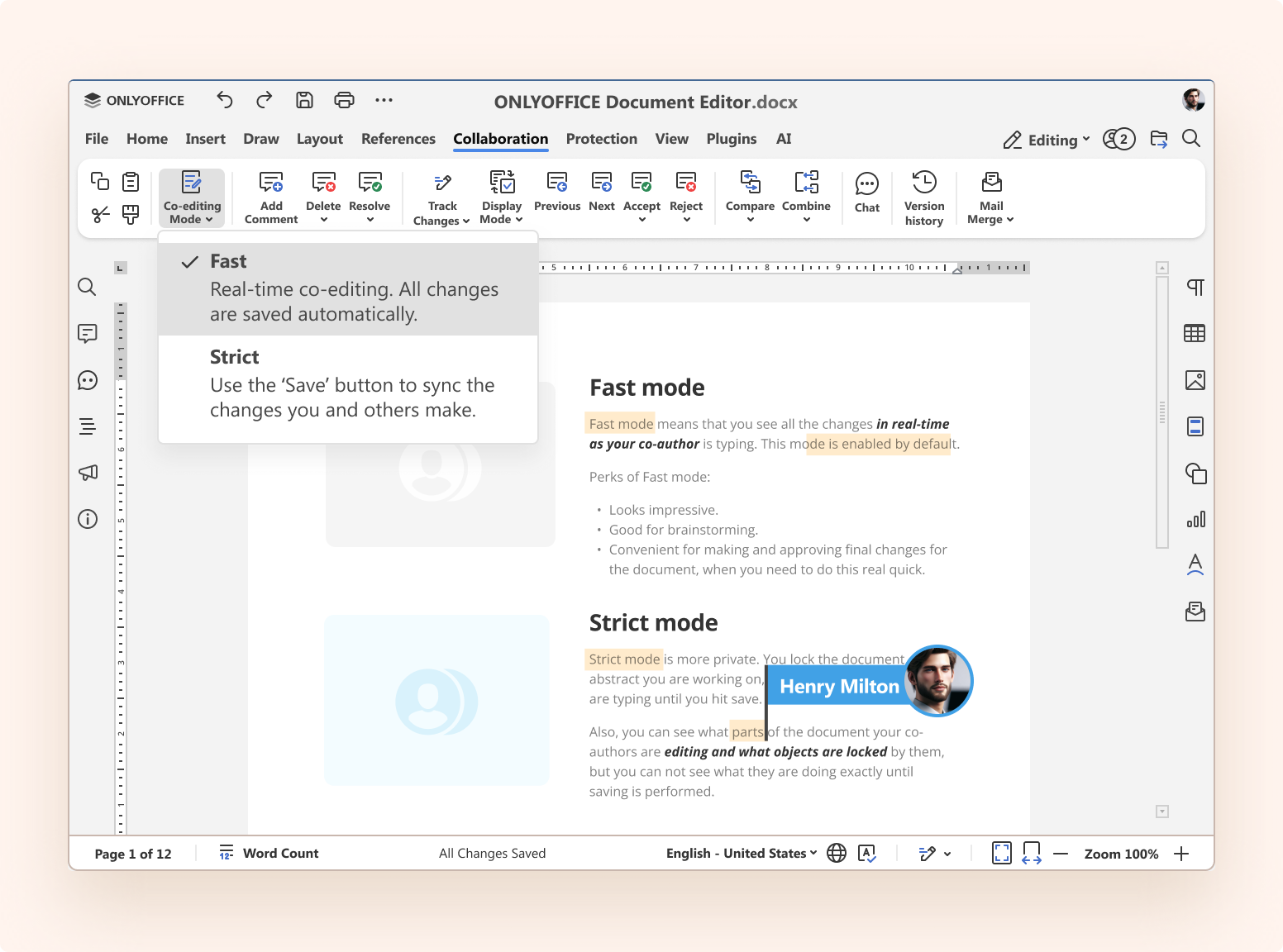
ONLYOFFICE supports Fast and Strict co-editing modes, which gives teams more control over how collaboration behaves in practice. In Fast mode, changes appear in real time, which suits workflows where immediate visibility matters. Strict mode uses a more controlled synchronization flow, which can be useful when users want clearer separation between their own edits and incoming changes from others.
That distinction matters because co-editing is not only about speed. It also affects how predictable and manageable the editing experience feels when several users are working in the same document.
2. File format compatibility issues (DOCX, XLSX, PPTX)
Common formatting and layout problems
File compatibility is one of the quickest ways to lose user trust. A document opens, but spacing changes, a heading shifts to the wrong page, or a table no longer looks the way it did in the original file. Even when those differences seem small, they can make the editor unusable for contracts, reports, and other business documents where layout matters.
Users rarely think in terms of rendering logic or format parsing. They expect the file they open, edit, and save to remain faithful to the original. If that expectation is not met, the problem is immediately visible and usually blamed on the editor itself.
For platforms like ONLYOFFICE, format compatibility means users can work with DOCX, XLSX, and PPTX files with confidence that their layout, structure, and visual consistency will be preserved throughout the editing process.
Reliable import and export for office file formats
Import and export are often harder than teams expect. Office formats contain much more than text, including layout rules, object positioning, comments, headers, footers, page structure, and styling details that need to survive the editing cycle. If the conversion path handles those elements poorly, the editor will feel unreliable even if the interface itself works well.
This is why format handling cannot be treated as a small technical detail. In a serious document product, import and export are part of the core user promise, because they determine whether the editor can be trusted in real workflows.
Rendering engines and format parsing
A document editor needs a rendering model that can preserve layout accurately enough during editing and output. If the visual model in the browser drifts too far from the actual document structure, the product starts producing small inconsistencies that users notice immediately. These issues usually appear in pagination, spacing, font behavior, or the placement of tables and images.
The challenge is not only opening the file. It is maintaining a stable relationship between how the document is stored, how it is displayed, and how it is exported after editing. That is where rendering engines and format parsing become central to product quality.
3. Performance problems with large documents
Slow loading and high memory usage
Performance issues usually appear gradually rather than all at once. A large file takes too long to open, typing becomes less responsive, scrolling starts to feel uneven, or image-heavy documents become difficult to work with on weaker devices. Long reports, files with many comments, and documents full of tables often expose these problems first.
These slowdowns are especially noticeable in browser-based editors because layout calculations, repainting, and memory usage can build up quickly. A document that feels smooth at a small scale may behave very differently once size and complexity increase.
Rendering optimization techniques
Large documents need careful rendering discipline. If too much content remains active at the same time, every user action becomes more expensive to process, and small interactions start to feel heavy. This affects not only visible speed but also the overall sense of stability during editing.
For that reason, performance work in document editors usually involves limiting what must be recalculated, reducing unnecessary repaints, and keeping memory usage under control. These decisions have to be made early, because once the editor grows more complex, performance problems become much harder to correct.
Lazy loading and pagination strategies
Pagination is not only a visual requirement. It also affects how much of the document needs to stay active and stable at once. Editors often rely on chunked rendering, selective updates, and pagination-aware loading so the entire file is not treated as one massive live surface.
That balance is important because performance cannot come at the expense of fidelity. The editor still has to preserve page structure and layout behavior well enough for the document to remain usable and predictable.
4. Security and access control in online document editors
Authentication and authorization basics
Document editors often sit close to sensitive business content, so security cannot be treated as a secondary concern. The system needs to know who is opening the file, what that person is allowed to do, and whether the exchange between the host application and the editor service can be trusted.
Without that foundation, even a technically capable editor becomes risky to deploy. A polished interface means very little if access control is weak or document parameters can be manipulated too easily.
Token-based secure access
Editors that depend on document identifiers, session data, or front-end configuration need proper request validation. If access parameters can be altered without strong verification, users may end up seeing or editing files they should never have reached. Signed requests and token-based validation help reduce that risk and make the product safer in production use.
This is one of those areas where shortcuts usually become expensive later. Security decisions made early tend to shape how confidently the editor can be integrated into larger business systems.
Role-based permission management
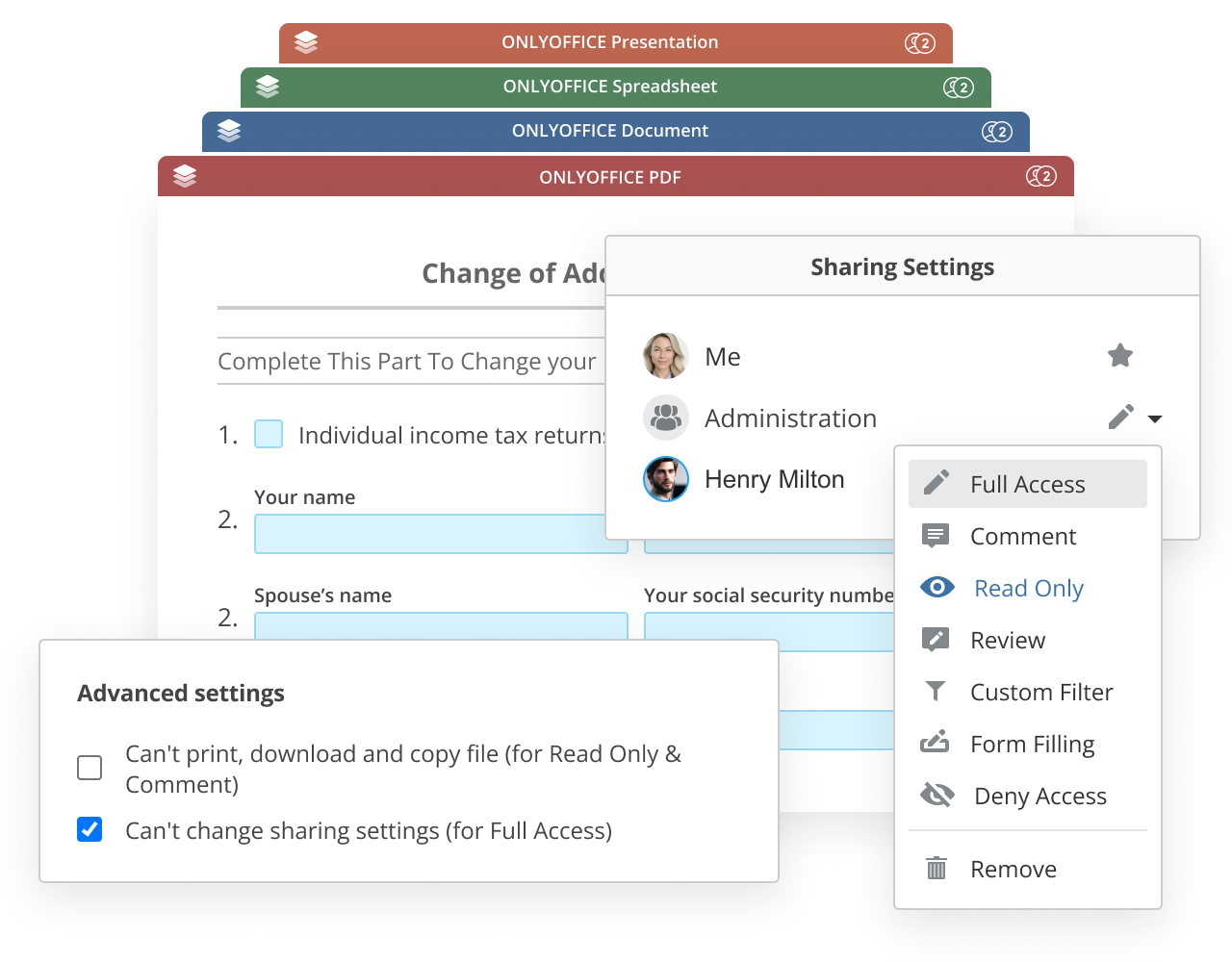
A simple view-or-edit model is rarely enough for real document workflows. Many products need separate rights for editing, reviewing, commenting, downloading, printing, or filling forms, and those distinctions often vary from one team or department to another.
Good permission management matters because document collaboration is rarely uniform. The editor has to fit into different approval flows, review processes, and internal policies without forcing every user into the same role.
5. Integration challenges with existing systems
Embedding online editors into web applications
This is usually where the real engineering effort begins. Showing an editor in a demo is relatively easy, but making it work inside an existing product with your own users, permissions, file storage, and save logic is much more demanding. At that point, the editor stops being an isolated feature and becomes part of the wider application architecture.
That is why integration decisions matter so much. The host application usually needs to stay in control of file access, document identity, user roles, and the logic around saving and versioning.
REST API and webhook integration
A production integration usually requires much more than dropping an editor frame onto a page. The application needs a way to identify the document, control access, process save events, and write the updated file back into storage. If callbacks or webhooks are part of the flow, those endpoints also need to be handled reliably.
This is often where teams discover the difference between an editor demo and an editor platform. The visual component may be only one part of the job, while document lifecycle handling becomes the real integration challenge.
ONLYOFFICE Docs API integration examples
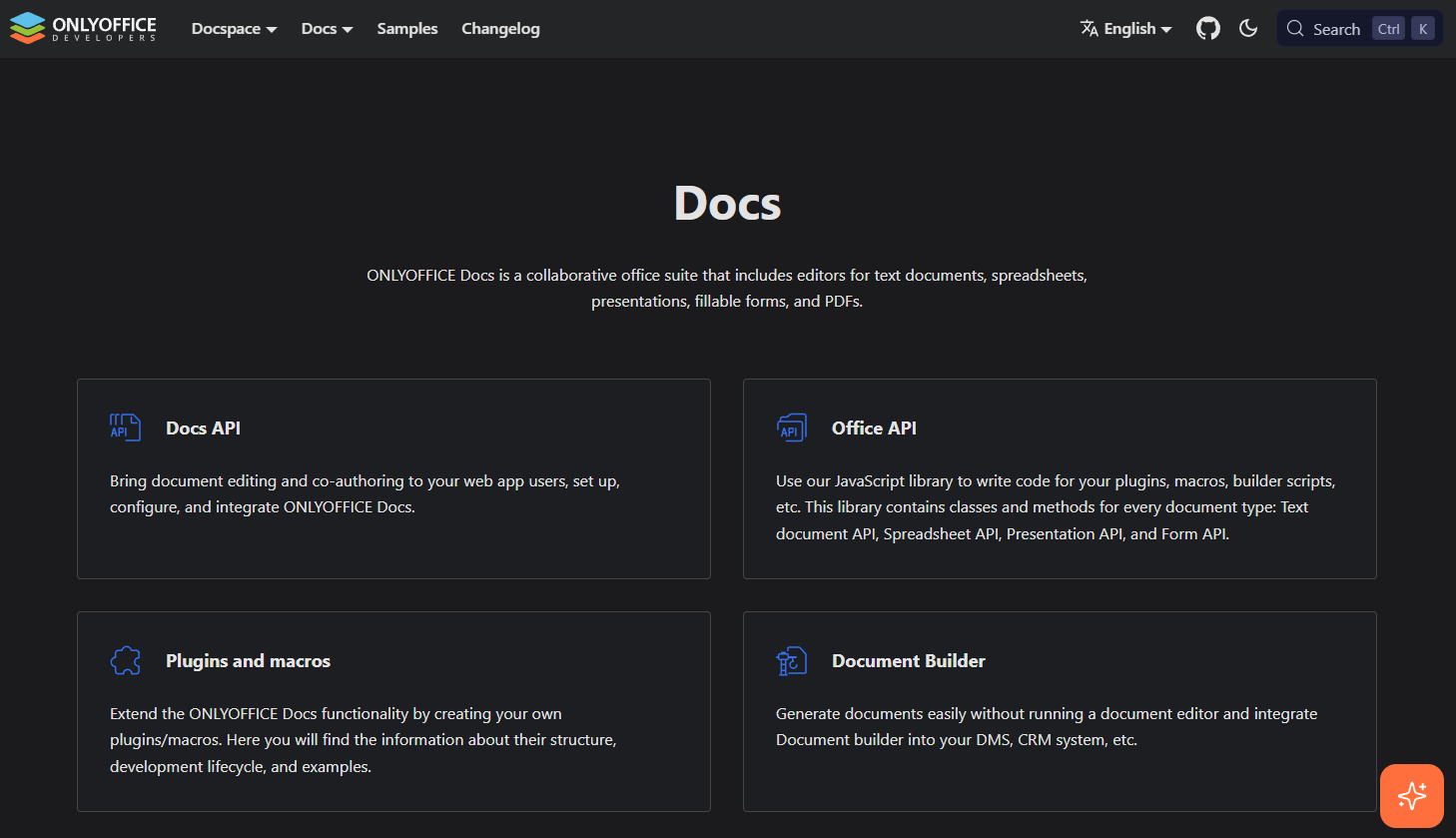
A document editor API is especially useful when the goal is to add document editing to an existing product without building the full editing layer from scratch. ONLYOFFICE Docs API is designed for that kind of setup, where the editor is embedded into the host application while storage, permissions, and business logic stay on the integrator’s side.
That model is practical for teams that already have an established platform and want document editing to fit into it rather than replace it. In that setup, integration quality depends not only on the editor itself but also on how cleanly the surrounding application handles access, saving, and document state.
6. Scalability and high load
Supporting large numbers of concurrent users
A document editor that behaves well during internal testing may behave very differently under real traffic. Once many users start opening files, editing at the same time, exporting documents, and triggering saves across the system, several bottlenecks can appear at once. Collaboration traffic, conversion workloads, storage writes, and permission checks all begin to interact under load.
This is why scalability in document editing is rarely just an infrastructure question. It usually reflects architectural decisions that were made much earlier in the project.
Load balancing strategies
As usage grows, an all-in-one setup often becomes fragile. Teams usually need clearer separation between editing services, storage, conversion processes, and surrounding application logic so one overloaded component does not affect the whole platform.
Load balancing is only part of the answer. It helps most when the system already has clean boundaries and a structure that allows busy workloads to be distributed rather than piled onto one service.
Containerization with Docker
Containerization helps make deployment more repeatable and easier to manage across environments. For document platforms, that matters because scaling is not only about handling more users. It is also about keeping the system stable, testable, and predictable as usage grows and infrastructure becomes more complex.
A repeatable deployment model also makes it easier to isolate issues and roll out changes with less risk. That becomes increasingly important once the editor is part of a larger production environment.
7. Cross-browser and device compatibility issues
Browser rendering differences
Cross-browser issues are difficult to avoid completely in document editing. Different browsers can handle text metrics, selection behavior, clipboard input, keyboard shortcuts, and layout calculations differently enough to create visible inconsistencies. Something that looks fine in one browser may behave slightly differently in another, and those differences are especially noticeable in layout-sensitive documents.
The problem becomes more serious when consistency matters across editing and output. If the editor cannot behave predictably across environments, confidence in the whole product starts to drop.
Mobile vs desktop editing behavior
Mobile editing introduces a different interaction model rather than a smaller version of desktop editing. Touch input, limited screen space, virtual keyboards, and reduced toolbar visibility all change how the product behaves and how users move through the editing flow.
That means responsive design alone is not enough. The editor has to account for different usage patterns and decide which actions remain immediately accessible on smaller devices.

Cross-browser testing strategies
Testing should go beyond basic visual checks. For document editors, it needs to include real workflows such as copy and paste, comments, tracked changes, long-document navigation, export behavior, reconnect handling, and editing on mobile devices.
This is the only reliable way to catch the kinds of issues that affect actual users. In document products, small inconsistencies are often more damaging than obvious errors because they make the editor feel unreliable over time.
Conclusion
Anyone looking into how to make a word processor usually starts with the visible parts of the product, such as the editor area, toolbar, and save action. The harder work sits underneath that surface. Collaboration has to stay coherent, file formats have to survive import and export, layout has to remain stable, permissions have to be enforced properly, and performance has to hold up under real usage.
That is why many teams decide not to build every editing layer themselves. A mature document editor API can make that process more realistic, especially when the goal is to embed editing into an existing product rather than build an entire document platform from scratch. ONLYOFFICE is one example of that approach for teams that need document editing inside their own web applications.
Key takeaways for your development journey
If you want to create text editor functionality for real documents, define the difficult requirements early. That includes the collaboration model, file fidelity expectations, permission logic, save lifecycle, deployment model, and device support. These decisions shape the project much more than the interface alone.
If you plan to build text editor capabilities into an existing product, it is usually smarter to decide early which parts should be custom-built and which parts should come from a document editor API. That choice often has a greater impact on the success of the project than any individual feature in the editor itself.
To see how this can work in practice, explore the ONLYOFFICE Docs API documentation or try ONLYOFFICE Docs for your own project.
Create your free ONLYOFFICE account
View, edit and collaborate on docs, sheets, slides, forms, and PDF files online.