Stay updated while you work: Introducing the News plugin for ONLYOFFICE
When working on documents that need current information, searching multiple news sites can be time-consuming and disruptive. The News plugin for ONLYOFFICE streamlines this by bringing reliable, up-to-date news search directly into your workspace.

What the News plugin offers
The News plugin integrates with three major APIs: GNews, TheNewsAPI, and WorldNewsAPI to deliver current articles from a wide range of trusted global sources. Instead of manually browsing different websites, you can search for relevant articles right from within ONLYOFFICE and quickly scan through results to find what you need.
This integration means you don’t have to interrupt your workflow to open multiple browser tabs. The plugin acts as your personal research assistant, gathering relevant content from several reputable news providers and presenting it neatly within the familiar ONLYOFFICE interface.
Two search modes
Everything mode: Search across all available articles on any topic. This gives you broad coverage when you need comprehensive information on a subject.
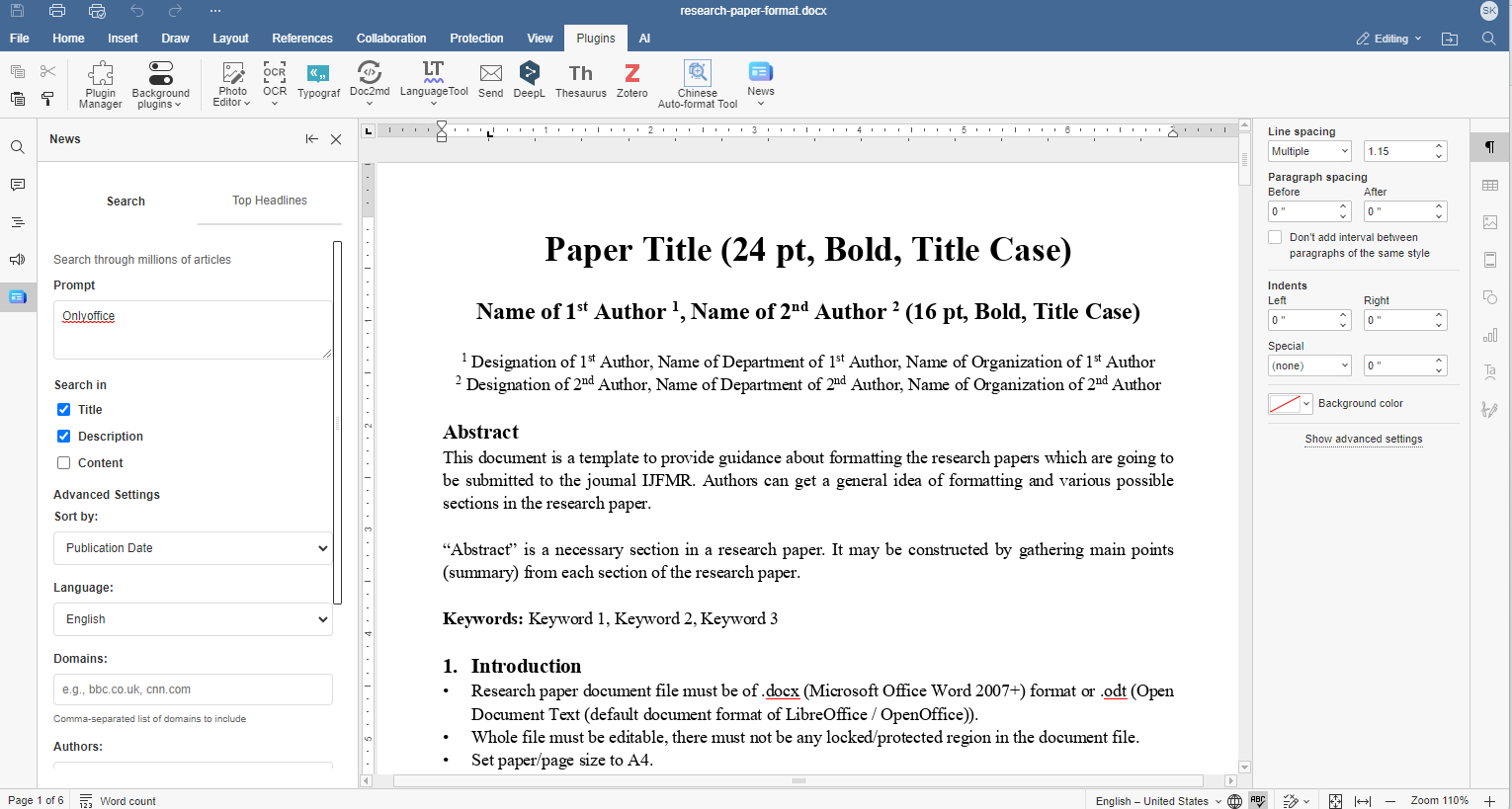
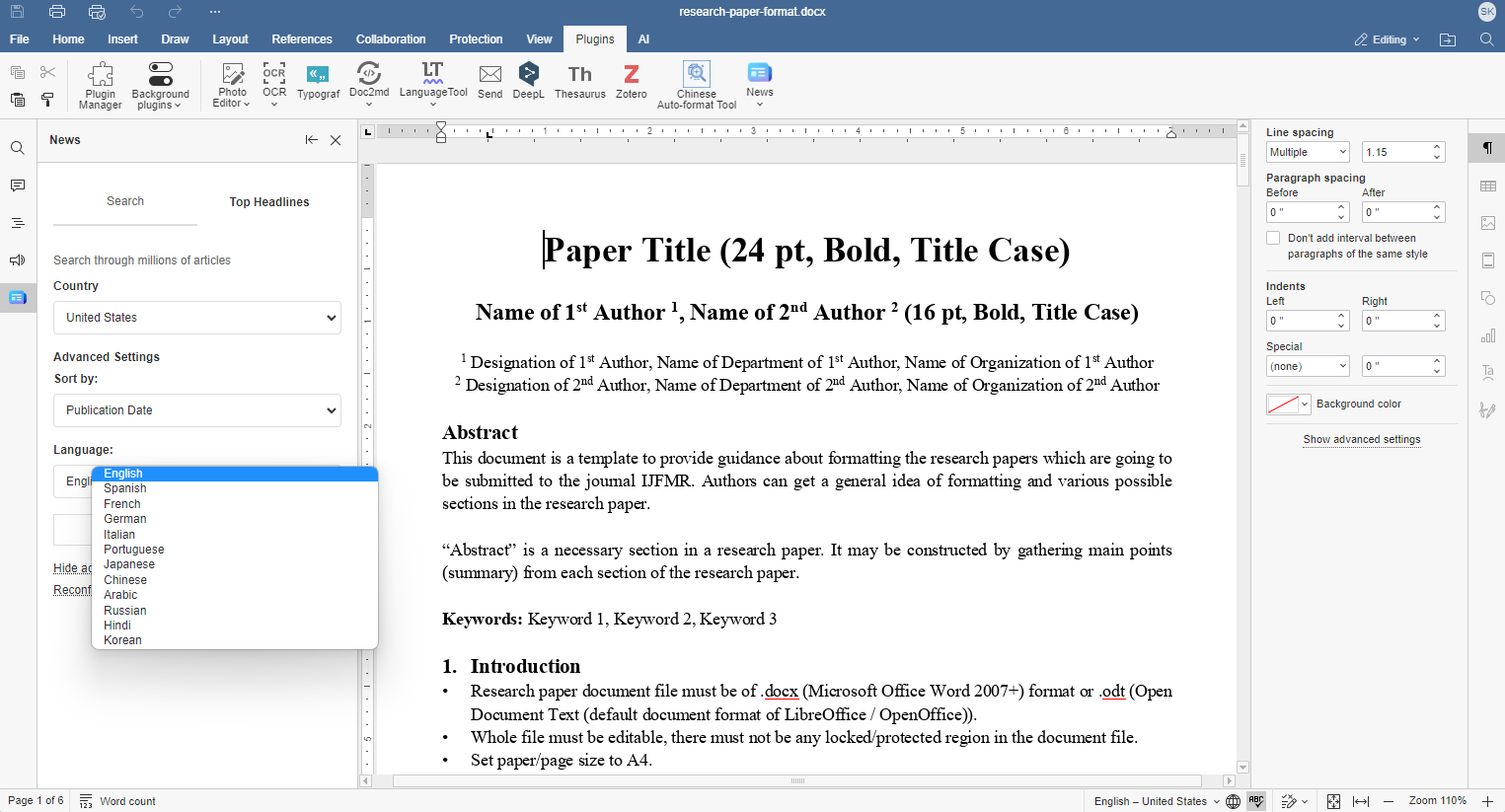
Top Headlines mode: Find top stories filtered by specific countries, categories, or trusted news sources. This is useful when you need current headlines from particular regions or topics.
Flexible search customization
The plugin offers several ways to refine your searches and get more targeted results:
Search scope options: By default, the plugin searches article titles, but you can expand this to include descriptions or full article content. This flexibility means you can start with quick title-based searches for broad topics, then drill down with content searches when you need more specific information.
Language and geographic filtering: Access news from international sources by selecting specific languages, or focus on particular regions by filtering by country. This is especially valuable for global businesses, academic research, or when you need local perspectives on international events.
Sorting and organization: Results can be sorted by relevance to your search terms, publication date for the most recent coverage, or popularity to find the most widely-reported stories.
Advanced filtering: You can filter by specific categories like technology, business, health, sports, or entertainment and further refine by language, country of origin, publication date, news source, keywords making it easier to find industry-specific news without wading through unrelated content.
How to install and use
Installation via the Plugin Manager
- In ONLYOFFICE, go to the Plugins tab and open the Plugin Manager.
- Switch to the Marketplace tab.
- Find the News plugin using the search bar on the right and click Install.
- After installation, open the plugin. It will provide a direct link to obtain your API key from the API provider’s website. This is the recommended way to register and activate the plugin.
Manual installation
- Download the News plugin package from the ONLYOFFICE plugin repository.
- Archive the plugin files.
- Change the file extension to .plugin.
- Go to the Plugins tab, click Plugin Manager >> Available plugins >> Install plugin manually, browse for the .plugin file.
- After installation, open the plugin. It will provide a direct link to obtain your API key from the API provider’s website. This is the recommended way to register and activate the plugin.
Usage
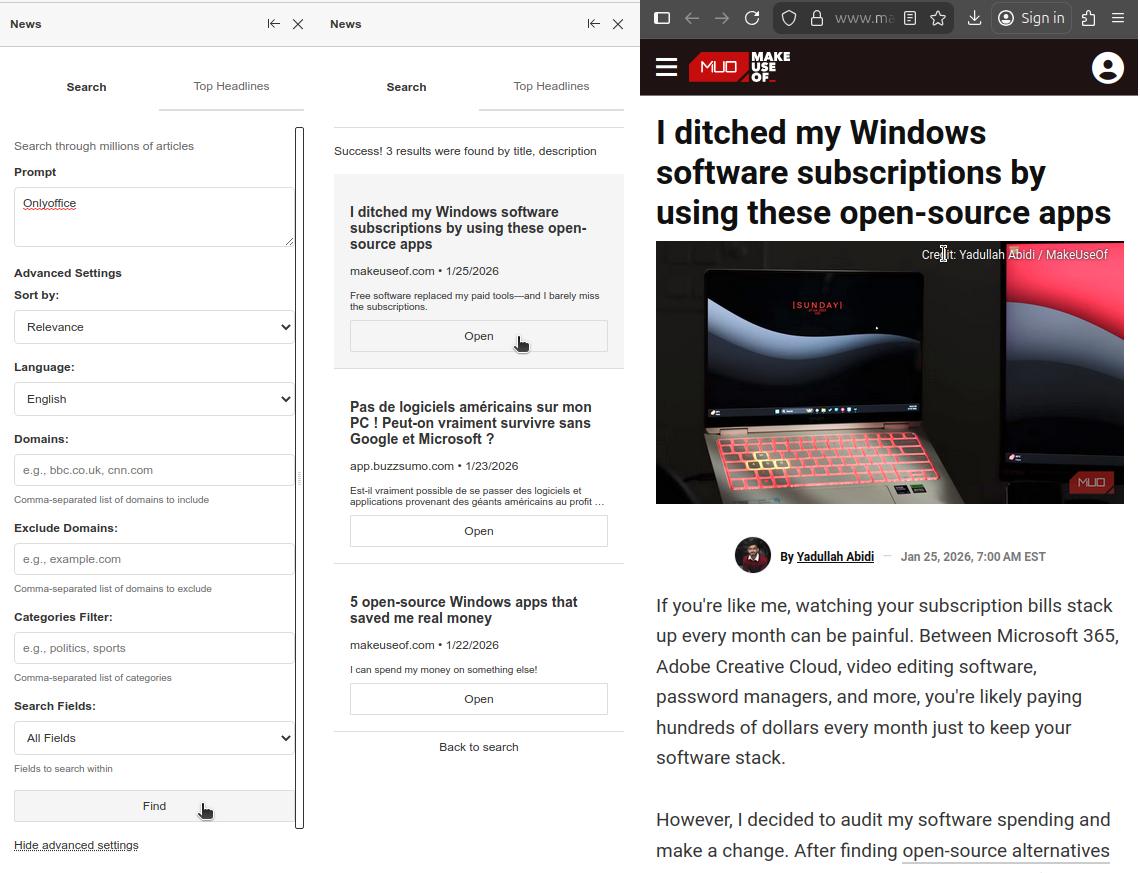
- Once installed and activated with your API key, you can start searching directly inside ONLYOFFICE:
- Choose between Everything (broad coverage) or Top Headlines (latest updates by region, category, or source).
- Adjust the search scope: start with titles for quick results, then expand to descriptions or full content for deeper context.
- Use filters to refine results: languages, countries, categories, or trusted sources help target exactly what you need.
- Integrate the plugin into your workflow: use it for initial research, fact-checking while writing, or adding up-to-date references.
- Check Top Headlines regularly to keep track of trending topics that may impact your work.
Try out the News plugin in ONLYOFFICE Editors:
START ONLINE GET DESKTOP EDITORS
Conclusion
The News plugin for ONLYOFFICE makes staying informed effortless by integrating multiple news APIs into one seamless experience. With real-time access to global news, flexible search modes, and customizable filters, it transforms the way you gather information. Whether you need quick headlines or in-depth coverage from different sources, the latest and most relevant updates are always just a click away.
Create your free ONLYOFFICE account
View, edit and collaborate on docs, sheets, slides, forms, and PDF files online.


