How to install ONLYOFFICE Desktop Editors on Raspberry Pi
With the release of a special build for Linux ARM, ONLYOFFICE Desktop Editors can now be easily installed on Raspberry Pi devices, providing their users with a powerful office suite for documents, spreadsheets, presentations, fillable forms and PDFs. Read this post to learn how to install the desktop app on a Raspberry Pi computer.
About Raspberry Pi
Raspberry Pi is a series of compact, single-board computers that can be used for different purposes, such as computer science education, learning to code, home automation, robotics, and even creative projects. It’s a fully functional device that comes with all the required components to interact with physical electronics, bridging software and hardware on a small single board.
The main advantage of Raspberry Pi devices is their affordable price, making them a great choice for a vast array of audiences, including children, inexperienced users and professionals looking for creative solutions to complex tasks. Another important benefit is high energy efficiency and lower energy consumption.
Raspberry Pi computers are compatible with various Linux distros, and Raspberry Pi OS is one of the most popular operating systems for such devices due to its great optimization and ease of use.
Installing ONLYOFFICE Desktop Editors on Raspberry Pi
Since Raspberry Pi computers are built around ARM processors, installing and running ONLYOFFICE Desktop Editors requires the ARM64 build for Linux.
Before installing ONLYOFFICE Desktop Editors on your Raspberry Pi device, please note that the installation below was tested on a Raspberry Pi 4 (8 GB)* with Raspberry Pi OS (64-bit). The 8 GB configuration is recommended for the flawless operation of the app and seamless editing experience. The minimum requirement is 4 GB of RAM.
To get the ONLYOFFICE app installed, follow these steps:
Step 1. Open the ONLYOFFICE Desktop Editors download page and find the Linux section.
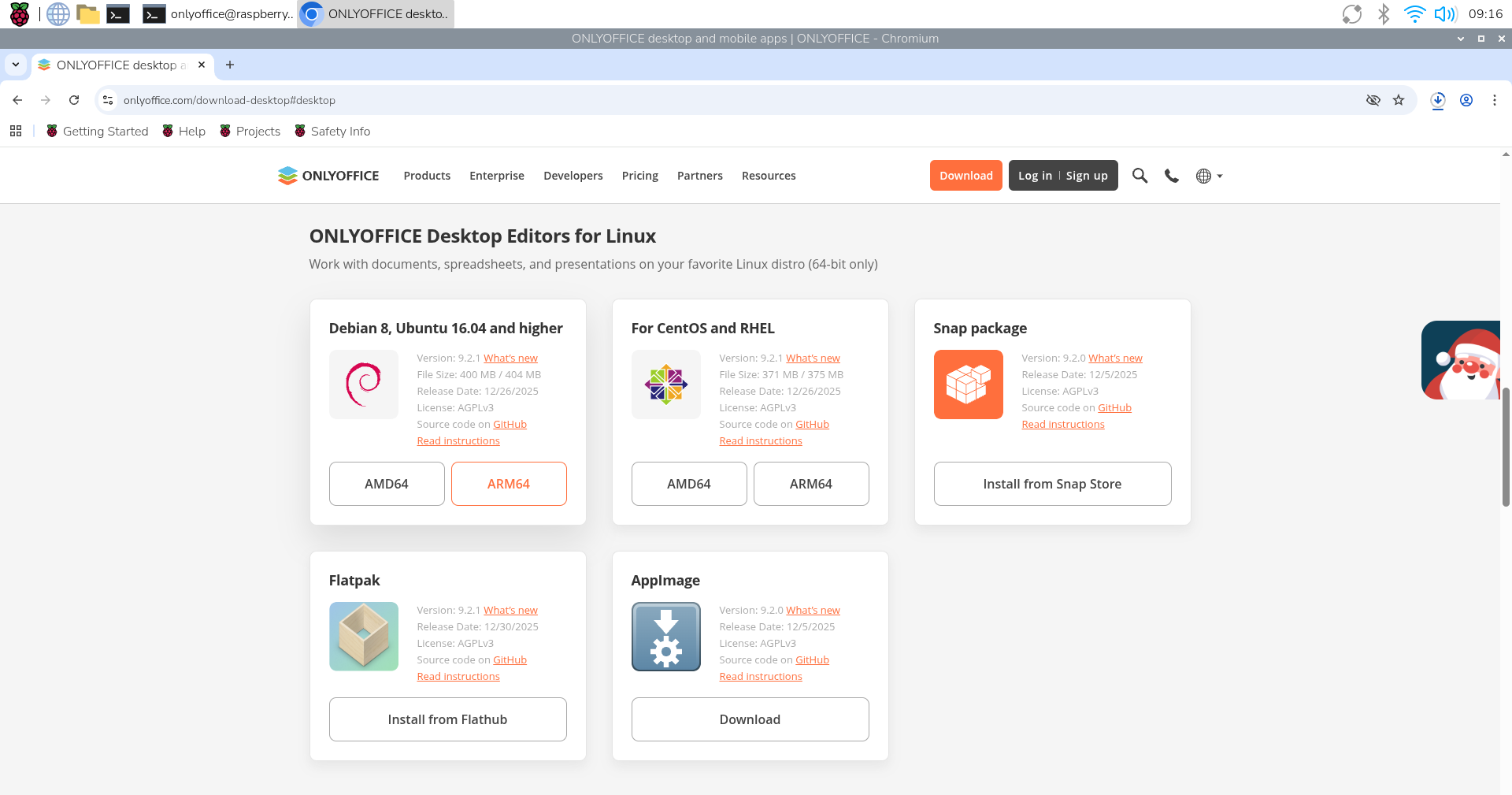
Step 2. Download the ARM64 (.deb) package for your Raspberry Pi OS.
Step 3. Open the terminal and start the installation process using this apt command:
sudo apt install path_to_deb_file
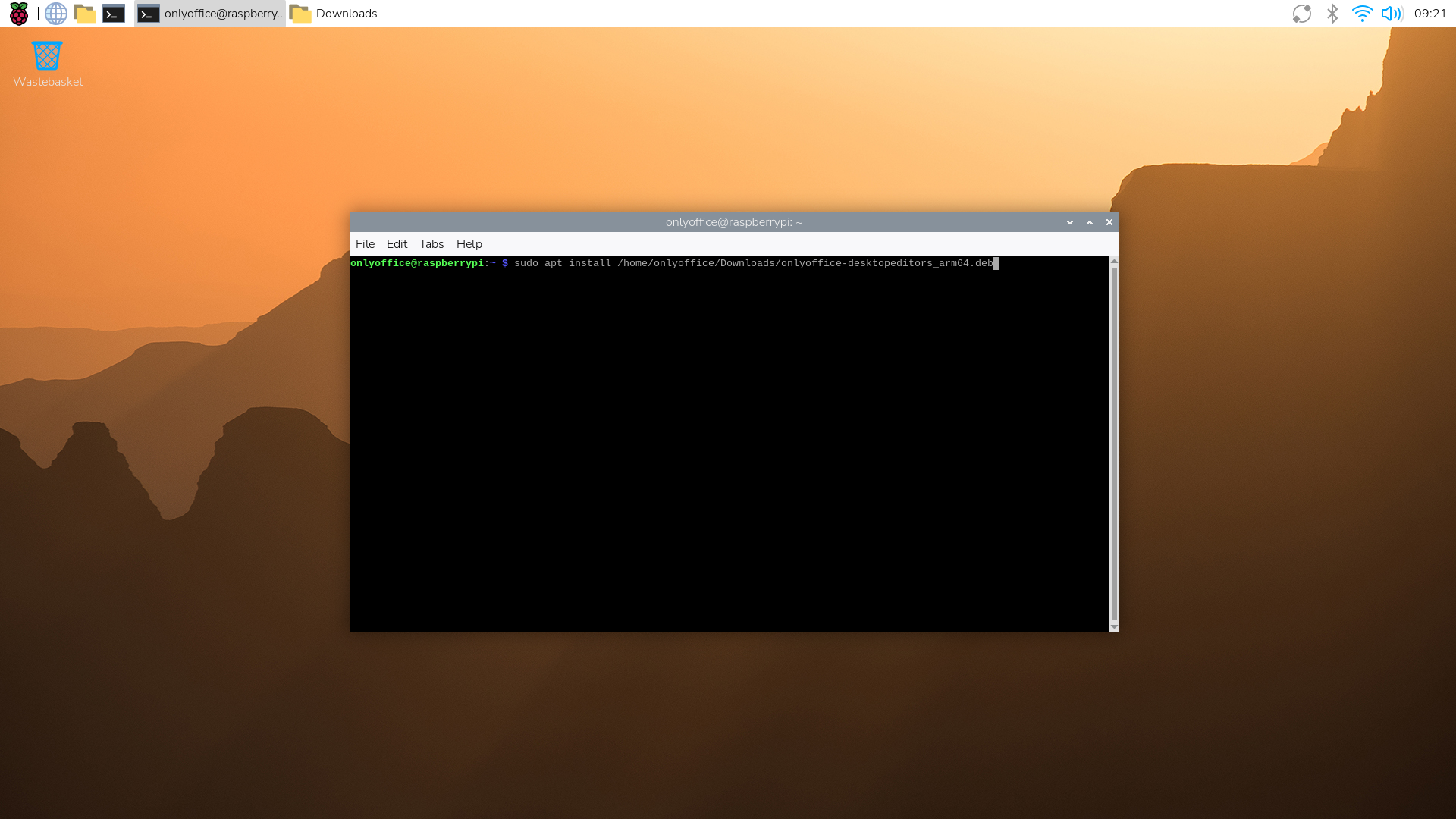
ONLYOFFICE Desktop Editors and all the required dependencies will be installed on your Raspberry Pi device.
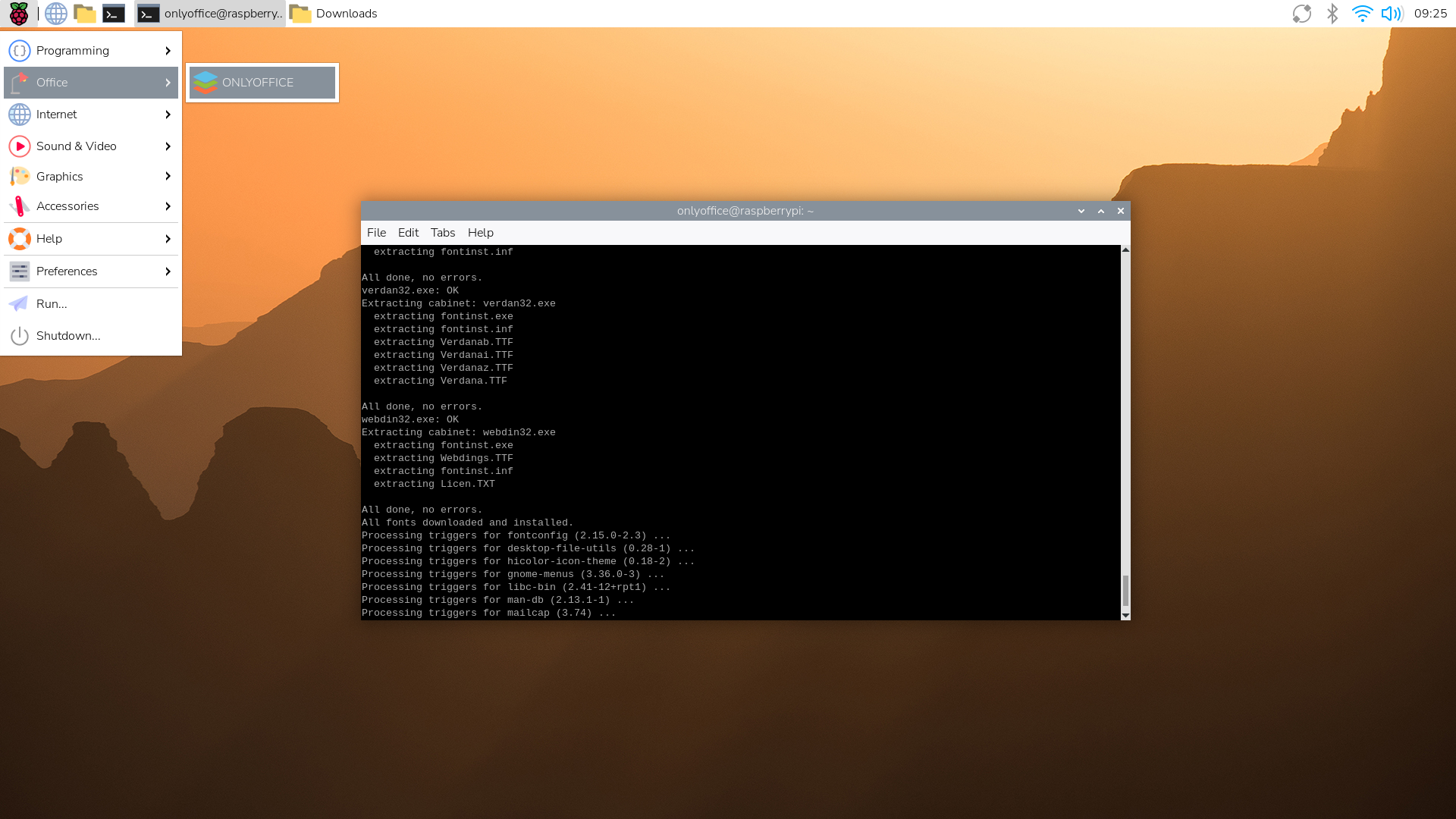
*More powerful models like Raspberry Pi 5 are expected to run ONLYOFFICE Desktop Editors without any problems.
About ONLYOFFICE Desktop Editors
ONLYOFFICE Desktop Editors is a free, open-source office suite for Windows, Linux and macOS. It features powerful editors for text documents, spreadsheets, presentations, PDFs, and digital forms, with full support for popular formats such as DOCX, XLSX, PPTX, ODT, CSV and more.
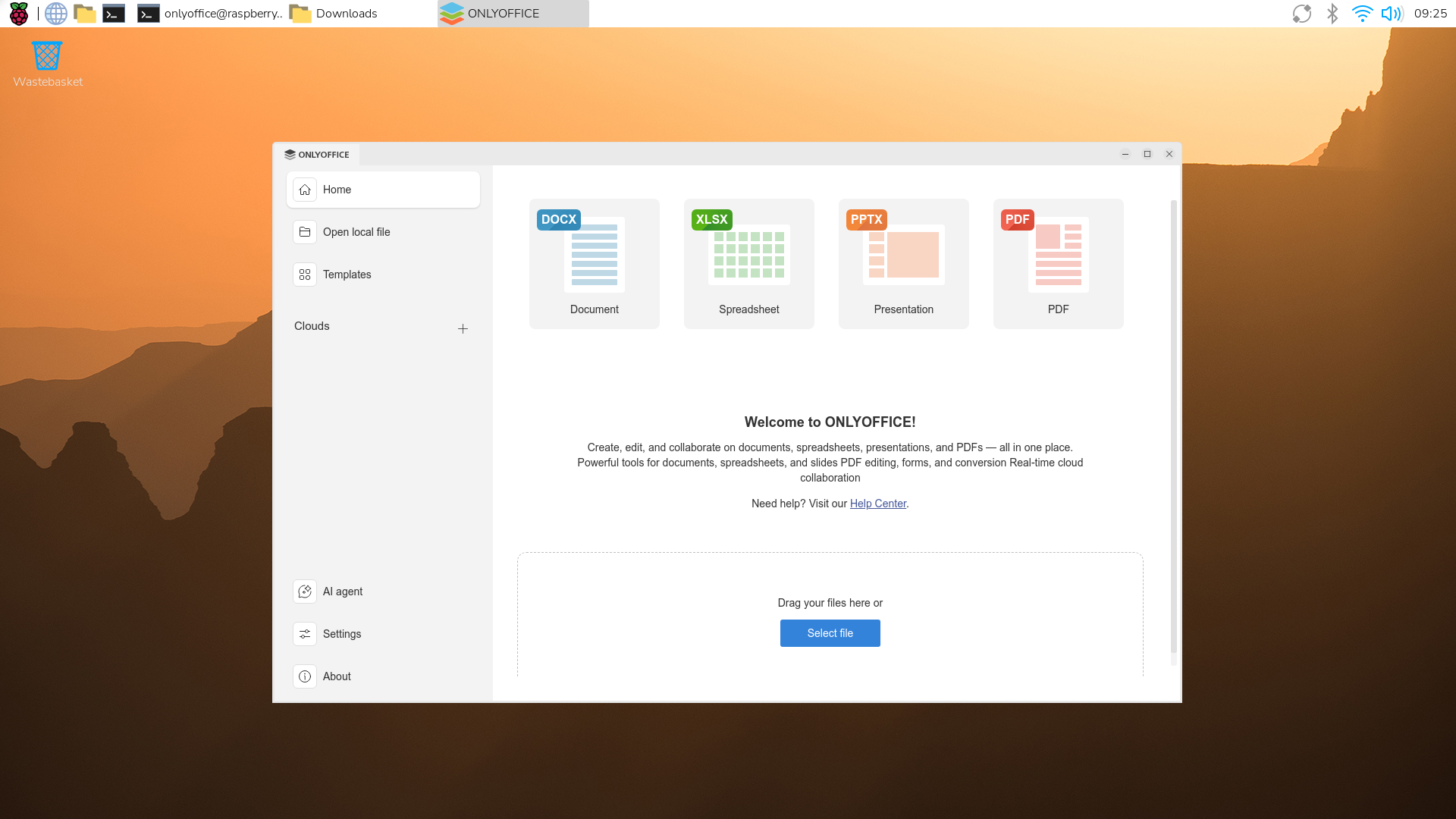
With ONLYOFFICE Desktop Editors installed on your Raspberry computer, you can:
- Create and edit documents, spreadsheets, presentations and fillable forms;
- View, create, annotate, edit and redact PDF files;
- Open Visio diagrams for viewing;
- Use a collection of ready-made templates for docs, sheets, slides and forms;
- Protect your files with passwords, watermarks and digital signatures;
- Add new features with plugins translation with DeepL, spell-checking with LanguageTool, diagram building with draw.io and more;
- Work completely offline or connect to cloud platforms such as ONLYOFFICE DocSpace, Nextcloud, ownCloud, Seafile, Liferay and Moodle;
- Use built-in AI tools and AI agents to summarize, translate, rewrite text, generate ideas, and interact with documents using natural language.
Try ONLYOFFICE Desktop Editors on Raspberry Pi
Try ONLYOFFICE Desktop Editors on your Raspberry Pi computer and get all the tools you need to work with text documents, spreadsheets, presentations, fillable forms and PDF files for free:
FAQ: ONLYOFFICE Desktop Editors and Raspberry Pi
Is ONLYOFFICE Desktop Editors free?
Yes. The application is available at no cost.
Does ONLYOFFICE Desktop Editors run on any Raspberry Pi device?
The app was tested on a Raspberry Pi 4 (8 GB) with Raspberry Pi OS (64-bit). Compatibility with older models is not guaranteed.
Is ONLYOFFICE Desktop Editors compatible with Raspberry Pi OS only?
No, the desktop app is compatible with various Linux distros.
Does the Linux ARM version of ONLYOFFICE Desktop Editors support plugins and AI tools?
Yes. Plugin support and built-in AI features are available.
Does ONLYOFFICE Desktop Editors support online and offline editing on Raspberry Pi?
Sure thing. ONLYOFFICE Desktop Editors works offline and can also be connected to cloud platforms for online collaboration and editing.
Useful links
ONLYOFFICE Desktop Editors: website / GitHub
User guides: Help Center
Create your free ONLYOFFICE account
View, edit and collaborate on docs, sheets, slides, forms, and PDF files online.