How to install ONLYOFFICE Desktop Editors on Fedora 43 ARM
ONLYOFFICE Desktop Editors are now fully available for Fedora 43 running on ARM architecture. This means you can enjoy a free office suite with native performance on modern ARM-based devices.

About Fedora
Fedora is a cutting-edge Linux distribution known for delivering the latest open-source technologies, strong security standards, and a developer-friendly environment. It’s widely used by enthusiasts and professionals who want early access to modern Linux features, making it a popular choice for ARM devices, developer boards, and next-generation hardware.
A better office experience on ARM
ARM devices are no longer niche — they’re becoming a practical everyday choice for developers, students, and professionals. Fedora 43 embraces this shift, and ONLYOFFICE Desktop Editors fit right in with a build designed specifically for ARM64 systems.
Running a native ARM app means:
- Faster and more stable performance
- Lower power consumption
- Less heat and quieter devices
- No need for emulation or compatibility layers
You get the same familiar ONLYOFFICE interface and tools, now optimized for your Fedora ARM environment.
How to install ONLYOFFICE Desktop Editors on Fedora 43 ARM
Installing ONLYOFFICE Desktop Editors on Fedora 43 ARM is quick and straightforward.
Step 1. Go to the ONLYOFFICE Desktop Editors download page and open the Linux section.
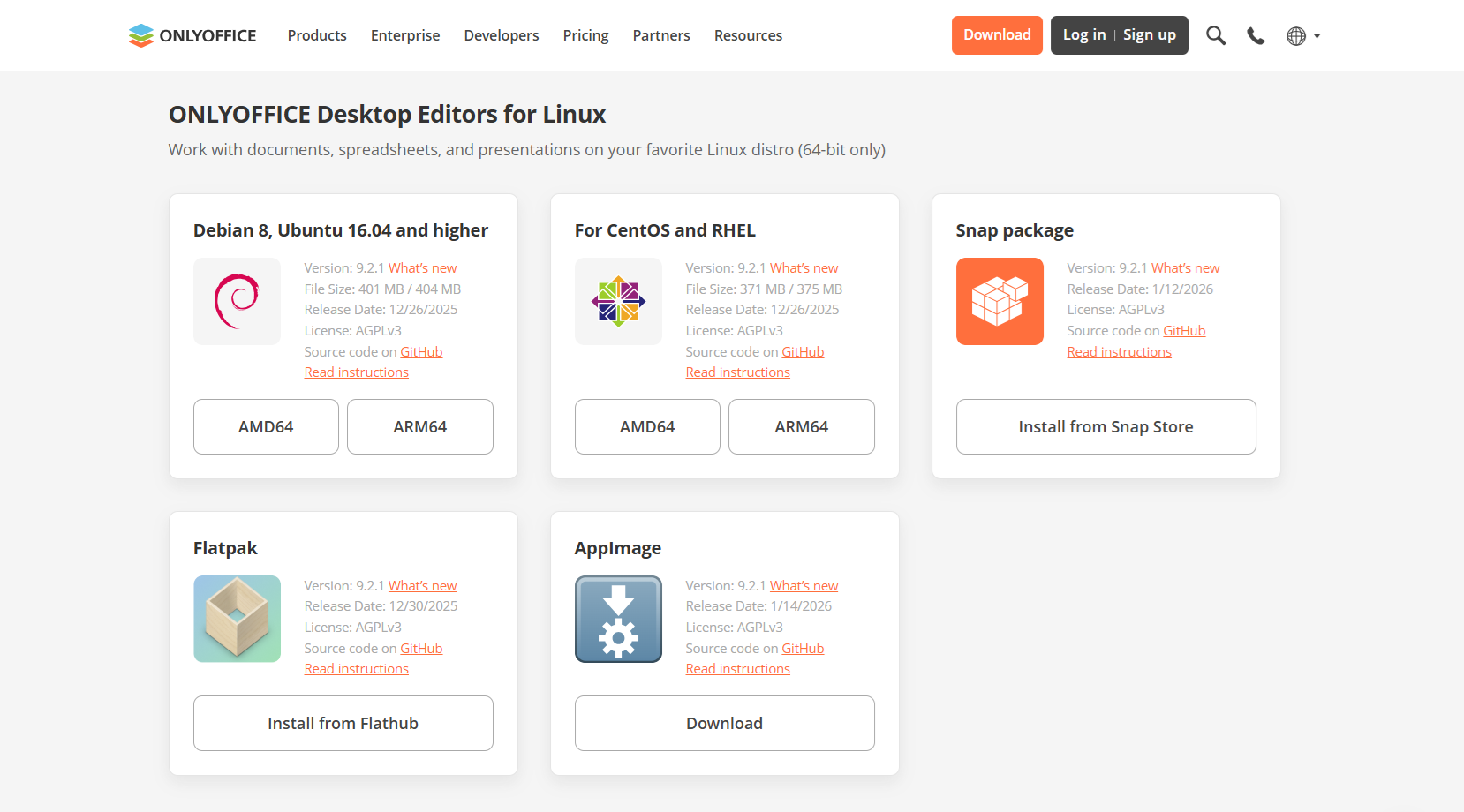
Step 2. Download the ARM64 RPM package.
Step 3. Open Terminal and install the package by running the following command:
sudo yum install path_to_rpm_file
ONLYOFFICE Desktop Editors and all the required dependencies will be installed on your Fedora device.
Step 4. After installation, you can find ONLYOFFICE Desktop Editors in your applications menu, or start it from the terminal:
desktopeditors
About ONLYOFFICE Desktop Editors
ONLYOFFICE Desktop Editors is a free and open-source office suite. The suite is fully compatible with popular formats such as DOCX, XLSX, PPTX, and PDF.
With ONLYOFFICE Desktop Editors, you can:
- Create and edit documents, spreadsheets, presentations, and forms
- View, annotate, edit, and convert PDFs
- Insert charts and visualize data
- Use ready-made or custom templates
- Protect files with passwords, watermarks, and signatures
- Extend functionality with plugins like DeepL, LanguageTool, draw.io, and more
- Work fully offline or connect to cloud services such as ONLYOFFICE DocSpace, Nextcloud, ownCloud, Seafile, Liferay, or Moodle
- Use built-in AI tools to work with text, generate visuals, analyze data, automate tasks, etc.
Try ONLYOFFICE Desktop Editors on Fedora 43 ARM
If you’re using Fedora 43 on ARM hardware, you can now enjoy a native, stable, and full-featured desktop office suite designed for your platform. Download ONLYOFFICE Desktop Editors today:
FAQ: ONLYOFFICE Desktop Editors on Fedora ARM
Is the application fully native on Fedora ARM?
Yes. ONLYOFFICE Desktop Editors run natively on ARM64 architecture without emulation.
Are all editors available in the ARM version?
Yes. Document, spreadsheet, presentation, PDF, and form editors are all included.
Does the Fedora ARM version support plugins and AI tools?
Yes. Plugin support and built-in AI features are available just like on other platforms.
Can I use ONLYOFFICE Desktop Editors offline?
Absolutely. The suite works completely offline, and you can connect to cloud services whenever you need.
Is ONLYOFFICE Desktop Editors free on Fedora ARM?
Yes. The desktop editors are free and open source.
Create your free ONLYOFFICE account
View, edit and collaborate on docs, sheets, slides, forms, and PDF files online.