MathML language explained
Representing mathematics online in an organized, browser-readable format is made possible by MathML, a standard trusted by many educational and scientific platforms because it keeps formulas consistent and reliable. In this article, you’ll learn why it’s so widespread and why it matters.

What is MathML?
MathML allows mathematics to exist on the web as structured information rather than static images. Instead of simply displaying formulas, it encodes their internal logic so that every symbol, operator, and relationship is explicitly defined and machine-readable. This is why MathML is a core technology in scientific publishing, academic platforms, and modern document editors.
Rather than storing equations as pictures, MathML represents the role of each element within an expression. A fraction is encoded as a numerator–denominator structure, a root as a mathematical operation, and variables, constants, and operators are all clearly identified. This makes formulas understandable not only to humans, but also to browsers, search engines, screen readers, and computational systems.
The XML foundations
MathML is built on XML, meaning that formulas are written using nested tags. This design mirrors the hierarchical structure of mathematics itself, where expressions are composed of smaller logical units. Thanks to this structure, software tools can reliably display, analyze, transform, and process mathematical expressions without ambiguity.
Two complementary dimensions: Presentation and content
MathML is not a single “language” but a double-layered system:
Presentation MathML
It controls layout details such as fraction bars, superscripts, roots, spacing, and alignment, allowing browsers to render expressions correctly on screen.
It doesn’t care what the math means, only how it should appear.
Content MathML
This layer encodes mathematical meaning. Instead of saying “put this above that,” it says, “this is a function,” “this is an operator,” “this is an application,” “this is a relation.”
Content MathML lets machines “think about” the formula. Presentation MathML lets them “draw” it.
Most professional tools—including platforms used in academia and modern editors—combine both layers to preserve meaning and appearance.
How a formula is built internally
Consider a simple expression like (x² + 1). In MathML, this becomes a structured tree that makes the underlying logic explicit:
<math>
<mrow>
<msup>
<mi>x</mi>
<mn>2</mn>
</msup>
<mo>+</mo>
<mn>1</mn>
</mrow>
</math>
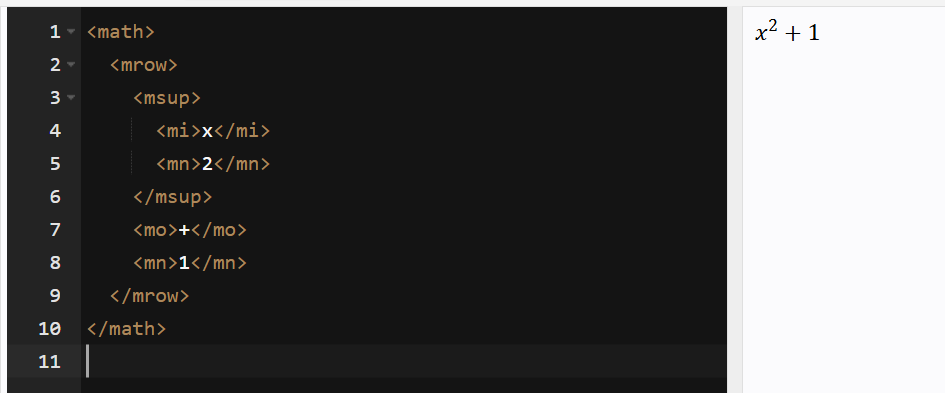
Every tag is highly specific:
<mi>— identifiers (variables, constants)<mn>— numerical values<mo>— operators<msup>— superscript structures<mrow>— a grouping container
Even a simple expression becomes a structured tree. More complex expressions—integrals, matrices, nested radicals—follow the same recursive pattern. This consistency is exactly what enables high-quality rendering and machine processing.
MathML in browsers, accessibility, and today’s web
Modern browsers implement MathML natively, with layout engines that interpret tags, measure glyphs, adjust spacing, align baselines, and follow decades of mathematical typesetting rules. This allows MathML expressions to scale naturally with the page, adapt to different screen sizes, maintain typographic consistency, integrate with CSS, and remain selectable and accessible—making math a true part of web content.
Accessibility is a major advantage: screen readers can interpret formulas as logical sequences rather than mysterious images. Assistive technologies can navigate inside an equation, describe it verbally, highlight each component step by step, and simplify complex notation for users who need alternative representations.
MathML in ONLYOFFICE
ONLYOFFICE Docs supports MathML. Formulas pasted in MathML format are automatically converted into ONLYOFFICE’s internal equation model for proper rendering and editing, while preserving their structure and meaning. This makes it easy to insert and edit MathML content directly in documents, spreadsheets, and presentations.
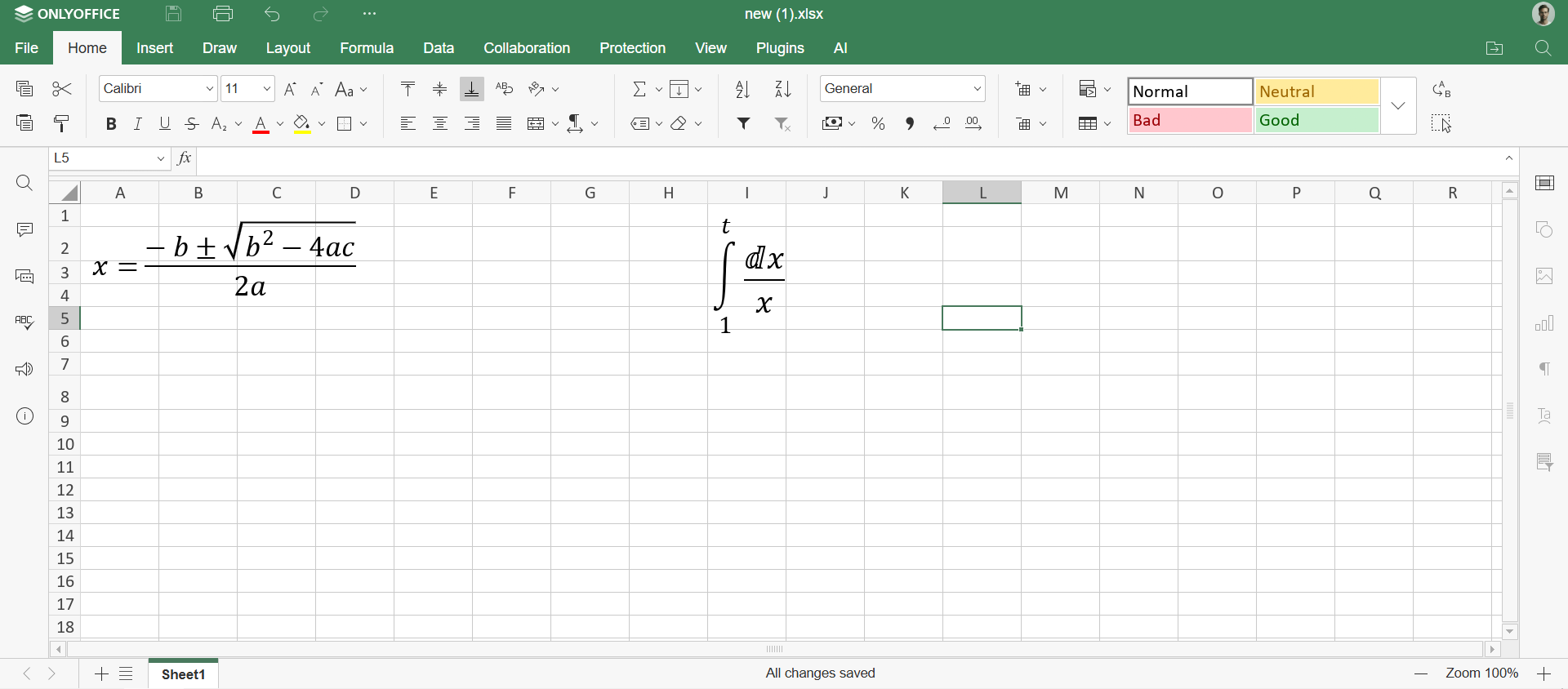
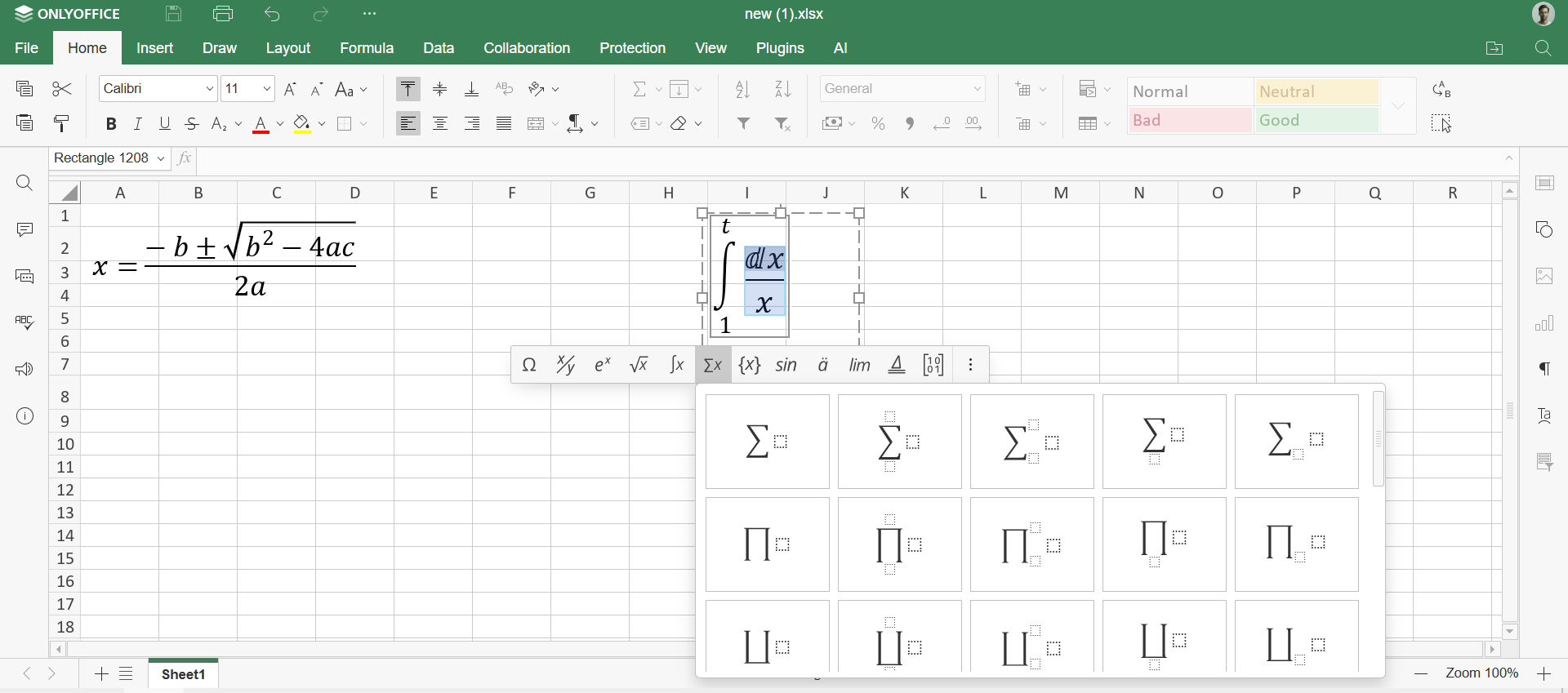
Once added, the formulas can be edited. Just click on the toolbar that will automatically appear after pasting the formula.
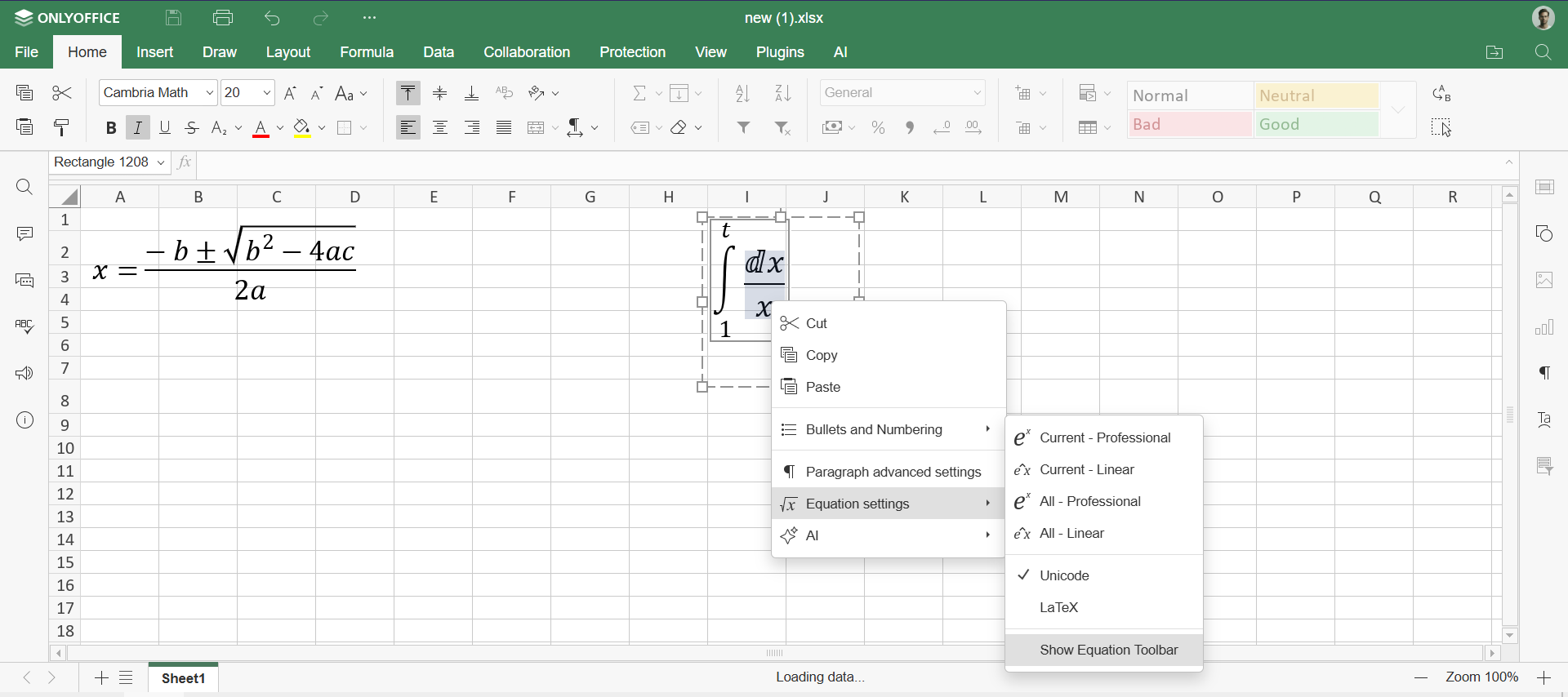
If the toolbar doesn’t appear immediately, right click on the formula -> Equation settings -> Show equation toolbar
Now you can edit, copy and insert the formula in other documents.
Start using ONLYOFFICE and make MathML formulas part of your documents
ONLYOFFICE provides a unified environment for working with documents, spreadsheets, presentations, forms, and PDFs, with support for mathematical content such as MathML formulas.
You can work online in ONLYOFFICE DocSpace or use ONLYOFFICE Desktop Editors for local editing on Windows, Linux, and macOS.
Create your free ONLYOFFICE account
View, edit and collaborate on docs, sheets, slides, forms, and PDF files online.