The integration ecosystem story: how ONLYOFFICE went from one connector to the infrastructure of 40+ integrations and 50+ plugins
A sixteen-year journey from a document server to an API-first ecosystem: how ONLYOFFICE became the document editing layer for the tools the world already uses.
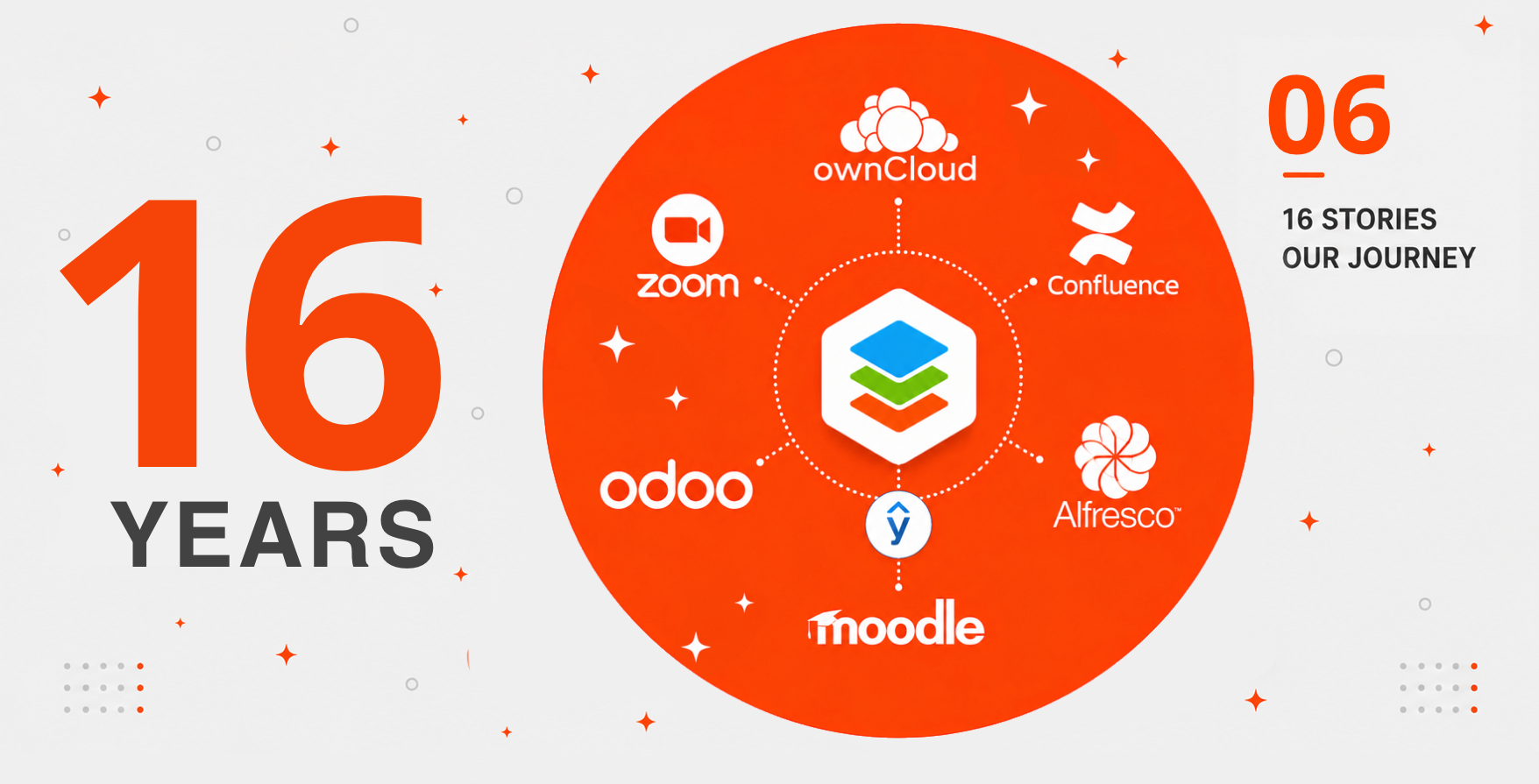
There is a question that comes up in almost every ONLYOFFICE evaluation: “Can it work with the platform we already have?” Most of the time, the answer is yes. But that answer didn’t come from a single product decision or a single engineering sprint. It came from years of work, one connector at a time, based on a belief that document editing should happen inside the tools people use daily, not instead of them. This is the story of how that ecosystem was built.
The premise: documents belong inside your workflow
When ONLYOFFICE released its source code on GitHub in 2014 under the AGPLv3 license and began exposing a public API, the underlying premise was already clear: the Document Server was not meant to be a standalone product for everyone. It was meant to be an editing layer that could live inside other products.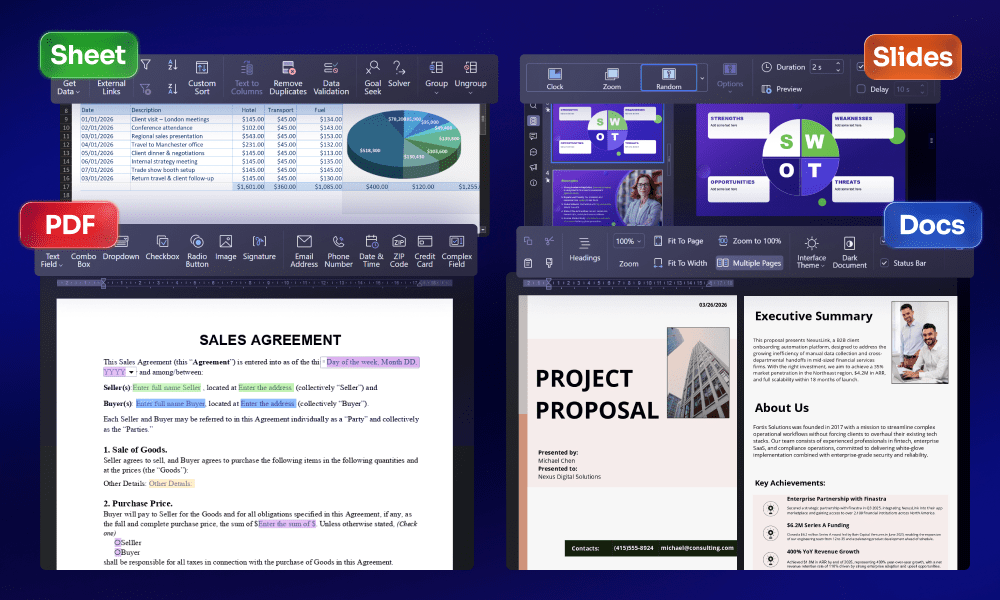
This is architecturally different from building a self-contained office suite. A self-contained suite competes with the tools people use. A document editing layer integrates with them. Both models are valid. But ONLYOFFICE chose the second one, and that choice defined everything that followed.
The API-first approach meant that any developer, given the documentation, could embed ONLYOFFICE’s editing capabilities into their own application. The connector ecosystem grew from that foundation. Some connectors were built by the ONLYOFFICE team. Others were built by platform teams, system integrators, or individual developers who needed document editing inside a tool that didn’t have it.
2014–2016, The foundation: open source and the first connectors
In July 2014, the product had a working document server and an API. The first integration was not a business decision made in a meeting room; it came directly from the community.
“ONLYOFFICE editors and ownCloud are the match made in heaven,” wrote one of the users. Inspired by that idea, the team developed the first integration app. In February 2017, the ownCloud connector launched, the first official ONLYOFFICE connector for any external platform. It was the proof of concept for the entire integration model: install the ONLYOFFICE Document Server, install the connector, and users get full browser-based editing of DOCX, XLSX, and PPTX files, with real-time co-editing, track changes, version history, and comments without changing their storage platform or their workflows.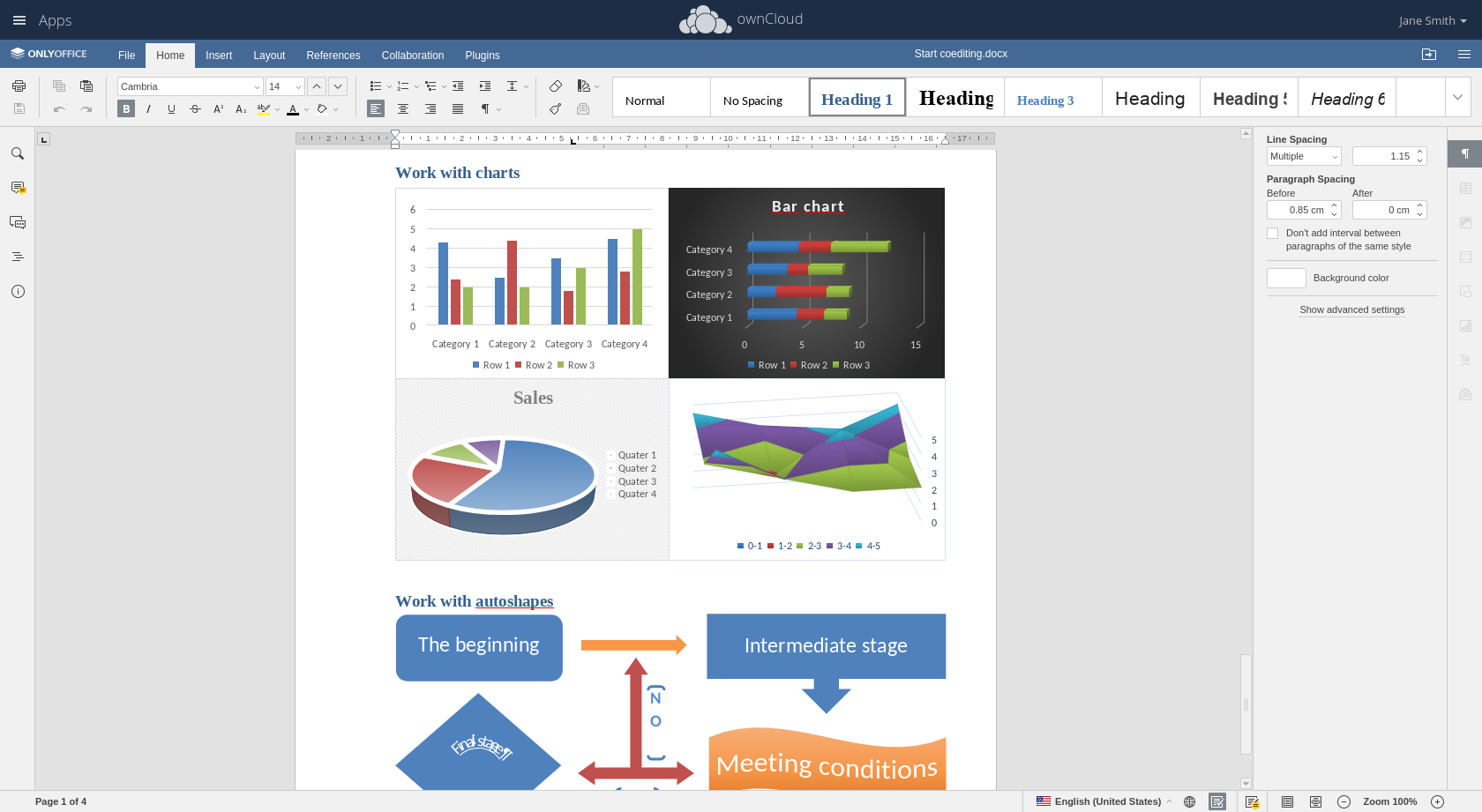 In October 2018, what had started as a community-inspired integration became a formal partnership. Through this partnership, industries that need to deal with sensitive data gained access to online office applications that allowed them to work together in real time right from their secure ownCloud environment.
Shortly after the ownCloud connector, users asked for the same capability in Nextcloud, the community fork of ownCloud that had launched in 2016 and was rapidly building its own ecosystem. The team built it.
That decision marked the beginning of an eight-year integration partnership. Since the launch of the Nextcloud connector, ONLYOFFICE has received at least 34 pull requests and issues directly from Nextcloud team members, with the most recent submission in March 2026. Of those, 17 pull requests were successfully merged, 4 were closed but effectively completed, 10 issues were accepted, 2 remain pending, and 1 was declined.
2017–2019, The ecosystem expands: ECM, LMS, and project management
Once the cloud storage connectors were established, the next wave addressed a different set of questions. Enterprise content management. Project management. E-learning. These were not file storage platforms; they were operational platforms where documents were part of structured workflows, not just stored assets.
Alfresco, the enterprise content management platform used by corporations, government agencies, and large organizations, gained an ONLYOFFICE connector that allowed users to open and co-edit documents directly within Alfresco Share. For large organizations that had invested heavily in Alfresco workflows, this removed the requirement to download files, edit them externally, and re-upload.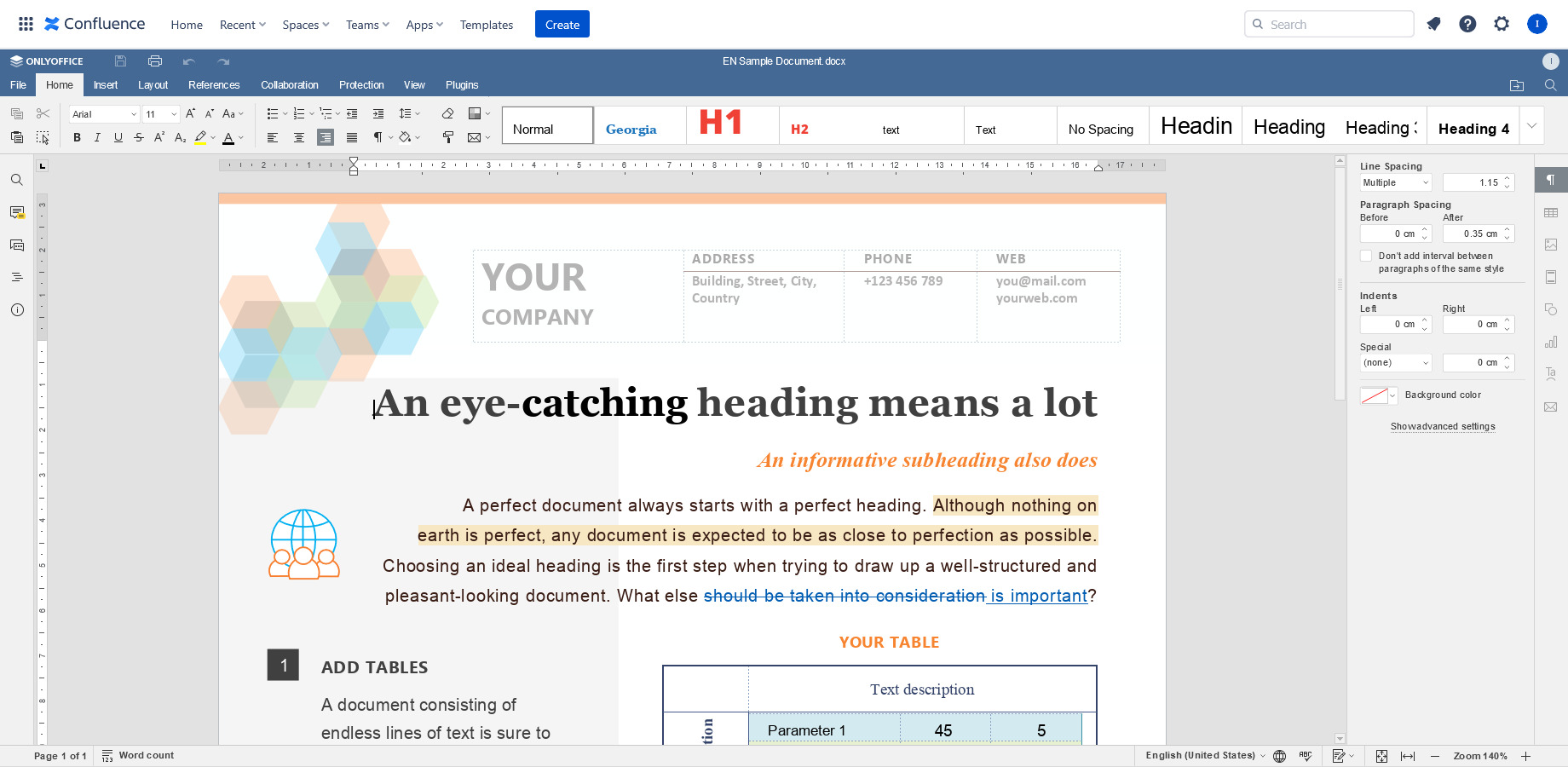
Confluence, Atlassian’s team wiki and knowledge management platform, became one of the most-requested integrations as organizations grew frustrated with its native document editing limitations. The ONLYOFFICE connector for Confluence brought full DOCX, XLSX, and PPTX editing into the Confluence document library. The same connector was later extended to Confluence Cloud.
Redmine and Jira, the two dominant open source and enterprise project management tools, added ONLYOFFICE integration, allowing teams to create and edit documents attached to issues and project pages directly within their project management environment. The Jira Cloud connector was released in March 2026, completing the coverage of both self-hosted and cloud Jira deployments.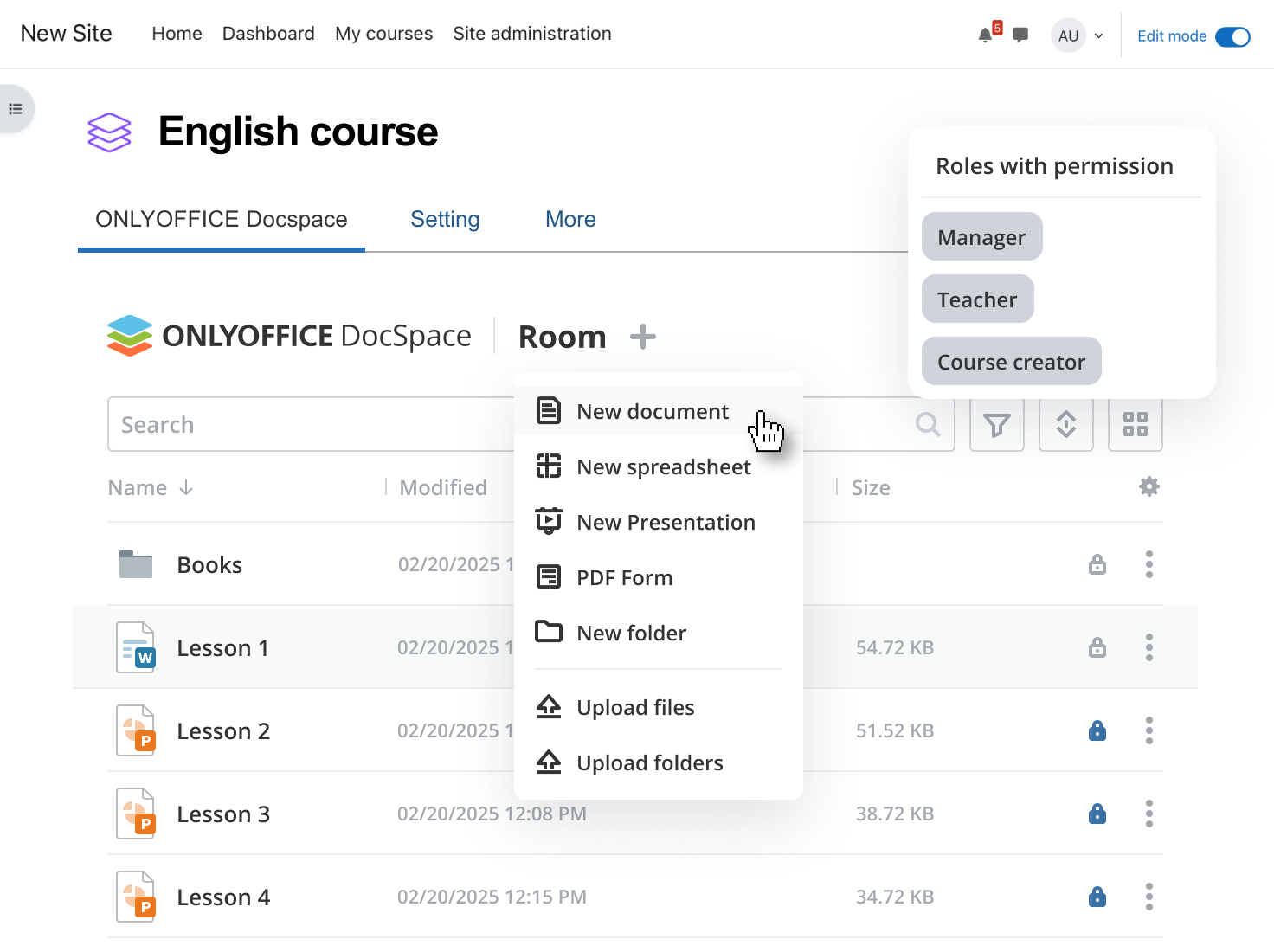
Moodle, the world’s most widely deployed open source learning management system, became one of the most strategically significant integrations in the education vertical. Three dedicated plugins were built: the ONLYOFFICE Document plugin for embedding document activities in courses, the Assign Submission plugin for assignment workflows, and the DocSpace plugin for managing course materials in structured rooms. The depth of the Moodle integration, not a single connector but a three-plugin architecture covering different pedagogical use cases, reflected the importance ONLYOFFICE placed on the education market.
The connection to sciebo, the cloud storage service for research and teaching at Münster University, running on ownCloud, showed what scale looked like in practice: ONLYOFFICE provided more than 100,000 users with the necessary tools for document processing through a single institutional deployment.
2019–2021, The API matures: Document Builder, WOPI, and the CMS layer
The 2019 release of Document Builder on GitHub was a significant milestone for a different kind of integration, programmatic document generation. Document Builder opened the integration story to developers building workflow automation, not just platform administrators connecting tools.
The WOPI protocol integration, available from ONLYOFFICE Docs v6.4, was the integration architectural decision with the widest downstream implications. WOPI, Web Application Open Platform Interface, is the standard protocol originally developed by Microsoft for connecting external editors to document storage systems. By implementing WOPI, ONLYOFFICE became compatible with any platform that supported the WOPI standard, without requiring a dedicated connector.
SharePoint is a web-based collaborative platform for sharing and managing content, knowledge, and applications to empower teamwork. Along with the official integration app for SharePoint, it became possible to connect SharePoint and ONLYOFFICE Docs using WOPI. This meant that organizations running SharePoint, often their most entrenched enterprise document infrastructure, could use ONLYOFFICE as their browser-based editor without replacing SharePoint itself.
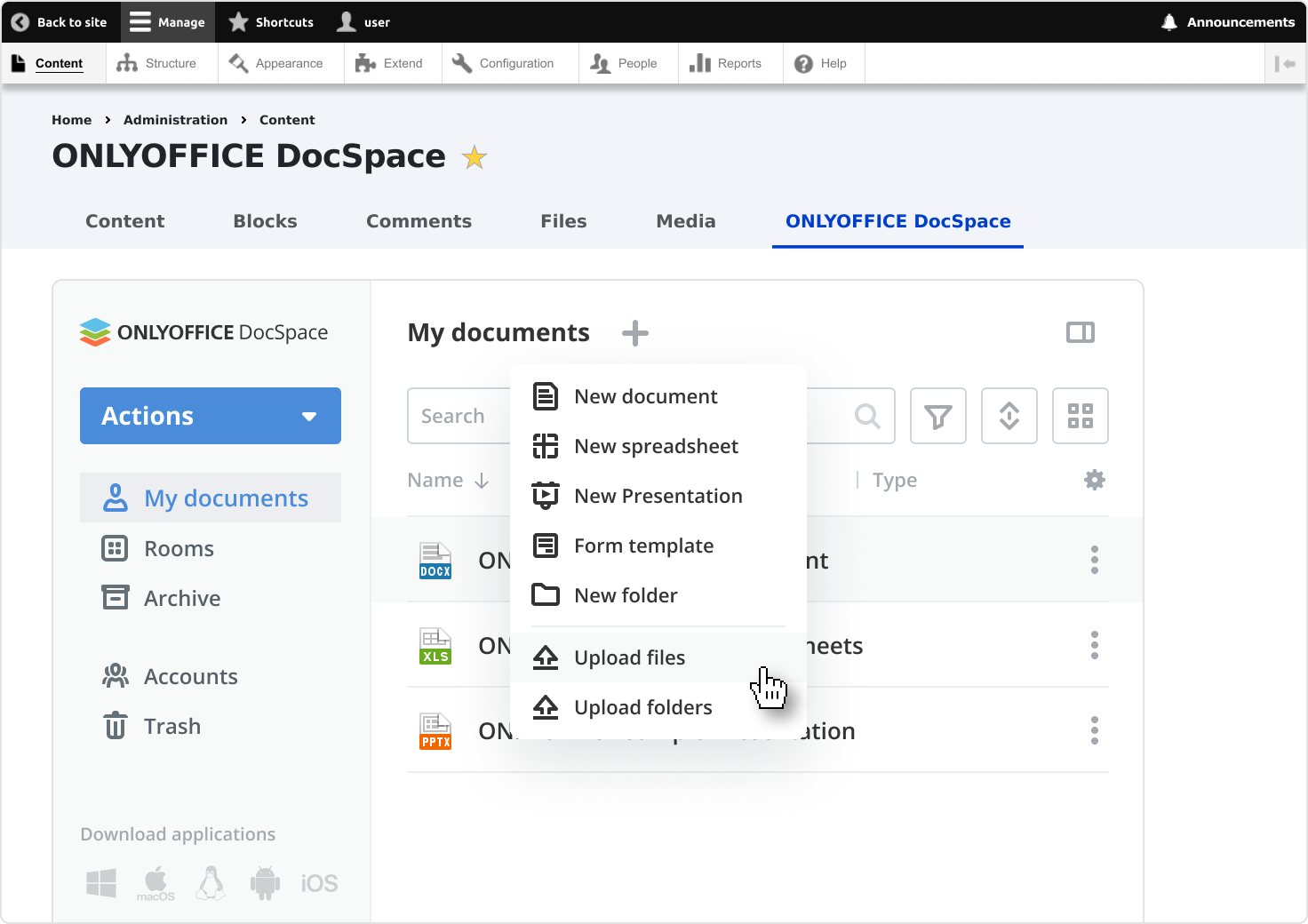
The CMS wave of this period added WordPress, Drupal, Strapi, Plone, and Liferay to the connector marketplace. These were content management systems where document editing was not the primary purpose, but where documents frequently appeared, such as downloadable assets, content attachments, and media libraries. Each connector followed the same principle: documents should be editable where they live, not somewhere else.
SuiteCRM and the beginning of the CRM connector category extended the integration story into sales and customer management, where contracts, proposals, and client documents were routinely attached to records and edited outside the CRM, then reattached. The ONLYOFFICE connector removed that external loop.
2021–2023, The second generation: Odoo, Mattermost, Pipedrive, and HumHub
The second generation of integrations addressed a broader set of business platforms, ERP, enterprise chat, CRM pipelines, and community platforms, reflecting ONLYOFFICE’s expansion beyond the IT-administrator-heavy early adopter audience into general business use.
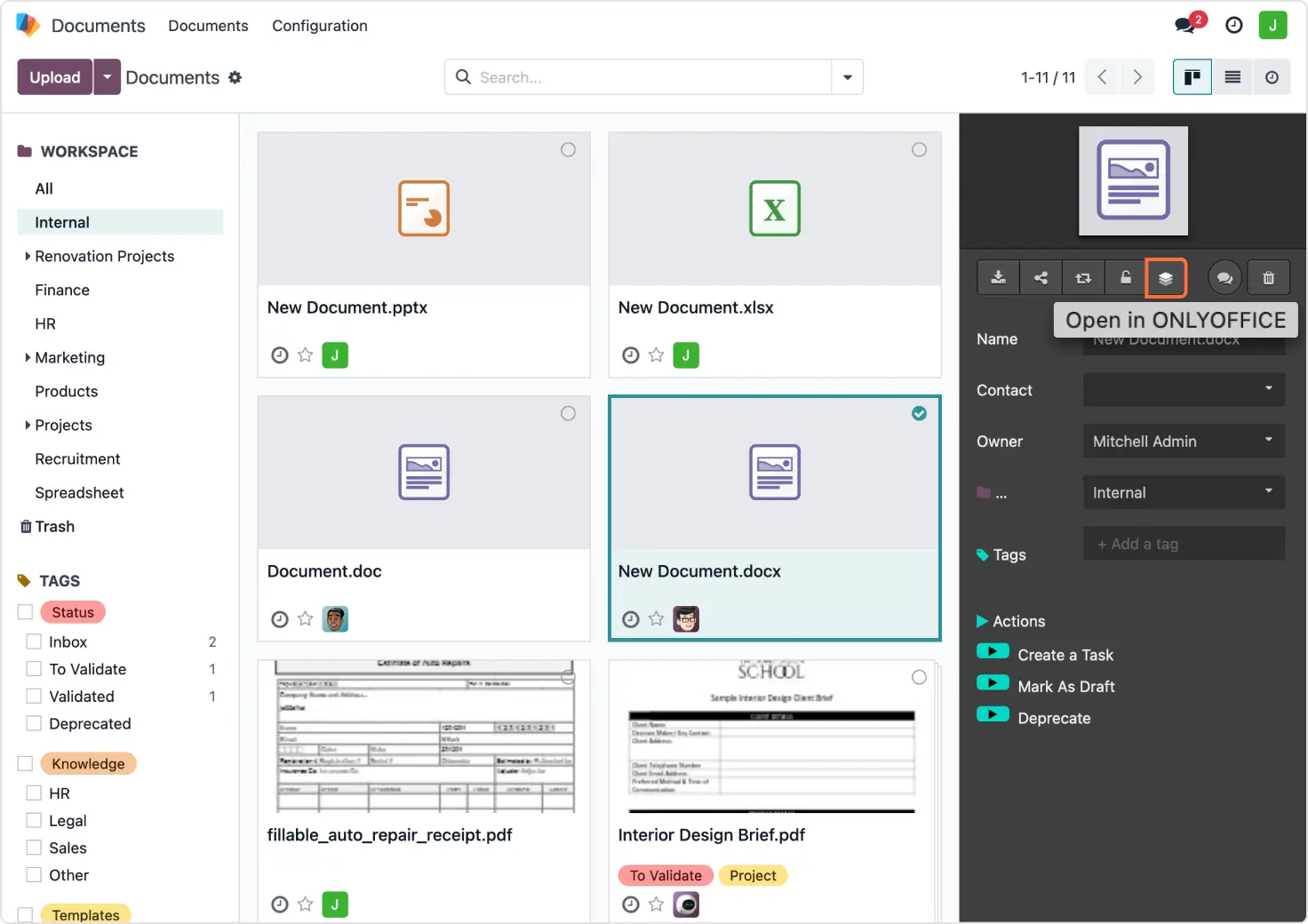
Odoo, the open source ERP suite covering CRM, accounting, inventory, HR, and more, became one of the most functionally deep integrations in the catalogue. The ONLYOFFICE module for Odoo went beyond simple editing: it introduced PDF form templates that auto-populate with Odoo record data, allowing organizations to generate contracts, onboarding documents, invoices, and HR forms with a single click from any Odoo record. The integration was extended in 2025 with a template gallery, external link sharing with access control, and support for Apple, Hancom, Visio, and Markdown formats.
Mattermost, the open source enterprise messaging platform used as a Slack alternative by organizations that needed self-hosted team communication, gained an ONLYOFFICE connector that allowed users to create, edit, and share documents directly within chat channels. The document became part of the conversation rather than an attachment to it.
Pipedrive, a sales CRM and pipeline management tool, added two ONLYOFFICE integrations: Docs for editing documents within deals and DocSpace for creating structured collaborative spaces around sales processes. For sales teams managing contracts, proposals, and client documents alongside their pipeline, the integration removed the gap between where deals lived and where documents were edited.
HumHub, the open source social network and community platform, added ONLYOFFICE integration covering all editor types plus Visio diagram viewing. This extended the integration footprint into enterprise social networking and community platforms, a category that had previously been unaddressed.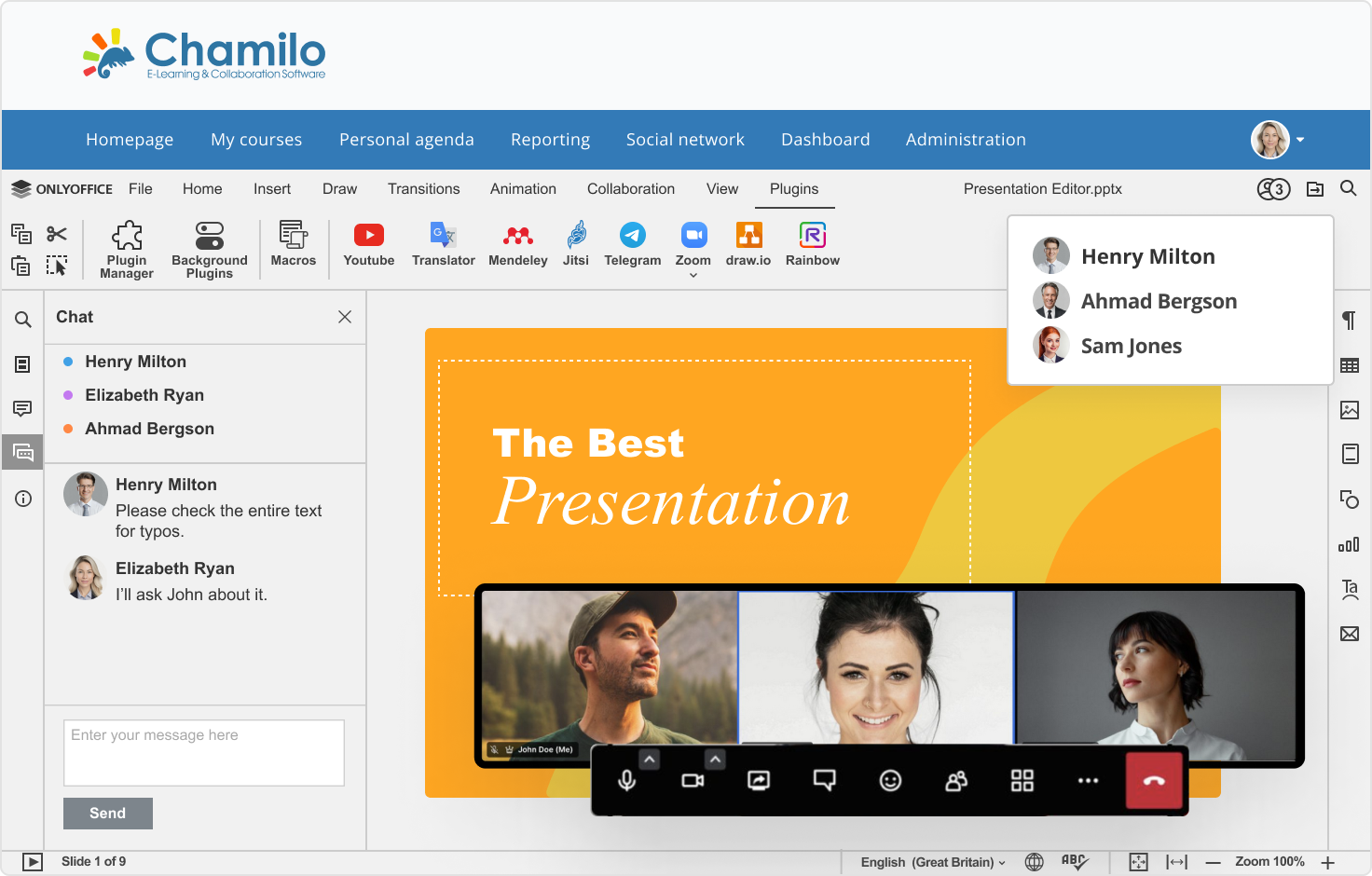
Chamilo, an open source e-learning platform widely used in Latin America, France, and Belgium, added document editing integration, completing ONLYOFFICE’s coverage of the two largest open source LMS platforms alongside Moodle.
The Dropbox integration in this period was architecturally significant: ONLYOFFICE Desktop Editors could connect directly to a Dropbox account, opening and editing files stored in Dropbox without downloading them, with changes syncing back automatically. This extended the integration model to consumer cloud storage and to the desktop application layer, not just the browser.
2022, Plugin ecosystem: extending the editors functionality from within
Alongside the connector ecosystem, which brought ONLYOFFICE into other platforms, a parallel integration surface grew inside the editors themselves: the plugin system.
The Plugin Marketplace is a centralized system within ONLYOFFICE that enables users to discover, install, update, and manage plugins that extend the functionality of ONLYOFFICE Docs. Accessible directly from the Plugins tab in any editor, it organizes available extensions into categories: Recommended, Developer tools, Work, Entertainment, Communication, Special abilities, and others.
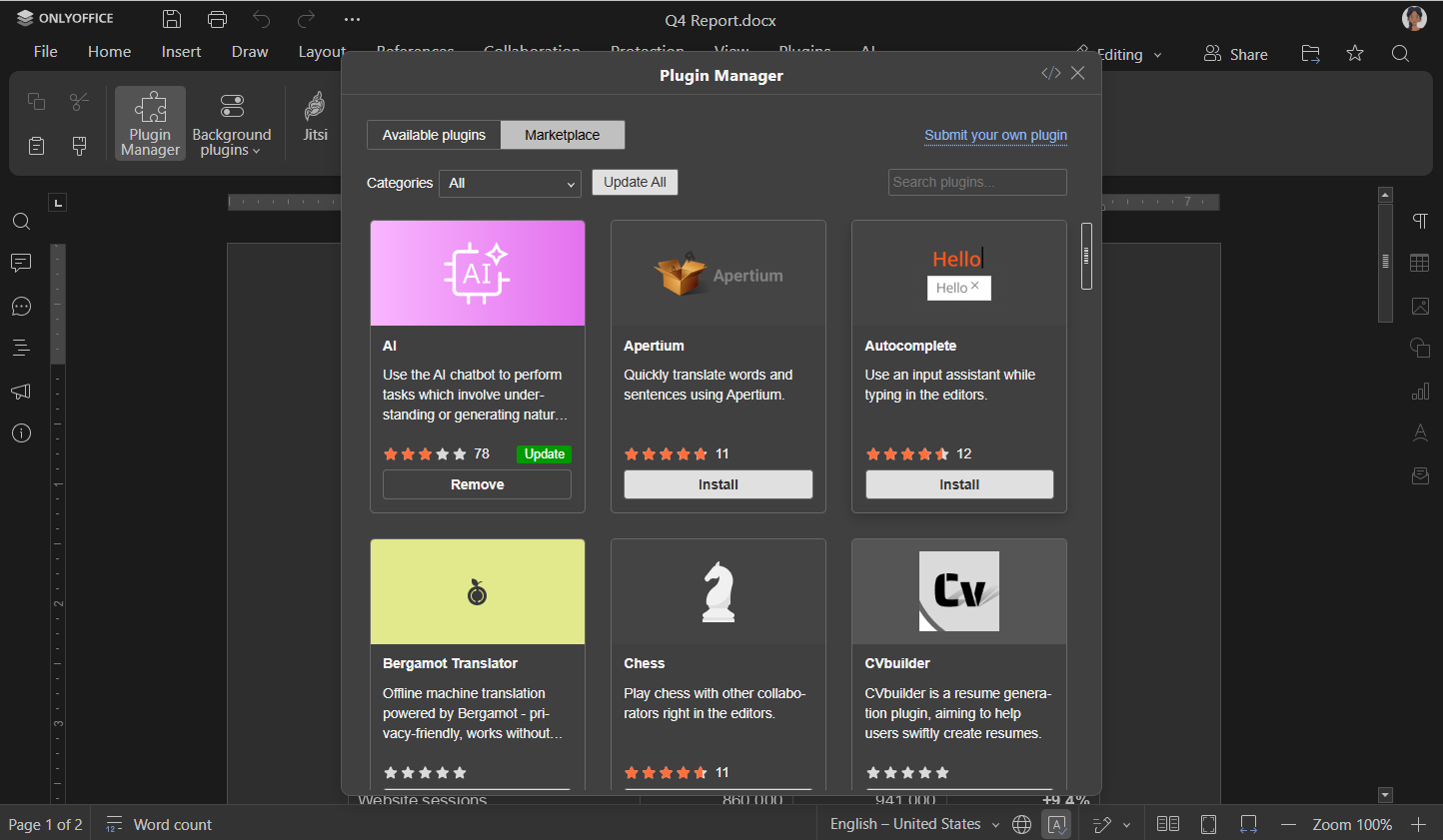
The plugins available today cover a wide range of use cases:
- image editing with Photo Editor,
- diagram creation with Draw.io,
- translation with DeepL and Google Translate,
- bibliography management with Mendeley and EasyBib,
- video conferencing with Zoom and Jitsi,
- grammar checking with LanguageTool, and many others.
Each plugin is built on the JavaScript Plugin API, the same open, documented API available to any developer who wants to extend the editors.
The plugin ecosystem is also where community contributions live most visibly. JIJINBEI, a physics researcher from China who joined the OSPP student developer program in 2023, built the LizardTypst plugin, a mathematical typesetting tool that compiles Typst formulas to WebAssembly and inserts them as SVG graphics directly into presentations, solving a specific daily friction his colleagues had with editing equations. It is now in the Plugin Marketplace. That is the plugin ecosystem in practice: a developer with a specific problem, an open API, and a marketplace that makes the result available to everyone.
Starting from ONLYOFFICE Docs v7.2, the Plugin Marketplace is built into the editor interface, making plugin installation a matter of clicks rather than manual file management.
2023–2024, DocSpace arrives: a new integration surface
The launch of ONLYOFFICE DocSpace in 2023 added a second integration surface to the ecosystem. Where ONLYOFFICE Docs integrations were about bringing editing into other platforms, DocSpace integrations were about bringing other platforms into a structured collaboration environment.
DocSpace connectors followed a different model. Instead of embedding an editor inside an existing platform, they embedded DocSpace rooms inside existing platforms, bringing the full room-based collaboration architecture (Collaboration Rooms, Public Rooms, Custom Rooms, Virtual Data Rooms, Form-Filling Rooms) into the context of the host platform.
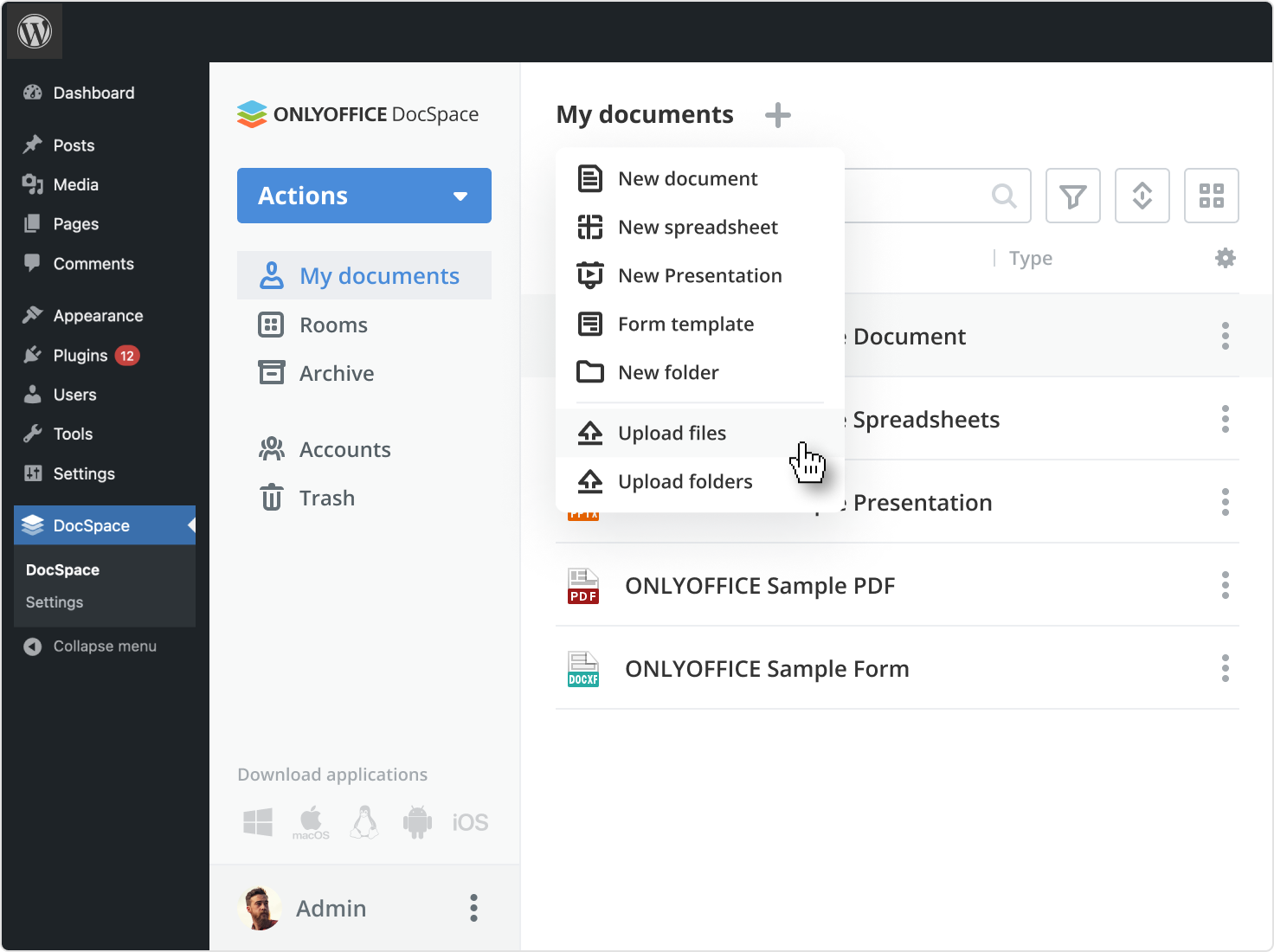
WordPress – DocSpace integration allowed website administrators to embed DocSpace rooms directly into WordPress pages, creating document portals, client collaboration spaces, and form collection workflows accessible through the website. For agencies, legal firms, and educational platforms, this turned a WordPress site into a structured document collaboration environment without building custom infrastructure.
DocSpace connectors for Drupal, Zoom, and Zapier connectors extended this pattern: DocSpace rooms accessible from within Zoom meetings, document workflows triggered by Zapier automation, and content management platforms with embedded structured document spaces.
2025, the AI integration layer arrives: smarter work with documents
By 2025, the integration story had added a third dimension: not just connecting ONLYOFFICE to external platforms, and not just extending the editors with plugins, but connecting AI providers to both the editors and the workspace.
The AI plugin, first released in 2023 with ChatGPT support, was rebuilt in December 2024 to become provider-agnostic. The team then expanded the supported provider list systematically through 2025: OpenAI, Anthropic, Groq, Mistral, DeepSeek, Google AI, xAI, OpenRouter, Together AI, and local models via Ollama all became connectable via API key from within the Plugin Manager. Each connection gives users AI-powered text generation, grammar and spelling check, translation, summarisation, formula assistance, macro generation, and OCR, all inside the editor, with the data going only where the user’s chosen provider takes it.
In May 2025, the AI plugin added text-to-image and image-to-text capabilities: users can describe a scene or concept and watch the AI generate a corresponding image, or upload an image and have the AI extract written content from it.
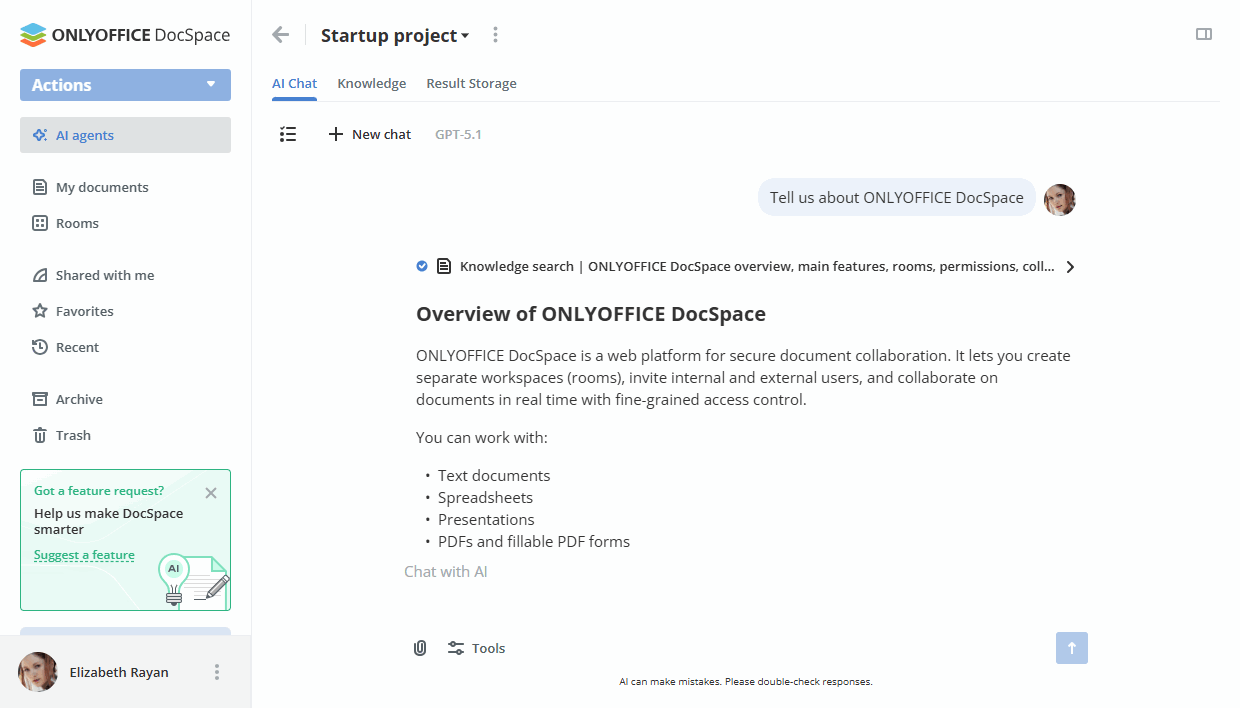
The August 2025 release introduced the AI agent in beta, a step beyond the plugin’s response-and-reply model. The agent can take actions across the document environment, not just answer questions. It generates and rewrites texts, formats documents, analyzes and visualizes data, and operates on document structure programmatically.
On the DocSpace side, AI agents arrived with DocSpace 3.6 in December 2025. Where the editor AI plugin worked on document content, DocSpace AI agents are able to create various files, manage the DocSpace by organising files and structuring rooms, add users, and keep the workspace tidy and accessible. Supported providers at launch: OpenAI, Anthropic, TogetherAI, and OpenRouter, with DeepSeek, Google AI, and xAI added in DocSpace 3.7 in June 2026, bringing the total to seven providers plus any custom configuration.
The MCP Server, published in 2025, completed the AI integration picture. The DocSpace MCP Server connects AI tools directly to ONLYOFFICE DocSpace, giving AI agents, assistants, and chatbots the ability to manage rooms, collaborate on files, handle permissions, and automate document workflows through natural language interactions. Compatible clients include Claude, ChatGPT, and others, meaning any of these AI environments can execute real workspace actions through conversation.
2025–2026, The mature ecosystem: 40+ connectors, WOPI universality, and WeChat login
By 2026, there are more than 40 official connectors for popular platforms, including ownCloud, Moodle, SuiteCRM, Redmine, Alfresco, Confluence, WordPress, Drupal, Odoo, Jira, Mattermost, HumHub, Plone, Pipedrive, SharePoint, Strapi, Nextcloud, and more.
The WOPI implementation means the actual integration footprint is significantly larger: any platform that supports WOPI can work with ONLYOFFICE without a dedicated connector. This includes Microsoft SharePoint, various European sovereign cloud platforms, and custom-built enterprise applications that implement the WOPI standard.
DocSpace 3.5 added the ability to log in to DocSpace via WeChat. It means a WeChat user can access their DocSpace directly from their environment, without maintaining separate authentication.
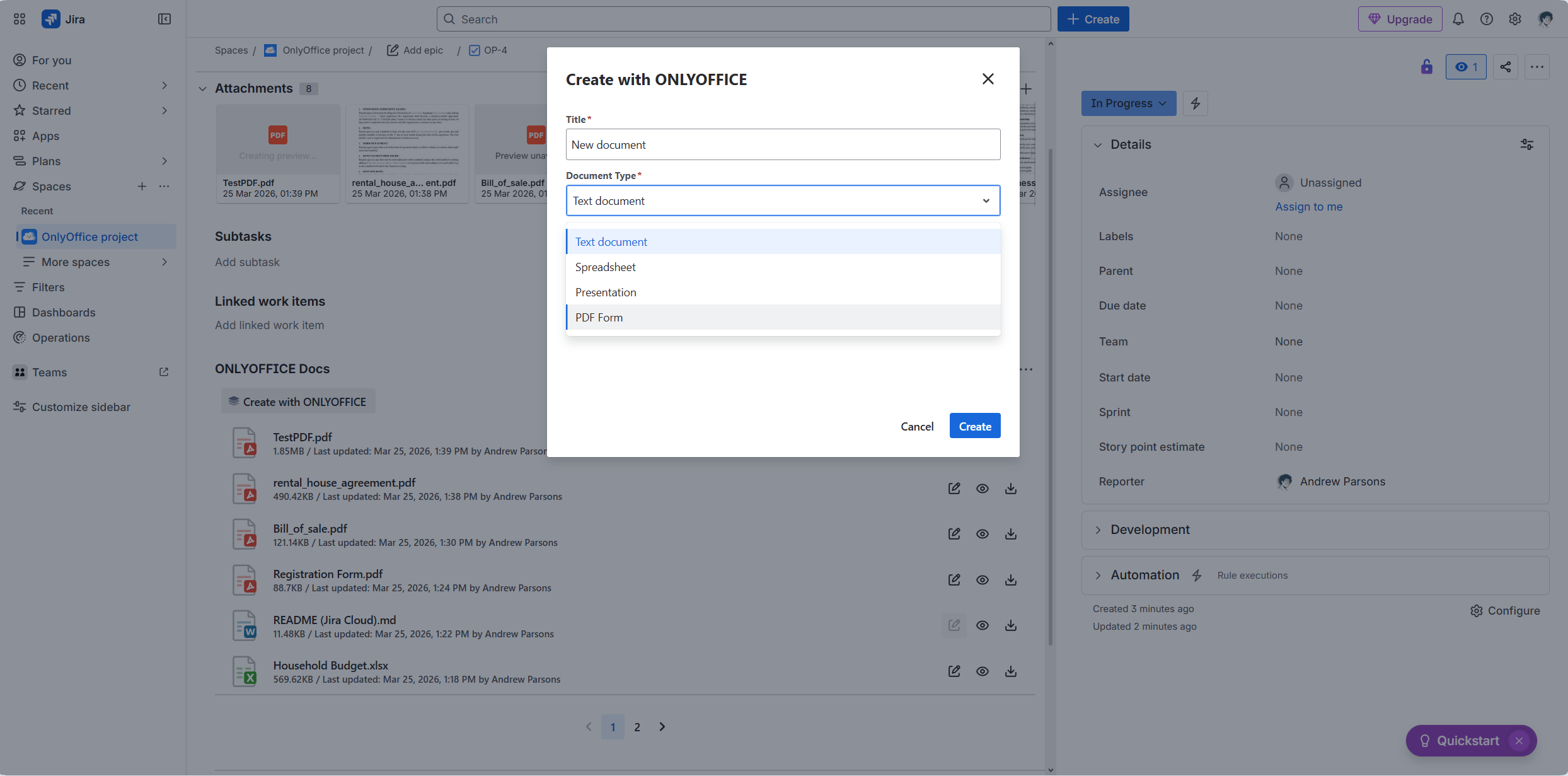 The Jira Cloud connector, released in March 2026, completed the Atlassian coverage; both Jira Server/Data Center and Jira Cloud now have dedicated ONLYOFFICE connectors, alongside the existing Confluence and Confluence Cloud connectors. The full Atlassian ecosystem is covered.
How the integration architecture actually works
At the technical level, all ONLYOFFICE integrations share the same underlying architecture. The ONLYOFFICE Document Server, deployed on-premises or in the cloud, exposes a JavaScript API that allows any web application to embed a fully functional editor in an iframe. The connector handles the authentication bridge between the host platform and the Document Server, the file format conversion if needed, and the save-back mechanism that writes changes to the platform’s storage.
This means the integration model is consistent regardless of the platform being integrated:
- The user clicks a document within the host platform
- The host platform calls the ONLYOFFICE Document Server API with the file URL and user authentication
- The Document Server fetches the file, converts it to the internal editing format if needed, and opens it in the editor
- The user edits, collaborates, and saves
- The Document Server saves the modified file back to the host platform’s storage
The host platform never loses control of its data. The Document Server never stores files permanently. The architecture is by design data-transparent.
For platforms that implement WOPI, the same architecture applies but via the WOPI protocol rather than a custom connector, which means ONLYOFFICE works with any WOPI-compliant platform without additional development.
The ecosystem in numbers
| Metric | Figure | |
| Official connectors | 40+ | |
| Platforms covered | ownCloud, Moodle (3 plugins), Chamilo, Odoo, Confluence (Server + Cloud), Jira (Server + Cloud), SharePoint, WordPress (Docs + DocSpace), Drupal (Docs + DocSpace), HumHub, Mattermost, Alfresco, Redmine, Nuxeo, Liferay, Plone, SuiteCRM, Strapi, Pipedrive (Docs + DocSpace), Zoom (DocSpace), Zapier (DocSpace), Telegram, agorum, OpenOlat, Seafile, Nextcloud | |
| Additional via WOPI | Any WOPI-compliant platform | |
| Docker Hub pulls | 50 million+ | |
| GitHub repositories | 70+ public repositories | |
| MCP-compatible clients | Claude, ChatGPT, Cursor, VS Code, Windsurf, Le Chat |
What comes next
The direction the integration ecosystem is heading in 2026 is clear from the most recent additions. The MCP server represents a new category of integration, not platform-to-platform, but AI-to-platform. As AI agents become more capable of taking actions in software systems, the interface for those actions increasingly goes through protocols like MCP rather than traditional APIs.
The WOPI implementation means ONLYOFFICE can participate in the sovereign cloud ecosystems without requiring custom connectors for each one. Any cloud platform that implements WOPI gains ONLYOFFICE editing capability automatically.
A document editing layer, not a destination
Sixteen years into the integration story, the original premise holds. ONLYOFFICE is trying to be the document editing layer inside the tools people already use.
That premise requires an ecosystem. It requires connectors that work, clear documentation, an API that is stable and versioned, and a team that maintains integrations when platform APIs change, which they do constantly.
That is the integration ecosystem story, a part of the ONLYOFFICE 16th Anniversary series. Stay with us to learn more about the key milestones, product decisions, and moments that shaped what ONLYOFFICE is today!
Create your free ONLYOFFICE account
View, edit and collaborate on docs, sheets, slides, forms, and PDF files online.


