From requests to reality: the features that shaped ONLYOFFICE
As ONLYOFFICE celebrates its 16th anniversary, we’re continuing our series of stories about our journey. This time, we’re talking about features that shaped ONLYOFFICE products.
Every new release introduces dozens of improvements, but very few of them begin as ideas inside our development team. More often than not, they begin with a user’s question. Some requests resulted in small quality-of-life improvements, but others became features that millions of people now use every day.

Intuitive interface: making work feel familiar
One of the earliest lessons we learned was surprisingly simple: people want software that feels familiar from the moment they open it. That’s why ONLYOFFICE has always focused on a clean, intuitive interface that helps users get to work without searching for basic tools.
The goal was to create a handy, high-usability tool that reduces the learning curve and lets people focus on their documents rather than the interface.
 ONLYOFFICE editors’ first look
As the editors grew more powerful, the interface had to evolve too. The familiar ribbon-style layout developed into a tabbed design, grouping tools into functional sections and making navigation more natural. This change gave us more room for new features while keeping the workspace clear, structured, and easy to use. It was a practical answer to a simple challenge: how to add more functionality without making the editor feel overwhelming.

Tabbed interface introduced in 2017
Catching fact: the version 9.0 interface refresh involved redrawing 3,000 icons, refining navigation, and making the whole editor feel cleaner and easier to use every day.
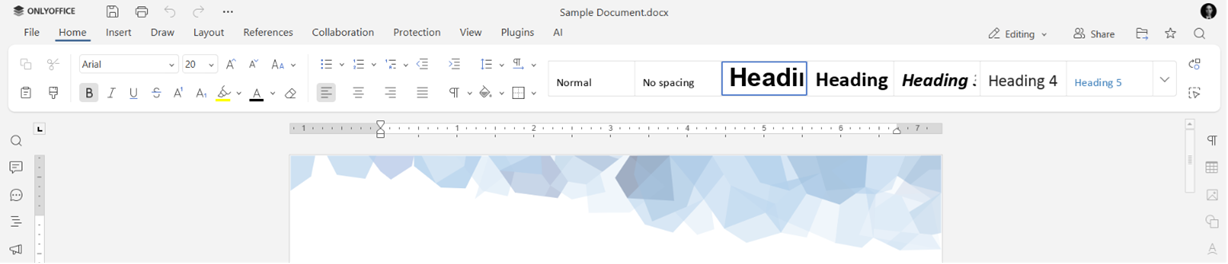 What editors look like today
MS Office format compatibility: keeping your documents exactly as they were
For many organizations, switching to a new office suite isn’t really about learning new software. It’s about opening years of existing documents without worrying about broken formatting, missing formulas, or misplaced objects.
A major milestone came in 2013, when we made an important architectural decision: to move away from our internal temporary formats (DOCT, XLST, and PPTT) and edit OOXML files natively. From that point on, DOCX, XLSX, and PPTX became the primary formats across the editors, eliminating intermediate conversions and significantly improving compatibility with Microsoft Office documents.
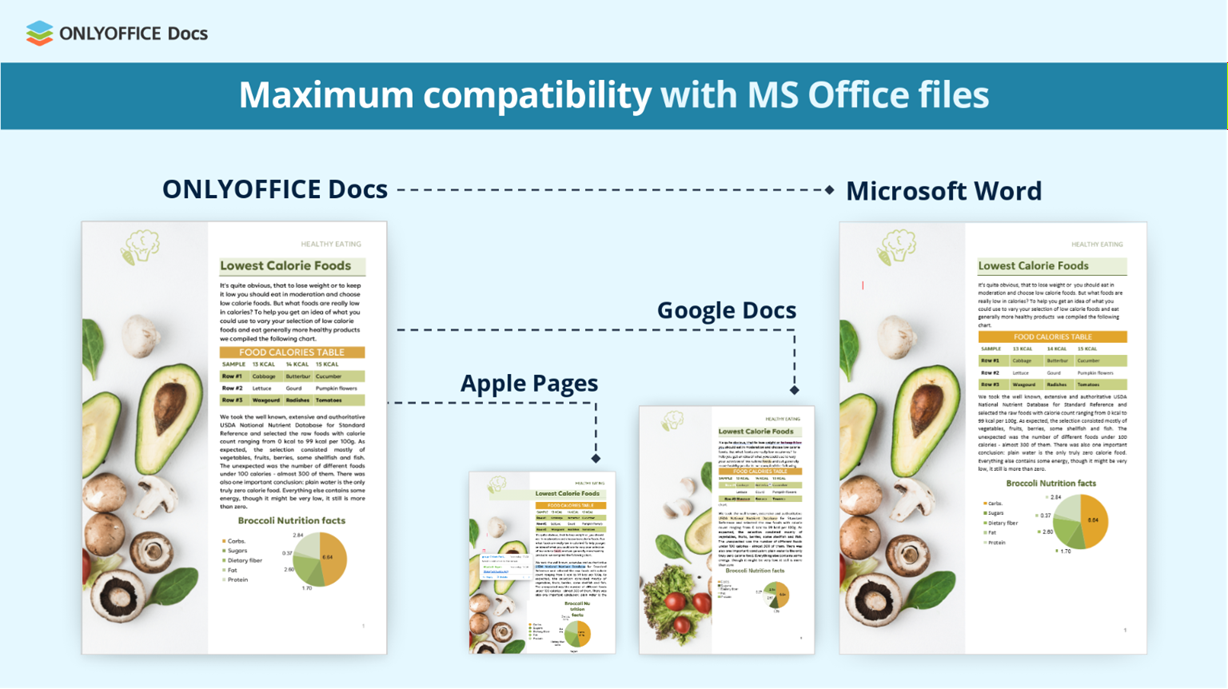
Today, ONLYOFFICE supports more than 60 document formats (ODT, ODS, ODP, PDF, EPUB, FB2, Markdown, Pages, Numbers, Keynotes) for viewing and editing, while native OOXML remains the foundation of the editing experience.
RTL support: designed for every language
As the ONLYOFFICE community expanded across the globe, another request about right-to-left languages became increasingly common.
Implementing RTL wasn’t something we could do in a single release. It took years of development to make the editors behave naturally for languages such as Arabic, Hebrew, Persian, and Urdu. Text direction, cursor movement, paragraph alignment, tables, spreadsheets, presentations, and PDFs all had to work as users expected.
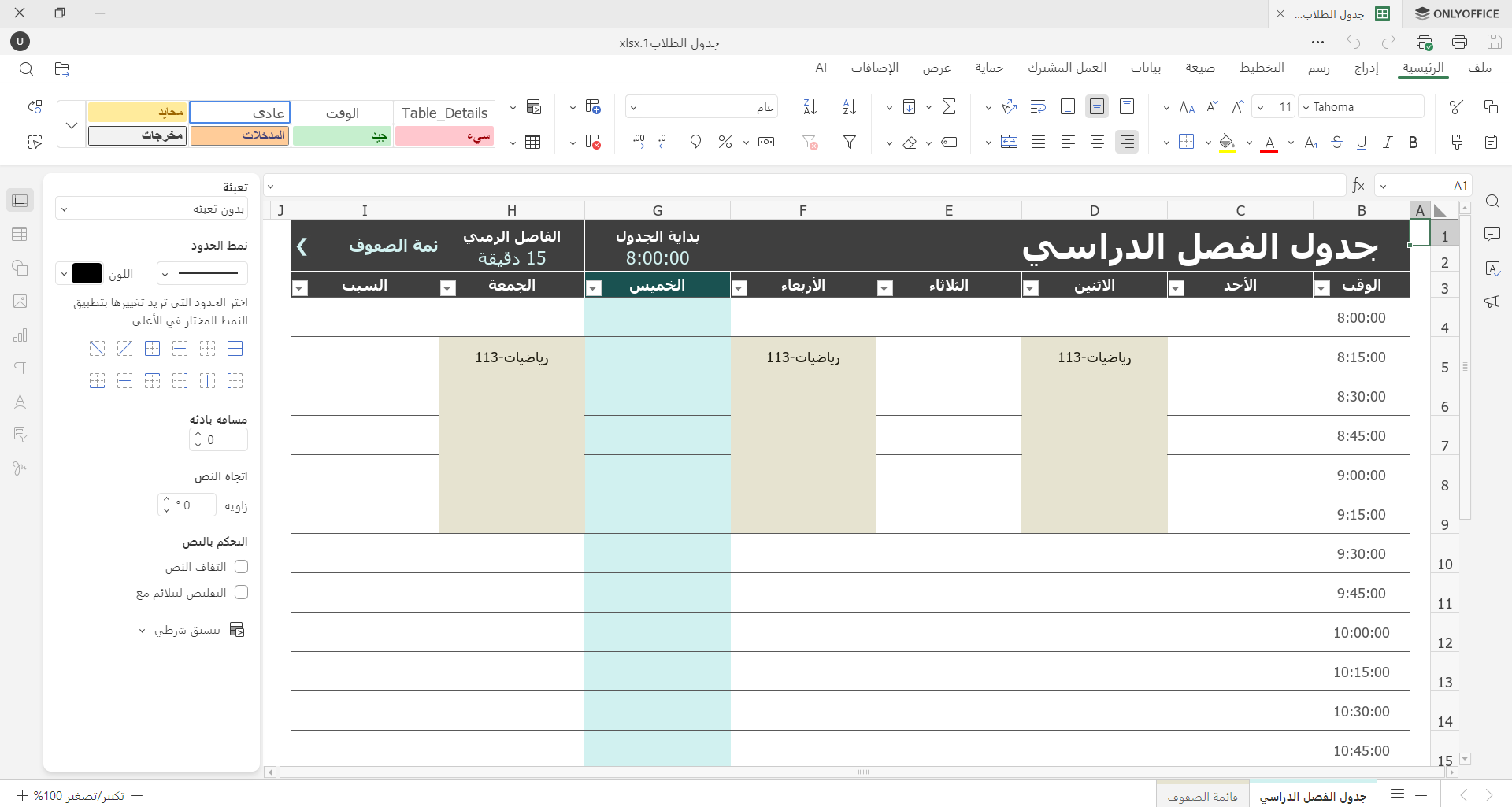
Step by step, we expanded RTL support across the entire suite. Today, it’s available in docs, sheets, slides, and PDFs, making ONLYOFFICE a more comfortable workspace for millions of users around the world.
We’d like to thank everyone who helped translate the ONLYOFFICE interface into Arabic. If you’d like to contribute to future translations for Arabic or other RTL languages, we’d be happy to welcome you to our translator community.
Multipage view: seeing the bigger picture
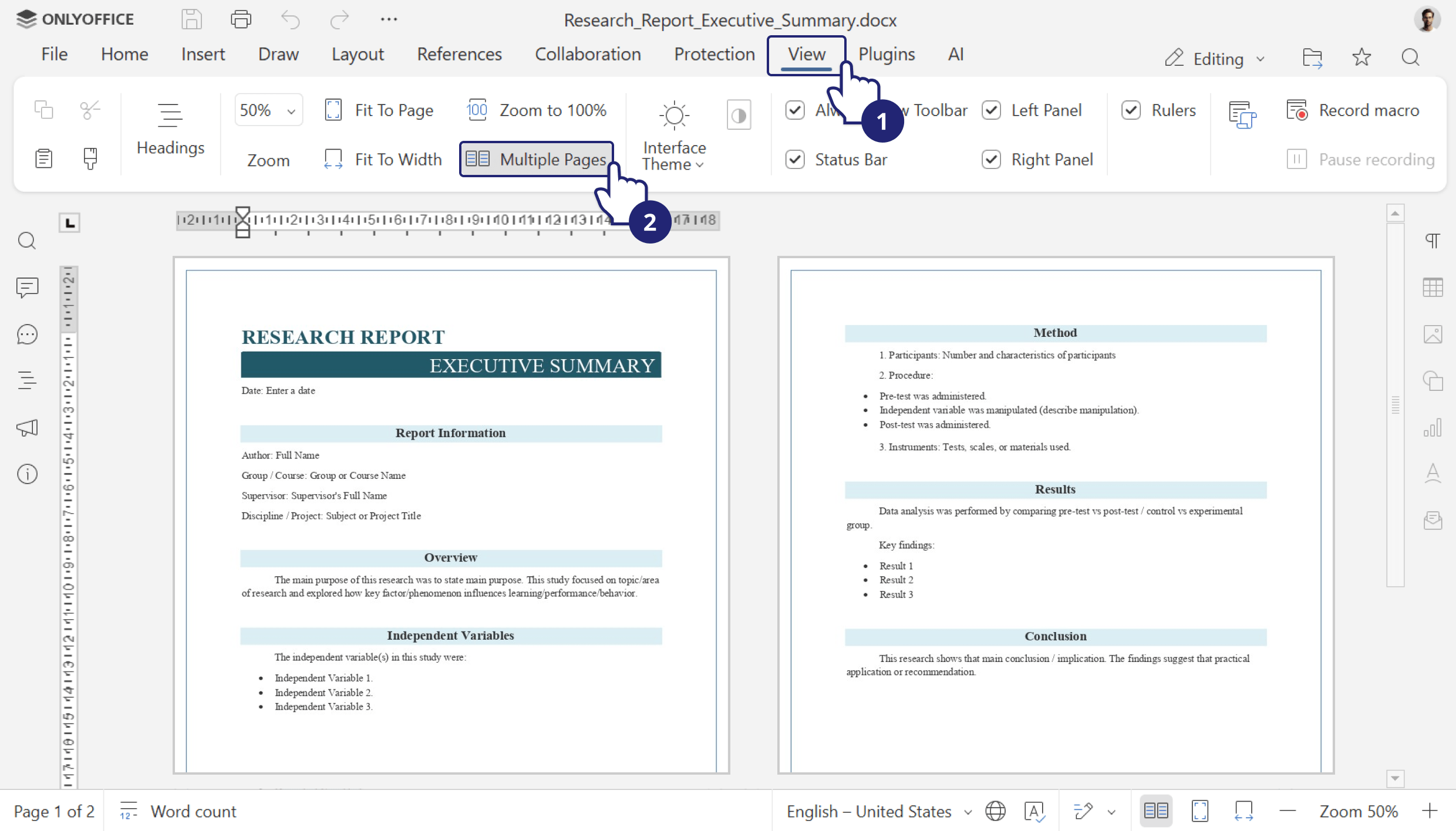
Multipage view was one of the most requested features in the ONLYOFFICE community. Users wanted an easier way to review layouts before printing or exporting without constantly zooming in and out or scrolling through long documents.
When it finally arrived in the Document Editor, it made that workflow much more comfortable. You can display several pages side by side, quickly review formatting, page breaks, images, and the overall structure of your document at a glance.
It may look like a small feature, but for anyone working with long documents, it quickly became an essential one.
PDF editing: When PDFs stopped being read-only
As PDFs became one of the most common formats for sharing contracts, reports, and manuals, users wanted to make quick changes without switching between different applications.
The introduction of the ONLYOFFICE PDF Editor made that possible. Users can now edit existing text, add new paragraphs, insert images, tables, shapes, hyperlinks, and work with PDFs almost as naturally as with text documents.
Since its first release, PDF editing has continued to evolve with every major version, becoming one of the fastest-growing parts of the ONLYOFFICE editors.
Catching fact: Our first PDF experience looked very different. In 2012, PDFs could only be viewed in a Flash-powered viewer with basic navigation.
Inline text fields: Forms that flow with the text
Creating fillable PDF forms used to mean carefully positioning fields on top of a page and hoping everything stayed aligned. Inline text fields offered a more natural approach.
Instead of floating above the document, fields become part of the text flow itself. They move together with the surrounding content, making forms easier to design, update, and complete, especially when working with contracts, applications, questionnaires, and other structured documents.
It’s a small detail, but one that makes working with PDF forms feel much more like editing an ordinary document.
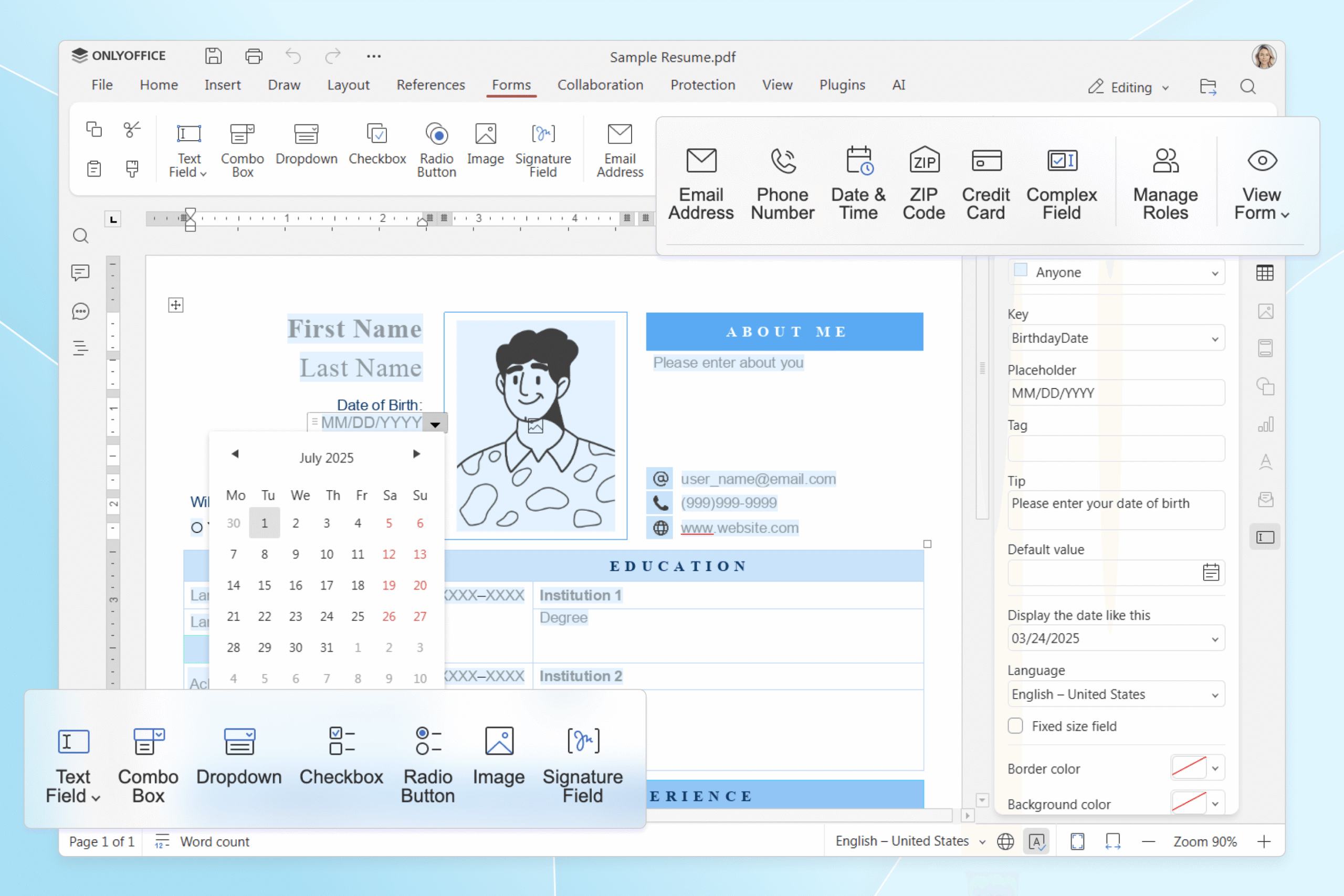
PDF signatures: Signing without printing
ONLYOFFICE gradually expanded its PDF forms with built-in signature support, allowing users to type, draw, or upload a handwritten signature directly in the editor. Automatic background removal makes scanned signatures blend naturally into the document without additional image editing.
Sign PDF forms using typed, drawn, or uploaded signatures, with background removal.
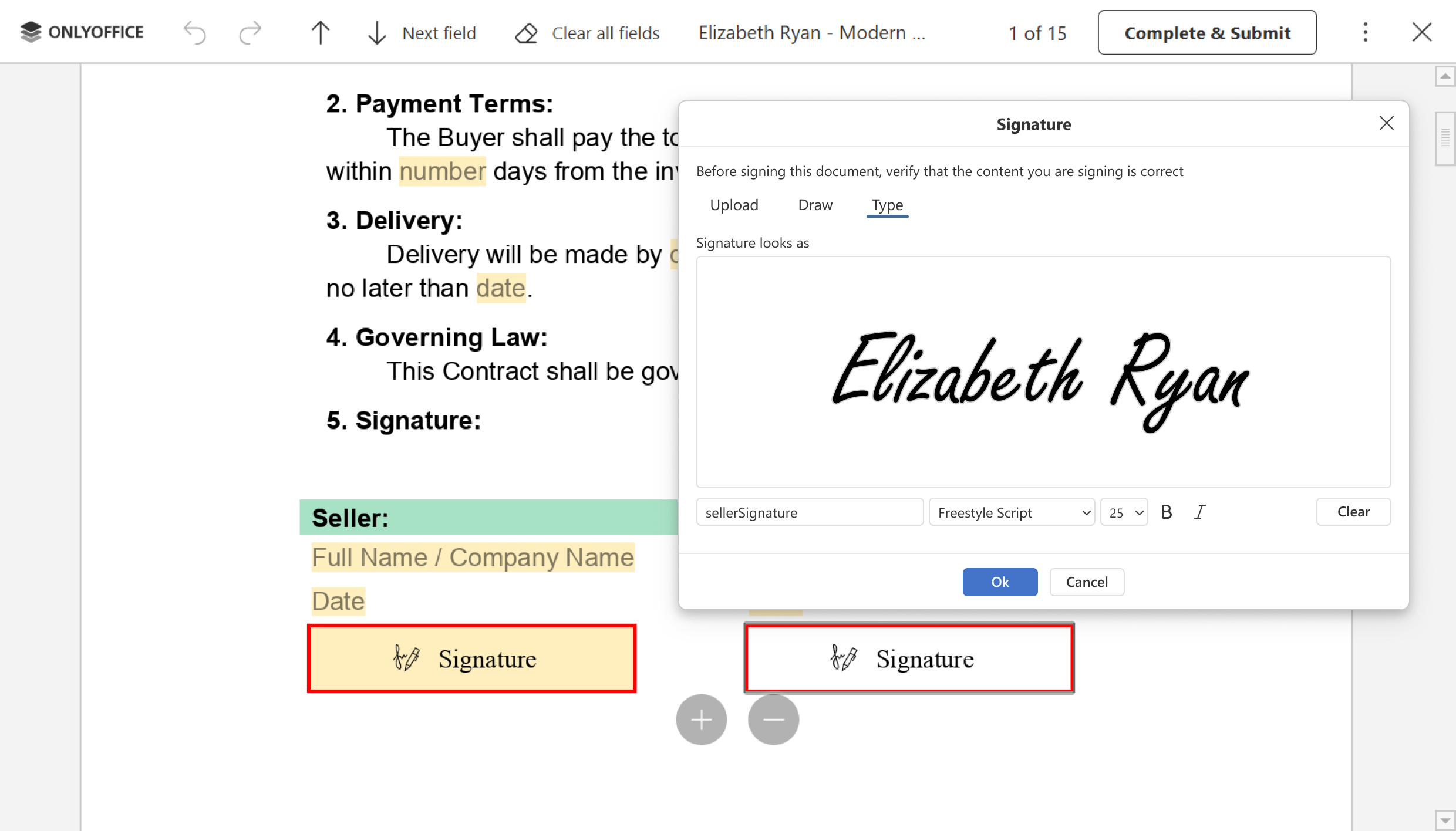
Strict co-editing mode: Collaboration with more control
Some teams, especially in legal, finance, government, and other highly regulated industries, prefer a more structured editing process, where changes remain private until they’re ready to be shared.
Strict co-editing mode was introduced with exactly these scenarios in mind. Instead of editing the same paragraph simultaneously, collaborators can lock the section they’re working on, while their changes become visible only after saving.
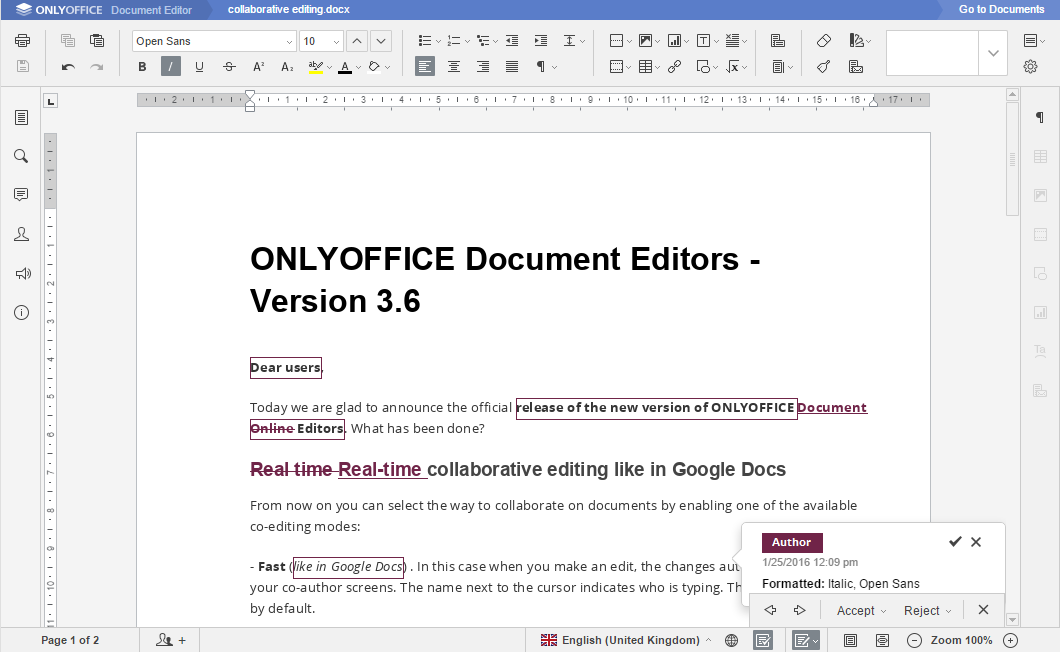
Catching fact: Strict co-editing was the original collaboration mode in ONLYOFFICE. In version 3.6, we introduced Fast co-editing, becoming the first office suite to let users choose between controlled collaboration and real-time editing within the same document.
AI provider and custom assistants: AI that works your way
Instead of building ONLYOFFICE around a single provider, we took a different approach. In 2024, we introduced the AI plugin, allowing users to connect the models and services that best fit their needs. Today, ONLYOFFICE supports OpenAI, Mistral, Anthropic, Ollama, DeepSeek, Together AI, Groq, Google Gemini, xAI, and many more.
The next step was custom AI assistants. Rather than entering the same prompts every time, users can create assistants for recurring tasks – from drafting documents and summarizing reports to translating text, explaining formulas, or generating code.
Just like the rest of ONLYOFFICE, our AI integration is built around flexibility. You choose the provider, configure the workflow, and decide how AI fits into your everyday work.
RAG knowledge base in DocSpace: when AI knows your documents
General-purpose AI is useful until the answer you’re looking for exists only inside your own files. That’s exactly the problem knowledge bases in ONLYOFFICE DocSpace were designed to solve.
Using retrieval-augmented generation (RAG), organizations can build AI-powered knowledge bases from their own documents. Internal policies, project documentation, technical manuals, meeting notes—the assistant searches trusted company content instead of relying solely on publicly available information.
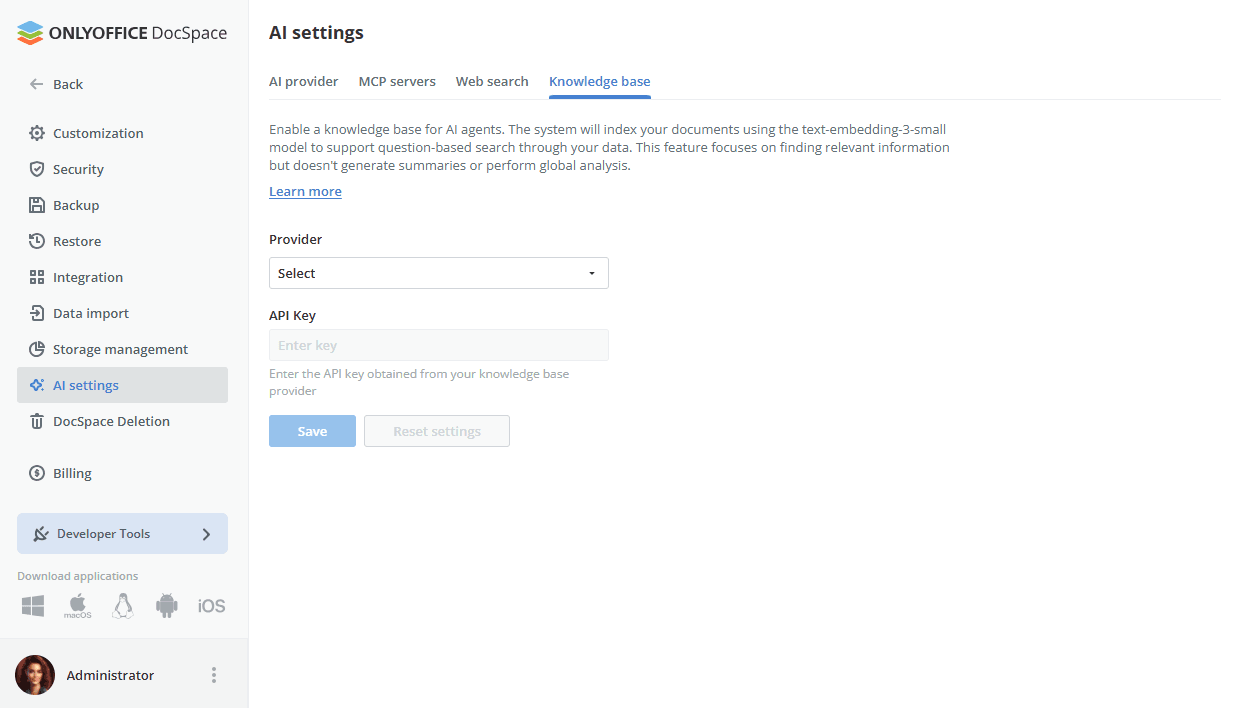
It turns DocSpace from a document storage platform into a workspace where information is easier to find and easier to use.
Speech input plugin: Sometimes it’s faster to say it
The Speech Input plugin allows users to dictate text directly into the editors, converting spoken words into editable content in real time. Whether you’re taking meeting notes, capturing ideas, or drafting a document, voice input can often be the quickest way to get started.
The plugin also improves accessibility by making document editing easier for people with limited mobility or anyone who prefers speaking to typing.
Self-hosted deployment: Keeping your data where it belongs
Since the early days of ONLYOFFICE, users have been able to deploy the platform on their own Linux or Windows servers, in a private cloud, or within a secure corporate network. That gives organizations full control over their documents, infrastructure, and security settings without relying on third-party services.
Today, self-hosted deployment remains one of the defining characteristics of ONLYOFFICE, trusted by organizations around the world that prefer to keep their data in their own hands.
Admin Panel for Docs Enterprise: Everything under one dashboard
As more organizations deployed ONLYOFFICE on their own infrastructure, managing those environments became more demanding.
The Admin Panel for ONLYOFFICE Docs Enterprise was created to simplify that work. It brings together the tools administrators use most, from server monitoring and health checks to security settings, AI provider configuration, and license management, all in one place.
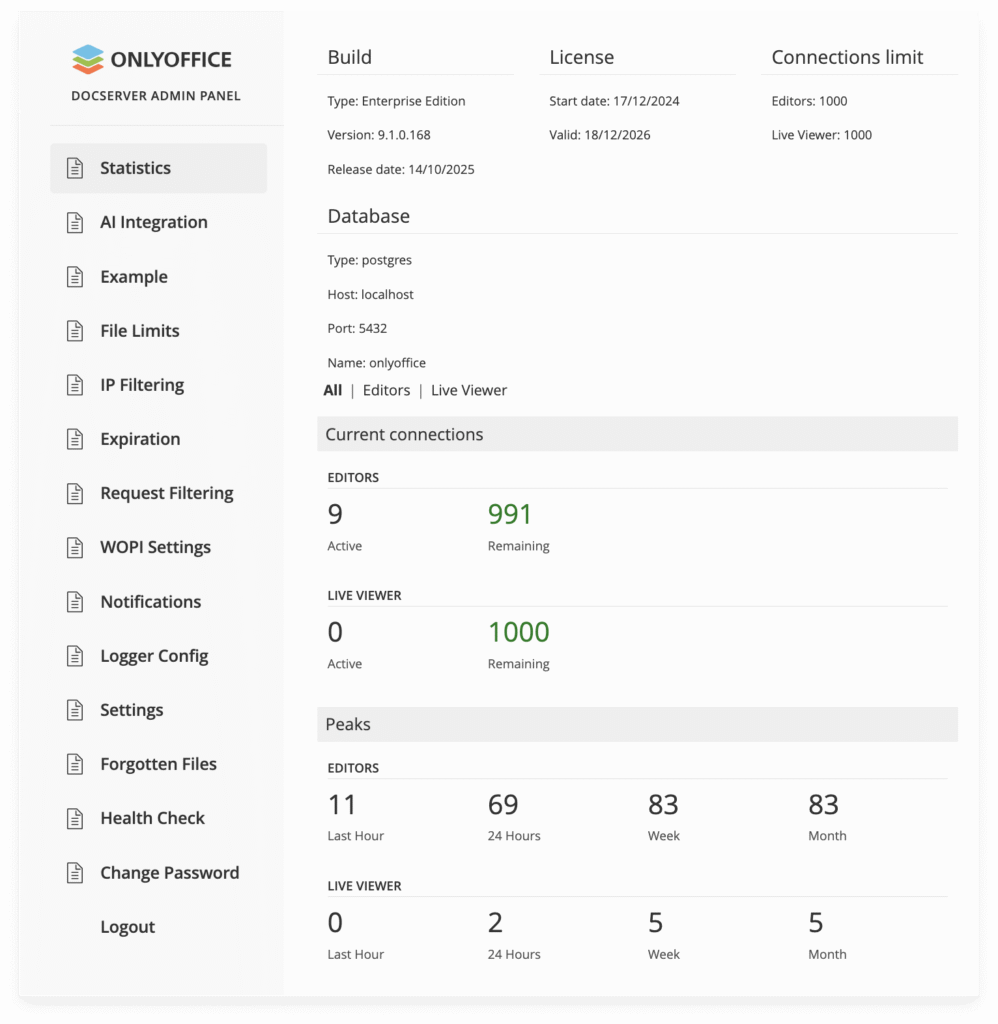
For organizations running large deployments, it means spending less time navigating configuration tools and more time keeping their ONLYOFFICE environment running smoothly.
Desktop Editors: ready for ARM
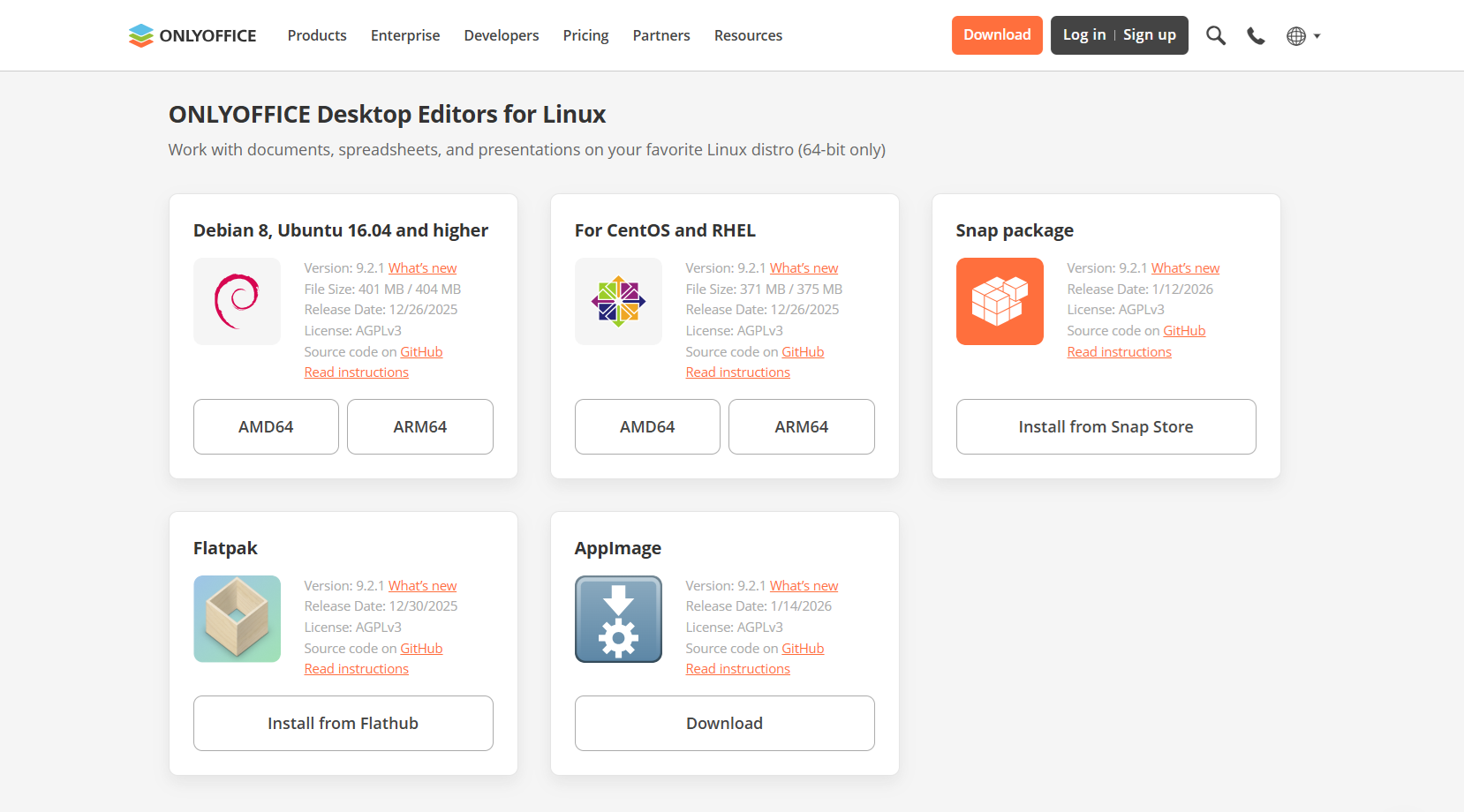
The growing popularity of ARM-based devices brought a familiar request from the community: native support for ONLYOFFICE Desktop Editors.
We answered it with dedicated ARM builds for Linux and Windows, allowing users to run the editors without emulation or additional compatibility layers. The result is a smoother experience on modern ARM hardware, along with the performance and efficiency that this architecture is known for.
Suggest your feature ideas
This list highlights just a few of the features that have shaped ONLYOFFICE over the years. New ideas continue to come from the people who use our products every day.
Have a feature in mind? Share your suggestion in our community and vote for ideas from other users.
Have a question about ONLYOFFICE? We cover a lot on our blog, but if there’s still something you’d like to know, send us your question. It could be featured in a special blog edition, and you’ll have a chance to win branded merch and free Home Server licenses.
Stay tuned for article ten!
Create your free ONLYOFFICE account
View, edit and collaborate on docs, sheets, slides, forms, and PDF files online.