The first document editor: a simple but risky bet
As ONLYOFFICE turns 16 this July, we’re looking back at the decisions that shaped the product. This one came before the name, before the open source license, and before 21 million users. It came from a team that was frustrated enough to build something nobody else had tried.

Before there was an editor, there was a problem
The year was 2010. The team at Ascensio System SIA, then working on a collaboration platform called TeamLab, needed to let users work with documents inside their product. The platform had project management, CRM tools, a wiki, blogs, and a shared file space. But when someone needed to edit a Word document, the workflow was, to put it charitably, inelegant.
The first document editing option added was a nightmare. When you pressed Open file, an exe file was downloaded to your PC. It was OpenOffice with a pre-installed plugin. The document from the portal was opened in OpenOffice and, after editing, saved back to the cloud.
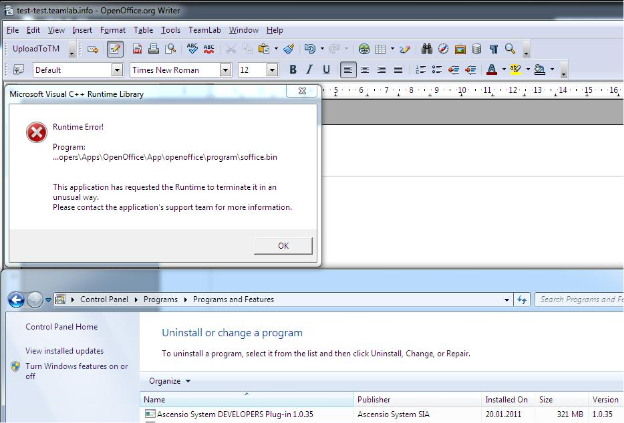
This is how document editing worked on the web in 2010. You left the browser. You opened a desktop application. You edited. You saved back. You returned to what you were doing. Every step was friction. Every step was a potential failure point: the wrong version, the wrong format, the wrong person’s copy.
The team hated it. Not in a mild, professional, “we could probably improve this” way in a visceral, daily, this-is-embarrassing way. And so they made the kind of decision that either defines a company or destroys it: they decided to write their own editor.
The bet: HTML5 Canvas
In 2010, building a document editor in the browser was not a reasonable thing to do. Google Docs had launched in 2006 and was the obvious reference point, but it worked by letting the browser render the document using standard HTML. This meant that the output you printed looked different from what you saw on screen. Formatting broke across browsers. Complex layouts collapsed. The web was simply not ready to replicate the precision of a desktop word processor.
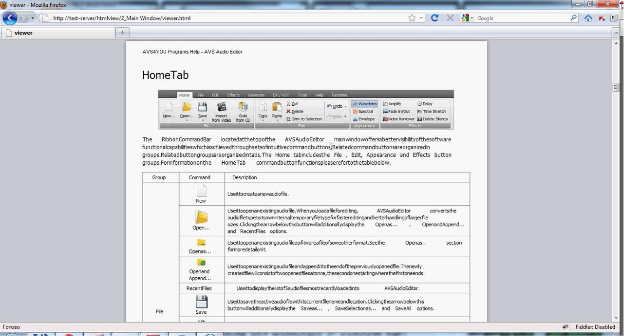
The ONLYOFFICE team chose a fundamentally different approach. Instead of asking the browser to render the document, they would render it themselves, painting every pixel directly using the HTML5 Canvas element.
Canvas is a part of HTML5 that allows dynamic, scriptable rendering of 2D shapes and bitmap images. The technology is known to preserve the initial formatting regardless of browser or operating system.
The implications were significant. If you paint the document pixel by pixel, you control exactly what it looks like, on any browser, on any operating system, whether it is displayed on screen, exported to PDF, or sent to a printer. The input is always identical to the output: a processed file keeps the same style, paragraphs, symbols, and line spacing. The document you see is the document you get.
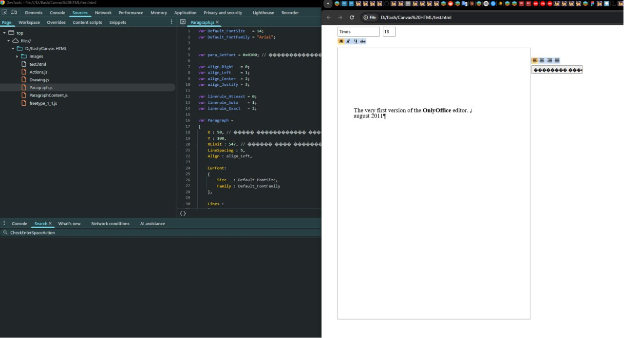
But the technical risk was real. HTML5 Canvas was not designed for document editing. Nobody had done this before. The team was not adapting an existing approach; they were building one. If it didn’t work at the scale and performance level required for a real office suite, two years of engineering work would be wasted.
Interesting fact: Canvas was not the first attempt. Before settling on HTML5 Canvas, the team tried CKEditor, an established browser-based rich text editor built on standard HTML rendering. It failed for the same reason the Google Docs approach was insufficient: plain HTML simply could not deliver the formatting precision and cross-browser consistency the team required.
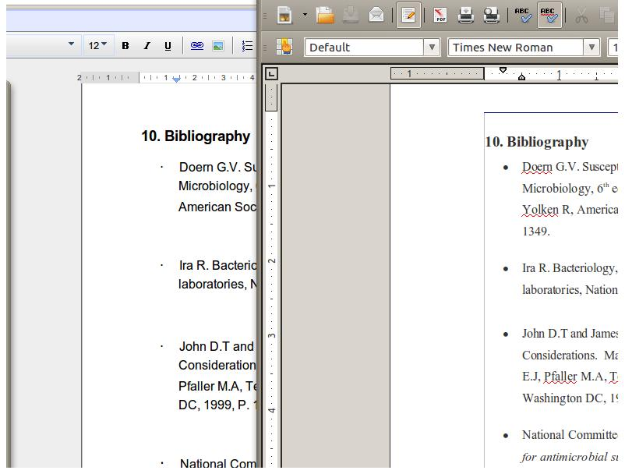
The irony is not lost on the team: “Google and Microsoft switched to the same technology we use, perhaps after taking a cue from us.” Whether coincidence or convergence, the industry eventually arrived at the same conclusion the ONLYOFFICE team reached in 2010. The team just arrived there first.
The fact: In May 2021, nearly a decade after ONLYOFFICE’s CeBIT debut, Google announced that Google Docs would migrate from HTML-based rendering to Canvas-based rendering, citing improved performance and cross-platform consistency. The approach ONLYOFFICE had bet on in 2010 had become the industry standard, at least for one of the two biggest players in the market.
CeBIT 2012: the first public appearance
In March 2012, the team took their bet public. At CeBIT in Hannover, one of the world’s largest technology trade fairs, TeamLab introduced the first HTML5-based document editors. The beta version was available to test at html5.teamlab.com.
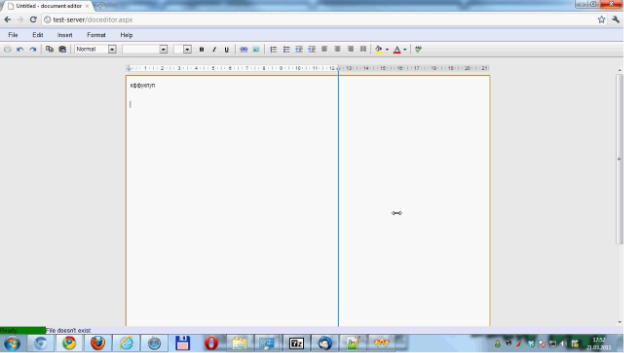
TeamLab brought the first-ever HTML5-based document editor to office software. With the new cutting-edge technology, TeamLab displayed files correctly in any browser, on any operating system, even when printing or importing them. Besides, it offers powerful options for table processing, line spacing, multilevel numbering, and text and heading styles.
The product at this stage was a document editor only. No spreadsheet, no presentation editor. Just the text editor, built on Canvas, demonstrating that the approach worked.
The team also understood that collaboration was not a bonus feature; it was the whole point of building a browser-based editor in the first place. A document that looks identical on every screen is only useful if multiple people can work on it together. They added the Strict co-editing mode, where you lock the part of the document you are working on, and nobody sees what you are typing until you hit Save. This was designed for teams that needed to work on a document simultaneously without overwriting each other’s changes.
The spreadsheet that started it all
This is a particular milestone that the timeline usually skips. The document editor gets the headline, and CeBIT 2012 is the official public debut. But the actual origin of the ONLYOFFICE editors is stranger and less linear than that.
The project started not with a document editor but with a spreadsheet editor, and it did not yet use Canvas. The initial version calculated formulas on the server, which created its own set of performance problems. Before the document editor was even finished, the project was shut down entirely. As Alex, head of development, recalled: “That was it, we weren’t working on it anymore.”
What happened next is the kind of detail that gets smoothed out of official histories. The team kept working on it quietly, behind the scenes, fixing the bugs that had caused the project to be abandoned. Eventually, they relaunched. And only then did the document editor appear, the product that would become the centerpiece of everything that followed.
The bet on Canvas was bold. But the story behind it involves a start, a pause, a quiet continuation, and a relaunch that most of the industry never knew about. That is the less visible version of how ONLYOFFICE’s editors actually came to exist.
When the editors first launched, the ONLYOFFICE marketing team had a line that captured the positioning better than any product specification could: “What if Google Docs and Microsoft Office had a child? It would be called TeamLab.”
It was a useful compression of what the Canvas approach actually delivered: Google Docs’ collaborative, browser-based nature combined with Microsoft Office’s formatting precision. Neither approach alone was sufficient. The HTML5 Canvas bet was precisely the attempt to get both at once.
2013: saying goodbye to proprietary formats
The Canvas bet was technical. The 2013 bet was about compatibility, and in some ways it was the more consequential one.
At the time, ONLYOFFICE used its own internal formats (.doct, .xlst, .pptt). In 2013, the team dropped them entirely and committed to OOXML, the Office Open XML standards behind DOCX, XLSX, and PPTX.
It was not the obvious choice. Adopting Microsoft’s formats meant accepting their full complexity: every edge case in a ten-year-old Word document, every obscure Excel formula, every PowerPoint animation had to render correctly, because users would bring files created in Microsoft Office and expect them to open. But the alternative, asking users to convert their files, was a dead end. The world runs on DOCX and XLSX, and ONLYOFFICE had to work with the documents people already had.
That decision is why TechCrunch, reporting in January 2014, wrote that TeamLab “claims to combine the best of Google’s online collaboration features with Microsoft Word’s high quality formatting”, and why the headline read that the product “wants to send Microsoft Office 365 back to the drawing board.”
2014: the open source decision and the new name
By mid-2014, the team had a working suite: documents, spreadsheets, and presentations, running in the browser, compatible with Microsoft Office formats, with real-time co-editing. Four years from the first frustrated decision to start over.
In July 2014, TeamLab Office was rebranded to ONLYOFFICE, and the source code was published on GitHub and SourceForge under AGPLv3. The name reflected the focus: only office. The source code publication turned a proprietary bet into an open one, transparent and safe, so everyone can examine it.
That decision was also, in retrospect, the foundation of everything that followed. The 40+ integration connectors, the Moodle plugins, the Confluence connector, and the DocSpace MCP server, all trace back to the day the code became public.
The server rewrite nobody talks about
The Canvas bet gets most of the attention. But there was a second technical decision made around the same time that was, in its own way, equally radical.
When the team began building collaborative editing in the browser, a new problem emerged, one that is easy to overlook when telling the editor story. The original Document Server ran on .NET, the same technology stack as the rest of TeamLab. For a browser-based collaboration product with real-time co-editing requirements, that architecture was not going to hold.
So in 2014, the team scrapped the entire server they had been developing for four years and rewrote it from scratch in Node.js, a technology that was, at the time, barely known for production use at any significant scale. As Alex, head of development, described it: “The choice of Node.js was just as strange as the choice of Canvas. No one was writing anything with a high load on it.” The rewrite was completed by a single engineer in four months. The version of Node.js they were building on was 0.10–0.12, where, as the team noted with characteristic understatement, “0 means ‘don’t expect anything serious, guys.'”
Two unconventional technical bets, made in the same year, by a team that had run out of patience with conventional options.
2016: Fast co-editing and the desktop editors
Two more significant milestones completed the first chapter of the editor’s story.
Fast co-editing mode appeared in 2016 with the goal of providing truly effective document collaboration for all users. Where Strict mode locked a paragraph while you typed and only showed changes on Save, Fast mode showed changes in real time, the behavior most users now associate with collaborative document editing. ONLYOFFICE now had both: a deliberate, controlled editing mode and a live, simultaneous mode. The choice depended on the team’s workflow, not on a limitation of the technology.
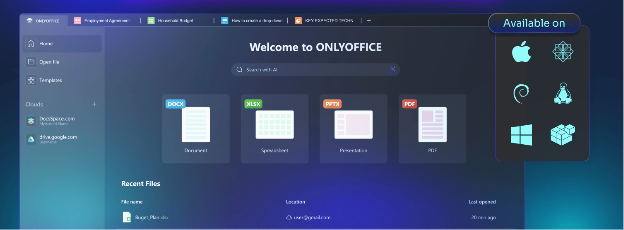
Also in March 2016, the developers of ONLYOFFICE released a desktop application, ONLYOFFICE Desktop Editors, positioned as an open source alternative to Microsoft Office. The same HTML5 Canvas editor that ran in the browser was now packaged as a native desktop application for Windows, Linux, and macOS. The technical approach that had started as a web-only bet now ran everywhere.
Mobile: the same editor, everywhere
The desktop application in 2016 extended the Canvas editor beyond the browser. The mobile apps extended it further still, to the devices where more and more document work was actually happening.
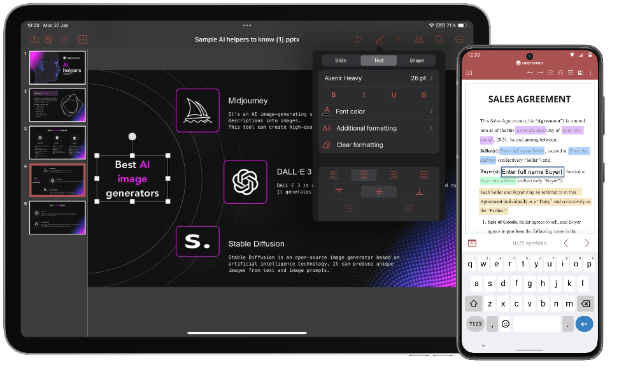
ONLYOFFICE Documents for iOS and Android brought the same editing engine to smartphones and tablets: full DOCX, XLSX, and PPTX editing, real-time co-editing, track changes, and comments. Not a simplified viewer with basic editing capability, the same editor, adapted for touch. The 9.4 release in 2026 added Mistral AI support on mobile, manual save control for cloud documents, a formula tab in the Android spreadsheet editor, and multi-image insertion on iOS. The Canvas approach that started as a browser bet in 2010 now runs on every platform a user might actually work from.
What the bet actually looked like
It is easy, fourteen years later, to frame the HTML5 Canvas decision as visionary. At the time, it looked like a serious risk taken by a team that had run out of patience with the alternatives.
The alternatives in 2010 were: use OpenOffice with a plugin (they tried it, hated it), use a browser-rendering approach like Google Docs (inconsistent across browsers, limited formatting), or build something proprietary that required a desktop install (defeats the purpose of a cloud platform). None of them was good enough. So they built a fourth option that didn’t exist yet.
The technical risk was genuine. Canvas-based rendering is computationally intensive. Making it fast enough for real document editing, with complex tables, embedded images, formulas, and live co-editing, required significant engineering work on performance optimization that continued for years after the first CeBIT demo.
ONLYOFFICE developed an architecture that assures a slight, real-time connection between participants and minimizes server loading. That architecture, designed to handle simultaneous editing without creating a performance bottleneck on the server, is still the foundation of how ONLYOFFICE handles co-editing today.
From one editor to a suite of seven
The team that unveiled a single document editor beta at CeBIT 2012 now ships seven editor types in a coordinated suite ONLYOFFICE Docs: Document Editor, Spreadsheet Editor, Presentation Editor, PDF Editor, Form Creator, Diagram Viewer, and the AI-powered assistant layer that works across all of them.
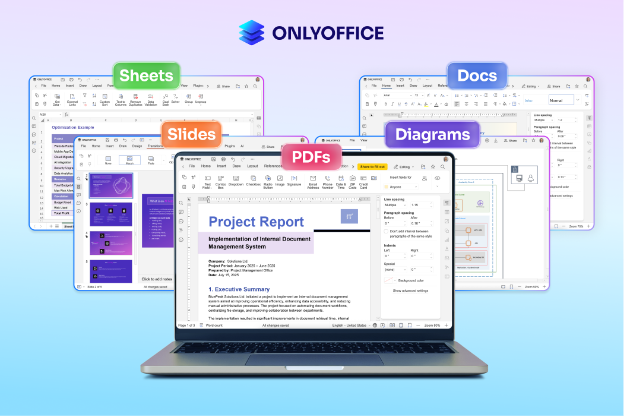
The product was built using Canvas, a part of HTML5 that allows dynamic, scriptable rendering of 2D shapes and bitmap images. The basic type of formats used in ONLYOFFICE Docs is OOXML (DOCX, XLSX, PPTX). That has not changed. The rendering approach chosen in 2010 still underlies every document that opens in ONLYOFFICE today, in any browser, on any device, in any of 45 interface languages.
The bet was simple: build an editor that renders documents exactly as they should look, on every platform, every time. The risk was real: nobody had done it this way, and building it took years. Fourteen years later, the document looks the same whether you are editing it in a browser in France, on a desktop in Japan, on a phone in Kenya, or printing it from a server in a German hospital basement.
The PDF editor: a format that was never supposed to be editable
One of the most significant expansions of the original bet was not a new editor type; it was the transformation of an existing format.
PDFs were designed in 1993 to be final, fixed. The end of a document’s life, not a stage in it. For decades, working with a PDF meant viewing it, printing it, or converting it to something else. ONLYOFFICE’s PDF Editor challenged that assumption directly.
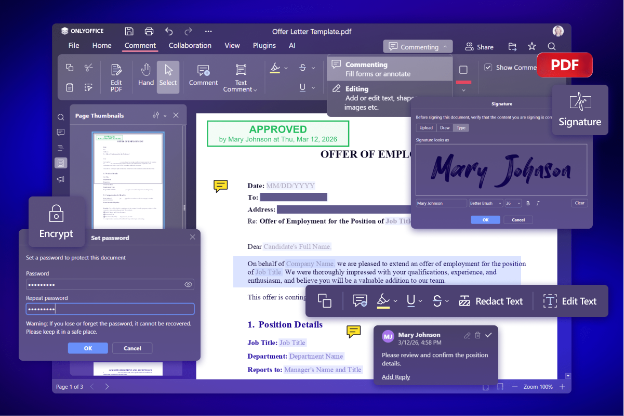
Today, the PDF Editor supports direct text and image editing without conversion, full-page annotation with shapes and stamps, permanent redaction of sensitive content, digital signatures in three modes, fillable PDF forms with role-based fields, page management including drag-and-drop reordering, OCR for scanned documents, and real-time collaborative annotation. It is not a viewer with editing bolted on. It is a full editing environment for a format the industry had decided was read-only.
The PDF Editor is included in ONLYOFFICE at no extra cost, no separate Adobe license, no add-on subscription. That decision reflects the same logic as the Canvas bet: if a document format exists, people should be able to work with it properly, in the same environment where they work with everything else.
Keep on reading
This article is the second post in our 16-part series dedicated to ONLYOFFICE’s 16th birthday. Further, we’ll learn more about the key milestones, product decisions, and other steps that have shaped ONLYOFFICE. Let’s have a look back on together.
Stay tuned for article three!
Create your free ONLYOFFICE account
View, edit and collaborate on docs, sheets, slides, forms, and PDF files online.


